
How to visualize the Timeline of the actions and states of my domains
To visualize the timeline of the actions and statuses of your domains, you must access your SWPanel account. Then, go to the Domains and SSL -> Domain Portfolio tab, which you will find in the blue left side menu:
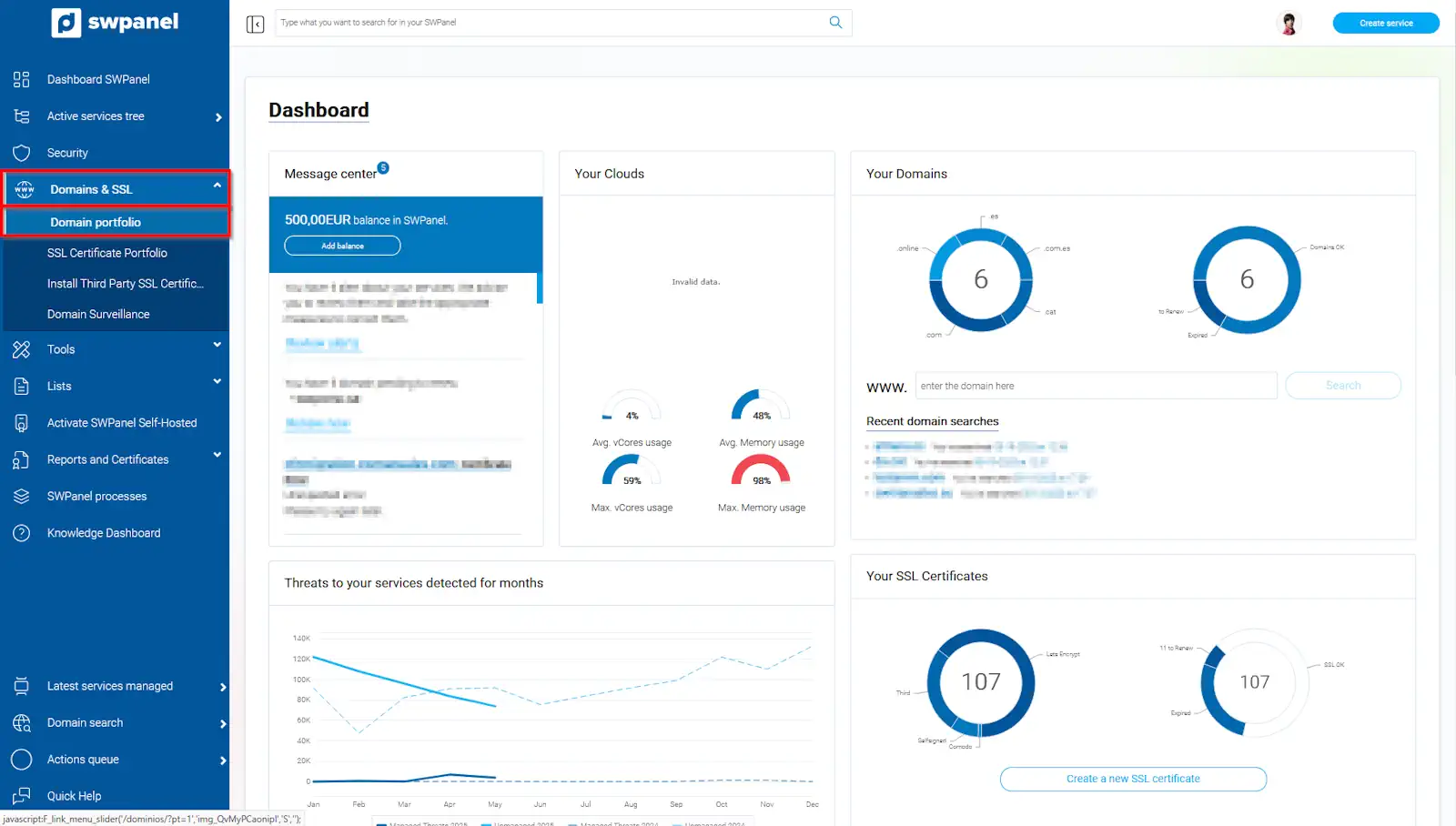
info_capture The screenshot is for guidance purposes. It was taken from version 2025.004.0002 dated 20/05/2025. It may differ from what is shown in the current version of SWPanel.
Next, search for your domain and place the mouse cursor on the [...] menu. Subsequently, you must select the Domain action history option.
💡 If you have more than one domain, you can use the search tool found in this section.
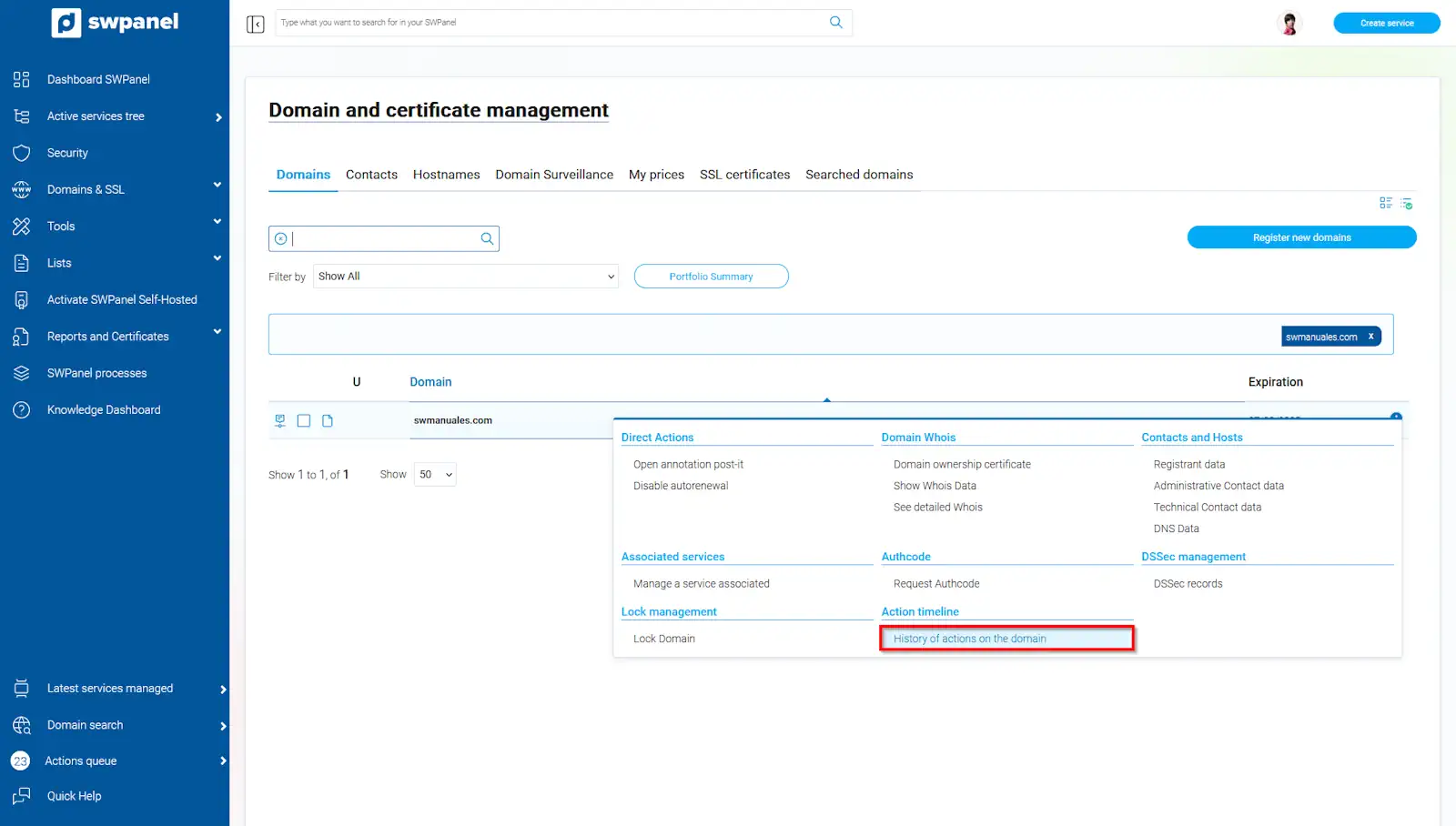
info_capture The screenshot is for guidance purposes. It was taken from version 2025.004.0002 dated 20/05/2025. It may differ from what is shown in the current version of SWPanel.
You can now see the Timeline of your domain below:
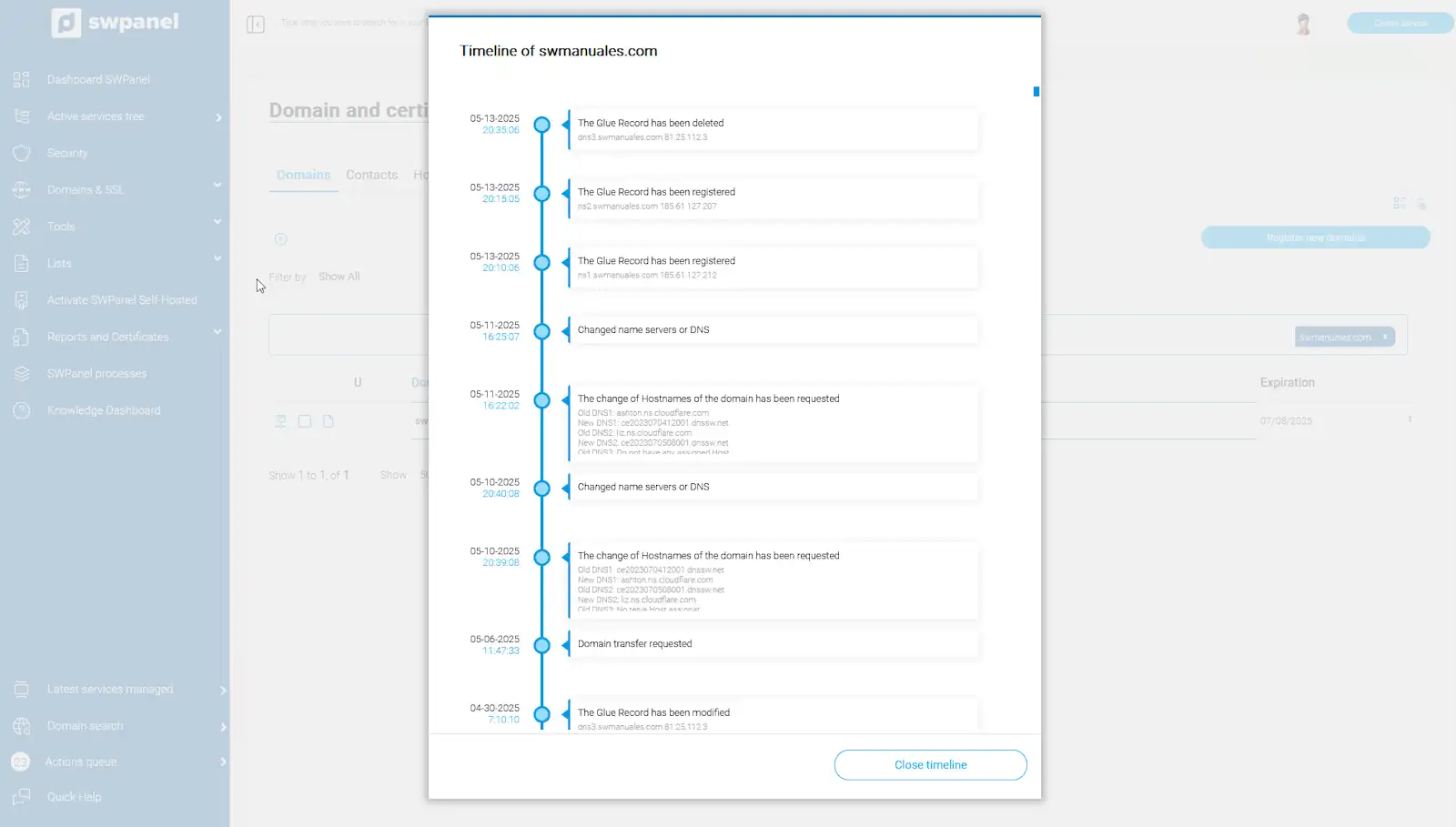
info_capture The screenshot is for guidance purposes. It was taken from version 2025.004.0002 dated 20/05/2025. It may differ from what is shown in the current version of SWPanel.