
Customer data and preferences
When contracting any of the SW Hosting services for the first time, your registration as a customer will be carried out first. The information you provide will be saved in your customer profile.
To access it:
- Click on your customer account logo.
- Select My account.
- Finally, click on Customer Data and Preferences.
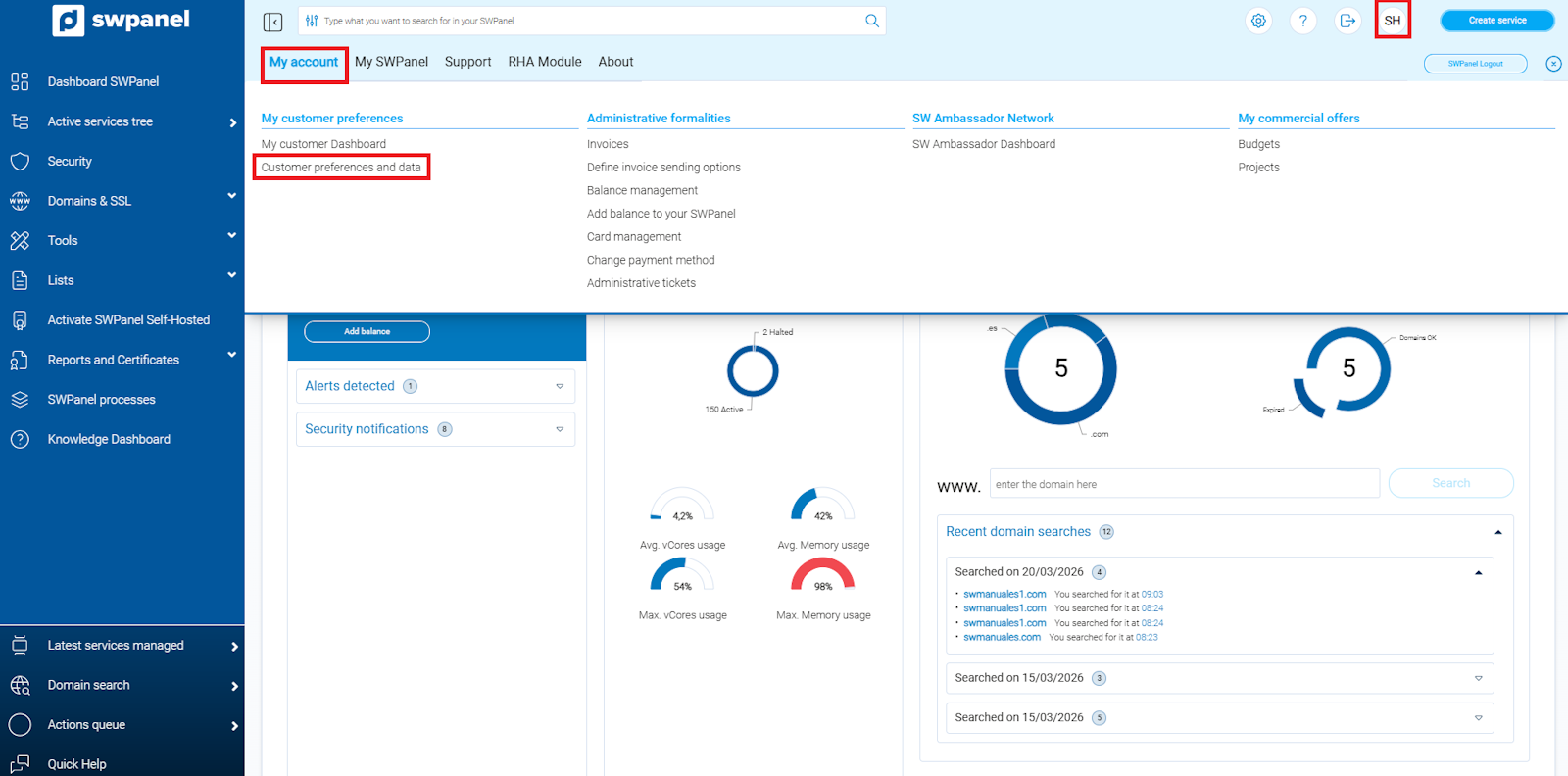
info_capture ℹ️ Note: The screenshot is for guidance purposes, taken from version 2026.000.0049 dated 22/03/2026. It may differ from the current version of SWPanel.
In each tab of your customer profile, you can modify all data, except for the NIF/CIF/VAT provided during registration. If you need to change this information, you must send a request via an administrative ticket or an email to [email protected].
Additionally, from the General Data tab, you can enable or disable your authorization for SW Hosting to send you information about its services, news, promotions, and any other advertising or commercial content.
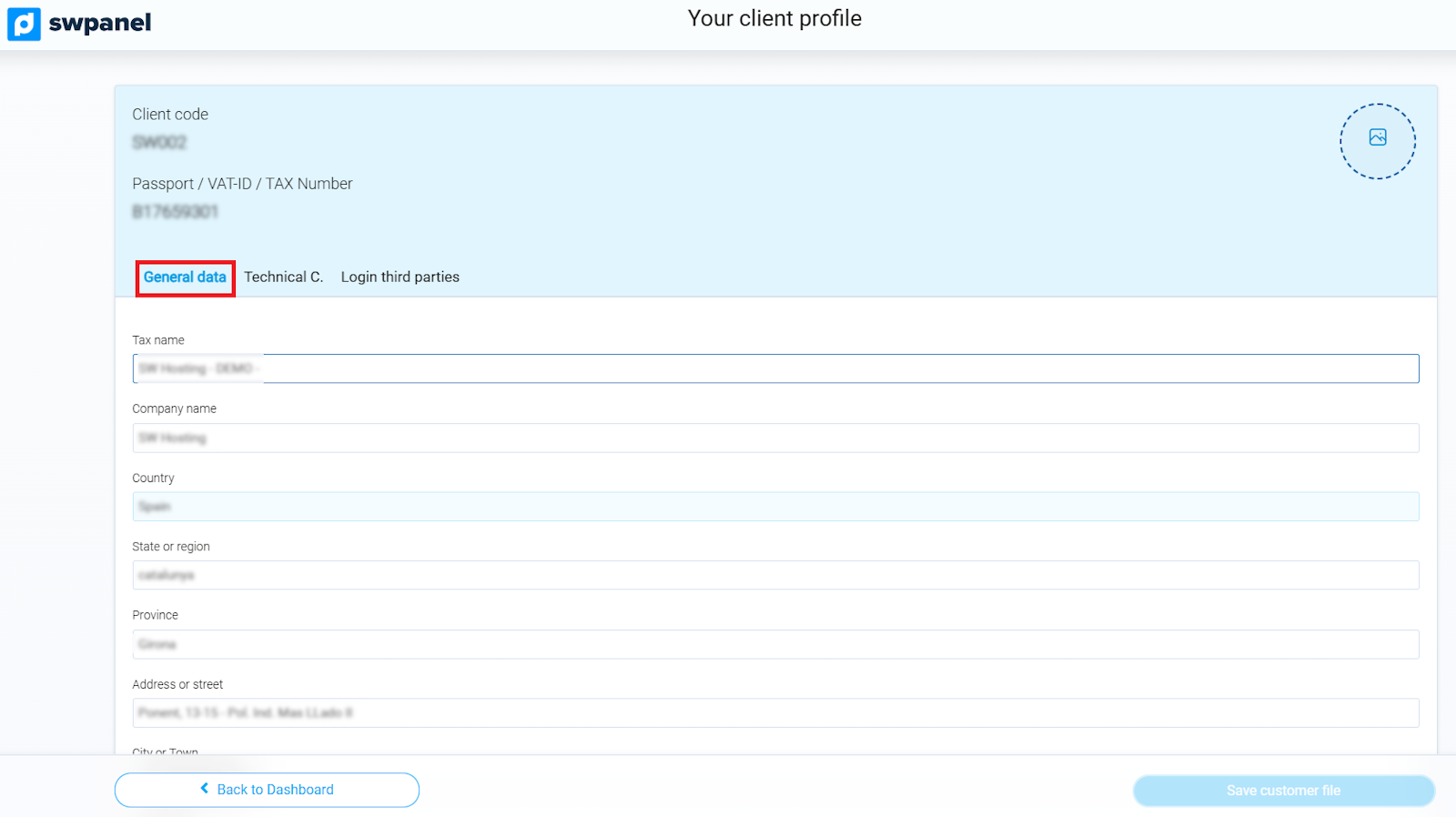
info_capture ℹ️ Note: The screenshot is for guidance purposes, taken from version 2026.000.0049 dated 22/03/2026. It may differ from the current version of SWPanel.
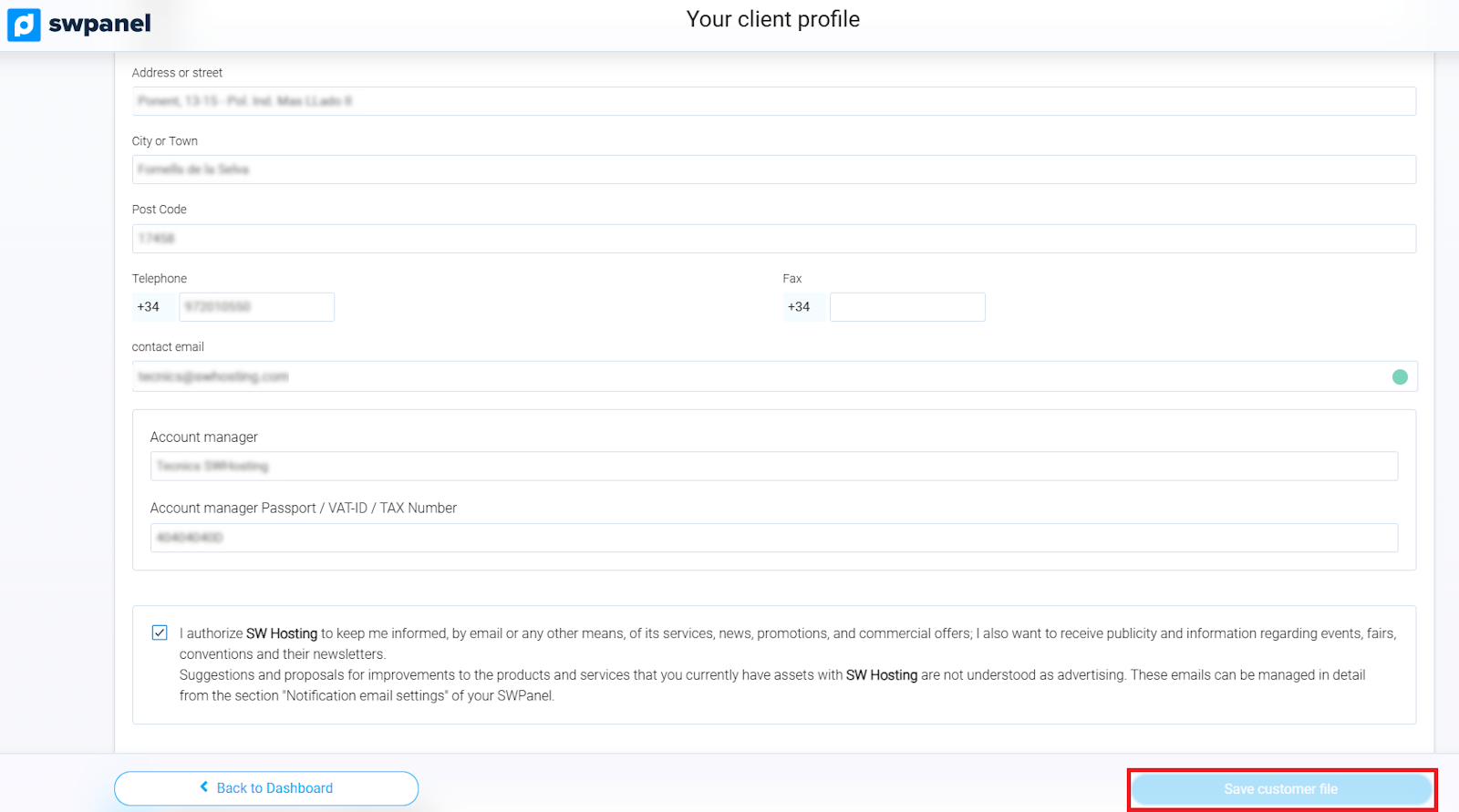
info_capture ℹ️ Note: The screenshot is for guidance purposes, taken from version 2026.000.0049 dated 22/03/2026. It may differ from the current version of SWPanel.
It is essential that the email addresses of all contacts in your customer profile —both the representative and the technical contact— are always up to date. This ensures that you can correctly receive messages sent by our automated systems, which may include:
- General messages: service creation, SWPanel access, renewal of contracted services, etc.
- Technical messages: resource usage alerts, opening or resolution of technical tickets, notifications from monitoring systems.
- Administrative messages: resolutions regarding NIF/CIF/VAT changes.
- Billing messages: invoice creation, payments, collections, etc.
In the Technical Contact tab, you must indicate:
- Name of the person responsible.
- Contact email address.
- Optionally, an additional email to receive service alerts.
- A contact phone number to communicate with the person in charge of managing these incidents.
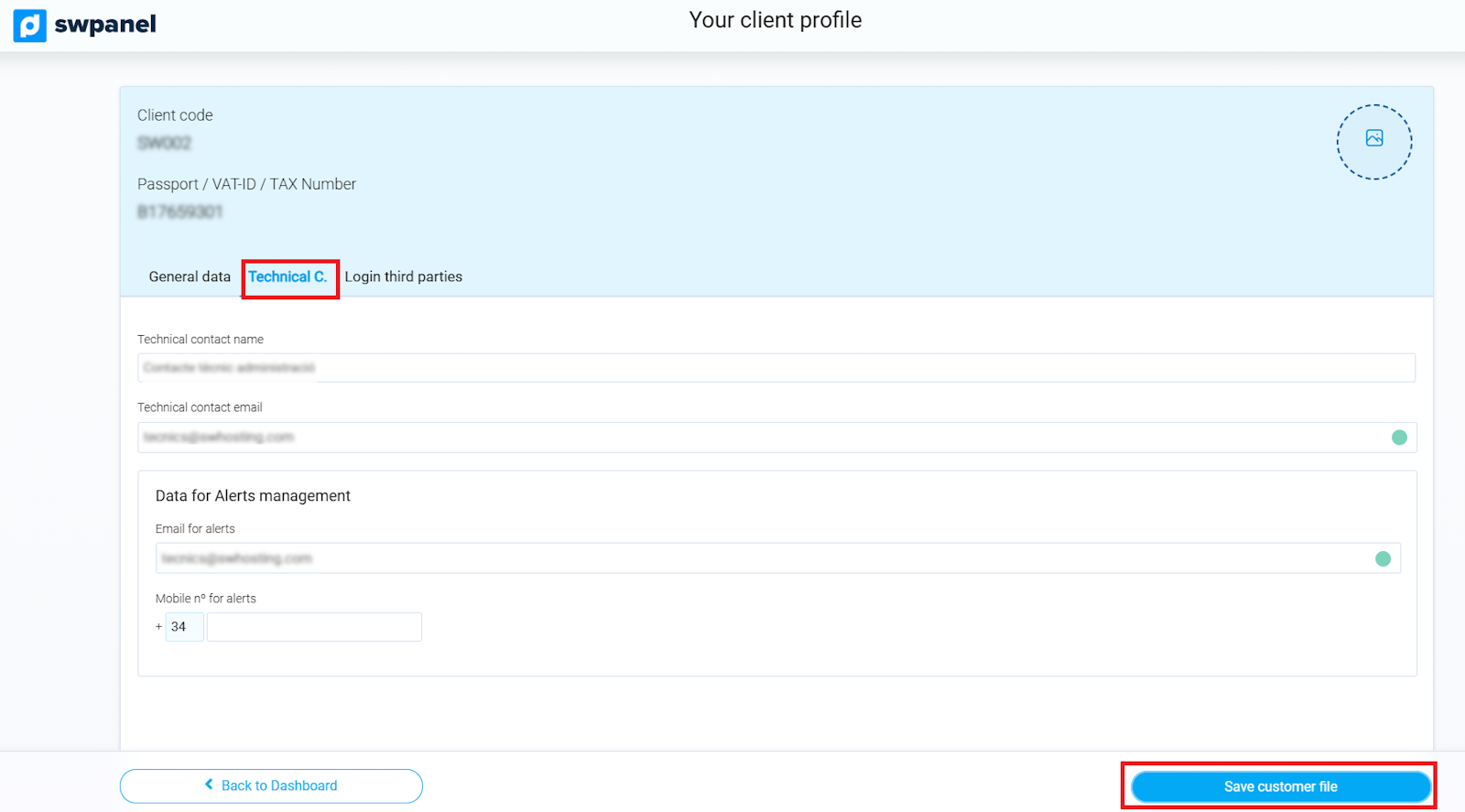
info_capture ℹ️ Note: The screenshot is for guidance purposes, taken from version 2026.000.0049 dated 22/03/2026. It may differ from the current version of SWPanel.
Do not forget that any change you make to your customer profile must be confirmed by clicking on Save customer profile.