
Domain search history
From your SWPanel account, you will be able to find a history of all the domains you have searched for over time. Thanks to this functionality, you can check the status of all the domains included in this list.
To consult the Searched Domains, you must access your Domain Portfolio from the blue side menu:
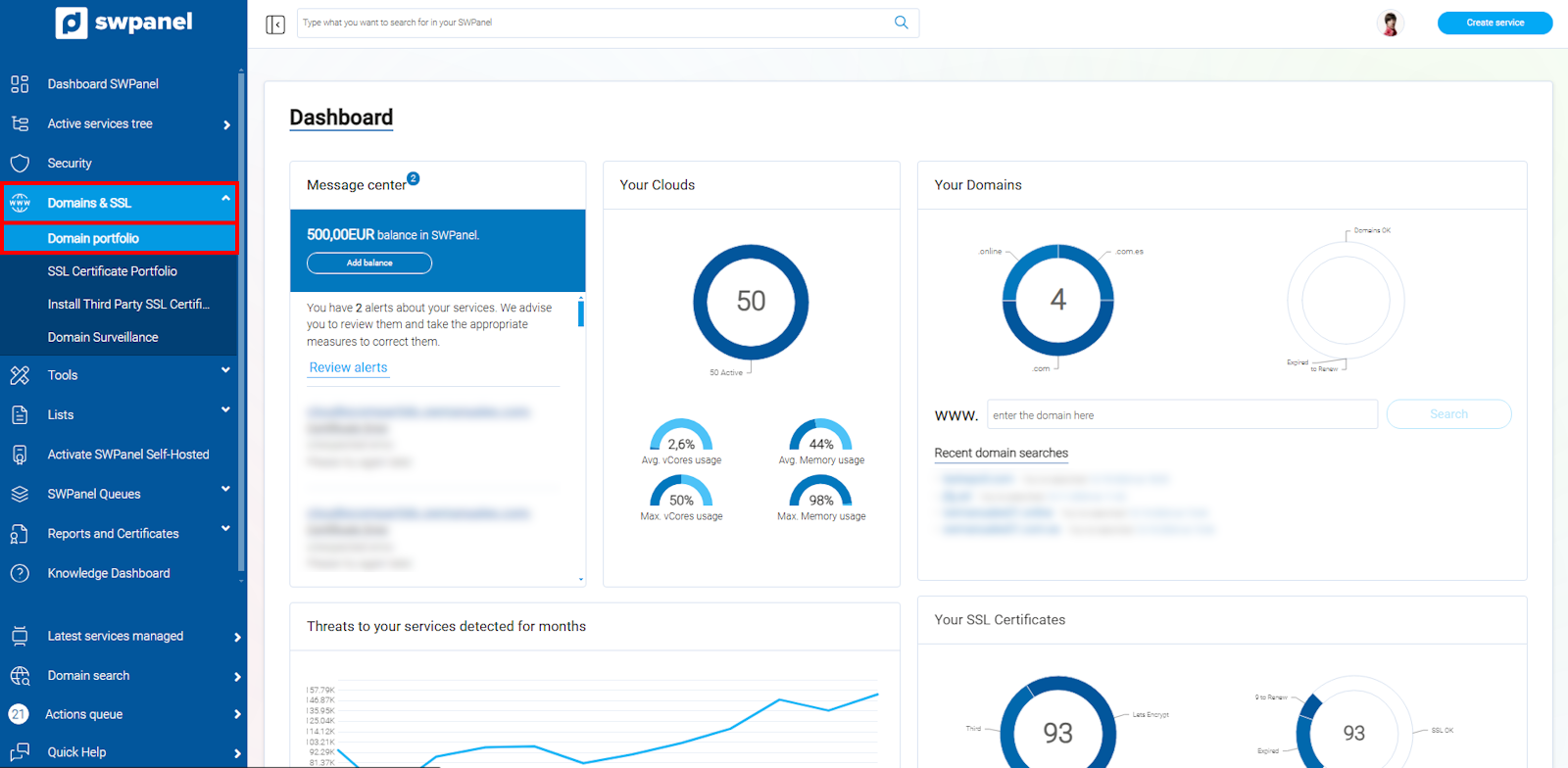
info_capture The screenshot is for illustrative purposes. It was taken using version 2025.00.0017 dated 29/12/2024. It may differ from what the current version of SWPanel displays.
Subsequently, you must click on the Searched Domains tab:
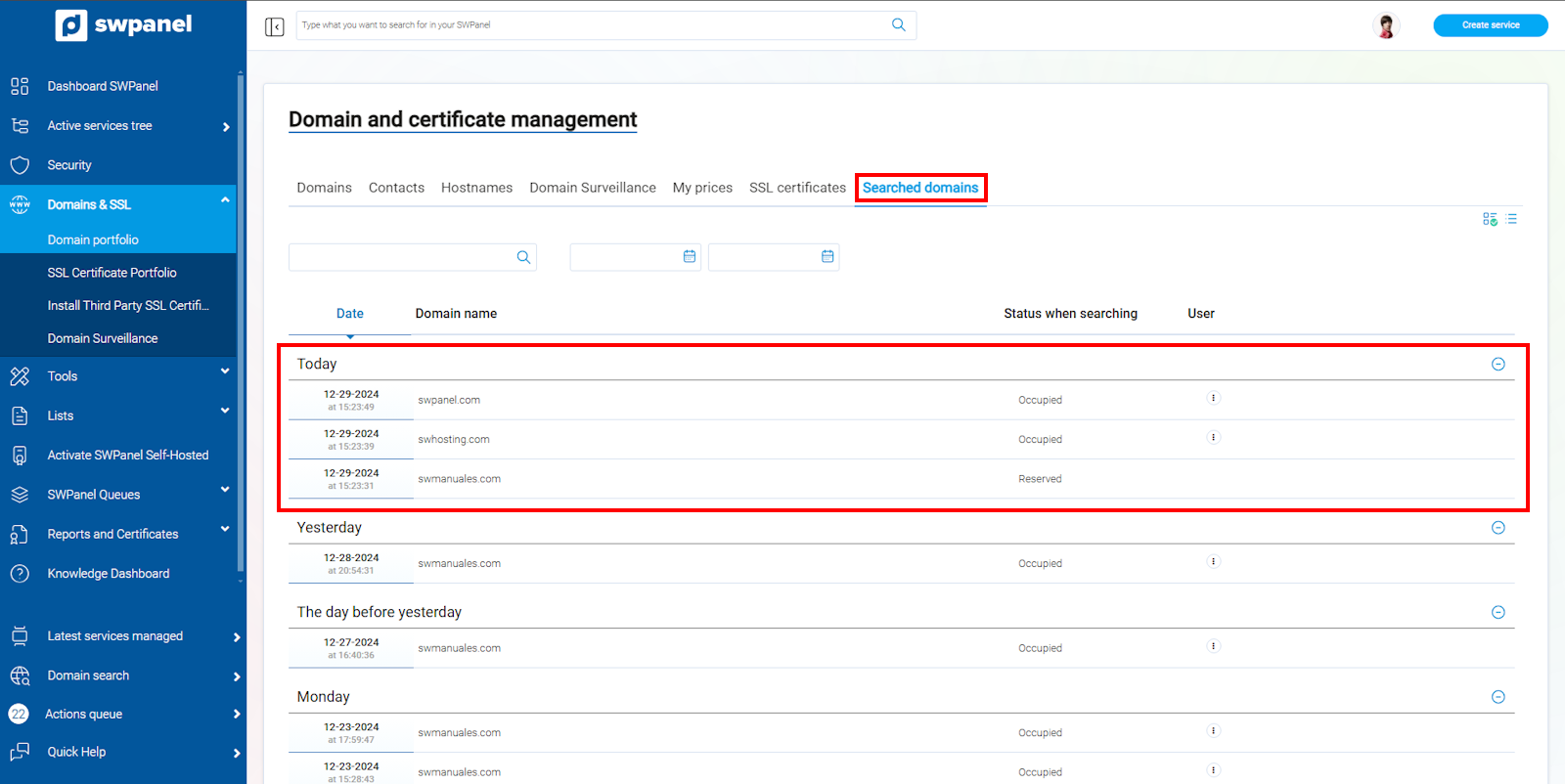
info_capture The screenshot is for illustrative purposes. It was taken using version 2025.00.0017 dated 29/12/2024. It may differ from what the current version of SWPanel displays.
In this tab, a list of all the domains you have searched for over time will be shown, sorted by date.
To register or check the status of a domain from the list, you must place the cursor on the [...] menu and click on Add to cart:
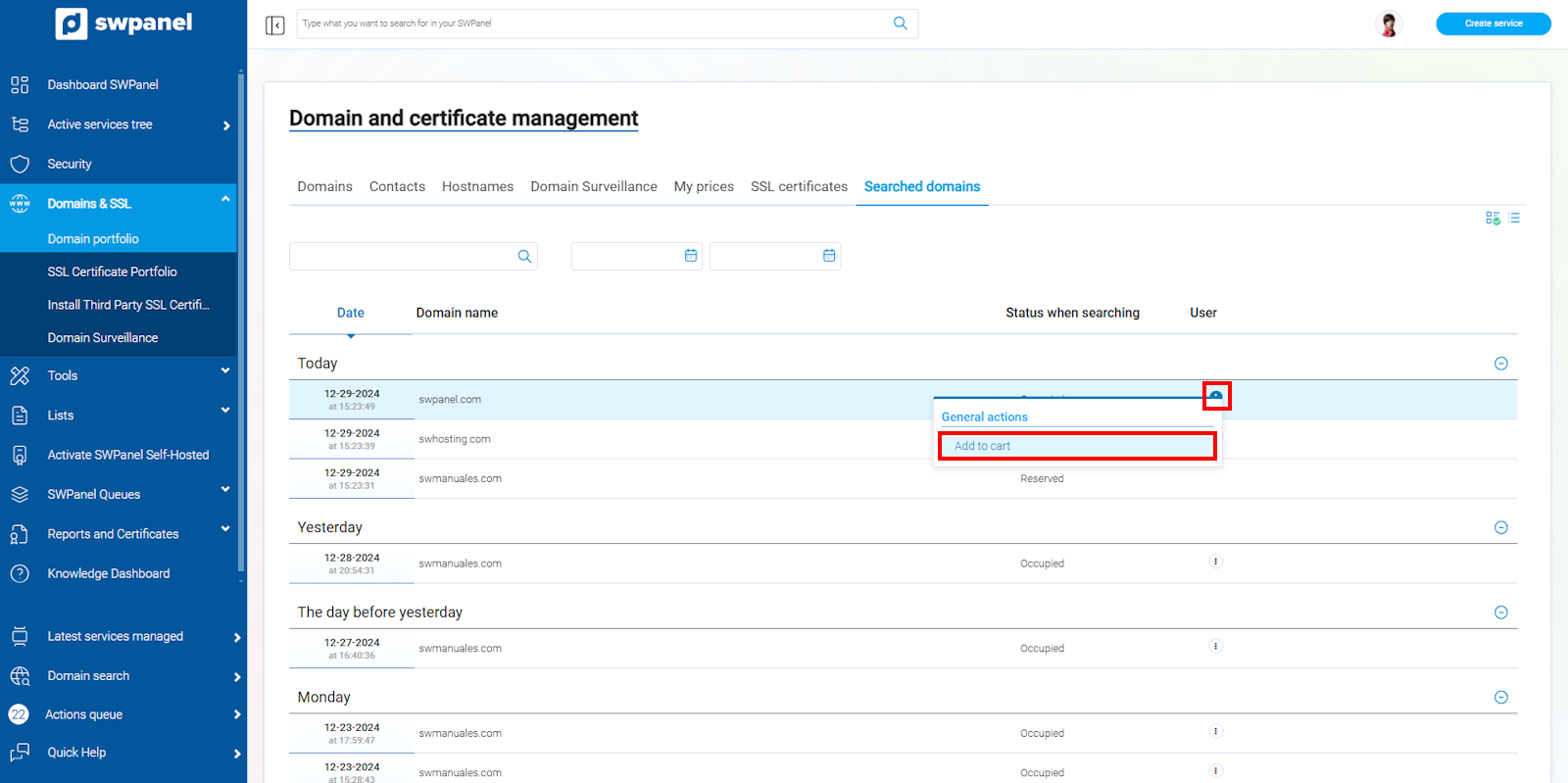
info_capture The screenshot is for illustrative purposes. It was taken using version 2025.00.0017 dated 29/12/2024. It may differ from what the current version of SWPanel displays.