
Use of your Cloud resources
To be able to view the resource usage of your Cloud, first go to its Dashboard.
To do so, search for the name in the search bar:
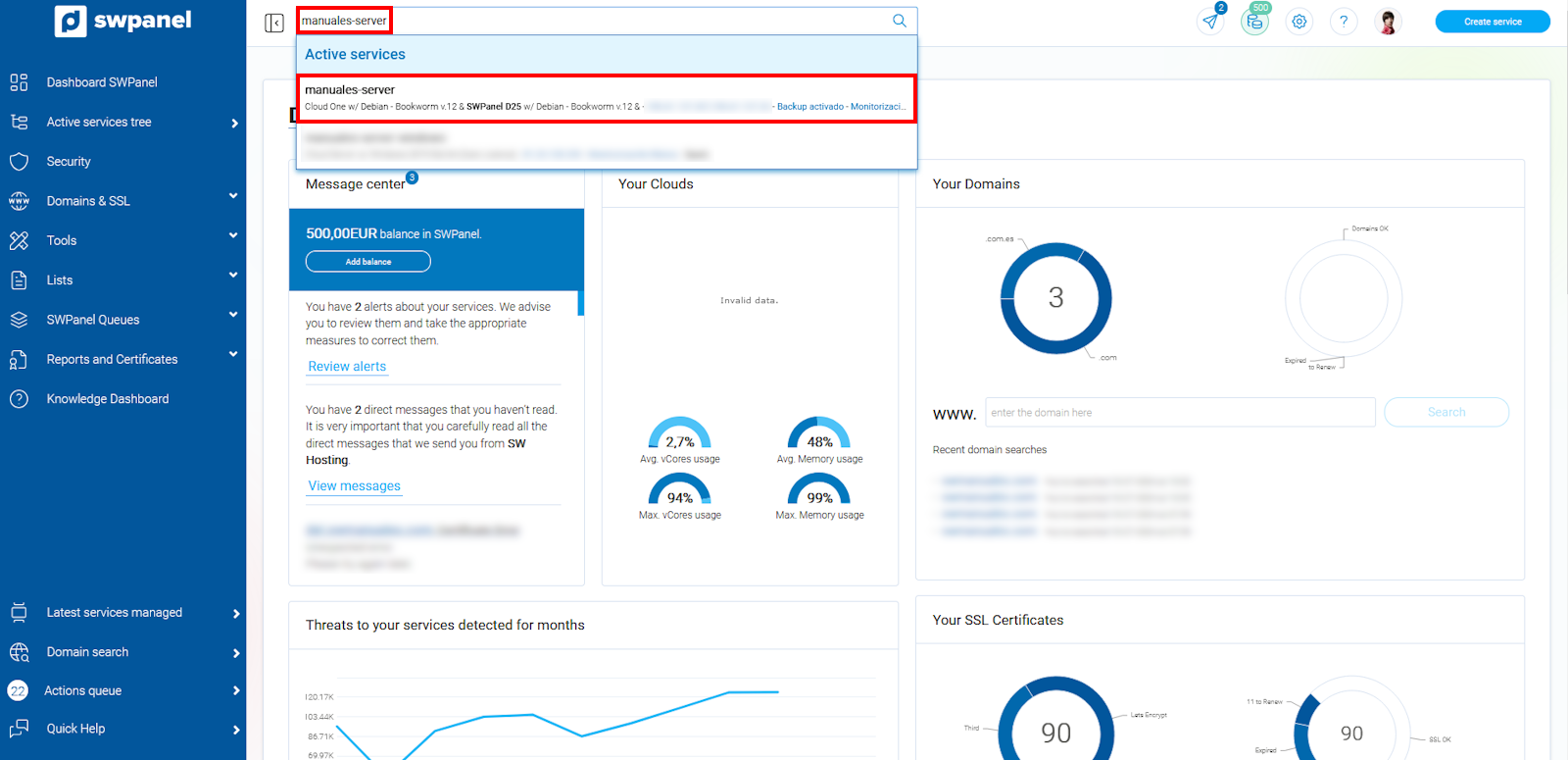
info_capture The screenshot is for guidance purposes. It was taken from version 2025.00.0017 dated 04/01/2025. It may differ from what the current version of SWPanel shows.
Once inside the Dashboard, open the third option Service Usage in the left side menu, and click on 'Usage History':
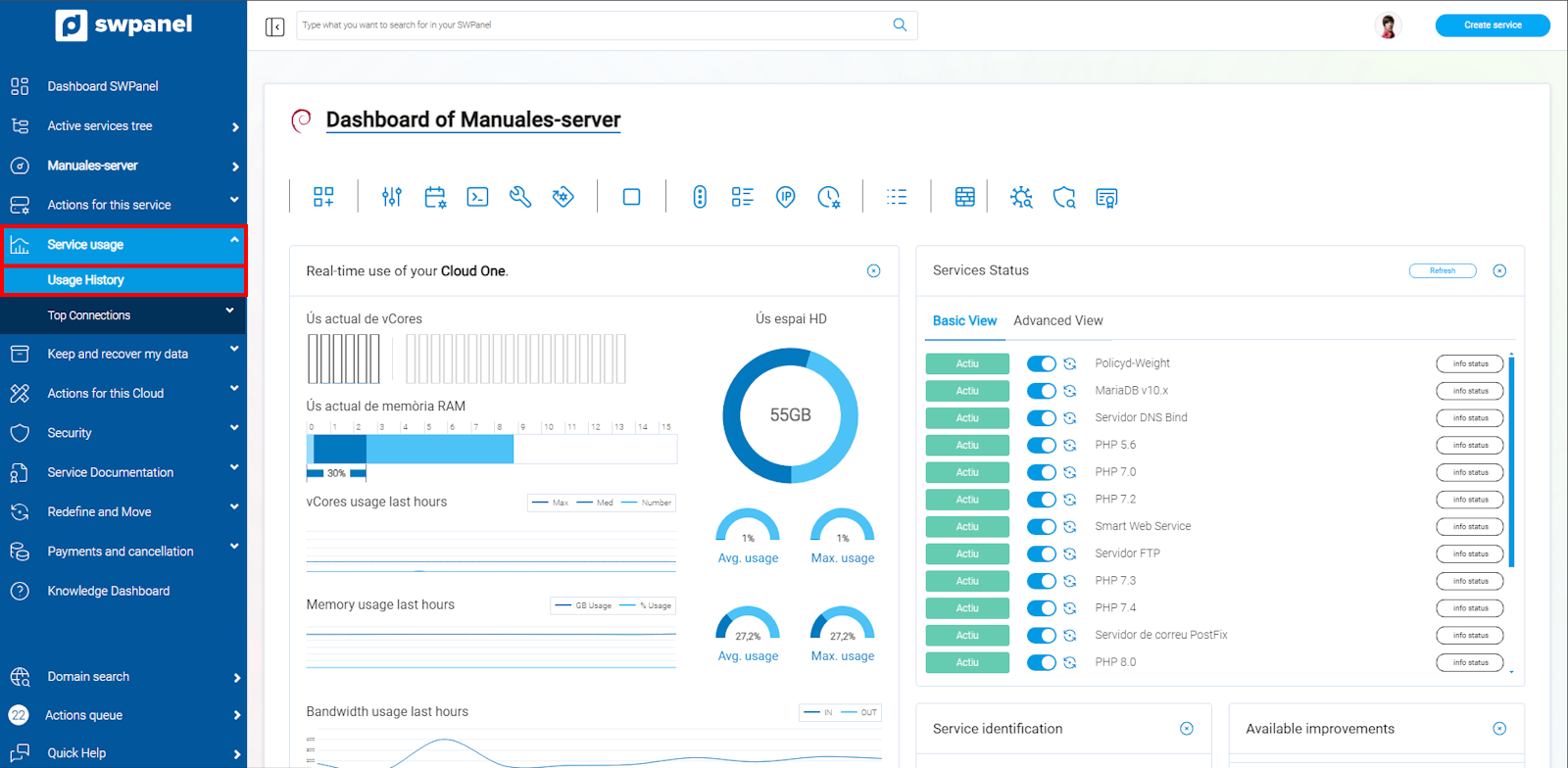
info_capture The screenshot is for guidance purposes. It was taken from version 2025.00.0017 dated 04/01/2025. It may differ from what the current version of SWPanel shows.
Usage History
Upon opening the Usage History option, you will have different tabs to view the resource consumption:
-
Monthly Usage: Total traffic that the Cloud has had during the indicated month:
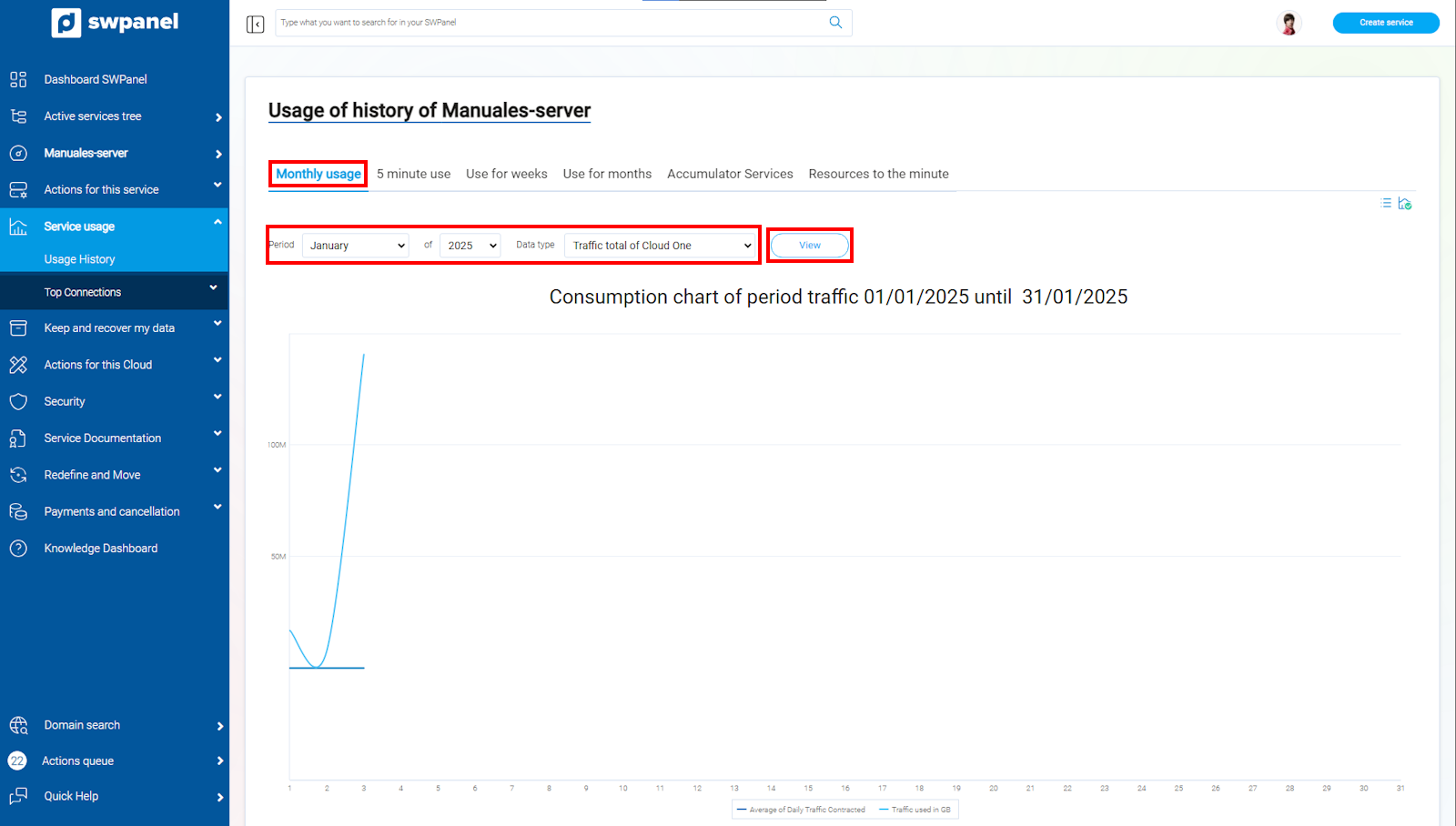
info_capture The screenshot is for guidance purposes. It was taken from version 2025.00.0017 dated 04/01/2025. It may differ from what the current version of SWPanel shows.
-
Usage every 5 minutes: If you want to detect at what times of the day your Cloud works the most
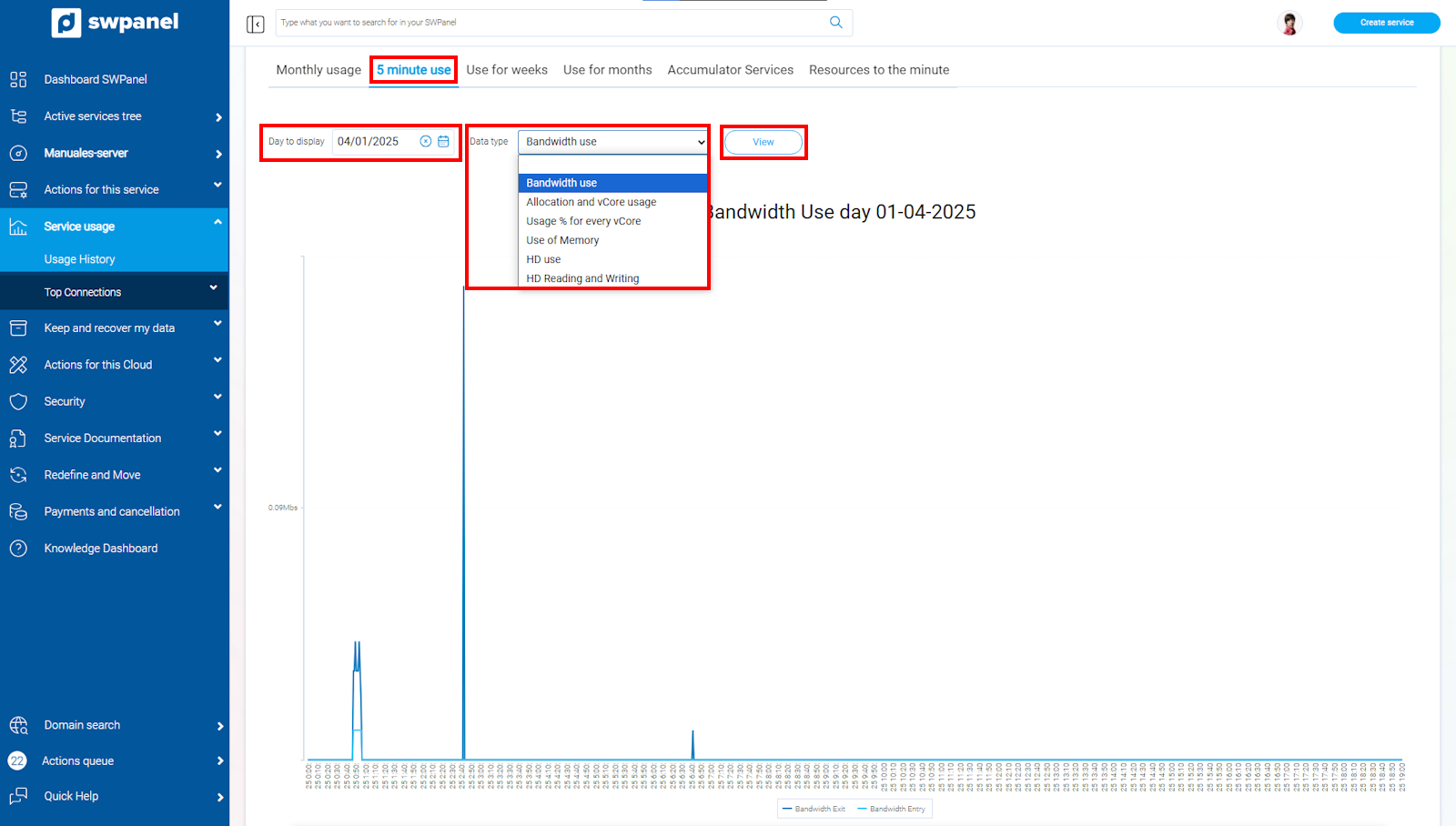
info_capture The screenshot is for guidance purposes. It was taken from version 2025.00.0017 dated 04/01/2025. It may differ from what the current version of SWPanel shows.
As you can see, in this option you can select the different types of resources your Cloud consumes.
-
Usage by weeks
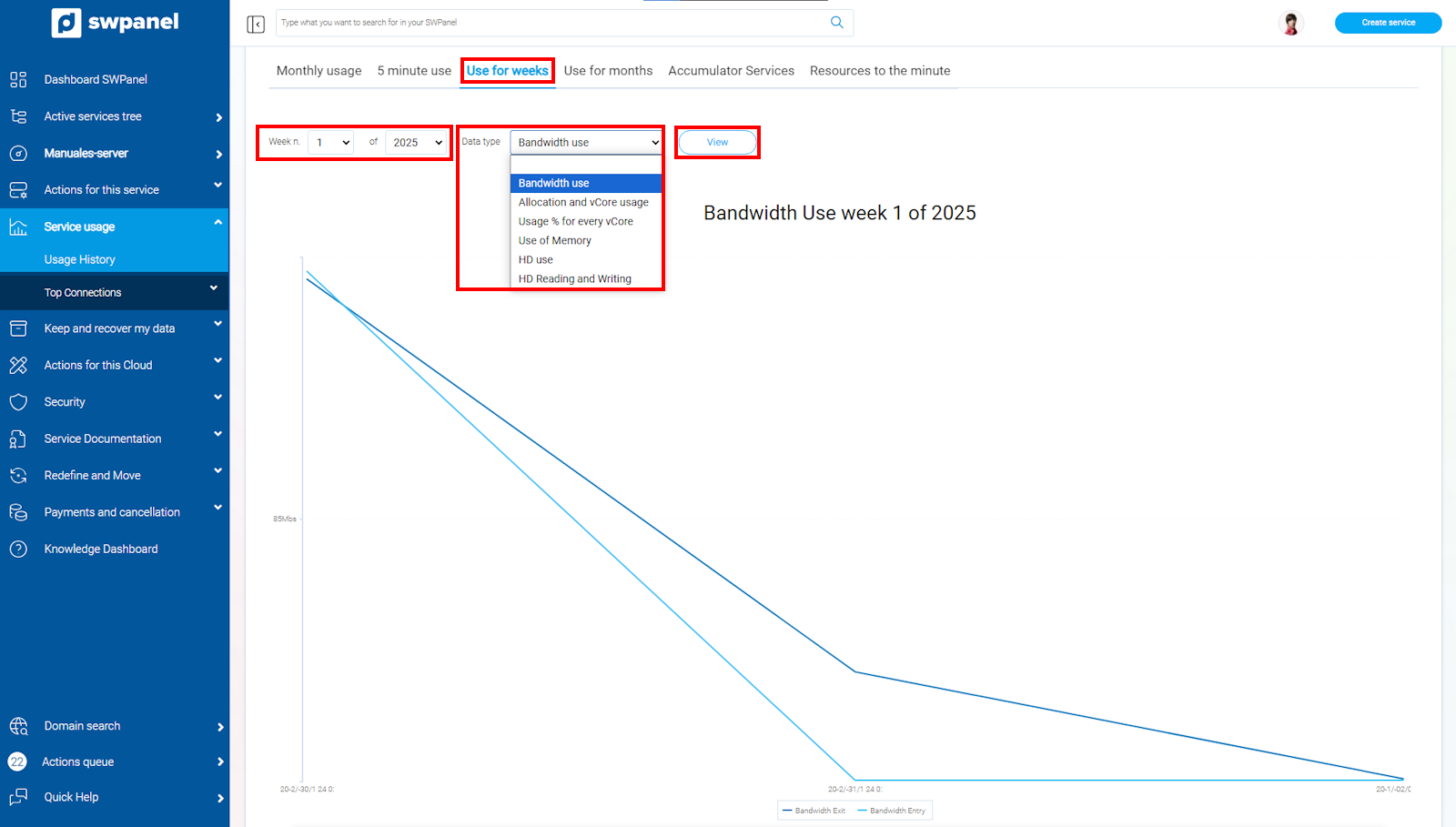
info_capture The screenshot is for guidance purposes. It was taken from version 2025.00.0017 dated 04/01/2025. It may differ from what the current version of SWPanel shows.
-
Usage by months
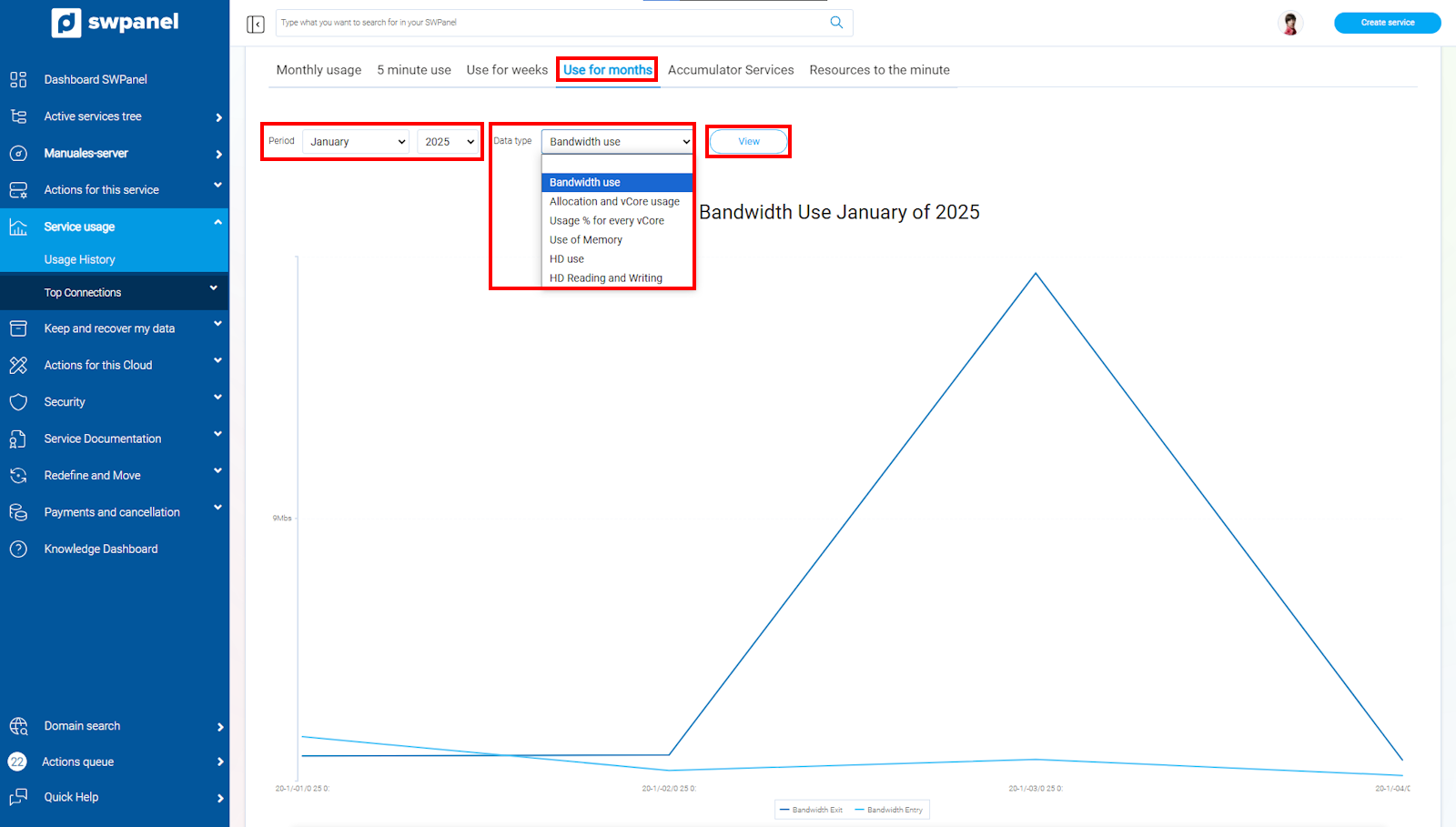
info_capture The screenshot is for guidance purposes. It was taken from version 2025.00.0017 dated 04/01/2025. It may differ from what the current version of SWPanel shows.
-
Accumulator Services: shows the resources used by each accumulator you have (if any have been created):
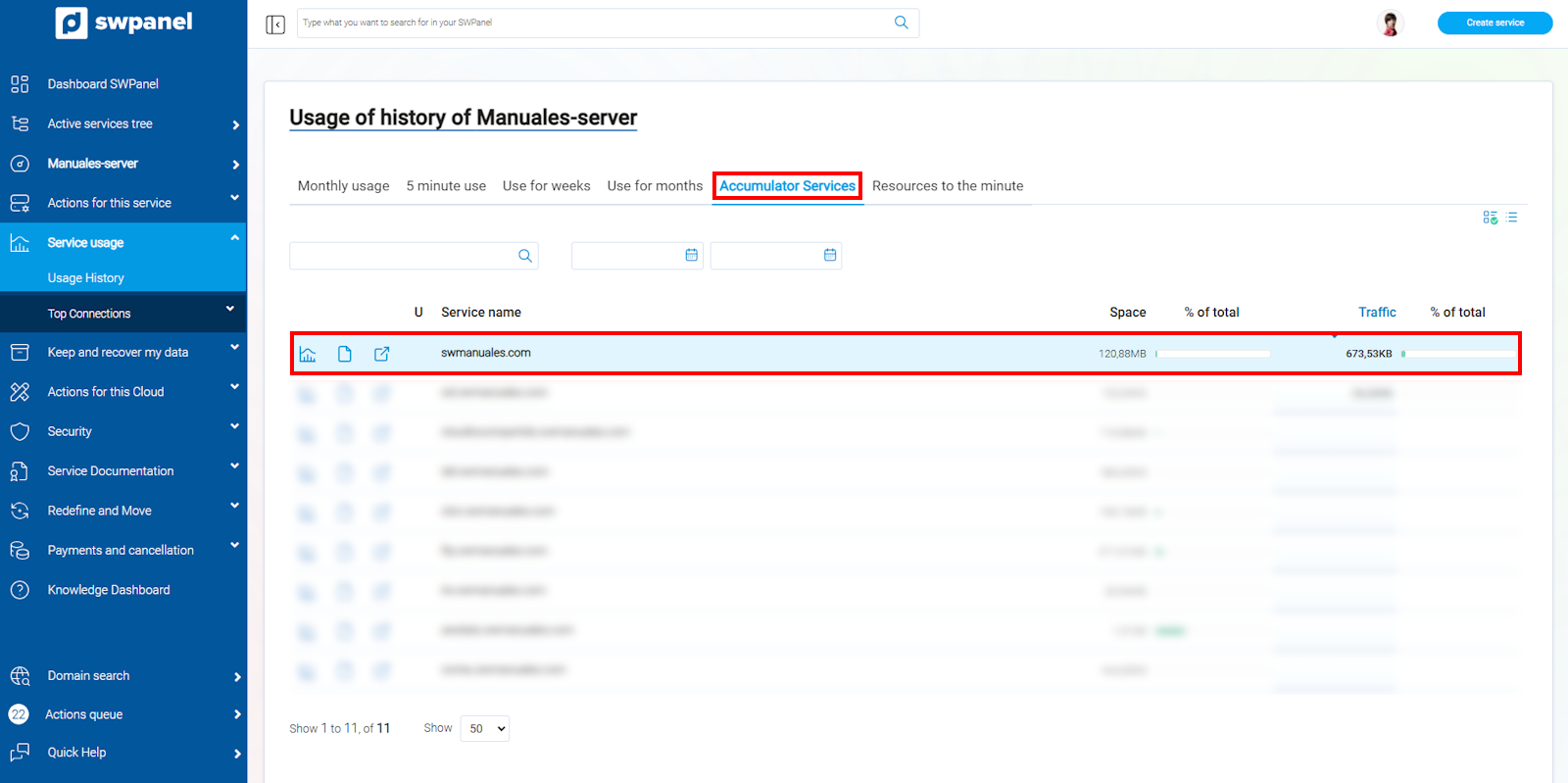
info_capture The screenshot is for guidance purposes. It was taken from version 2025.00.0017 dated 04/01/2025. It may differ from what the current version of SWPanel shows.
-
Resources per minute: you have the option to see, for each of the Cloud resources, what is consumed every minute.
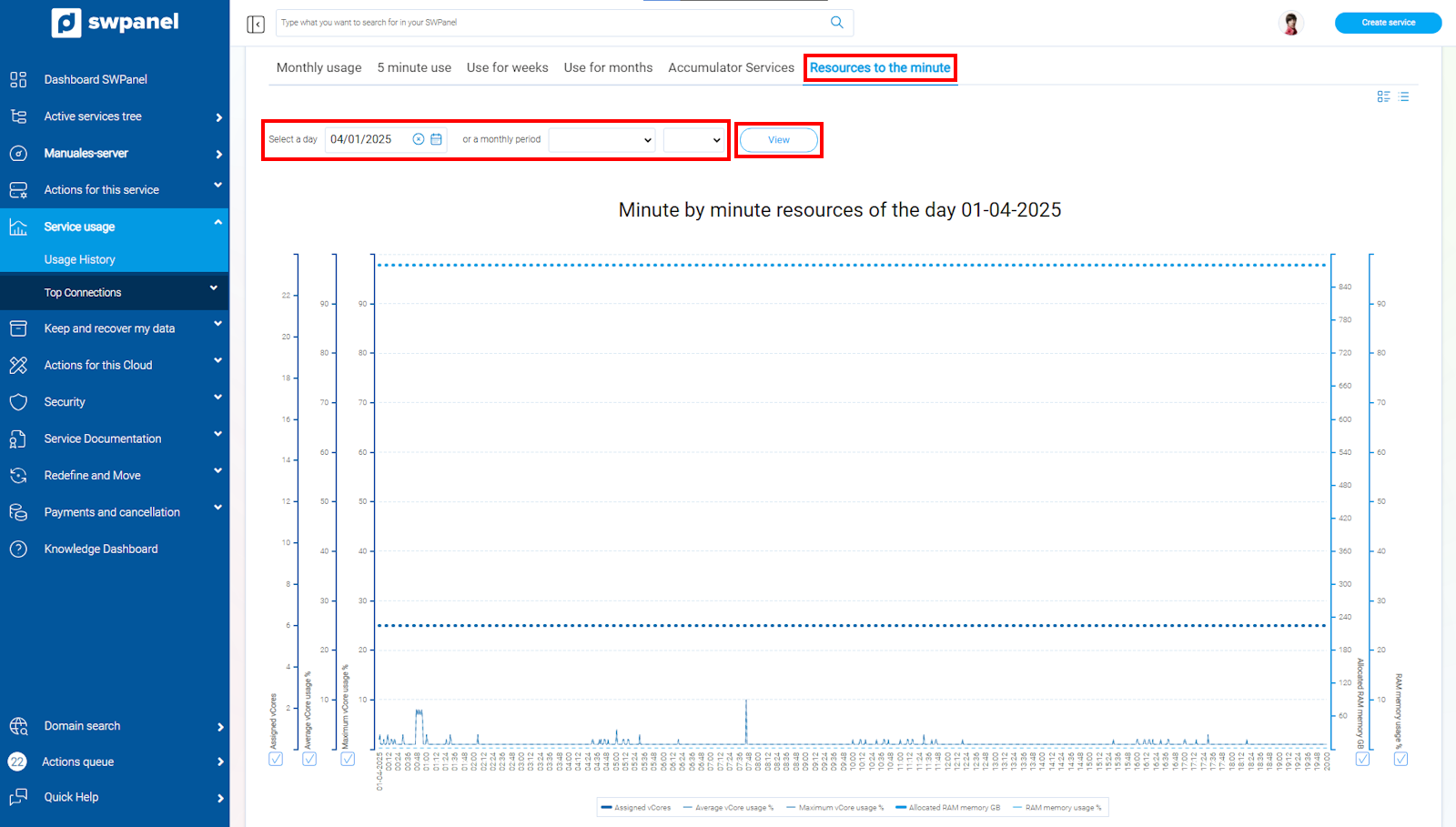
info_capture The screenshot is for guidance purposes. It was taken from version 2025.00.0017 dated 04/01/2025. It may differ from what the current version of SWPanel shows.