
Enable and disable the Antivirus service in a Cloud
How does it work?
On all SW Hosting servers with SWPanel, ClamAV is implemented as a comprehensive antivirus service. Its primary function consists of filtering every email that enters or leaves the server to evaluate the possibility that the content includes some type of virus or malware. This analysis capability is based on the use of a database, updated regularly, which houses exhaustive lists of all known threats.
Every time an email sending or receiving operation is performed, ClamAV carries out thorough comparisons between the message content and the information stored in the database. In this way, the system can determine if there is any indication that the email content is some type of virus or malware.
Procedure
Please note that to activate this service for a specific domain, it must first be activated on the main server.
-
First, you must locate your server; for this, we recommend using the search bar located at the top of your screen:
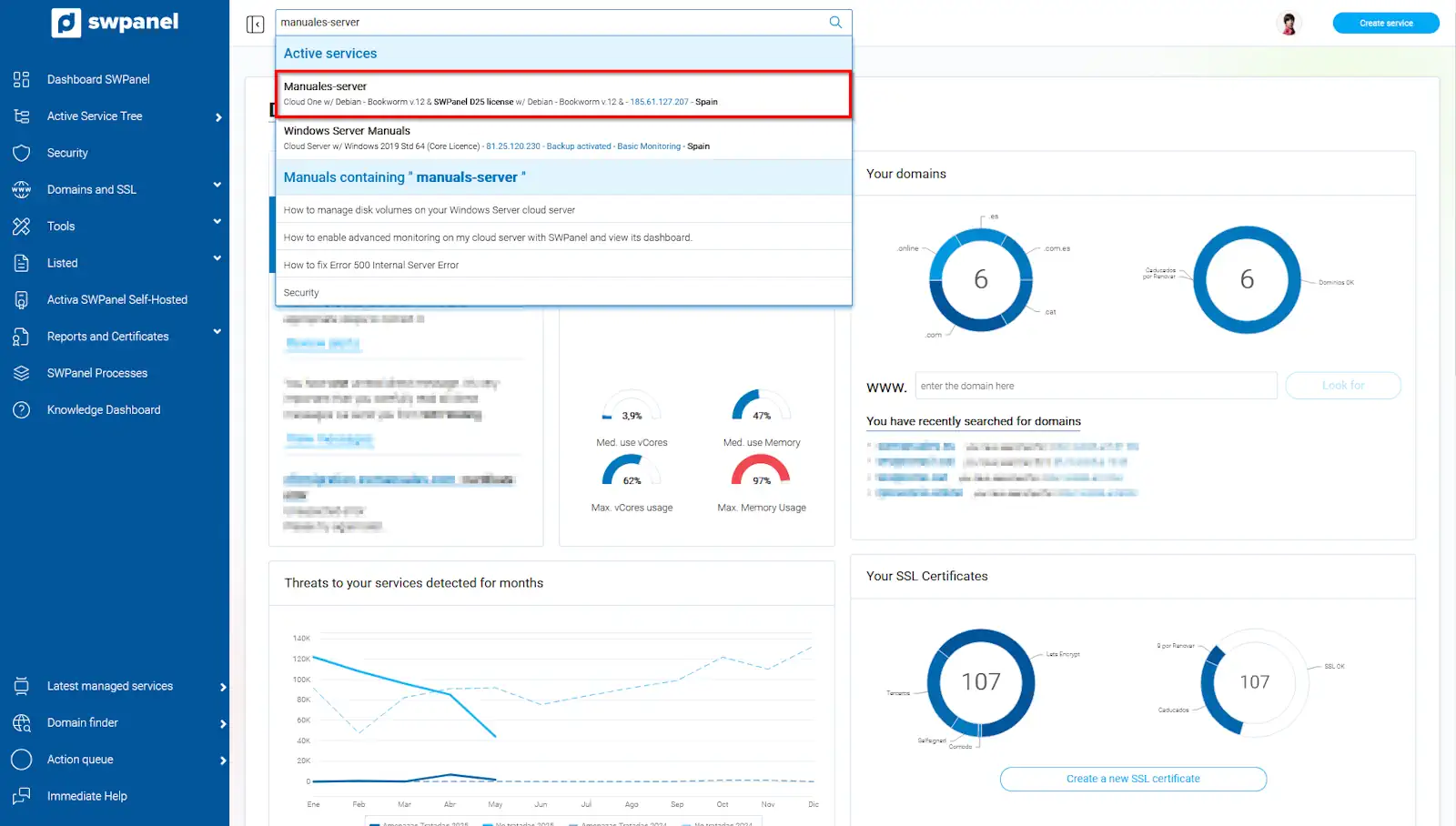
info_capture The screenshot is for guidance purposes. It was taken from version 2025.004.0002 dated 15/05/2025. It may differ from what the current version of SWPanel shows
- Once inside your Cloud server, in the Available Improvements box, look for Email security and check the Antivirus Protection box.
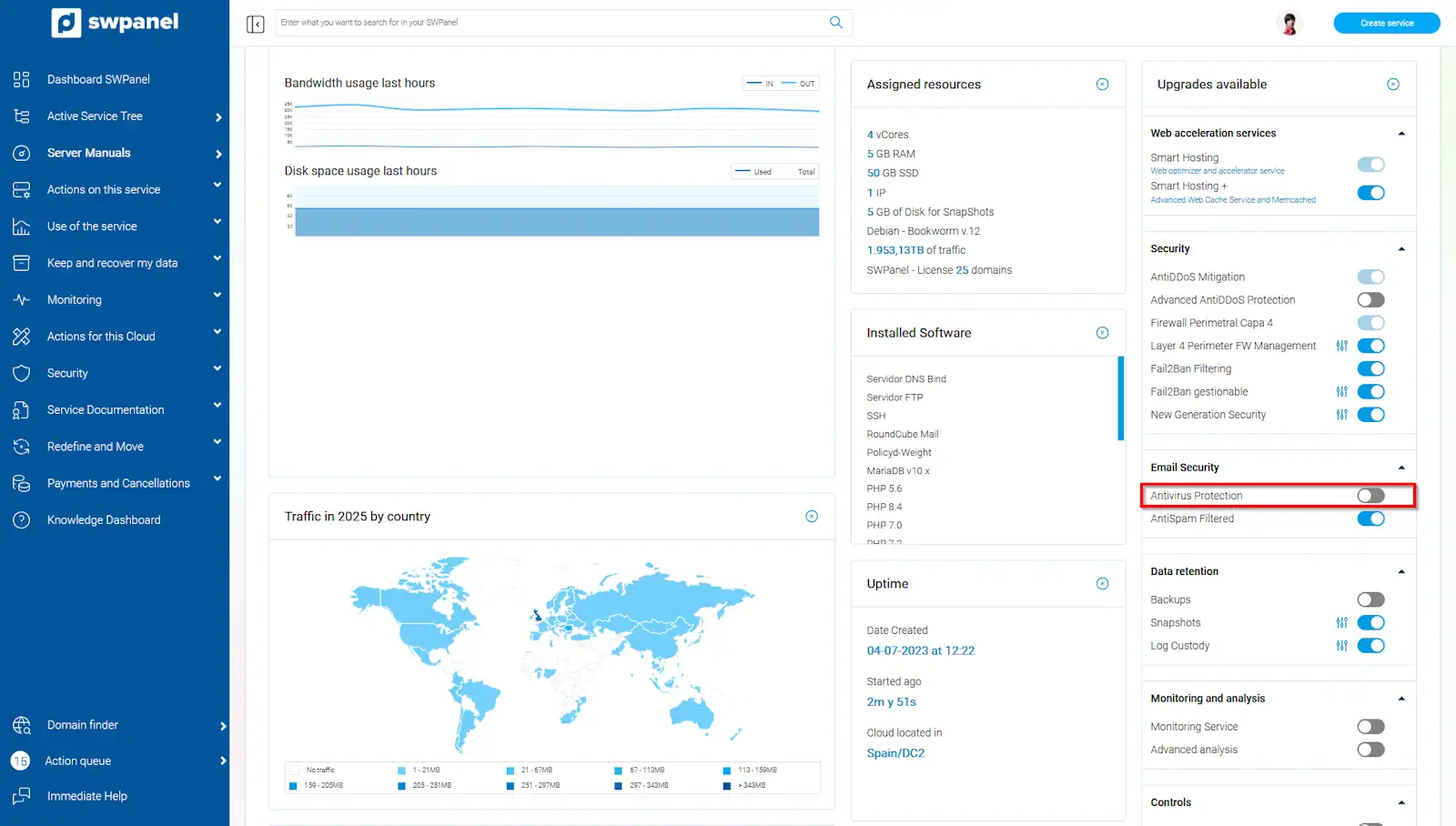
info_capture The screenshot is for guidance purposes. It was taken from version 2025.004.0002 dated 15/05/2025. It may differ from what the current version of SWPanel shows
-
Afterward, you must accept the costs derived from the contracted extra, enter the required details (name and NIF) and Accept and formalize changes:
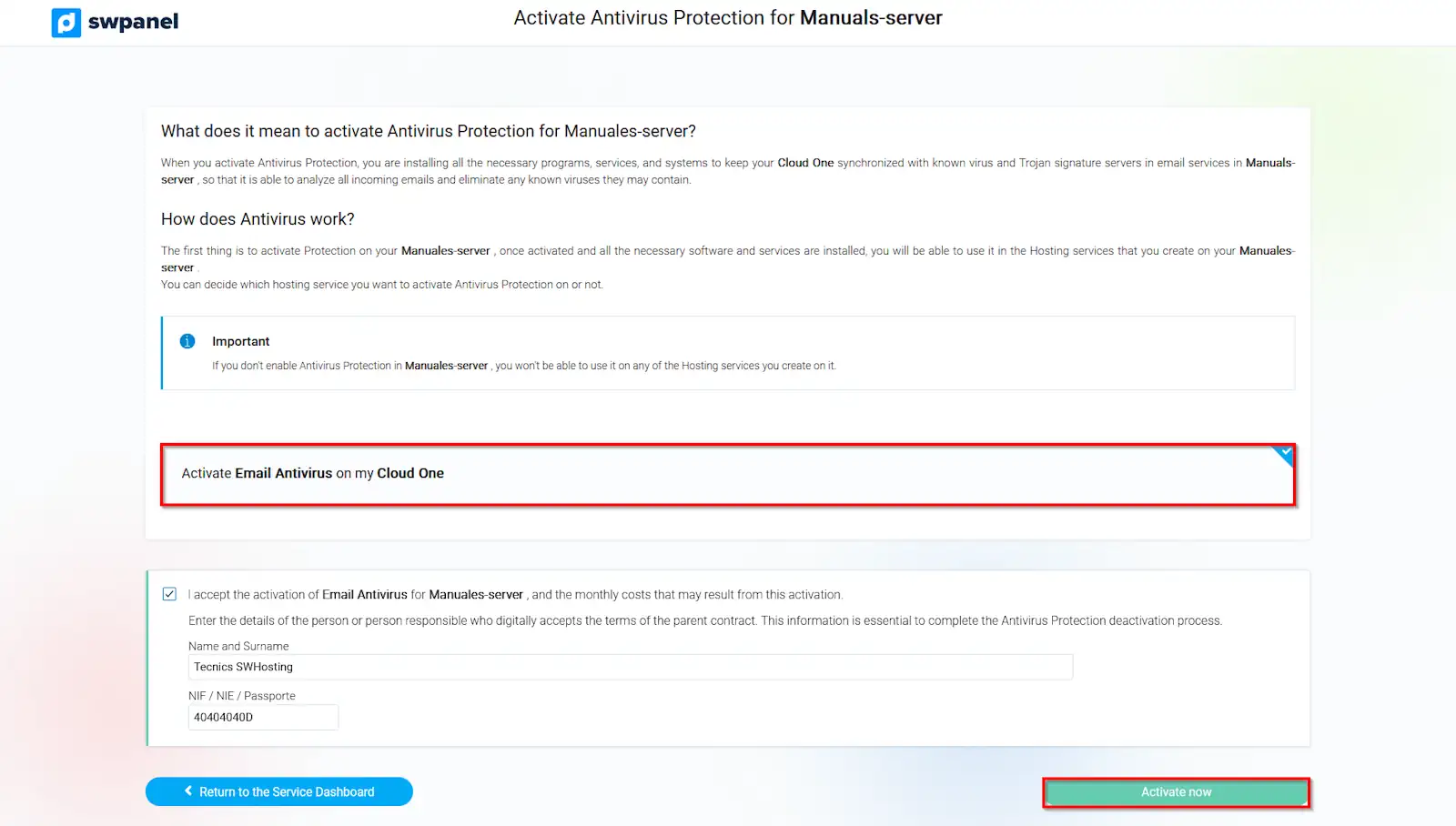
info_capture The screenshot is for guidance purposes. It was taken from version 2025.004.0002 dated 15/05/2025. It may differ from what the current version of SWPanel shows
Once the Antivirus service is activated on the main Cloud Server, we will proceed to activate it within a hosting service hosted on this same Cloud by following the following manual:
Manual: Activate and deactivate the Antivirus service in a Hosting
Remember that you must repeat this process for each of the services attached to the main Cloud server for which you wish to have the Antivirus service activated.
Deactivate Antivirus service
To deactivate the antivirus service, you must follow these steps:
-
First, you must locate your server; for this, we recommend using the search bar located at the top of your screen:
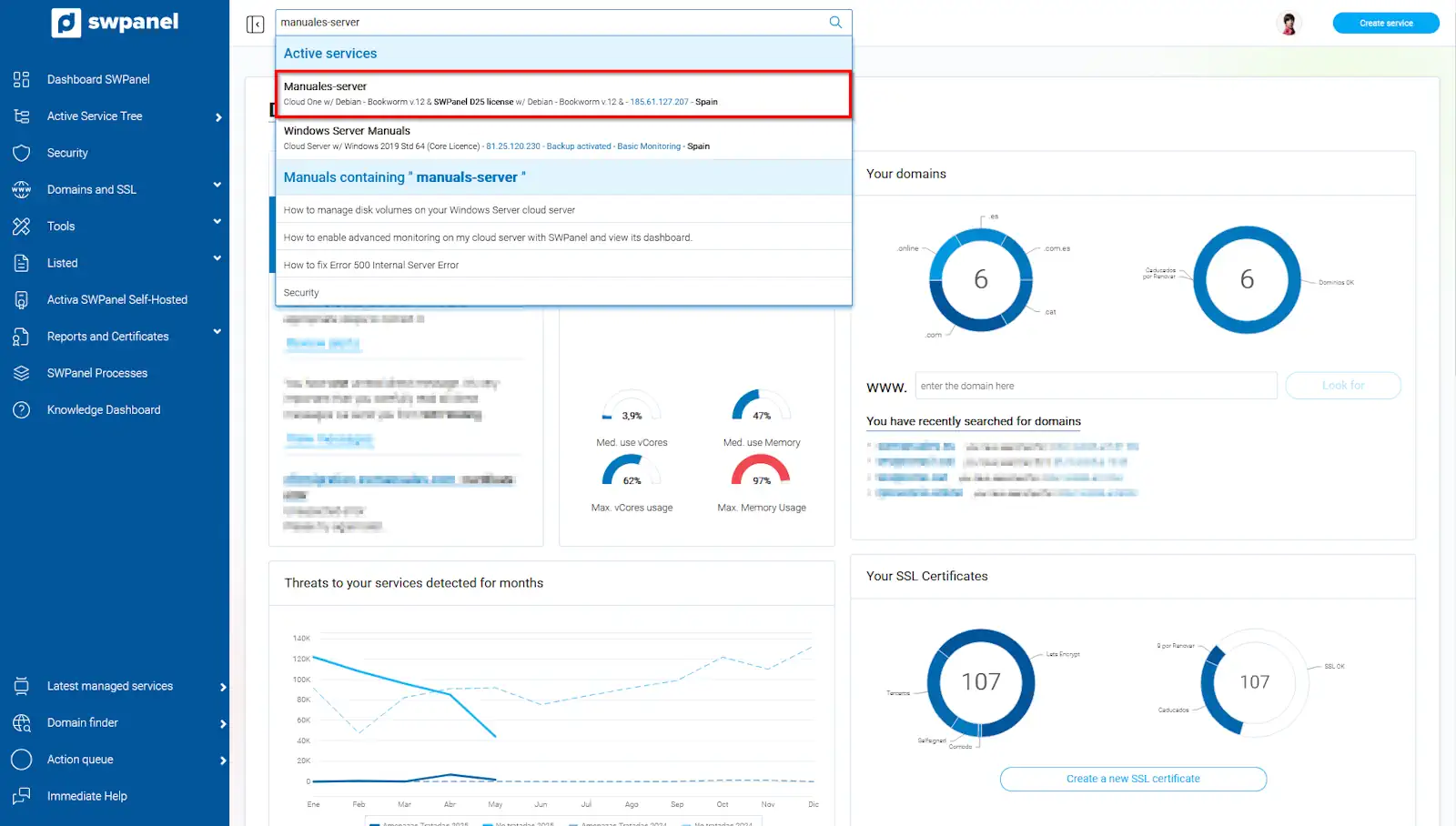
info_capture The screenshot is for guidance purposes. It was taken from version 2025.004.0002 dated 15/05/2025. It may differ from what the current version of SWPanel shows
- Once inside your Cloud server, in the Available Improvements box, look for Email security and uncheck the Antivirus Protection box.
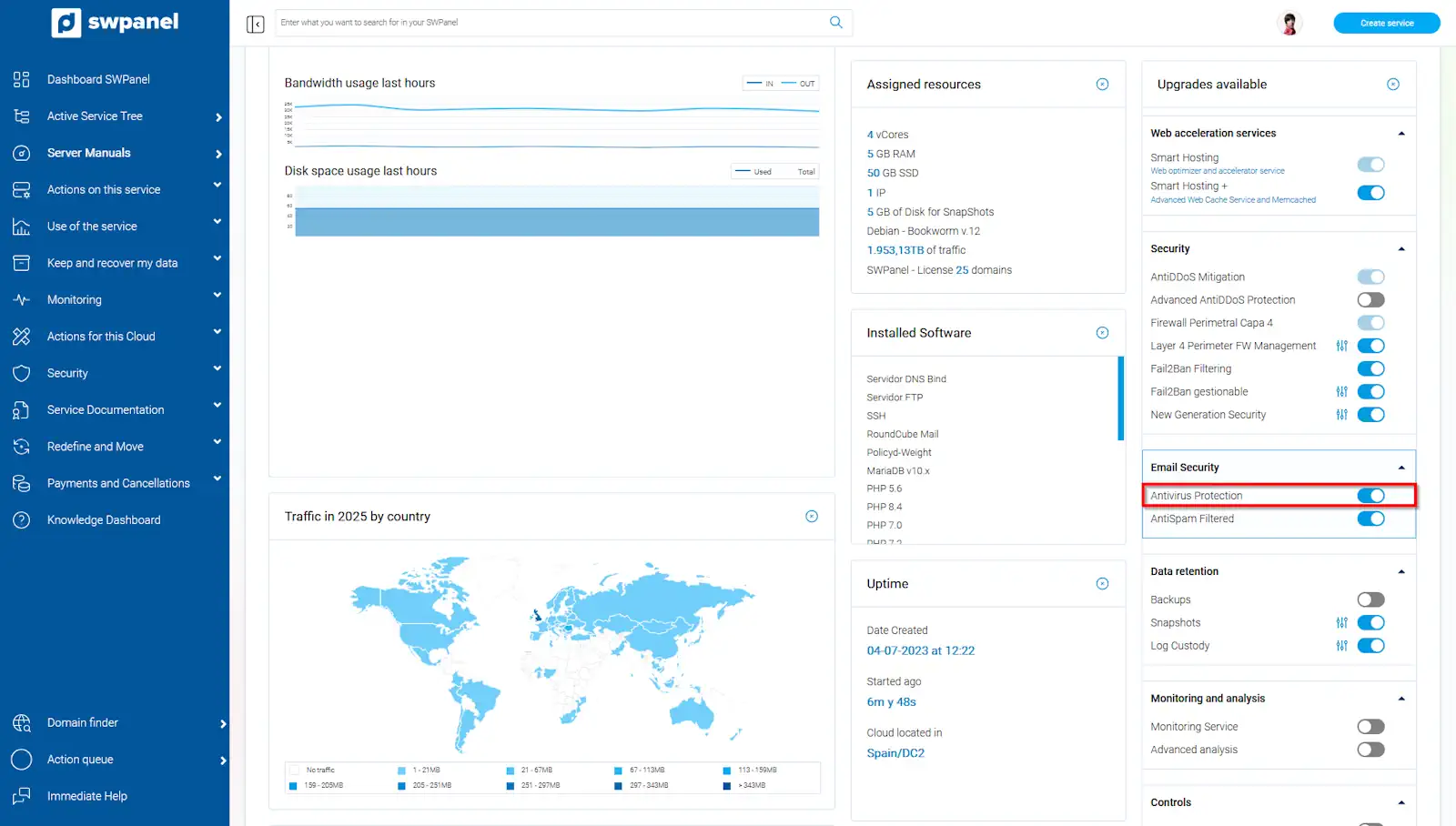
info_capture The screenshot is for guidance purposes. It was taken from version 2025.004.0002 dated 15/05/2025. It may differ from what the current version of SWPanel shows
- You will have to 'Accept and formalize changes' again, and the Antivirus analysis will have been deactivated.
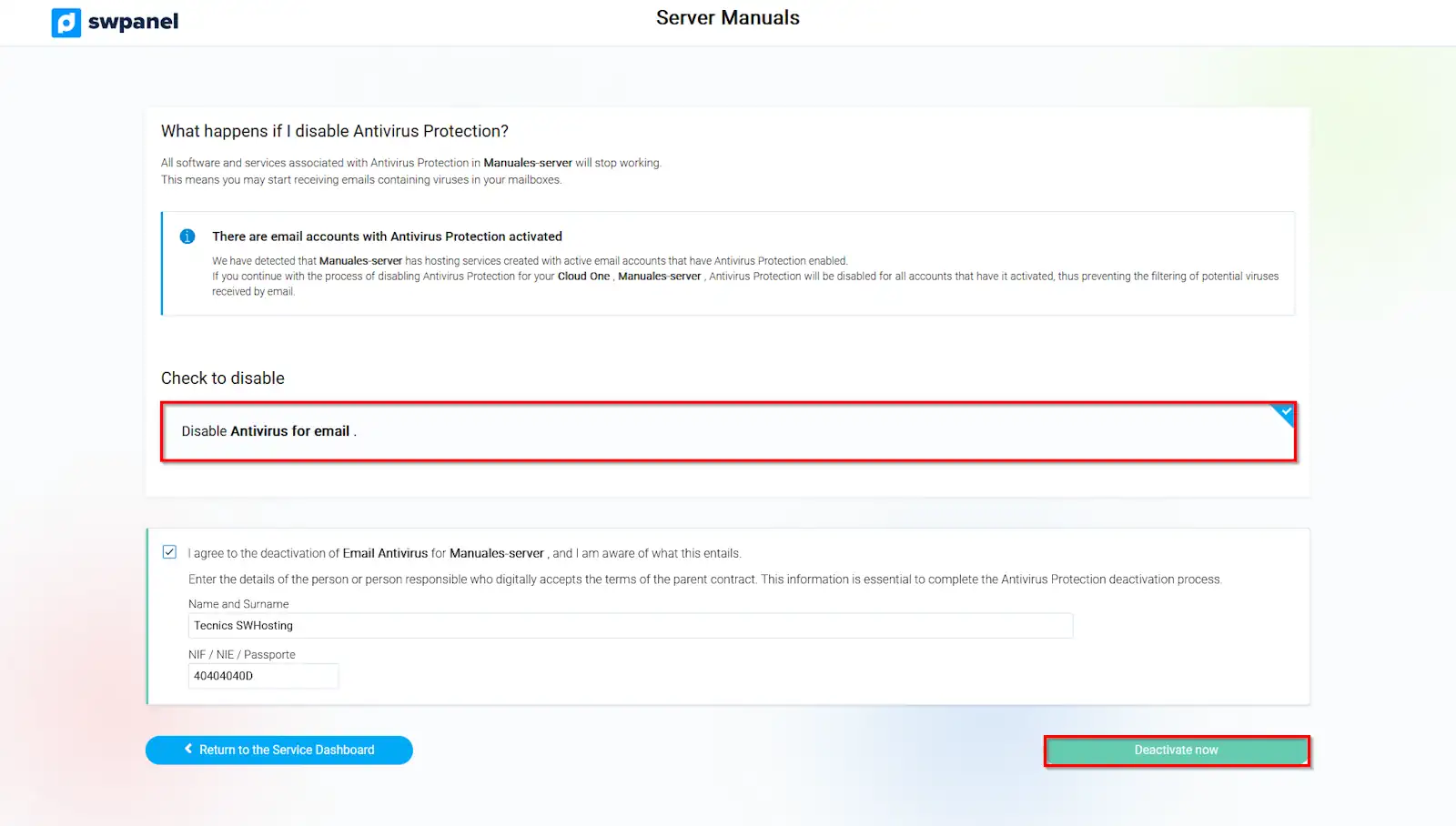
info_capture The screenshot is for guidance purposes. It was taken from version 2025.004.0002 dated 15/05/2025. It may differ from what the current version of SWPanel shows