Activate and deactivate the Antivirus service in a Hosting
Updated on
2026-10-27 12:01:25
75
visits
Procedure
-
Access your client panel: www.swpanel.com
-
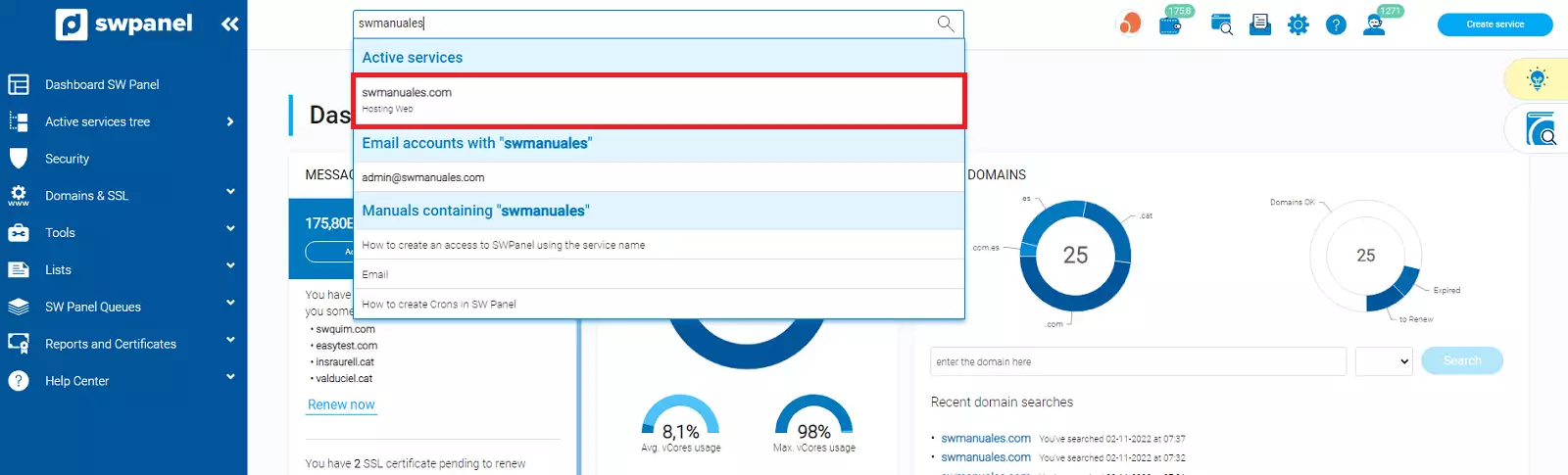
Use the search bar to locate the service / Hosting in which you want to activate the antivirus service; in our case, it is called swmanuales.com:
-
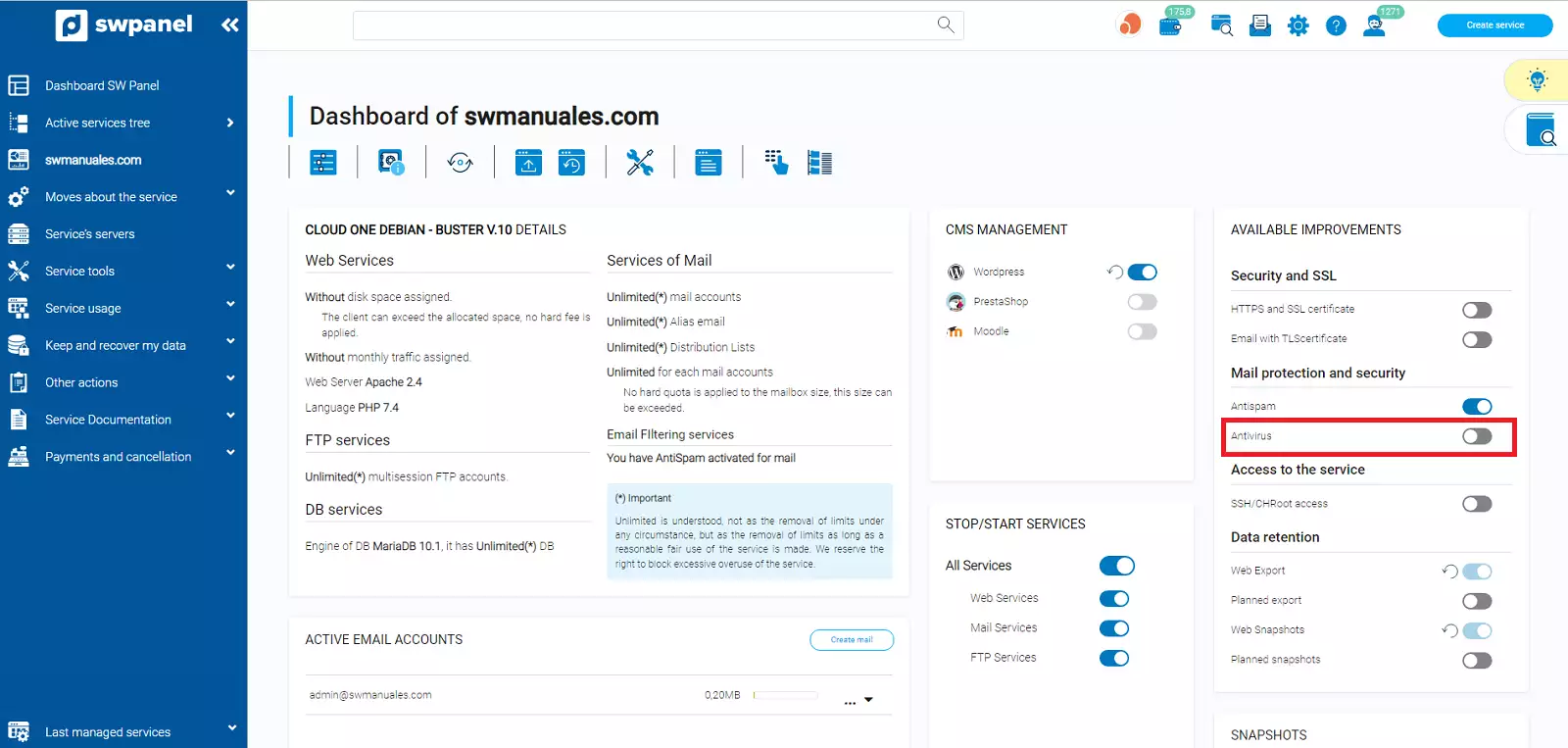
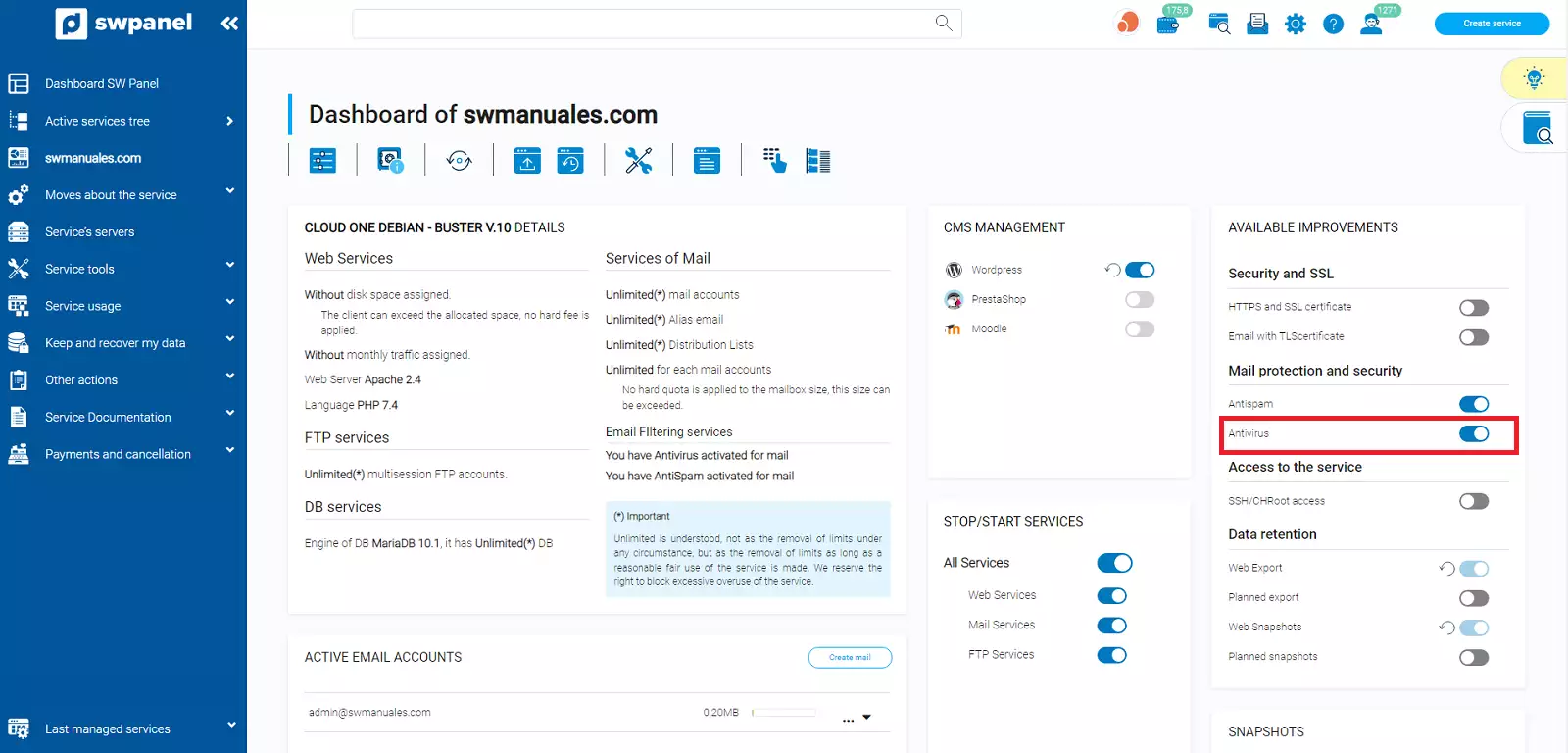
Click on the icon found in the Email protection and security section:
-
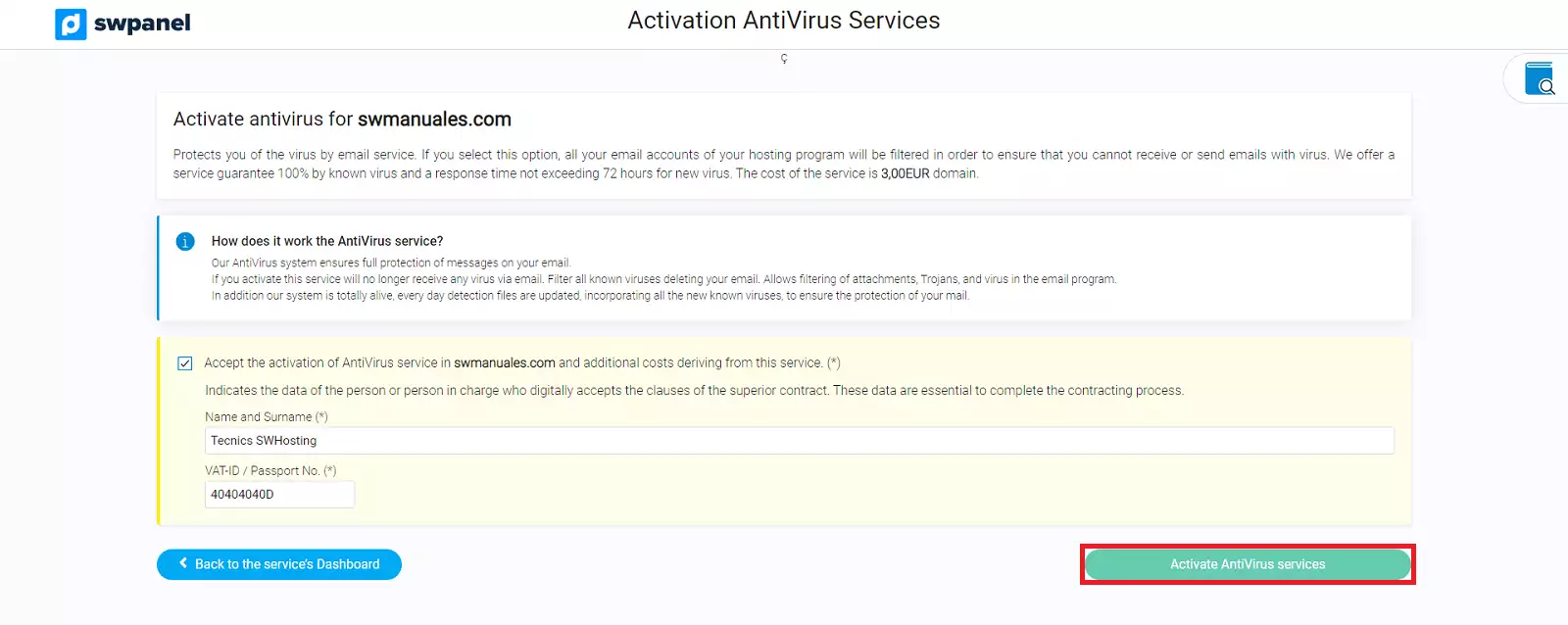
You must accept the activation of the Antivirus service, enter the required information (name and NIF), and click on Activate Antivirus service:
Deactivate Antivirus service
- To deactivate the Antivirus scan, simply click on the same icon you selected to activate it, in the Email protection and security section:
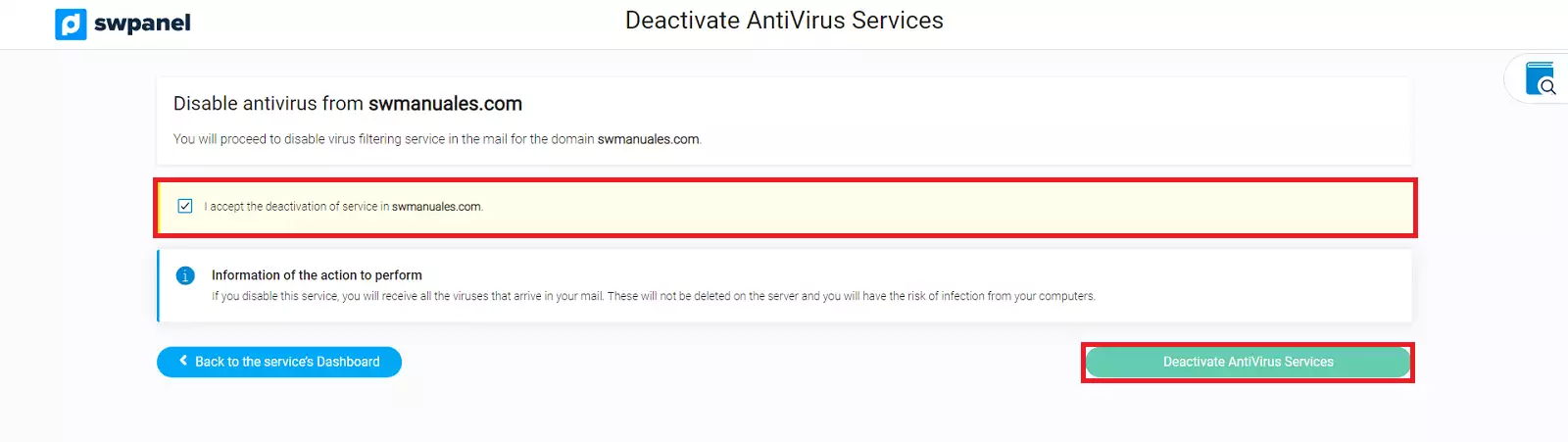
- You must accept this deactivation and click on Deactivate Antivirus service: