
Activate budget in SWPanel
First, you must access your SWPanel customer account and navigate to the Main Dashboard.
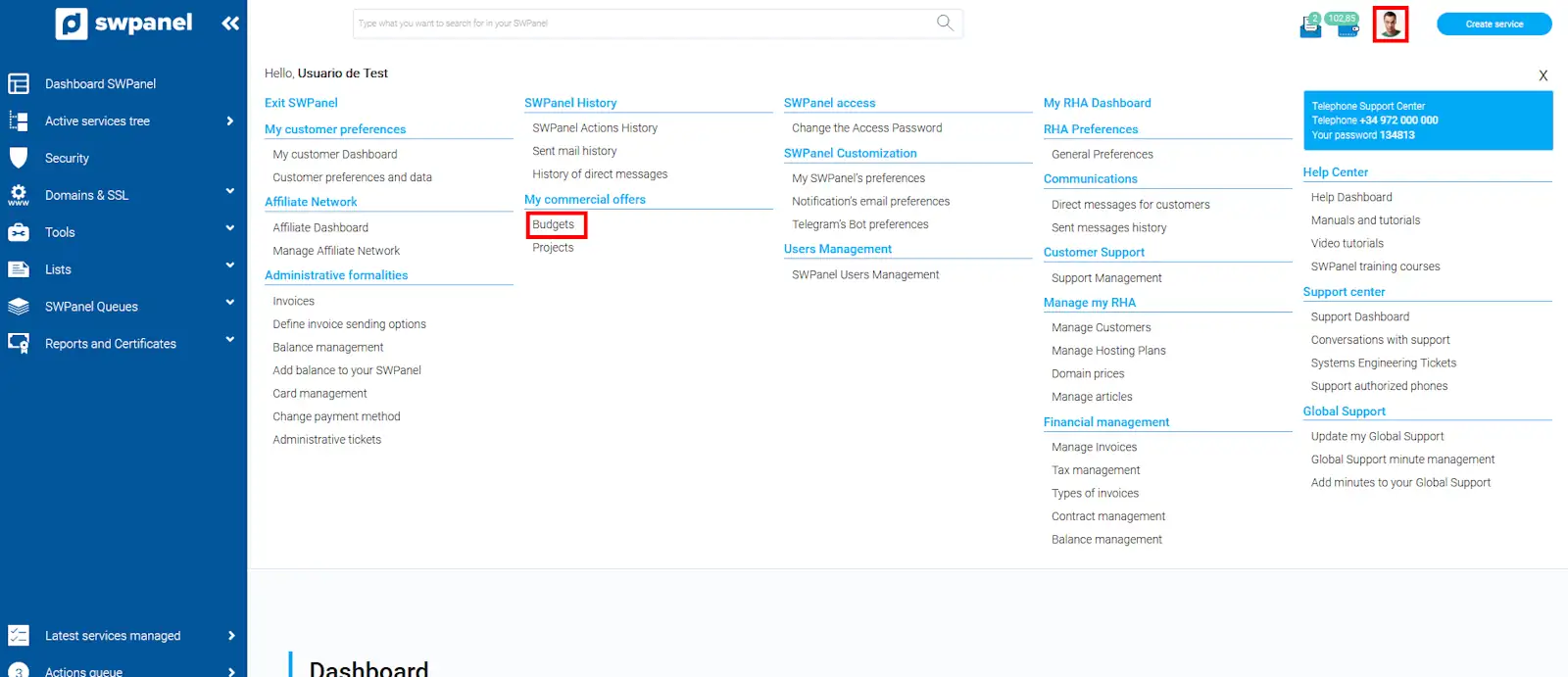
Next, you must click with the mouse cursor on your logo, in the upper right corner of your SWPanel, to display the menu, and click on the Quote section.
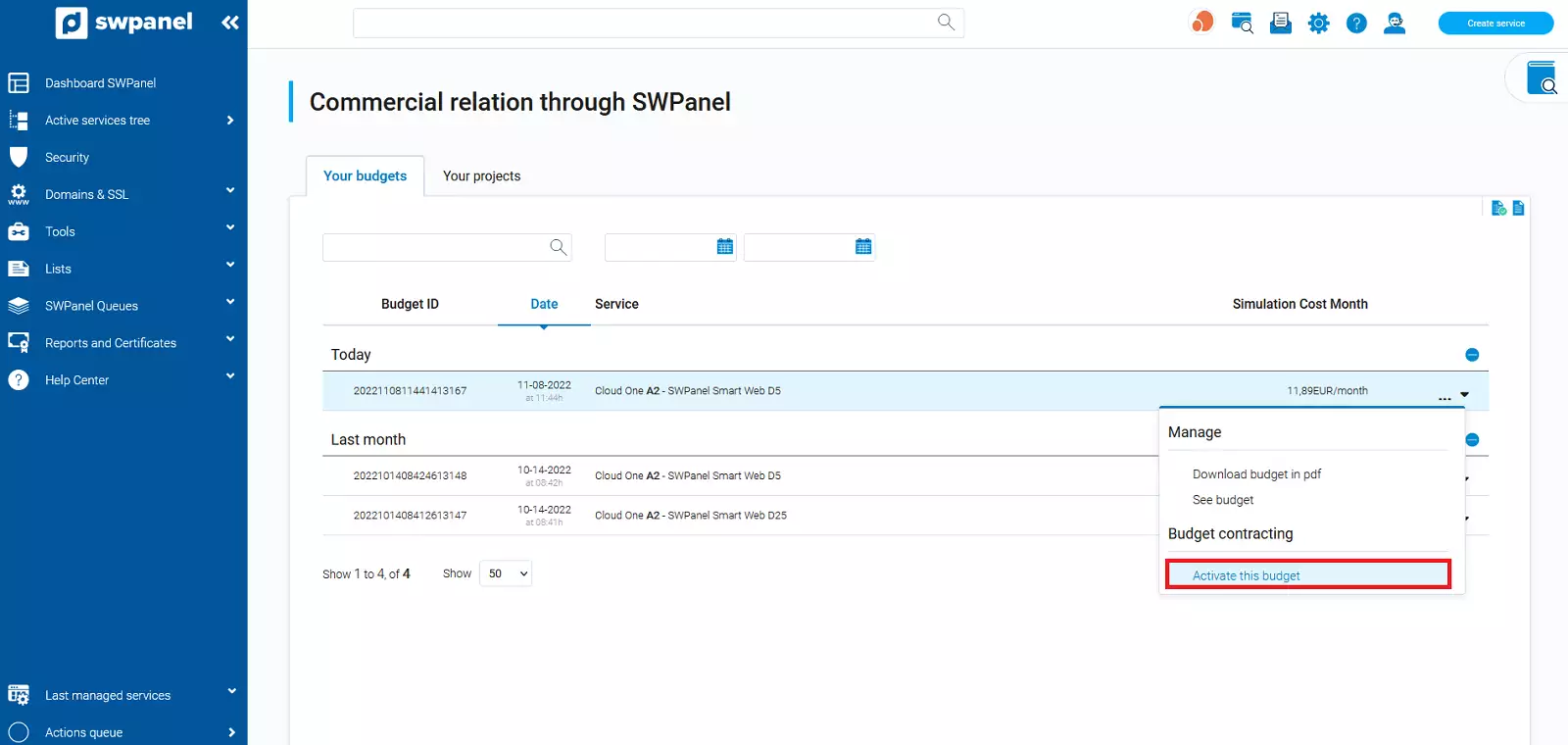
Once here, you must locate the desired quote and, in the quote options icon [ ··· ], located to its right, a menu will open, from where you can click on 'Activate this quote'.
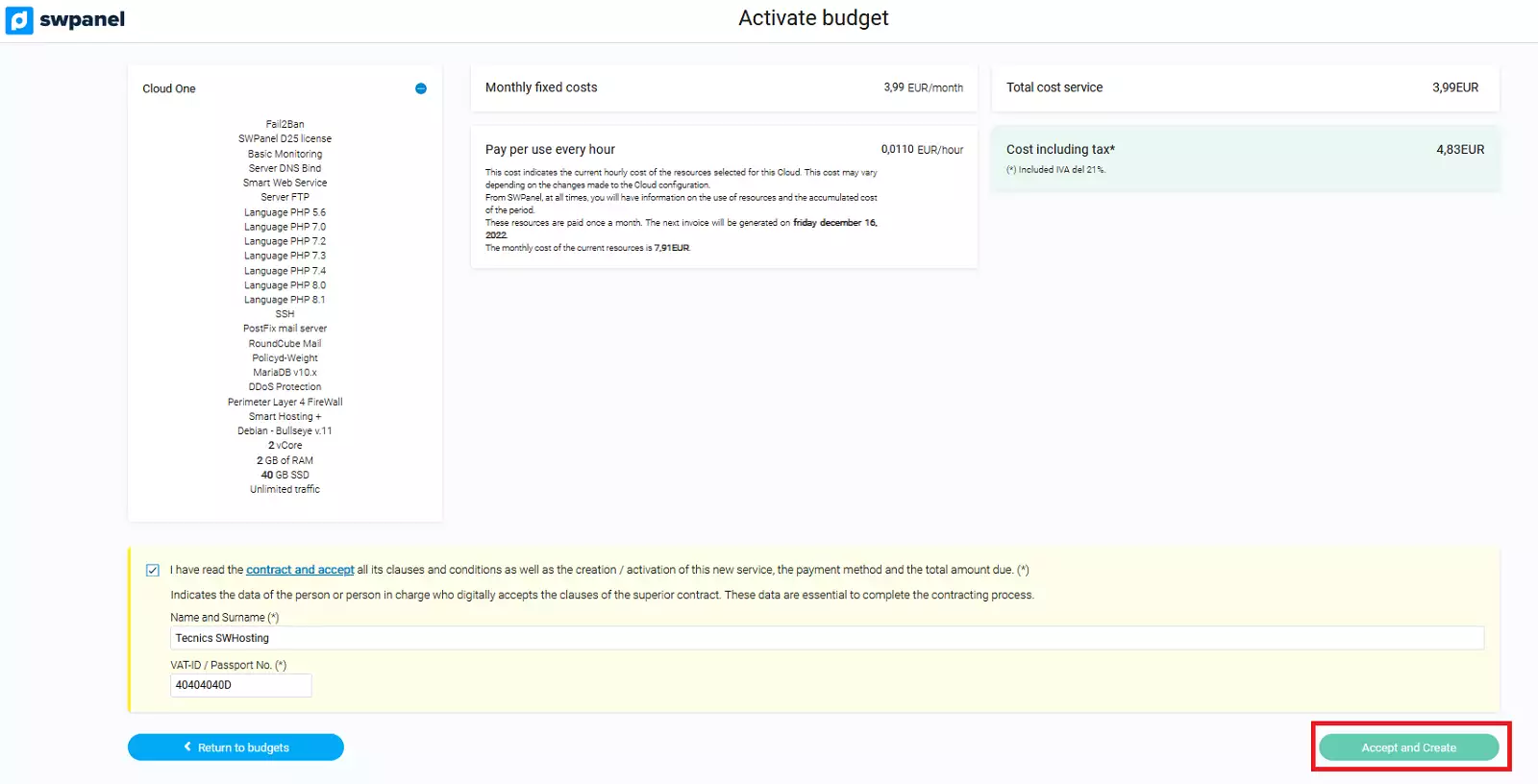
Before activating it, a summary of the Cloud server features and costs will appear so that you can review all the parameters defined in it.
You must accept the deployment of the Cloud server defined in the quote by clicking on the button 'Accept and create'.
Done, in a few minutes you will have your Cloud server contracted and created in your SWPanel.
You can use the same quote as many times as you wish to create your Cloud server.