
Available memory on our server
Updated on
2026-10-28 15:01:31
73
visits
In this manual, you will learn how to check RAM memory usage on your GNU/Linux server from the command line.
Prerequisites
Before starting:
- You must connect to your server via SSH.
- You can use tools like PuTTY on Windows systems.
- Have sufficient permissions to execute commands on the system.
1. View memory in use (in MB)
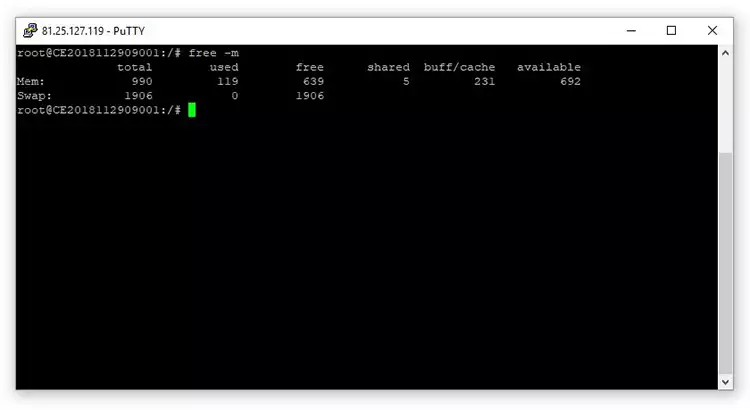
Once inside the server, run the following command:
free -m
2. Interpret the result
The free command shows several important columns:
- total → Total system memory
- used → Used memory
- free → Completely free memory
- shared → Memory shared between processes
- buff/cache → Memory used as cache (improves performance)
- available → Memory actually available for new applications
💡 Important:
In Linux, cached memory (buff/cache) can be released automatically when needed, so the most relevant value is usually available.
3. View memory in GB
If you prefer to see the values in gigabytes, use:
free -g