
Create an email signature in Webmail
An email signature is a predefined text that is automatically added to the end of every email you write.
Generally, it includes information such as:
- First and last name.
- Your job title and the company you work for.
- Contact details, such as phone number, email address...
You can include a primary signature for your email from your Webmail account. Below, we show you how to proceed. You can check how to access Webmail using the following manual:
How to configure my signature in Webmail
To start, you must click on Settings → Identities → Select your email account.
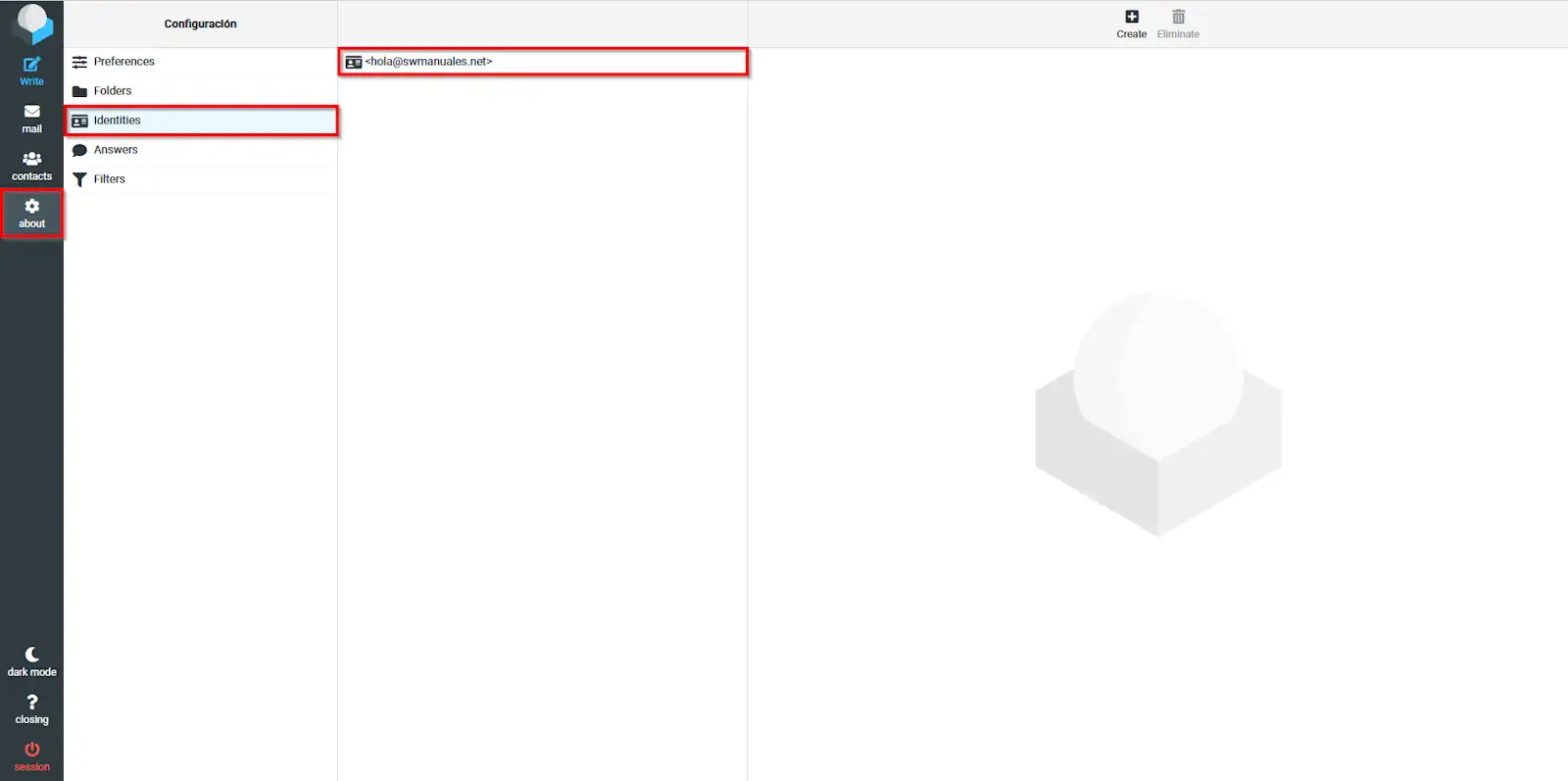
info_capture The screenshot is for guidance purposes. It was taken from version 2025.00.0017 dated 10/02/2025. It may differ from what the current version of SWPanel shows.
Next, in the box you see, you can enter your desired signature.
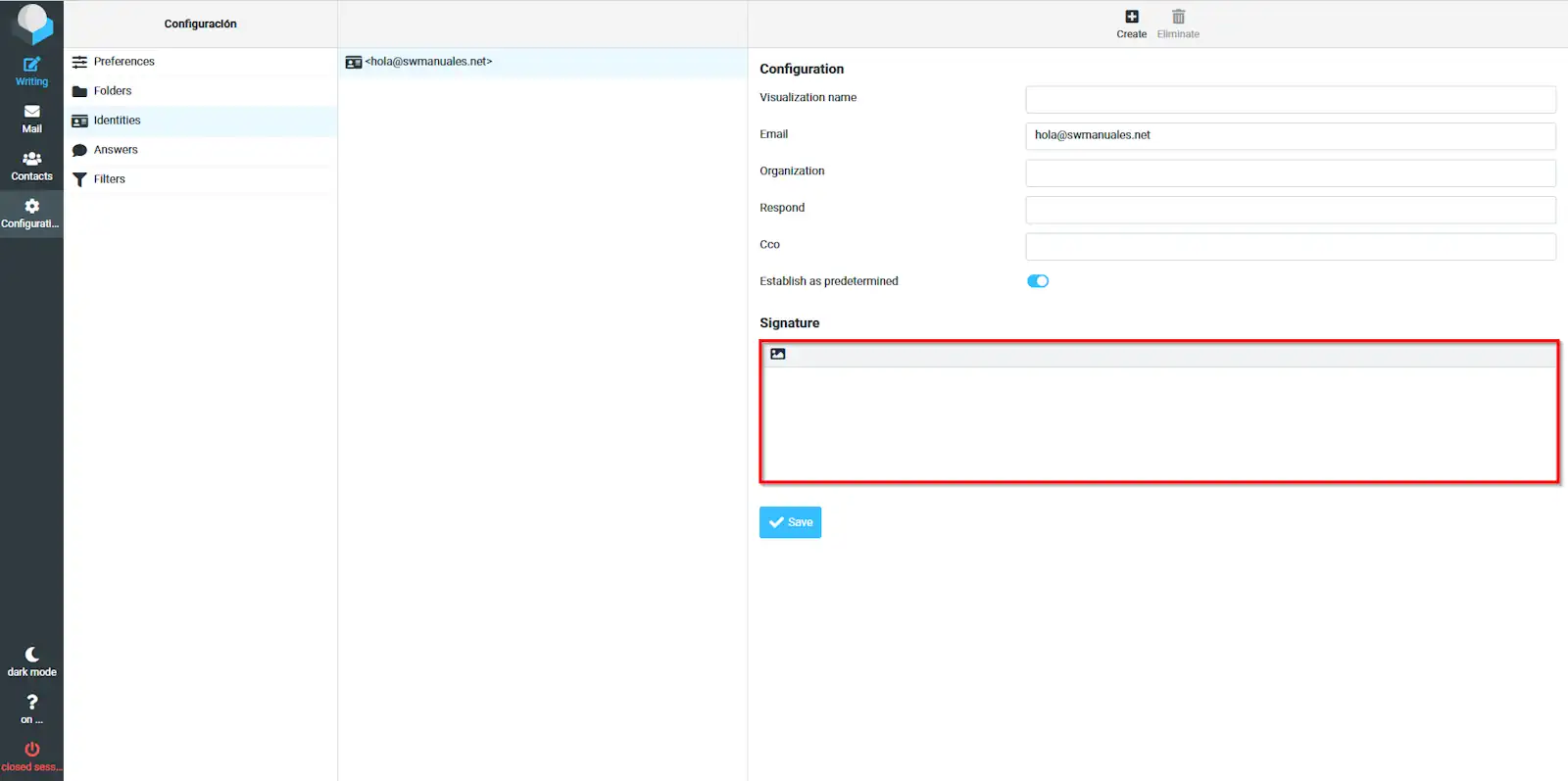
info_capture The screenshot is for guidance purposes. It was taken from version 2025.00.0017 dated 10/02/2025. It may differ from what the current version of SWPanel shows.
Once you have created the signature, you must click on the blue Save button to apply your new signature.
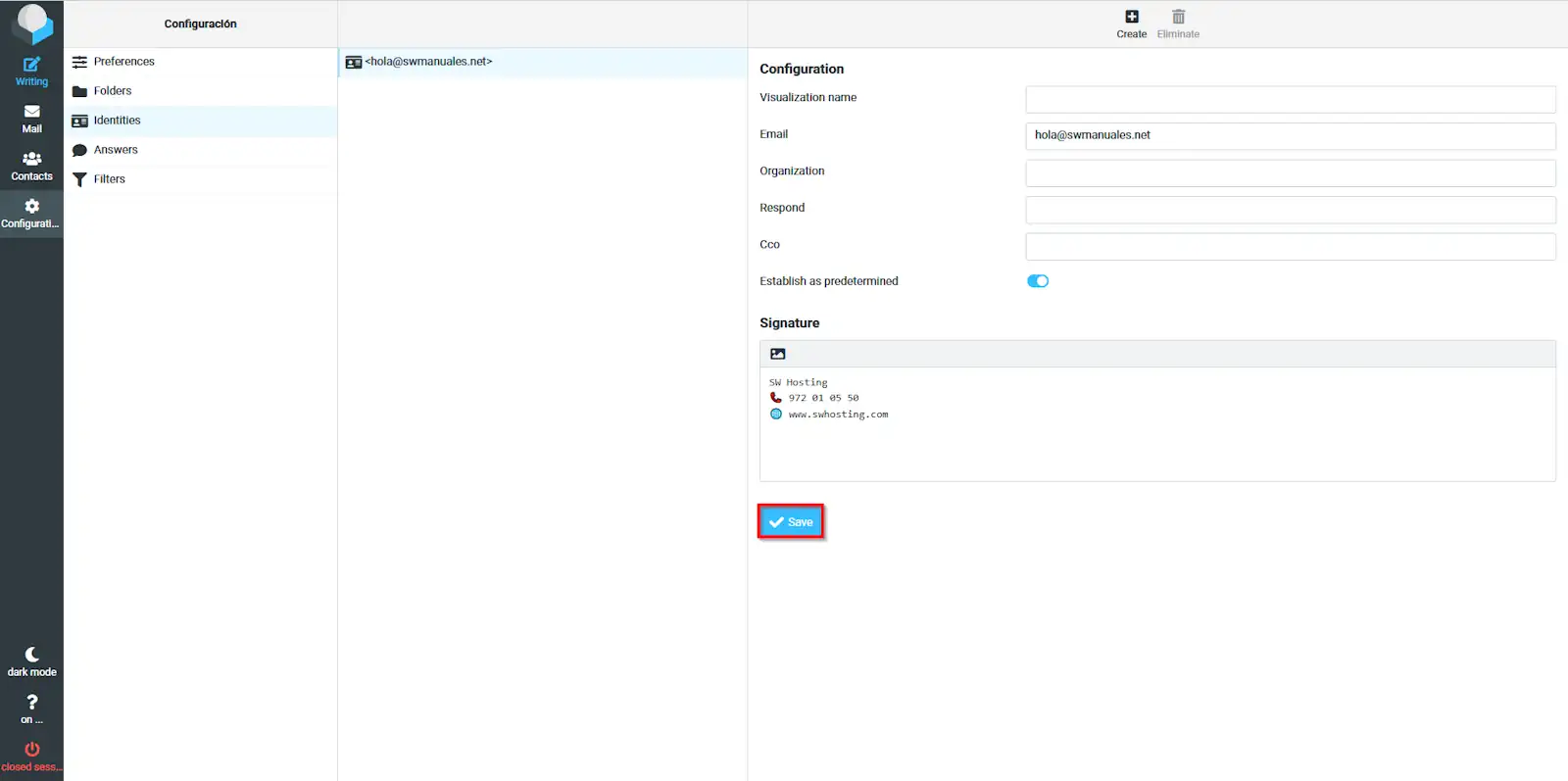
info_capture The screenshot is for guidance purposes. It was taken from version 2025.00.0017 dated 10/02/2025. It may differ from what the current version of SWPanel shows.
Done! Your signature is now configured. Every time you go to send an email, it will be displayed by default.