
Disable Log Custody
To disable log custody, you must access your SWPanel and, in the top search window, enter the name of the Cloud service for which you wish to disable log custody. Once the service is located, you can click on its name to access its Dashboard.
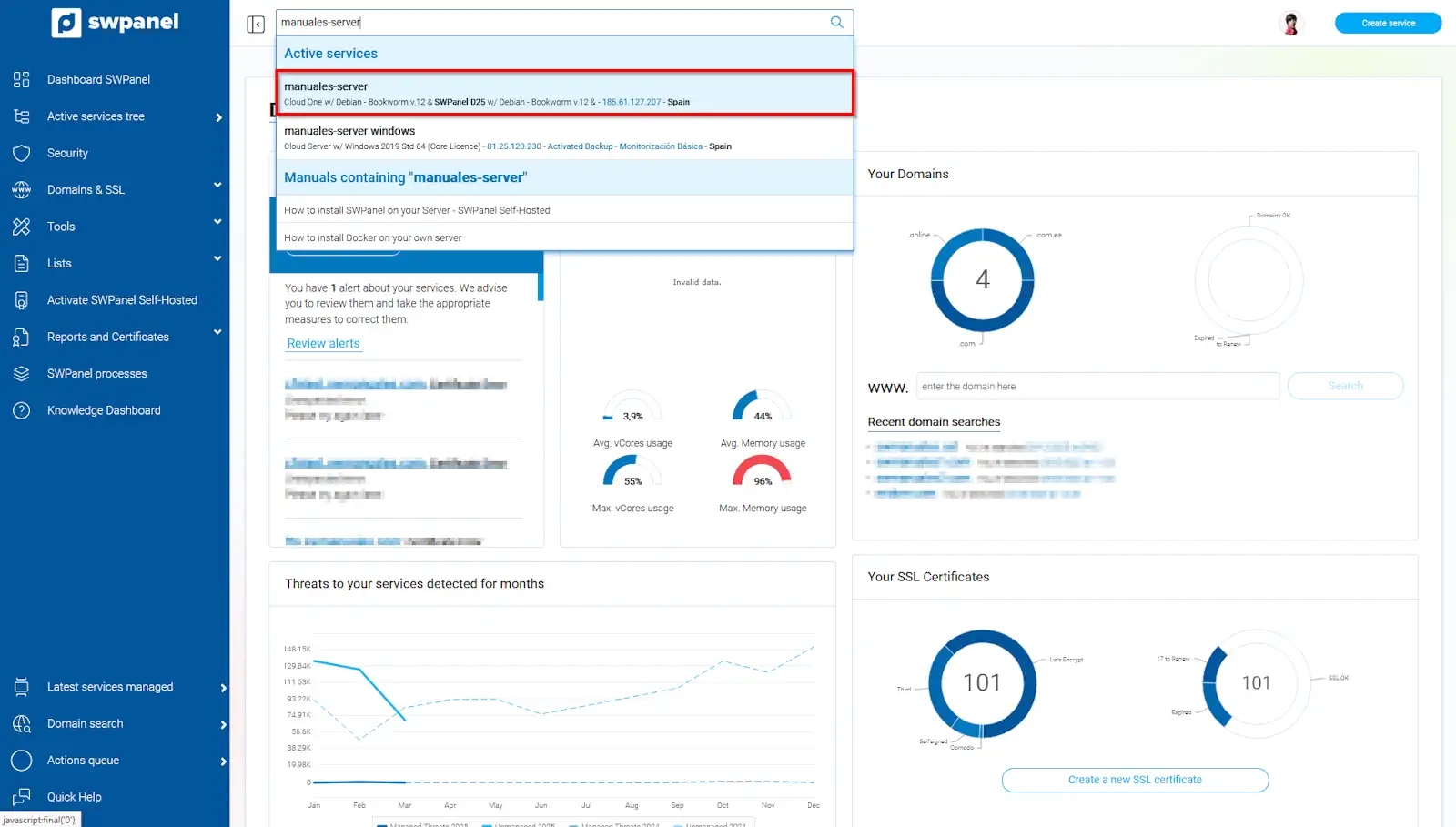
info_capture The screenshot is for guidance purposes. It was taken from version 2025.02.0002 dated 03/17/2025. It may differ from what the current version of SWPanel shows.
Once in your server's Dashboard, you should go to the available improvements block and disable the Log Custody improvement.
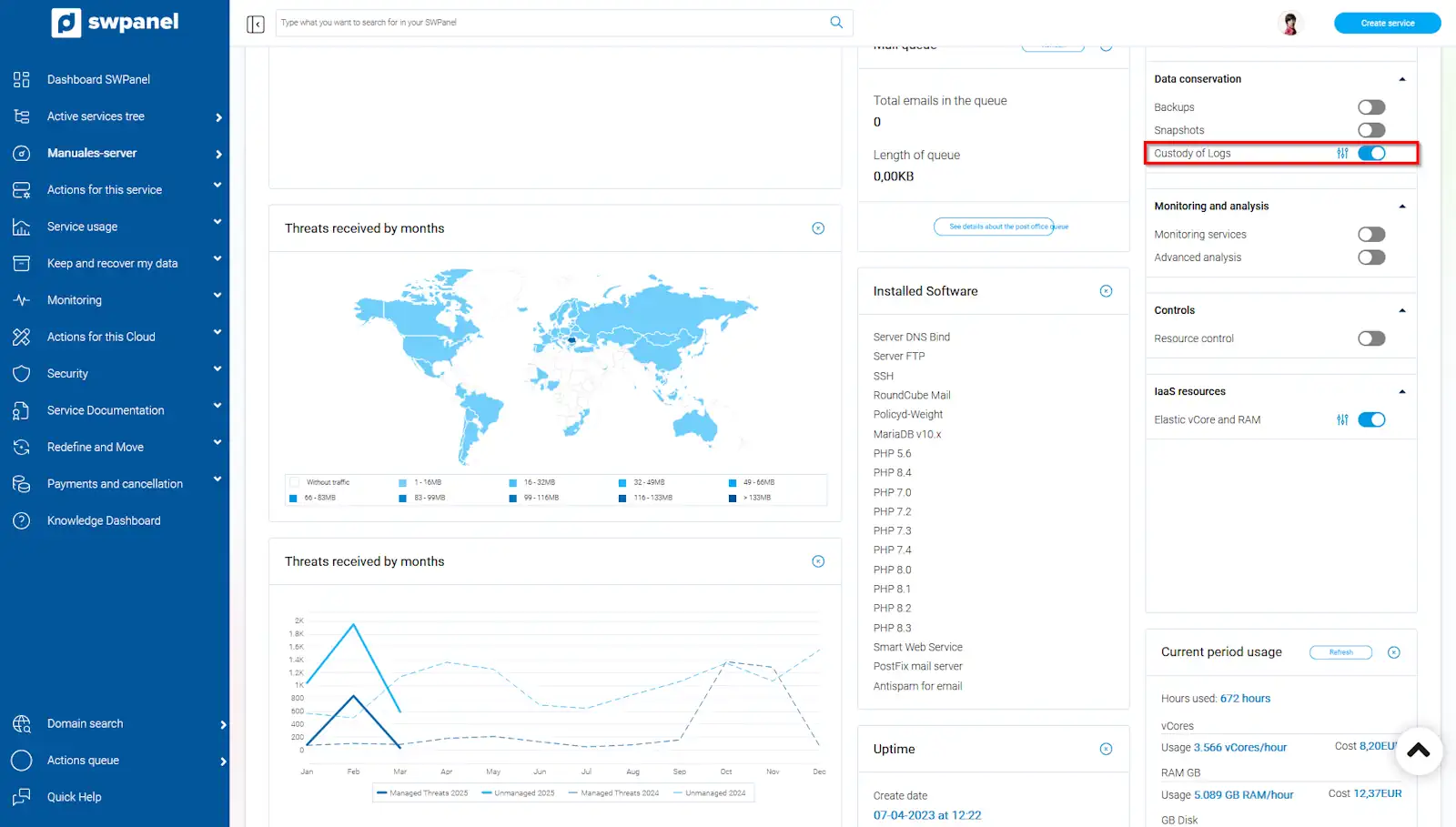
info_capture The screenshot is for guidance purposes. It was taken from version 2025.02.0002 dated 03/17/2025. It may differ from what the current version of SWPanel shows.
Next, you must select the option Disable Log Custody in my Cloud.
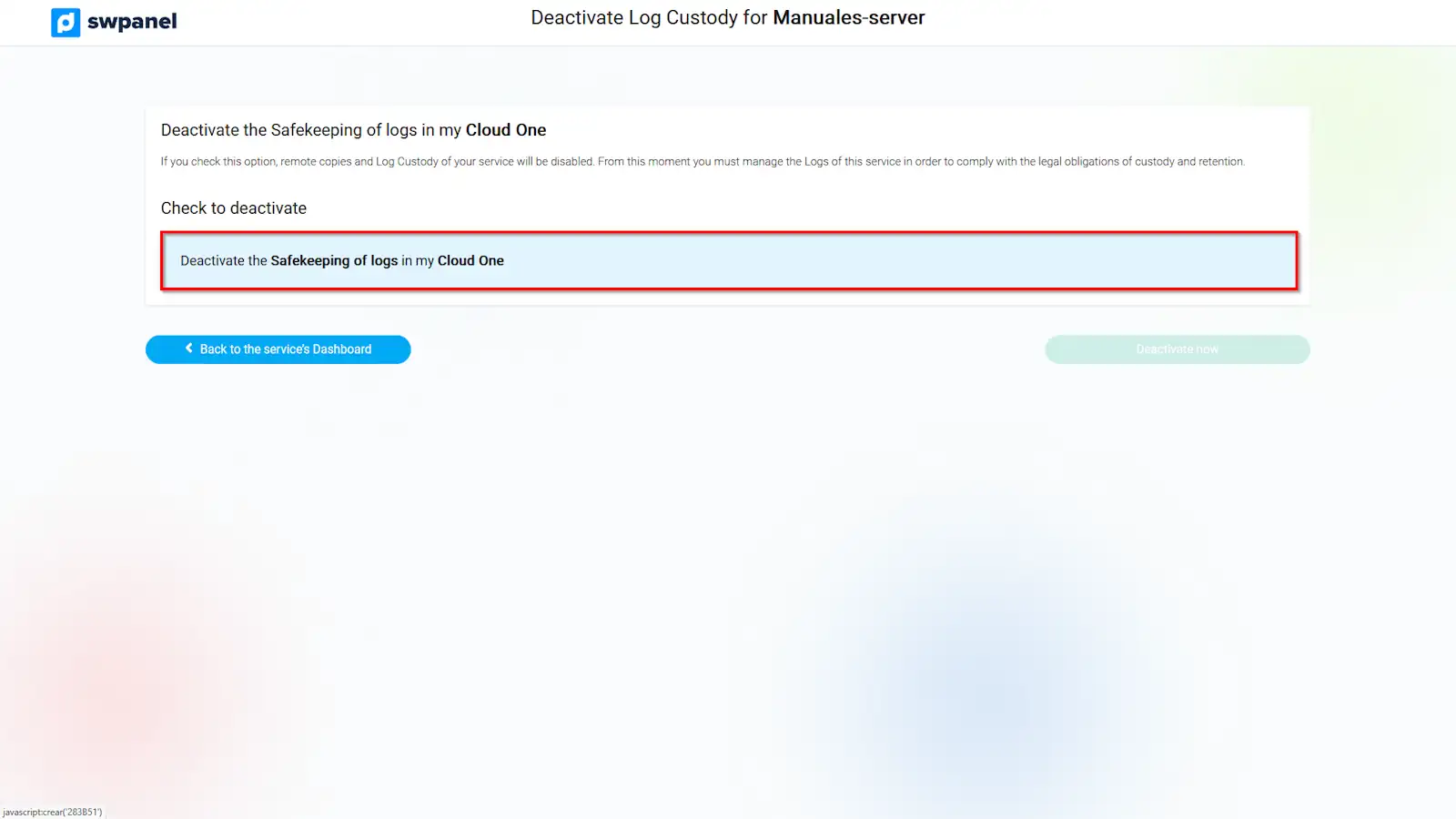
info_capture The screenshot is for guidance purposes. It was taken from version 2025.02.0002 dated 03/17/2025. It may differ from what the current version of SWPanel shows.
Finally, click the Disable now button.
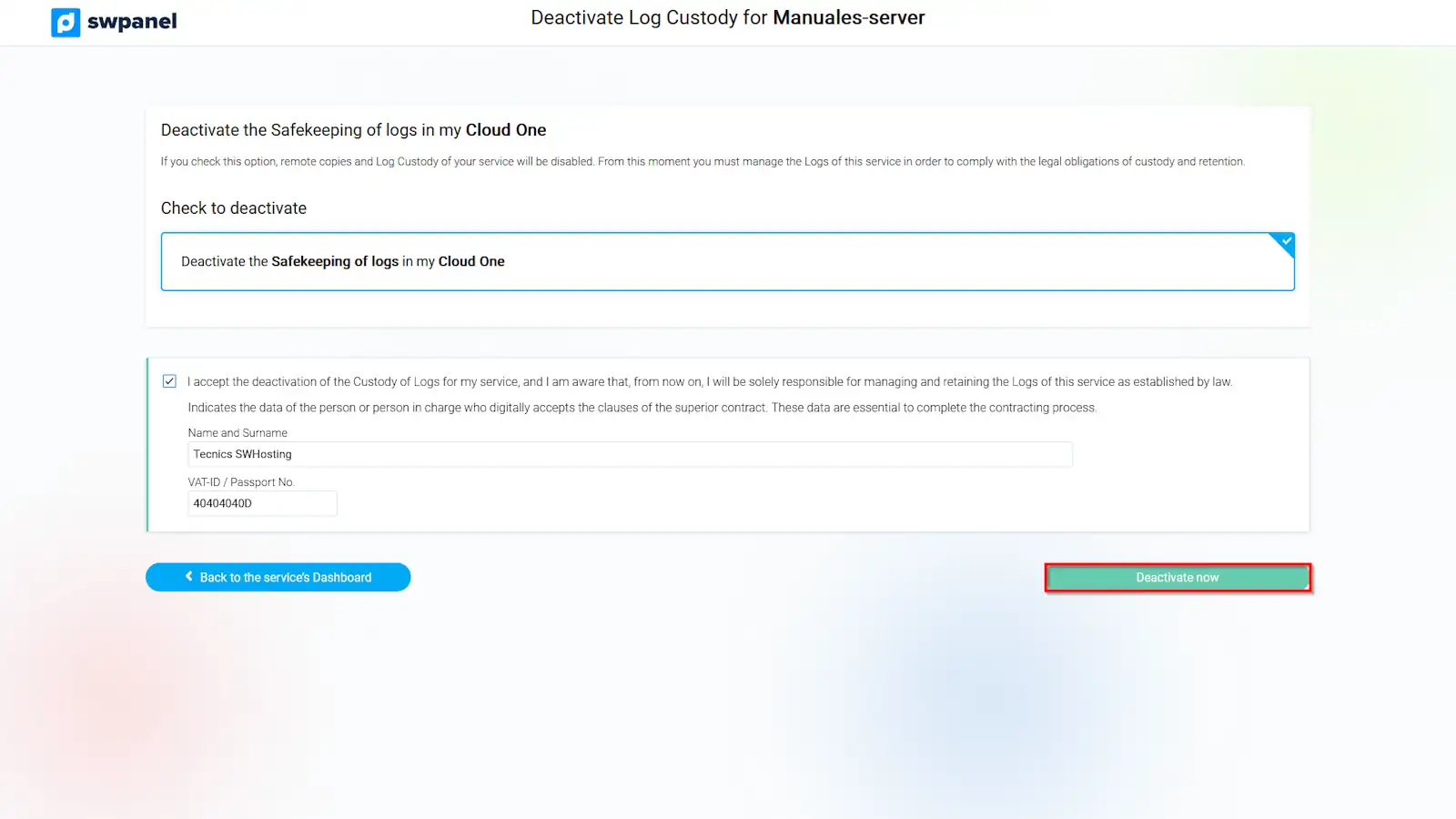
info_capture The screenshot is for guidance purposes. It was taken from version 2025.02.0002 dated 03/17/2025. It may differ from what the current version of SWPanel shows.