
How to add balance via bank transfer to SWPanel
Updated on
2026-10-27 13:01:56
38
visits
To add balance to your SWPanel via a bank transfer, you must access your customer account of SWPanel and click on your account icon -> Add balance:
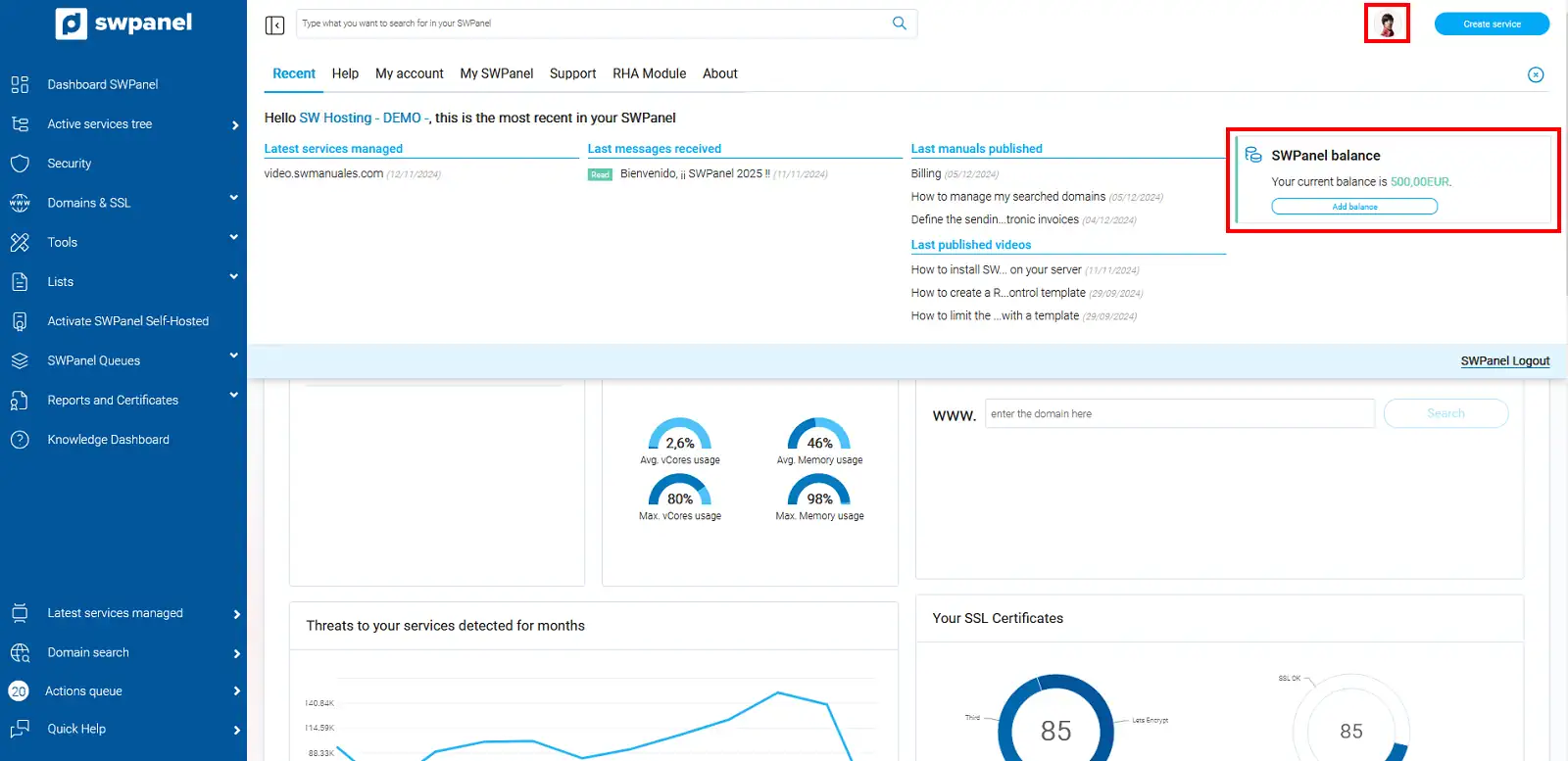
info_capture The screenshot is for guidance purposes. It was taken from version 2025.00.0016 dated 04/12/2024. It may differ from what the current version of SWPanel shows.
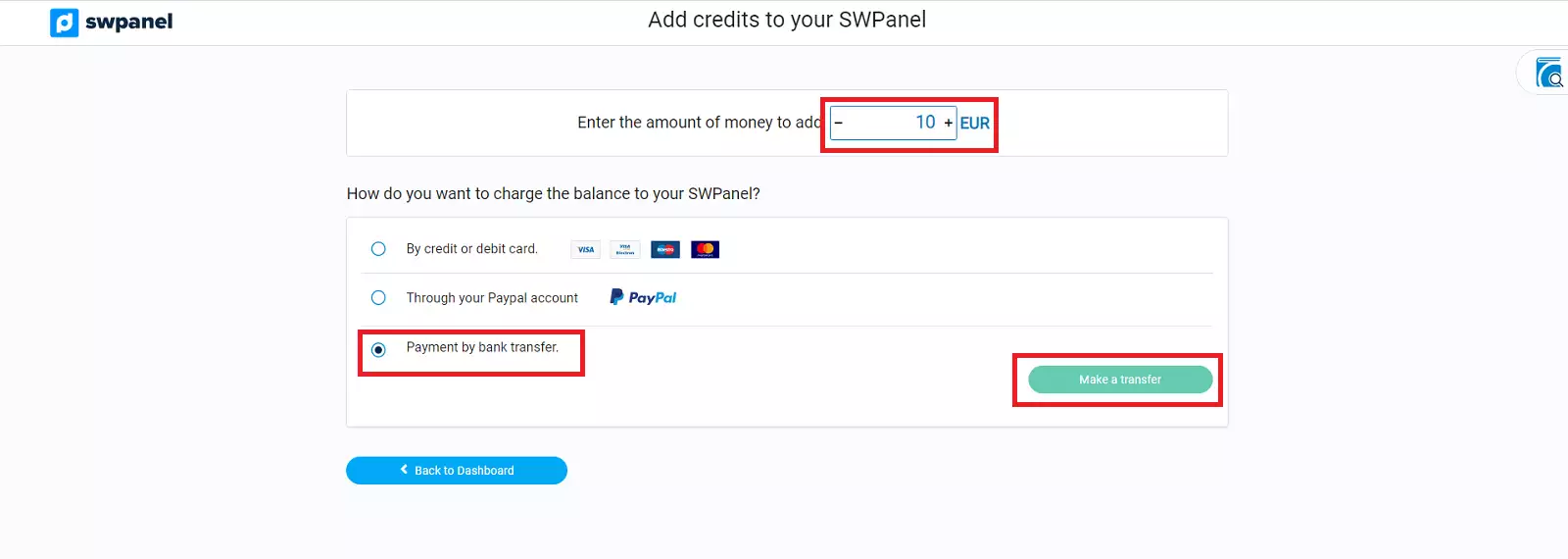
Subsequently, you must enter the amount you want to transfer to your account, and indicate that the payment method will be via bank transfer:
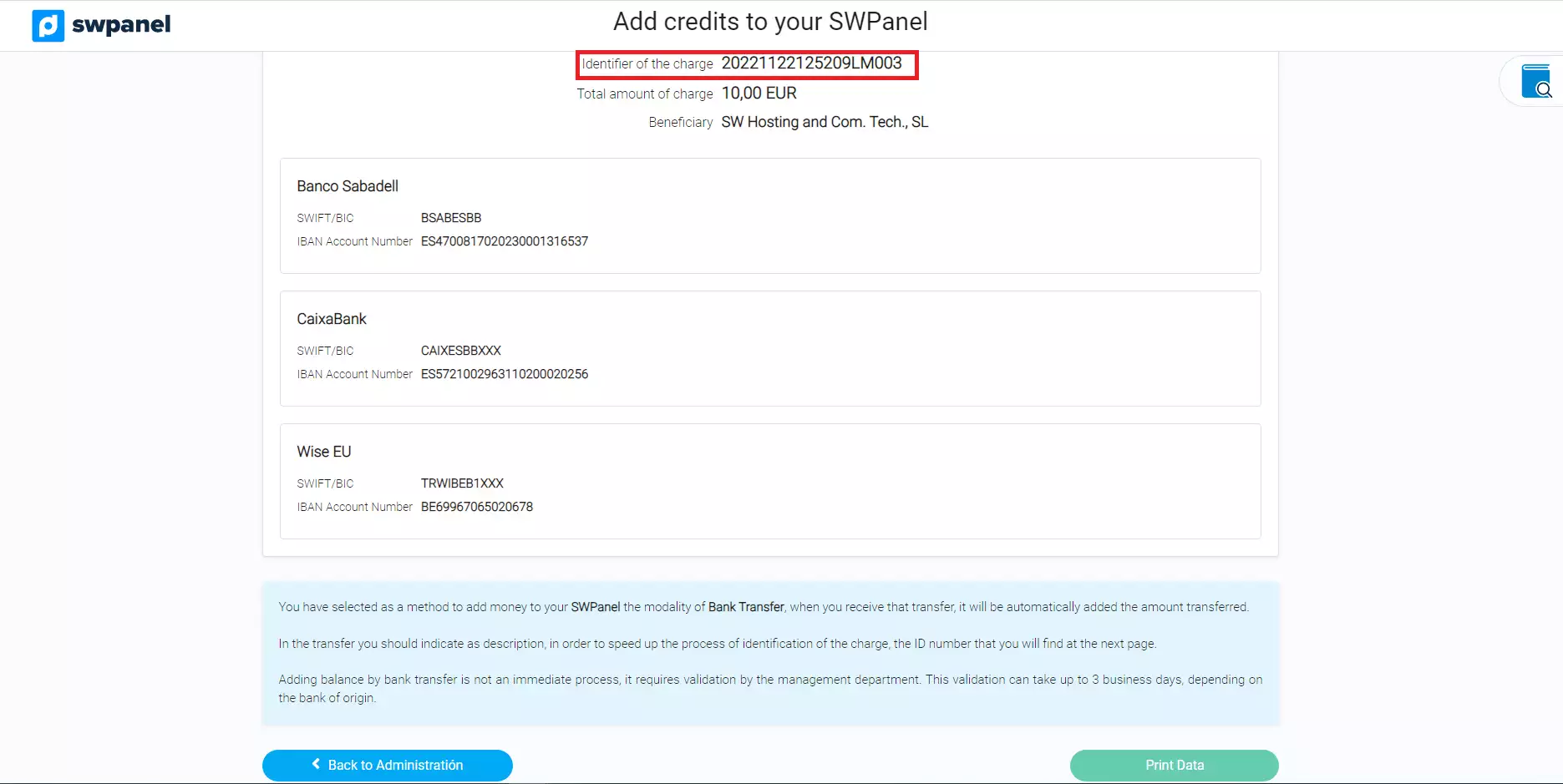
Finally, you will have the details to make the transfer and the option to print the document:
⚠️Important⚠️
In the payment reference, the Load Identifier must appear so that the administration department can uniquely identify the customer