
How to change or redefine a Hosting Plan?
The Hosting plan change option allows you to modify your current plan for another one currently available.
With this option, you can:
- Update an old plan to one of the currently available plans.
- Upgrade your current plan by changing it to a superior one with more resources or features.
This change allows you to adapt your hosting service to the current needs of your website quickly and easily.
⚠️ Important When changing the hosting plan, the available PHP versions may vary.
Before performing the change, we recommend:
- Review the PHP version you are currently using.
- Check if that version is obsolete or is still compatible.
- Verify if the same version is available in the new plan you wish to switch to.
To access the plan change wizard for your hosting service, follow these steps:
1. Go to the search bar located in the top bar of the SWPanel, enter the name of the hosting service, and select it from the results.
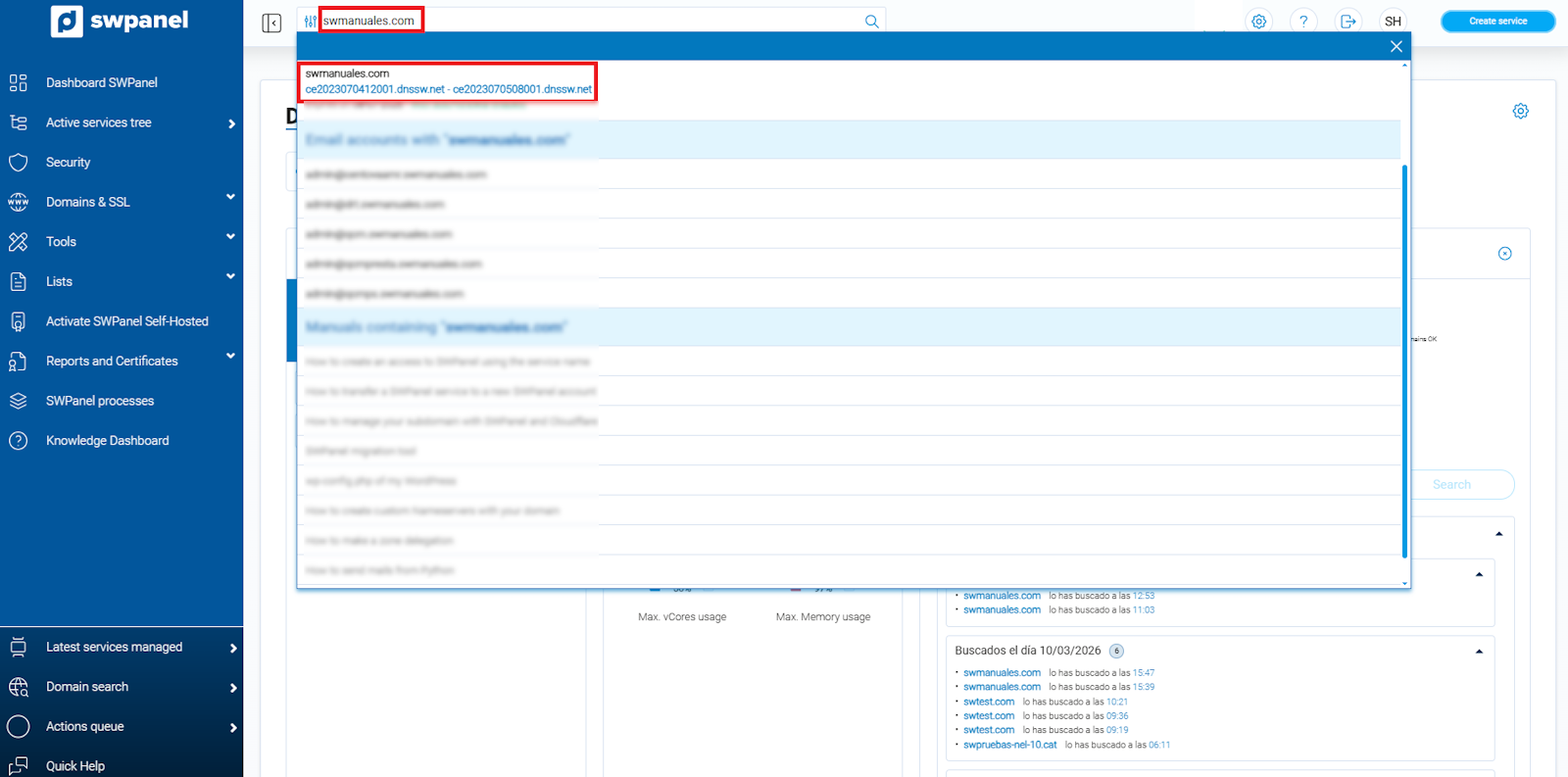
info_capture ℹ️ Note: The screenshot is for guidance purposes, taken from version 2026.000.0030 dated 03/15/2026. It may differ from the current version of SWPanel.
2. Once inside the Service Dashboard, click on the icon located on the right side.
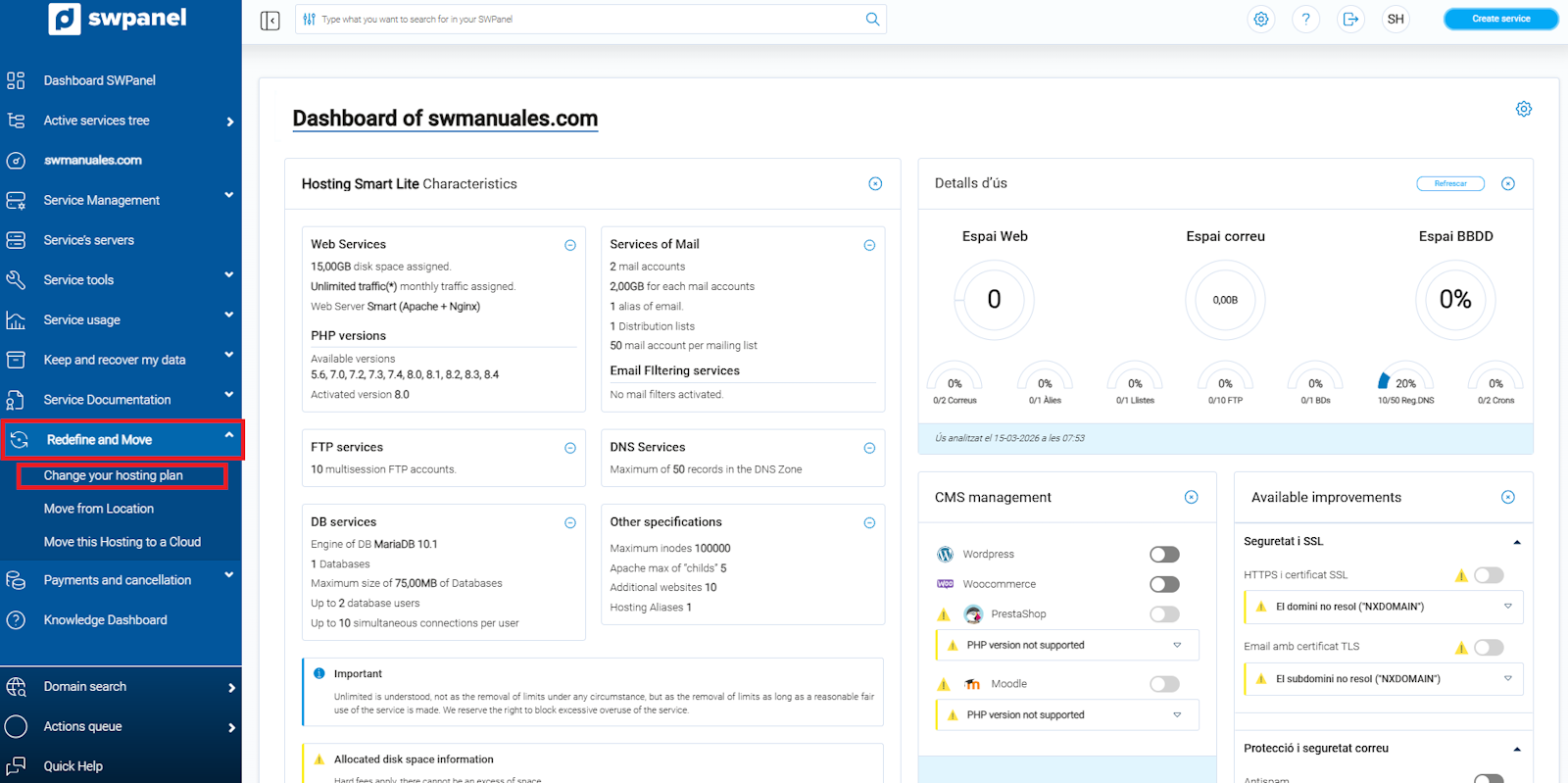
info_capture ℹ️ Note: The screenshot is for guidance purposes, taken from version 2026.000.0030 dated 03/15/2026. It may differ from the current version of SWPanel.
3. Once you are in the Change hosting plan section, select the plan you wish to contract and click Next.
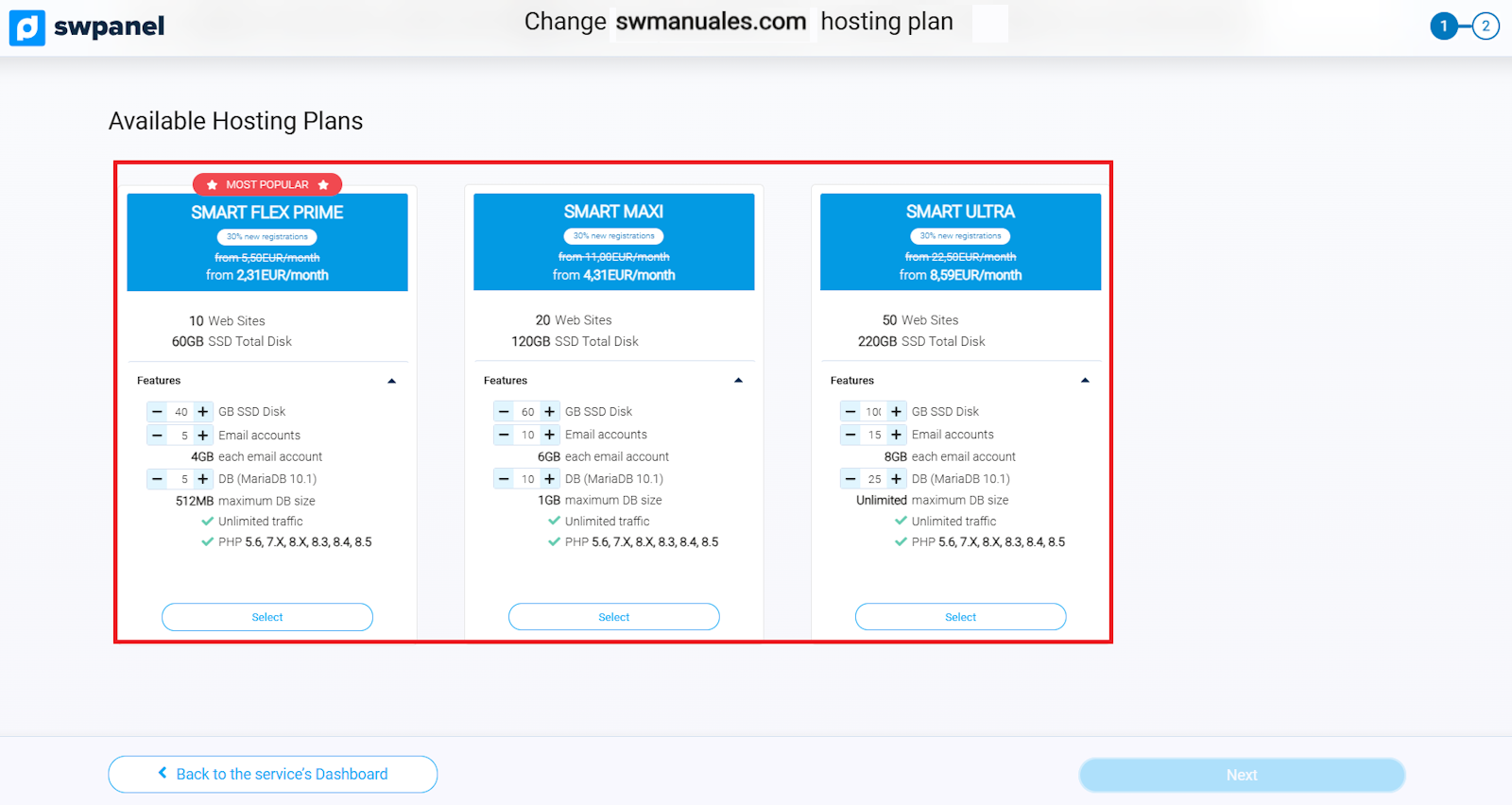
info_capture ℹ️ Note: The screenshot is for guidance purposes, taken from version 2026.000.0030 dated 03/15/2026. It may differ from the current version of SWPanel.
4. In this section, finalize the new plan configuration. Once reviewed, click Accept and finalize to complete the change.
⚠️ Important When performing this step, existing backup retention will be lost.
Therefore, it is recommended:
- Perform a local backup before changing the plan.
- Keep in mind that, once the change is completed, a new backup cycle will begin in the new plan.
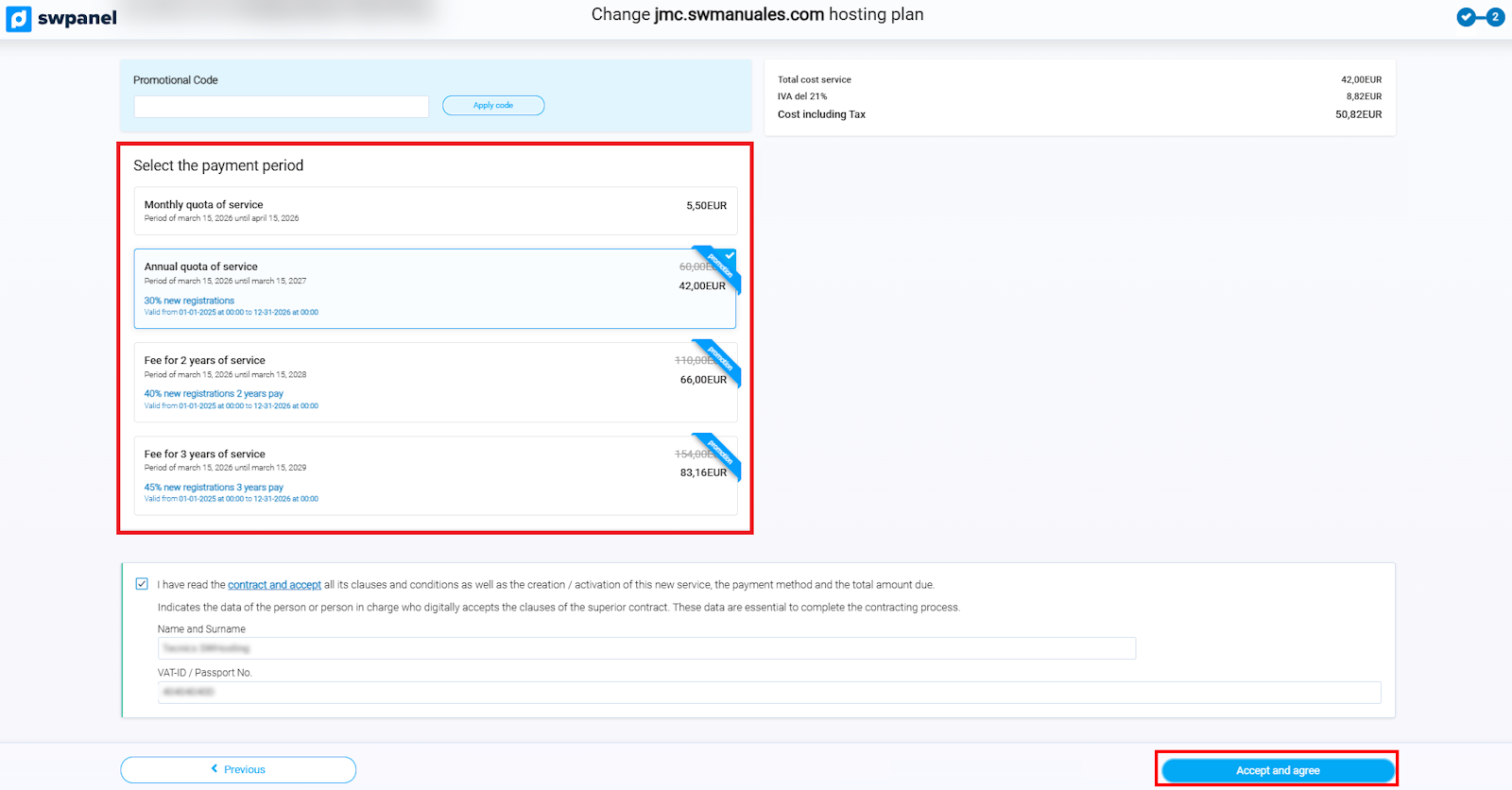
info_capture ℹ️ Note: The screenshot is for guidance purposes, taken from version 2026.000.0030 dated 03/15/2026. It may differ from the current version of SWPanel.
5. Once the change is finalized, SWPanel will begin executing the plan update process.