Categories
How to change the validation method of an SSL certificate request.
There are times when we need to change the validation of our SSL certificates, either because we do not have access to the validation email or we want to validate via SSL.
How to change the validation of the SSL certificate
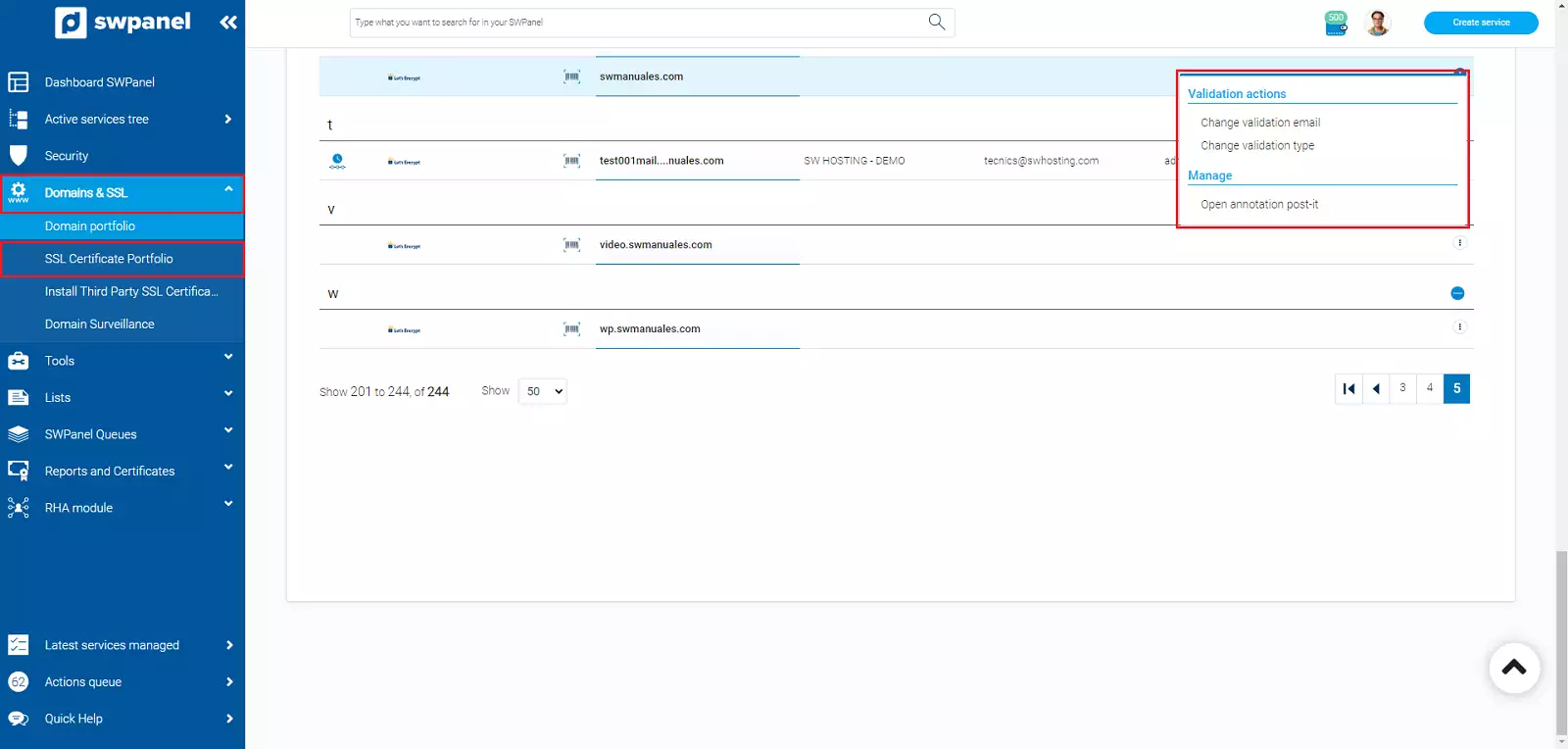
To do this, go to Domains and SSL > SSL Certificate Portfolio, go to the right of your SSL certificate, to the three dots "...", and a drop-down menu will open that will allow you to do the following:
- Change validation email
- Change validation type
Change validation email
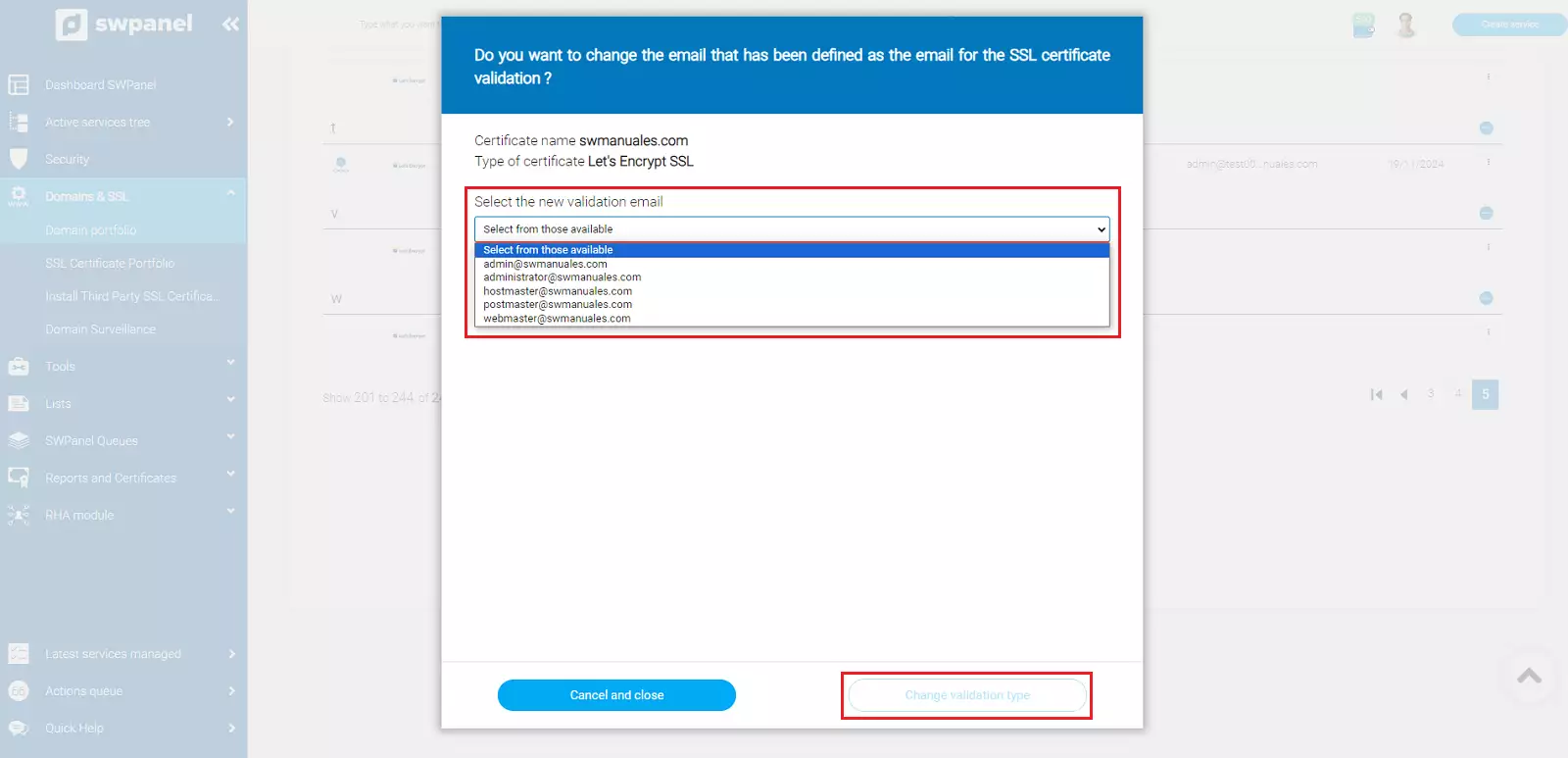
From the first option, it allows us to modify the validation email, bear in mind that it is only possible to validate certificates from the following accounts:
Change validation type
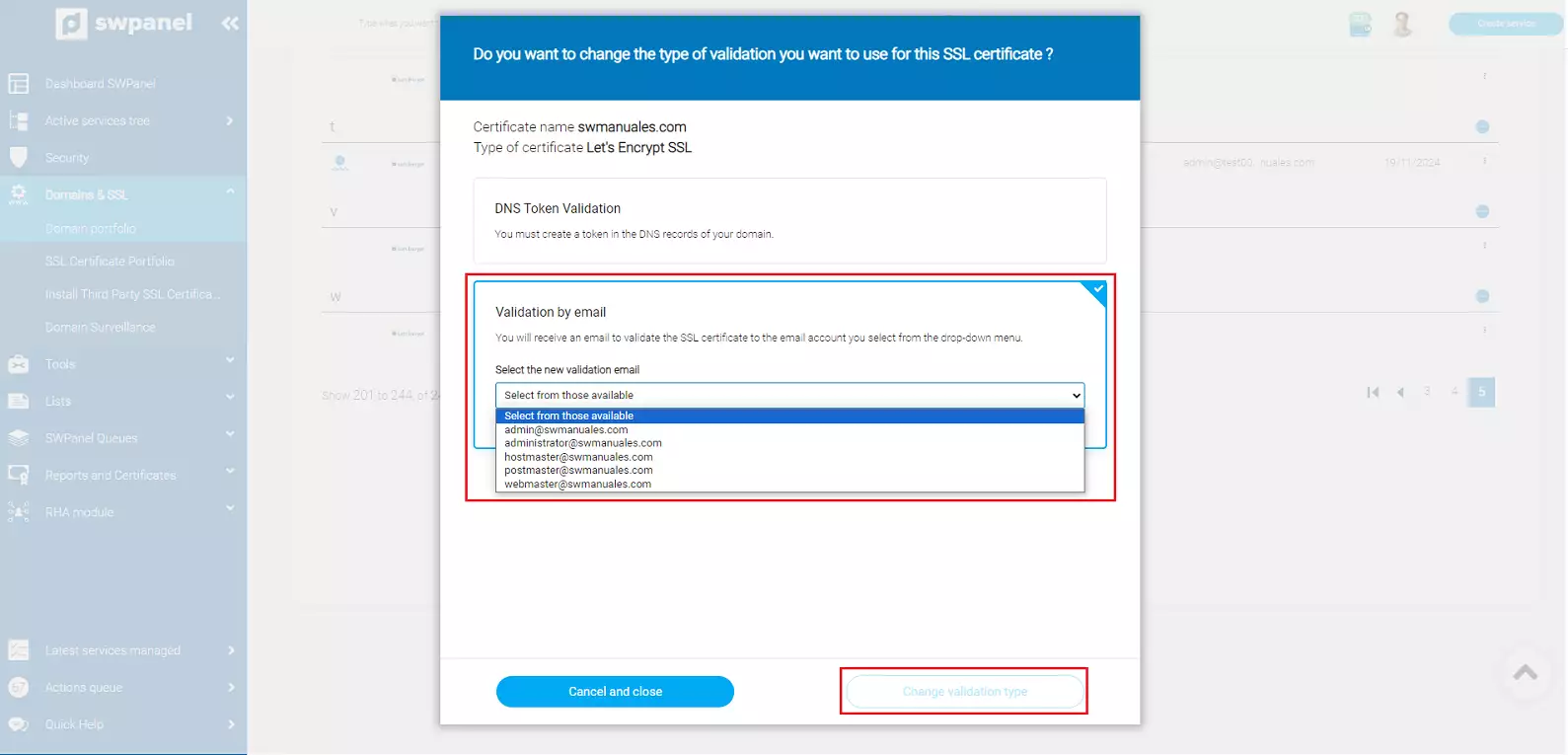
It is also possible to change the validation we currently have, we can use the following validation types:
- Validation by DNS token
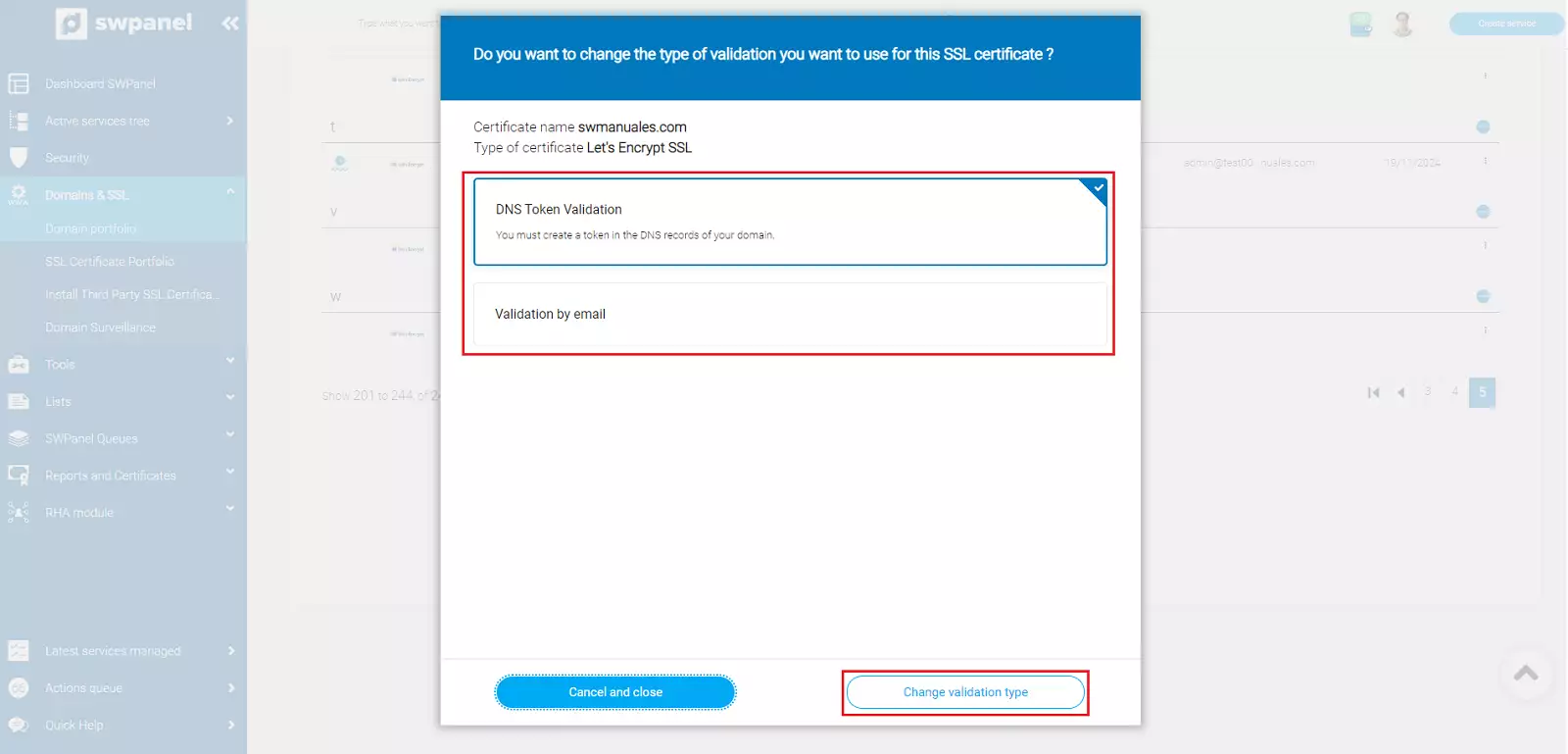
- Validation by email