How to configure mailbox forwarding
The mail forwarding feature allows emails that arrive in one email account to also be received by a second account. Additionally, you can configure to save emails that arrive to the original account or to forward them only.
To configure mail forwarding, locate from the "Active services tree", the service where you want to configure it, or you can use the general search engine of the SWPanel to find it:
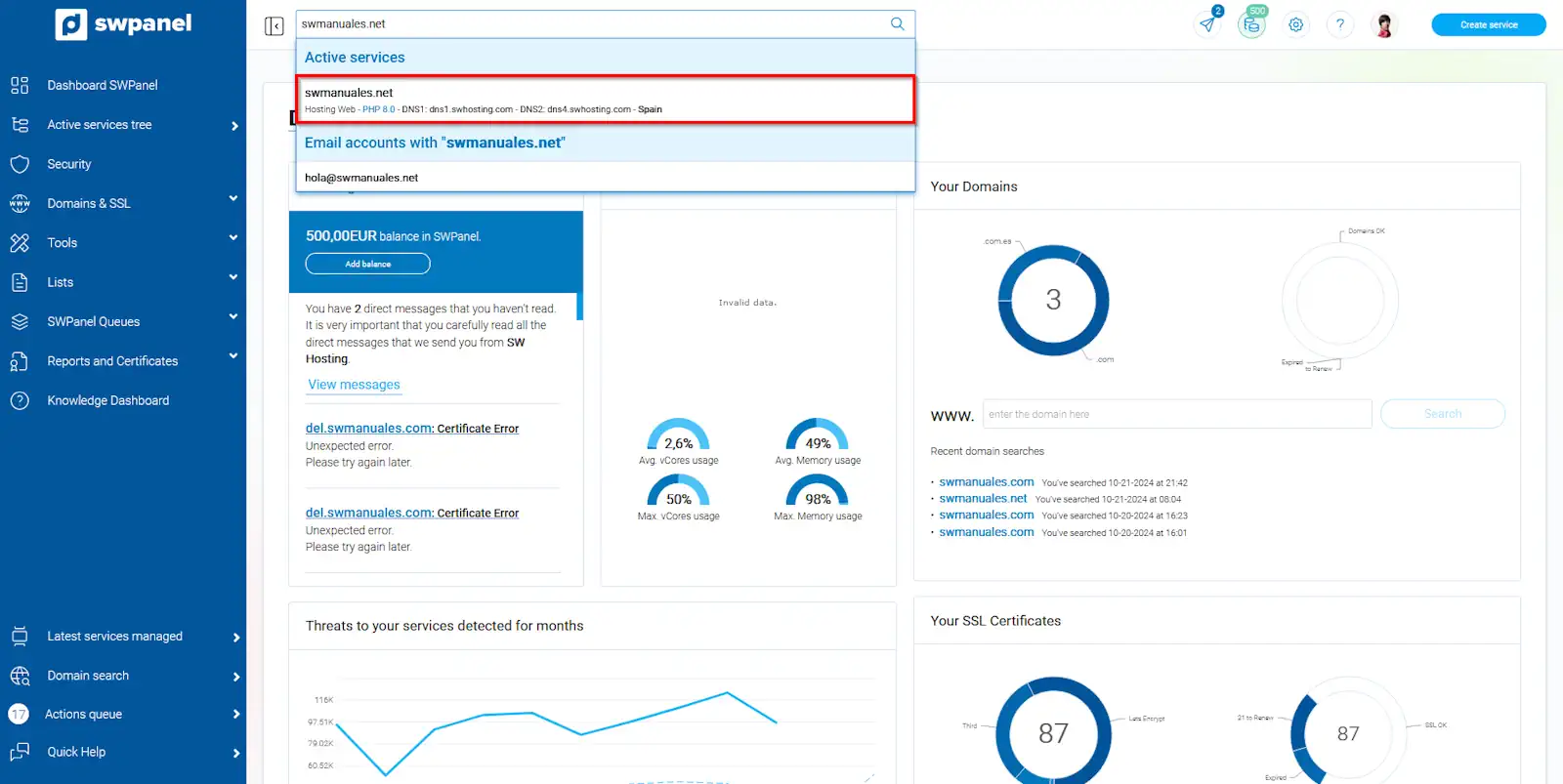
info_capture The screenshot is for guidance only. It was taken on version 2024.07.0134 with date 03/11/2024. It may differ from what the current version of SWPanel displays.
Once inside the Dashboard of the service, you must go to "Service management" → "Mail management" from the blue side menu:
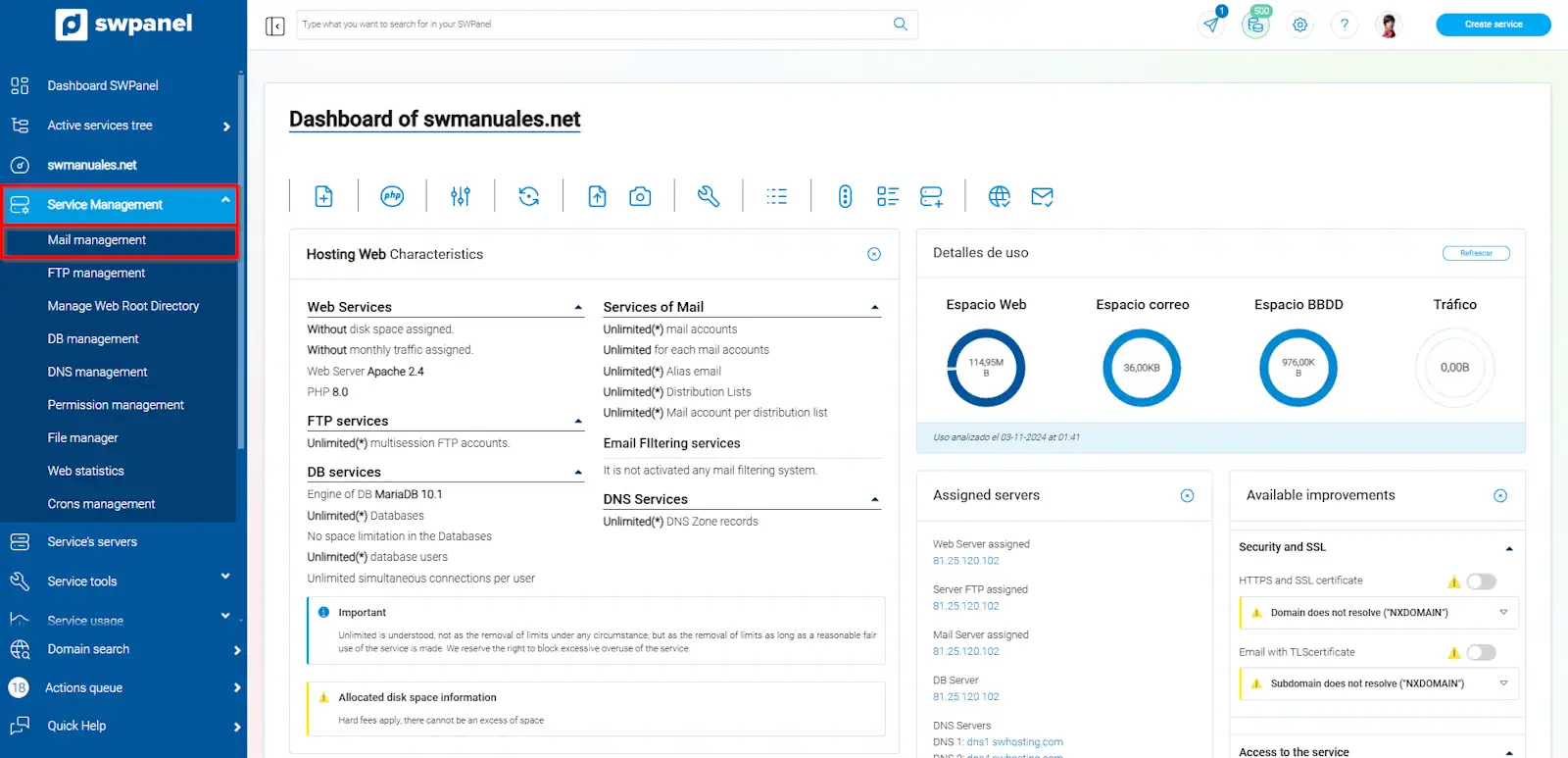
info_capture The screenshot is for guidance only. It was taken on version 2024.07.0134 with date 03/11/2024. It may differ from what the current version of SWPanel displays.
Once in the "Mail management of your service" menu, you must position the mouse cursor over the [...] menu of the account to be configured and click on "Modify this mail account":
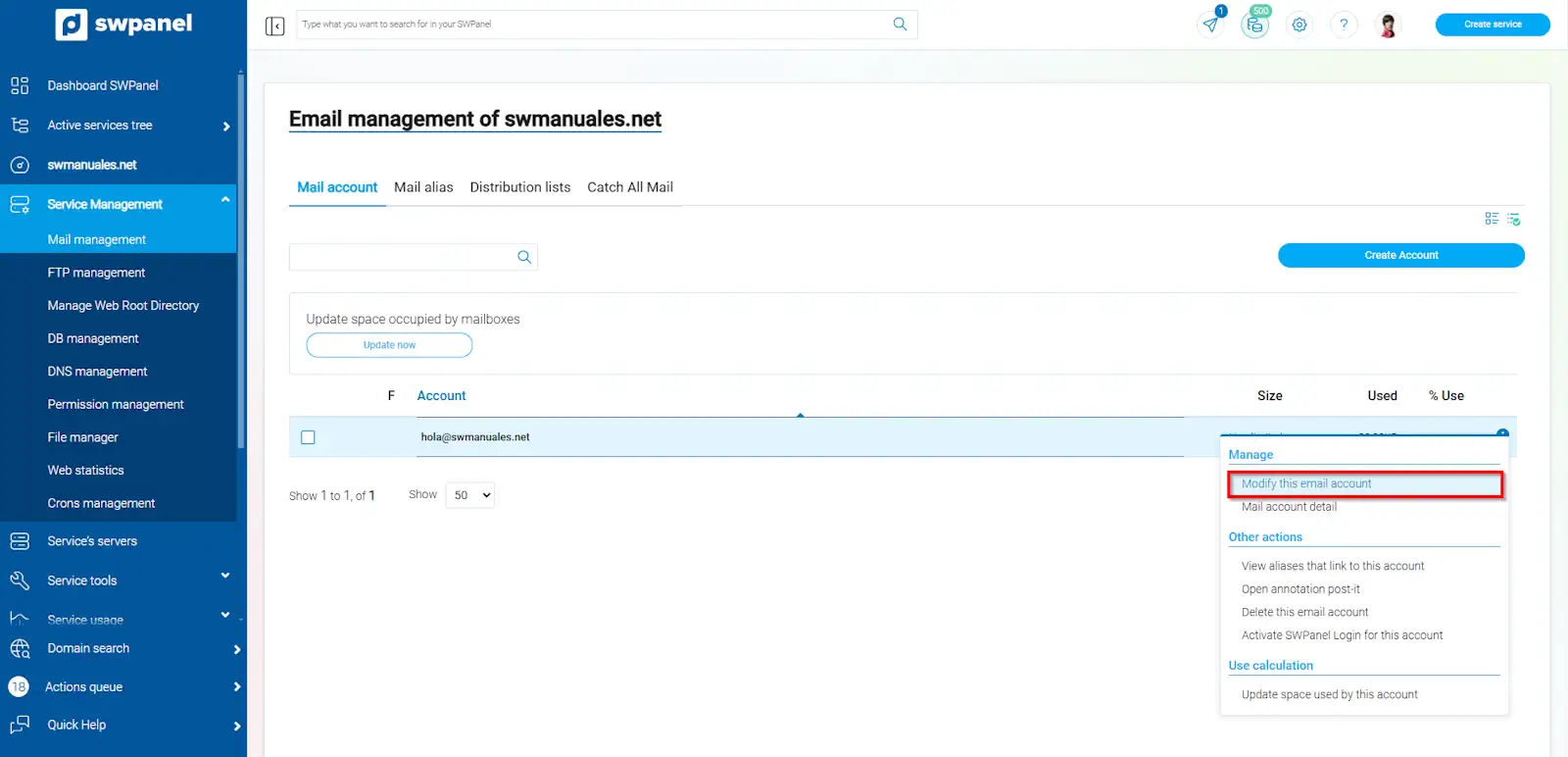
info_capture The screenshot is for guidance only. It was taken on version 2024.07.0134 with date 03/11/2024. It may differ from what the current version of SWPanel displays.
You must go to the top tab “Forwarding” and from here, and activate the forwarding of emails:
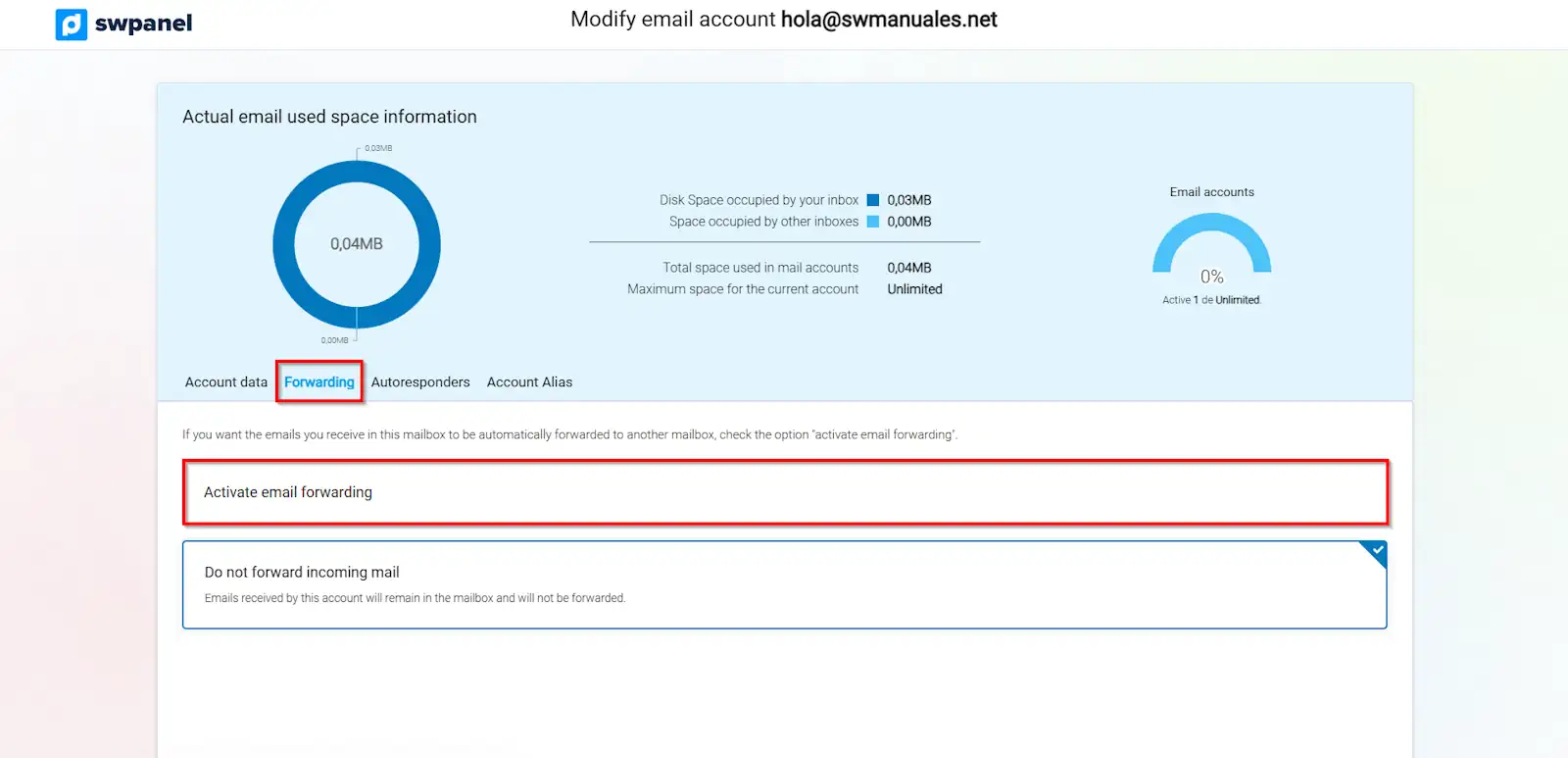
info_capture The screenshot is for guidance only. It was taken on version 2024.07.0134 with date 03/11/2024. It may differ from what the current version of SWPanel displays.
Then you can specify the email account to which the received messages will be forwarded. Also, you can indicate, if you want, that the emails are stored in the original email account:
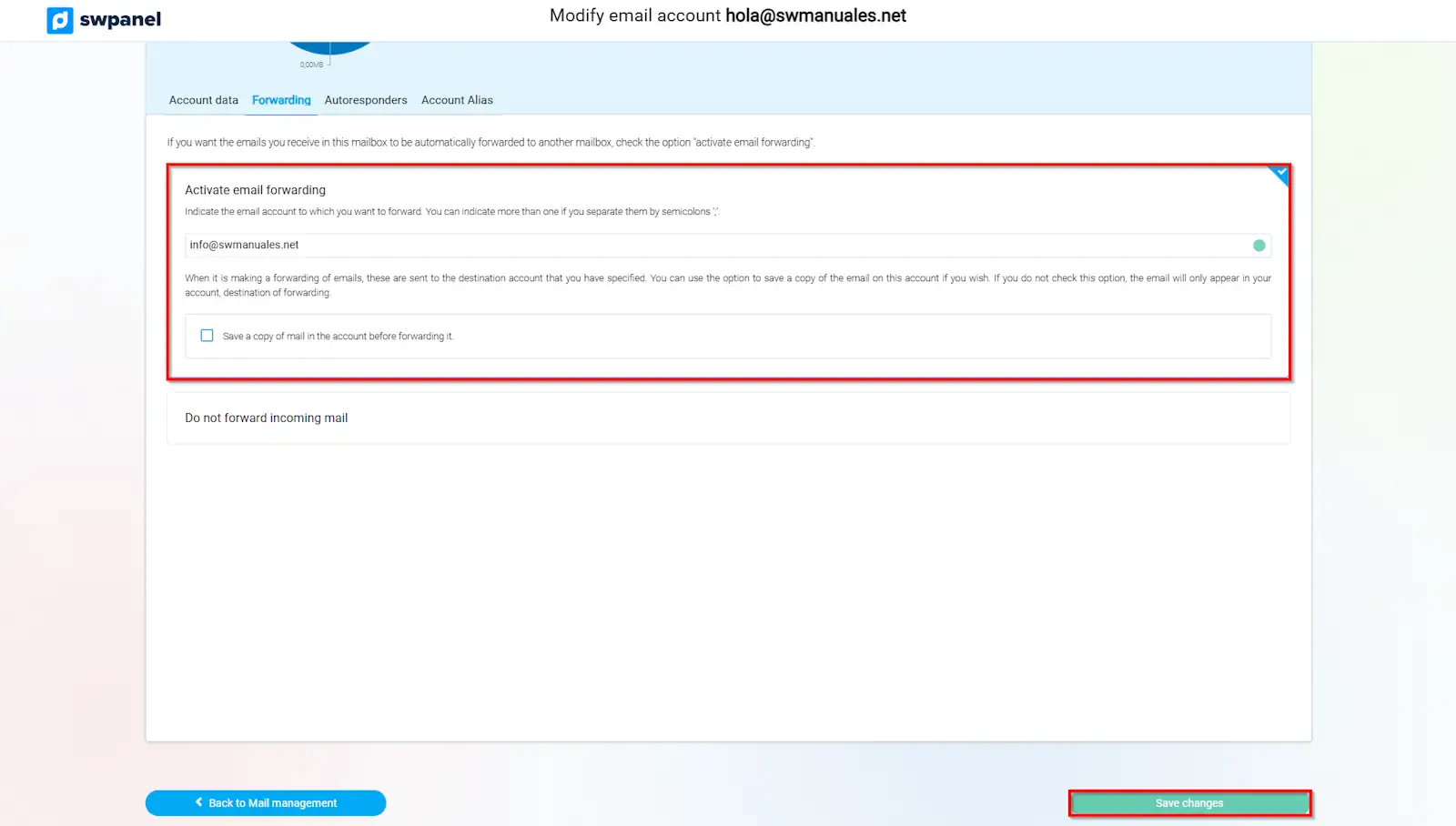
info_capture The screenshot is for guidance only. It was taken on version 2024.07.0134 with date 03/11/2024. It may differ from what the current version of SWPanel displays.