How to configure Smart Hosting + in your Prestashop
Once you have activated Smart Hosting + for your website [Manual: How to activate Smart Hosting + for your website] with Prestashop, you can configure it by following these steps:
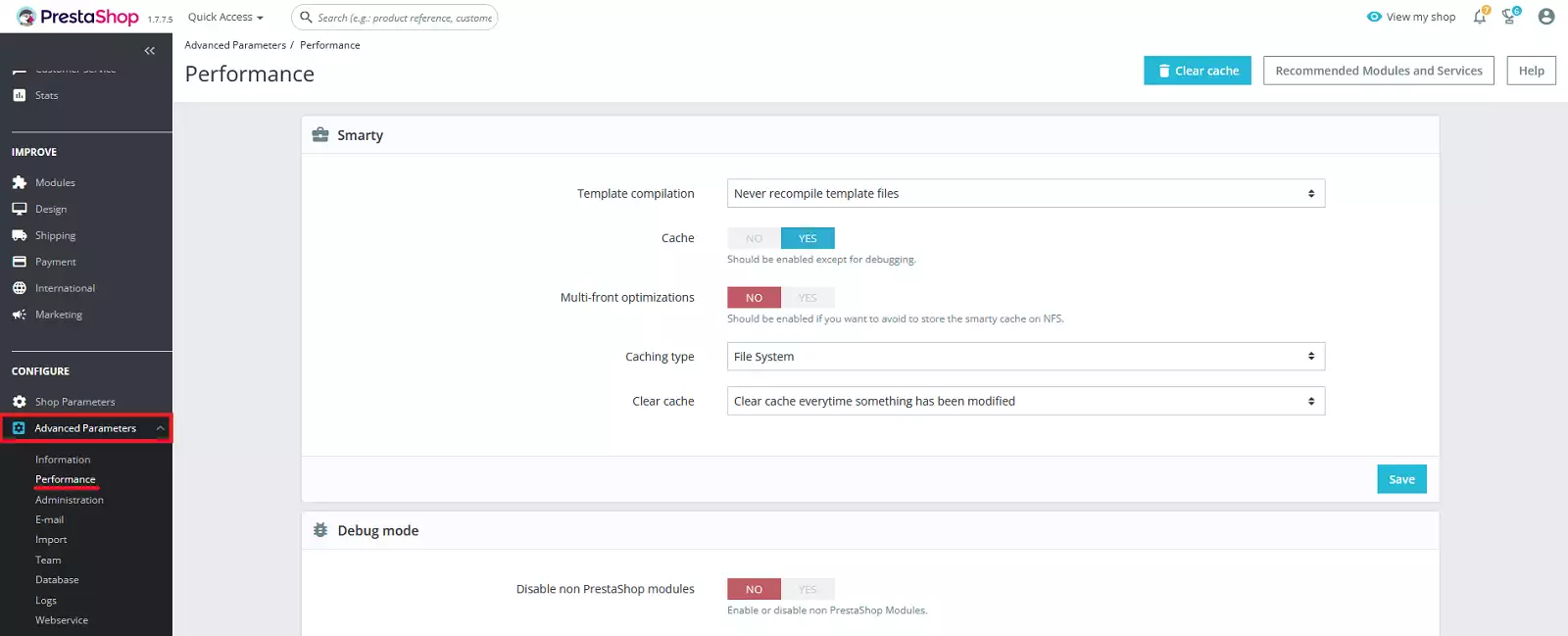
1. Access your Prestashop management interface and go to the 'Advanced Parameters' > 'Performance' section.
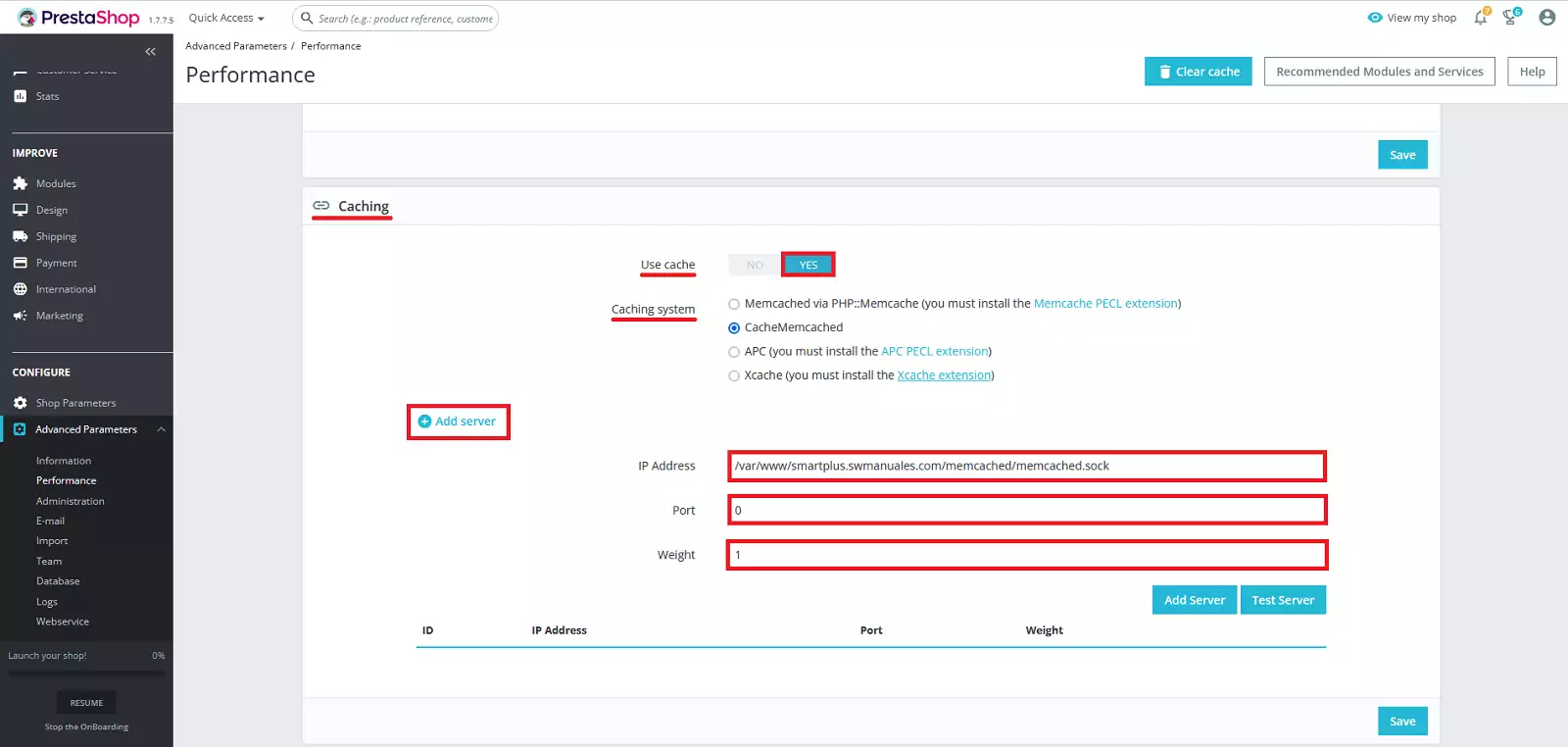
2. Locate the options block for 'Cache'. In the 'Use cache' option, activate the 'Yes' button. In 'Caching system', choose the 'CacheMemcached' option. Next, click the 'Add server' button and define the following values:
a) IP Address /var/www/smartplus.swmanuales.com/memcached/memcached.sock
For example; if your website domain is “swhosting.com”, you should specify the values: /var/www/swhosting.com/memcached/memcached.sock
b) Port 0
c) Weight 1
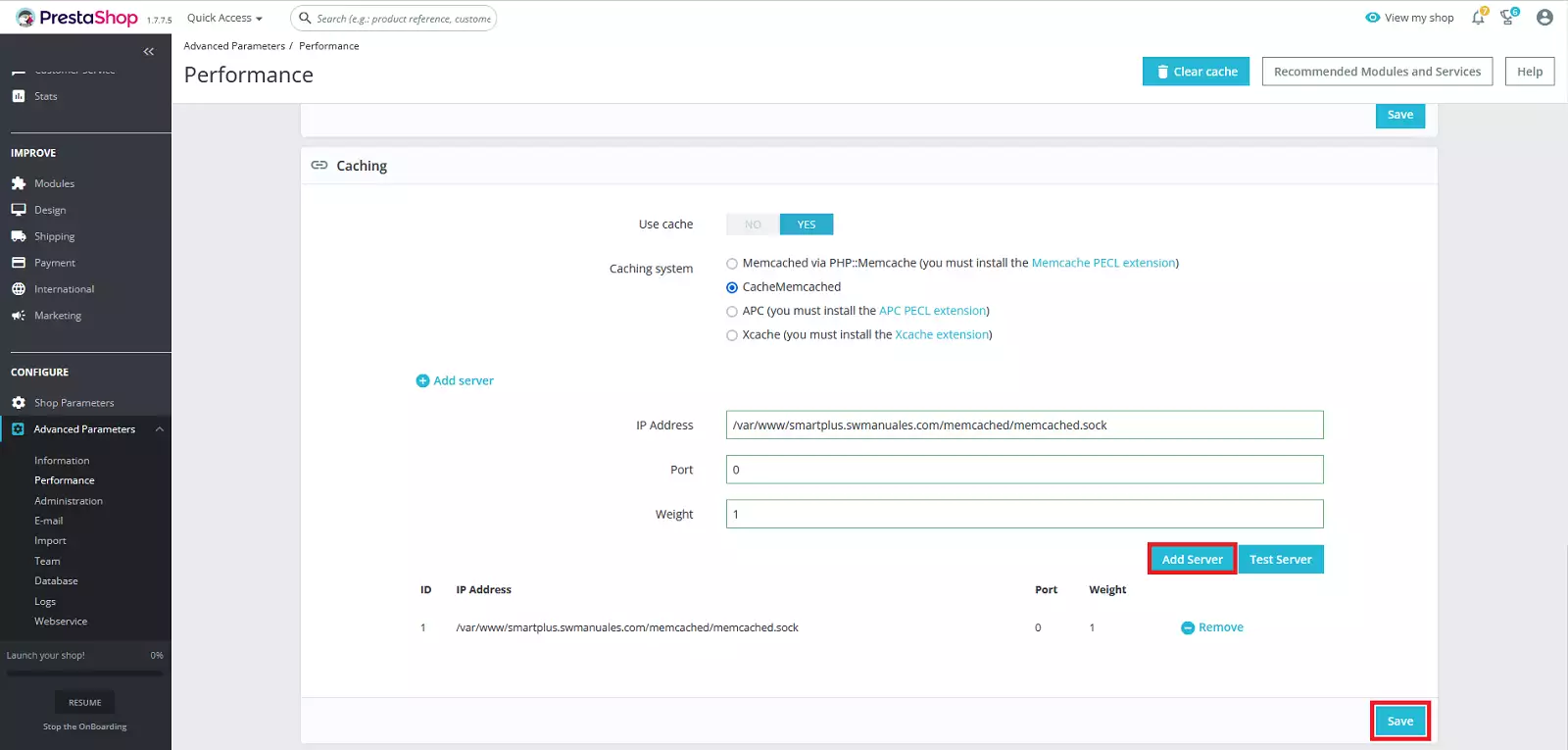
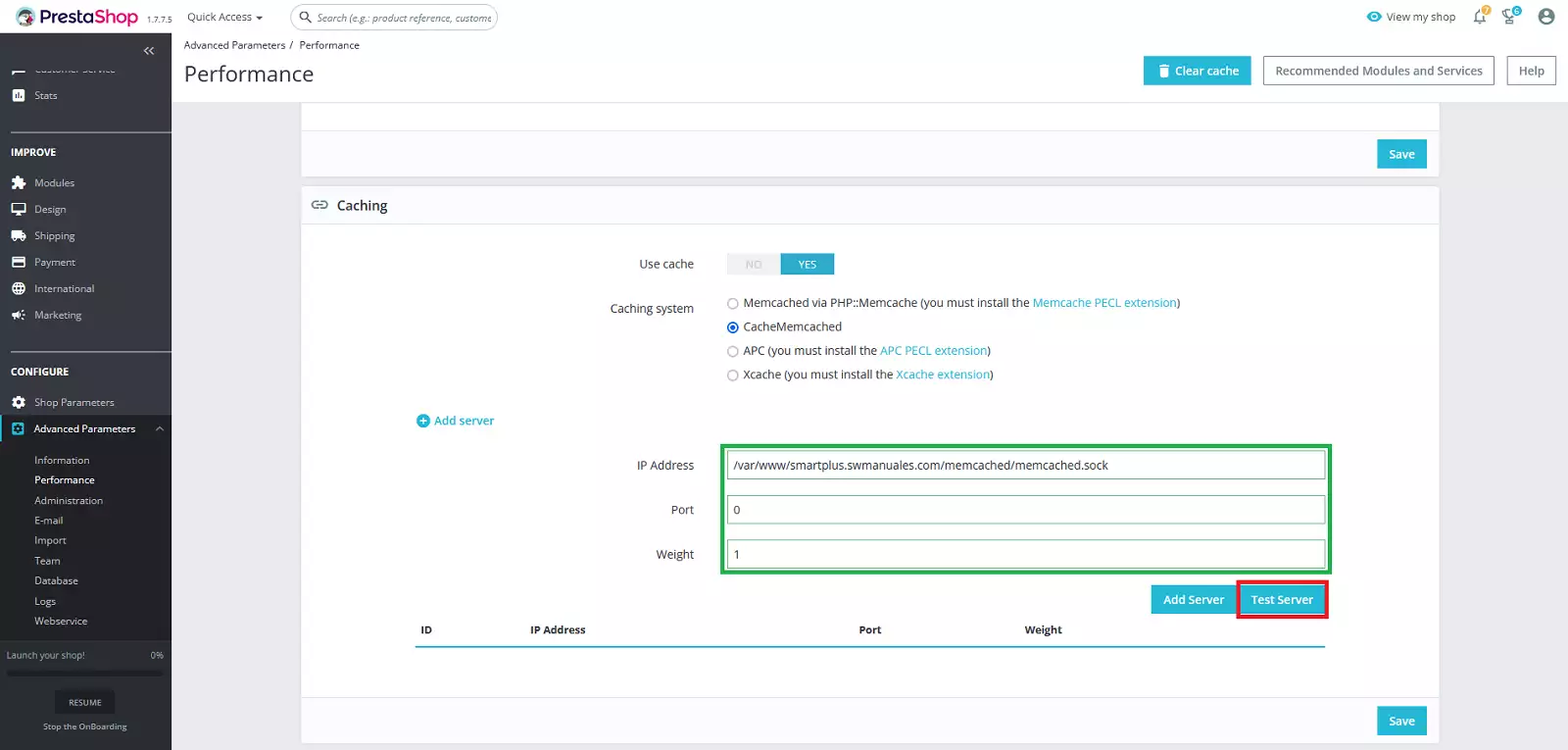
3. Click the 'Check server' button and the form fields in which you entered the configuration values in the previous step will appear outlined in green.
4. Next, click the 'Add server' button and finally the 'Save' button.