
How to delete a MySQL or MariaDB Database
To delete a MySQL or MariaDB Database from SWPanel, you must follow these steps:
- Access the dashboard of the hosting service where the database is created.
You can use the top search bar of your SWPanel
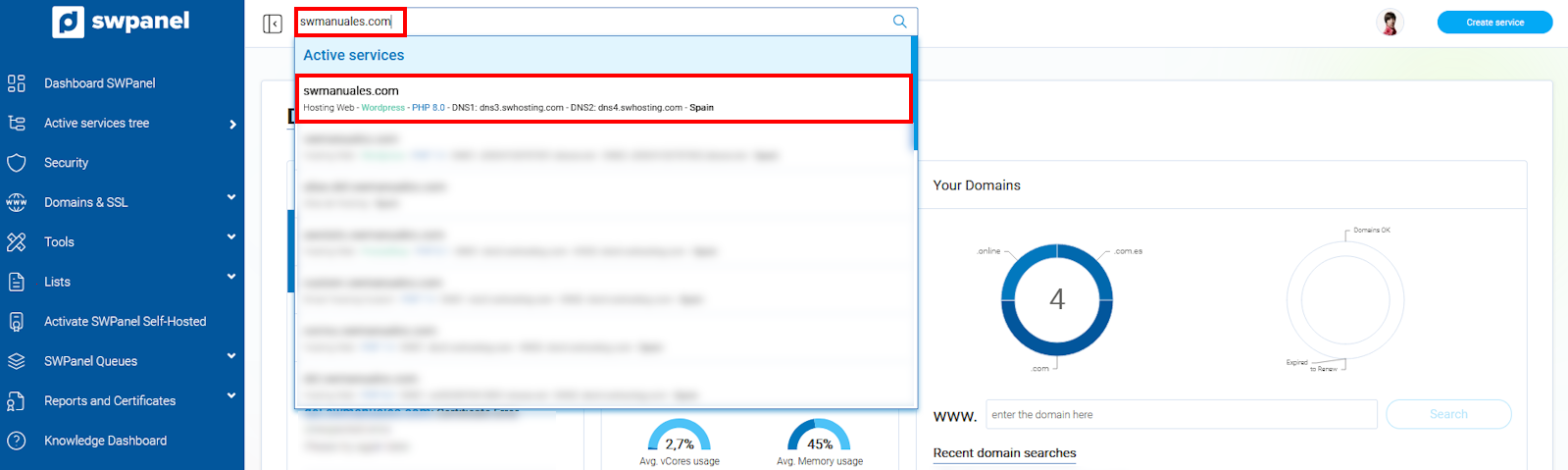
info_capture The screenshot is for guidance purposes. It was taken from version 2025.00.0017 dated 12/29/2024. It may differ from what the current version of SWPanel shows.
- From the blue side menu, go to Service Management → Database Management:
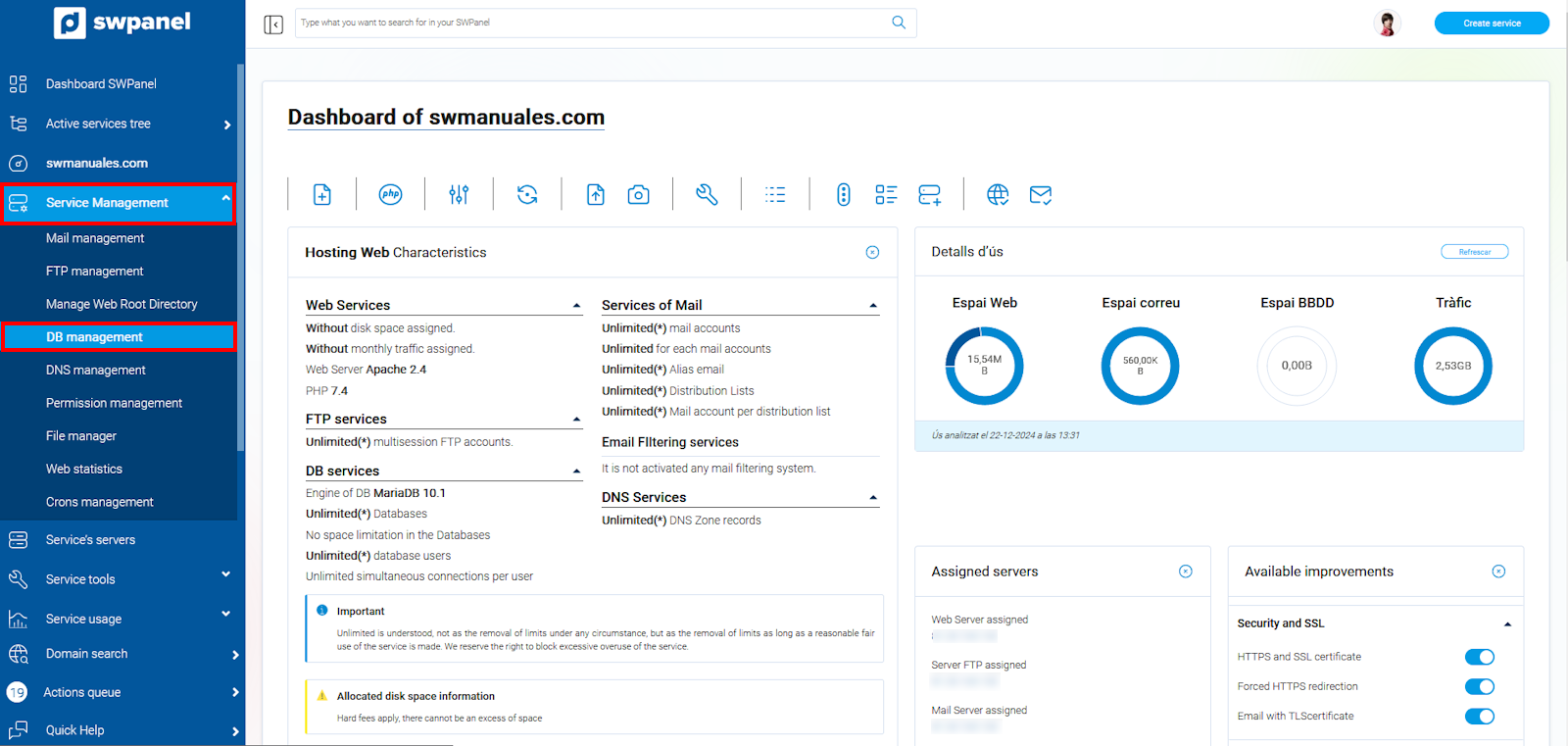
info_capture The screenshot is for guidance purposes. It was taken from version 2025.00.0017 dated 12/29/2024. It may differ from what the current version of SWPanel shows.
- Locate the Database you wish to delete and hover the cursor over its [...] menu. Then, click on Delete MariaDB DB:
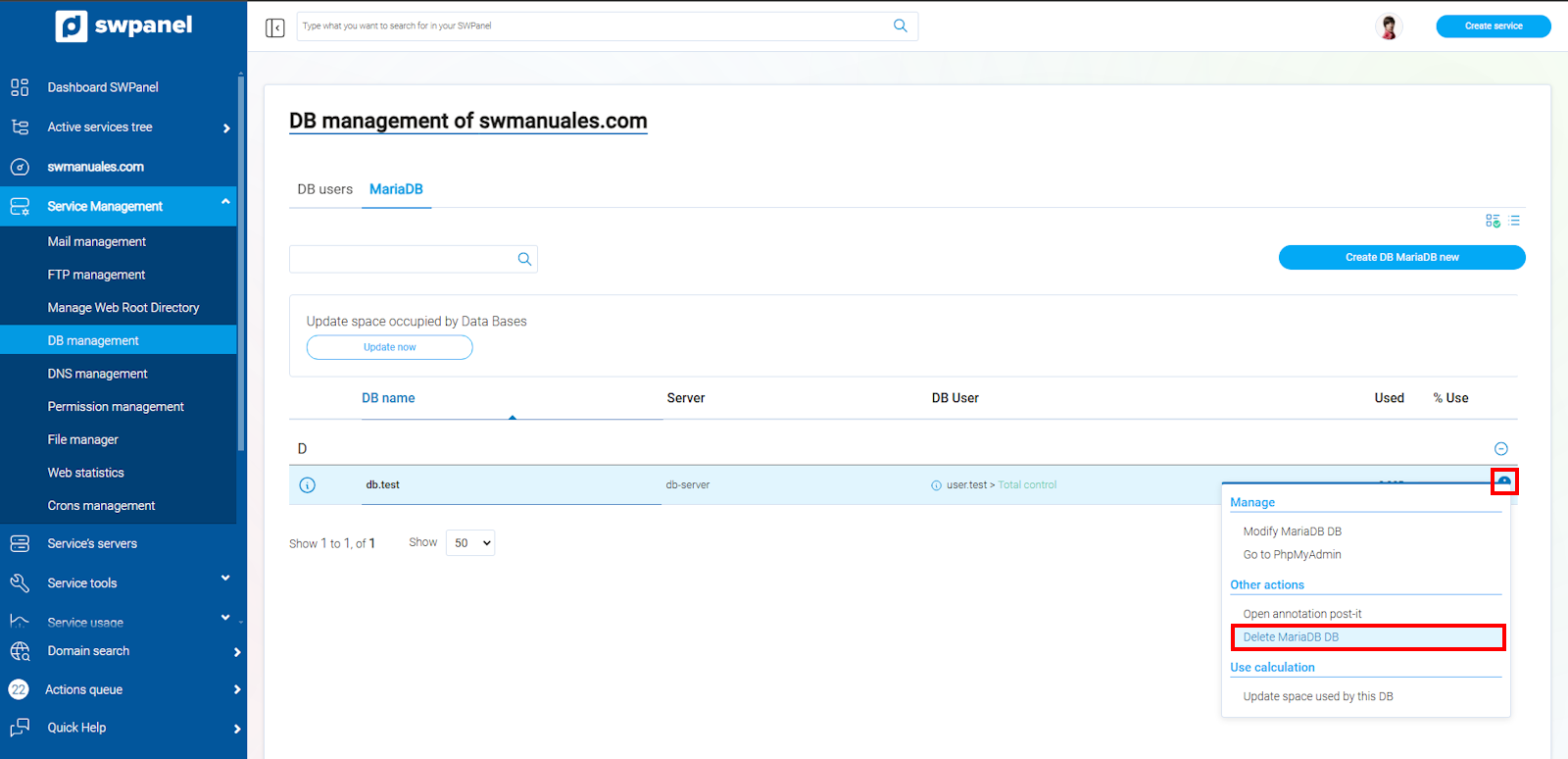
info_capture The screenshot is for guidance purposes. It was taken from version 2025.00.0017 dated 12/29/2024. It may differ from what the current version of SWPanel shows.
- You must click on Delete and subsequently confirm the action in the new window:
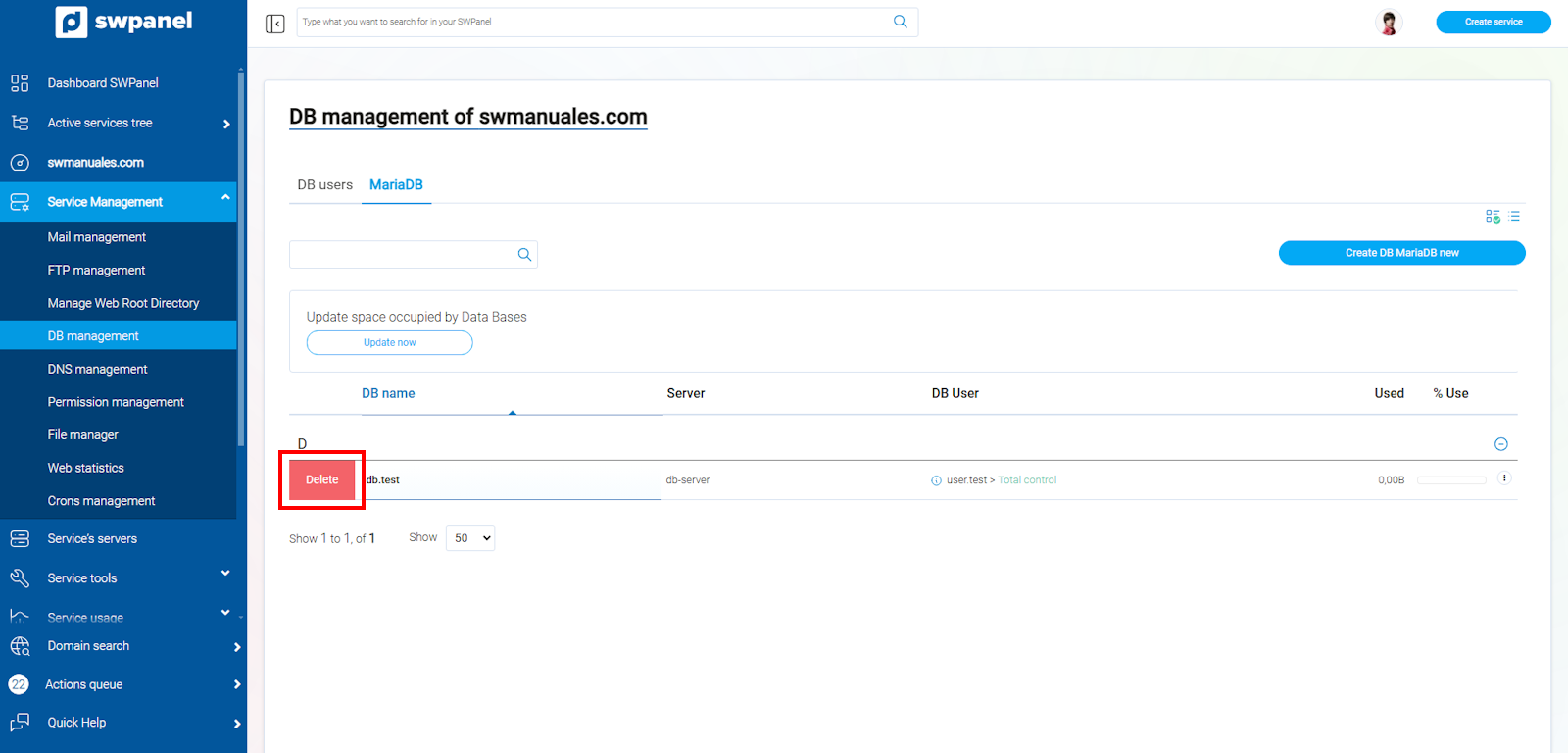
info_capture The screenshot is for guidance purposes. It was taken from version 2025.00.0017 dated 12/29/2024. It may differ from what the current version of SWPanel shows.
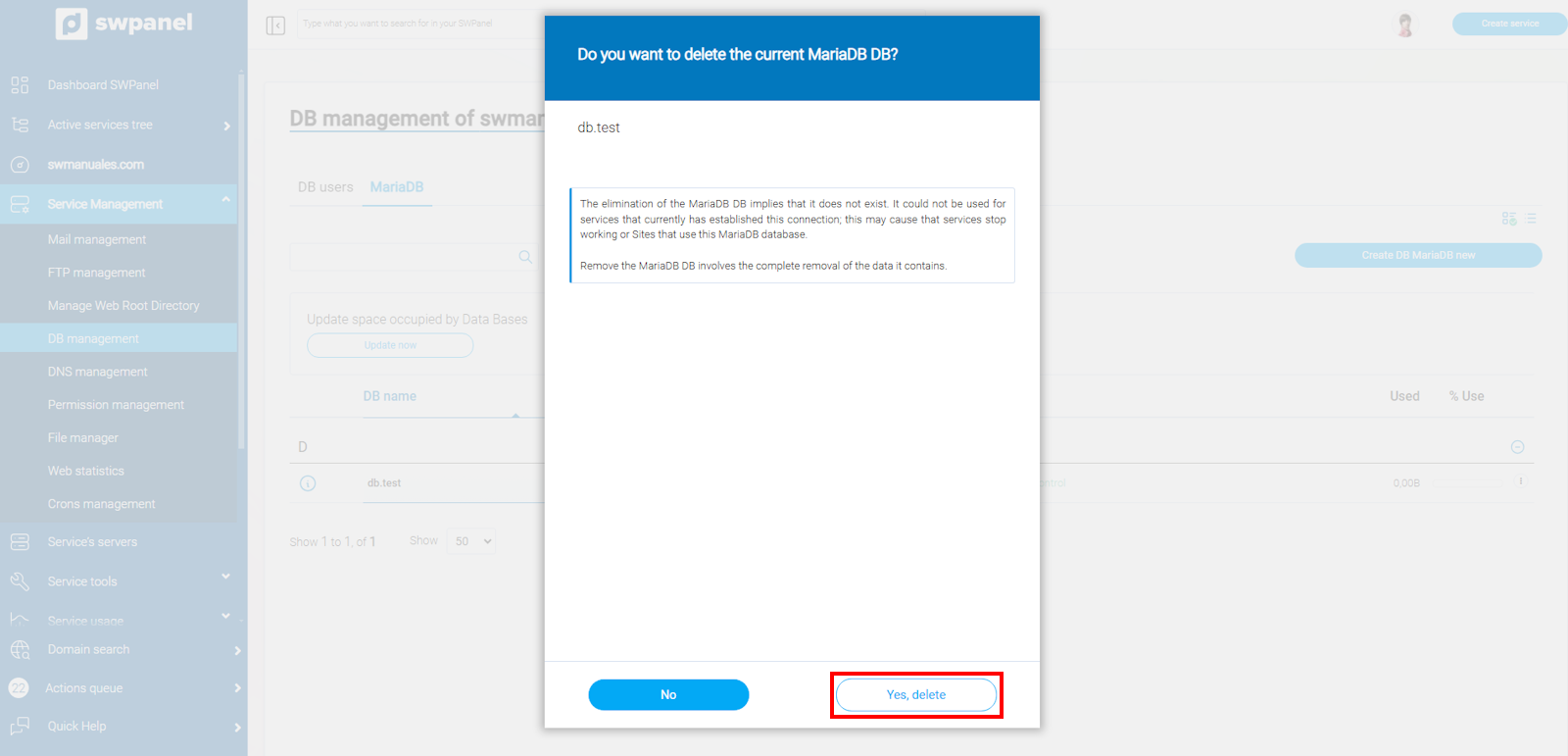
info_capture The screenshot is for guidance purposes. It was taken from version 2025.00.0017 dated 12/29/2024. It may differ from what the current version of SWPanel shows.