
How to find out the cost of my Cloud server?
Sometimes it is difficult to know what the amount of your Cloud server invoice will be, especially if you have increased or decreased resources during the active period.
First, you must access your SWPanel , and through the search engine, indicate the desired service:
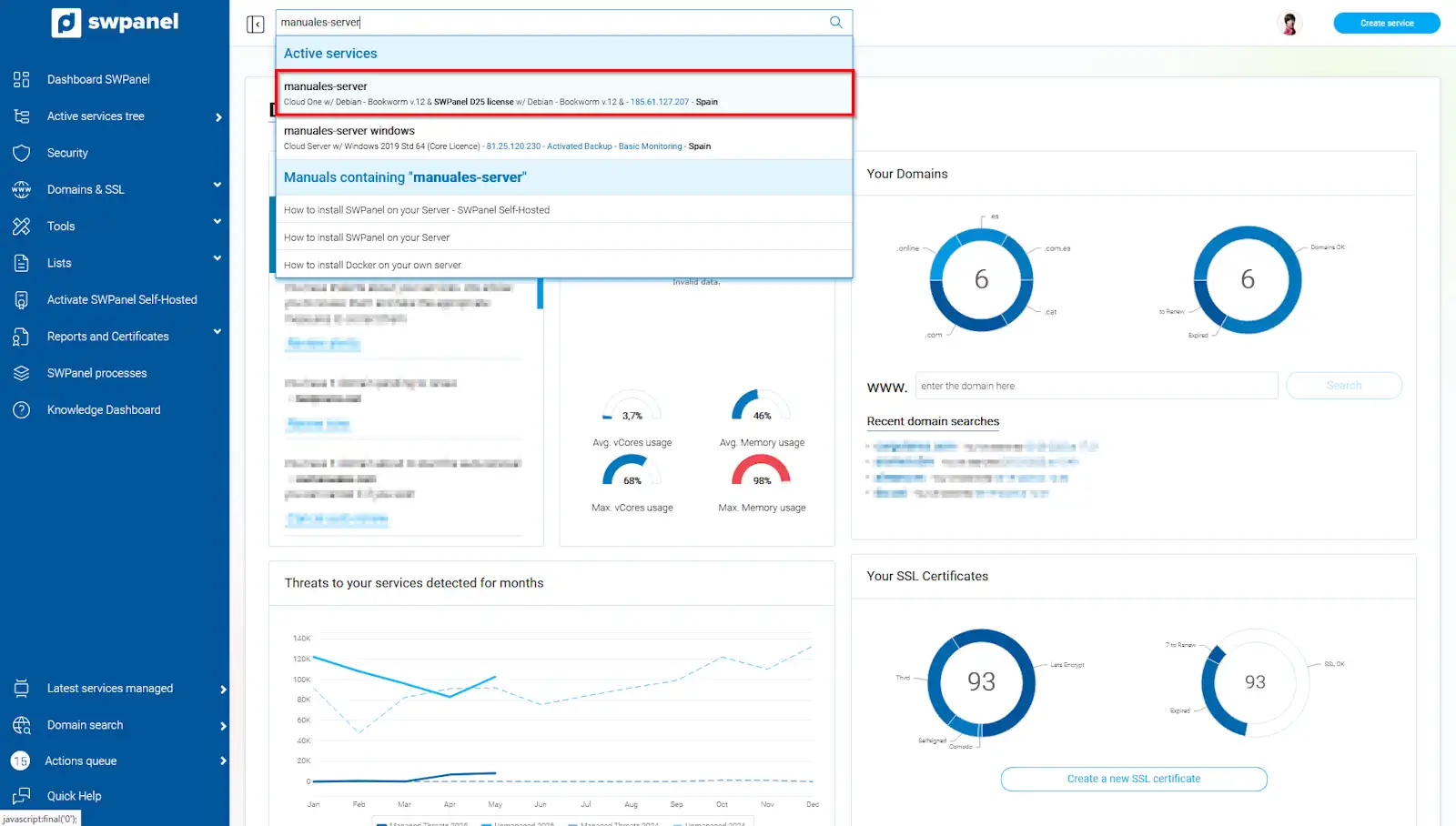
info_capture The screenshot is for guidance purposes. It was taken using version 2025.004.0002 dated 29/05/2025. It may differ from what the current version of SWPanel shows.
In the service Dashboard, you will see an information box called Current period usage. Click on View invoice simulation
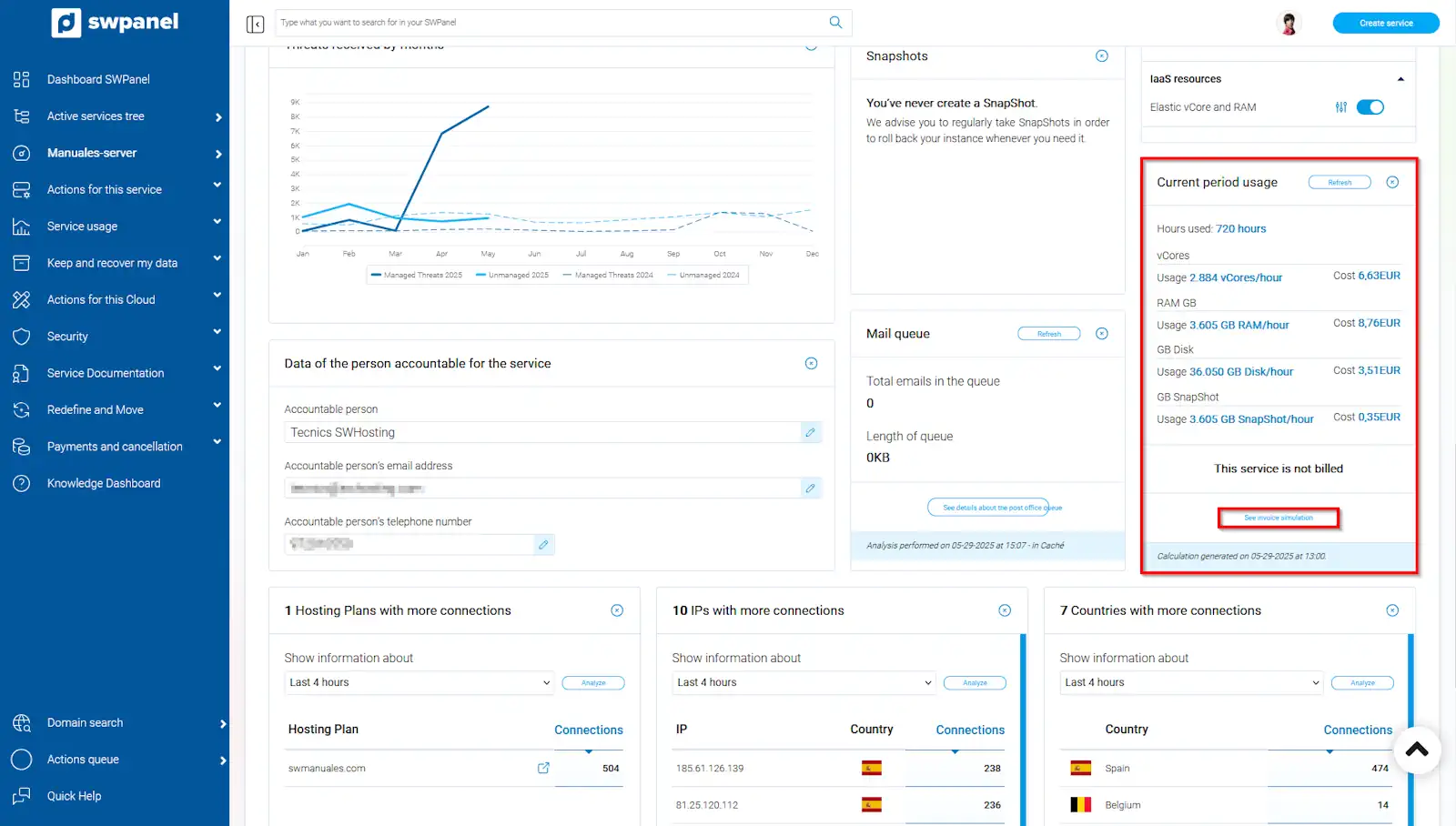
info_capture The screenshot is for guidance purposes. It was taken using version 2025.004.0002 dated 29/05/2025. It may differ from what the current version of SWPanel shows.
In the first tab, you can see the simulation of the current period's invoice. You will be able to perform the actual cost calculation and the estimated period calculation
Period invoice simulation
a) Actual cost calculation The system calculates the cost of the resources consumed from the server's activation date to the current date of the query. If you were to cancel the server on that same day, this would be the actual cost of your Cloud service
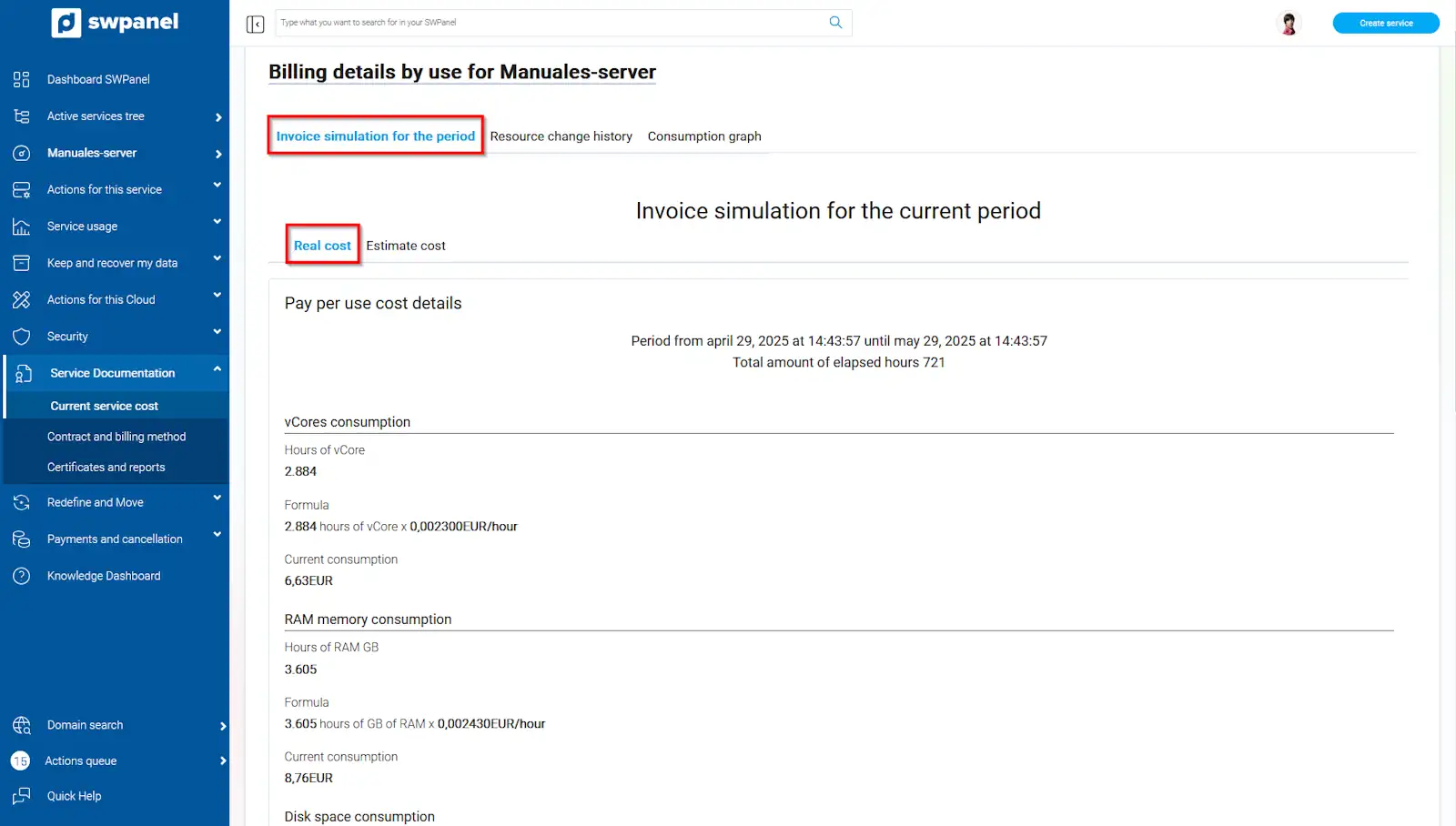
info_capture The screenshot is for guidance purposes. It was taken using version 2025.004.0002 dated 29/05/2025. It may differ from what the current version of SWPanel shows.
b) Estimated period calculation The system calculates the estimated cost of your Cloud service at the end of the period. That is, from the service's activation date until its renewal date (1-month period). When your invoice is generated, this will be the amount, provided that you do not modify your Cloud resources until the renewal date. If you increase or decrease resources, your invoice will vary.
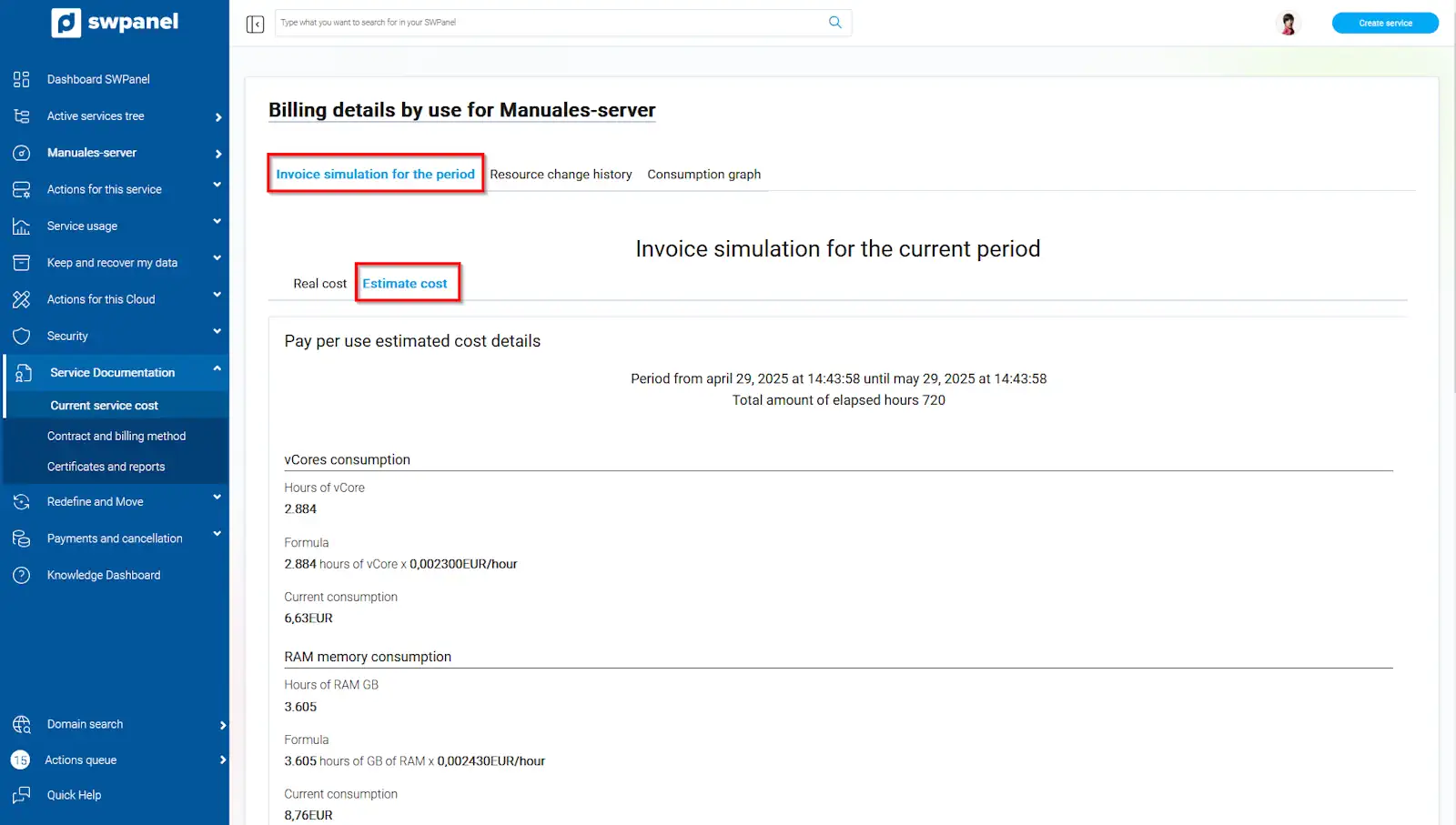
info_capture The screenshot is for guidance purposes. It was taken using version 2025.004.0002 dated 29/05/2025. It may differ from what the current version of SWPanel shows.
Period variation details
In this tab, you can see all the variations you have made throughout the server's life, the increases (in green) and decreases (in red) of all the contracted resources
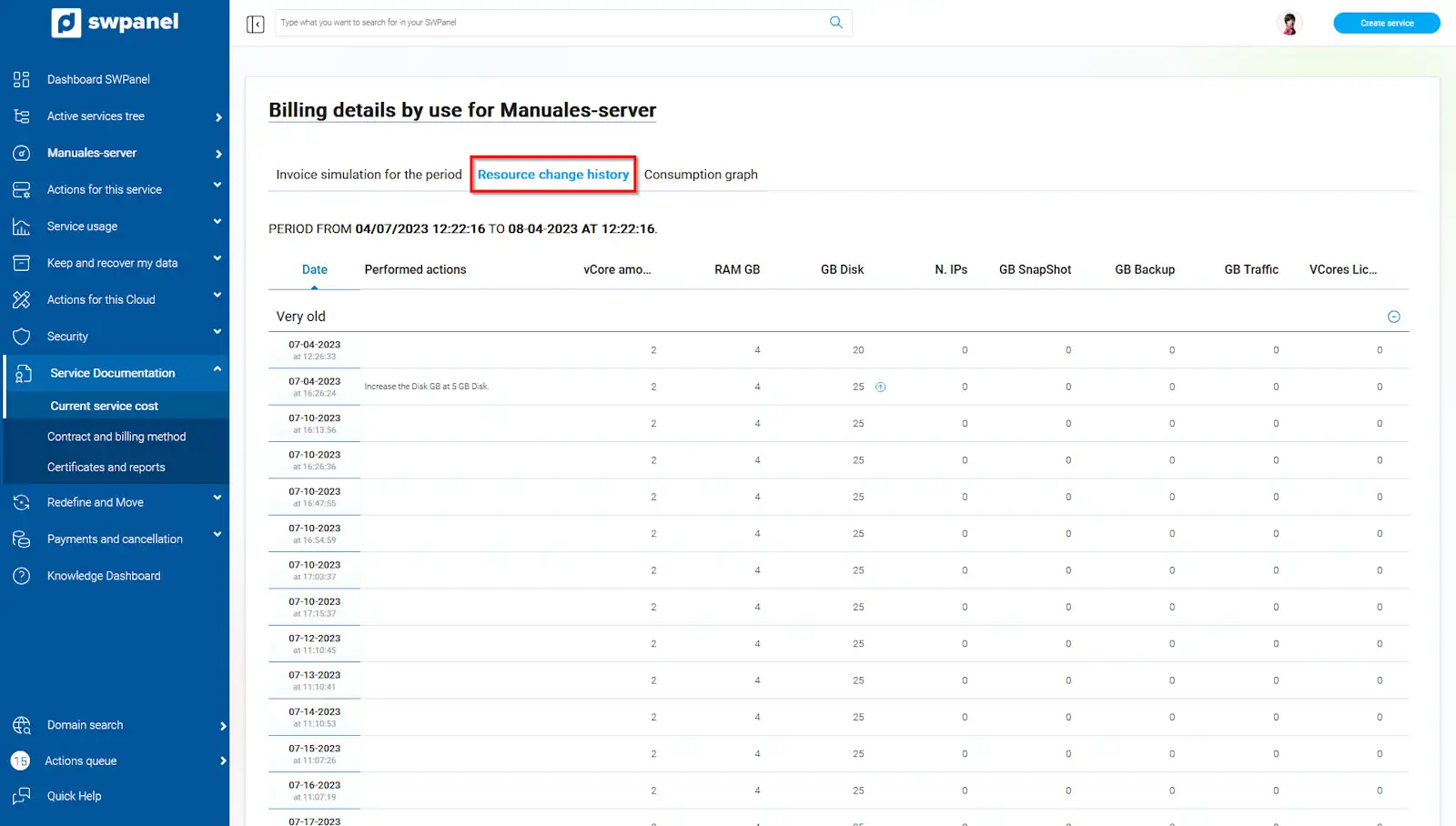
info_capture The screenshot is for guidance purposes. It was taken using version 2025.004.0002 dated 29/05/2025. It may differ from what the current version of SWPanel shows.
Period usage graph
From this section, you can also see the resource variations of your cloud server but displayed in a graph, to have a more visual representation of the resource increases and decreases.
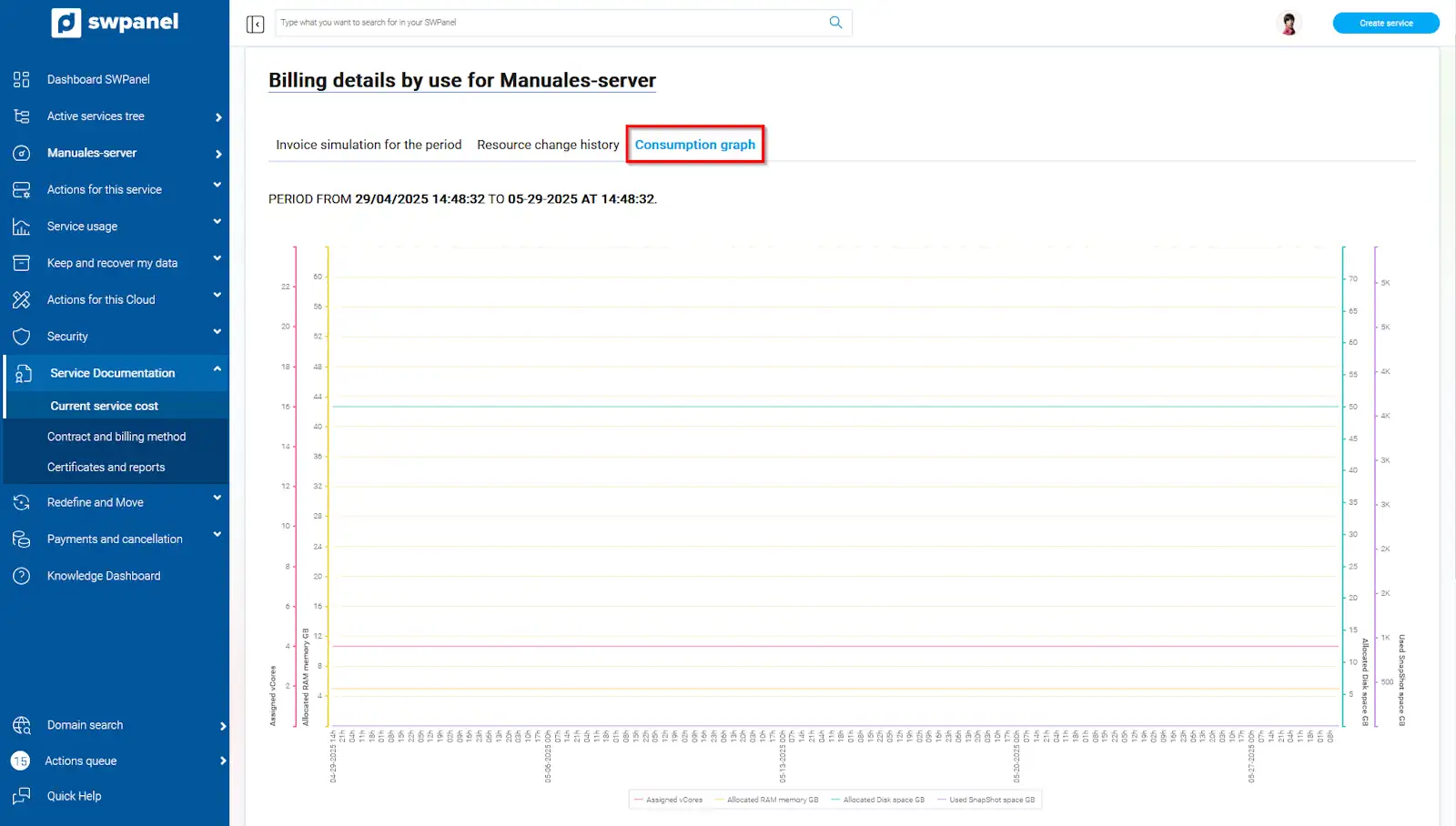
info_capture The screenshot is for guidance purposes. It was taken using version 2025.004.0002 dated 29/05/2025. It may differ from what the current version of SWPanel shows.