
How to redirect my domain to WordPress
Once your website has been contracted and configured under WordPress hosting, you can use your domain to display the website served by WordPress. You can do this by following these simple steps detailed below:
Change the DNS servers to those of WordPress
To keep a domain at SW Hosting, but have it point to another service provider, it is necessary to change the domain's DNS name servers (or "hostnames").
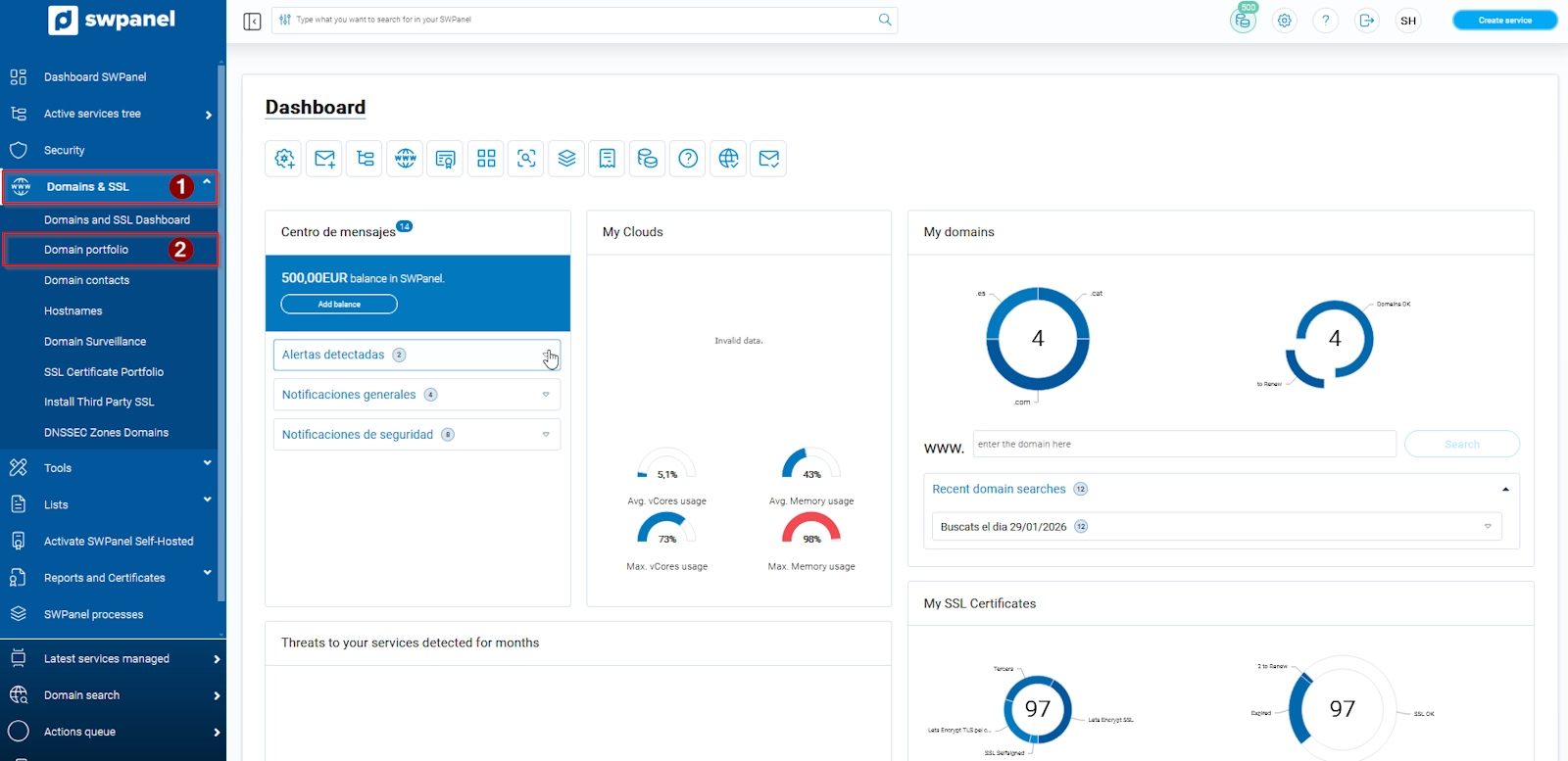
- Access SWPanel. In the blue column located on the left, go to Domains and SSL > Domain Portfolio:
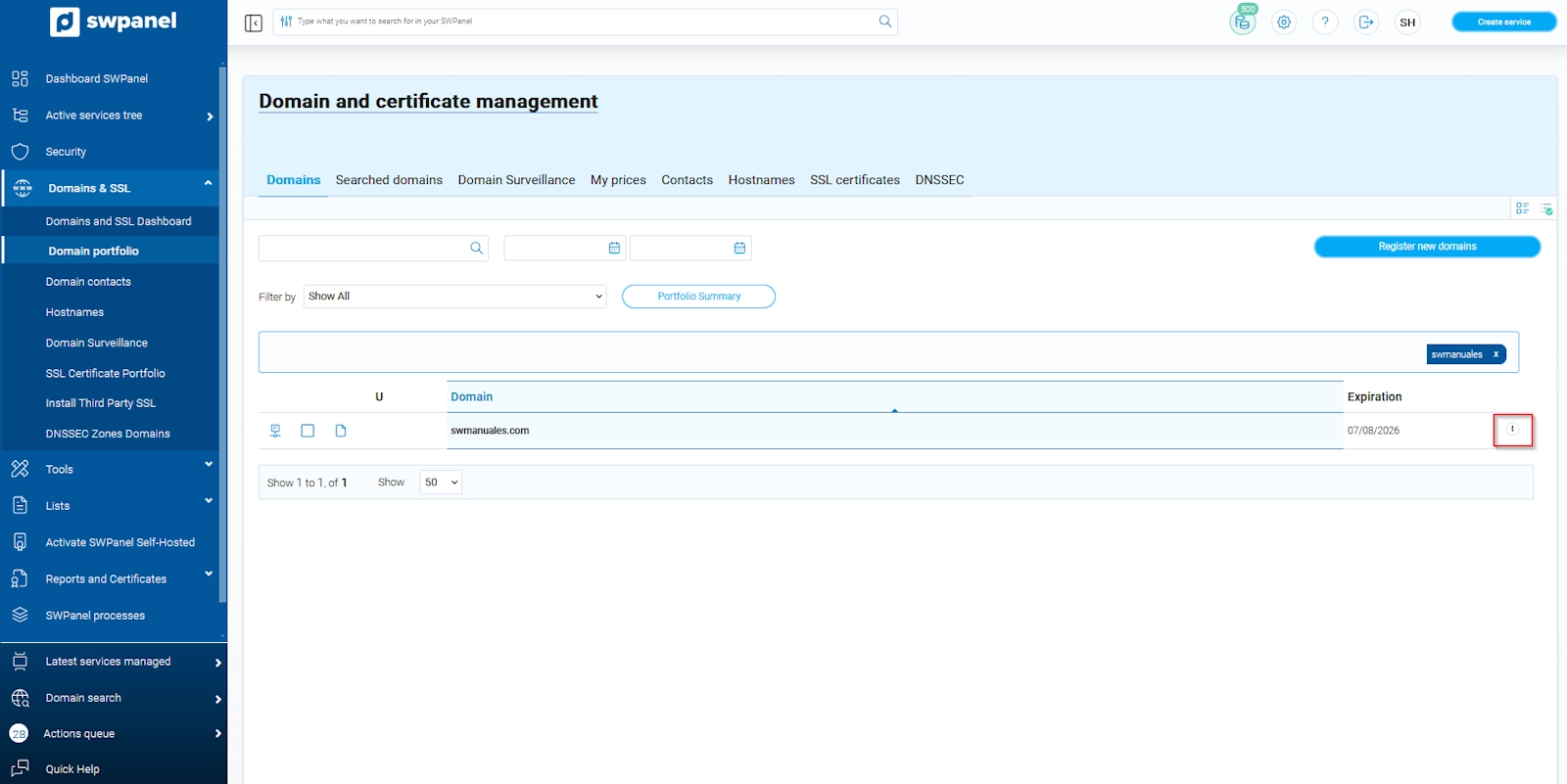
- Within the Domain Portfolio, you will be able to see all the domains you currently have registered. To the right of each domain, you will find the ··· tab:
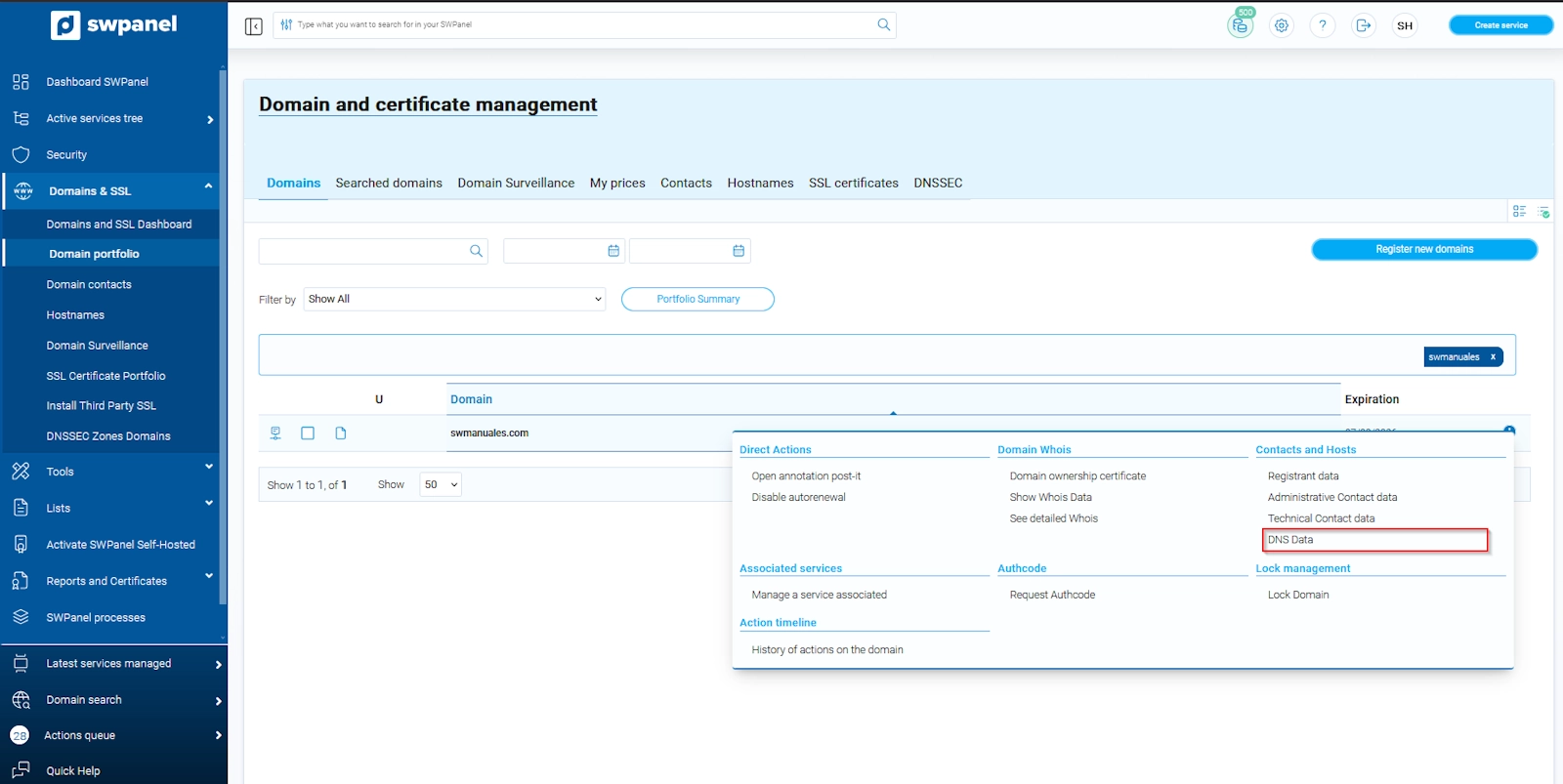
- Hover your cursor over the ··· tab and, in the Contacts and Hosts column, select DNS Data:
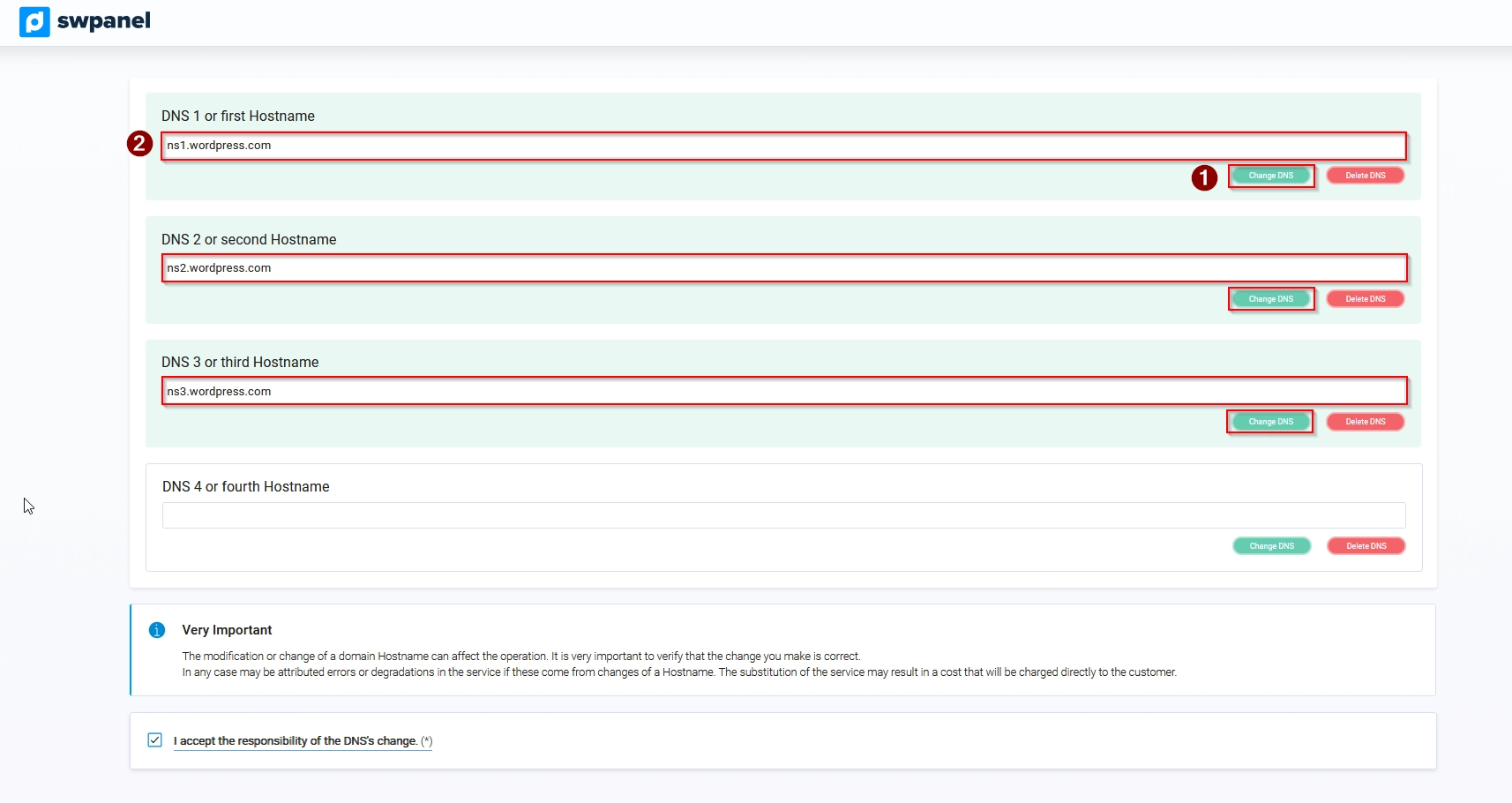
A new tab will open where you will find the DNS name servers assigned to your domain. By default, the DNS belonging to SW Hosting will be assigned. At this point, you can modify them and enter the DNS of your other provider.
In the specific case of WordPress, the DNS servers to be entered are the following:
- ns1.wordpress.com
- ns2.wordpress.com
- ns3.wordpress.com
Information extracted from the official manual of the wordpress.com site (https://en.support.wordpress.com/domains/map-existing-domain/)
- Once you have entered the DNS records, you must click on the I accept responsibility checkbox and then on the green button to save the changes made.
Please be advised that this change is not immediate, so it takes some time to propagate. Once the change is made, the other provider's servers will manage your service (including the website, email, etc.).