
How to reinstall a Cloud server
Reinstalling a Cloud service can be useful to have a server with the same characteristics as one created previously. It is also useful in case we have encountered any software problem that prevents us from recovering the server.
danger Reinstalling a Cloud implies:
- Irrecoverably deleting all server data.
- Running the installation process with the same configuration it was originally created with.
- The reinstalled Cloud will maintain the same name, alias, and IP address. If any exist, all backups will also be preserved.
- Reinstalling the Cloud will have no effect on billing or administration services.
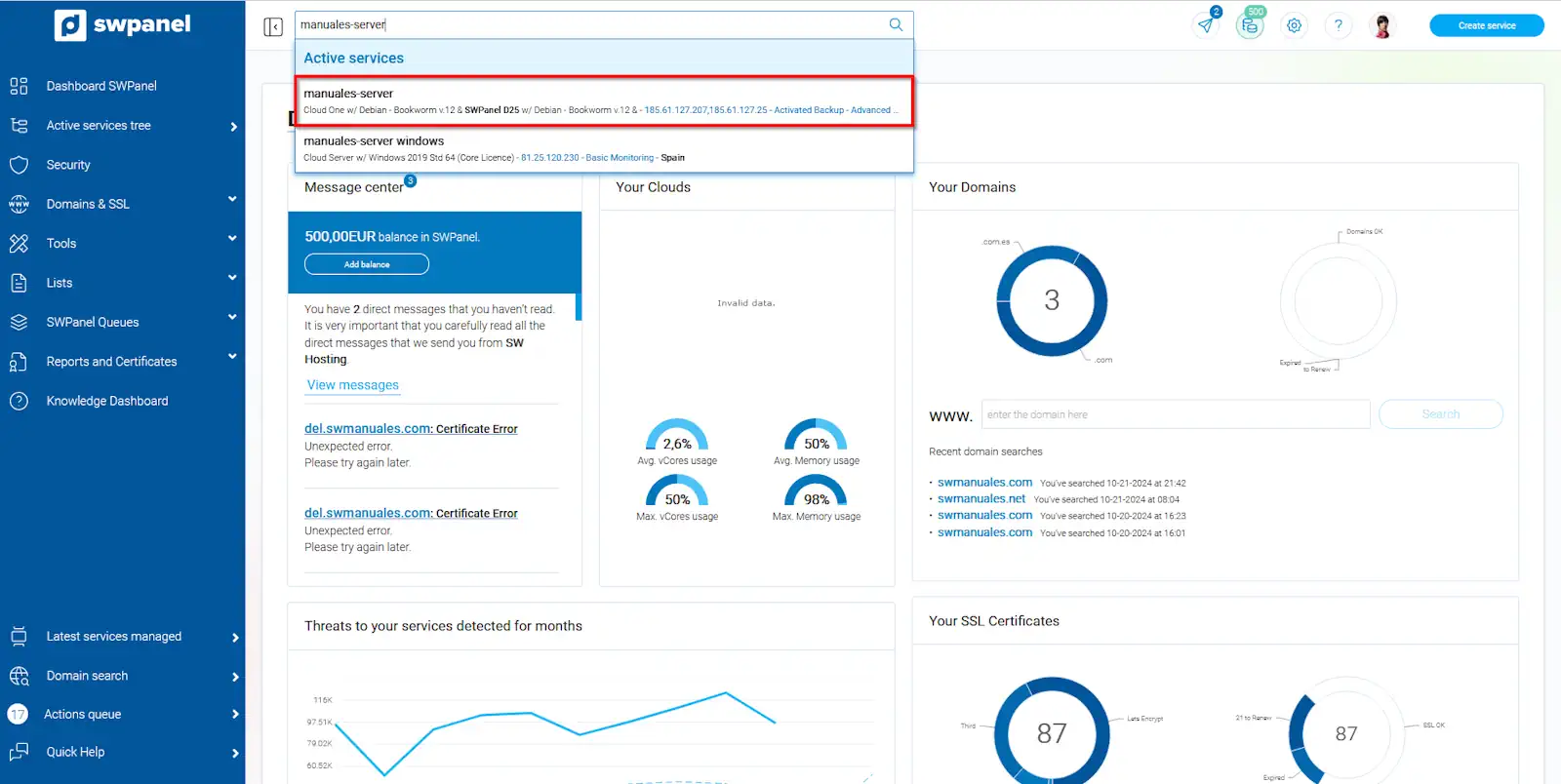
- First, you must locate the Cloud you wish to reinstall:
info_capture The screenshot is for guidance purposes. It was taken from version 2024.07.0123 dated 24/10/2024. It may differ from what the current version of SWPanel shows.
info Remember that you can use the search tool to find the server quickly.
-
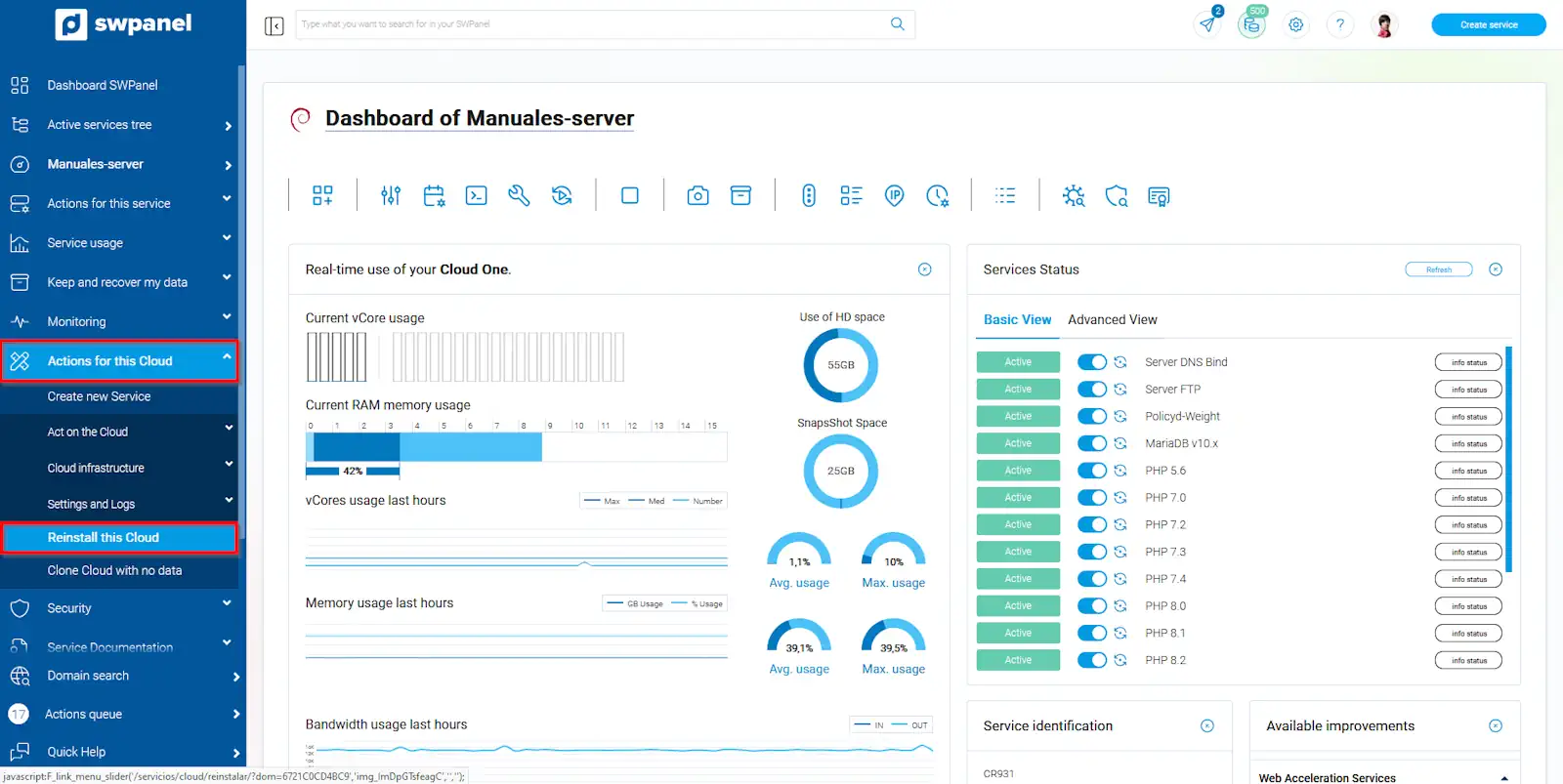
Once in the Dashboard of the service in question, you must go to the section 'Actions for this cloud' -> 'Reinstall this Cloud':
info_capture The screenshot is for guidance purposes. It was taken from version 2024.07.0123 dated 24/10/2024. It may differ from what the current version of SWPanel shows.
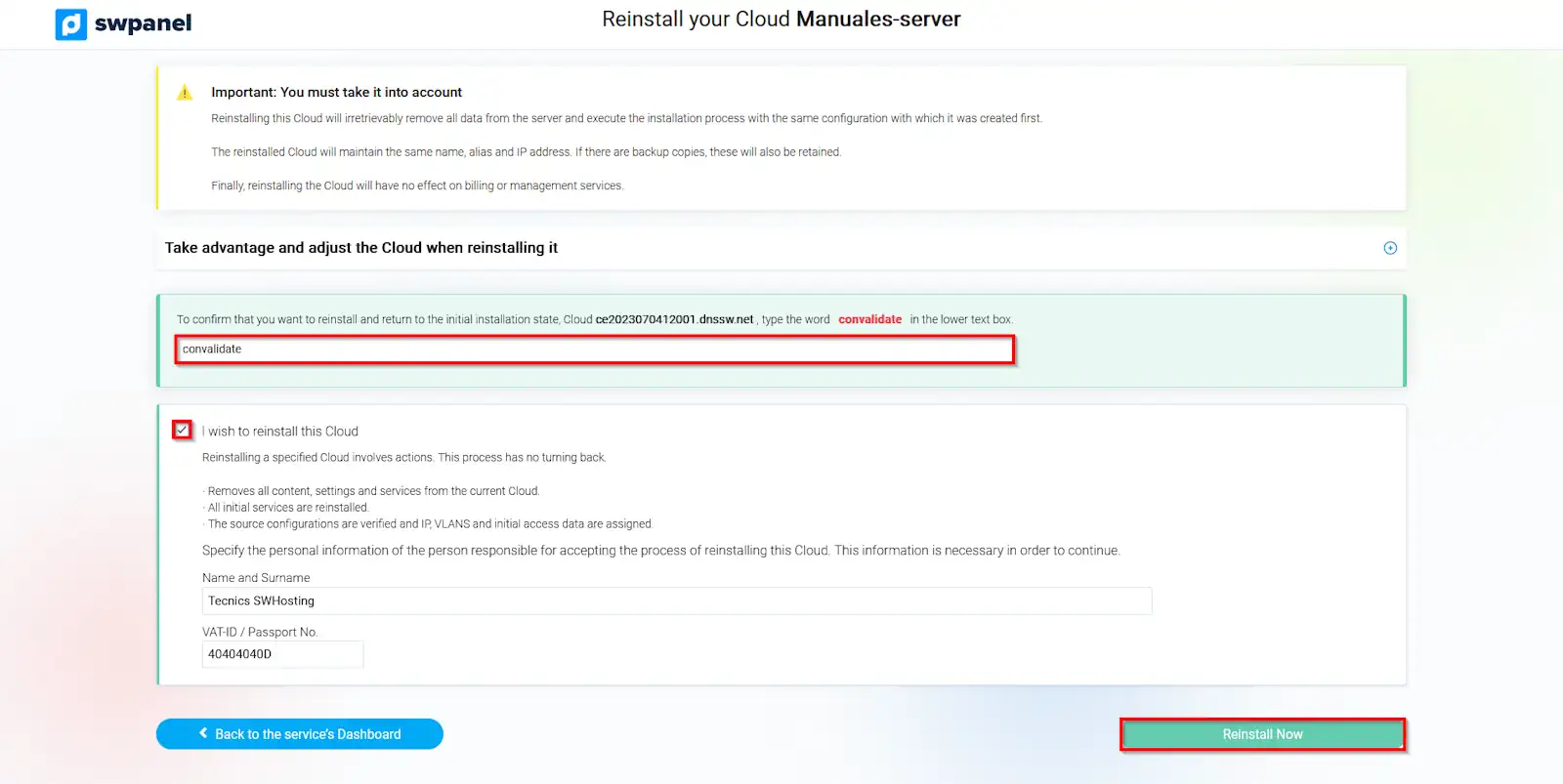
- Next, a new window will open in which we will be warned that the Cloud reinstallation implies the deletion of all data. Additionally, it will also require us to type a random word to confirm said deletion.
To proceed with the reinstallation, you must confirm the changes and click on the 'Reinstall now' button:
info_capture The screenshot is for guidance purposes. It was taken from version 2024.07.0123 dated 24/10/2024. It may differ from what the current version of SWPanel shows.
The reinstallation of your Cloud server will begin immediately.