
The authcode is the transfer code needed to be able to move your domain from one provider to another.
You can request a new Authcode for your domain from 'Domains and SSL', located in the blue left sidebar menu -> Domain Portfolio
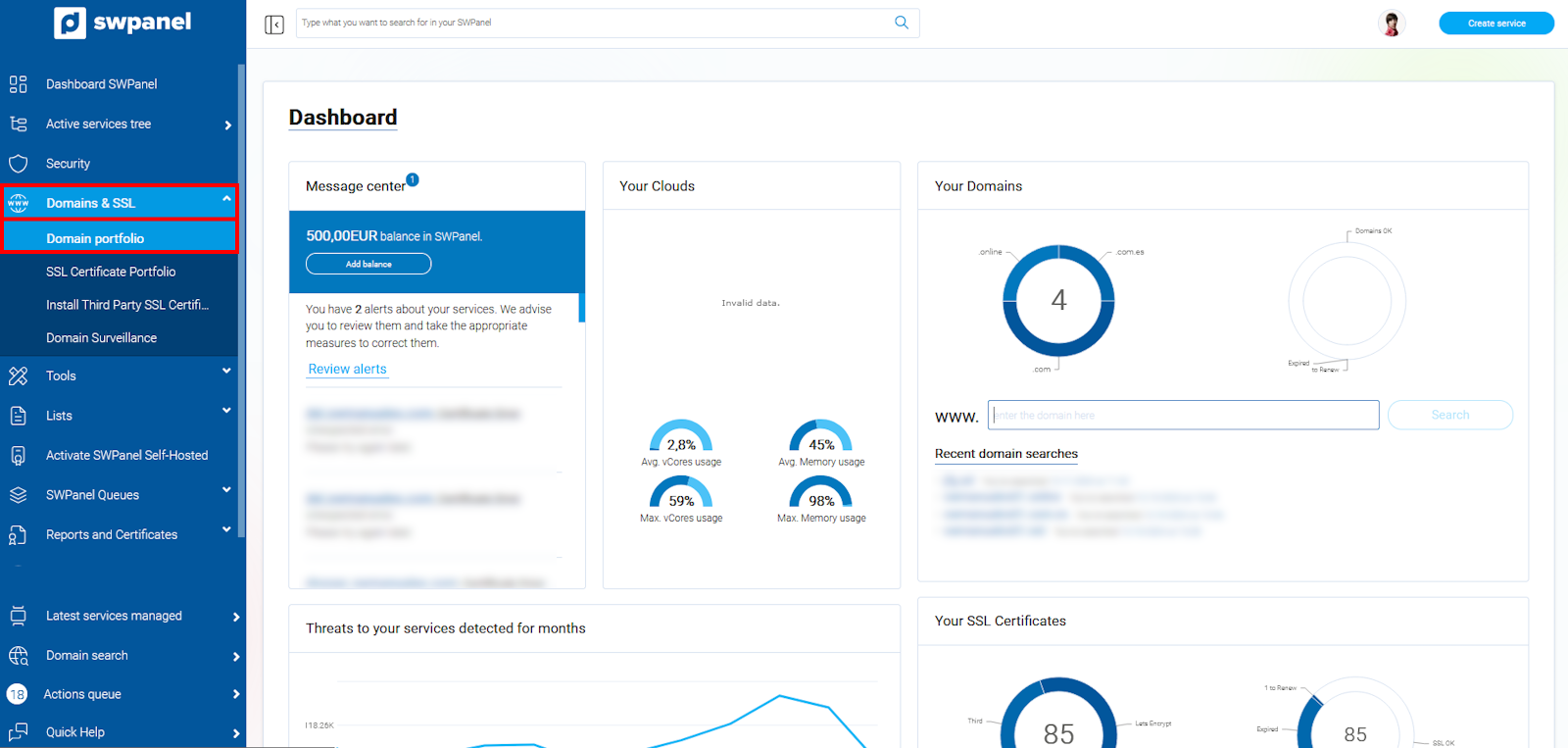
The screenshot is for guidance purposes. It was taken from version 2025.00.0017 dated 15/12/2024. It may differ from what is shown in the current version of SWPanel.
Hover over the '...' dropdown that appears to the right of the domain for which you want to request the authcode -> Request Authcode
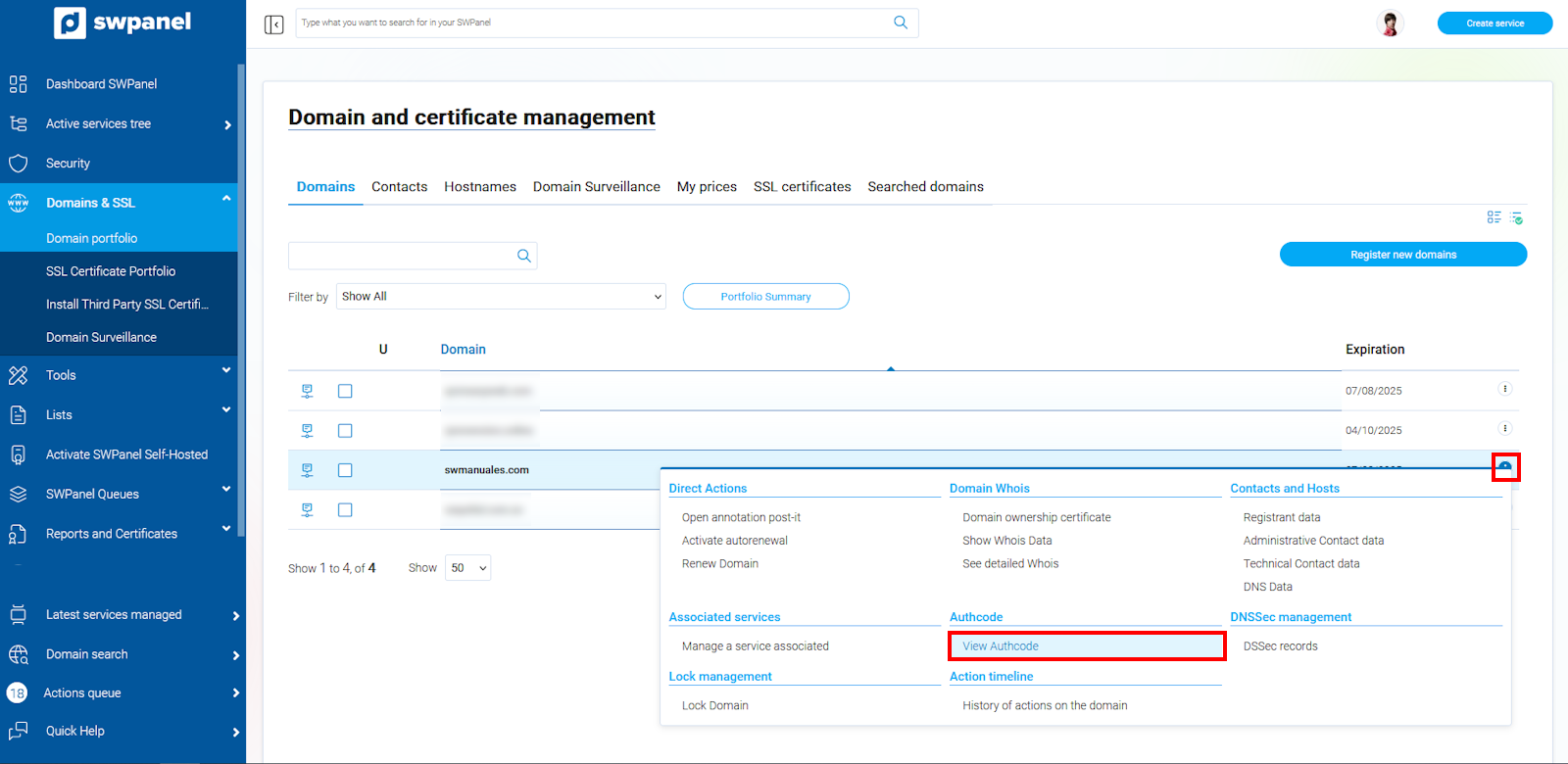
The screenshot is for guidance purposes. It was taken from version 2025.00.0017 dated 15/12/2024. It may differ from what is shown in the current version of SWPanel.
You will be able to generate a new Authcode:
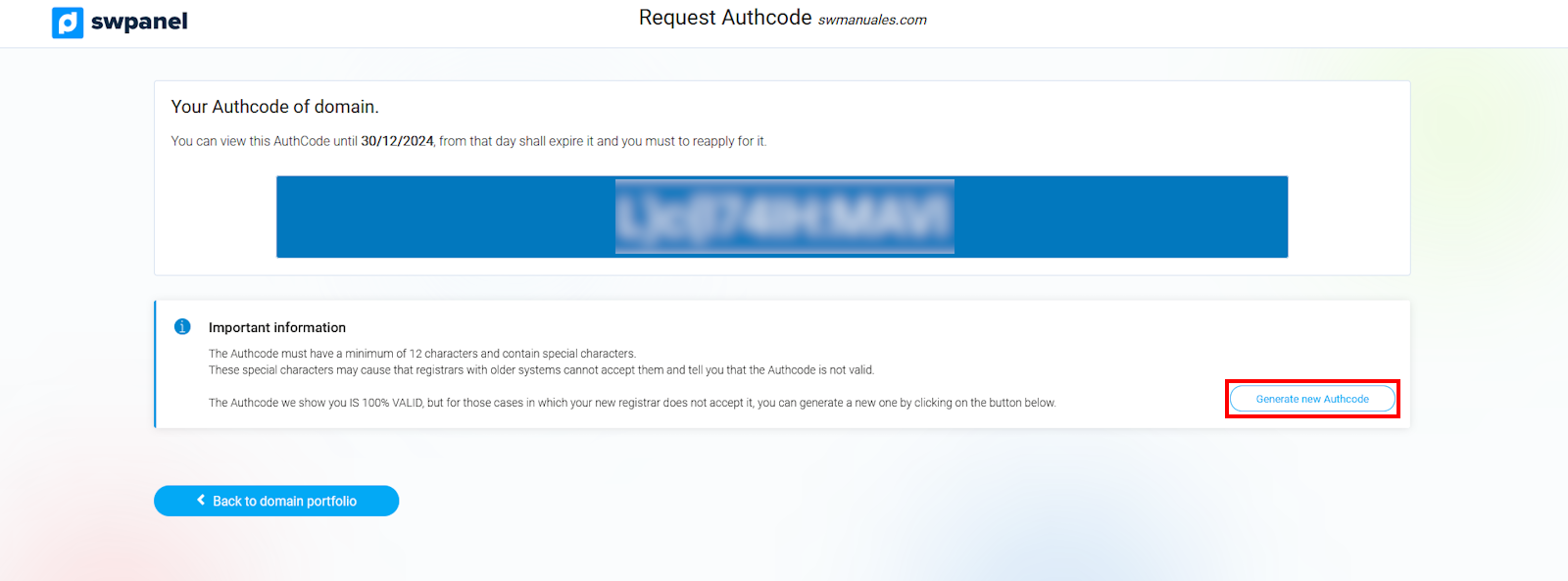
The screenshot is for guidance purposes. It was taken from version 2025.00.0017 dated 15/12/2024. It may differ from what is shown in the current version of SWPanel.