
PHPMailer
On some servers, the PHP mail() function is not available. It is increasingly common for it to be disabled as a security measure, aiming to prevent issues such as spam, mail spoofing, or the use of the server as an unauthorized mail relay.
In the event that a hosted website is compromised by a malicious user, disabling this function helps reduce risks related to the bulk sending of unwanted emails.
If you need to host your website along with your domain's email service, SWHosting offers managed servers via SWPanel that include these functionalities.
The PHPMailer Library
The PHPMailer library allows you to send emails via an SMTP connection, instead of using the PHP mail() function.
This means that the sending of emails is carried out through an external or own SMTP server, which improves the security, traceability, and deliverability of the messages.
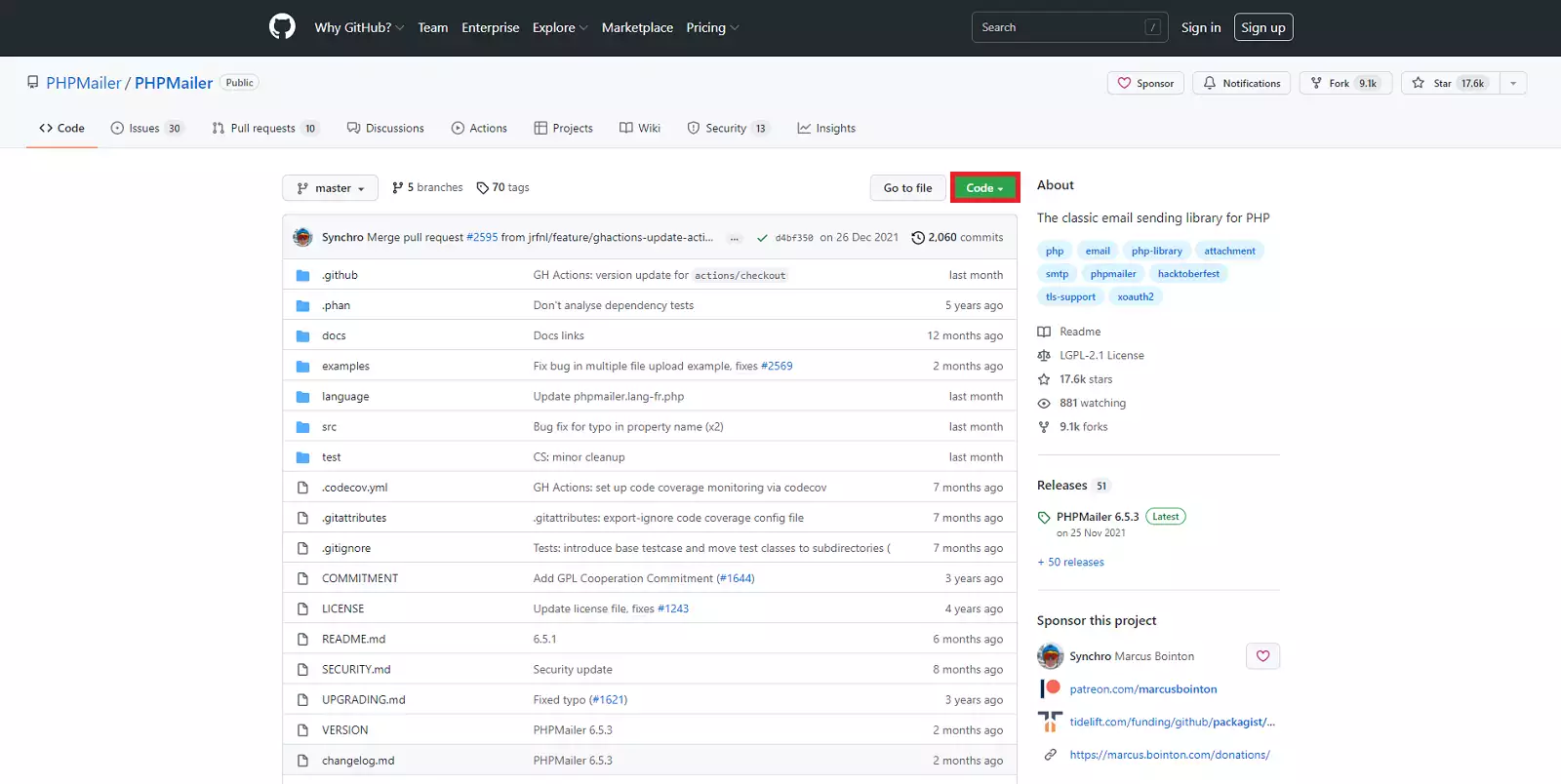
The official project documentation is available on GitHub:
PHPMailer Repository
Create email account and obtain connection data
To be able to send emails via SMTP, it is necessary to have a previously created email account and know its connection details:
- Outgoing SMTP Server
- Email user
- Password
Manual: Email account configuration
Installing PHPMailer with Composer
If your project already uses Composer, this is the easiest way to install it.
Add the dependency in composer.json:
phpmailer/phpmailer': '~6.1
Or run directly:
composer require phpmailer/phpmailer
In the official GitHub documentation, you will find additional configuration examples.
Manual Installation of PHPMailer
If you do not use Composer, you can install the library manually:
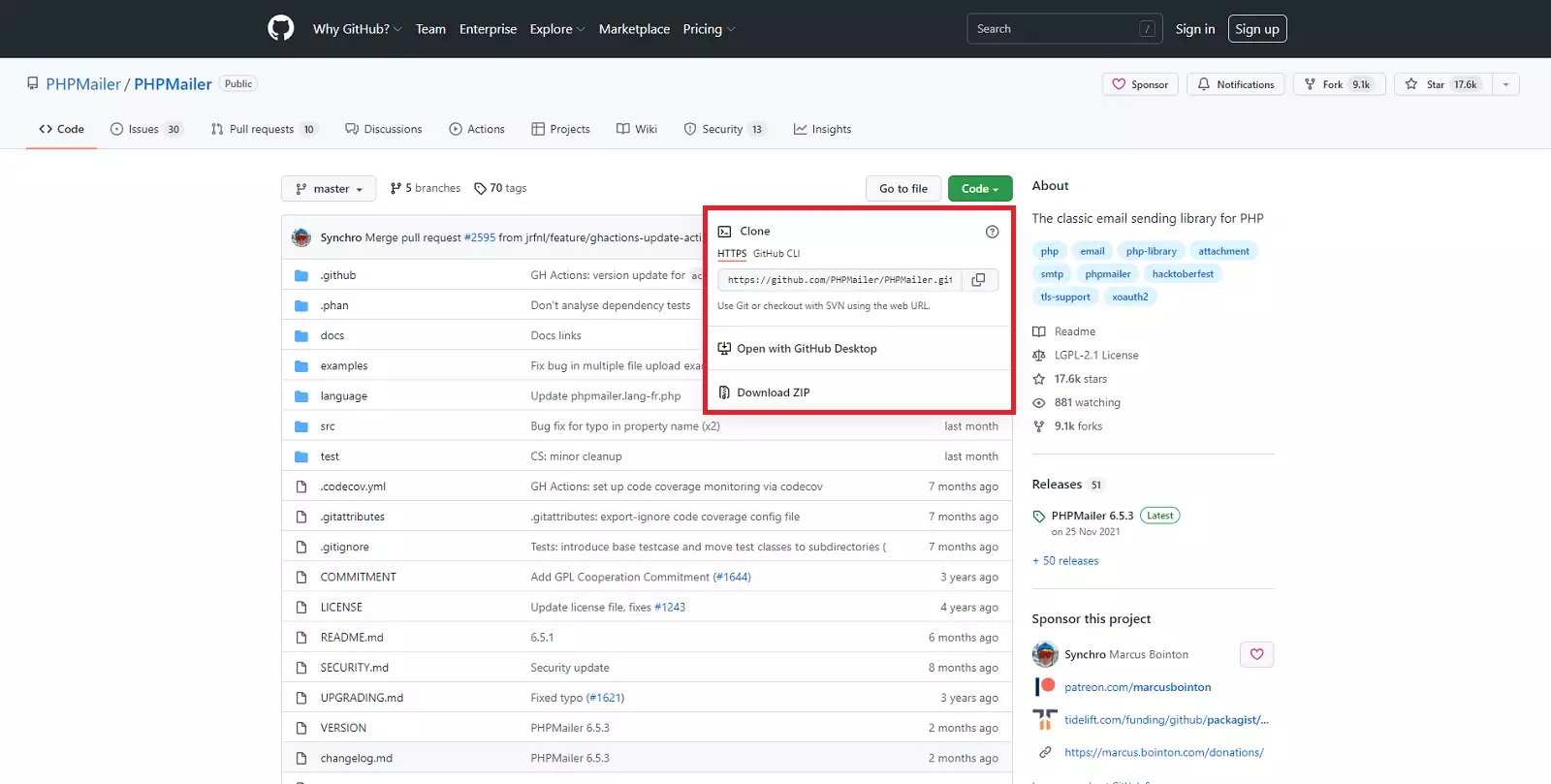
- Download PHPMailer from GitHub: Download PHPMailer. Click on 'Code” → “Download ZIP”.
- Unzip the downloaded file
PHPMailer-master.zip. - Rename the
PHPMailer-masterfolder toPHPMailer. - Copy the folder into your project.
The structure should look like this:
/PHPMailer/src/PHPMailer.php
Simple configuration example
Save the following code as ejemplo.php:
<?php
ini_set('display_errors', 1);
ini_set('display_startup_errors', 1);
error_reporting(E_ALL);

use PHPMailer\PHPMailer\PHPMailer;
use PHPMailer\PHPMailer\Exception;
use PHPMailer\PHPMailer\SMTP;

require 'PHPMailer/src/Exception.php';
require 'PHPMailer/src/PHPMailer.php';
require 'PHPMailer/src/SMTP.php';

$mail = new PHPMailer(true);

try {
    $mail->SMTPDebug = SMTP::DEBUG_SERVER;
    $mail->isSMTP();

    $mail->Host = 'CONFIGURE_SMTP_SERVER';
    $mail->SMTPAuth = true;
    $mail->Username = 'CONFIGURE_SMTP_USER';
    $mail->Password = 'CONFIGURE_SMTP_PASSWORD';

    $mail->SMTPSecure = PHPMailer::ENCRYPTION_STARTTLS;
    $mail->Port = 587;

    $mail->setFrom('[email protected]', 'Your name');
    $mail->addAddress('[email protected]', 'Recipient');

    $mail->isHTML(true);
    $mail->Subject = 'Email subject';
    $mail->Body = 'Email content <b>in HTML</b>';
    $mail->AltBody = 'Plain text content';

    $mail->send();
    echo 'The message has been sent';
} catch (Exception $e) {
    echo 'Error: {$mail->ErrorInfo}';
}
Final steps
- Modify the SMTP details (server, user, and password).
- Configure the sender and recipient.
- Upload the
PHPMailerfolder and theejemplo.phpfile to the site root (for example/datos/web). - Run in the browser:
http://yourdomain.com/ejemplo.php
If everything is correct, the debugging process will be displayed and you will receive the test email.
In production, remember to disable the PHP and SMTP debug mode.
In production, remember to disable the PHP and SMTP error debug
Example for WordPress
In WordPress environments, a simpler alternative is to use the plugin: WP Mail SMTP plugin
Manual: Configure email sending plugin (WP Mail SMTP) in WordPress
And remember that if you need to host your website and domain email, SWHosting can help you with its managed servers with SWPanel.