
On this page 1 sections
To be able to view the resources used by your Hosting, first go to its Dashboard.
To do this, search for the name using the search bar:
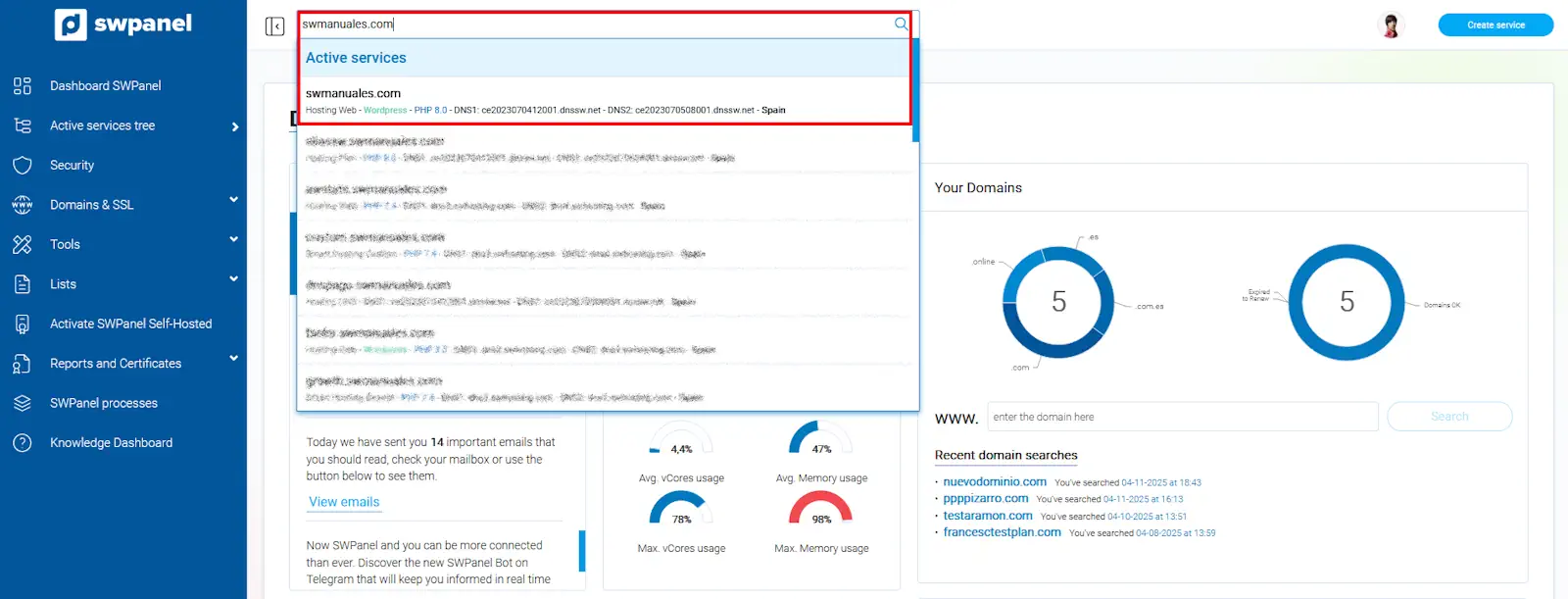
The screenshot is for guidance purposes. It was taken using version 2025.003.0007 dated 15/04/2025. It may differ from what is shown in the current version of SWPanel.
Once inside the Dashboard, go to the left side menu and click on 'Service Usage' --> 'Resource Usage':
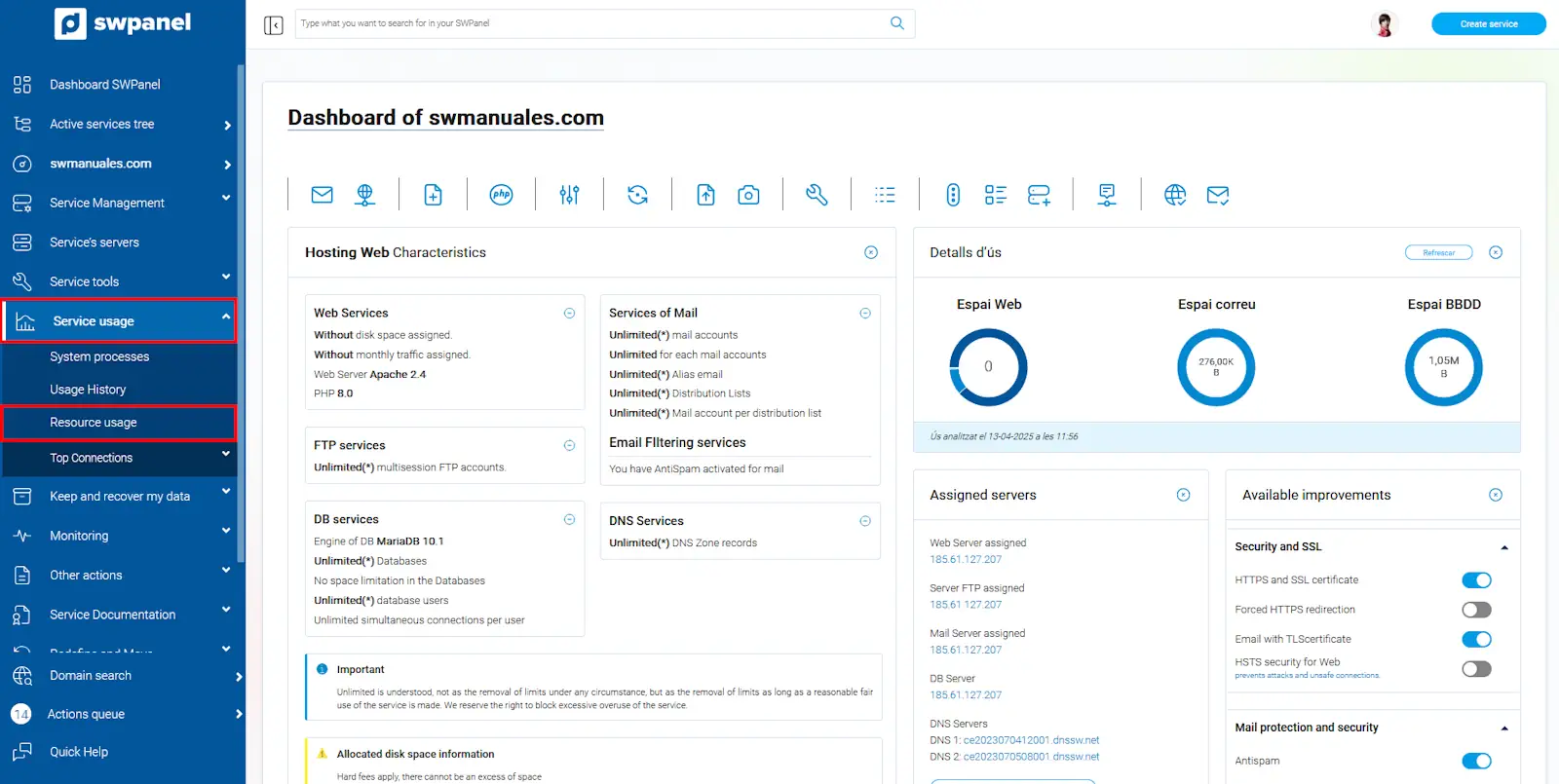
The screenshot is for guidance purposes. It was taken using version 2025.003.0007 dated 15/04/2025. It may differ from what is shown in the current version of SWPanel.
Resource Usage
Upon opening the Resource Usage option, you will have different sections to view resource consumption:
1.Space Detail: Shows the space occupied by the website, logs, and email accounts. It also shows the total occupied and available space in the Hosting:
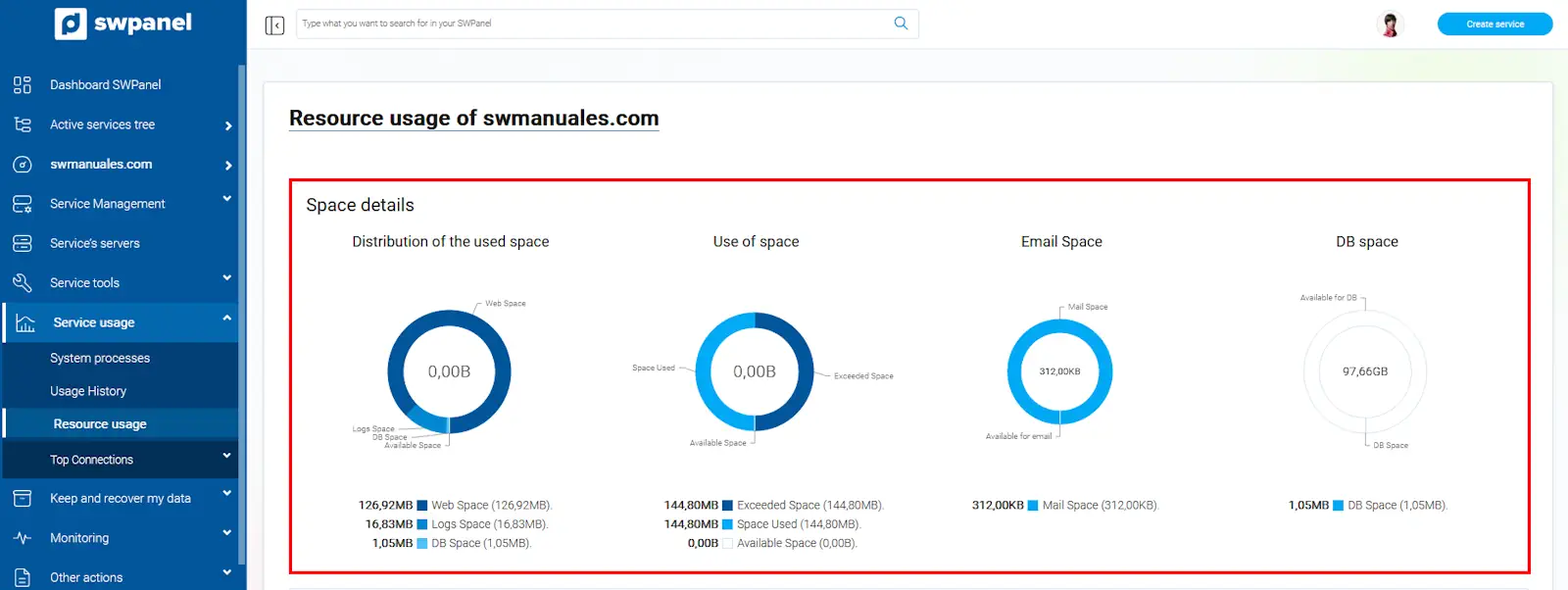
The screenshot is for guidance purposes. It was taken using version 2025.003.0007 dated 15/04/2025. It may differ from what is shown in the current version of SWPanel.
2.Usage data for email, FTP, and Databases:
Shows the number of active accounts and the limit, email accounts, email aliases, email lists, FTP accounts, and Hosting databases:
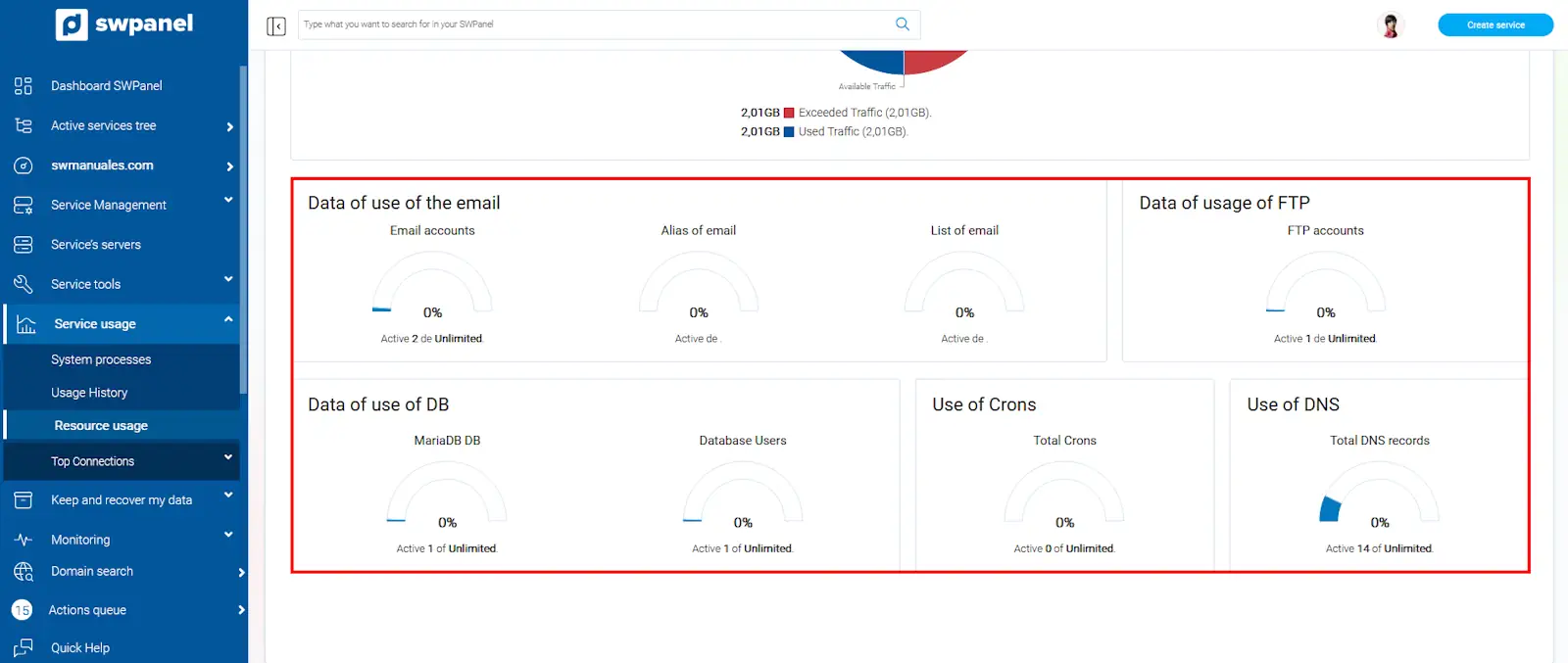
The screenshot is for guidance purposes. It was taken using version 2025.003.0007 dated 15/04/2025. It may differ from what is shown in the current version of SWPanel.
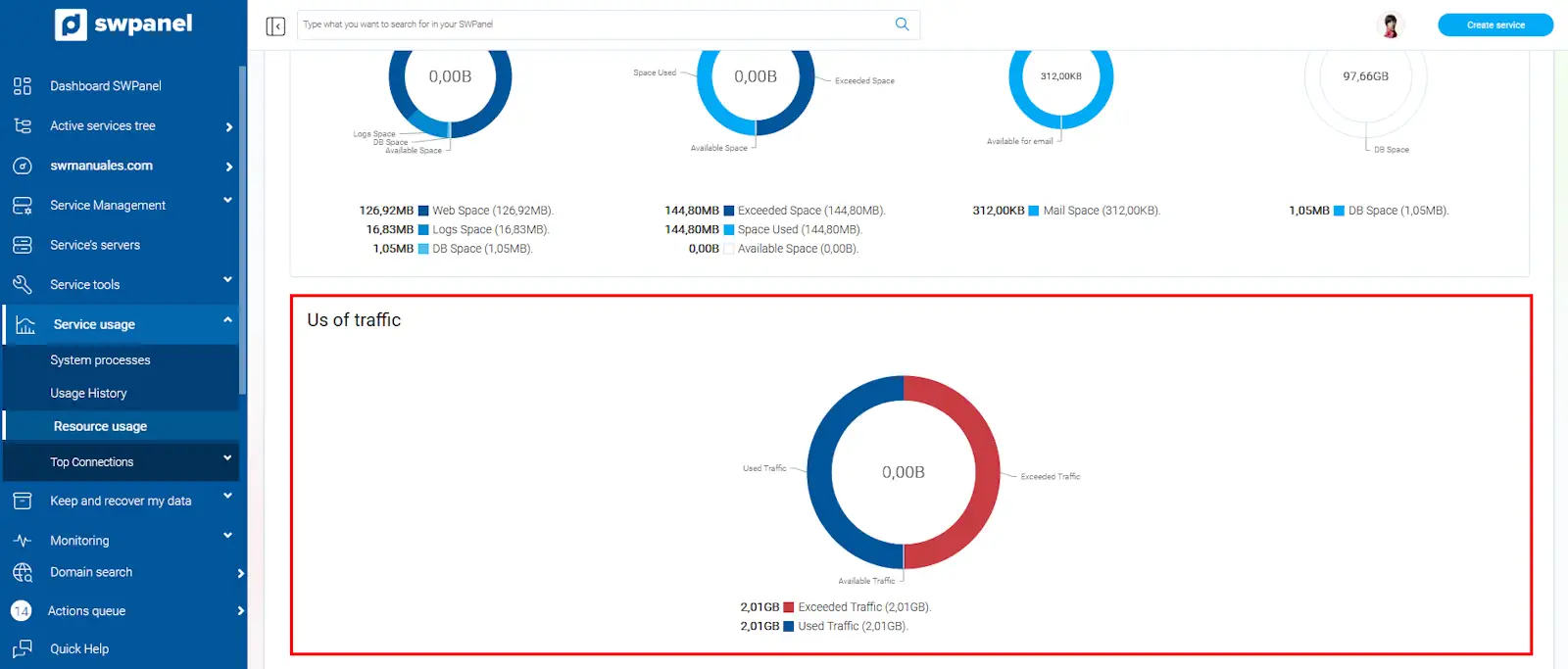
3.Traffic Usage: This section is only available if the hosting is hosted on a private server.
Shows the web traffic generated by the Hosting:
The screenshot is for guidance purposes. It was taken using version 2025.003.0007 dated 15/04/2025. It may differ from what is shown in the current version of SWPanel.