How to activate and deactivate domain auto-renewal
To activate the auto-renewal of a domain, you must access your SWPanel account. Once inside, go to the tab Domains and SSL -> Domain portfolio that you will find in the left side blue menu:
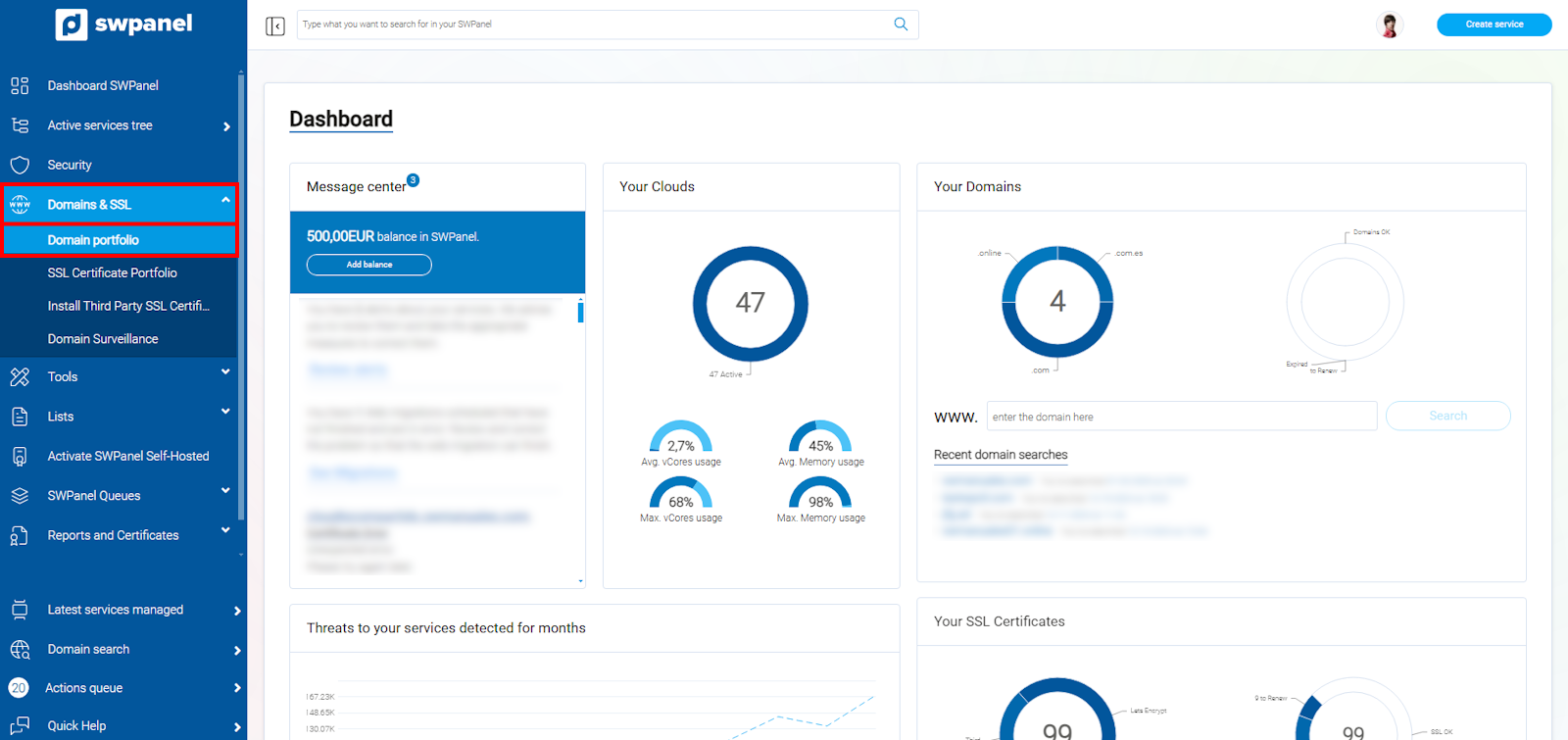
info_capture The screenshot is for guidance only. It was taken on version 2025.00.0017 with date 03/01/2025. It may differ from what the current version of SWPanel displays.
Then find your domain and place your mouse cursor on the menu [...].
💡 If you have more than one domain, you can use the search engine in this section.
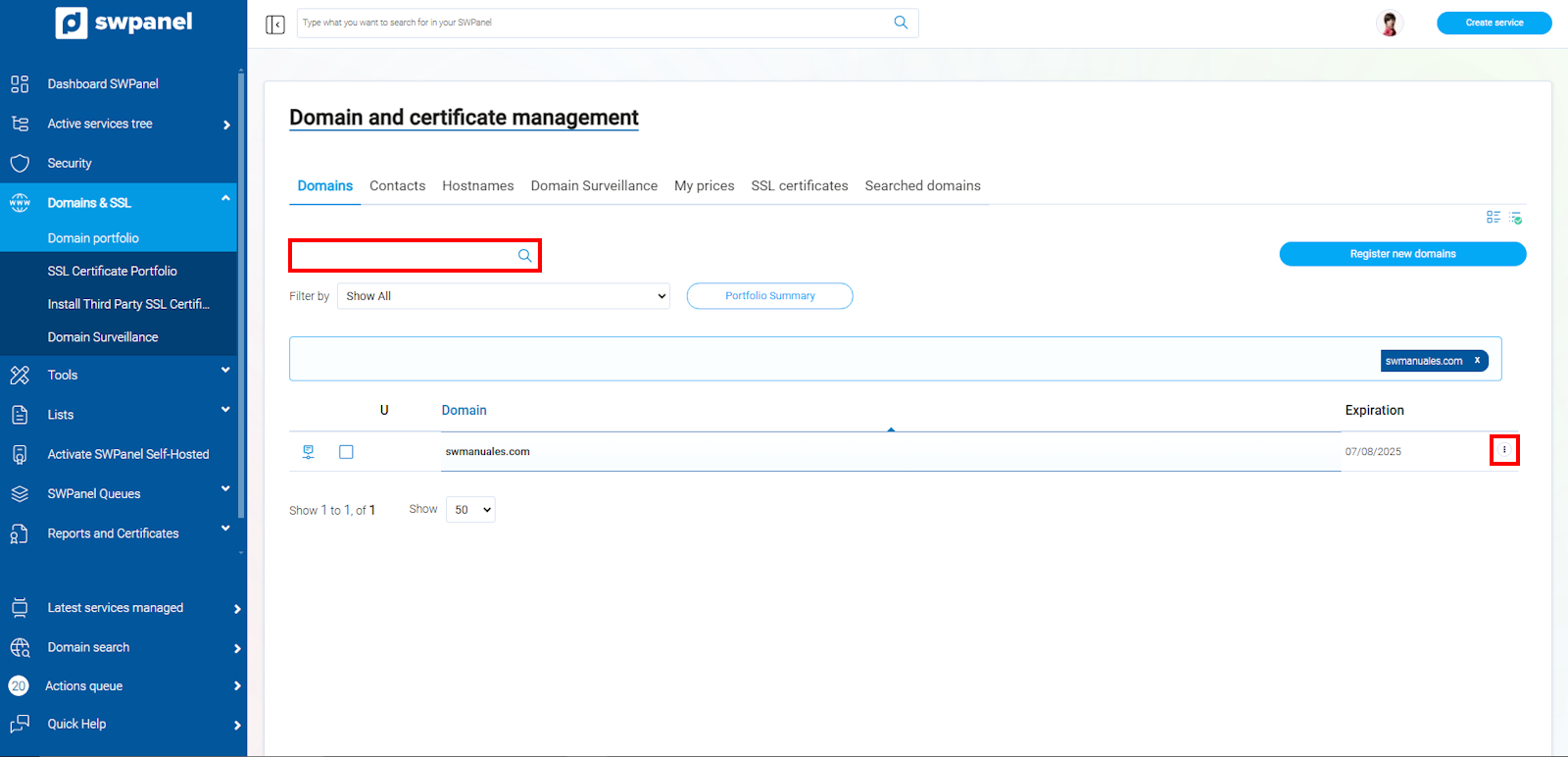
info_capture The screenshot is for guidance only. It was taken on version 2025.00.0017 with date 03/01/2025. It may differ from what the current version of SWPanel displays.
Click on the Activate Autorenewal option:
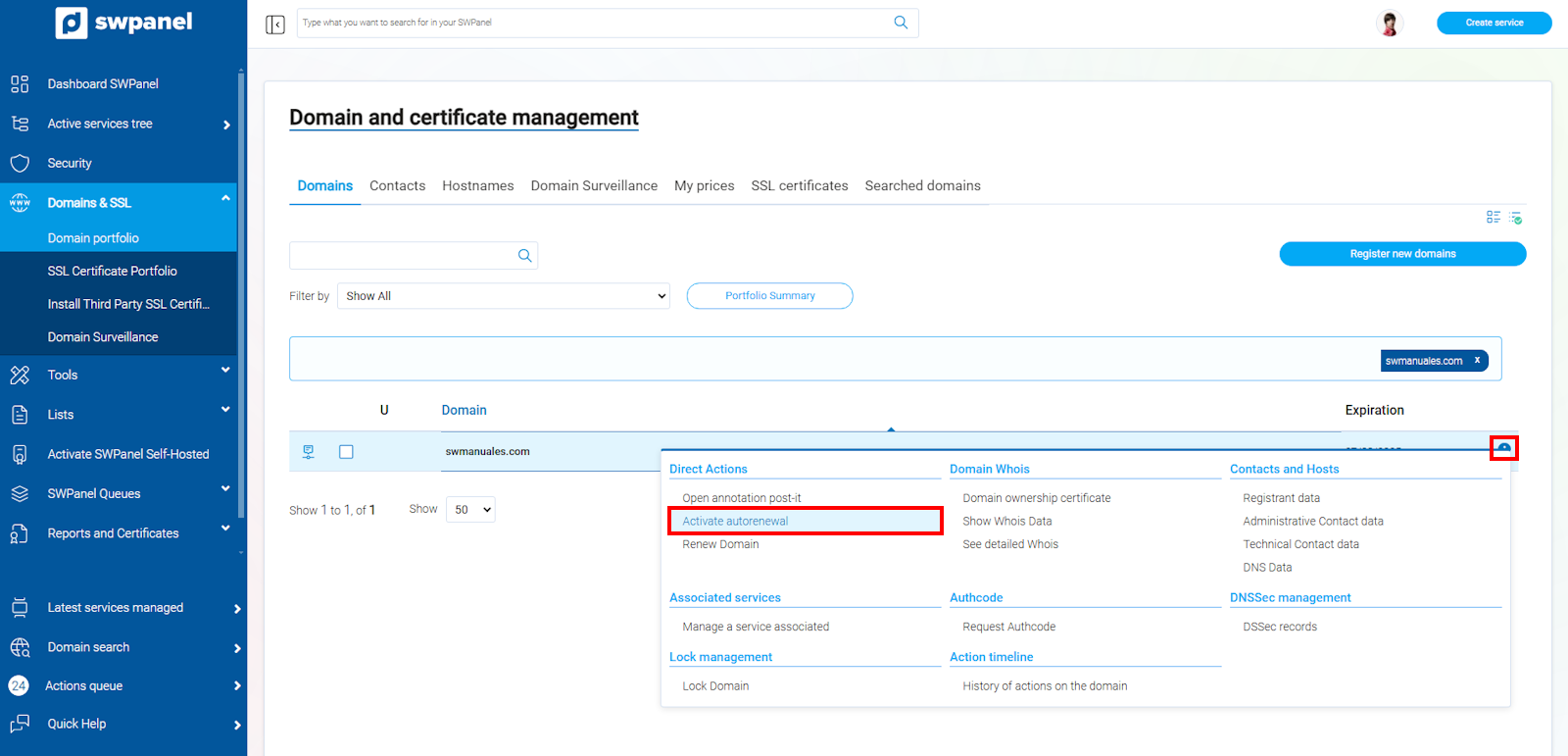
info_capture The screenshot is for guidance only. It was taken on version 2025.00.0017 with date 03/01/2025. It may differ from what the current version of SWPanel displays.
Accept the checkbox and finally click on the green button Activate autorenewal:
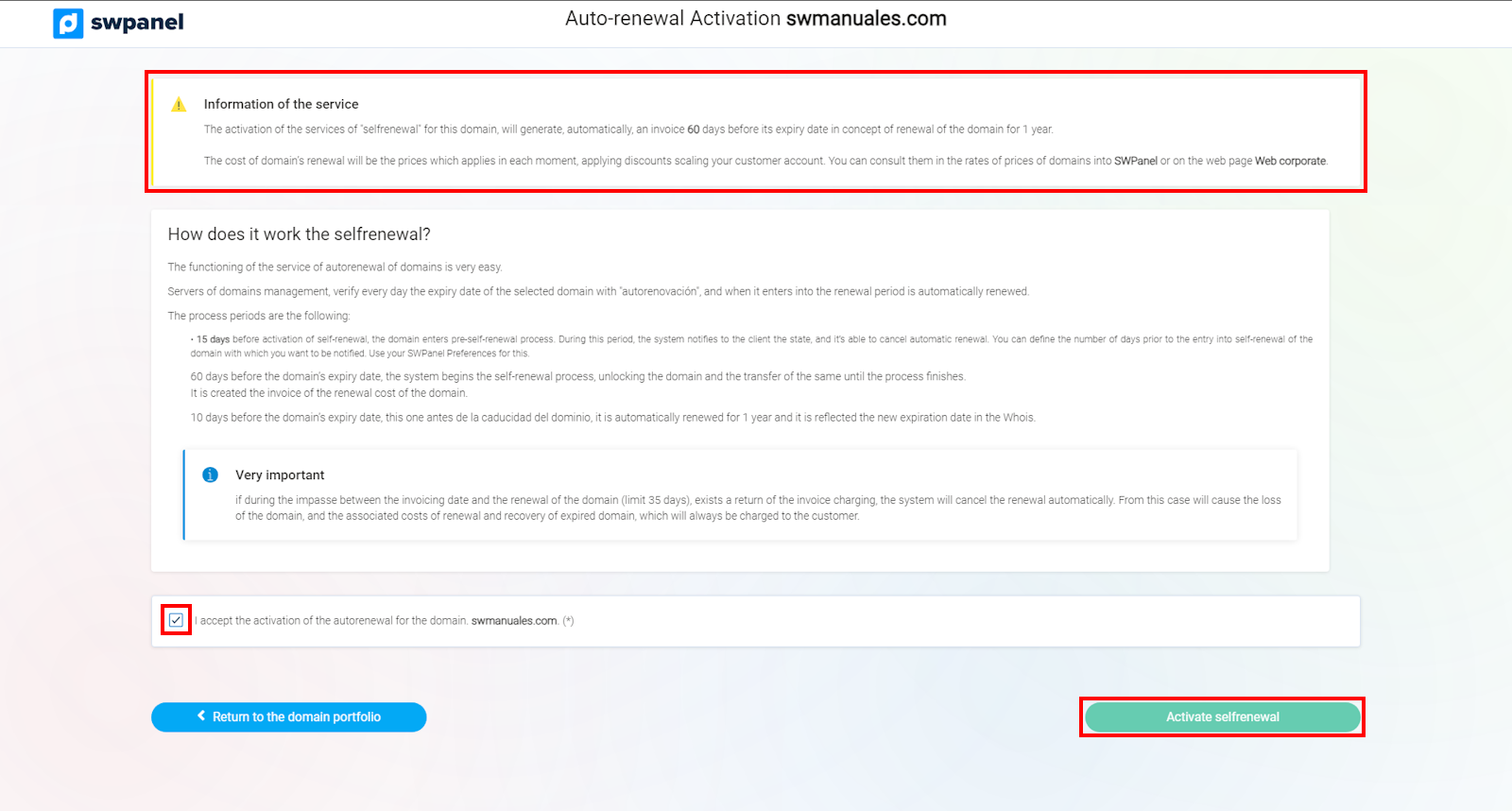
info_capture The screenshot is for guidance only. It was taken on version 2025.00.0017 with date 03/01/2025. It may differ from what the current version of SWPanel displays.
⚠︎ When the domain reaches 60 days before its expiration date, the system will start the autorenewal process.
Disable Autorenewal
To deactivate the auto-renewal, you will need to go back to the Domains and SSL -> Domain Portfolio tab. Once located, put your mouse cursor on the [...] menu and click on Disable Autorenewal.
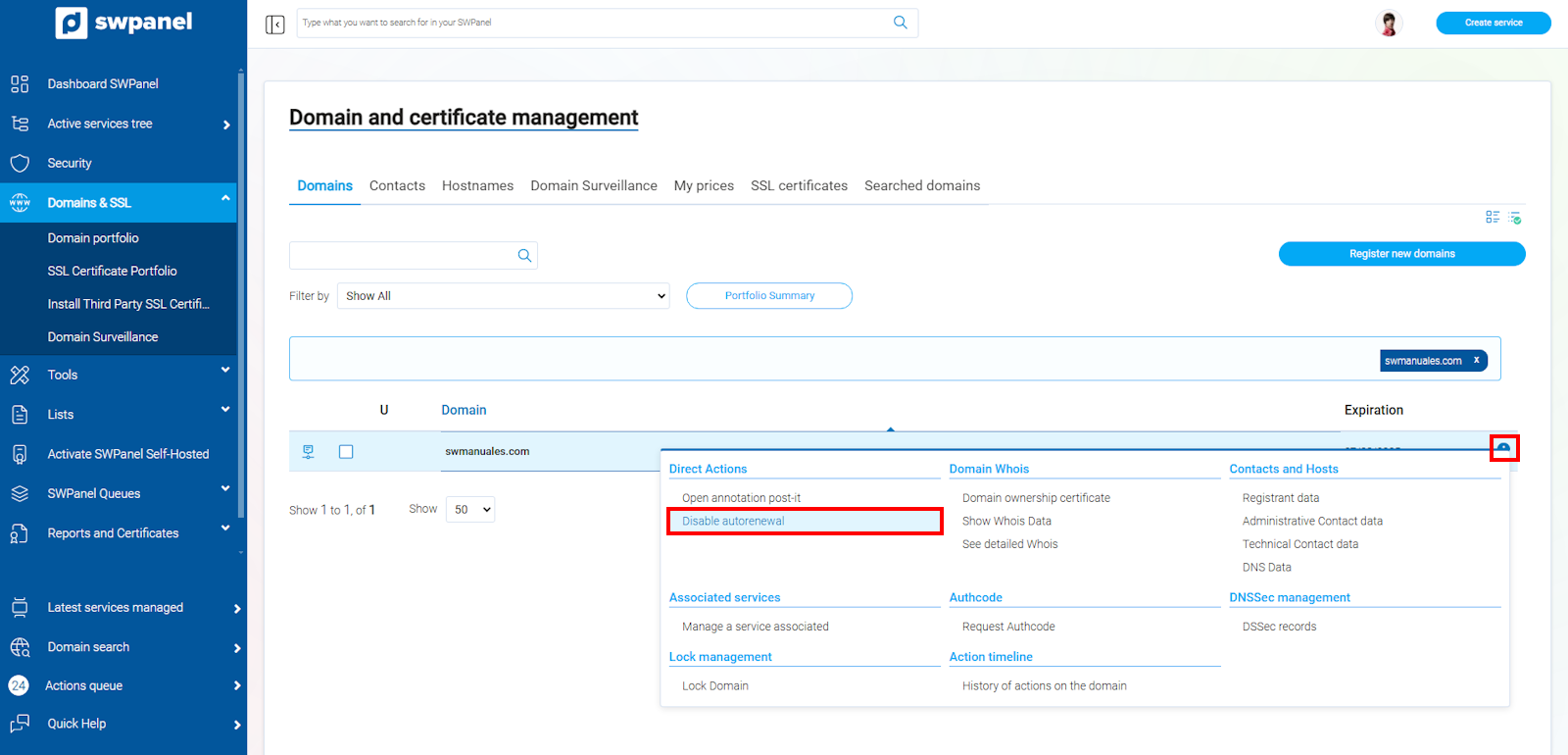
info_capture The screenshot is for guidance only. It was taken on version 2025.00.0017 with date 03/01/2025. It may differ from what the current version of SWPanel displays.
Click on the checkbox, and finally, click on the green Disable autorenewal button.
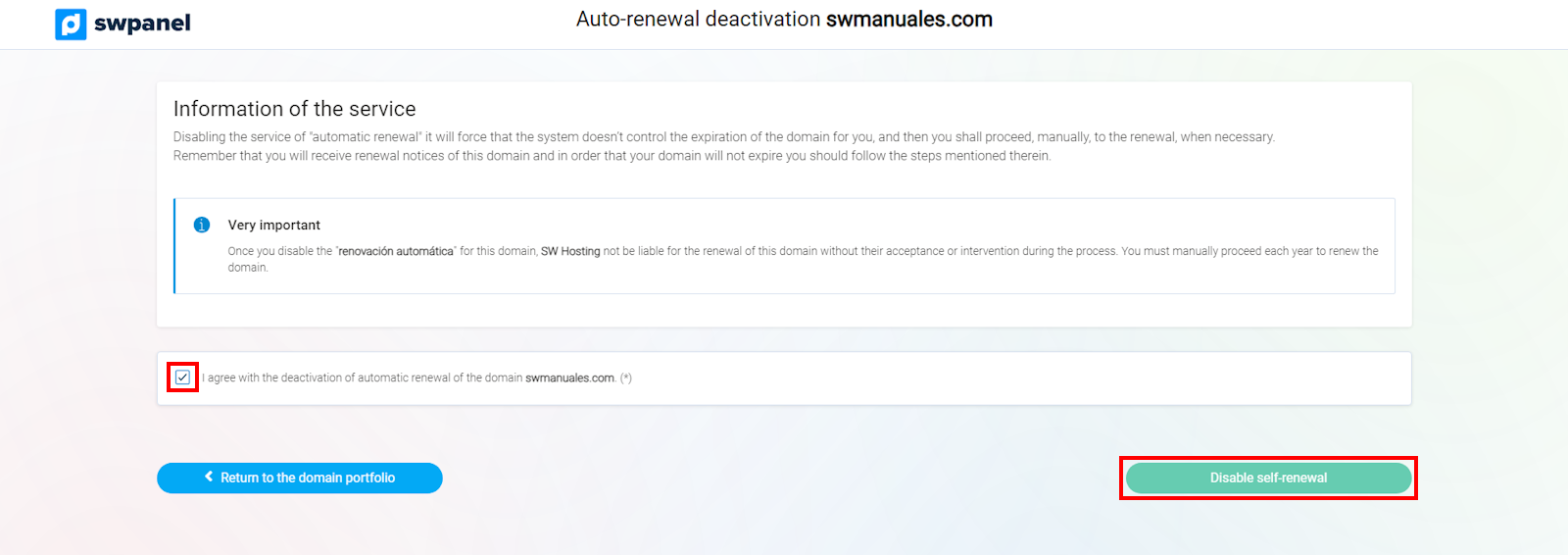
info_capture The screenshot is for guidance only. It was taken on version 2025.00.0017 with date 03/01/2025. It may differ from what the current version of SWPanel displays.
⚠︎ If a domain enters the auto-renewal period, you will not be able to disable auto-renewal.