How to create a resource usage control template
What is a Resource Control Template?
A Resource Control Template is an option added in our SWPanel that serves to establish a resource usage limit in the Hostings, setting a maximum in the use of CPU, RAM memory and disk operations (IOPS). These Resource Control templates can be assigned in a more orderly and faster way in a Hosting template.
You can assign the Resource Control Templates in a Hosting, following the indications of the following manual: 📃 Manual: How to limit the resource usage of a Hosting by means of a template
How to create a Resource Control template
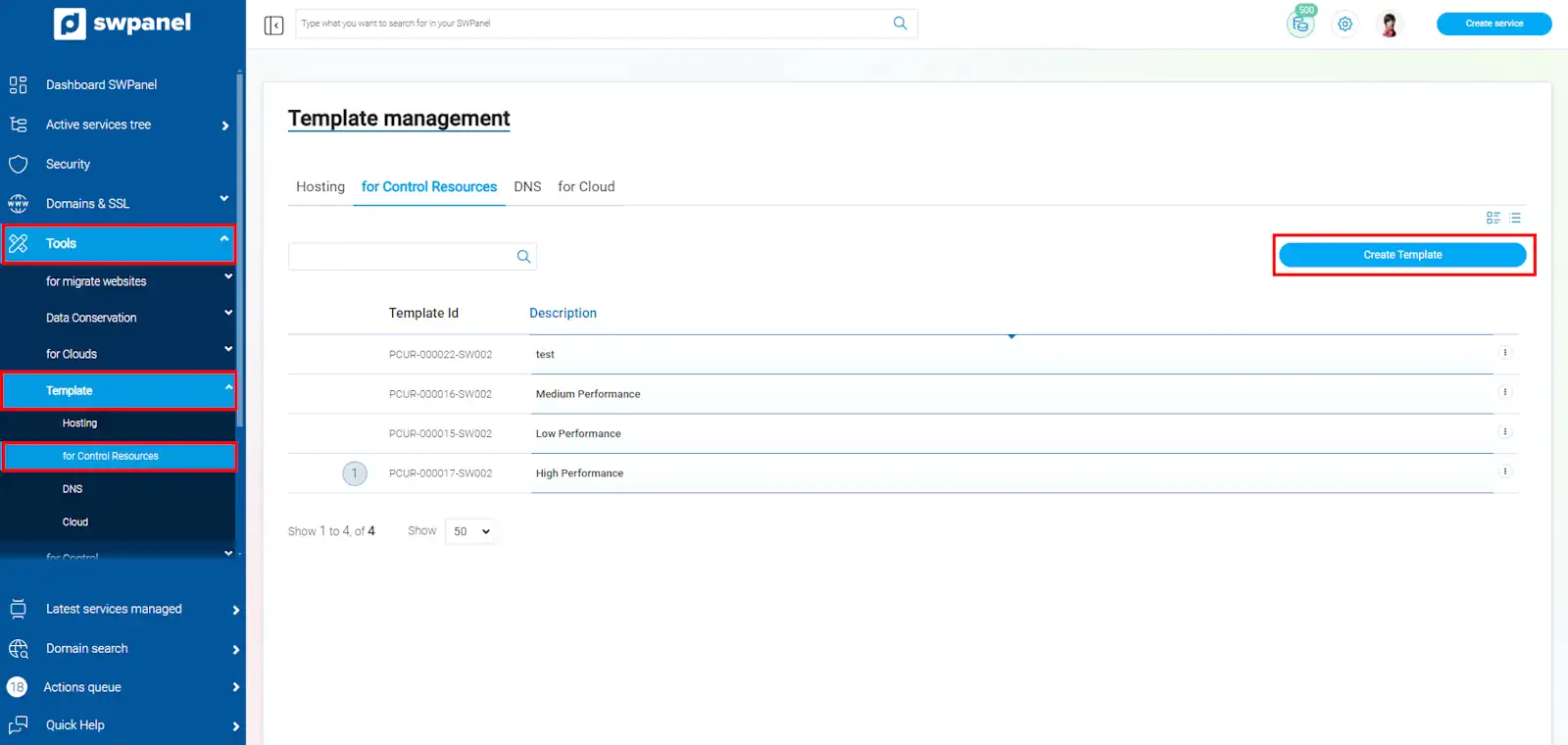
- From the main SWPanel Dashboard, click on the left side menu, select the drop-down “Tools”-> “Templates” --> “Resource Control”, a list of available templates will appear.
To create a new one, click on “Create Template”:
-
Next, name the template and you can configure the maximum CPU, RAM and disk speed(IOPS):
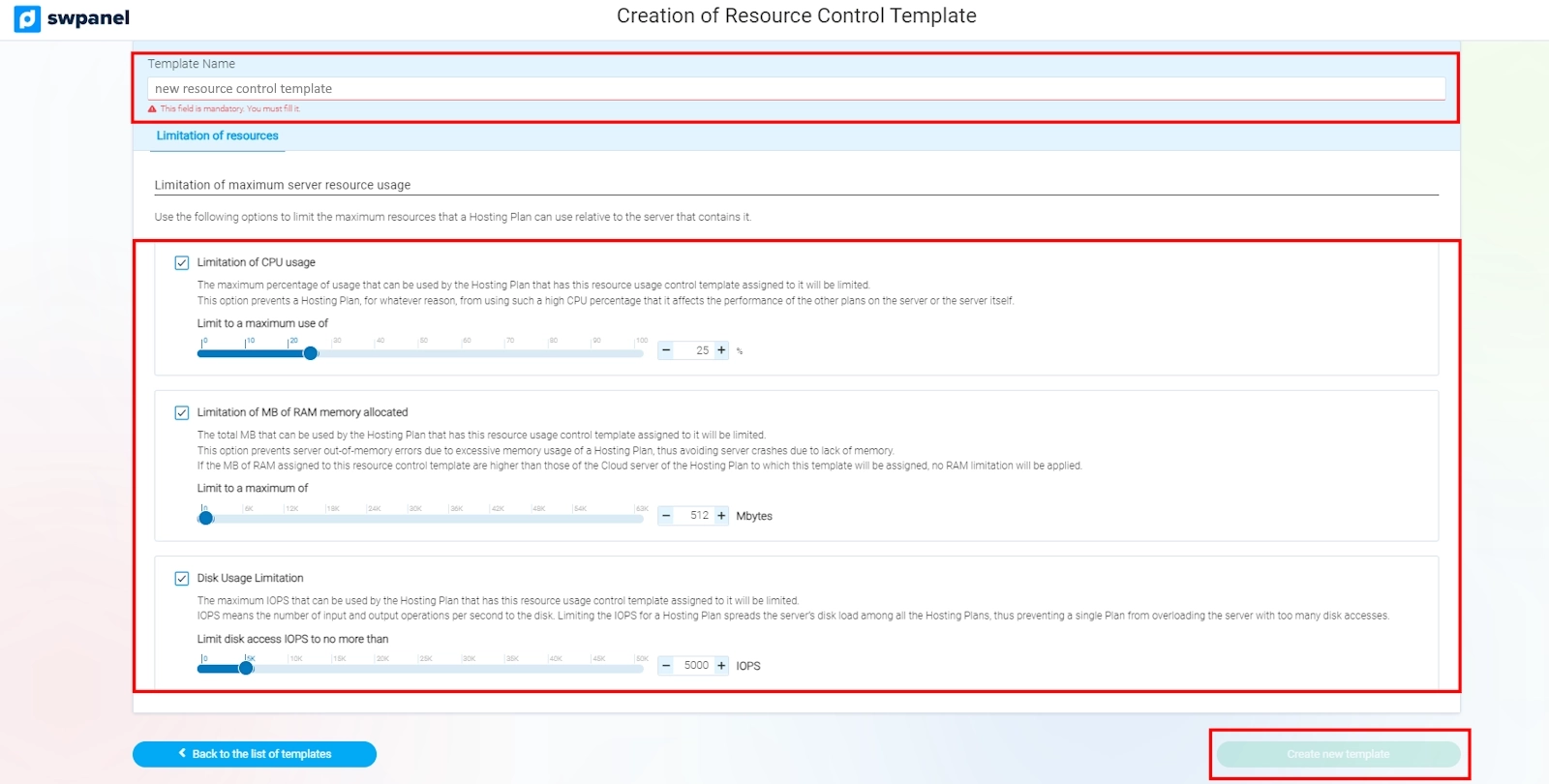
- Limitation of CPU usage: The maximum percentage of CPU that can be consumed by a Hosting Plan with this template will be limited.
- Limitation of allocated RAM memory MB: The RAM memory that a Hosting Plan can use will be limited. If the allocated memory exceeds the server capacity, the limitation will not be applied.
- Disk Usage Limitation: The maximum number of disk read and write operations the Hosting can perform will be limited.
-
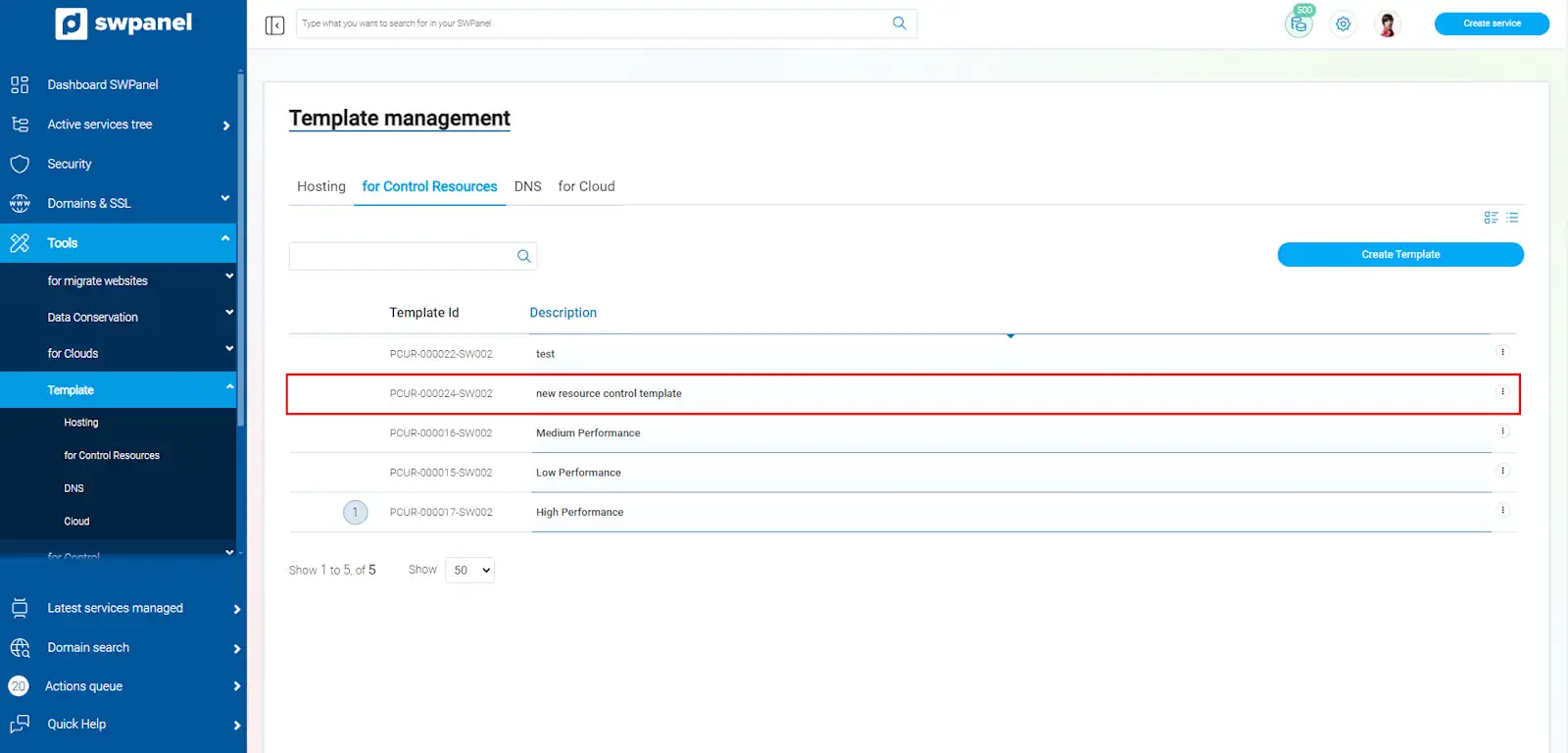
Once the template is configured, click on “create new template”, to save it:
Modifying a Resource Control template
-
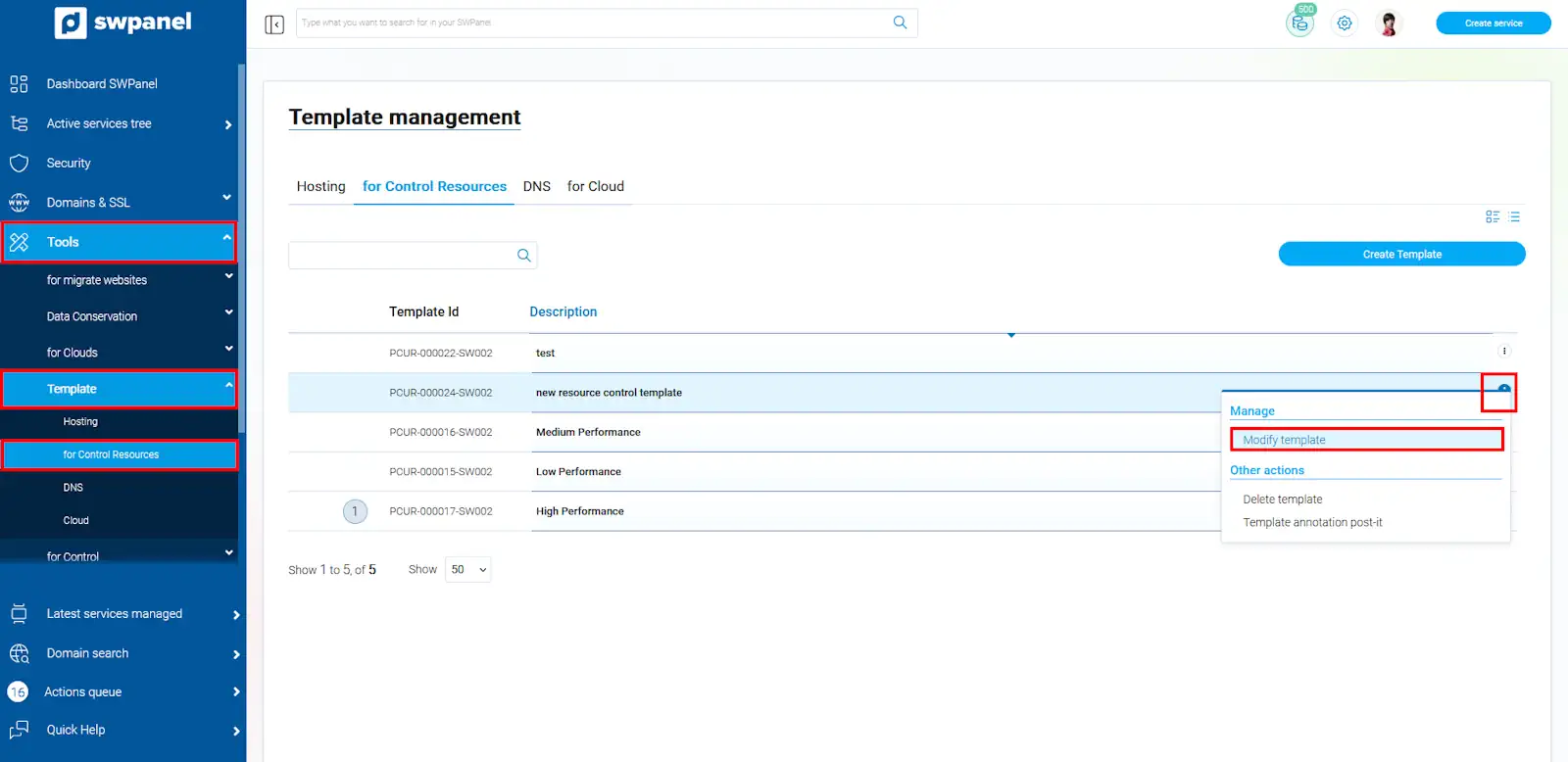
If you have a Resource Control template and you wish to set a new limit on the use of resources, you can modify them by accessing the left side menu, “Tools”-> “Templates” --> “Resource Control” --> Select a template --> Menu [...] "Modify template ”.
success ¡Done! Now you know how to create a resource usage template and how to modify it according to your hosting needs, this is very useful to ensure that the server resources are distributed fairly among the different hostings.