
wp-config.php of my WordPress
The wp-config.php is one of the most important parts of our WordPress.
This file allows us to perform the basic configuration of any WordPress, as it is where the main “low-level” options are located that allow us to have the CMS running.
The wp-config.php file is a PHP file, but it has little executable code. Instead, it contains parameters and variables that define the correct operation of the WordPress installation.
You can edit this file through the File Manager provided by SWPanel (you can also access it via FTP or SSH). To locate it, you must go to the root directory of your website (/datos/web); the procedure is explained below:
1- Enter the dashboard of the hosting service where your WordPress is hosted by searching for it in SWPanel:
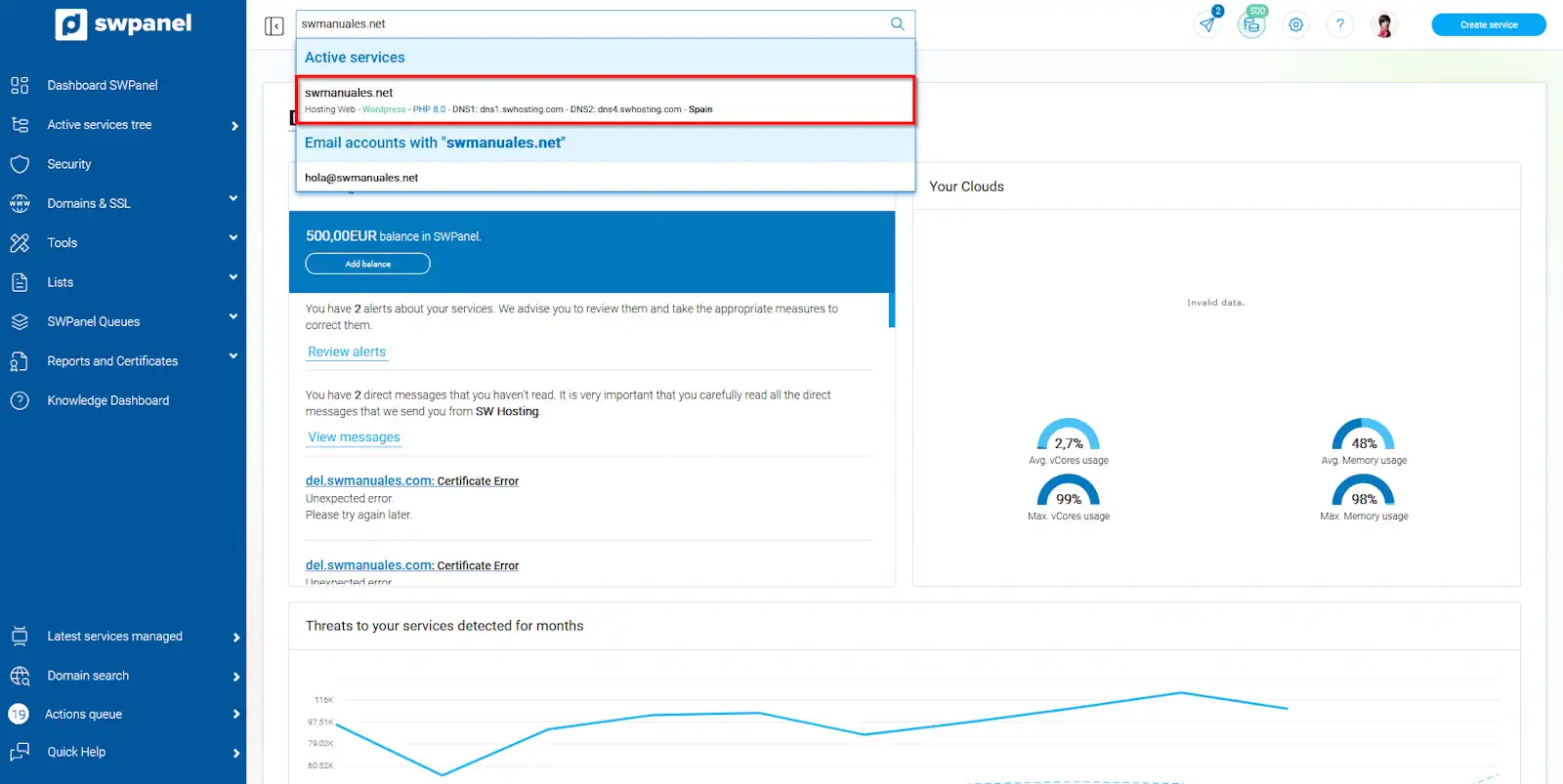
info_capture The screenshot is for guidance purposes. It was taken using version 2024.07.0123 dated 24/10/2024. It may differ from what the current version of SWPanel shows.
2- Access the file manager by clicking on Service Management -> File Manager:
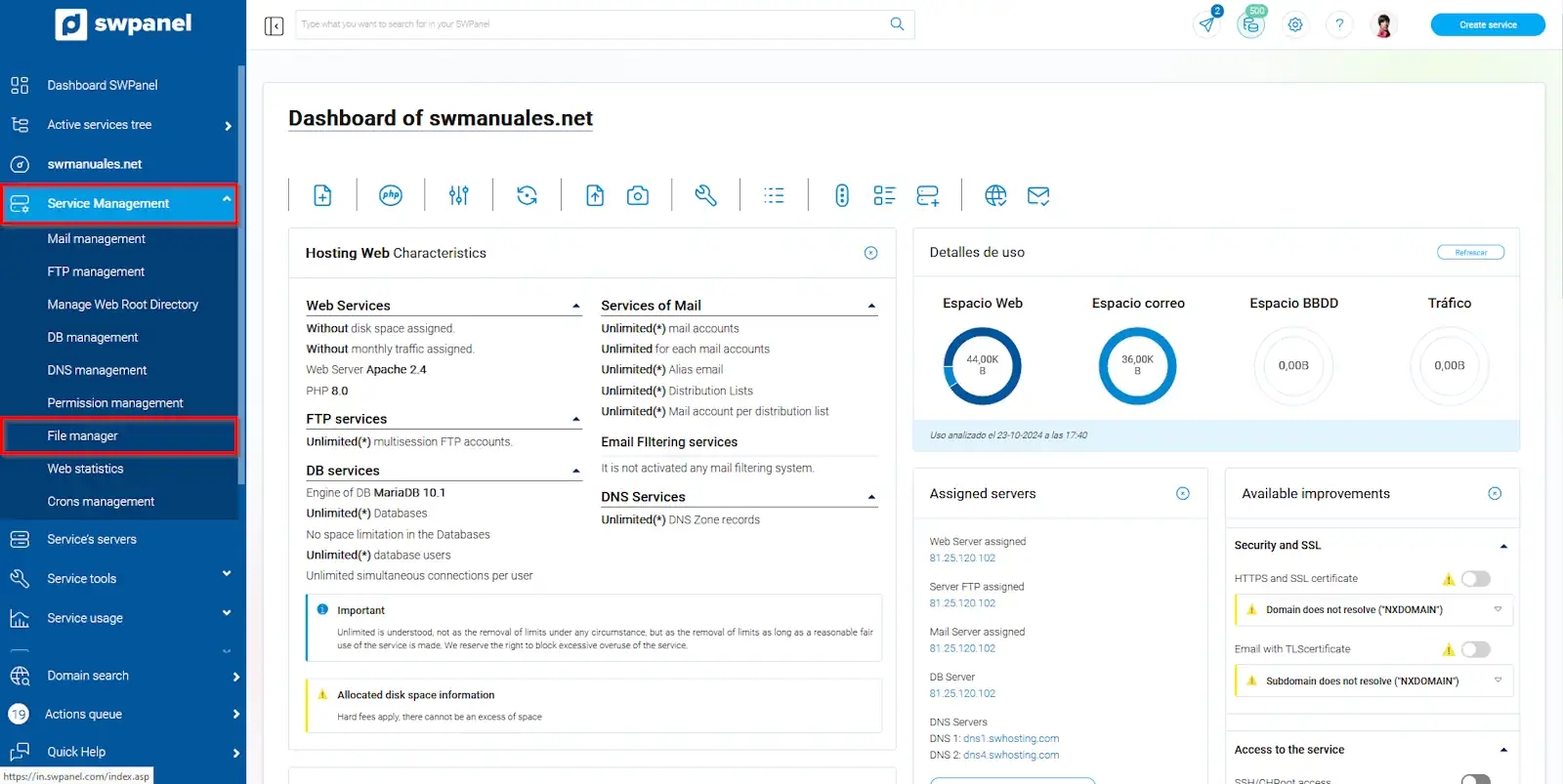
info_capture The screenshot is for guidance purposes. It was taken using version 2024.07.0123 dated 24/10/2024. It may differ from what the current version of SWPanel shows.
3-Locate the wp-config.php file within the hosting service folders (/datos/web/wp-config.php):
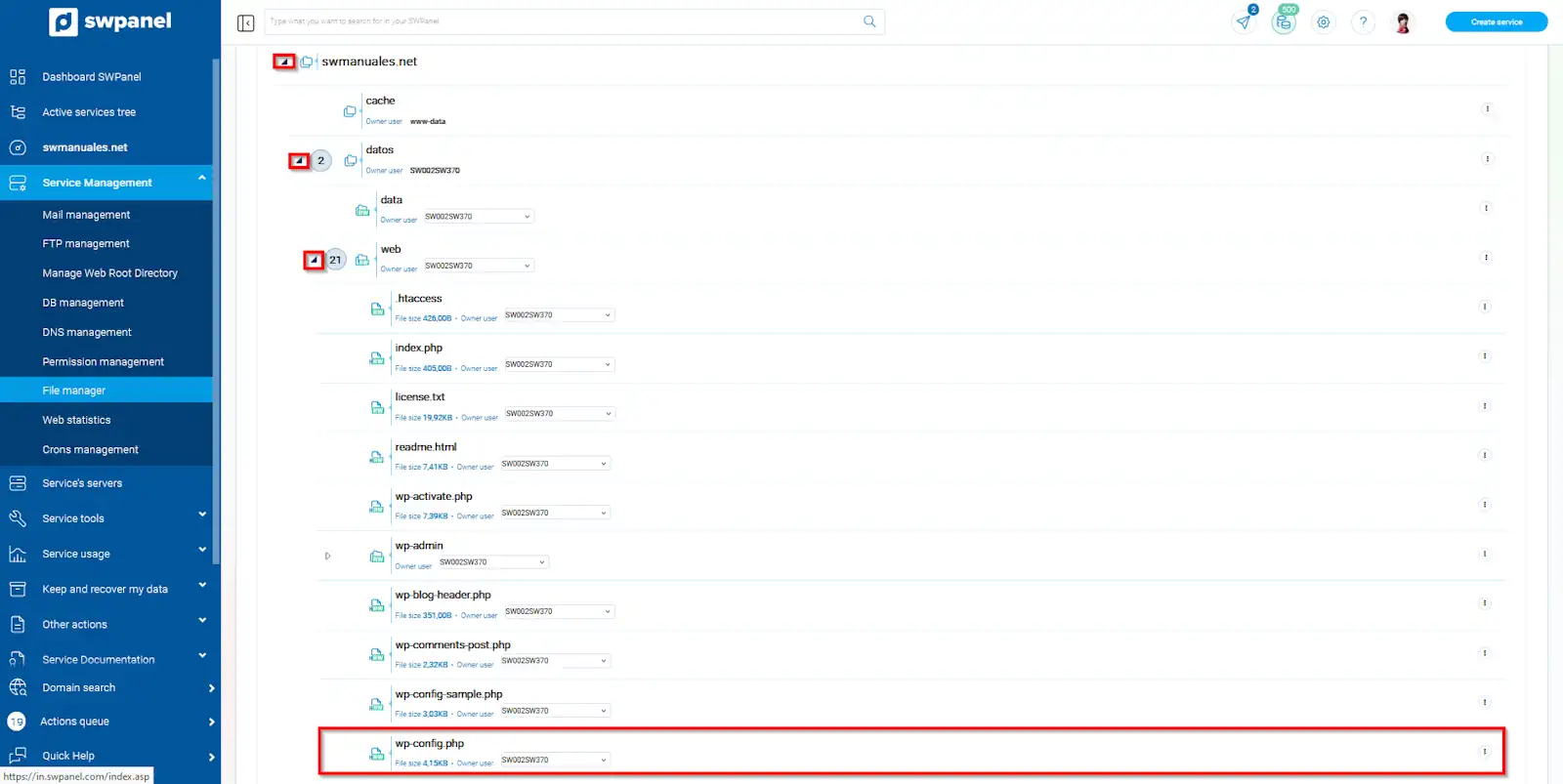
info_capture The screenshot is for guidance purposes. It was taken using version 2024.07.0123 dated 24/10/2024. It may differ from what the current version of SWPanel shows.
4- Hover the mouse over the three dots to the right of the wp-config.php file and click on Edit file:
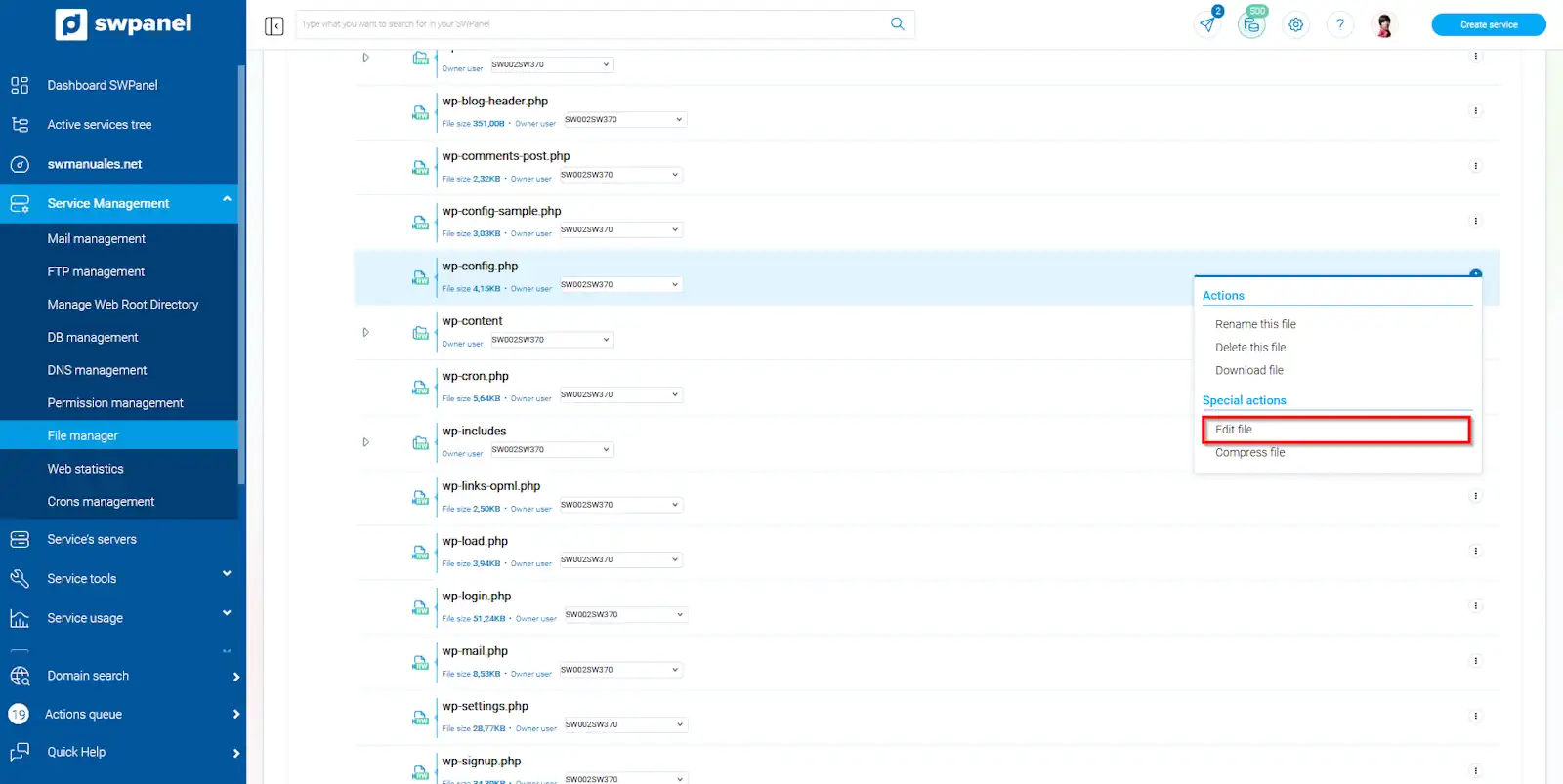
info_capture The screenshot is for guidance purposes. It was taken using version 2024.07.0123 dated 24/10/2024. It may differ from what the current version of SWPanel shows.
MySQL Data
These are the access details that WordPress uses to connect the website to the database. WordPress cannot function without a database.
It corresponds to these lines:
/** The name of the database for WordPress */
define( 'DB_NAME', 'NAME_WP' );

/** MySQL database username */
define( 'DB_USER', 'USER_WP' );

/** MySQL database password */
define( 'DB_PASSWORD', 'Password123' );

/** MySQL hostname */
define( 'DB_HOST', 'localhost' );
In case this configuration does not match the data we have in our Hosting, we may encounter a database connection error: Manual: Error establishing a database connection in WordPress
FTP Data
The details of the FTP account created in our Hosting are also displayed: Manual: Add FTP details in WordPress
define('FTP_HOST', 'swmanuales.com');
define('FTP_USER', 'USER_WP');
define('FTP_PASS', 'Password123');
Email Data
If we want Manual: Configure email sending plugin (WP Mail SMTP) in WordPress in our WordPress, we must take into account which email account and access key WordPress uses:
define('WPMS_SMTP_USER', '[email protected]');
define('WPMS_SMTP_PASS', 'Password123');
Debug Mode
The wp-config.php file is essential to be able to activate debug mode on our website: Manual: How to activate Debug mode in Wordpress
define('WP_DEBUG',  false);
define('WP_DEBUG',  true);