How to renew your hosting via your SWPanel
Renew your hosting in advance and get a 20% discount on the service price.
To renew your hosting, you’ll need to log in to your SWPanel. account. Once logged in, go to the My Services tab, which you’ll find in the blue left-hand sidebar.
Find the hosting plan you wish to renew, open the options menu on the right-hand side and click on “Renew now”.
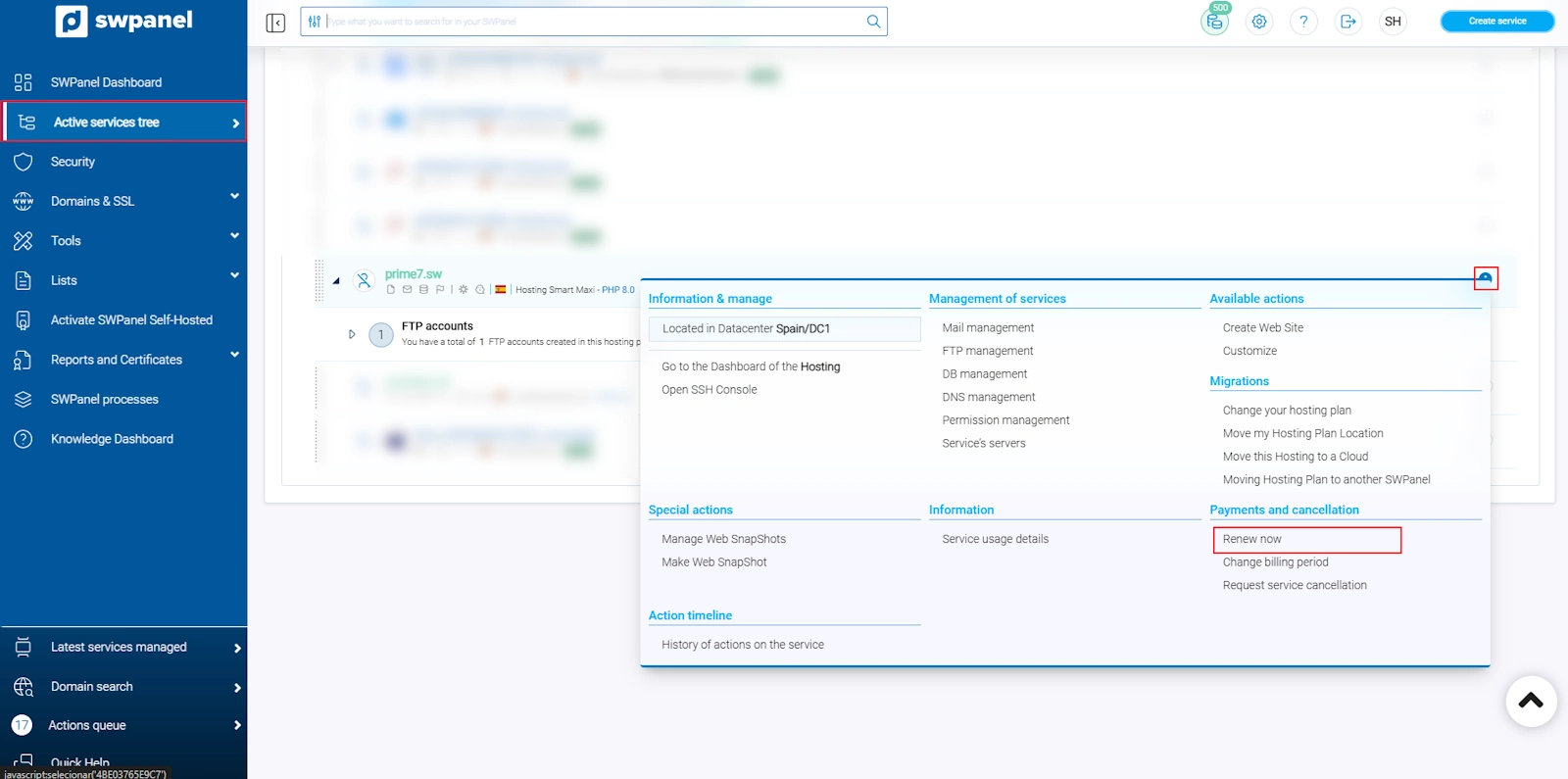
info_capture This screenshot is for illustrative purposes only. It was taken from version 2026.001.0023, dated 29 April 2026. It may differ from what is shown in the current version of SWPanel.
The available renewal options are shown below:
- Renew your hosting for 1 year
- Renew your hosting for 2 years
- Renew your hosting for 3 years
Select your preferred term. If you renew before the expiry date, a 20% discount will be applied automatically to the hosting price.
Click on “Renew now” to continue with the process.
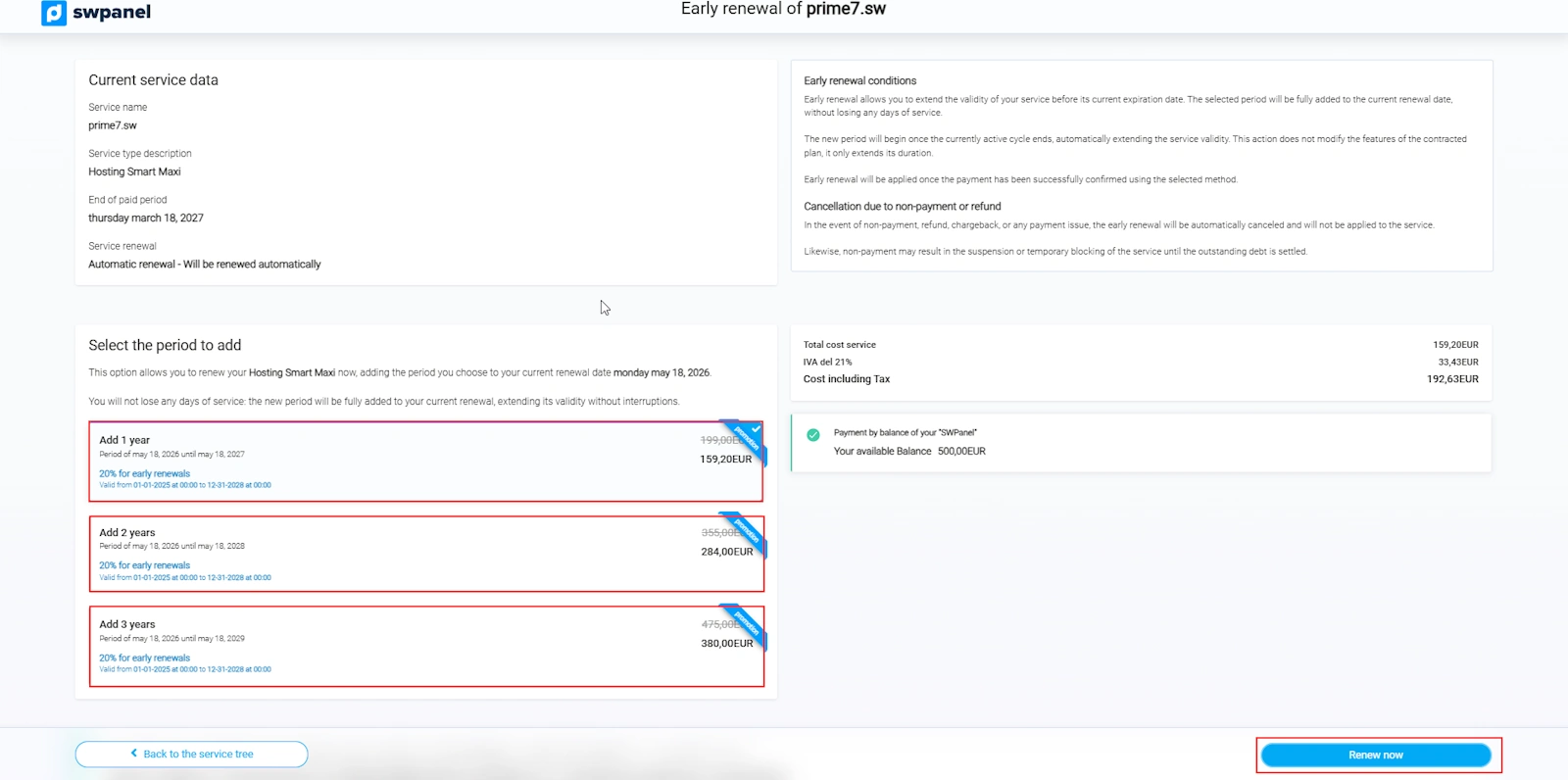
info_capture This screenshot is for illustrative purposes only. It was taken from version 2026.001.0023, dated 29 April 2026. It may differ from what is shown in the current version of SWPanel.
It doesn’t matter when you renew your hosting: the new contract period will be added to your current expiry date. You won’t lose any days by renewing early
Once the process is complete, your hosting will be renewed until the new expiry date. Remember that by renewing early, you can take advantage of the available discount and lock in the current price for the entire contract period