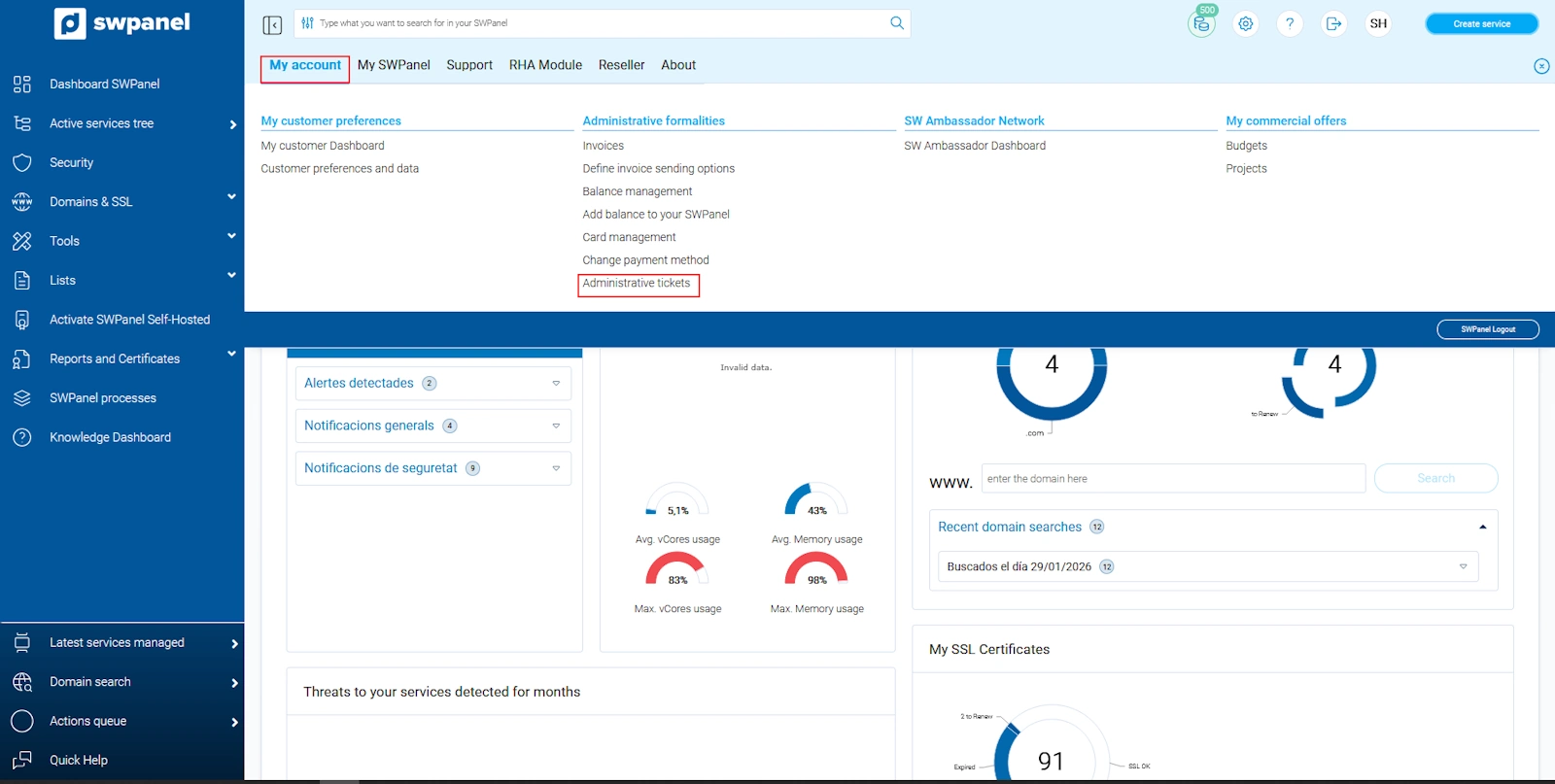
To create an administrative ticket, you must go to the upper right corner of your SWPanel, click on your customer account logo -> 'My account' -> Administrative tickets, which is located in the Administrative management section.
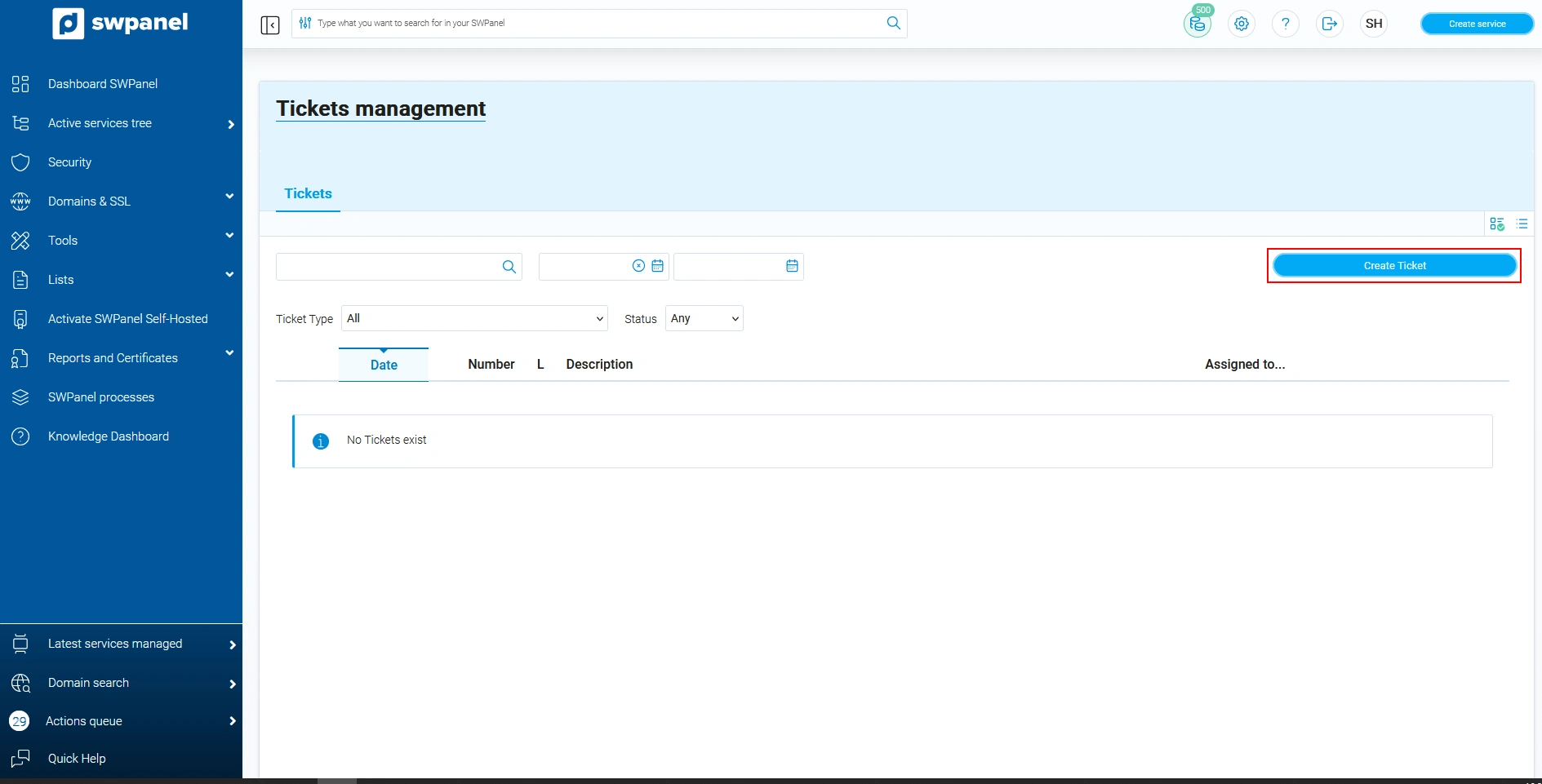
Once in the 'Ticket Management' section, you must click on the blue button 'Create ticket'.
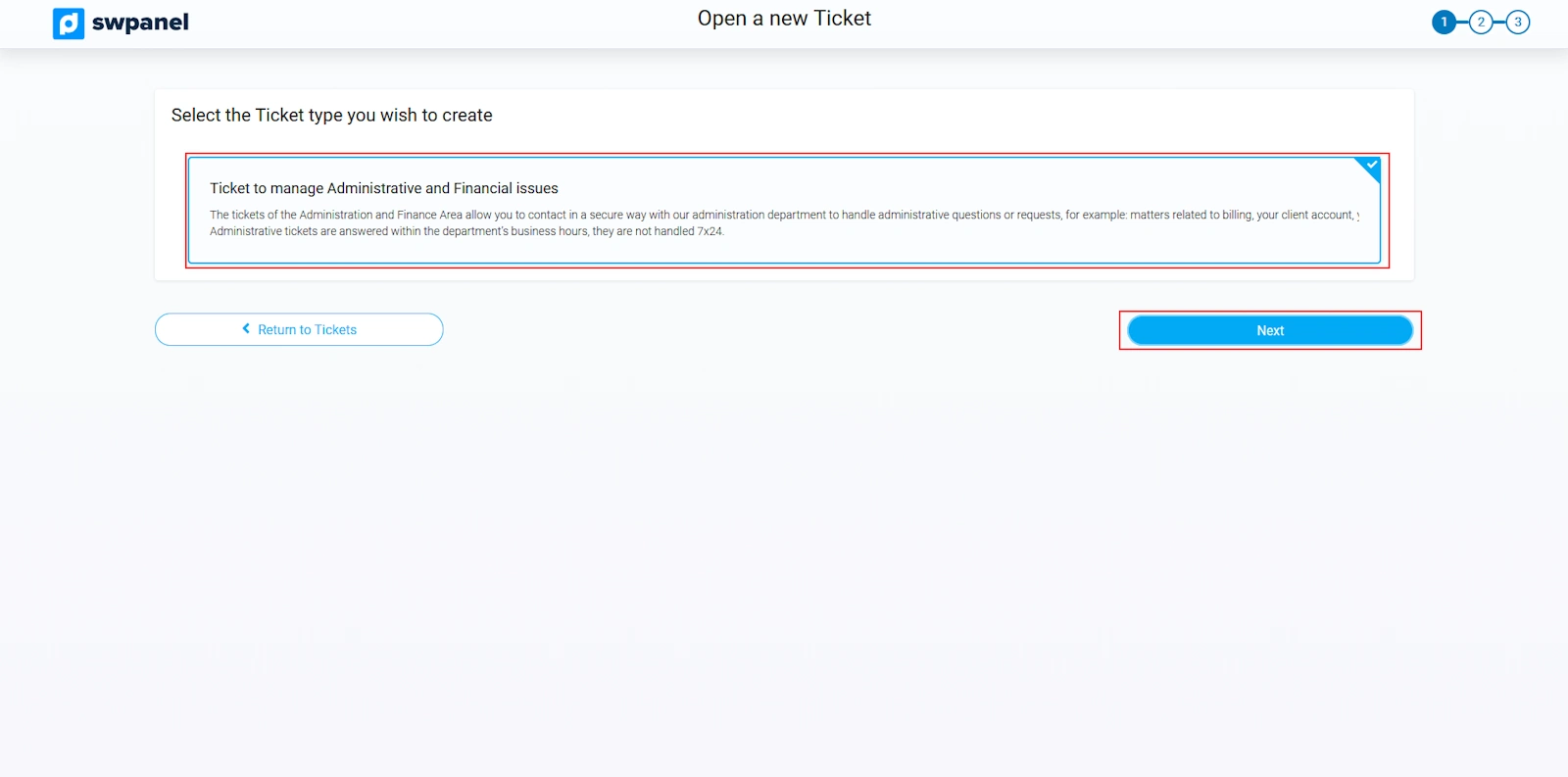
Indicate the ticket type 'Ticket for management from the Administration and Finance Area', and select Next.
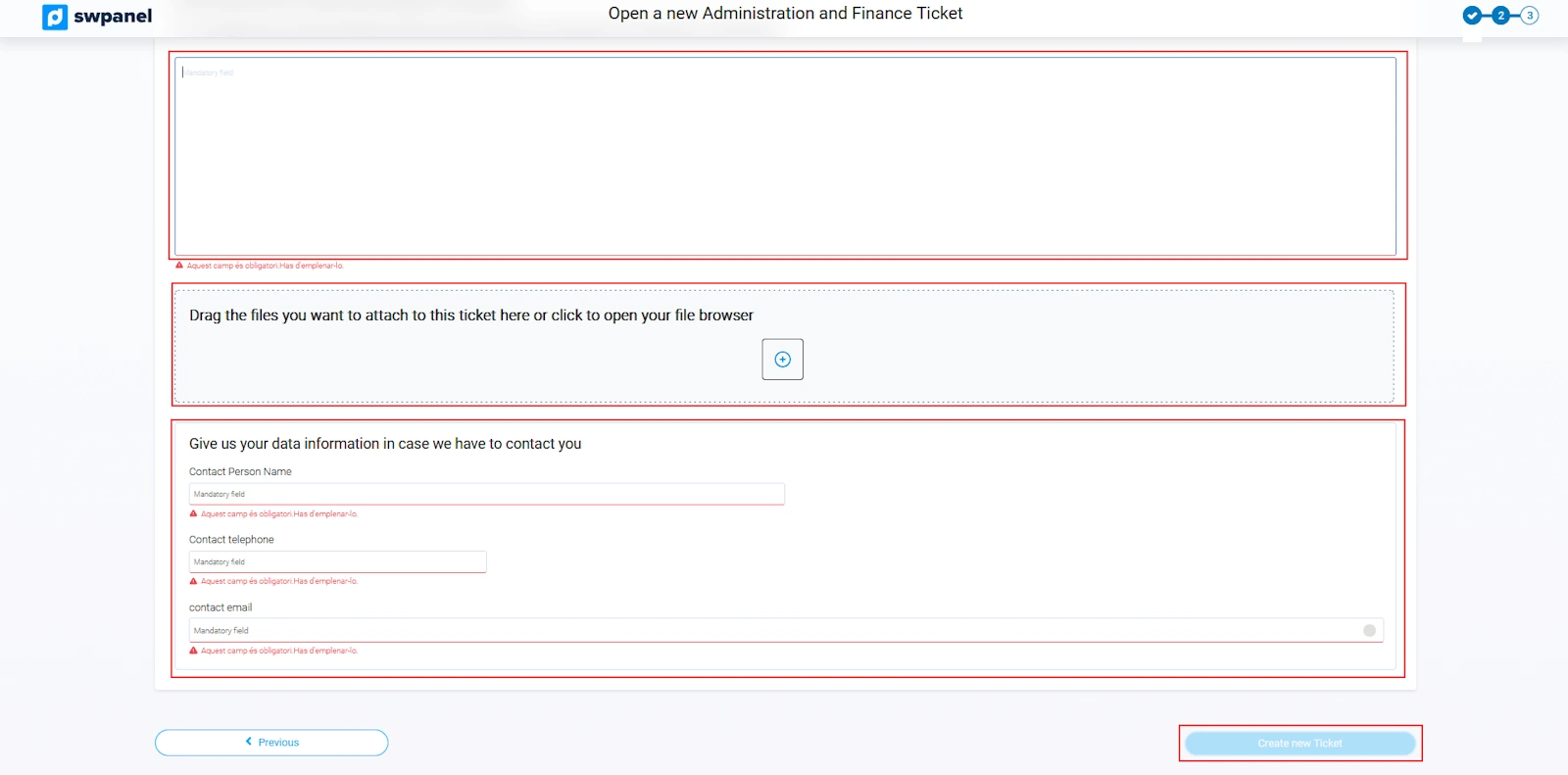
Next, you must indicate the incident or problem you are reporting. You can attach files to facilitate the understanding of the incident and you must provide us with contact details so that, in case of doubt, we can contact you.