
Auf dieser Seite 3 Abschnitte
In this manual, you will learn how to define the email address where you wish to receive your invoices from the SWPanel control panel.
Access billing settings
Follow these steps:
- Hover over your customer name at the top of the panel.
- In the dropdown menu, click on My account.
- Select the Invoice Delivery Definition option.
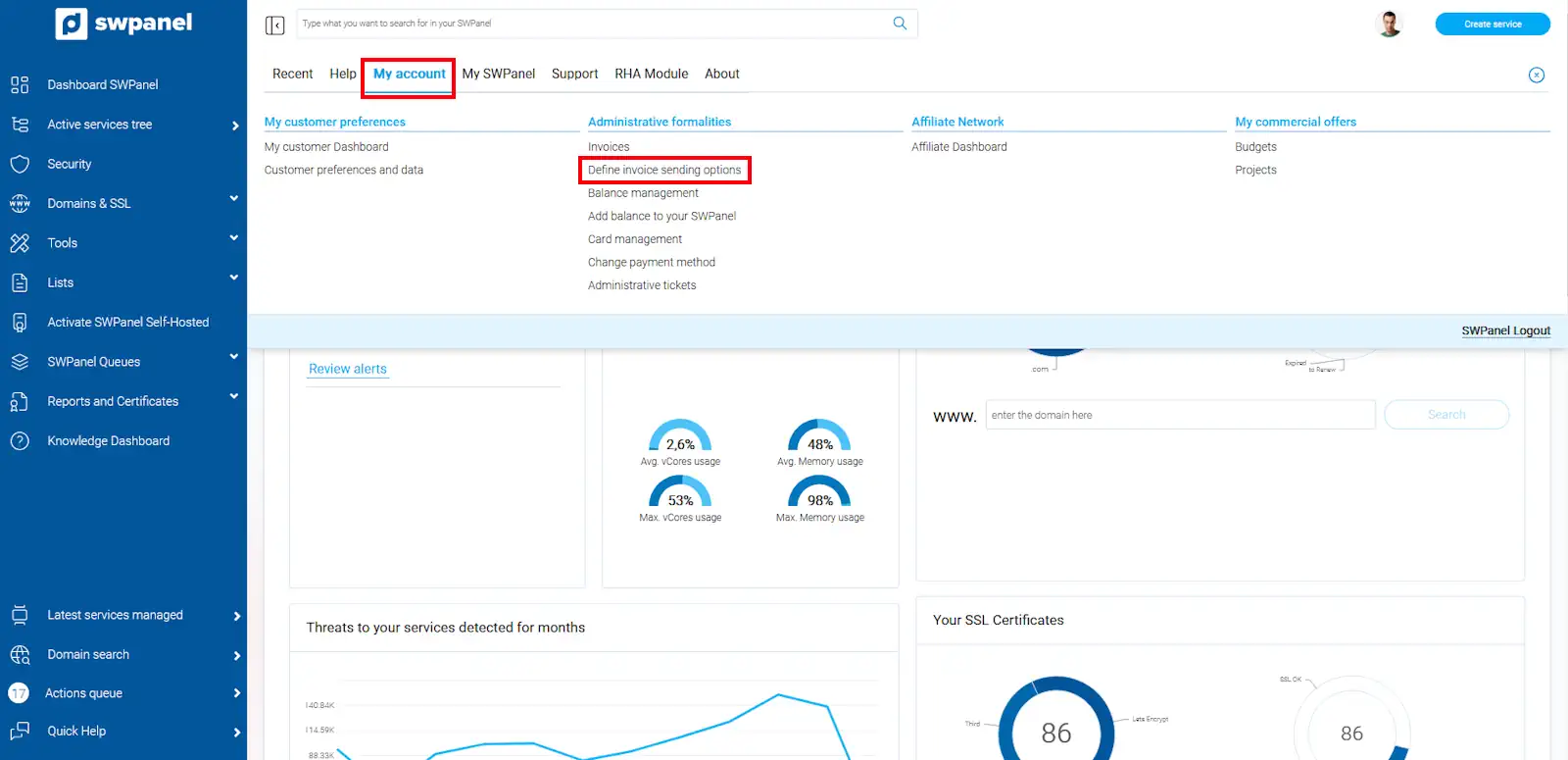
Note: The screenshot is for guidance, taken from version 2026.001.0026 dated 03/05/2026. It may differ from the current version of SWPanel.
Add an email address for billing
On the settings screen:
- Enter the email address where you wish to receive the invoices.
- Click Add to include it in the list.
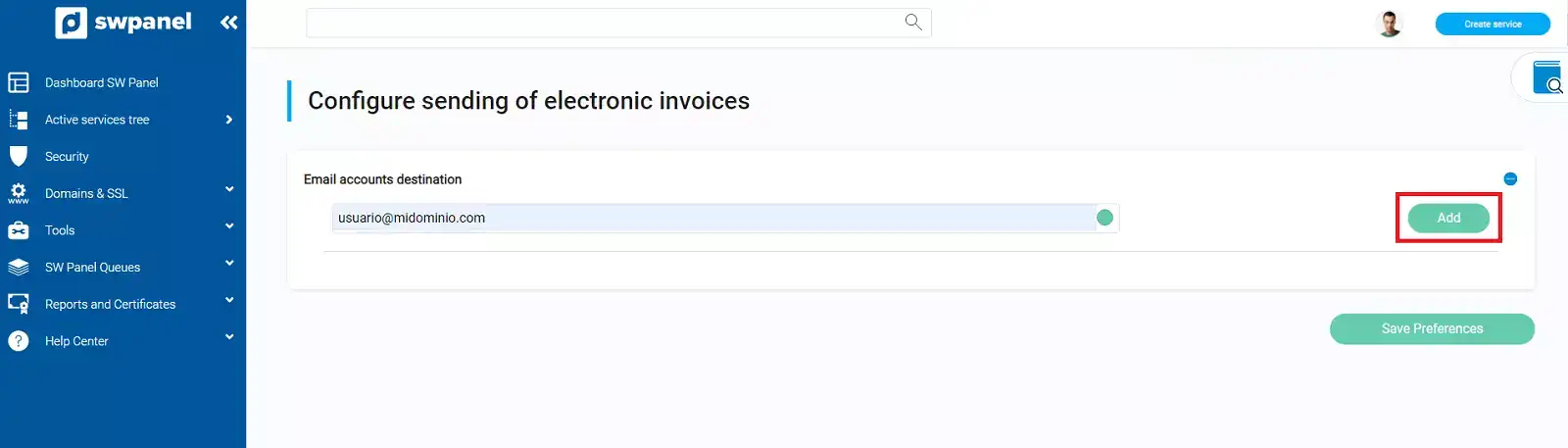
Note: The screenshot is for guidance, taken from version 2026.001.0026 dated 03/05/2026. It may differ from the current version of SWPanel.
Save settings
Once the address has been added:
- Click Save Preferences to confirm the changes.
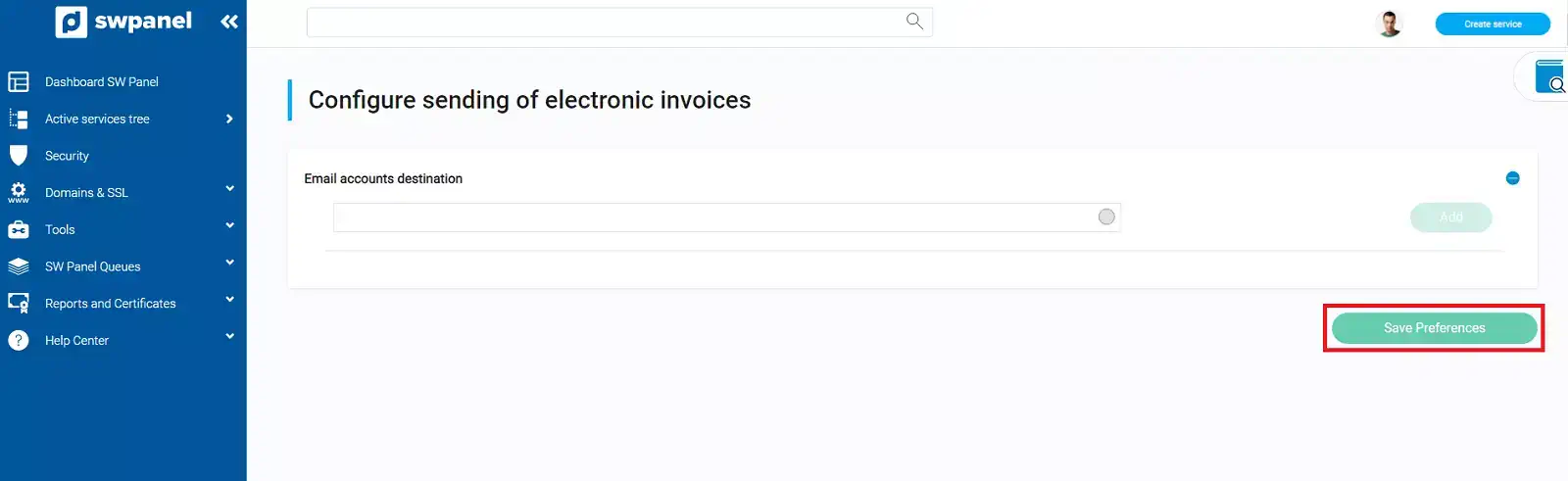
Note: The screenshot is for guidance, taken from version 2026.001.0026 dated 03/05/2026. It may differ from the current version of SWPanel.