
SEO · Work plan
What to do this week to gain rankings
The work plan orders tasks by weight, shows you where you can gain the most and checks days later that each change worked.
- In all three levels
- Fills up with Search Console
- Follow-up at 7, 14, 21 or 30 days
What it looks like
A work plan that updates itself
Work plan
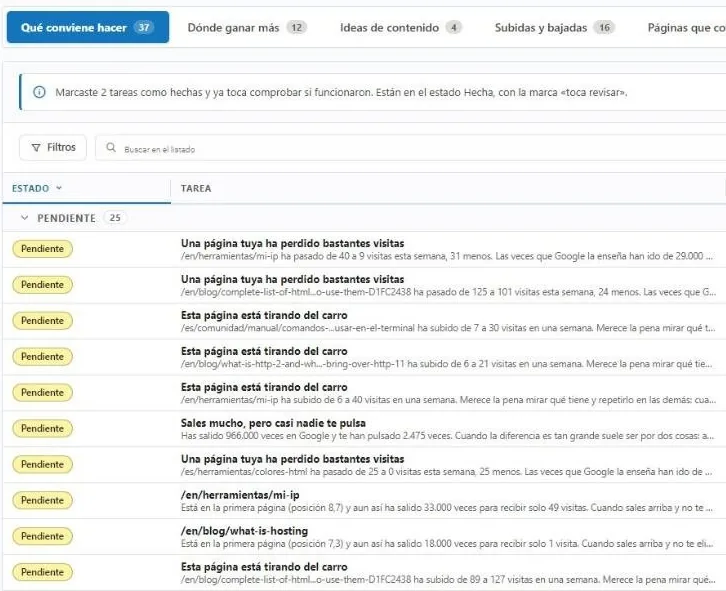
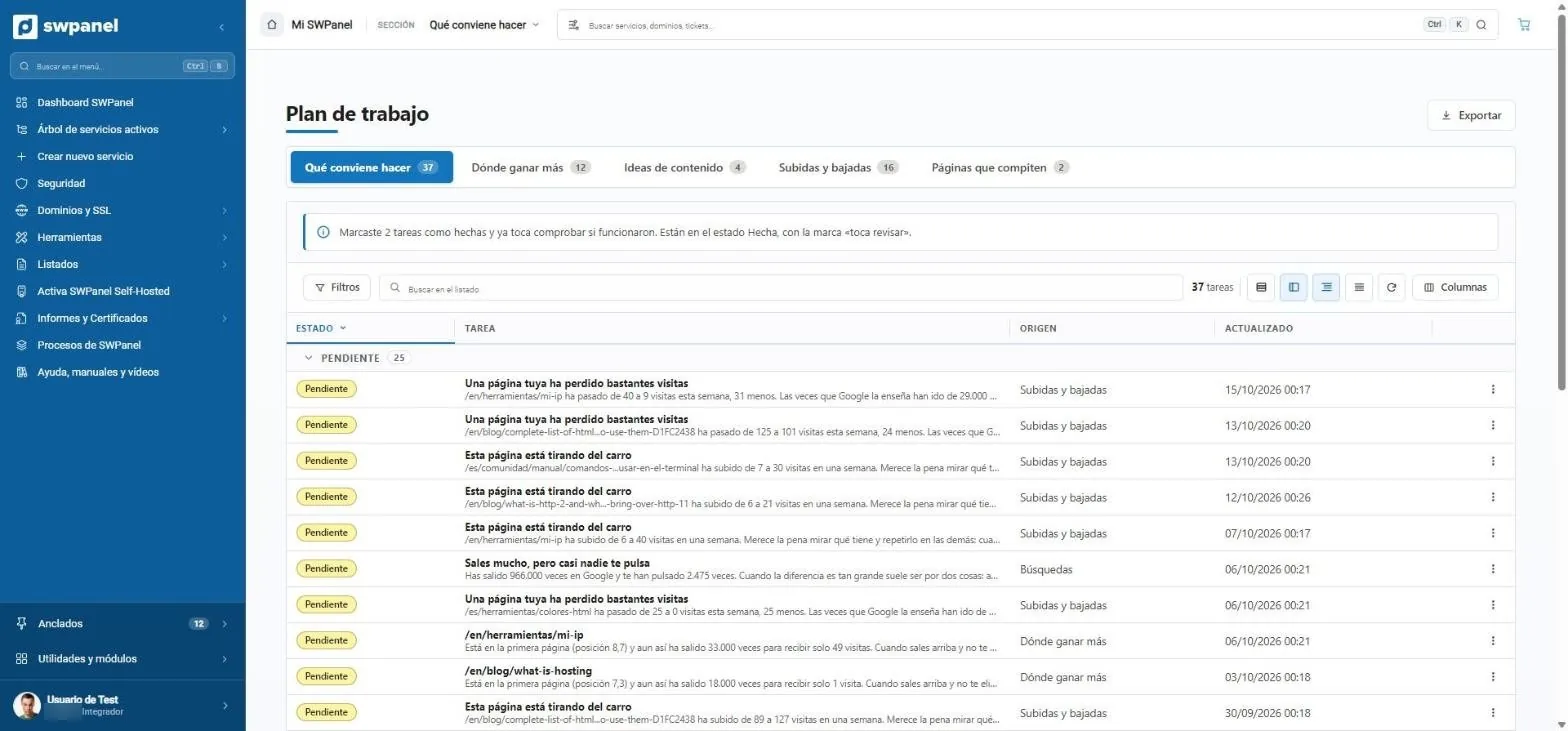
37 tasks, with their source and status
Pending, in progress, done or “needs review”. When you mark a task as done, the plan returns to it after a few days to check whether the fix worked.
- What to do, where to gain the most, content ideas
- Rises and drops in visits per page
- Pages competing for the same search
- What to do, where to gain the most, content ideas, rises and drops and competing pages.
- Follow-up: what you marked as done comes back to be checked.
- Tasks in plain language: “one of your pages has lost quite a few visits”.
- “You show up a lot, but almost nobody clicks you”: 966,000 impressions and 2,475 clicks.
- Where each task comes from.
Five tabs
Everything to be done, in order
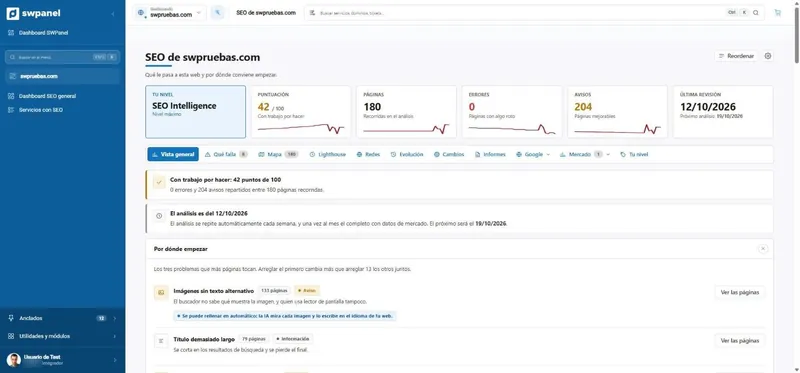
The work plan is in all three levels, but almost everything is fed by Google Search Console: it truly fills up with Intelligence.
What to do
Tasks ordered by weight, each with its fix.
Where to gain more
The searches with the most potential for your website.
Content ideas
Searches where you stay on the second page.
Rises and drops
Pages and searches that gain or lose.
Competing pages
Your own pages that take rankings away from each other.
Evolution
Timeline of analyses and actions.
Verification
Marking as done doesn't close the task
When you mark a task as done, SWPanel looks at it again after 7, 14, 21 or 30 days depending on the type, to check that it worked.
-
Choose the task
The heaviest ones first.
-
Apply the fix
By hand or with the AI's proposal.
-
Mark it as done
It stays in the website's evolution.
-
It's checked
After 7, 14, 21 or 30 days, depending on the type.
On video
The work plan, in action
On video · 34 seconds
The SEO of your whole portfolio
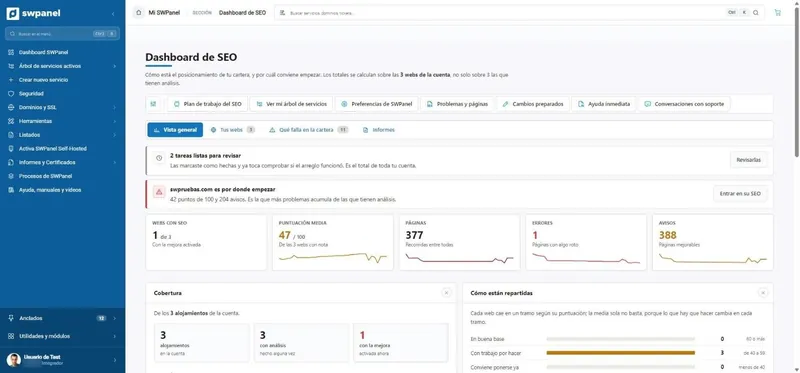
The SEO dashboard with all your websites, what's failing added up across all of them and the work plan with tasks in plain language and their follow-up.
- How it works
- All your websites, at a glance
- Which website to start with
- What's failing in the portfolio
- Template problems
- Work plan tasks
- Where to gain the most and content ideas
- Follow-up of what's been done
Try it with your own services
Create your free account and connect a server or a hosting plan. No card and nothing to install.