
Security bulletin
Today's vulnerabilities, with your services included
SWPanel's SOC publishes an alert for each important vulnerability in the software your services use. Each one tells you whether it affects you, explains it without jargon and separates what SWPanel does from what you have to do.
- Paid per service
- Configured from SWPanel
- Cancels at the end of the paid period
- 8 Sections per alert from “easy explanation” to references
- CVE With its CVSS severity and its date, on every alert
- Affects you Cross-checked with your services and what to do on each one
- 3 Ways to apply it without asking, asking or just notifying
How it works
From the vulnerability to your service
SWPanel's SOC monitors vulnerabilities in the software your services use and tells you only when it matters.
-
Publishes
One alert per important vulnerability, with its CVEs and severity.
-
Cross-checks
It compares it with your services and tells you whether it affects you.
-
Explains
What happened, why it matters and what to do, in plain language.
-
Fixes
SWPanel applies it on its servers, or the autopilot does according to your criteria.
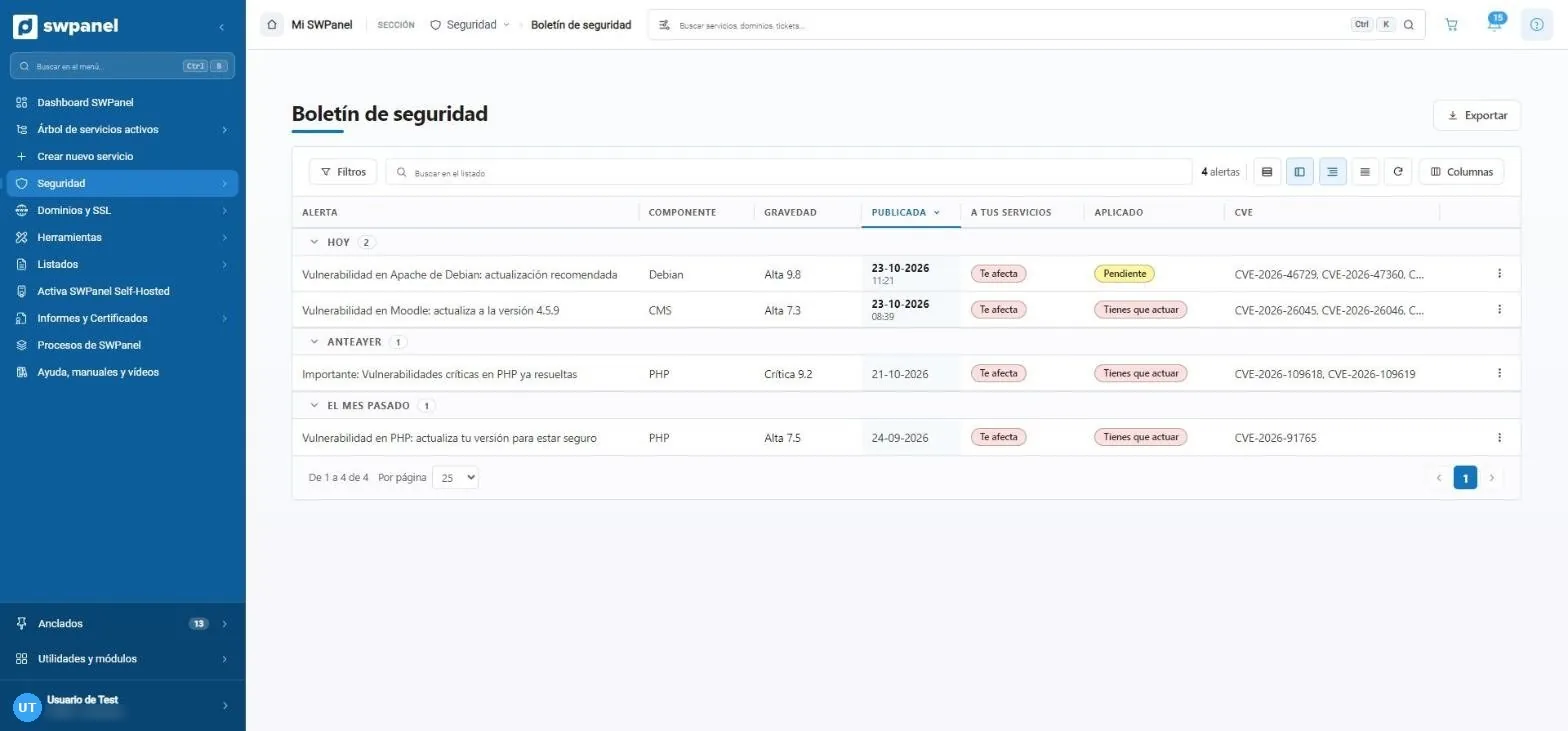
- One alert per important vulnerability, published by SWPanel's SOC.
- The component: Debian, PHP, a CMS...
- The severity, with its CVSS score.
- Affects you: cross-checked with your services.
- Applied: pending or you have to act.
- Export the list.
An alert
Everything you need, in eight sections
It starts with the easy part and ends with the references. At the top, always, your affected services.
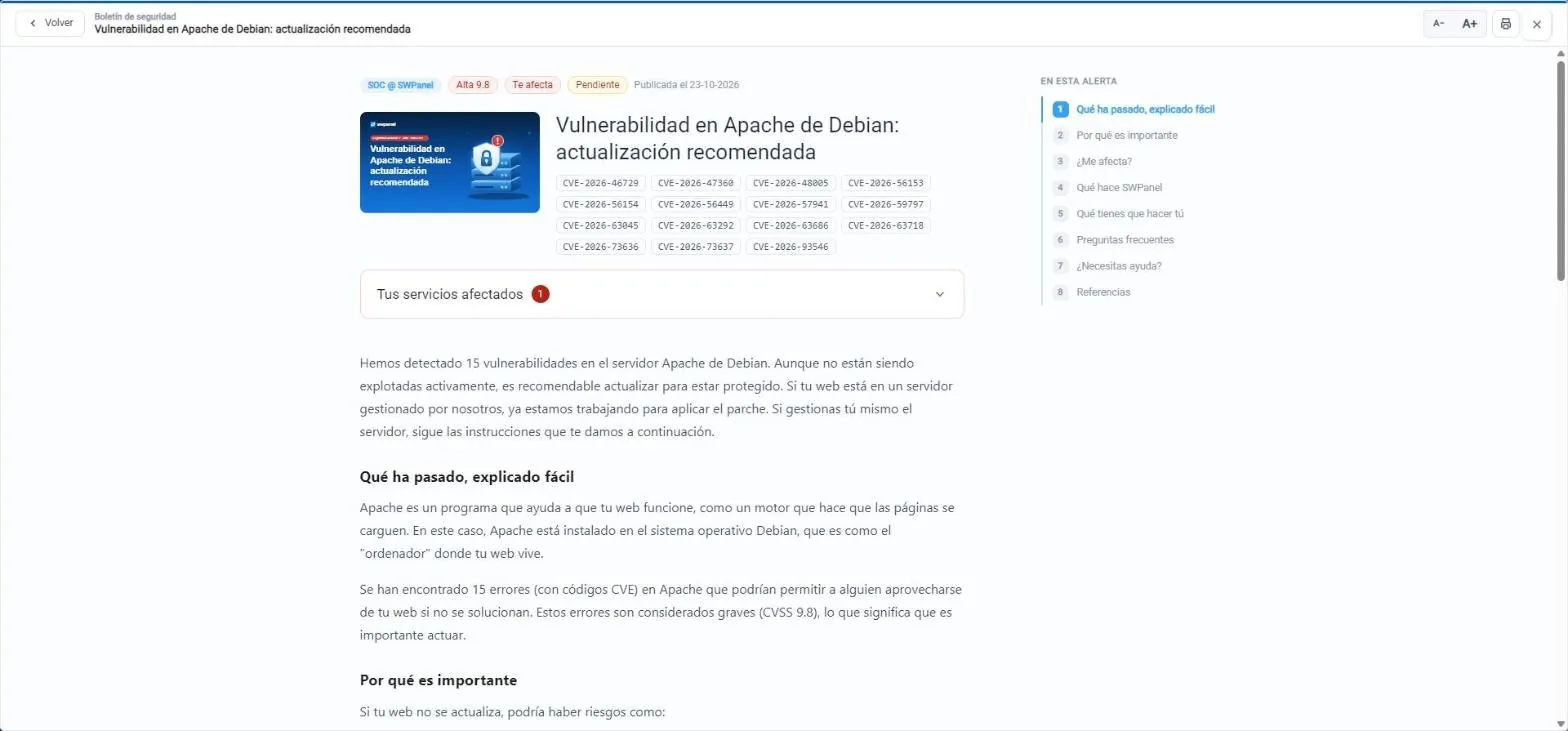
- Published by SWPanel's SOC, with severity and whether it affects you.
- All the CVEs in the alert.
- Your affected services, with what to do on each one.
- Eight sections, from “easy explanation” to references.
- Easy explanation, no jargon.
- Larger text and print.
- What happened, explained simply No jargon, so the website owner can understand it.
- Why it matters The risks if it isn't fixed.
- Does it affect me? The affected versions and how to check yours.
- What SWPanel does What the SWPanel team is already doing.
- What you have to do The steps, from backup to verification.
- Frequently asked questions Whether it costs anything, whether the website could break...
- Need help? Open a ticket from SWPanel.
- References The CVE at the official source.
Your services
What to do on each one
The same alert doesn't ask the same of a Cloud managed by SWPanel as of a website with its own CMS.
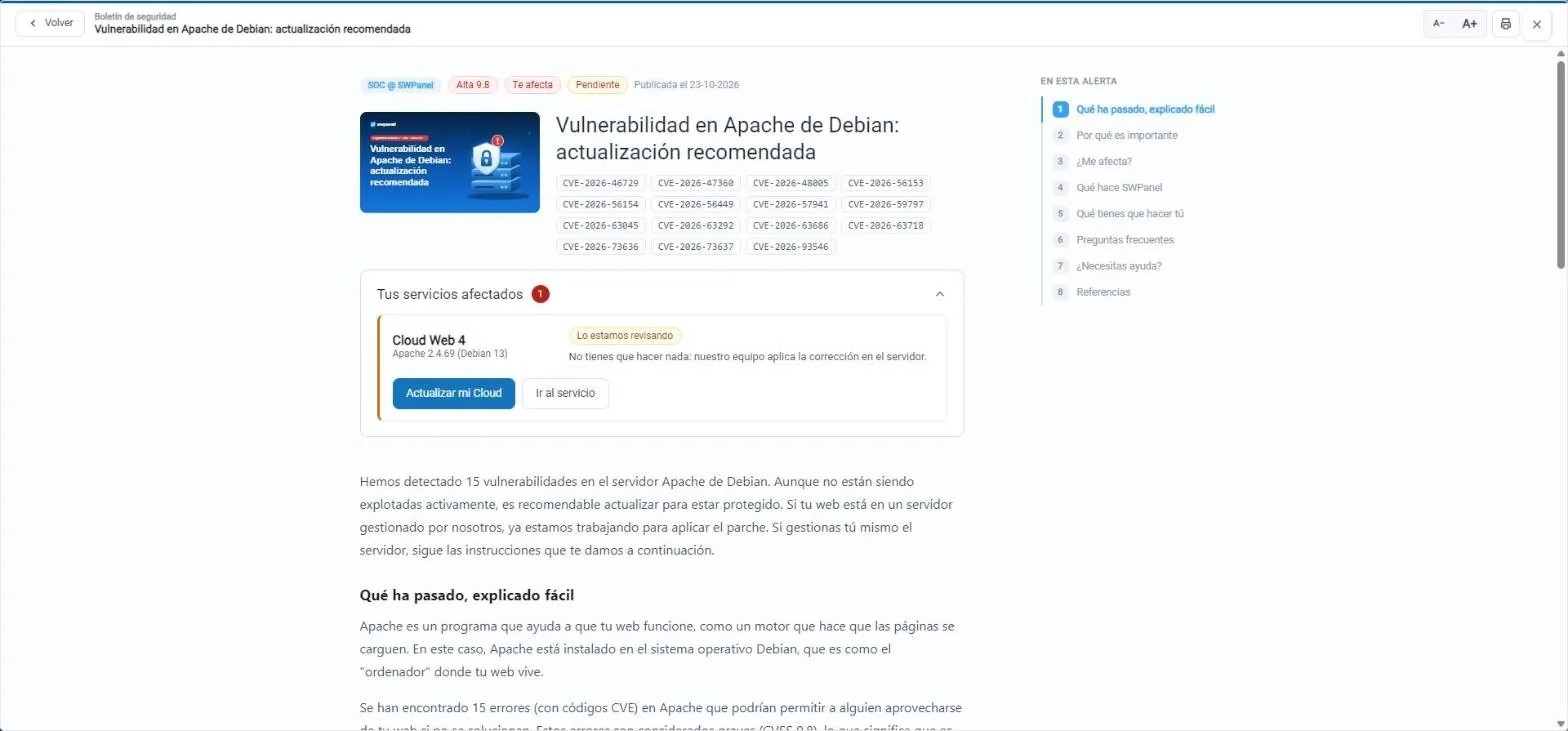
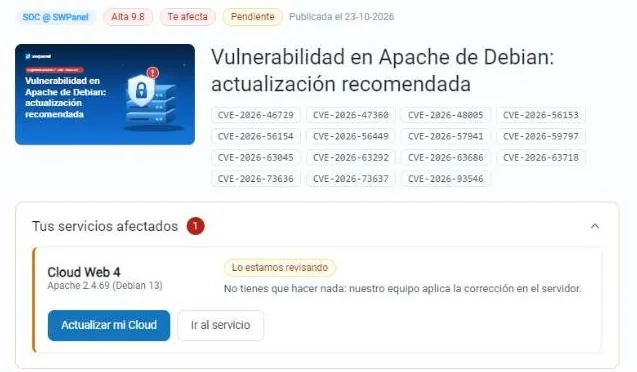
- The affected service and the version it has.
- We're reviewing it: the SWPanel team applies the fix on the server.
- Update your Cloud from the alert itself.
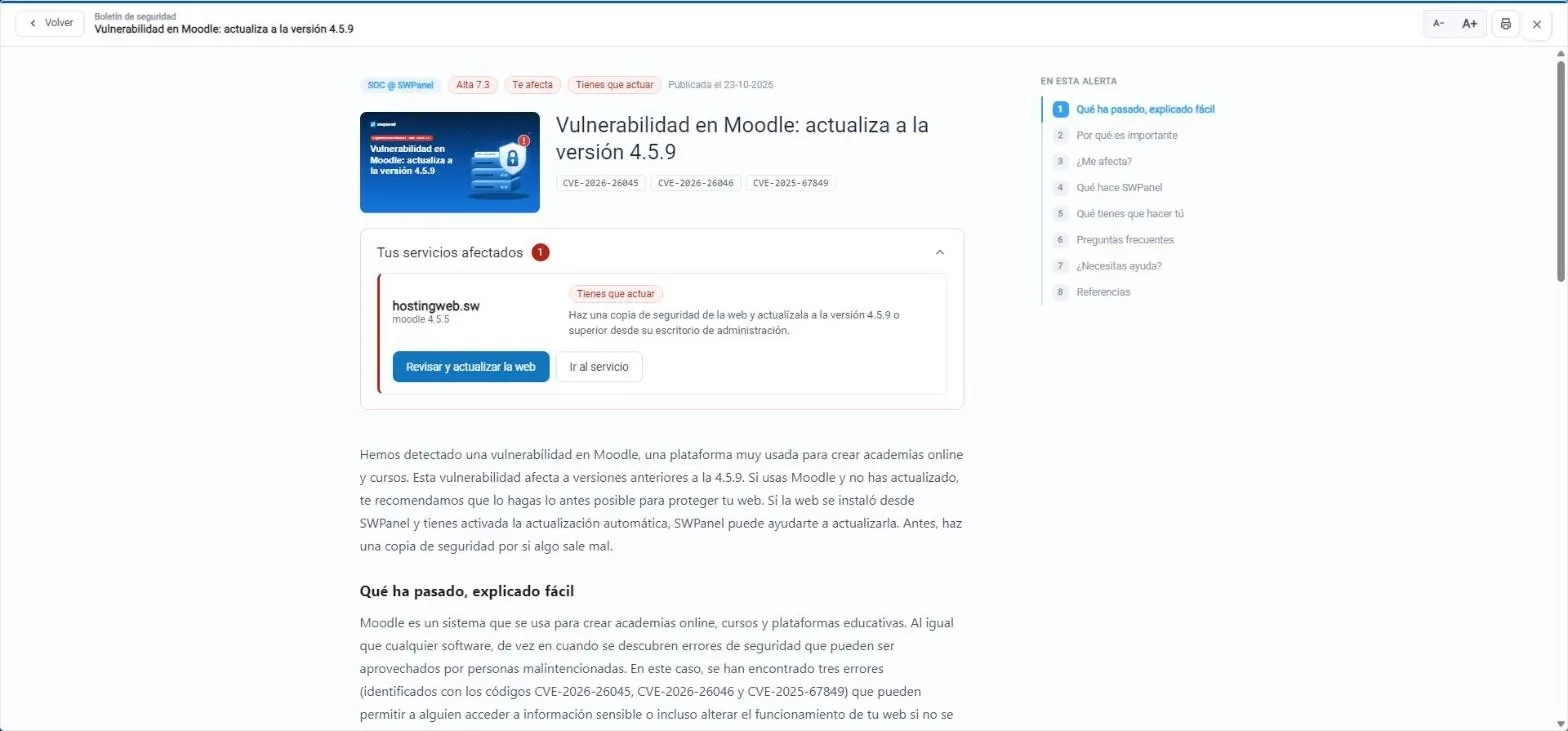
- The affected website and its Moodle version.
- You have to act: backup and update to 4.5.9.
- Review and update the website from SWPanel.
The fix is under way. On servers managed by SWPanel, the team applies it: you don't need to do anything.
The change is yours, for example updating your website's CMS. The alert gives you the steps and the button to do it from SWPanel.
SWPanel has already resolved it on its servers. The alert stays in the Bulletin as a record.
With the autopilot
Have it applied without you logging in
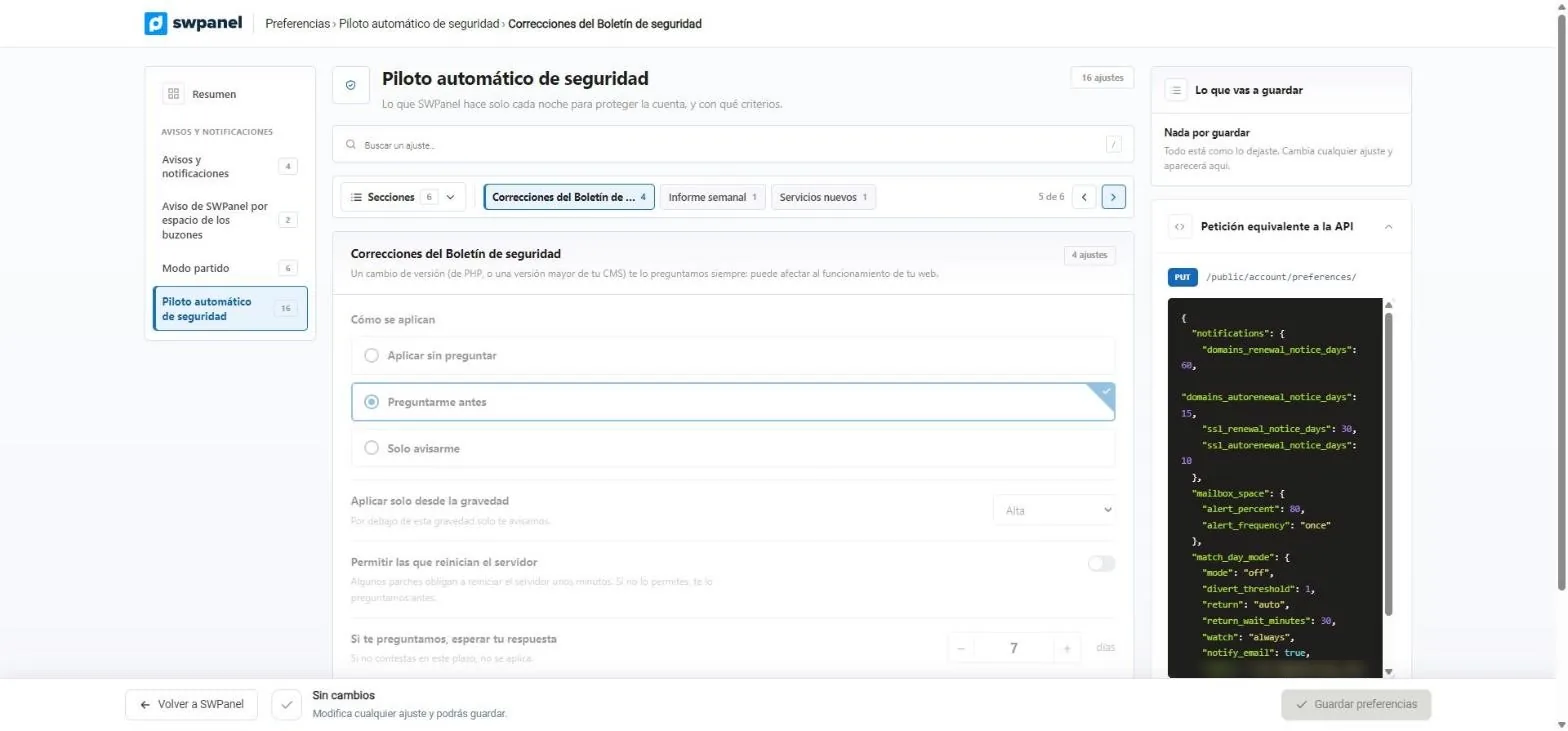
In the security autopilot you decide what SWPanel does when an alert affects your services.
Bulletin fixes
You set the criteria, the autopilot follows them
Choose how they're applied, from what severity and whether you allow those that restart the server for a few minutes. If you choose to be asked, it waits for your answer for the days you set; if you don't answer, it isn't applied.
- Apply without asking, ask me first or only notify me
- Only from the severity you choose
- A PHP version change or a major version of your CMS is always asked about first
- Apply without asking.
- Ask me first.
- Only notify me.
- Only from the severity you choose.
- Those that restart the server, only if you allow them.
- If it asks you, how many days it waits for your answer.
On the dashboard
The Bulletin, next to your account score
The security dashboard has its Bulletin tab, with the status of each alert across your services.
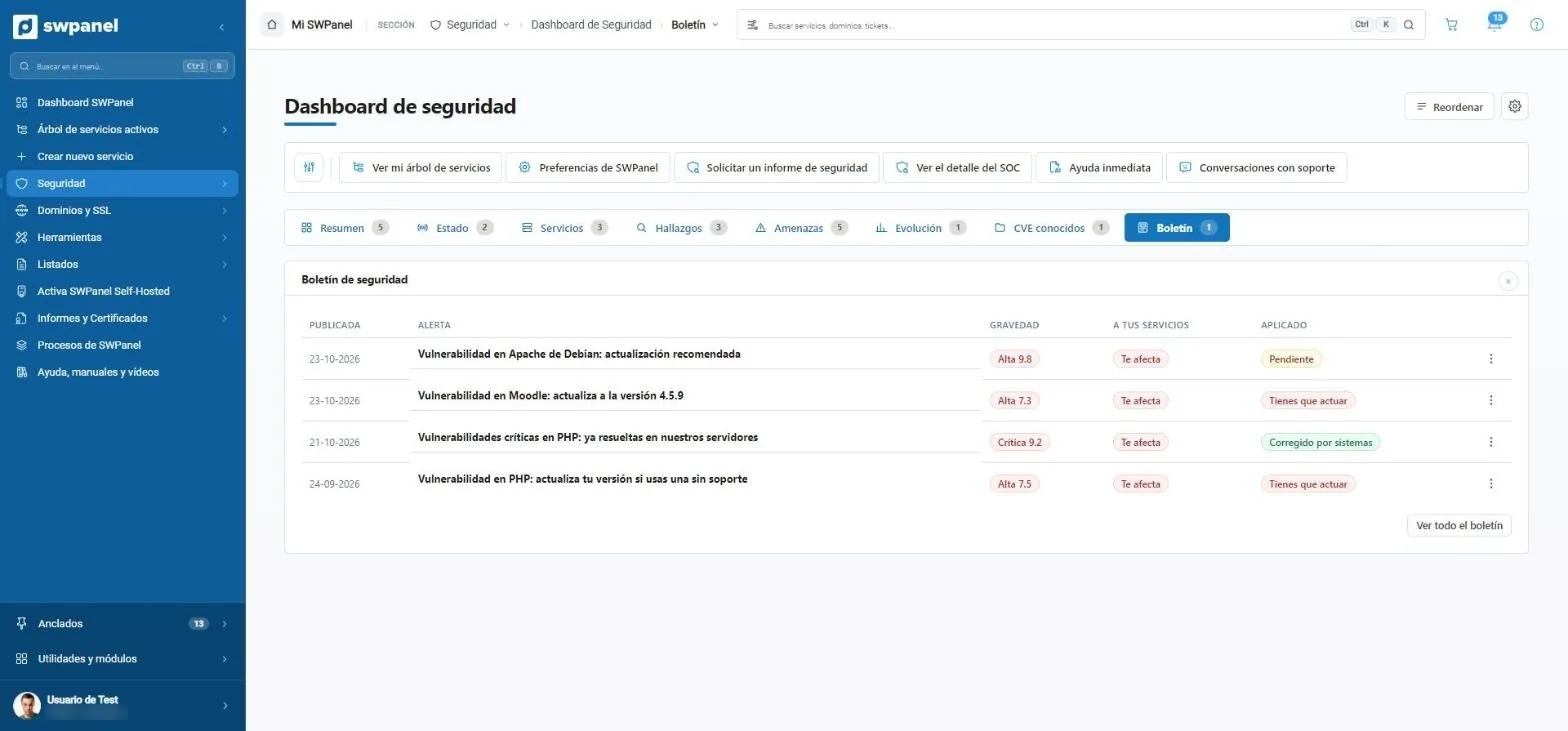
- Pending: the fix is under way.
- You have to act: the change is yours.
- Fixed by systems: SWPanel has already resolved it on its servers.
- The Bulletin, also on the security dashboard.
Questions about an alert? Ask Instant Help: it explains the alert, tells you whether it affects your services and what to do.
Frequently asked questions
Questions about the security bulletin
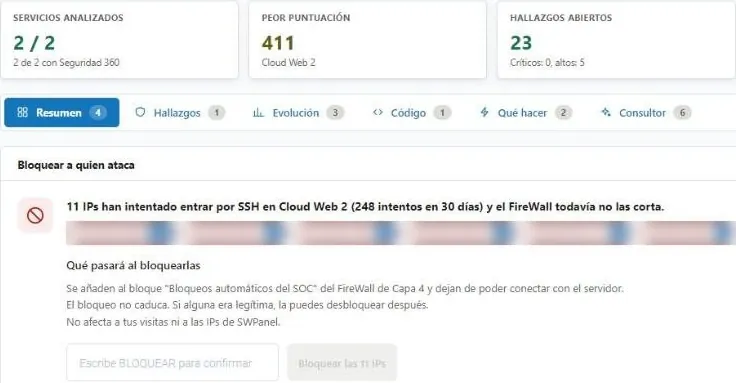
Protect your services with Security 360
Add Security 360 to each hosting (€9.75) or Cloud and server (€119.95) you want to protect.