
Hosting templates
Your hosting plans, in a template
Define once which servers each part goes on, what the plan includes, which upgrades your customer can enable, its PHP and its resources. Every hosting you create with it is born the same and already distributed across your servers.
- Web, email, DB and DNS, separated automatically
- Complete plan definitions
- Check before changing


Illustration. Names, domains and figures are examples.
- Automatic separation Each new plan sends its website, email, databases and DNS to the servers you set.
- Repeatable plans Same limits, same upgrades and same PHP on every hosting, without configuring it by hand.
- Changes without surprises If the template is already in use, SWPanel checks before saving that no plan stops working.
- 5 Servers per plan web, email, DB and two DNS
- 9 Definition groups from space to websites
- 13 Improvements that your customer can enable
- 1 click To check before changing a template in use
What a template contains
Five blocks, one complete plan
It is created in this order, each block in its own step. If you're missing a parameters or resources template, you create it without leaving.
-
Servers
Where each part of the plans you create with it goes. Only the website is mandatory.
- Website
- Databases
- Primary DNS
- Secondary DNS
-
Parameters
What the plan includes: space, traffic, mailboxes, databases, DNS and more.
- Space and traffic
- FTP
- Databases
- DNS
- Crons
- Inodes
- Childs
- Websites
-
Improvements
What the owner of each hosting will be able to enable to improve their service.
- Countries and bots
- SSL and HSTS
- SSH
- Cache
- Cloudflare
- Snapshots
-
PHP
The version that starts by default and whether the user can change it.
- Default version
- Change by the user
-
Resources
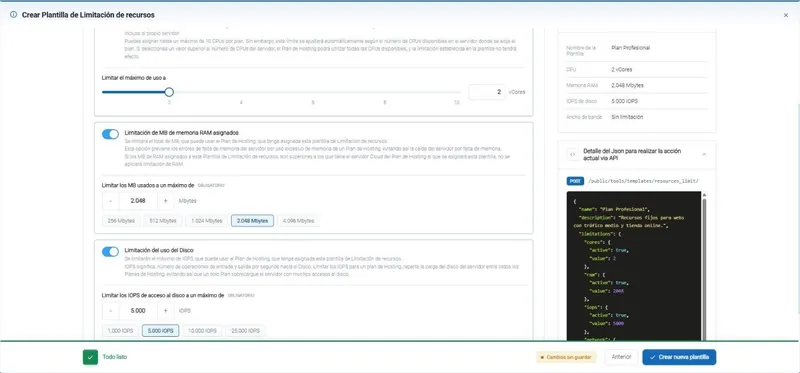
How much CPU, memory, disk and network each plan is guaranteed.
- CPU
- RAM
- Disk IOPS
- Network
Automatic separation
Each part, to its server, on its own
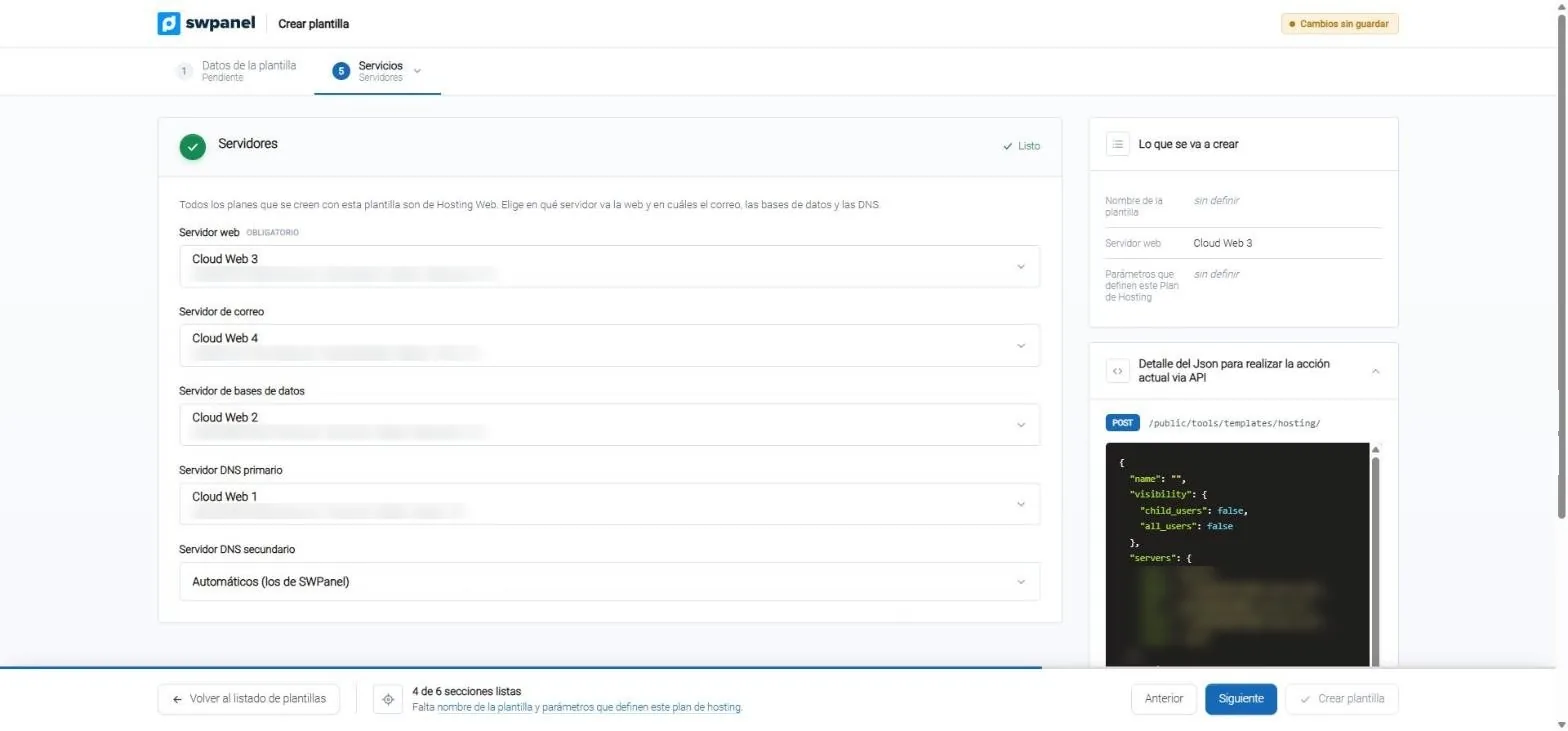
The template sets where the website, email, databases and the two DNS go. This way each new hosting is born distributed, without deciding it every time.
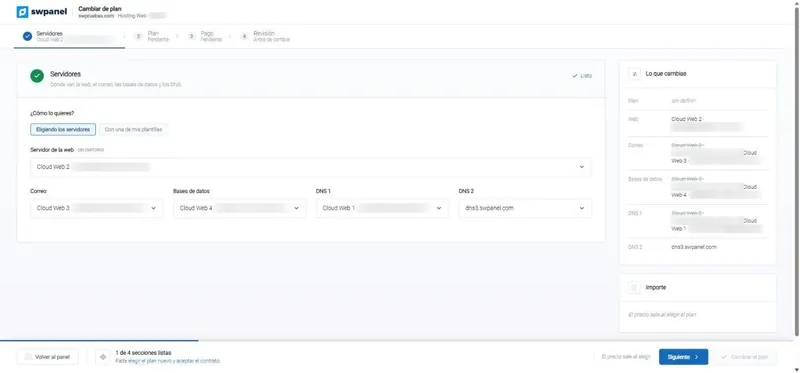
Servers
One server for each thing
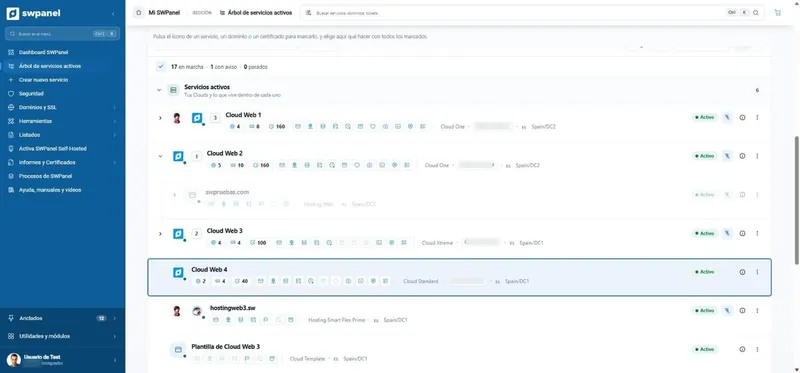
All plans in the template are Web Hosting. You choose which server the website goes on and which ones host email, databases and DNS. To change the distribution of an existing hosting, you have separate services and drag and migrate.
- You spread the load: email and databases don't compete with the website
- Each server tuned for its job
- Plans without email or without databases, if you don't need them
- The website, on the server you choose. It's the only mandatory one.
- Email and databases, on other servers, or without them.
- The two DNS, on your servers or SWPanel's.
- What will be created, summarized on the right.
- The call's JSON, to do the same through the API.
Features and definitions
Everything that defines a plan
The parameters template sets how much each hosting can have. Almost all counts accept “unlimited”.
Space and traffic
- Disk space
- The plan's MB, or no limit.
- Traffic
- A maximum, or unlimited.
- Hard quotas
- The customer cannot exceed the assigned space.
- Web statistics
- Allows enabling AWStats if the server has it.
- Accounts
- How many mailboxes it can create.
- Size of each mailbox
- The maximum and the default, with a hard quota if you want.
- Antivirus and AntiSpam
- Whether the customer can enable and disable them.
- Aliases, lists and “catch all”
- Aliases per account, distribution lists, accounts per list and a mailbox for what has no owner.
Databases and FTP
- Databases
- How many and of what maximum size.
- Users and connections
- Database users and simultaneous connections per user.
- FTP accounts
- How many the plan can create.
DNS
- DNS management
- Whether the plan manages its own zones.
- Records per zone
- The maximum number of records in each zone.
- Delegation
- Delegates the zones to the DNS assigned when creating the service.
Crons, inodes and childs
- Crons
- How many scheduled tasks it can have.
- Inodes
- How many files and folders it can store.
- Childs
- How many Apache processes it can open at once.
Websites
- Several sites
- Whether the plan can host more than one website.
- Hosting aliases and vHosts
- How many extra domains and sites the plan supports.
Available upgrades
What your customer will be able to enable
One switch per upgrade. What you enable in the template appears available on every hosting that comes from it.
Service security
- Traffic blocking by country
- Blocking of bots and crawlers
SSL and certificates
- HTTPS and SSL certificate
- Forced HTTPS redirect
- Forced HTTPS (HSTS)
- Email TLS certificate
Server access
- SSH / CHRoot access<small>Console confined to its own directory.</small>
Acceleration and CDN
- Smart Hosting+ with Memcached<small>If the server has it.</small>
- Cloudflare<small>With the domain in your SWPanel portfolio.</small>
Data retention
- Website export
- Scheduled export
- Snapshots
- Scheduled snapshots
In SWPanel
Create a template, screen by screen
Real SWPanel 2027 screenshots with a test account.
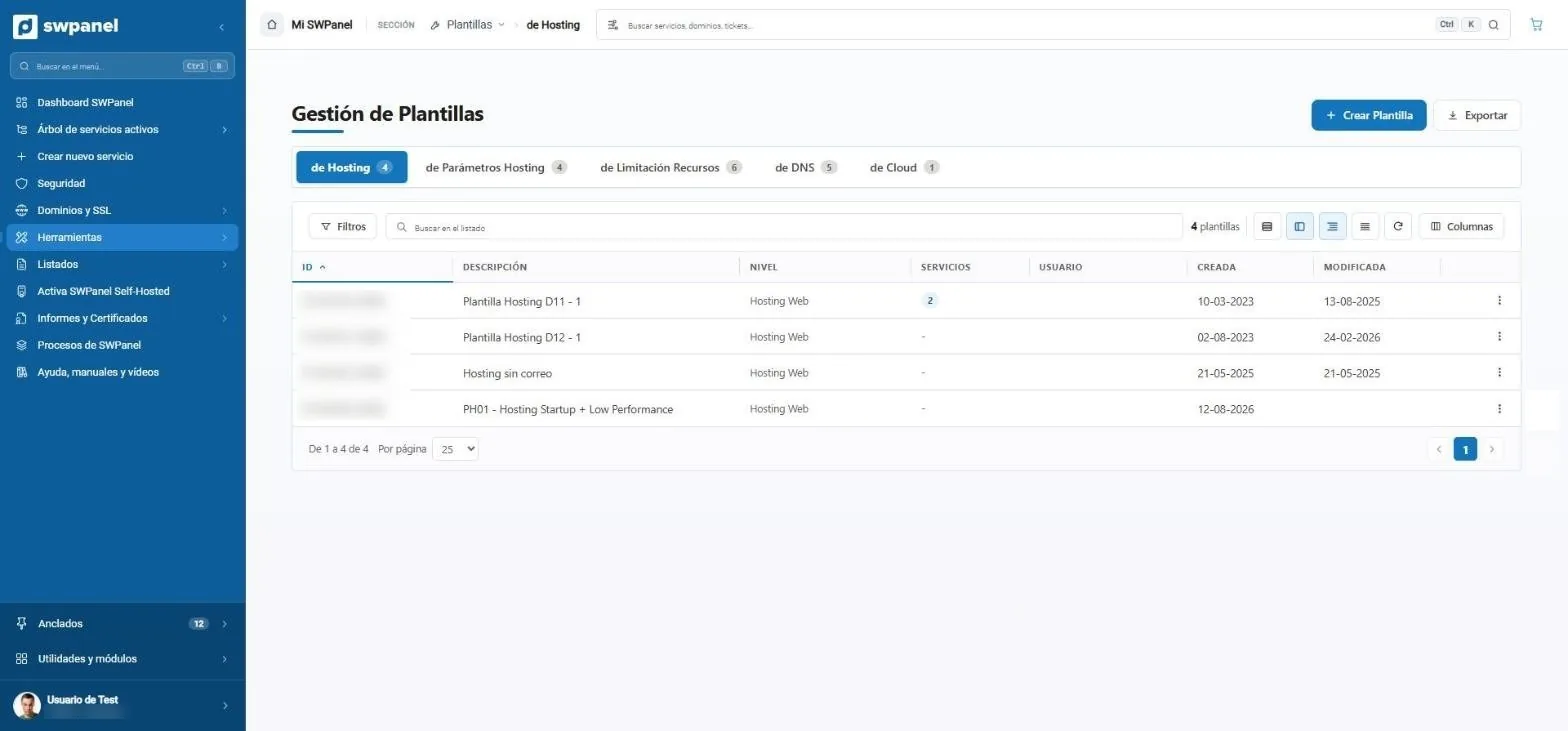
- Five template types: hosting, parameters, resource limitation, DNS and Cloud.
- How many plans come from each template.
- Create template, step by step.
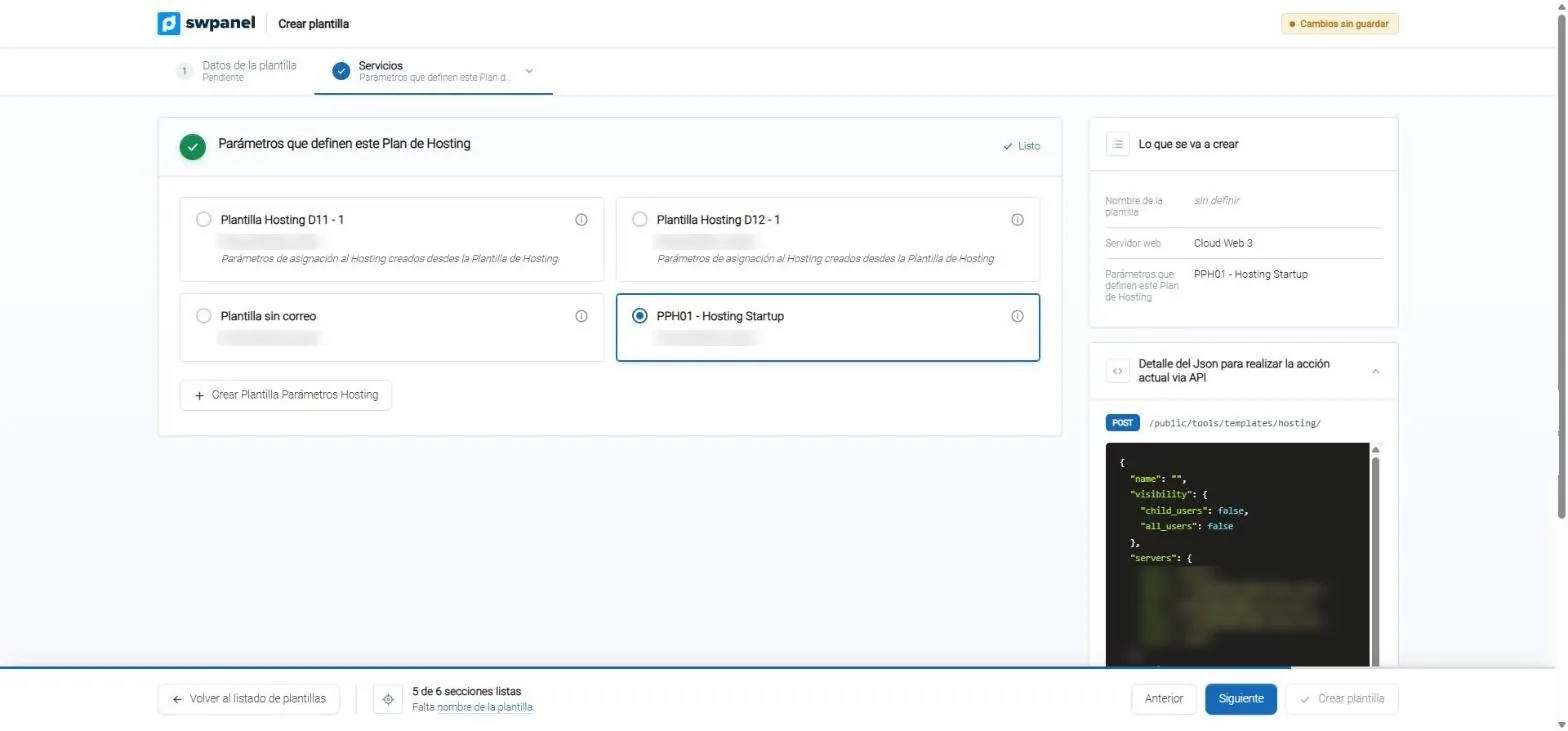
- What the plan includes: you choose a parameters template.
- Info: all the detail, without leaving the screen.
- None suits you? You create it right here and it gets selected.
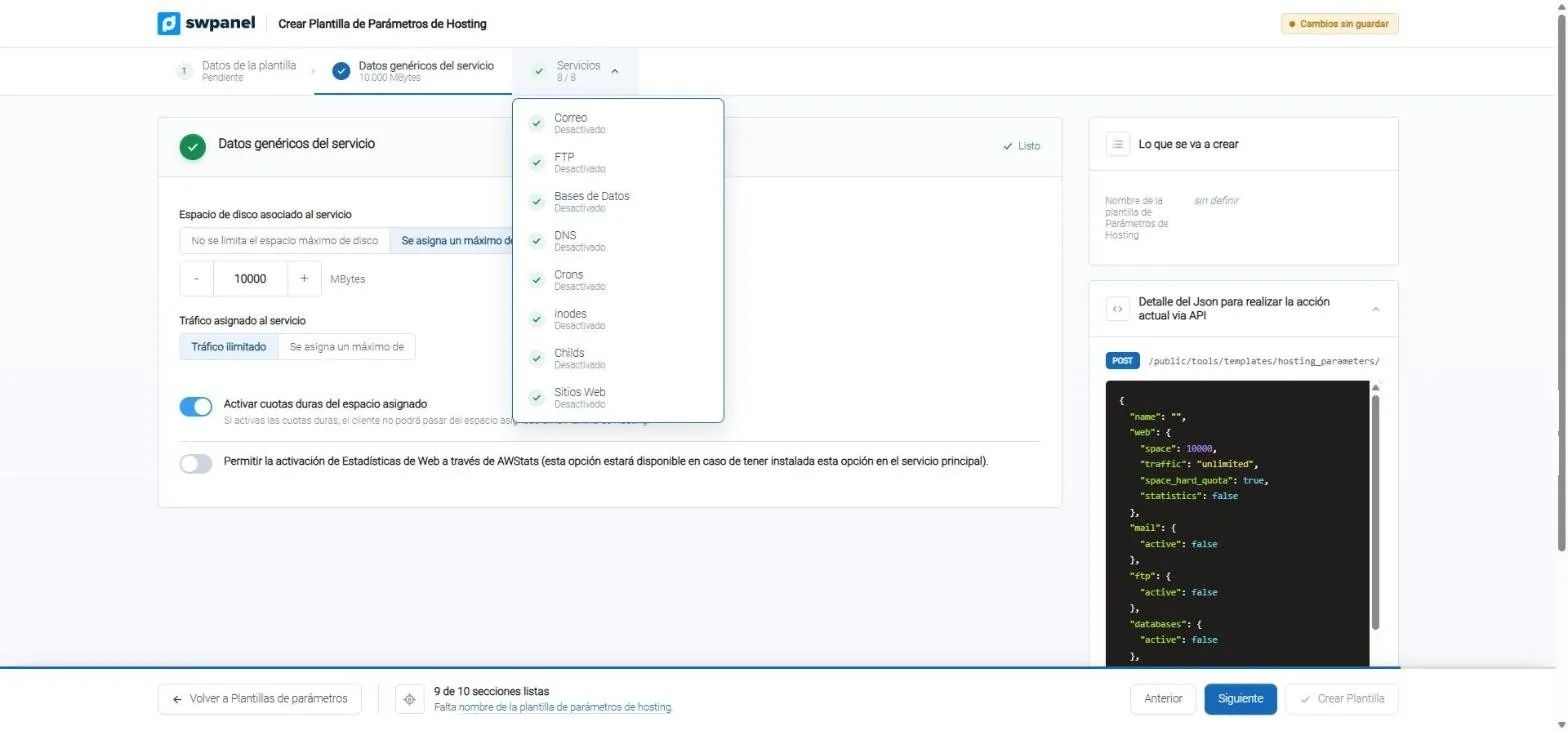
- Eight service sections: email, FTP, databases, DNS, crons, inodes, childs and websites.
- Space, with or without a limit, and with a hard quota.
- The same plan, in JSON, for the API.
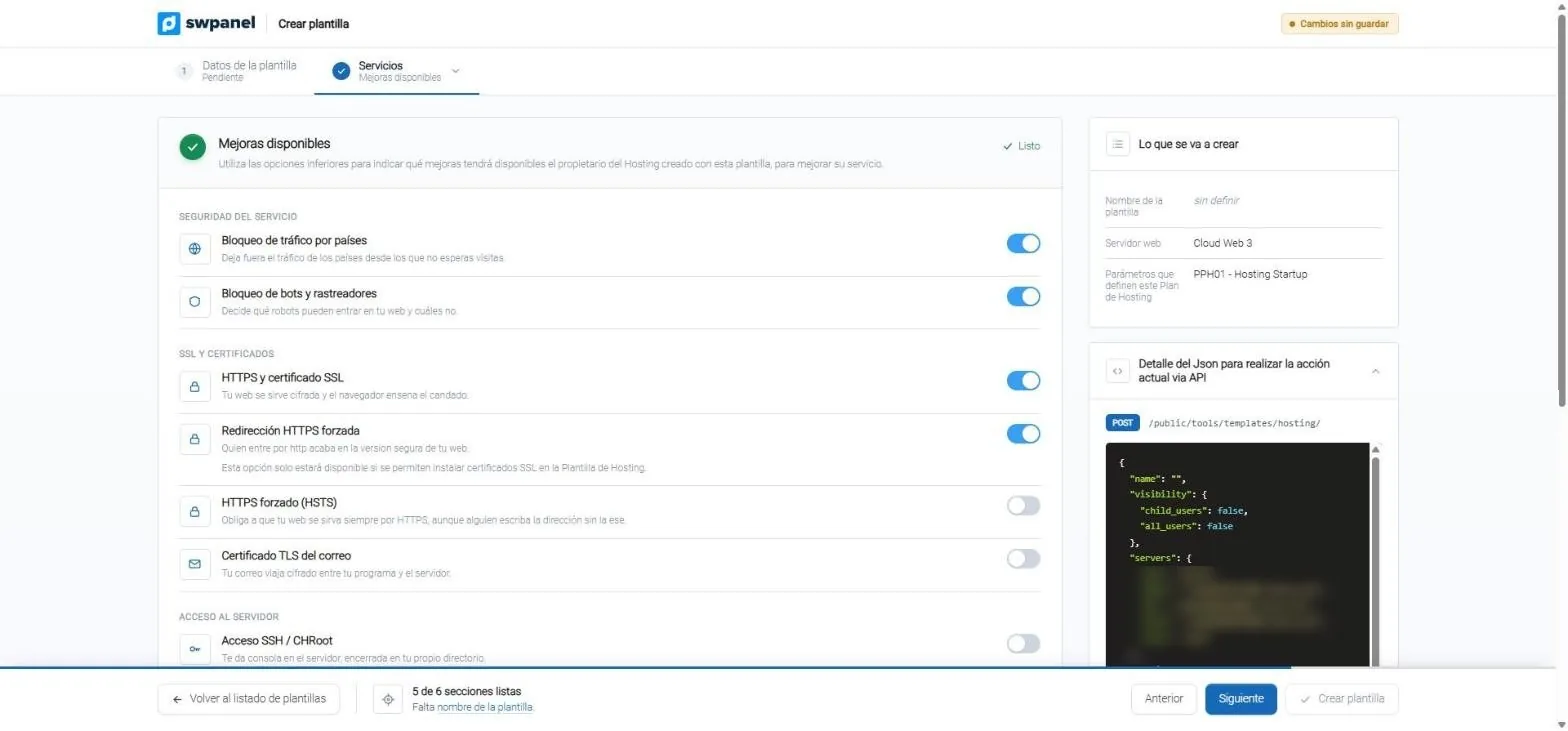
- Security: blocking by country and of bots.
- HTTPS, redirect, HSTS and email TLS.
- One switch per upgrade: what your customer will be able to enable.
- And further down: SSH, cache, Cloudflare, exports and snapshots.
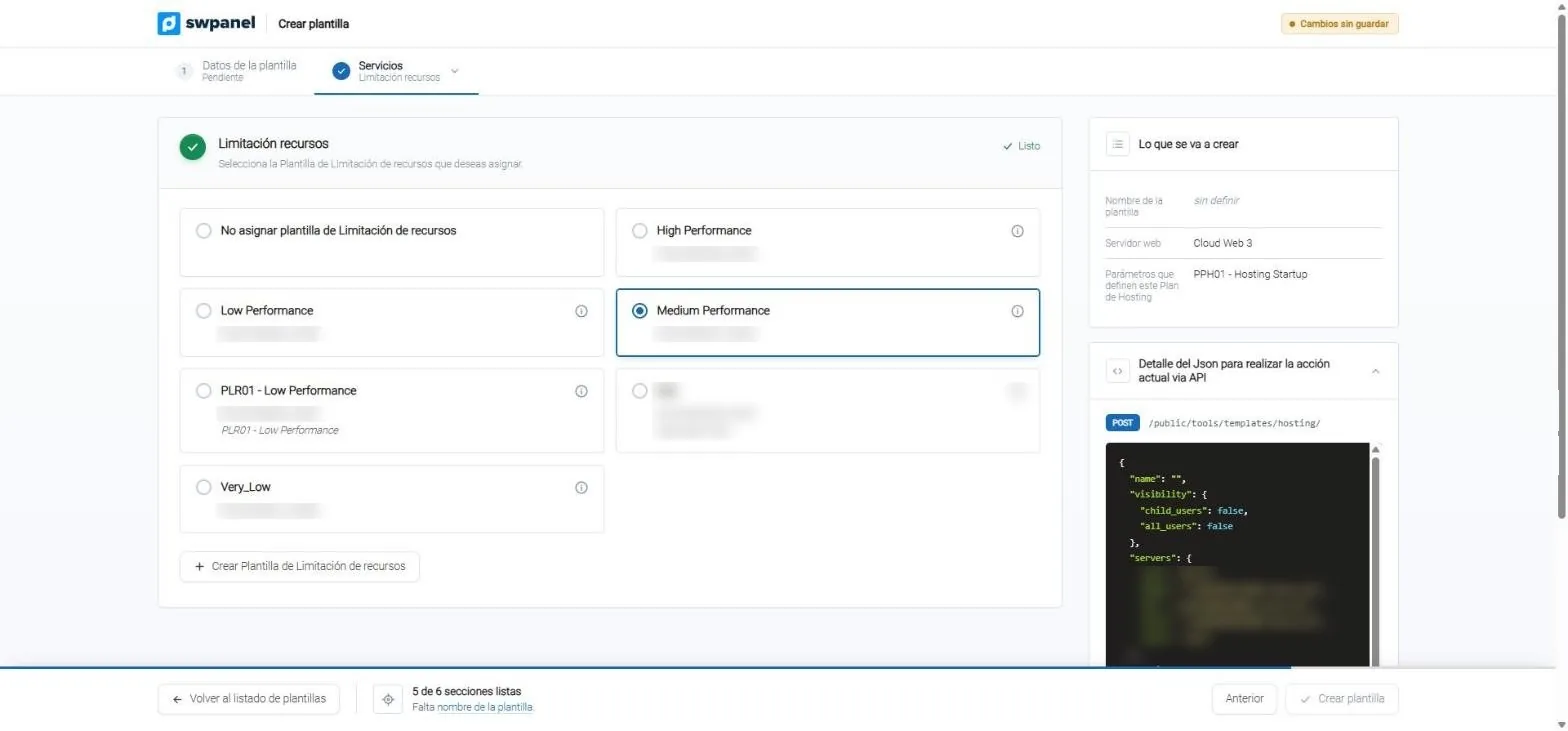
- The resource template that limits each plan.
- Or none, if the plan can use the whole server.
- Create it without leaving the hosting template.
Templates in use
Change a template without breaking plans
If plans have already come from the template, SWPanel tells you and won't let you save until it checks that the changes are compatible with all of them.
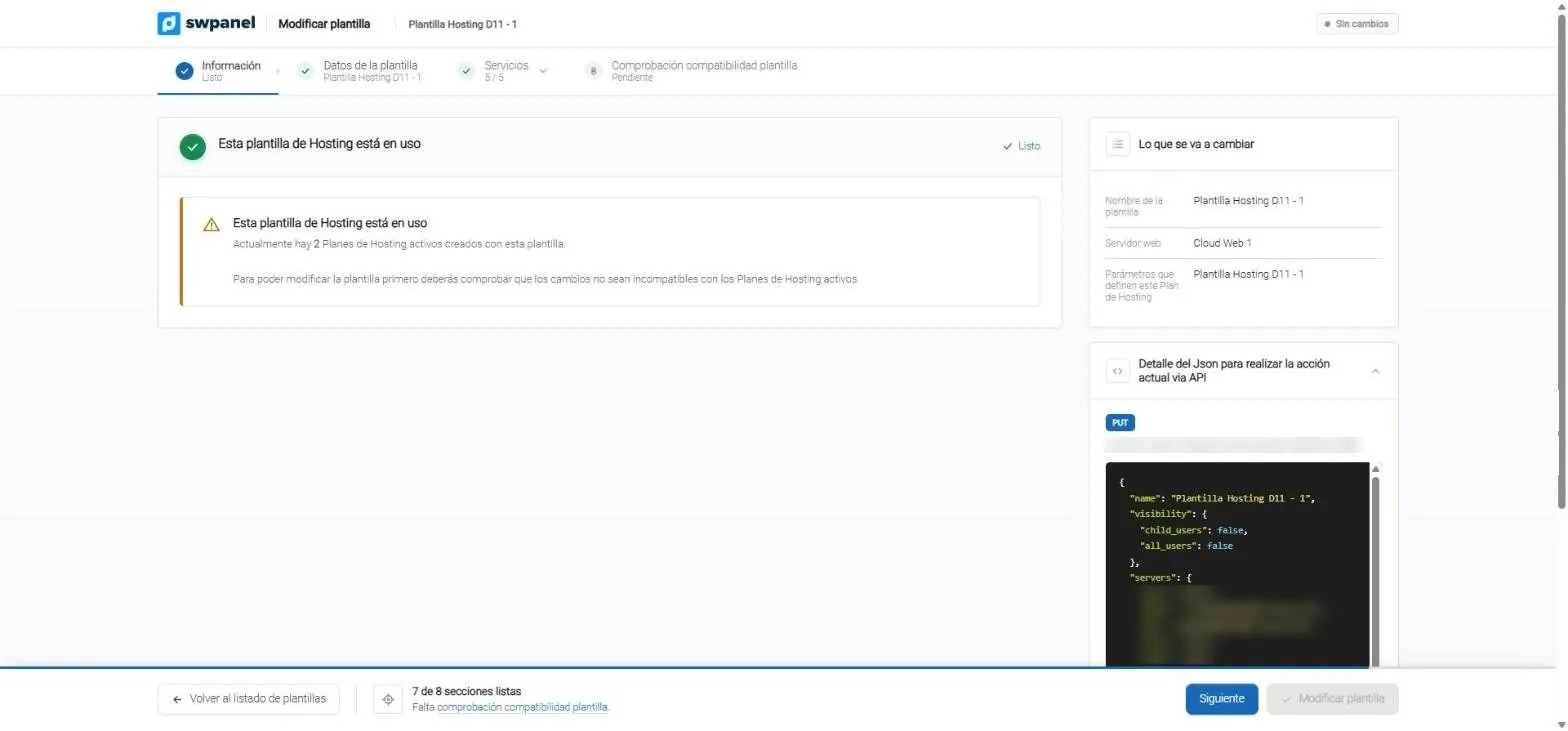
- Two active plans come from this template.
- Before saving, the compatibility check.
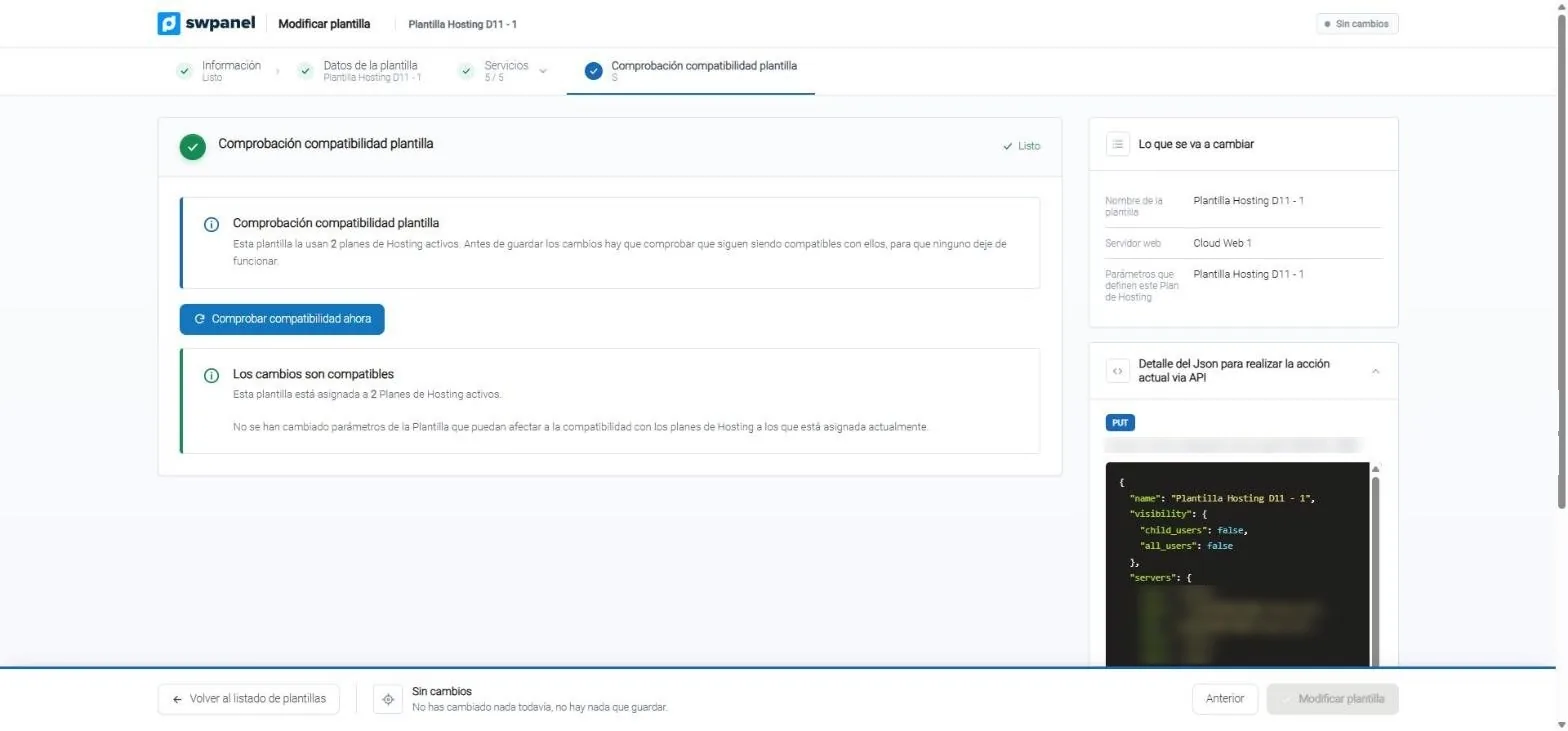
- One click and SWPanel checks it against the active plans.
- The changes are compatible: you can save now.
For teams and resellers
Your templates, where they're needed
For your child users
Make a template visible to the accounts that hang from yours, and everyone creates plans with your same rules.
Predefined or your own
When choosing resources you see SWPanel's predefined templates and your own, in two groups.
Also via API
Each screen shows the JSON of its API call, ready to copy into your automations.
Frequently asked questions
Questions about hosting templates
Your plans, in series and well distributed
Create your free account, connect your servers and define your hosting plans with their distribution, limits and upgrades.