
SOC · Only in Security 360
A SOC that reviews your services every day
No small team can read all the logs. SWPanel's SOC does it for you: it analyzes what happens in each service, cross-checks it with threat intelligence and leaves you clear findings with their solution.
- Security module enabled at no cost
- Configured from SWPanel
- Cancels at the end of the paid period
Inside the SOC
From “something looks off” to “here's what to do”
The SOC analyzes each service daily: reputation of the IPs visiting you, CVEs for what you have installed, code errors, email configuration and server behavior. This is what you see.
Summary
Five figures and a proposal
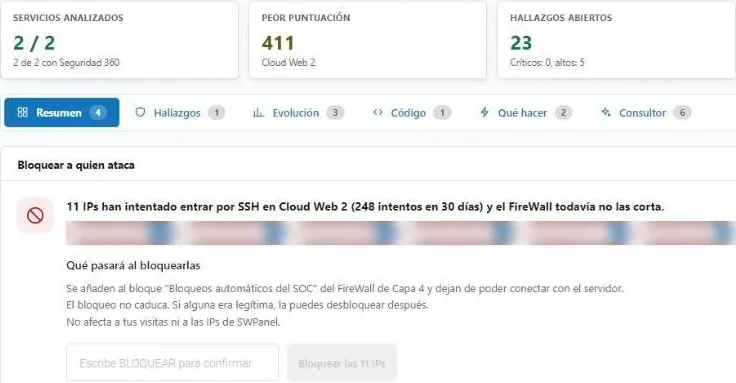
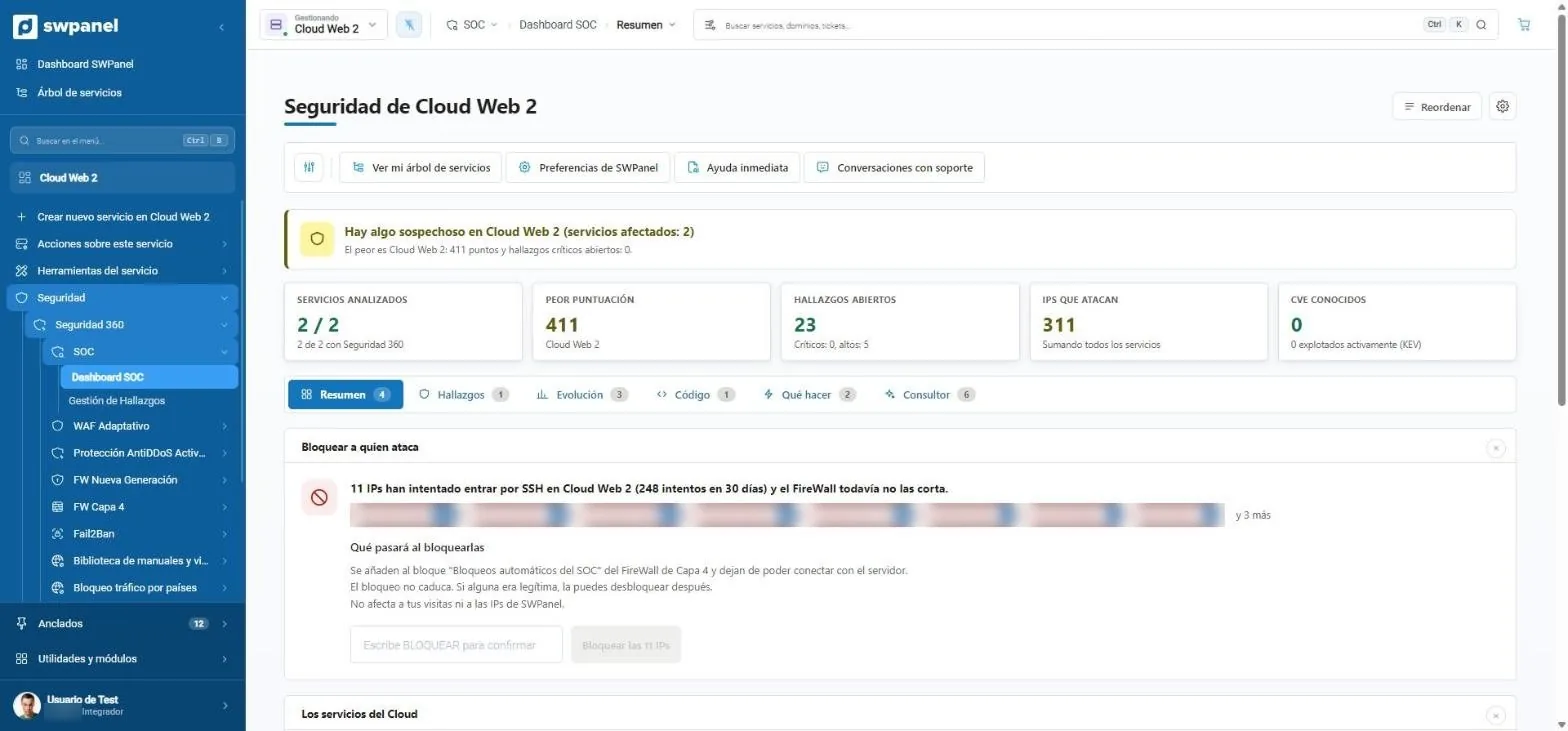
At the top, the status in one sentence. Below, the figures that matter and, if there are attackers the firewall doesn't cut off yet, the proposal to block them with what will happen when you do.
- Risk score per service, from 0 to thousands
- Attacking IPs across all services
- Known and actively exploited CVEs (KEV)
- A notice that summarizes the status: in order, suspicious or compromised.
- Five figures: services analyzed, worst score, findings, attacking IPs and CVEs.
- Six tabs: summary, findings, trends, code, what to do and consultant.
- Block whoever attacks: 11 IPs try to get in via SSH and the SOC proposes cutting them off.
- To act you type BLOCK. Nothing is applied by an absent-minded click.
SOC blocks are reversible: they're added to a dedicated firewall block and can be removed one by one.
Findings
Every problem, with where it is and how to solve it
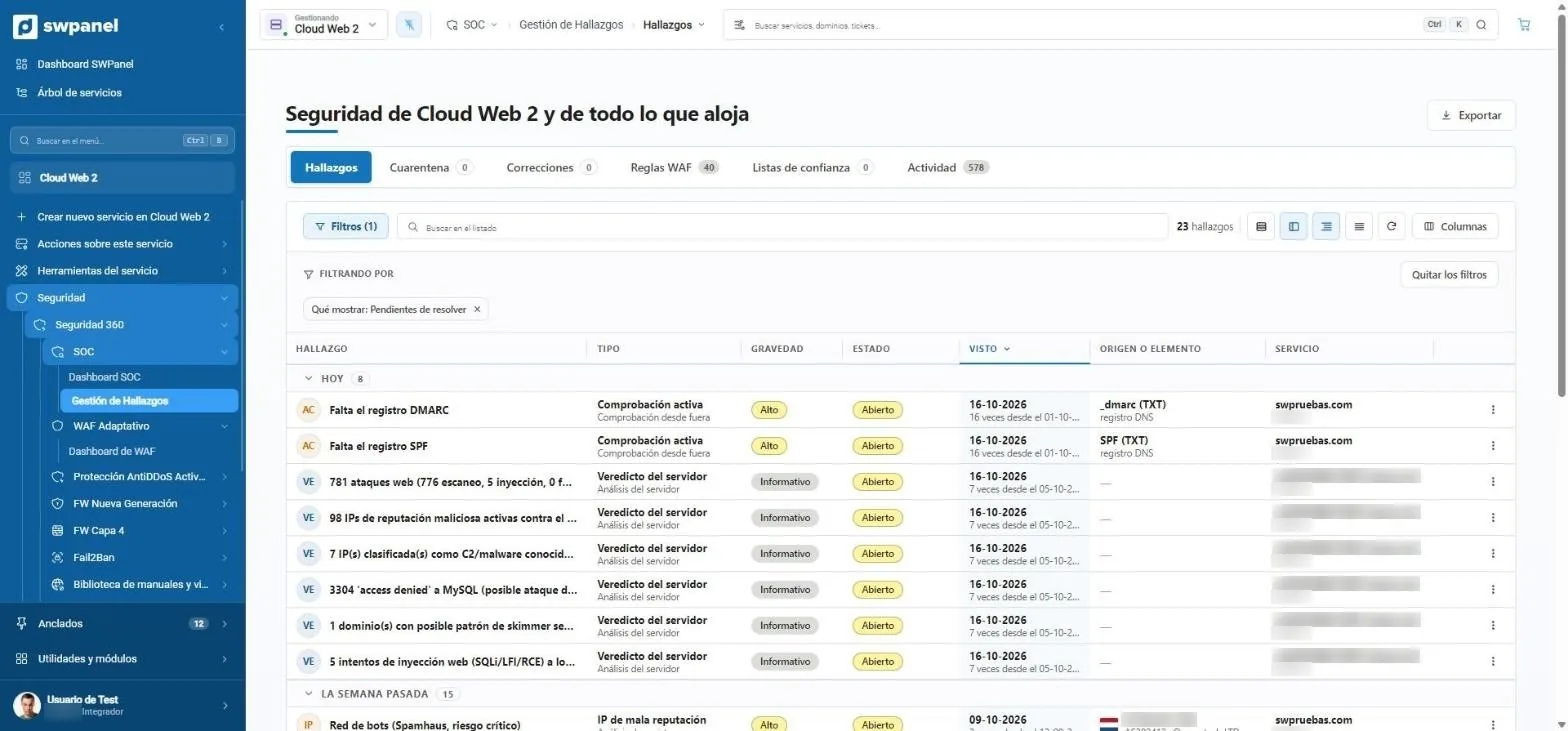
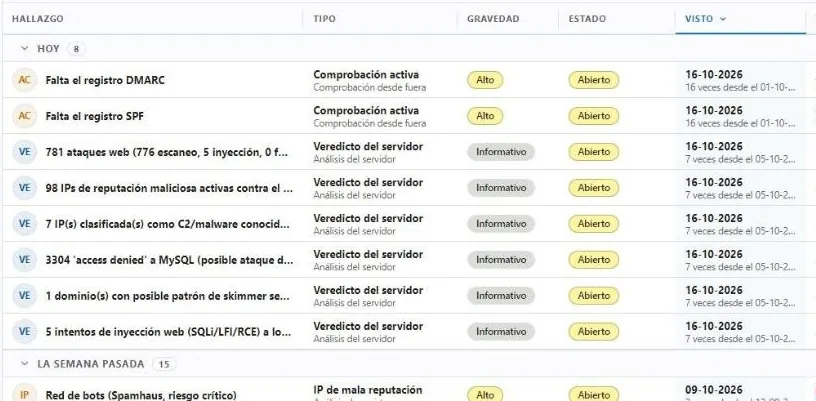
Findings are grouped by when they appeared and filtered by status, severity or type. Each one says where it is: a missing DNS record, an IP with a bad reputation, a website with insecure code.
- Quarantine and fixes with history
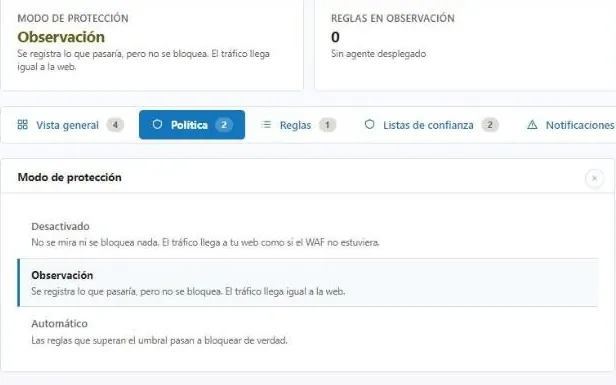
- WAF rules and trust lists from the same screen
- Exportable for audits
- Findings, quarantine, fixes, WAF rules, trust lists and activity.
- Filters that are remembered. Here, only what's pending.
- Severity and status of each finding.
- Where the problem is: a DNS record, an IP or a service.
- Grouped by when they appeared: today, last week...
Code
Each website's code, scored
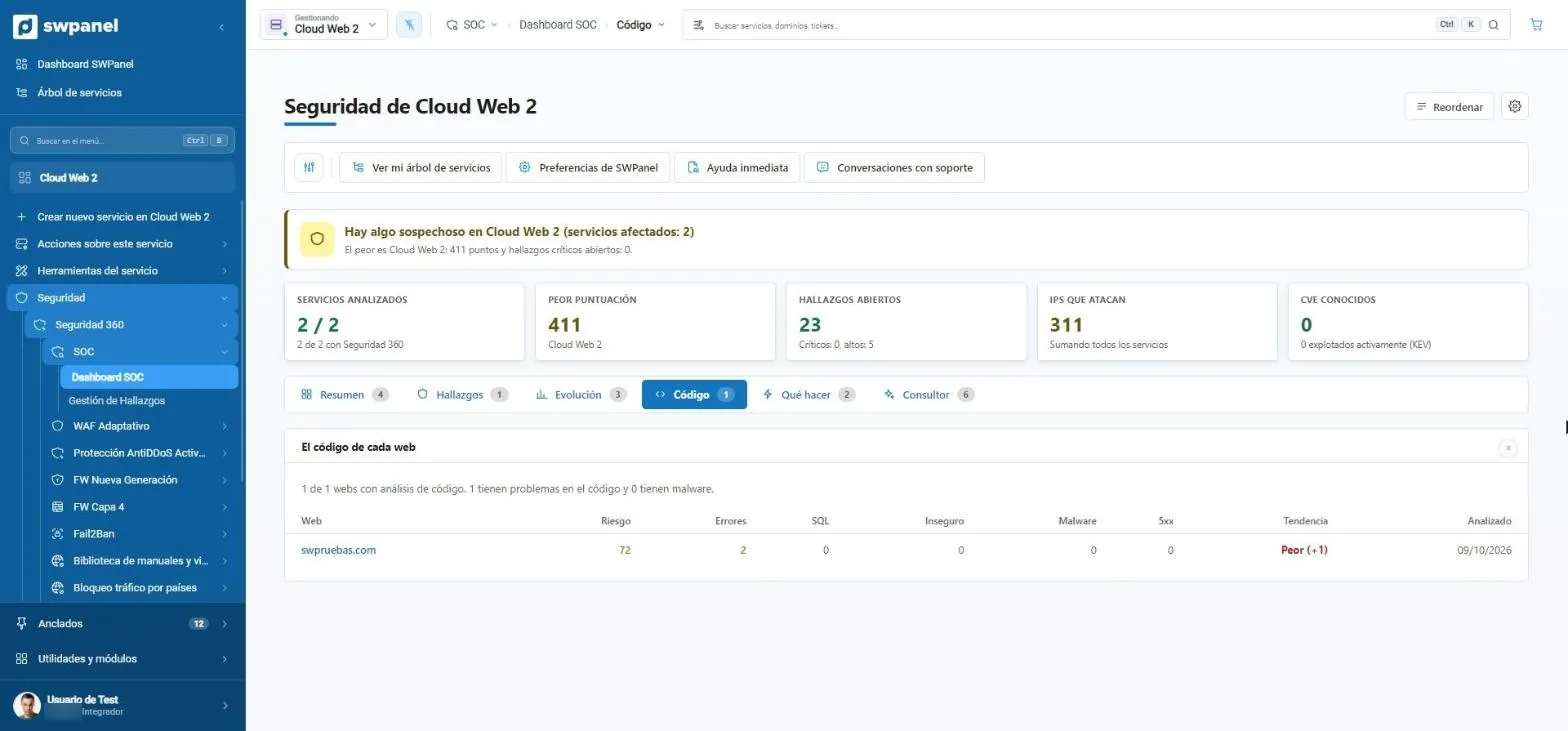
Errors, dangerous SQL queries, insecure functions, malware and 5xx errors, with the trend since the last analysis. A website that is getting worse shows before it goes down.
- Risk per website and trend
- Link to the full code audit
- The code of each website: risk, errors, SQL, insecure, malware, 5xx errors and trend.
- Risk 72 and getting worse. You see it before anything happens.
What to do
A plan in priority order
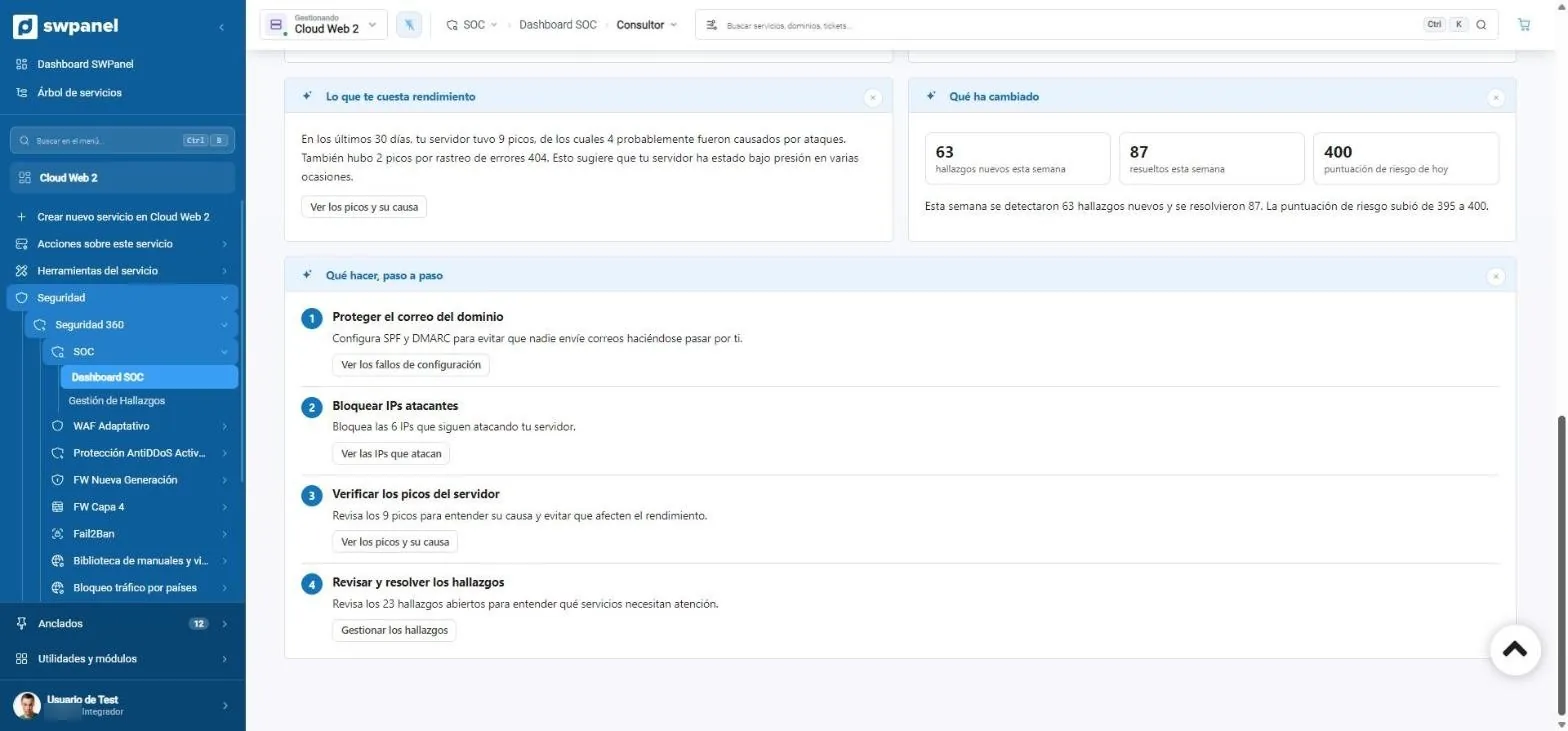
The consultant turns findings into steps. Each step opens the exact screen where it's solved: SPF and DMARC records, IPs to block or spikes to review.
- The urgent first
- What has changed since last week
- What to do, step by step. In priority order.
- Each step opens the exact screen where it's solved.
- What changed this week: 63 new findings, 87 resolved.
In 20 seconds
The full tour, on video
- SOC overview
- Findings by severity
- AI consultant diagnosis
- What's urgent
- What to do, step by step
What it is
A security operations center for every service
SWPanel's SOC analyzes daily what has happened on your hosting, Cloud or server and turns it into findings: what it is, why it matters, how severe it is and what to do.
What it observes
An agent on each server collects web, errors, access, email and Fail2Ban.
- Web requests and errors
- Access and authentication
- Email and Fail2Ban blocks
With context
Each IP comes with its country, its operator and its history.
- Country and operator of each IP
- Lists it appears on
- What it has done against your services
Cross-checked with vulnerabilities
Your software versions are cross-checked with CVE databases.
- PHP, Apache and Nginx
- Most used CMSs
- Real exploitation and ransomware
Findings management
From the alert to the solution
01
Findings sorted by severity
Each finding shows the evidence it's based on and its status. You mark it as reviewed, resolve it with the proposed action or dismiss it with a reason. Nothing is lost.
- Evidence for each finding
- Statuses: new, in progress, resolved, dismissed
- History per service
Frequently asked questions
Questions about the SOC and findings
Protect your services with Security 360
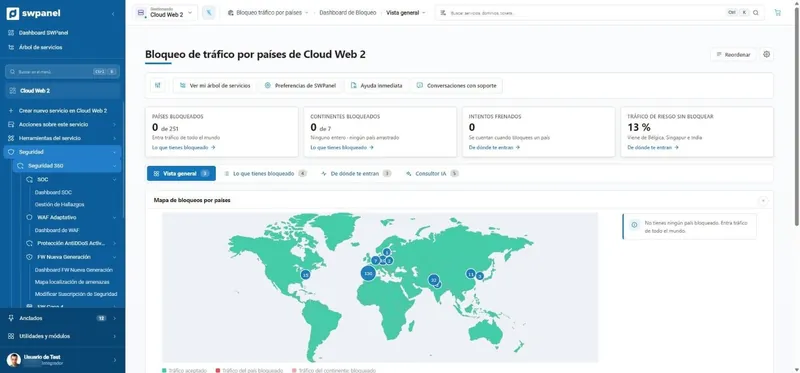
The Security module comes already enabled at no cost in your account. Add Security 360 to each hosting, Cloud or server you want to protect.