
How SWPanel 2027 is composed
The module opens the door. The upgrade works on every website. AI multiplies it.
Everything that can be activated in SWPanel 2027 fits into three pieces. Understanding them is understanding the whole catalog: what is activated once on the account, what is purchased on each service and what boosts everything.
- Six account modules
- Per-service upgrades
- Nothing is paid twice
Three pieces
What is activated where
Account module
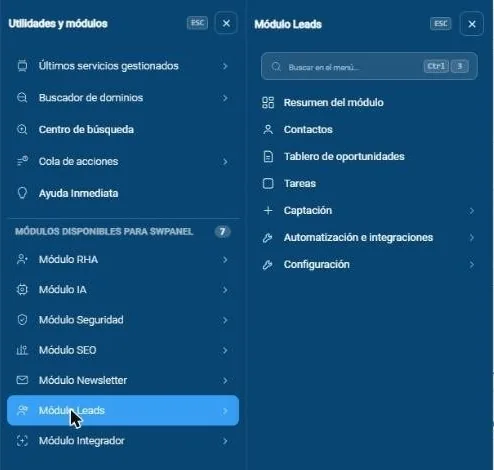
Activated once on the customer's account. It opens its section in SWPanel and gives the right to purchase the upgrades of its family on any of its services. Security, SEO, Newsletter, Leads and RHA.
Service upgrade
Purchased on each website, Cloud or server. It's what works every day, what the customer sees in the service dashboard and what is billed per service. Security 360, an SEO level, countries and bots.
AI module
It's not a requirement for anything. It creates websites and stores with AI, brings five assistants of its own and adds a consultant to each module the customer already has active.
Relationship map
Each module opens its family, and AI boosts almost all of them
Account module once per account
What it opens in your services in each service
AI module One activation multiplies the rest
-
Security Free activation
Security 360 in every service SOC, WAF, countries, bots, email and networkSecurity, country and bot consultants -
SEO Free activation
A tier on each website Basic, Pro or Intelligence, and reportsReport summary and content ideas -
Newsletter Per account
Community and campaigns Contacts, sends, measurement and deliverabilityList analysis and improvement plan -
Leads From Essential
Lead-generation and sales CRM Forms, funnel, tasks and rulesRecord assistant and next step -
RHA Per license
Your reselling business Customers, catalog, invoices and payments
And on its own: websites and stores with AI and the AI Systems Administrator.
- The account module enables the upgrade
- AI boosts it
- Nothing is paid twice
Two doors
Purchasing and being able to use are different things
For a person to use a module, two things are needed at once: the owner has purchased it and their access profile gives them permission. What used to be hidden is now shown switched off and with the reason.
The purchased module
The account owner purchases it. Without it, the section appears switched off with the button to activate it.
The user's permission
It's assigned from the access profiles. With the module but without permission, the user sees a notice.
RHA customers
Unlike the rest of the sub-users, they can purchase upgrades from their own access.
Billing rules
Clear, and without paying twice
- The door first: without the Security module there is no Security 360; without the SEO module, no levels.
- Activation is prorated until the end of the service period.
- Security 360 cancellation takes effect at the end of the paid period: it keeps working until then.
- When you purchase Security 360, the individual extras it already includes are removed from the invoice.
- One SEO level per website: upgrading replaces the previous one.
- Countries and bots are free on hosting; on Cloud and server, they're inside Security 360.
- Inside a Cloud, the antivirus and AntiSpam are not billed separately.
- Individual SEO reports are a one-time payment and require an active level on the website.
Documentation
The detail of each module, in PDF
-
Partner area
SWPanel 2027 modules guide
What each module includes in each mode and type of service. 60 pages.
-
Partner area
Modules, relationships and prices
The presentation for resellers that accompanies the guide.
Try it with your own services
Create your free account and connect a server or a hosting plan. No card and nothing to install.