
Databases · New in 2027
MySQL and MariaDB, reviewed and explained
The new database manager lives inside SWPanel. It goes through the whole catalog, tells you what should be fixed and why, and lets you query, maintain and copy each database with the engine always in view. No phpMyAdmin, and read-only until you decide.
- Read-only by default
- MySQL and MariaDB
- Every call, logged
Health and faults
Before showing you tables, it tells you what to look at
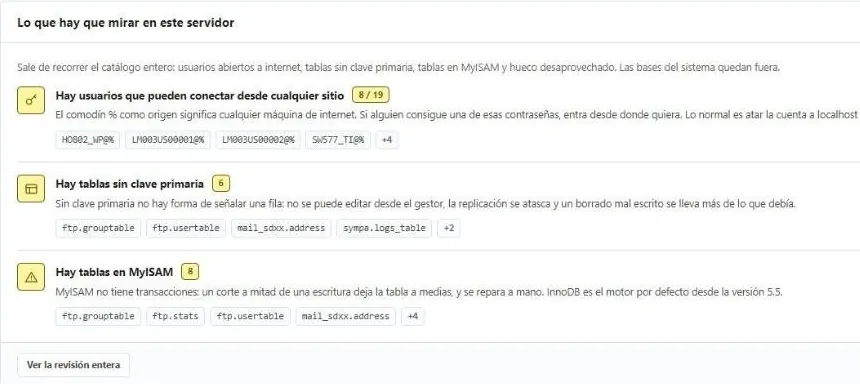
A classic manager shows you what is there. This one also reviews it: each warning comes with its explanation and the list of what it affects.
Server overview
What to look at, with the reason
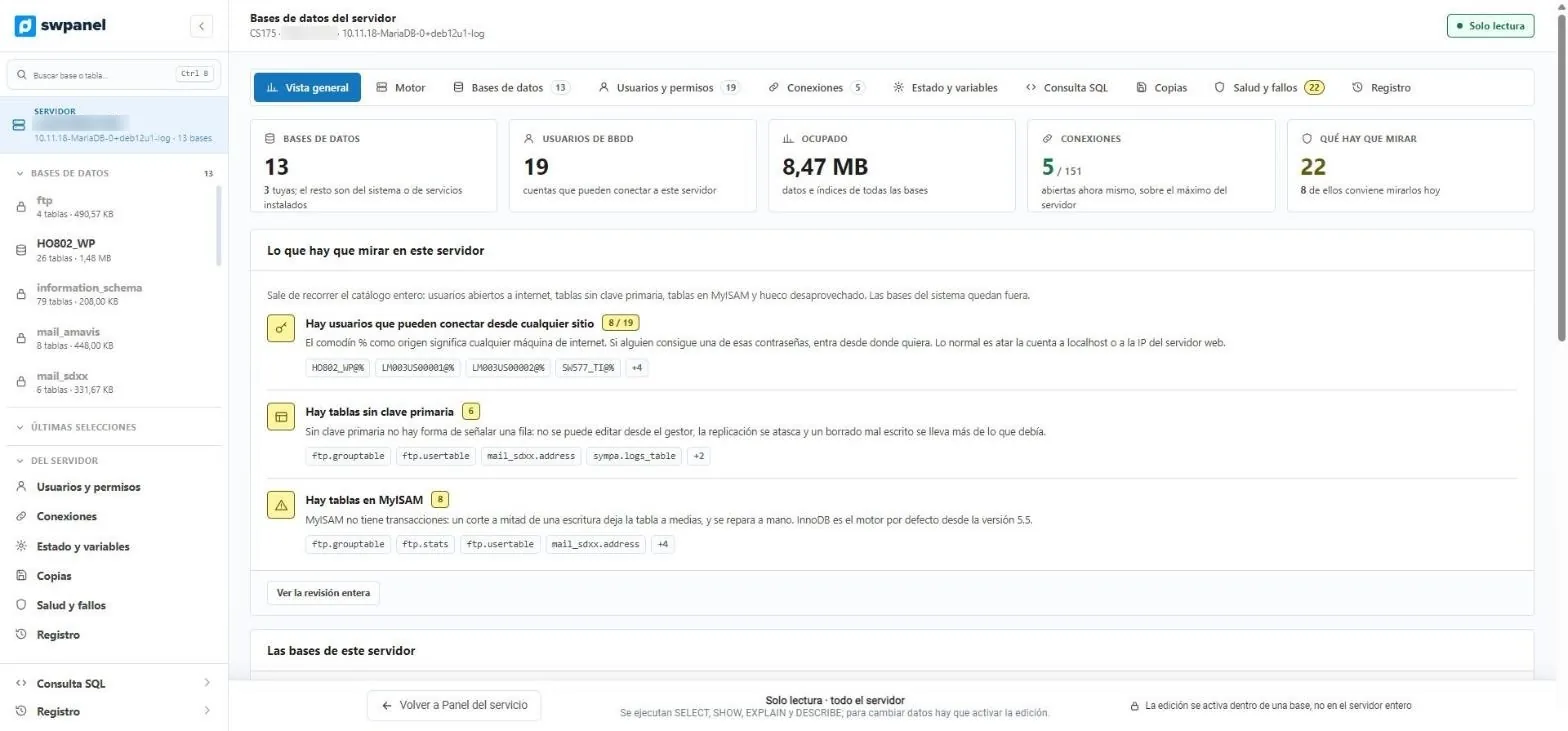
On this server, 22 warnings and 8 for today: users who can log in from any machine on the internet, tables without a primary key that can't be safely edited, and MyISAM tables, which have no transactions.
- Users open to the internet, with the % wildcard
- Tables without a primary key, in MyISAM or in latin1
- Wasted space that can be recovered
- System databases are left out
- The server in five figures: databases, users, space, connections and warnings.
- Users who can log in from anywhere, with the reason and the list.
- Tables without a primary key and in MyISAM, with what can go wrong in each case.
- Read-only by default. Editing is enabled inside each database.
Each warning says what can go wrong: “if someone gets hold of one of those passwords, they can log in from wherever they want”.
What it looks like
From the server to each table
Screenshots of the manager with the database server of a test Cloud. We have blurred the IPs and the machine name.
- The server in five figures: databases, users, space, connections and warnings.
- Users who can log in from anywhere, with the reason and the list.
- Tables without a primary key and in MyISAM, with what can go wrong in each case.
- Read-only by default. Editing is enabled inside each database.
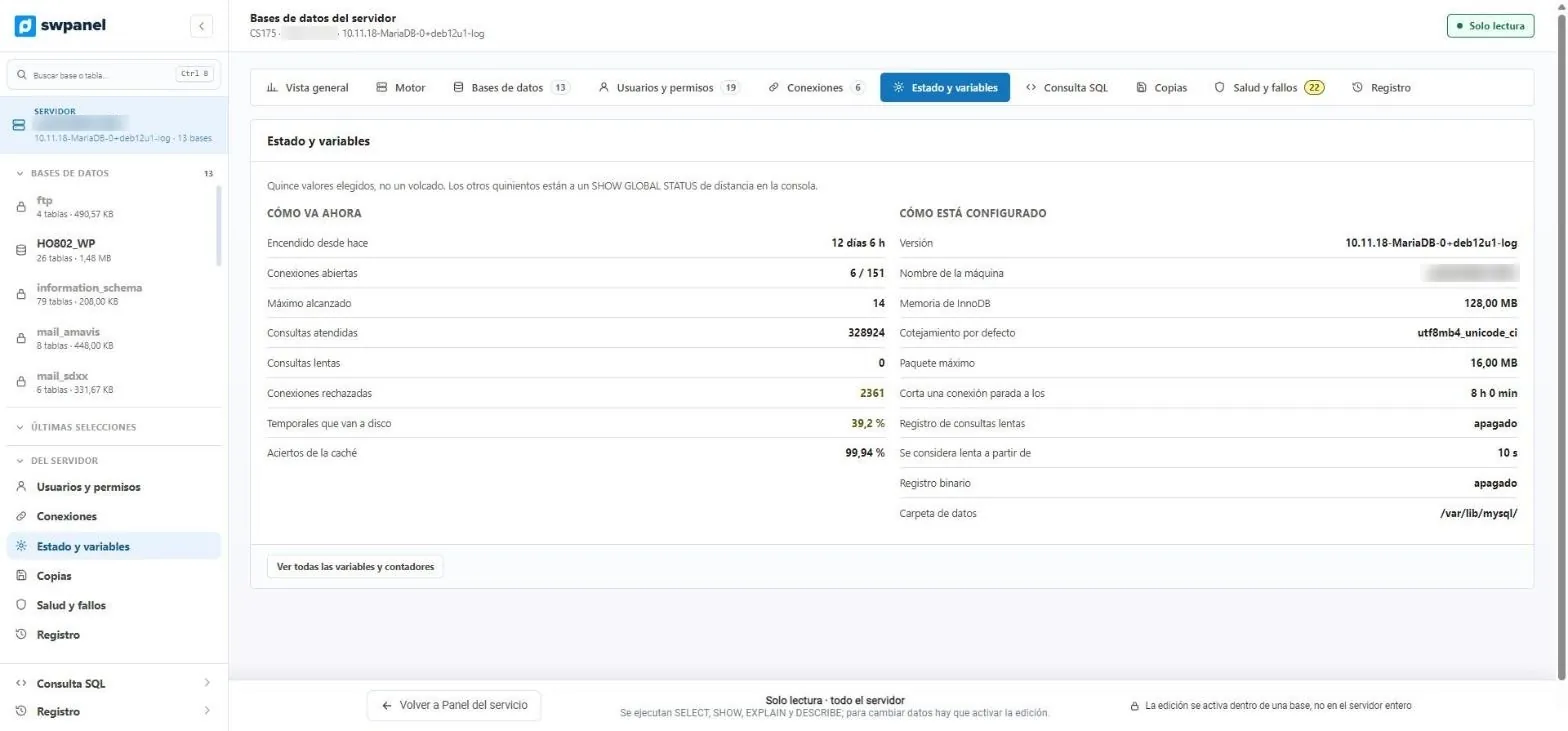
- How it is doing now: connections, queries, slow ones, rejected ones, temporary tables on disk and cache.
- How it is configured: version, InnoDB memory, collation and logs.
- The other five hundred values, one click away.
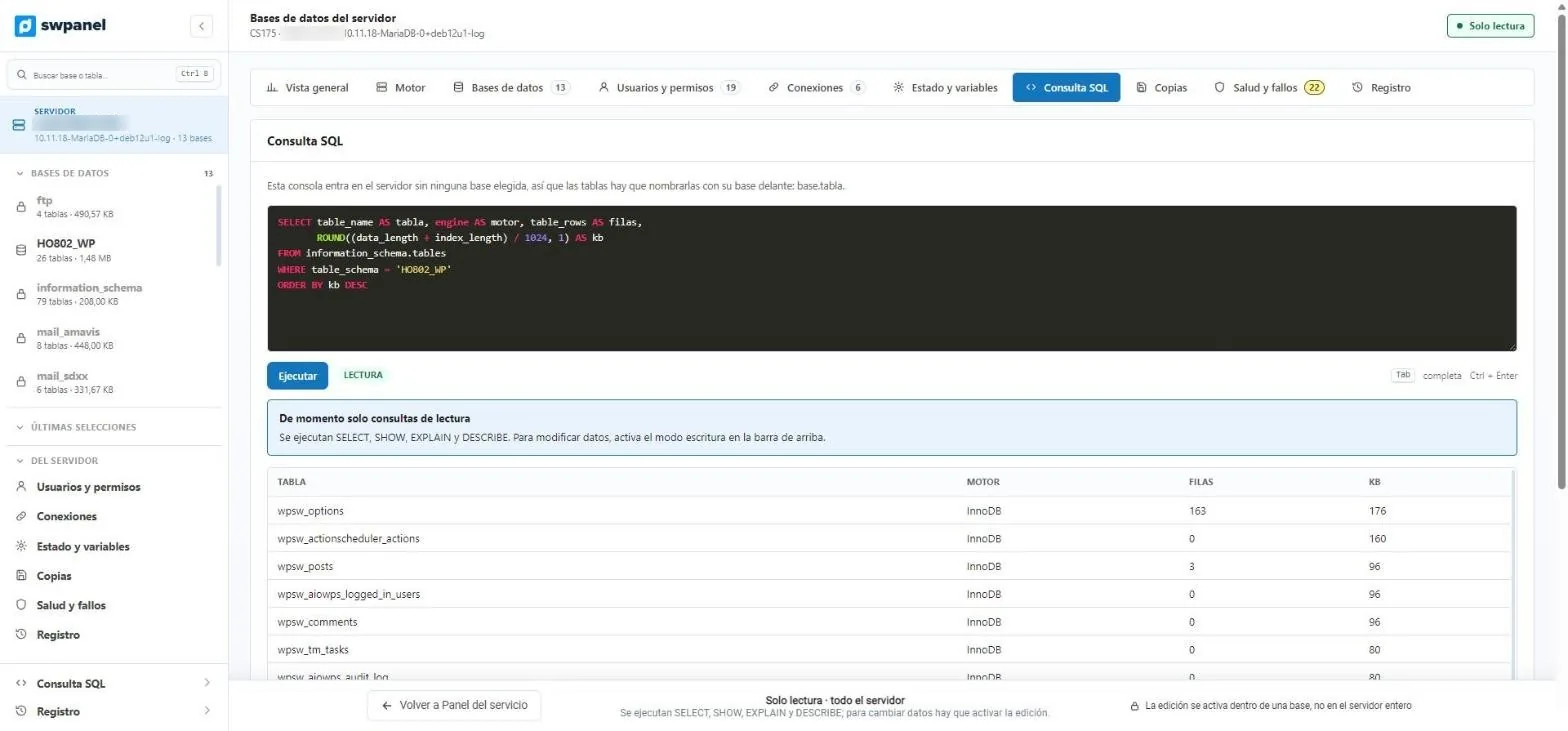
- SQL console with highlighting and autocomplete. Runs with Ctrl + Enter.
- Read mode: SELECT, SHOW, EXPLAIN and DESCRIBE.
- The result, in a table.
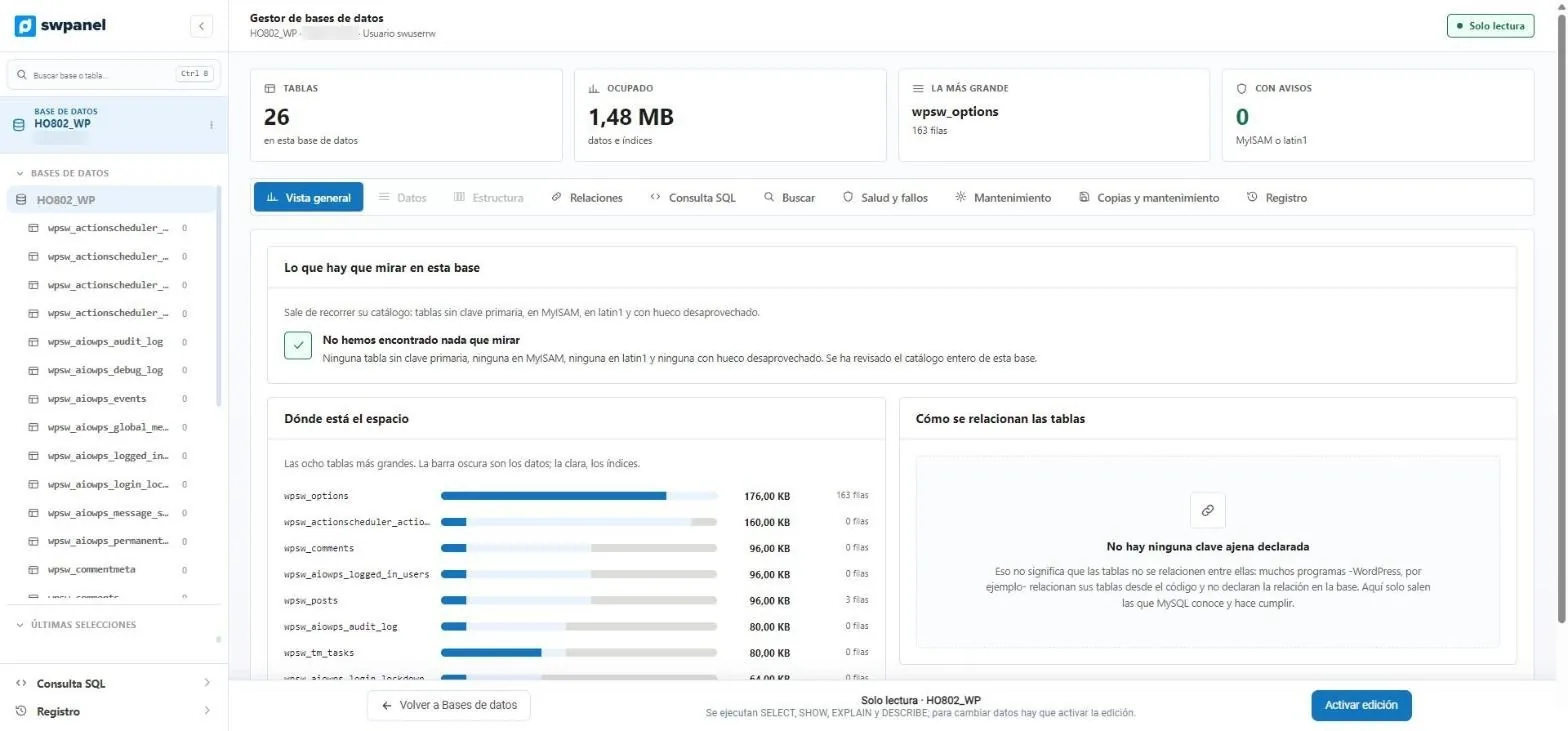
- Each database in four figures, including the tables with warnings.
- Where the space is: data and indexes of the largest tables.
- Relations between tables, when the database declares them.
- All tables, with their rows.
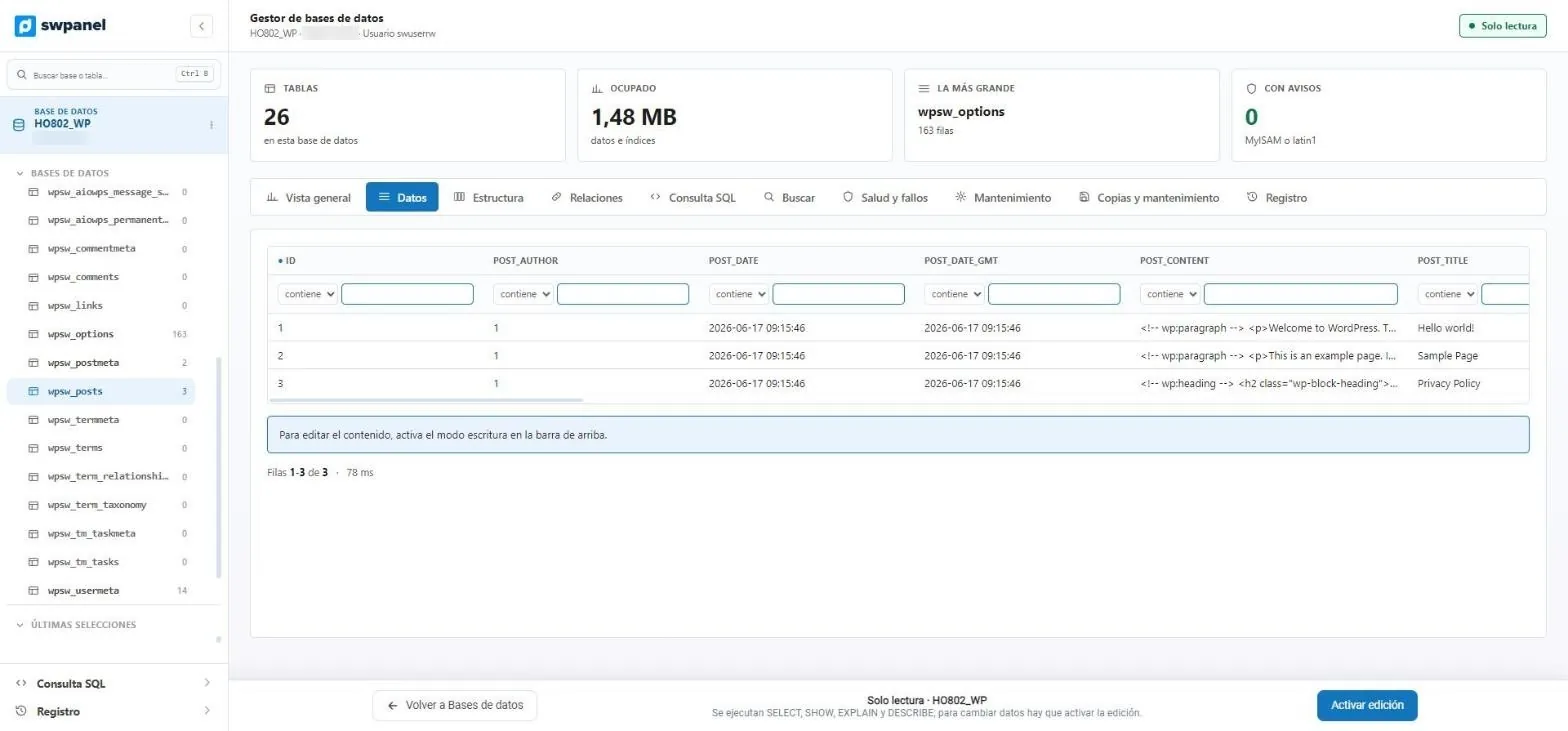
- Filter on each column: contains, is, starts with...
- To edit, you enable write mode.
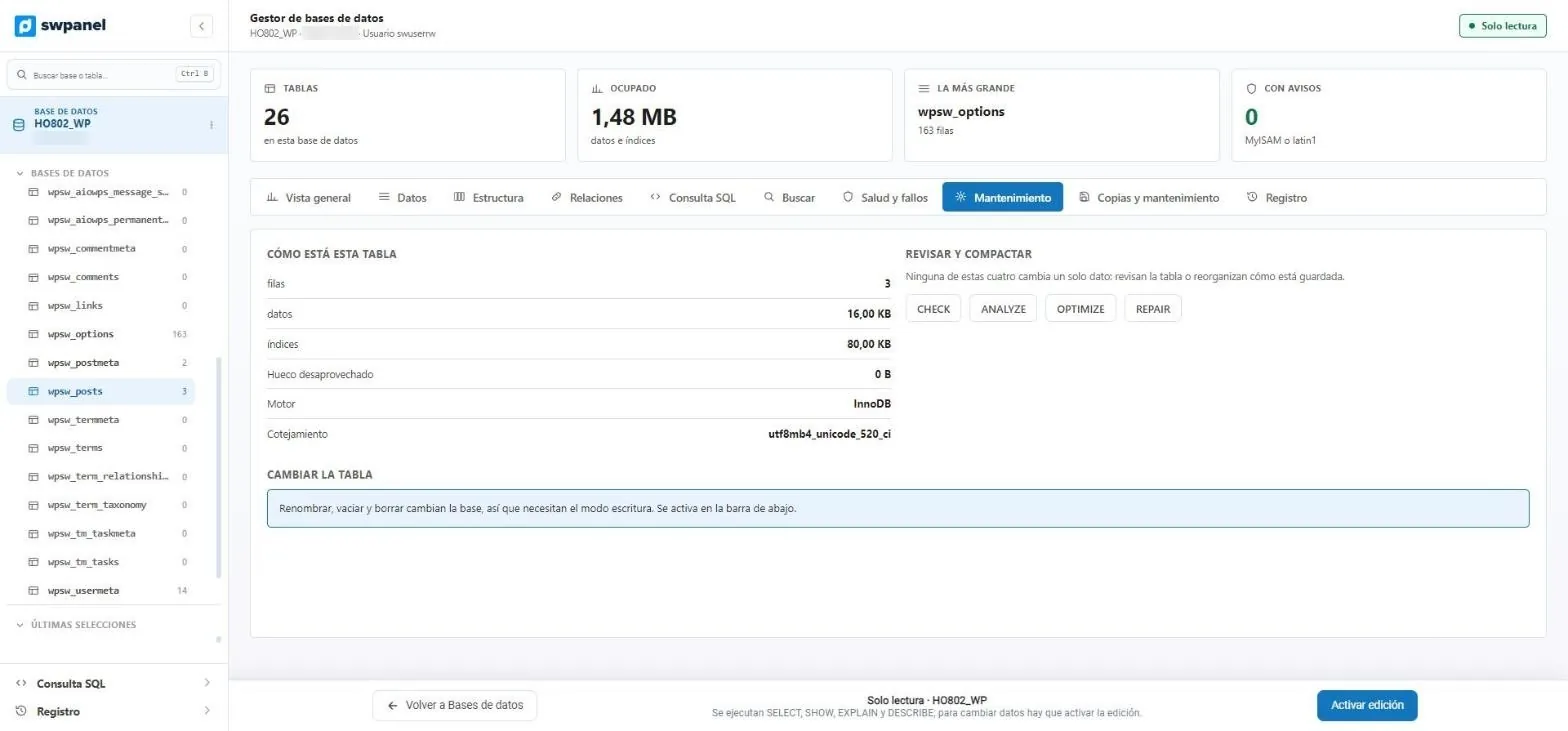
- CHECK, ANALYZE, OPTIMIZE and REPAIR, without writing SQL.
- Wasted space, engine and collation of each table.
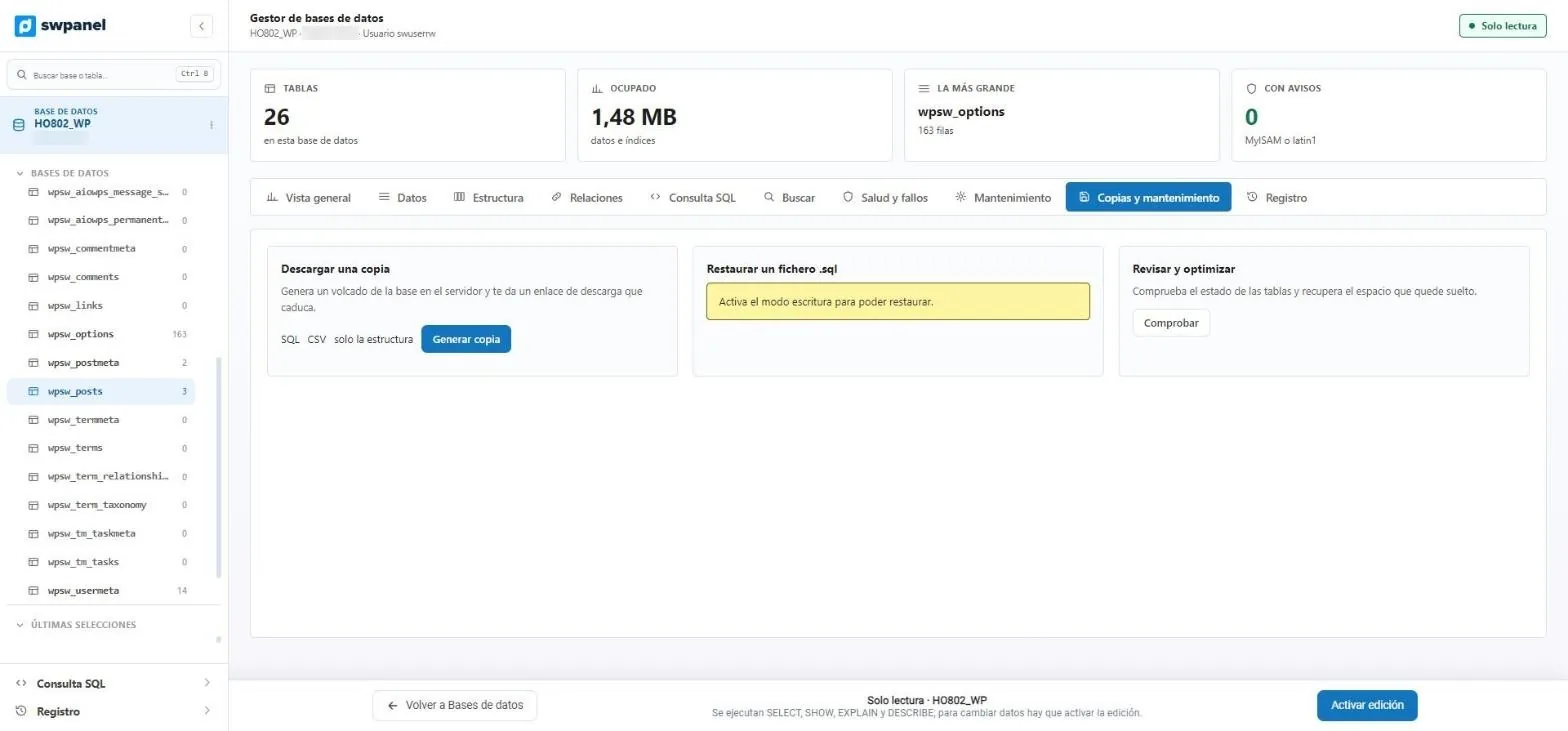
- Dump in SQL or CSV, or structure only, with a link that expires.
- Restore a .sql, with write mode enabled.
Engine control
The whole engine, without leaving SWPanel
For those who need to go beyond tables: what the server says about itself, without summarizing.
Engine
Variables, status, processes, commands, engines, character sets and InnoDB. They are the same queries HeidiSQL runs in its tabs, so you see the same in both.
Connections
Who is in right now, in which database, what they are doing and for how long. A connection that has been in Sleep for hours is one that someone opened and didn't close.
Users and permissions
The MySQL accounts of the machine and where they can log in from. The same name from another place is a different user, with different permissions.
Search the whole database
Search for text in the columns of all tables. In a large database it takes a while, so it runs in the background.
Relations
The foreign keys the database declares. And if there are none, it explains why programs like WordPress don't use them.
Log
Every call the screen made to the server, with how long it took. It helps tell whether a wait comes from the query or from the agent.
Safe by default
Looking breaks nothing. Changing is up to you
-
Always
Read-only
SELECT, SHOW, EXPLAIN and DESCRIBE are run. That way you can explore without fear.
-
Per database
Editing, inside one database
Write mode is enabled on a specific database, never on the whole server.
-
Protected
System databases locked
System ones and those of services such as email or phpMyAdmin are not touched from here.
-
Logged
Traceability
What is done in the manager is kept in SWPanel's traceability, with who and when.
Compared
Compared with phpMyAdmin
It's the tool cPanel, Plesk and DirectAdmin ship with. It works, but it only shows you what's there.
phpMyAdmin in a classic panel
- Another application, installed on your server and with its own access.
- Write permission from the very first click.
- If a table has no primary key or is in MyISAM, you find out yourself.
- The engine status, in lists of hundreds of variables.
The SWPanel 2027 manager
- Inside SWPanel, with your users and your permissions.
- Read-only until you enable editing on a database.
- Health review with the explanation of each warning.
- Fifteen selected values, and the remaining five hundred one click away.
Frequently asked questions
Questions about the database manager
Your databases, reviewed every time you open them
Connect a hosting, a Cloud or a server and open the manager from its databases menu.