
Country blocking
Block countries knowing what you gain and what you lose
A map, a risk profile per country and, with AI, three scenarios with figures to decide. Free and standalone in hosting; included in Security 360 in Cloud and server.
- Security module enabled at no cost
- Configured from SWPanel
- Cancels at the end of the paid period
Your customers: they get in Countries with an attack profile: stopped at the door
People 34.5 % Robots 36.4 % Scanners 29.1 %
112,767 requests over 30 days on a real Cloud, separated by the AIAI consultant: three scenarios with their cost in visits. You apply one with a click and undo it the same way.
How it decides
Before blocking a country, you know what you lose
Blocking countries blindly is the fastest way to end up without customers. That's why SWPanel's country blocking comes with a consultant that looks at your real traffic and shows you the cost of each decision.
Overview
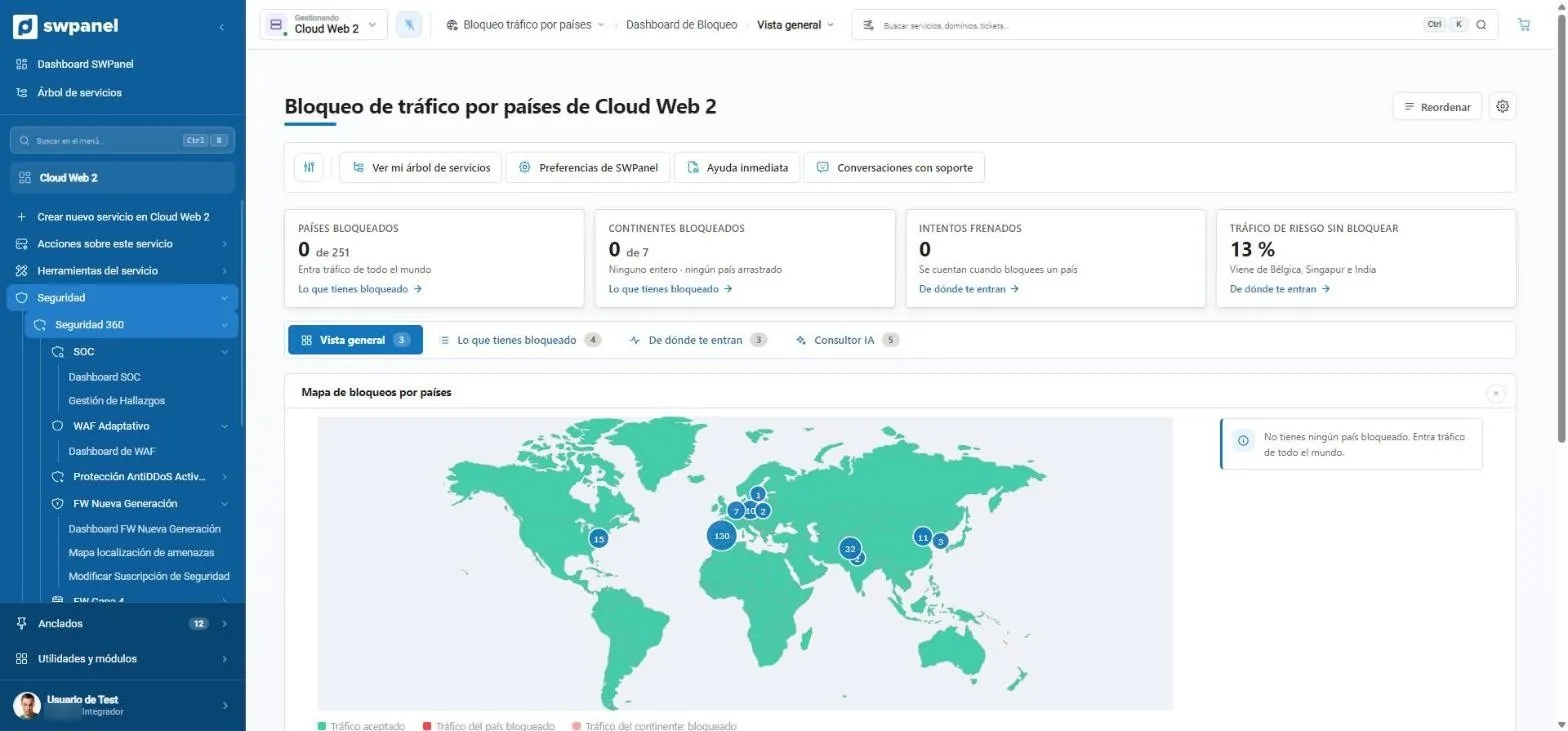
The map of your traffic
Blocked countries, continents, attempts stopped and, most usefully, the percentage of risky traffic still getting in and where it comes from.
- 251 countries and 7 continents
- What you have blocked and where traffic comes from
- Blocked countries and continents out of 251 and 7.
- Unblocked risky traffic: here, 13 %, from Belgium, Singapore and India.
- The traffic map, country by country.
AI consultant
A report with your numbers
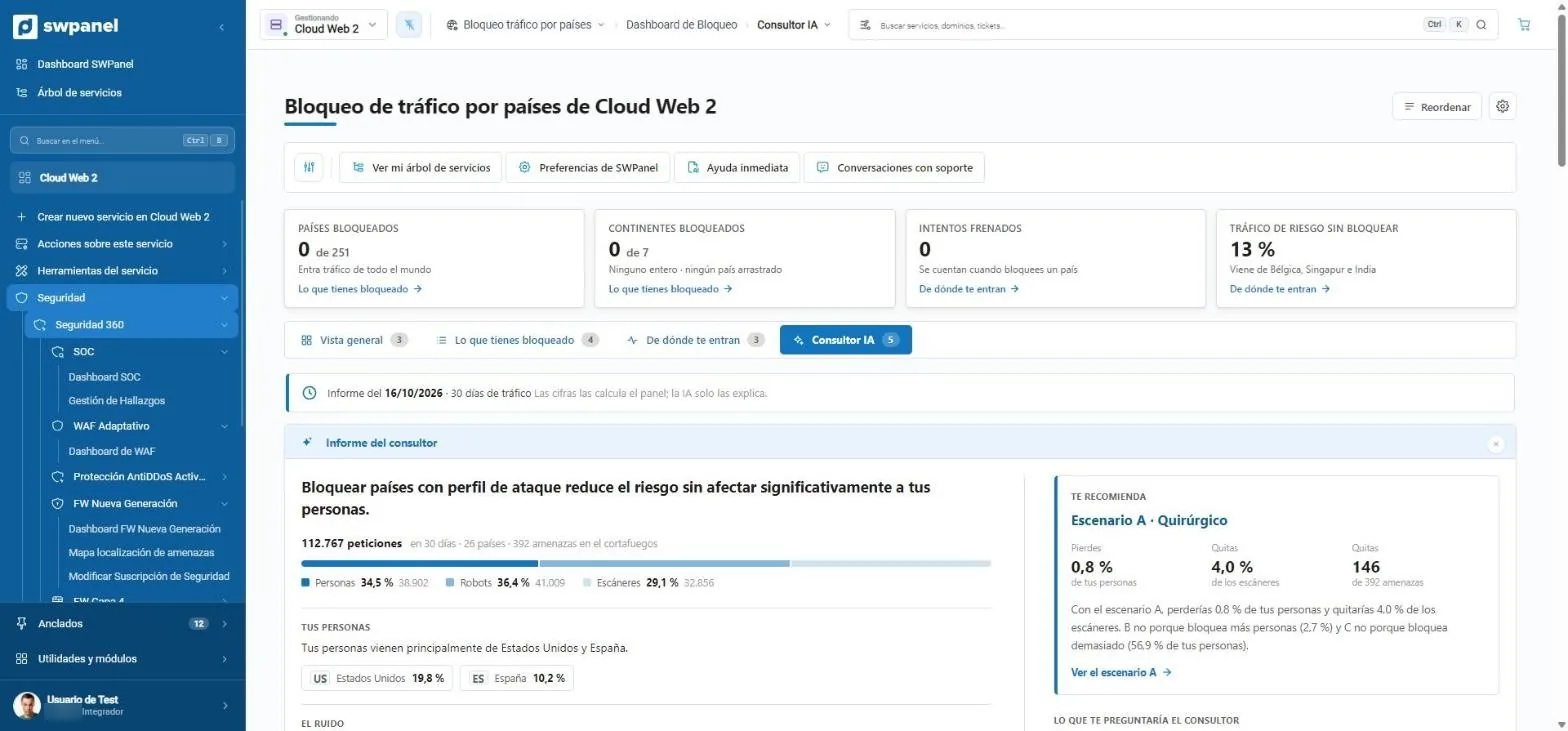
It analyzes 30 days of requests, separates people, robots and scanners, and tells you where your customers come from and where the noise comes from.
- Recommends a specific scenario
- Explains what percentage of people you'd lose
- The consultant's conclusion, in one sentence.
- 112,767 requests analyzed in 30 days: people, robots and scanners.
- It recommends a scenario and tells you what you lose and what you remove.
- Where your people come from and where the noise comes from.
Scenarios
Three options, with their price in visits
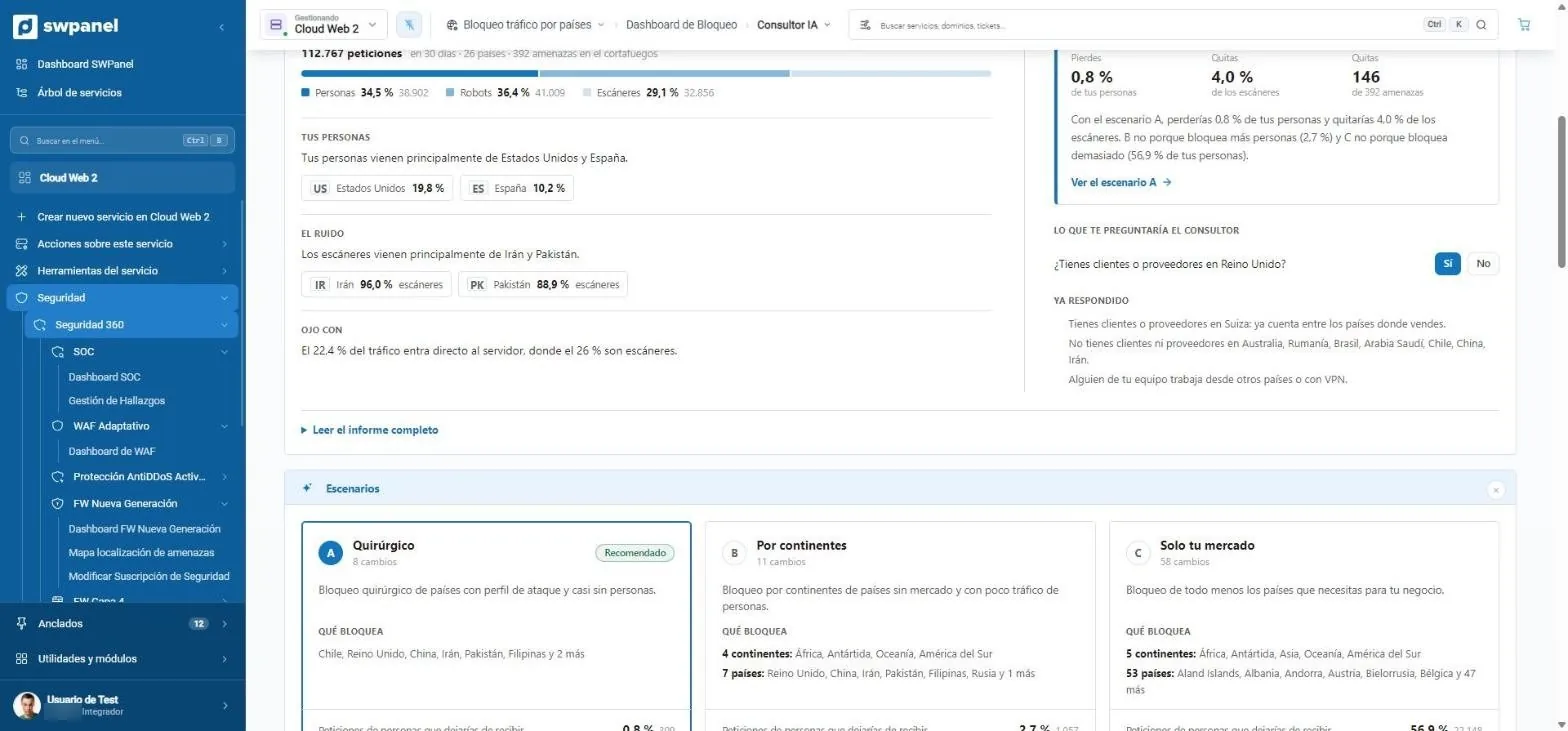
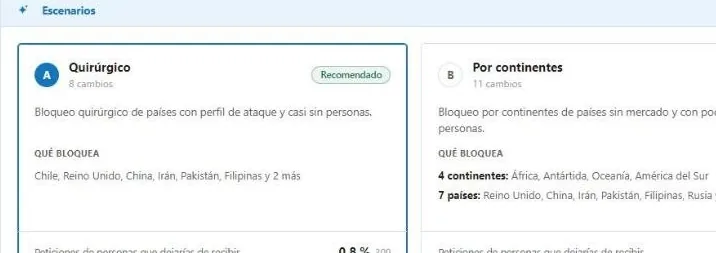
Surgical, by continent or only your market. Each scenario says what it blocks and what share of people and scanners it removes. And if it needs to know something, such as whether you have suppliers in the United Kingdom, it asks you.
- Remembers your answers
- You apply the scenario with a click and undo it the same way
- It asks what it can't know: do you have customers or suppliers in the United Kingdom?
- It remembers what you already answered and takes it into account.
- Scenario A, surgical: only countries with an attack profile.
- Scenario B, by continent.
- Scenario C, only your market.
On video
From map to decision, in four steps
- Traffic map
- Consultant report
- The question
- Three scenarios
What's included
Decide who can reach your services
Block by country or by continent from a world map. Each country has a profile with its own risk index, calculated for 251 countries.
| Feature | Base | Security 360 | + AI module |
|---|---|---|---|
| World map and blocking by country and continent | Included | Included | Included |
| Profile with each country's risk | Included | Included | Included |
| Traffic by country | Not included | Included | Included |
| Firewall attacks by country | Not included | Included | Included |
| Recommendations and profile with visits | Not included | Included | Included |
| AI consultant with three scenarios | Not included | Not included | Included |
| Questions about your business that recalculate the result | Not included | Not included | Included |
Country consultant
Blocking a country has a cost and a benefit
The AI consultant shows you both with figures: who you lose and which threats you remove. It gives you three scenarios and a verdict country by country.
01
Three scenarios, with numbers
Cautious, balanced or strict. For each one, the legitimate visits you'd leave out and the attacks you'd avoid.
- Visits you'd lose
- Attacks you remove
- Verdict country by country
Frequently asked questions
Questions about country blocking
Protect your services with Security 360
The Security module comes already enabled at no cost in your account. Add Security 360 to each hosting, Cloud or server you want to protect.