
AI websites and stores
Describe your business. SWPanel creates your website.
With the AI module you create a complete corporate website or online store from your business description: structure, copy, photos of your activity and your city, legal pages, SEO and up to three languages. It's published on your hosting and you add the finishing touches with the visual editor.
- Website or store, the same wizard
- On your own hosting
- AI on our own infrastructure
Artisan bakery in Girona, with its own workshop and orders
- SEO
- Cookies and legal pages
- ES · CA · EN
Two tools
A website or a store, with real examples
See how each one turns out and everything you can do afterwards from SWPanel.
-
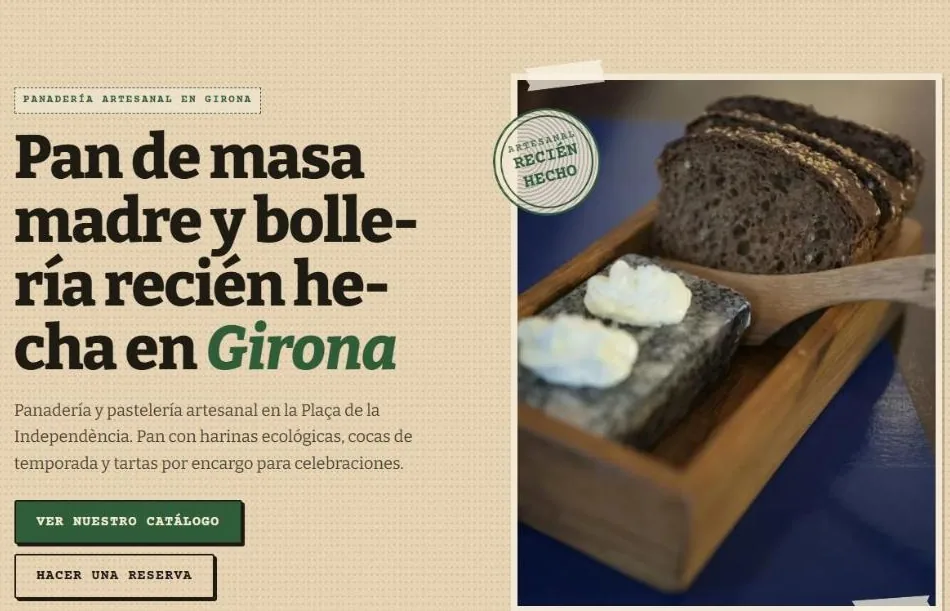 Corporate website
A bakery, created with AI
40 themes, up to three languages, legal pages and SEO, and a visual editor to change everything without knowing HTML.
-
 Online store
A coffee store, ready to sell
Catalog with variants, checkout, accounts, five designs and full management from SWPanel. You get paid.
Step by step
Seven steps, one button and your website published
From your hosting menu, a wizard asks what only you know. Each step turns green when ready and, on the right, you see what the AI does, where the images come from and the equivalent API call.
-
Website type
Corporate website or online store, in the same wizard.
-
Build
The name and description of the business, up to 2,000 characters: the AI writes with it.
-
Languages
The main one and up to two more, out of seven.
-
Owner
Address, city, tax ID and phones: for contact, the map, Google and the legal notice.
-
Social networks
Only the ones you have: no sample links.
-
Analytics
GA4, Tag Manager, Meta Pixel or Clarity, only with the visitor's permission.
-
Template
You choose it with a search by activity, or the AI picks it.
-
Generate website
It enters the action queue, your domain shows a notice and it publishes itself. You get an email.
- 95 s A website of 9 sections to create it, in a real test
- 150 s Translated into three languages 466 texts
- 9 min A store with its database to create it
- 15 s Only what's new to translate when saving a change
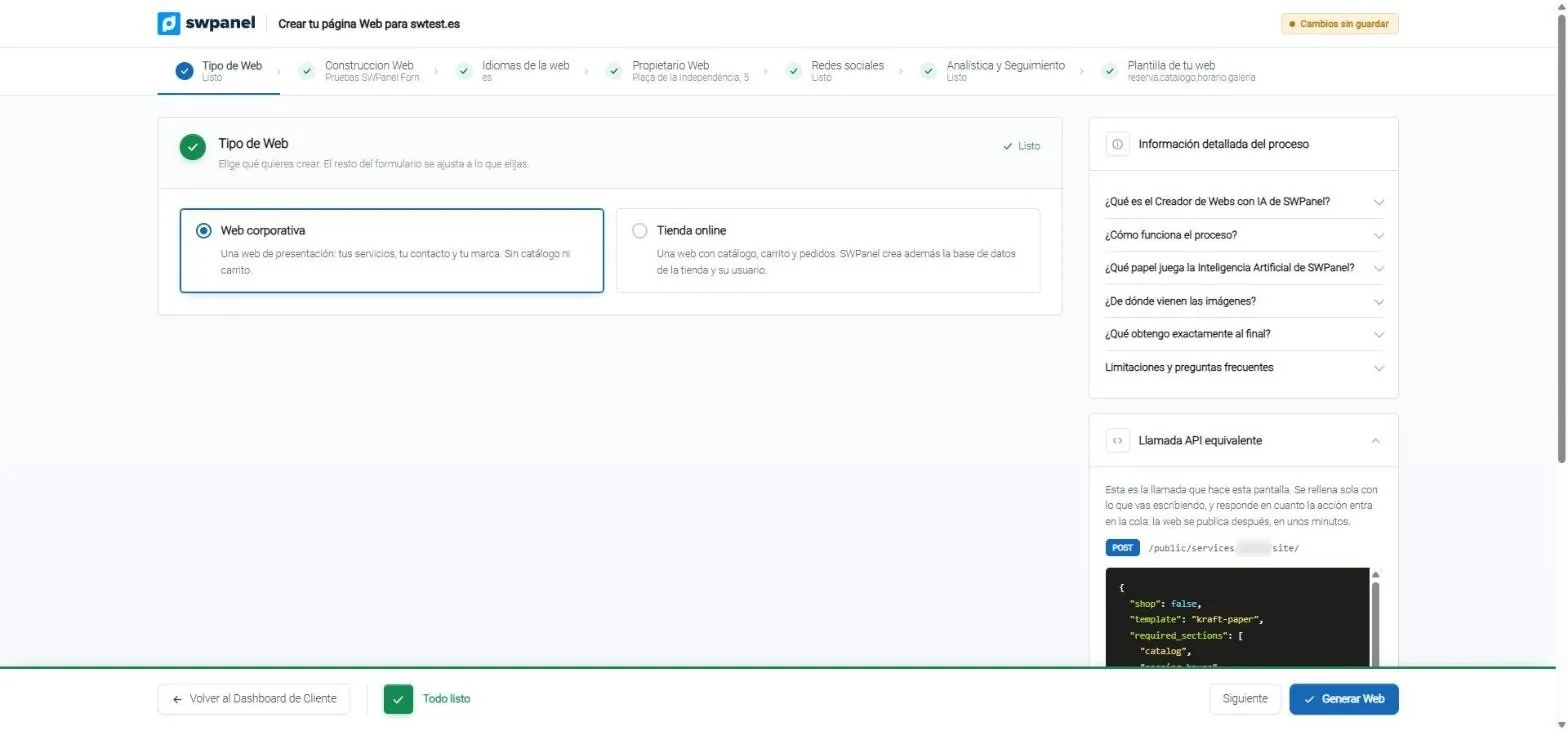
- Corporate website or online store: the same wizard for both.
- Seven steps. Those that are ready are marked green.
- Process information: what the AI does, where the images come from and what you get.
- The equivalent API call, written while you fill in the form.
- Generate Website when everything is ready.
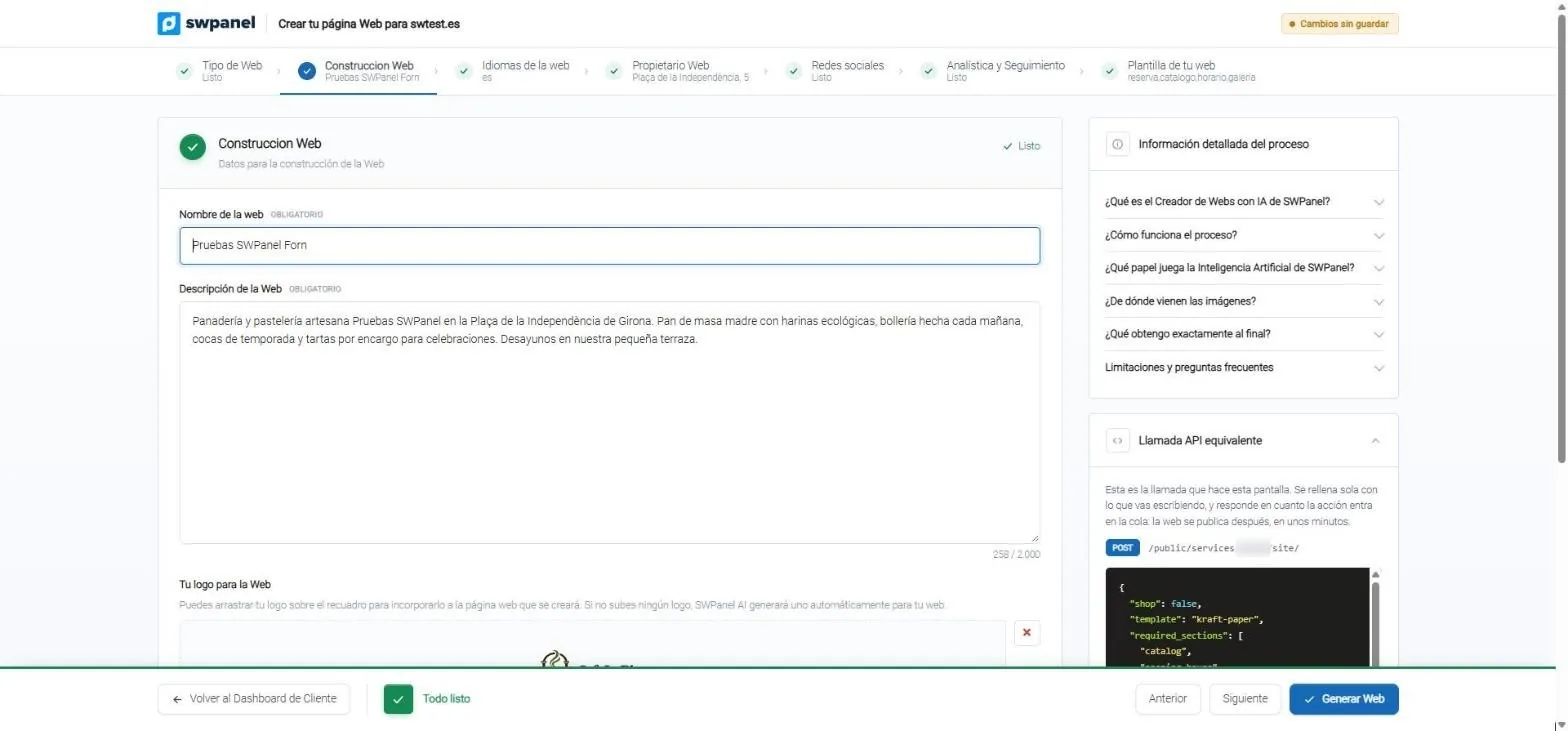
- The website name.
- The business description: the AI writes with it. Up to 2,000 characters.
- Your logo, or a new one: if you don't upload one, the AI generates one.
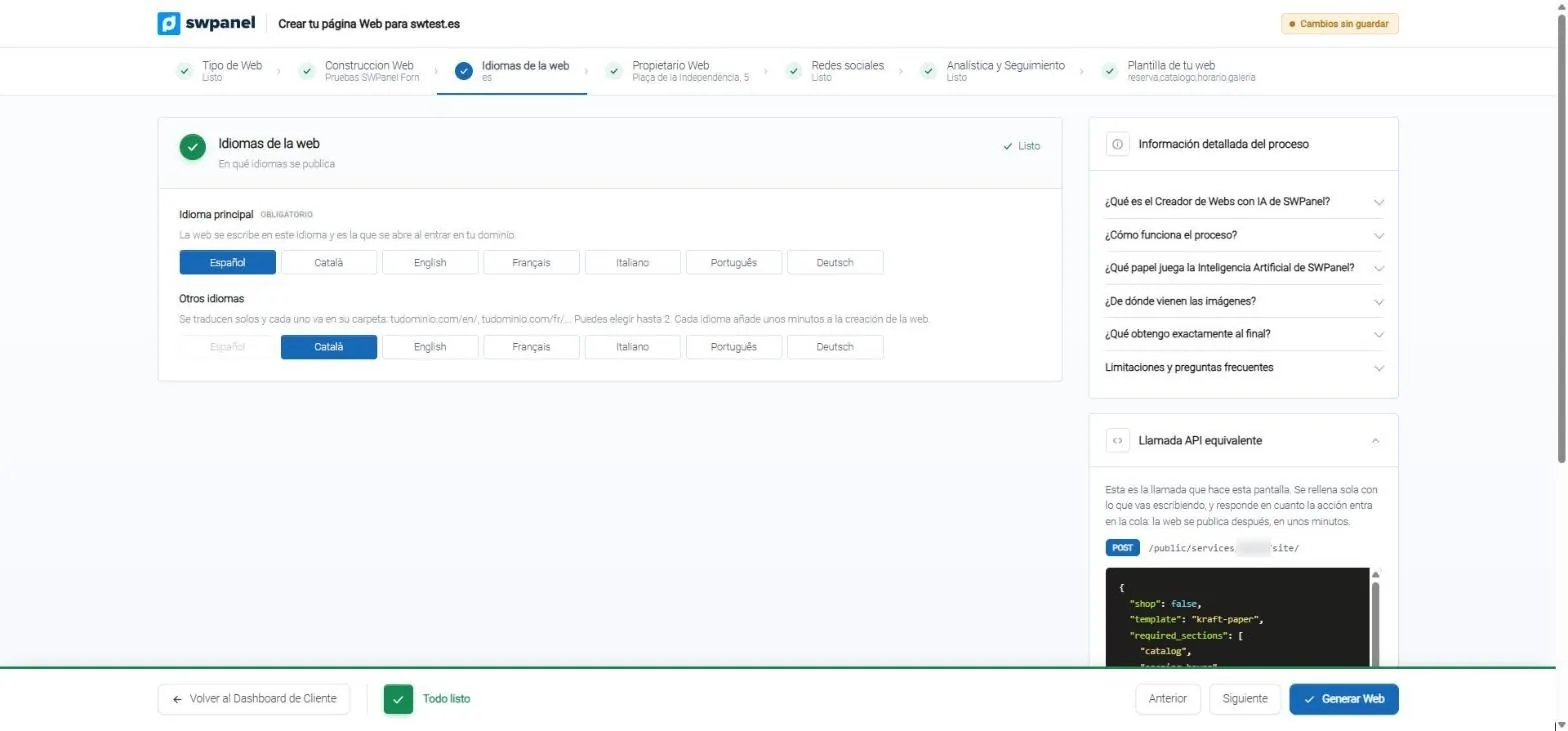
- Main language: the one that opens when entering your domain.
- Up to two more languages, each in its own folder: /en/, /fr/…
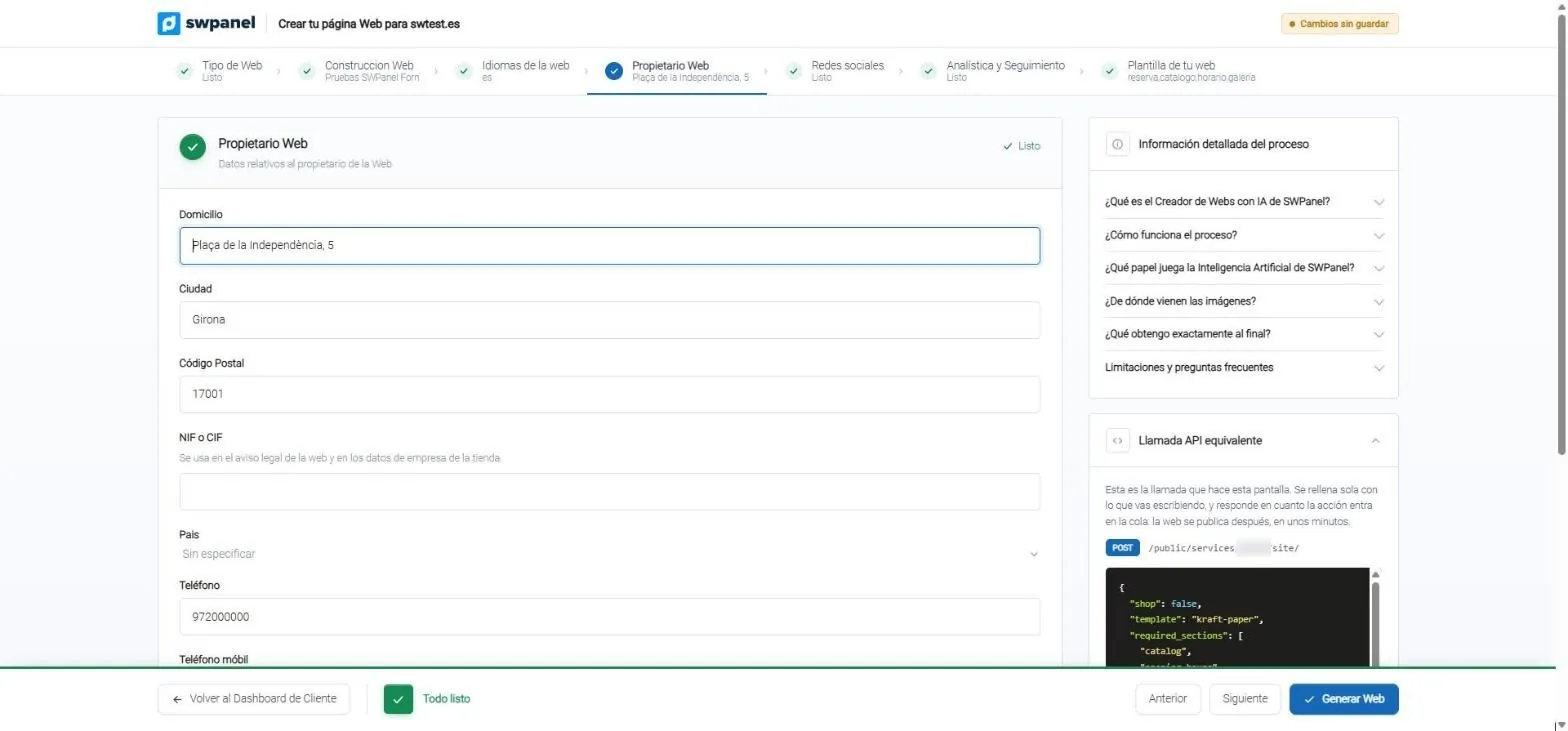
- Address, city and postal code for contact, the map and Google.
- Tax ID (NIF/CIF) for the legal notice.
- Phones: if you don't provide them, they don't appear.
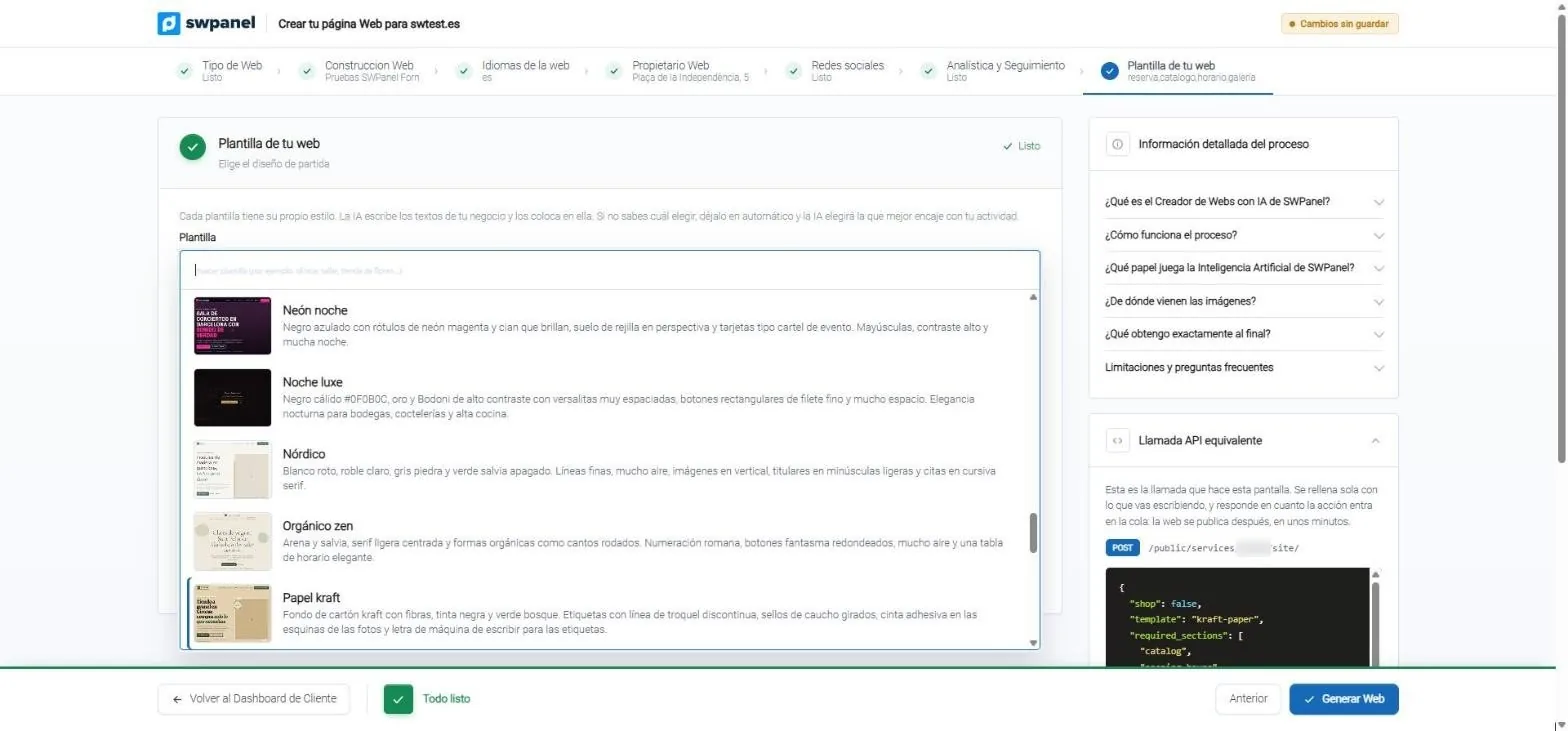
- Search the template by your activity: “clinic”, “workshop”, “flower shop”…
- Each template with its thumbnail and a description of its style.
On video · 42 seconds
From the idea to the published website
The wizard's seven steps, the “Generate website” button and what comes out: the published website, in Spanish and Catalan, and its management in SWPanel.
- Website type
- Build: what your business does
- Languages
- Owner
- Social networks
- Analytics
- Template and sections
- Generate website and the result
Website or store
Choose what you need: present your business or sell
Both come from the same wizard, are published on your hosting and are managed from SWPanel. Here is what each one brings.
| Corporate website | Online store | |
|---|---|---|
| What for | Present your business and receive orders and contacts | Sell online and get paid |
| Design | 40 themes, 31 light and 9 dark, with their palettes | 5 designs: Essential, Editorial, Vibrant, Night and Market |
| Structure | 30 sections to choose from, plus home page and contact | 11-block home page, catalog, product page, cart and checkout |
| What the AI writes | The structure and each section, from what you tell about the business | The store's texts: home page, benefits and introduction |
| Languages | The main one and up to two more, translated automatically | Translations on each product page |
| Sample content | Not included | 24 products, 18 orders and 12 reviews, which you remove with one click |
| Payments | Not included | Cash, bank transfer and Bizum without a gateway; Redsys and Stripe with your own |
| Management in SWPanel | “Your website”, with five tabs, and the Web Editor | 10 tabs and 33 panels, with visual editor |
| Legal, cookies and technical SEO | Included | Included |
| Creation time | About 95 seconds for 9 sections | About 9 minutes |
| Real example | swtest.es, a bakery | swpruebas.com, a coffee store |
Store with sample content
A store that is born full and running
An empty store doesn't make sense. That's why yours can be born with sample products, orders, reviews and customers: you browse it as a buyer would, see how it's managed and, when you add your own, remove the sample with one click.
- 24 Products in 6 categories, with variants, one sold out and another with 2 units
- 18 Orders in their five statuses, spread over 75 days
- 12 Reviews 8 customers, 3 coupons and 5 shipping zones
- 1 click To remove the sample without touching what you created yourself
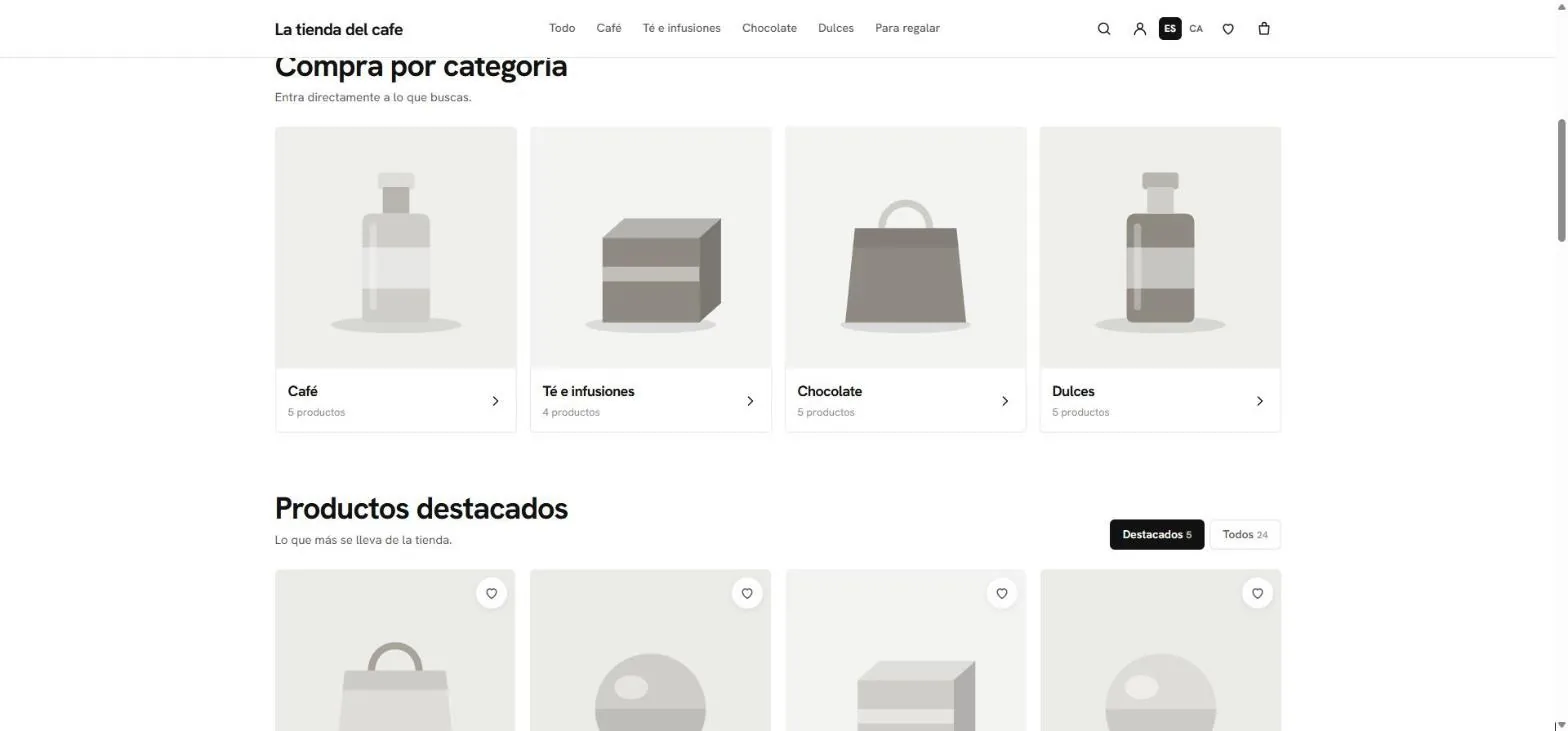
- Categories with their number of products.
- Featured or the whole catalog: 24 sample products.
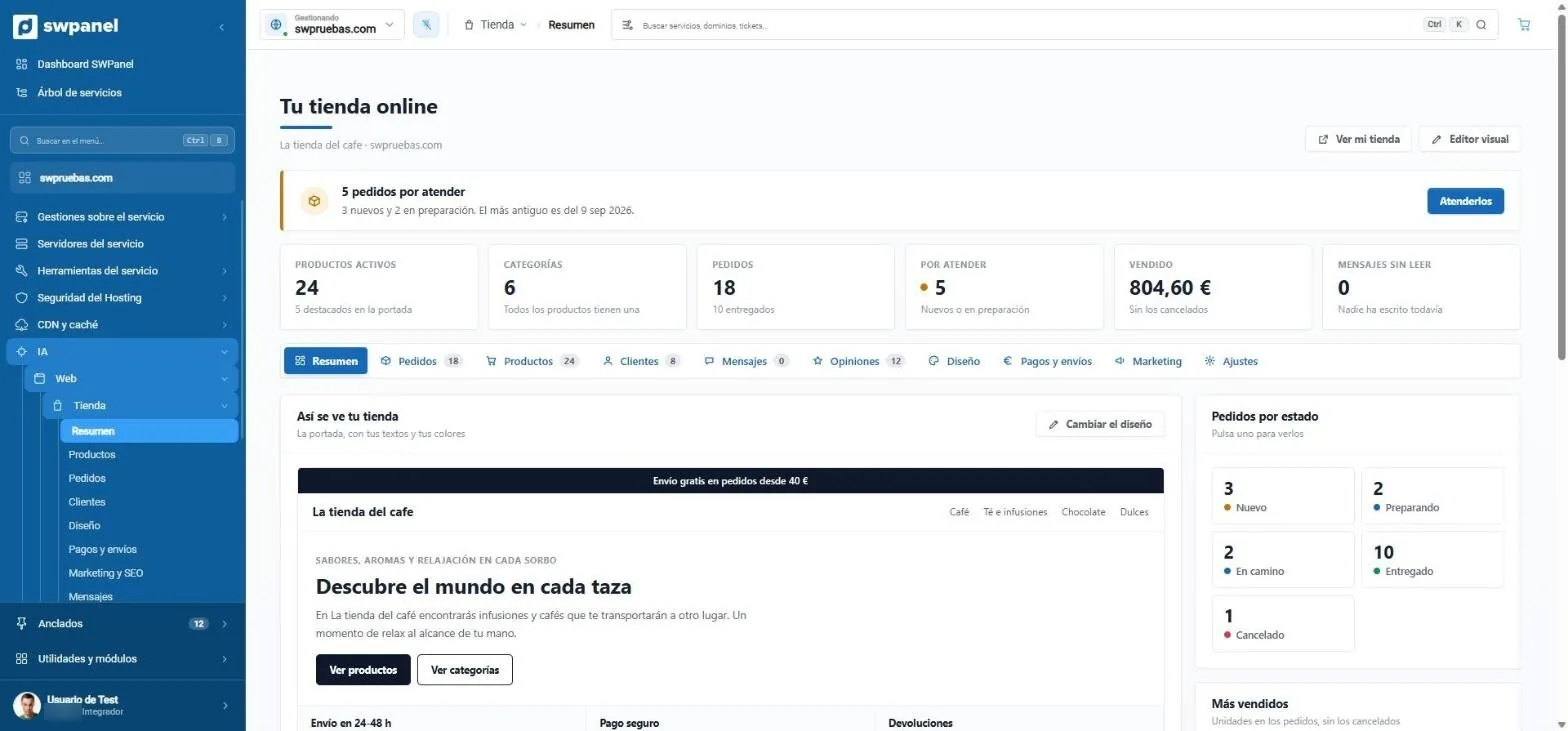
- What needs attention, with a button to do it.
- Products, categories, orders, to handle, sold and messages in one row.
- Ten tabs, from Orders to Settings.
- This is how your store looks, with “Change design”.
- Orders by status: press one to see them.
- View my store and the Visual editor.
- In the hosting menu: AI › Web › Store.
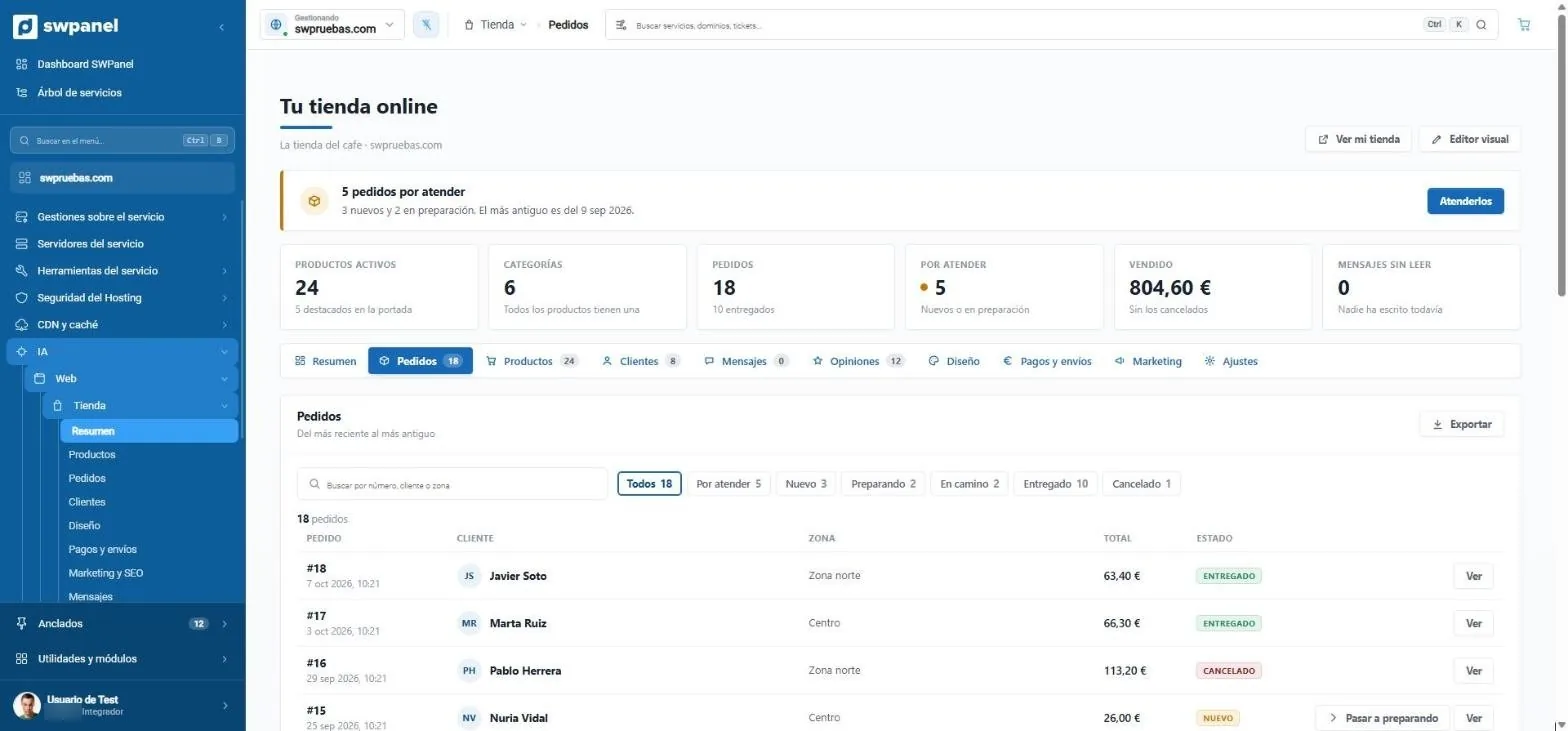
- Search by number, customer or zone.
- Filter by status: to handle, new, preparing, on the way, delivered or cancelled.
- Export the orders.
- The status of each order.
- Move to preparing, without opening the order.
What SWPanel takes care of for you
A credible, secure, fast website ready for Google
The creative part is done by the AI. What allows no mistakes, such as your details, legal pages, security or technical SEO, SWPanel builds in code. That way each website comes out well made, even if you know nothing about websites.
Copy ready to sell
The AI decides the structure and writes each section from what you tell about your business. Then it reviews the result and repairs it if something doesn't fit.
- At least six sections, none repeated
- FAQs only with what your description allows answering
- Prices aren't invented: they stay in “Texts to complete”
SEO built in
What Google needs to read is done right from the first minute, on every page and in every language.
- A single h1 and the title with your brand
- Canonical, hreflang, sitemap, robots and llms.txt
- Structured data: business type and hours
Secure
It's published on your SWPanel hosting, which you protect with Security 360. The editor doesn't accept code: no scripts slipped into a text.
- Legal notice, privacy, cookies and accessibility
- Cookie banner and “Cookie settings”
- Analytics waits for the visitor to accept
Quick
A lightweight website loads faster and Google takes it into account.
- Photos in WebP, optimized
- A stylesheet with only what the website uses
- Dependency-free pages and fonts served from your hosting
Credible
A website feels real when its details are real. Yours appear exactly as given, and what you don't provide doesn't appear.
- Your phone, email and hours, with no inventions
- “Open” or “Closed” according to your hours, instantly
- Map and “Visit us” only if you gave the address
For your clients
Designed for those who visit from a mobile phone and for those who need accessibility aids.
- Collapsible menu and reviewed mobile view
- Alt text on images
- A form that reaches your email
Images
Photos of your activity and of your city
A credible website shows what you do and where you do it. SWPanel searches for photos related to your activity and your area in free-to-use image banks, such as Unsplash and Openverse, places one in each slot, optimizes them as WebP and puts the credit in the footer. If you have your own photos, you change them from the editor.
- artisan bakery
- sourdough bread
- Girona
- Optimized as WebP
- With credit in the footer
- Changeable from the editor
This is how it turns out
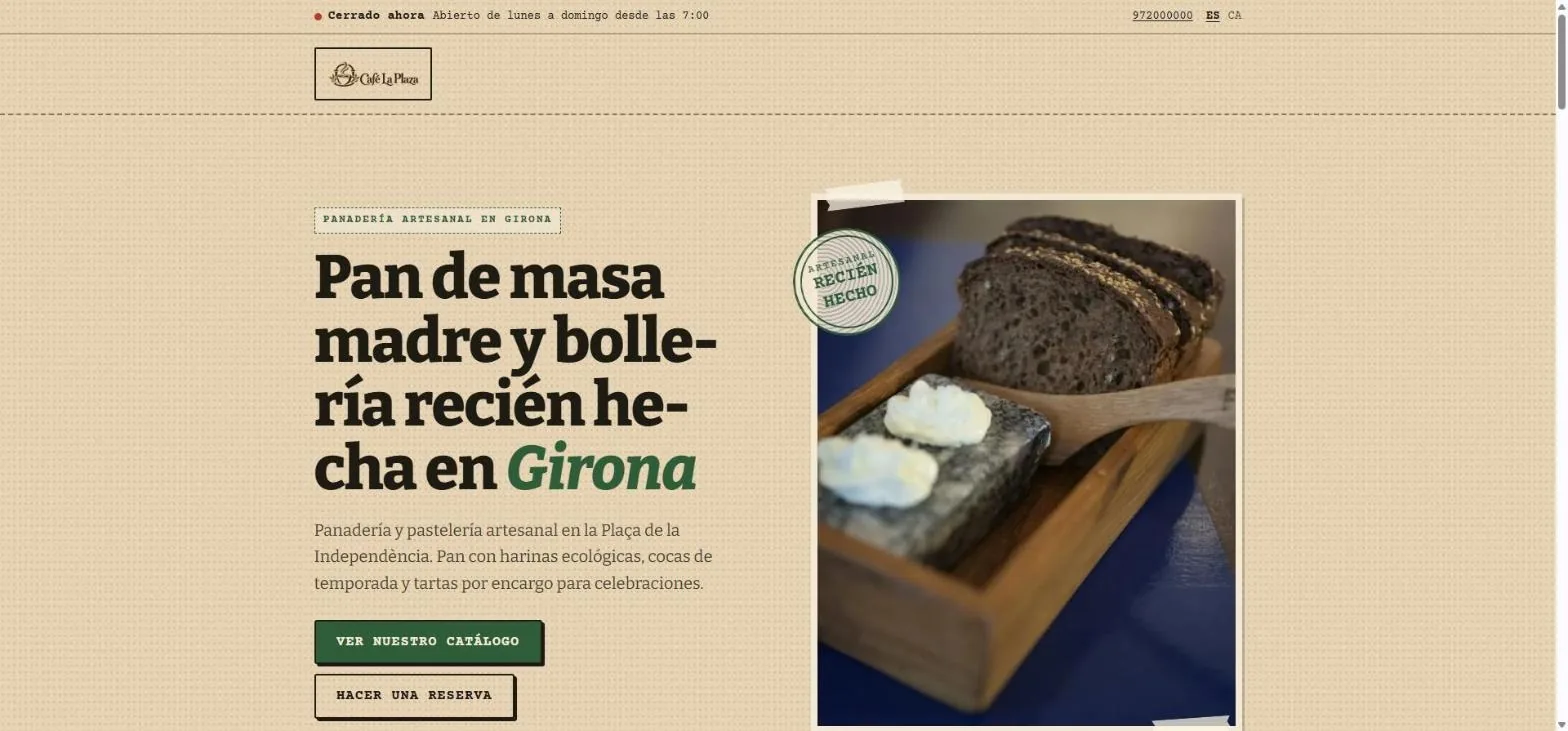
A bakery in Girona, as SWPanel published it
It's swtest.es, a test website created with the wizard: the headline and intro written by the AI; the photos, searched and optimized; the hours, turned into “Open” or “Closed” instantly.
- Spanish and Catalan
- Legal pages, cookies and photo credits in the footer
- Open or closed, instantly: calculated from the hours you gave.
- Phone and languages, Spanish and Catalan.
- Headline and intro, written by the AI from the business description.
- Two calls to action: the catalog and booking.
- Real photos in every slot, optimized as WebP.
Web Editor
The finishing touches, your way and without code
The AI leaves your website done; the Web Editor lets you make it yours. It shows your real website inside SWPanel, even if the domain doesn't yet point to the hosting: you click on a text and write it, change a photo, adjust colors and fonts and see it on mobile before publishing.
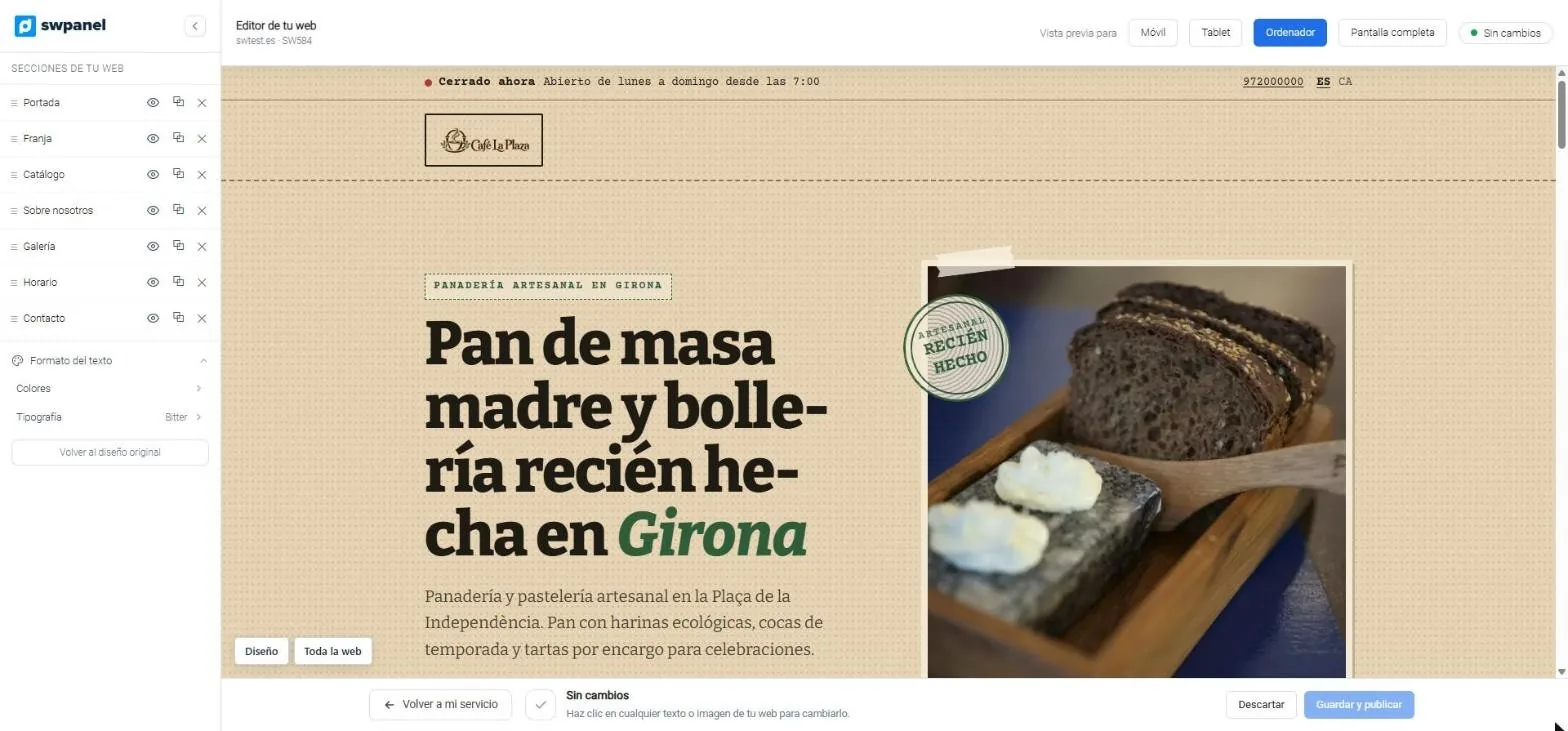
- The sections: reorder, hide, duplicate or remove them.
- Colors and typography for the whole website.
- Mobile, tablet or desktop view, or full screen.
- Your real website, inside SWPanel.
- Save and publish, or discard.
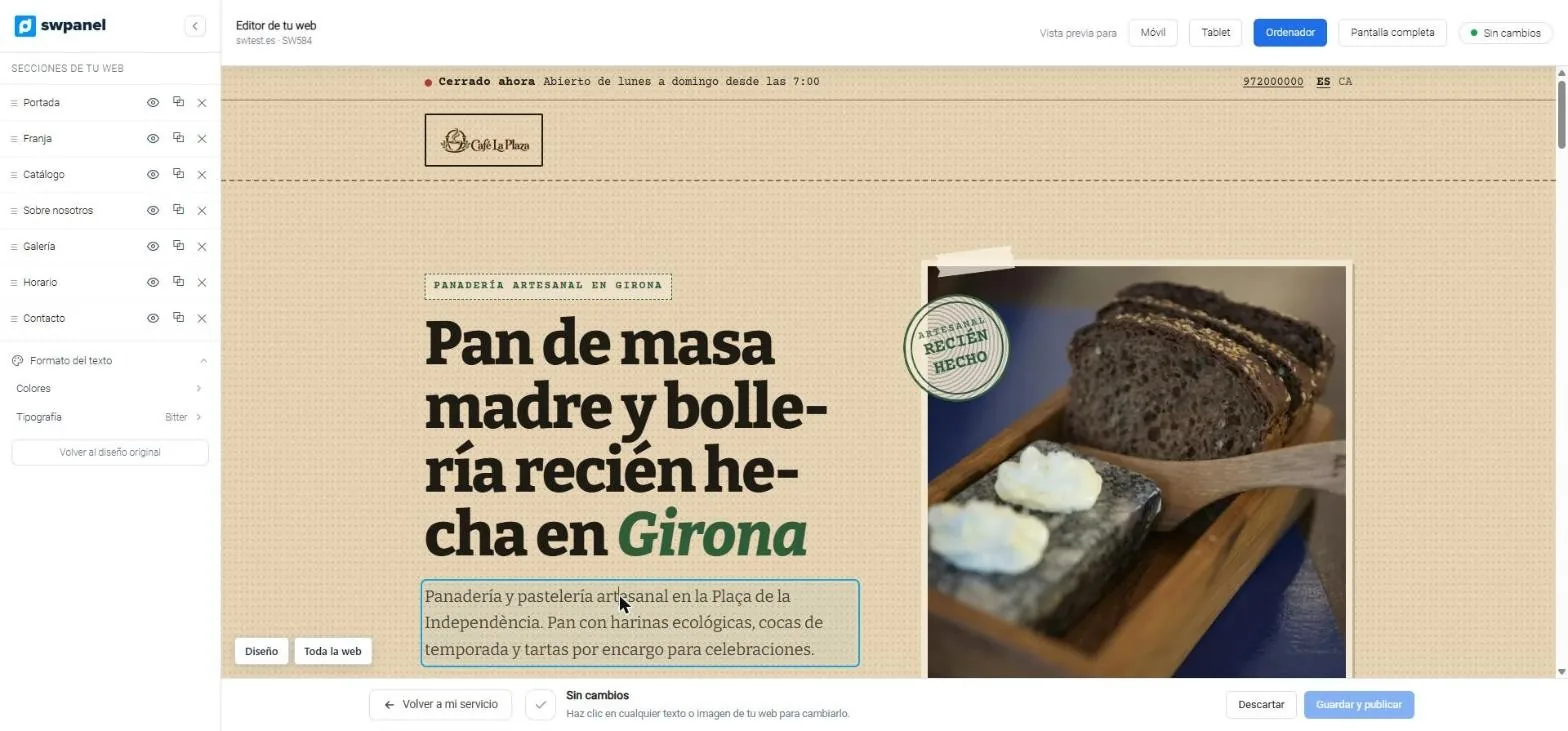
- Click on a text and write it in place.
- Help, always in view: click on any text or image.
- Design and Whole website: the styles of the element or of the entire site.
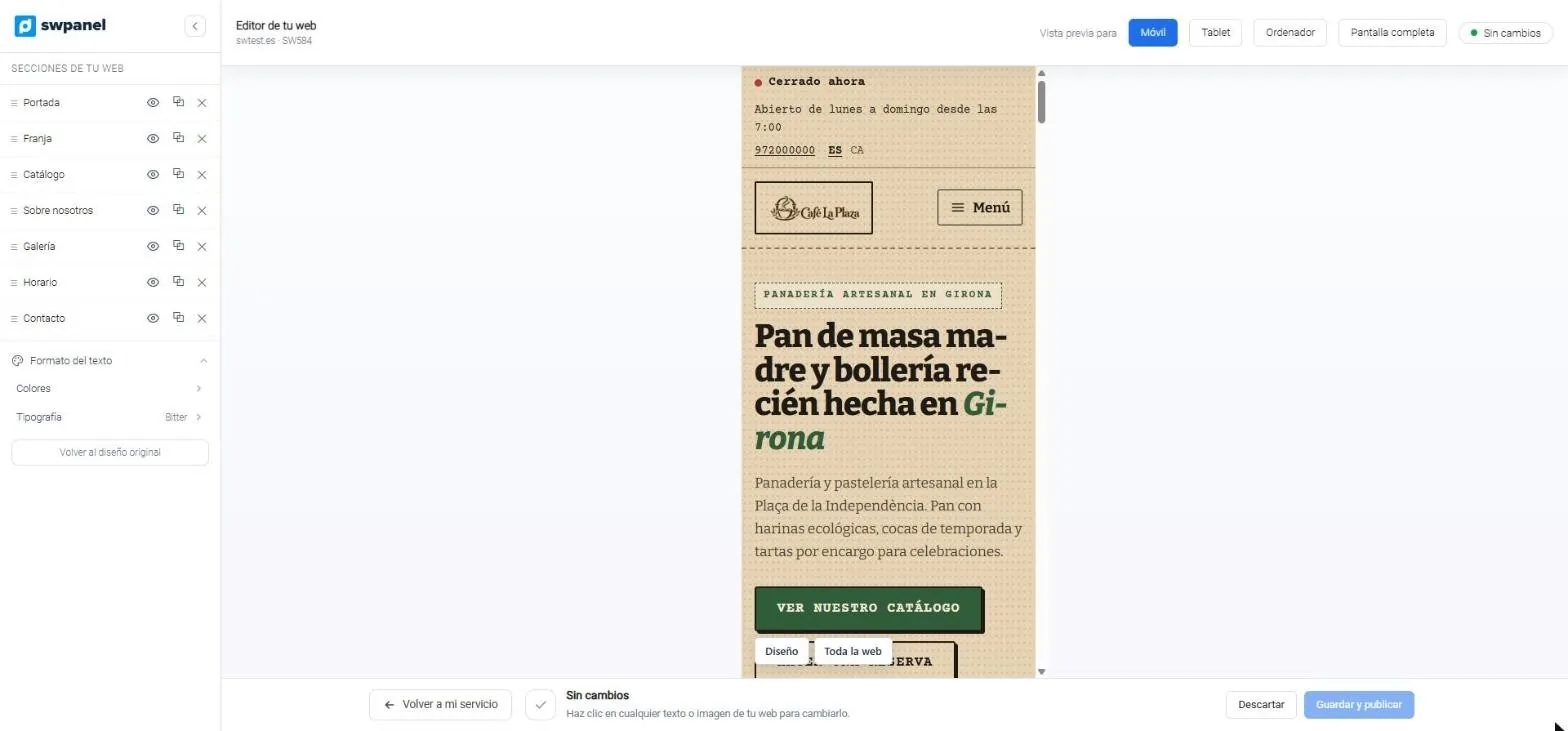
- Mobile view: the menu collapses and the headline adjusts.
- Switch views without leaving the editor.
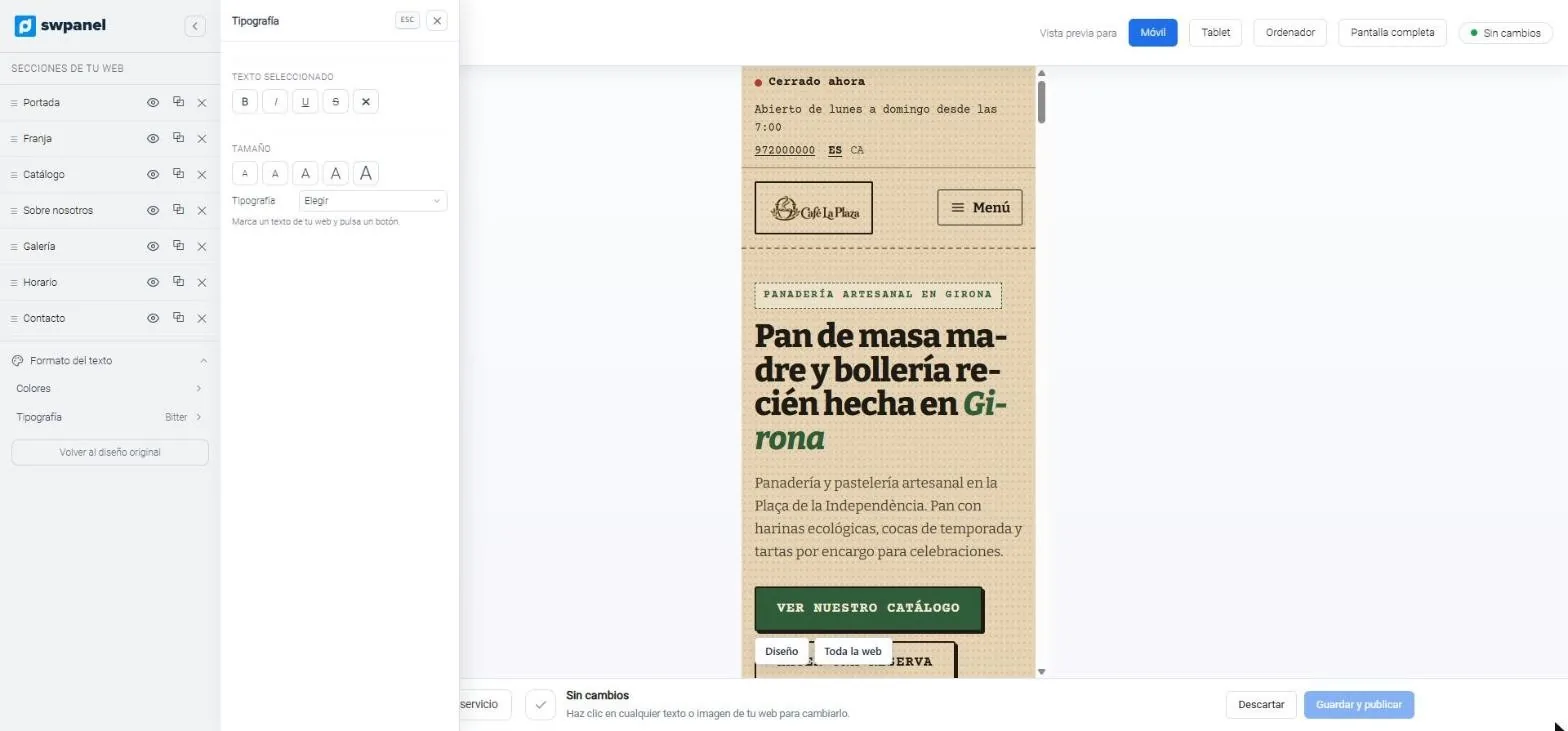
- Bold, italic, underline and strikethrough on the selected text.
- Five sizes and the typography.
- In mobile view while you edit.
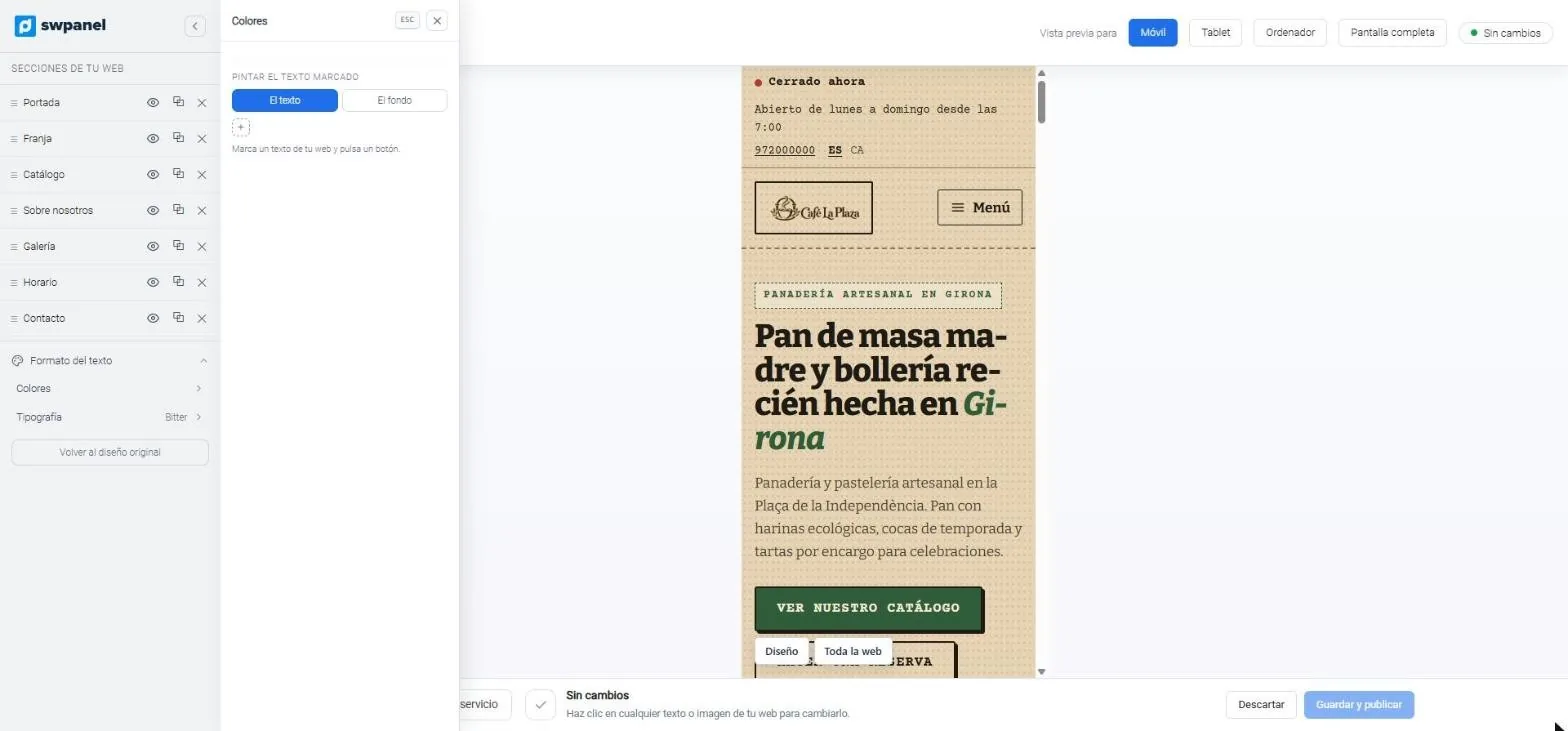
- Color the selected text: its color or its background.
- The change is visible instantly in the preview.
View and edit
- View at 375 px, 768 px and 100%, and full screen
- Click a text to change it in place
- Click an image to upload another
Each element
- Font, size, weight, color, line height and spacing
- Color, gradient or image background; margins, border, corners and shadow
- “Reset” undoes the adjustments
The whole website
- Theme colors, heading and body fonts and corners
- 40 themes to change style and go back to the original
- Sections: reorder, hide, duplicate or remove
Changes are published when you press “Save and publish”, in all languages. Until then, “Discard” undoes them.
On video · 29 seconds
This is how an already created website is edited
From “Your website” to the Web Editor: sections, themes, texts, mobile, typography and colors, up to “Save and publish”.
- Your website: what's done and what's missing
- Sections
- Themes and palettes
- The Web Editor
- Click on a text
- Mobile view
- Typography
- Colors
- Texts to complete and publish
Connected to the rest
A website born with the whole ecosystem
Frequently asked questions
Questions about AI websites and stores
Your next website, in minutes
Create websites and stores with AI for yourself or your customers, from SWPanel.