
AI stores · New in 2027
Your online store, created and ready to sell
SWPanel builds a complete store on your hosting: catalog, cart, checkout, customer accounts, legal pages and SEO, with copy written by the AI and one of five designs. Then you manage it from SWPanel: orders, products, customers, payments and design, with no other panel or password.
- 5 designs
- You get paid, no intermediaries
- All in SWPanel
The example
A coffee store, just as it comes out
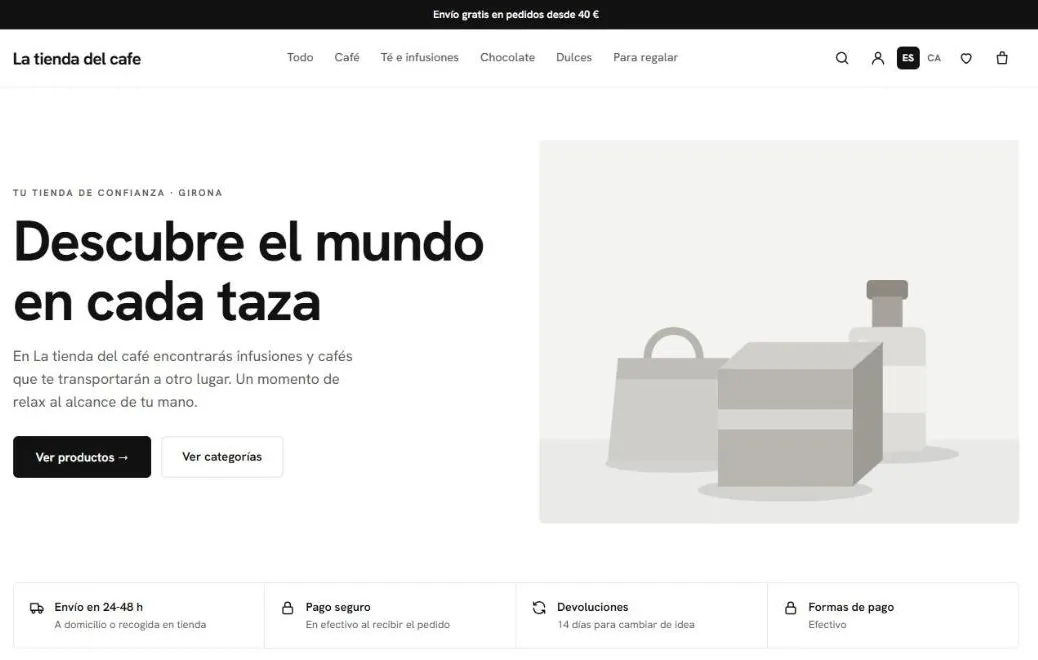
It's swpruebas.com, a test store created with the tool, with the Essential design and the sample data. These screenshots are from the published store.
The coffee store Coffees, teas, chocolates and sweets, with 24 sample products. Open it and browse.
Open swpruebas.com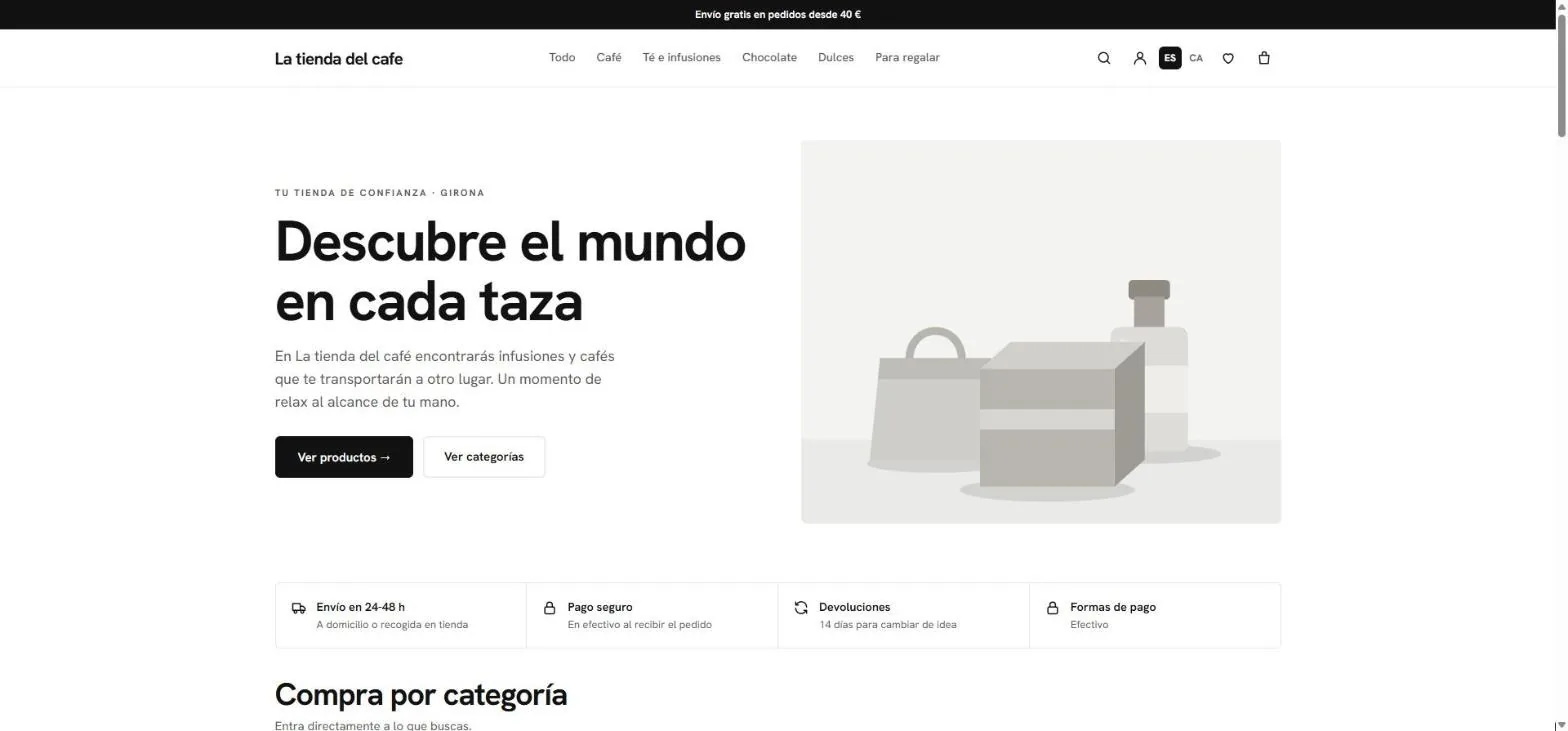
- Announcement bar (optional).
- Home page copy written by the AI from the description and the city.
- Benefits for shipping, payment and returns, editable in Design.
- Search, account, language, favorites and cart.
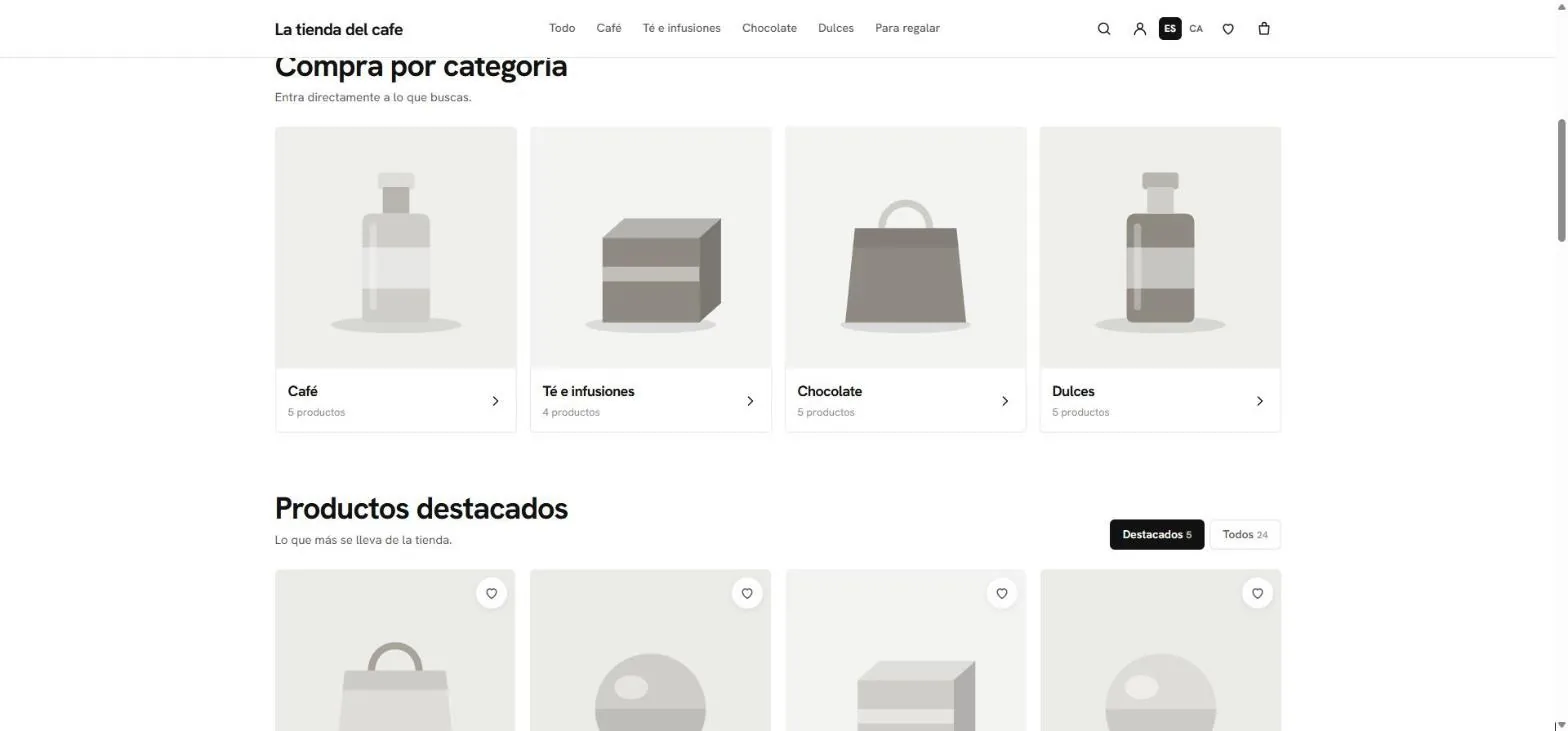
- Categories with their number of products.
- Featured or the whole catalog: 24 sample products.
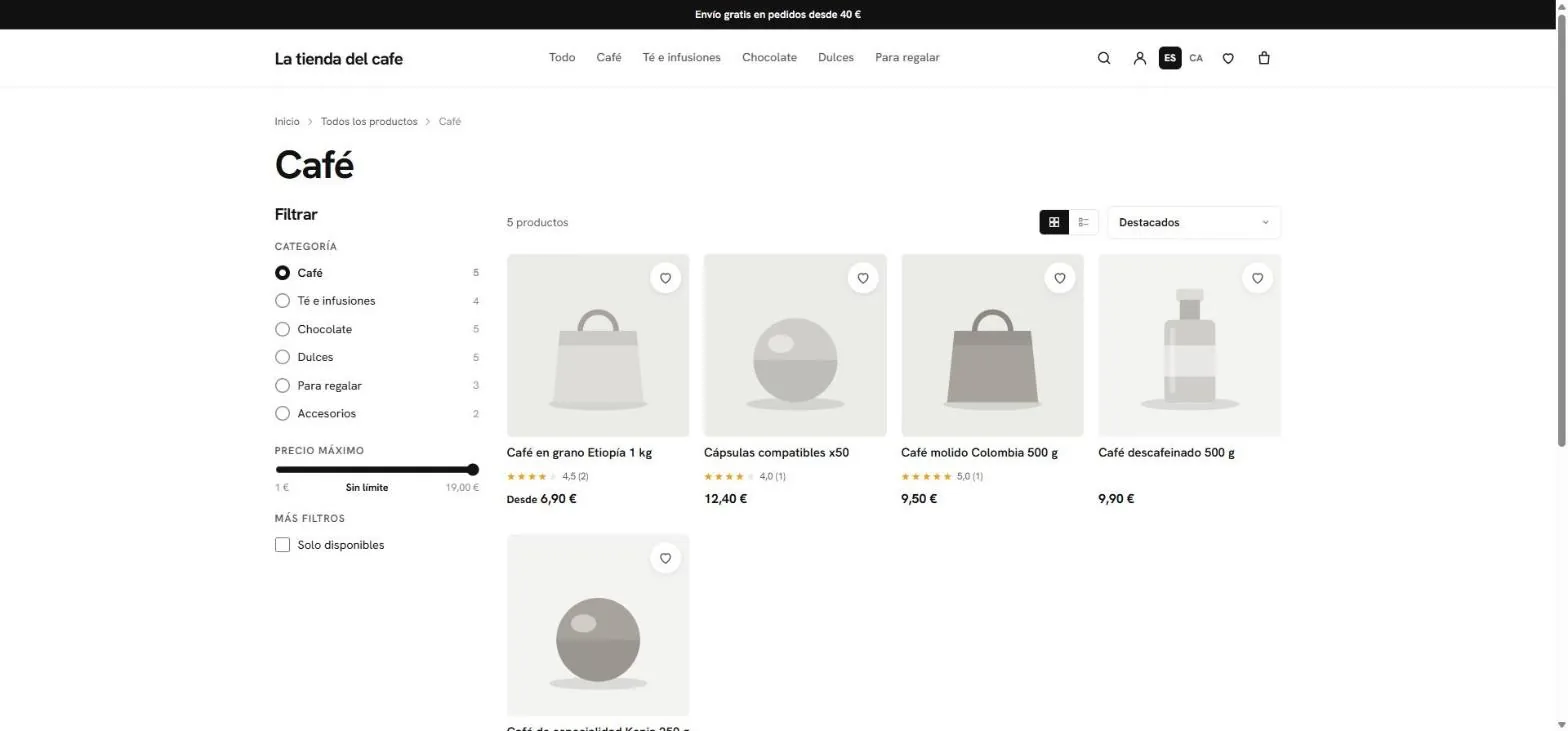
- Server-side filters: category, price and available. The filtered address can be shared.
- Grid or list, and the sorting.
- “From €6.90”: the lowest price among its variants.
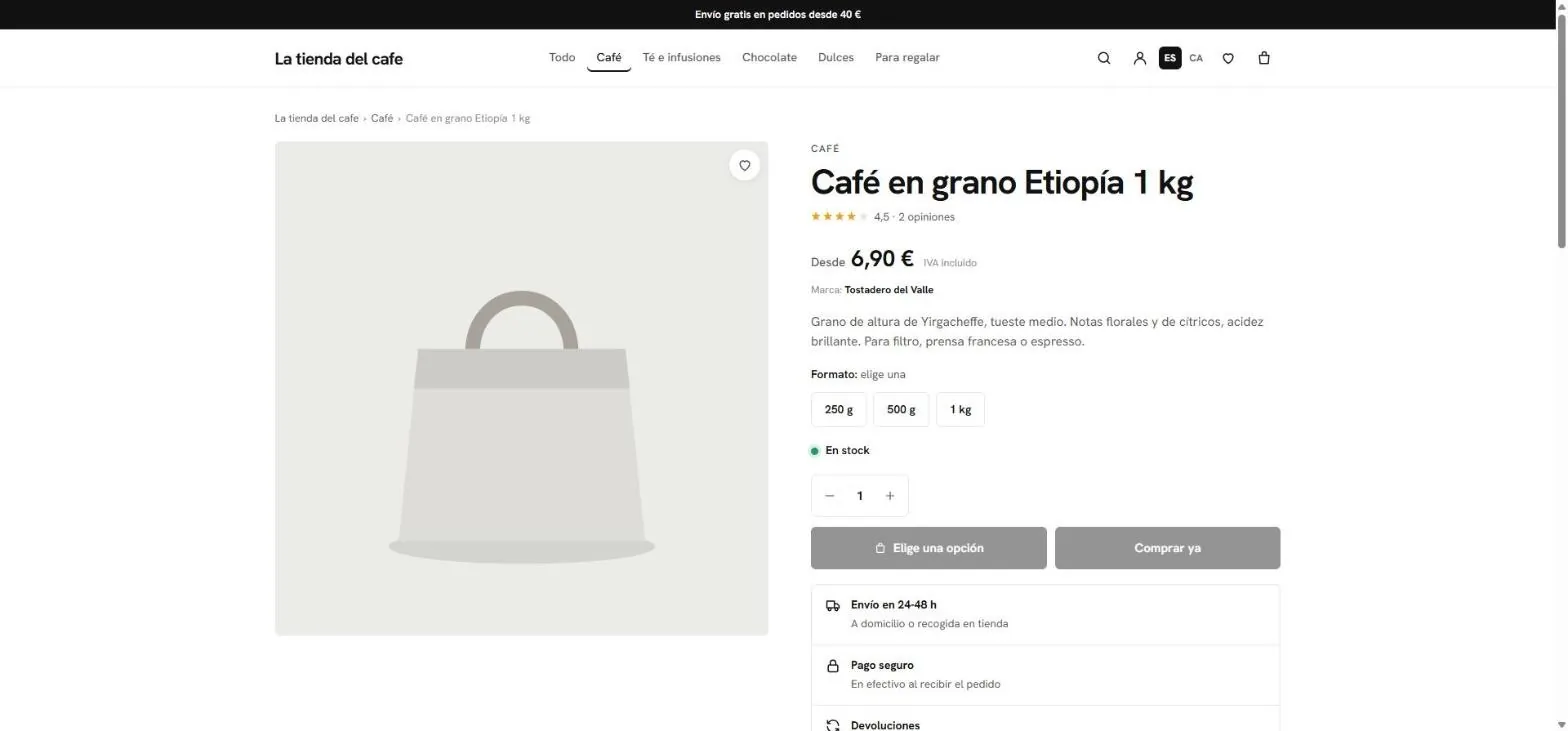
- Breadcrumbs and own address for each product.
- VAT included and brand, in view.
- Variants with stock per combination.
- Add and Buy now, once you pick the option.
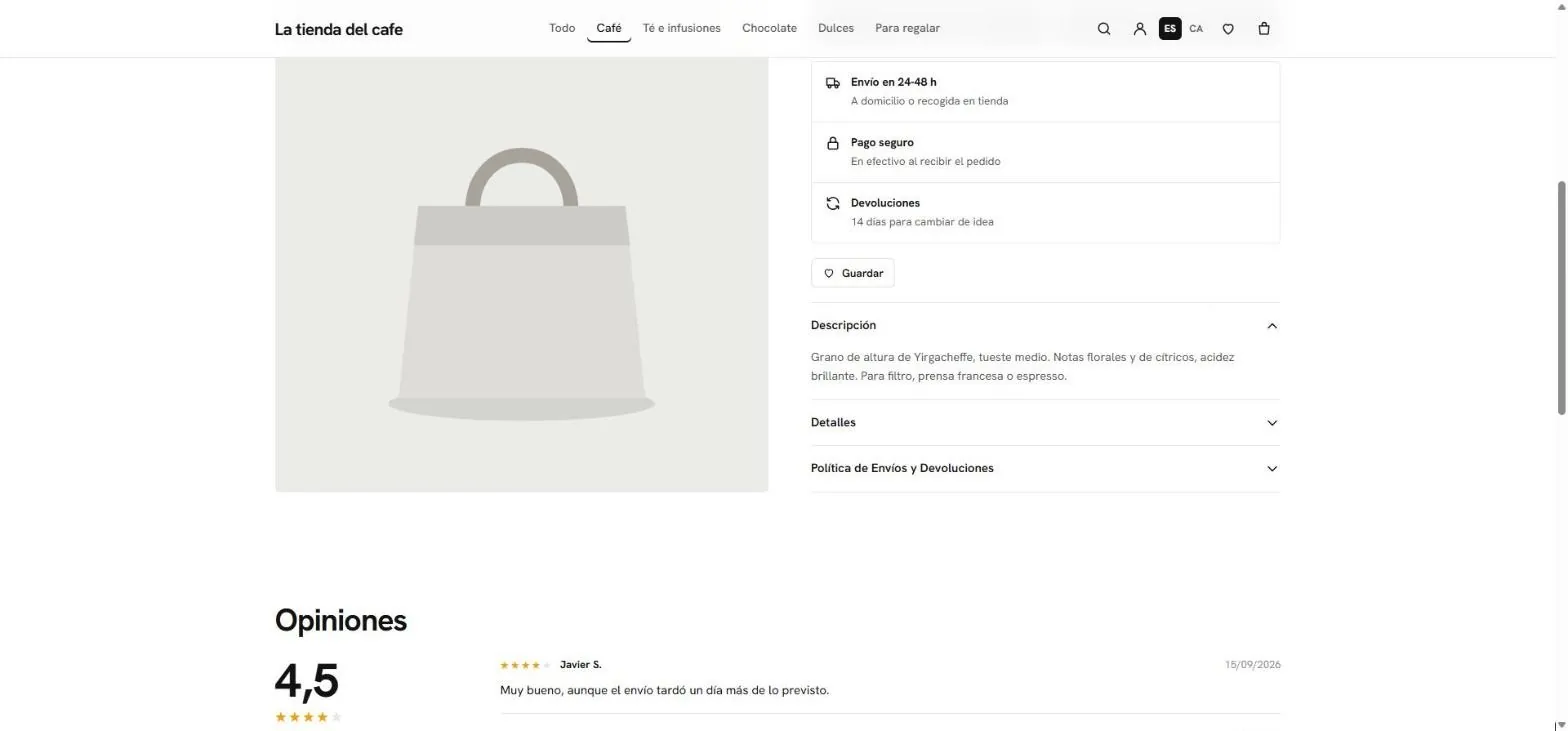
- Shipping, payment and returns on each product page.
- Description, details and shipping policy, collapsible.
- Reviews: only someone with the order code can leave one.
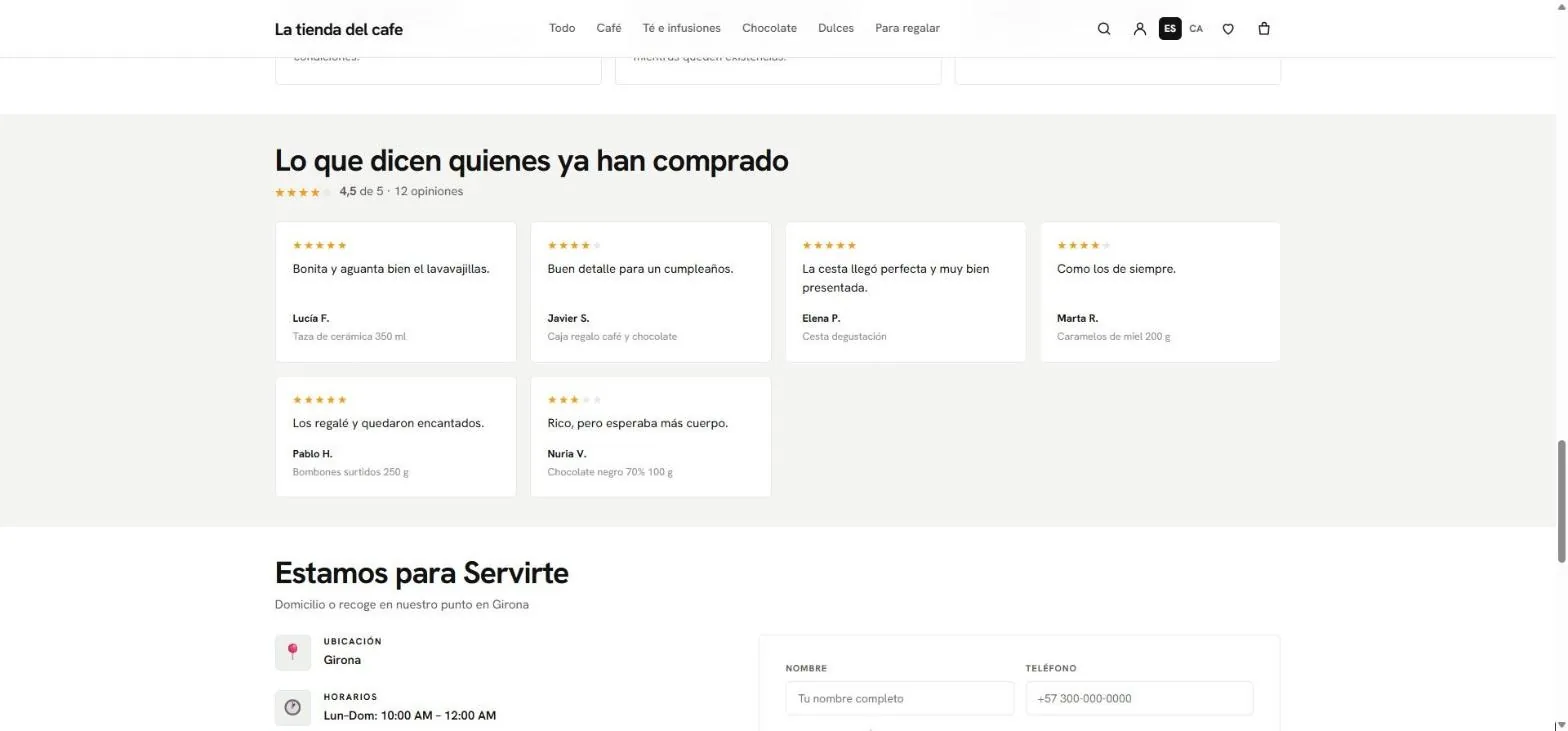
- Customer reviews, with the average and the total.
- Contact with a form, location and hours.
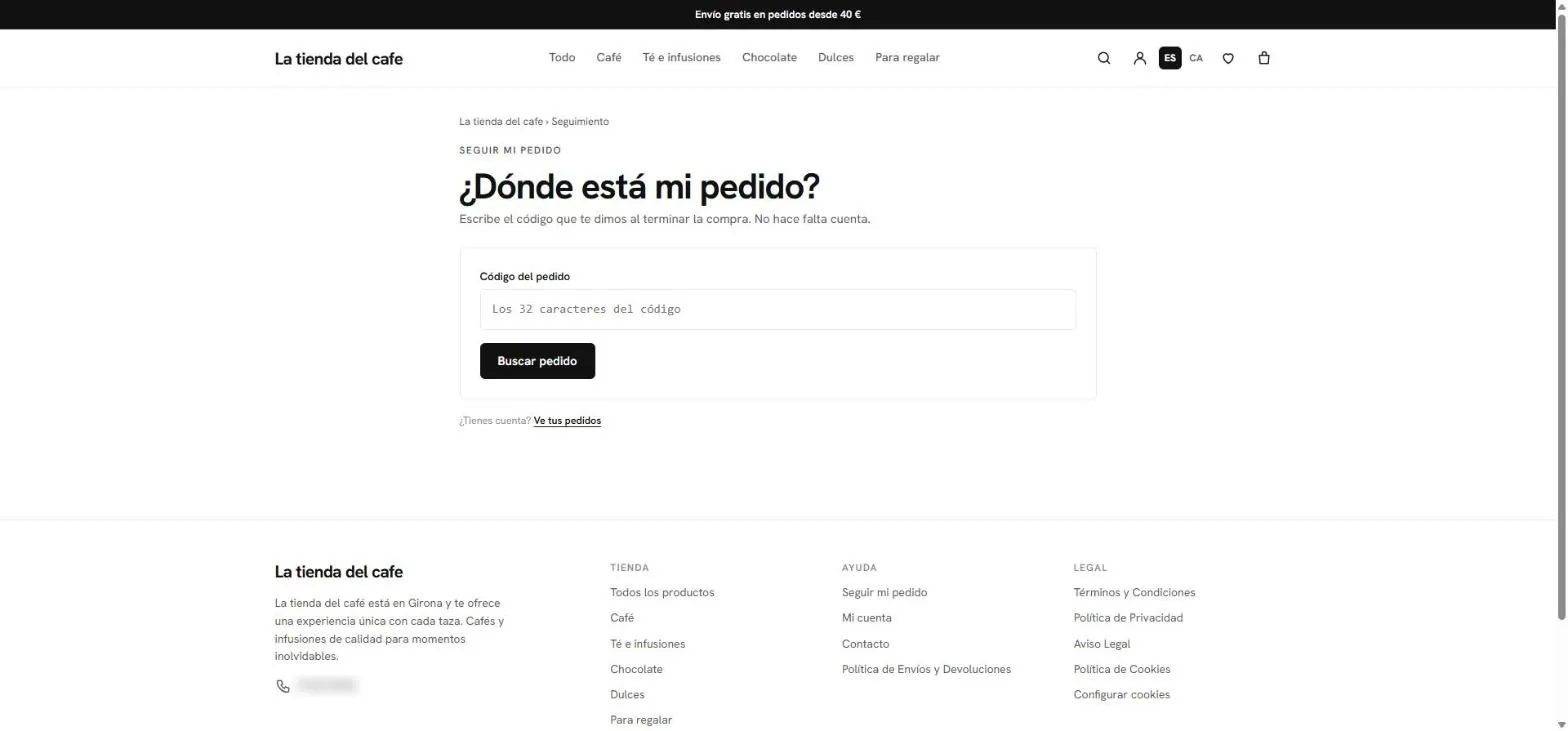
- Where is my order?: tracking with the code, no account needed.
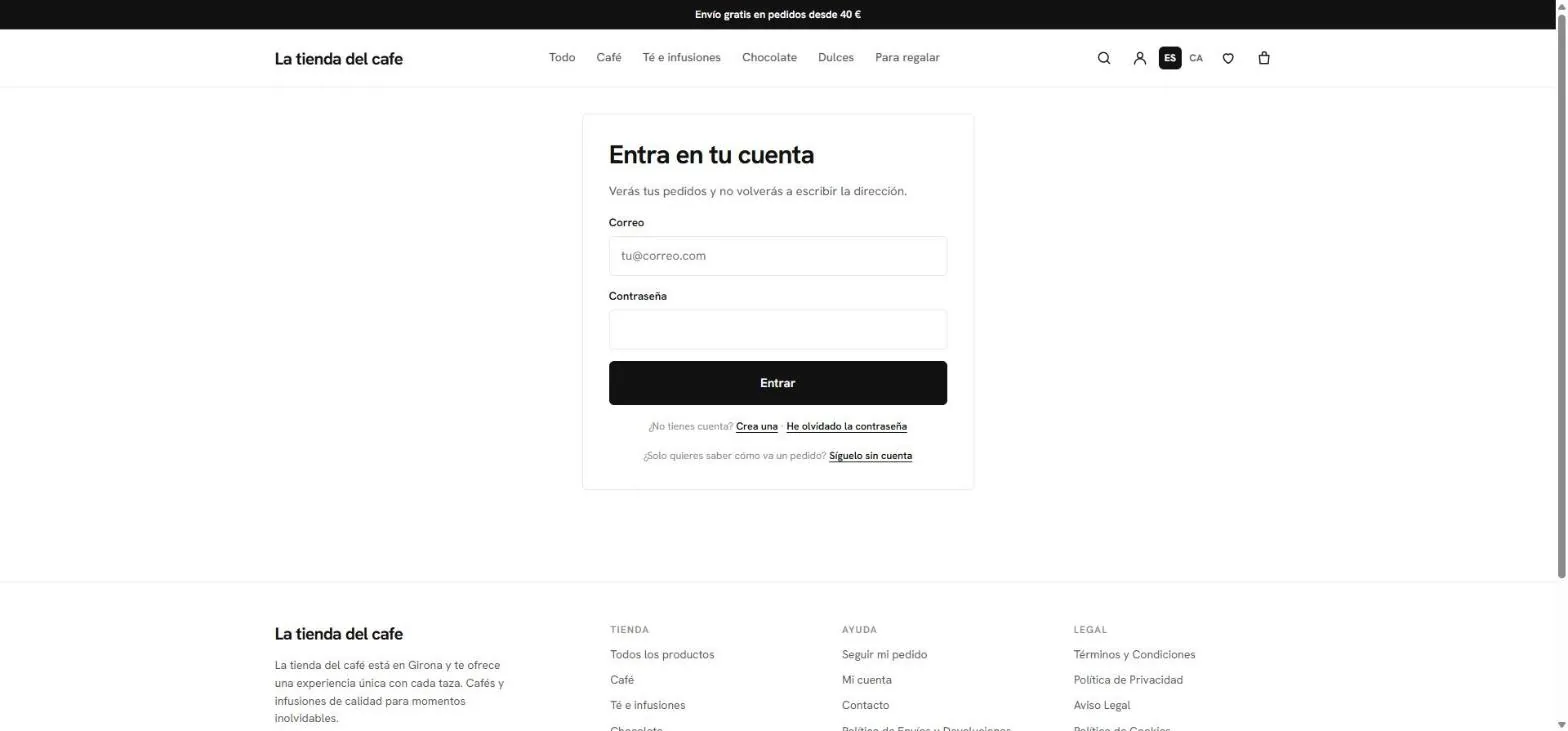
- Optional account: orders, favorites and saved details.
- Track without an account, with the order code.
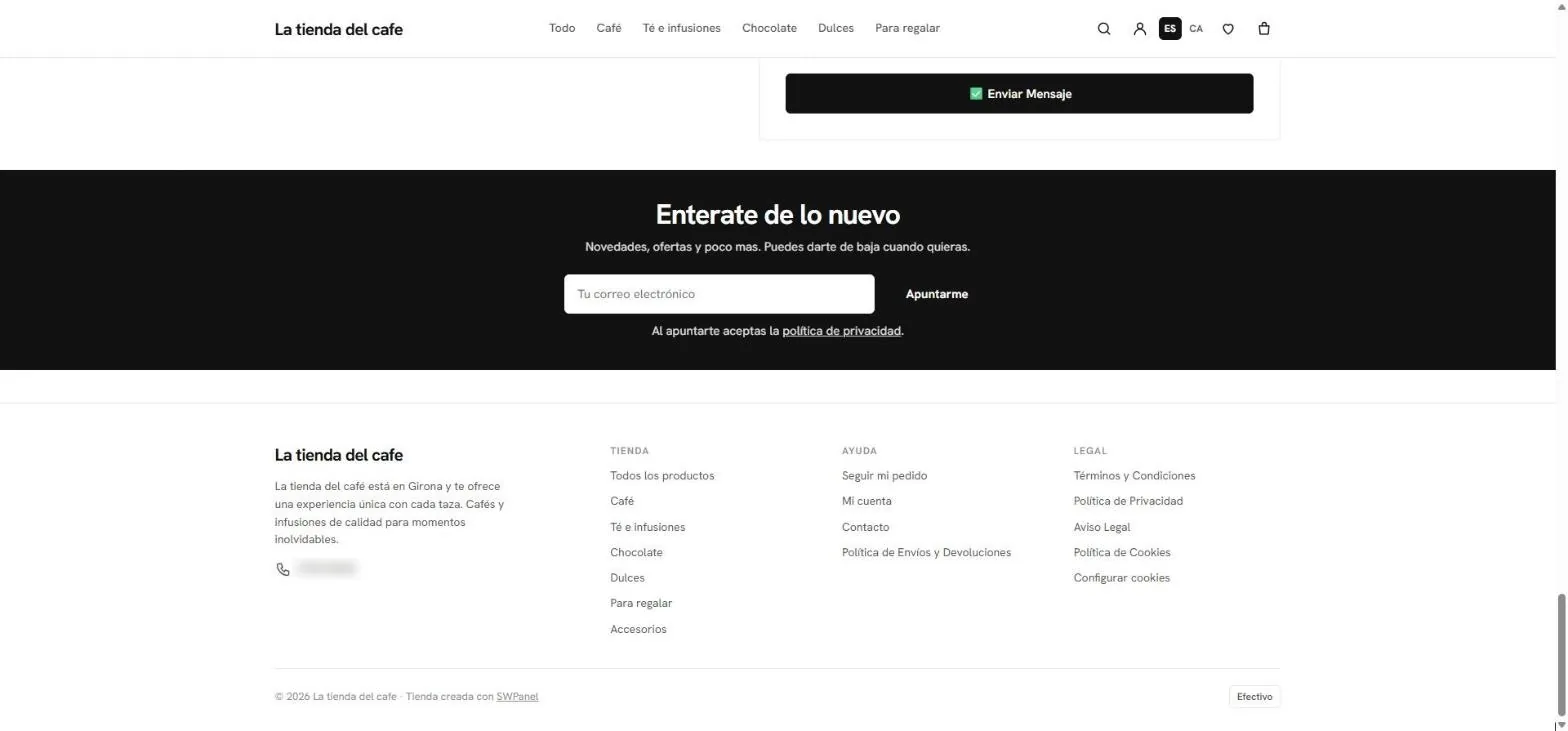
- Newsletter, with the Newsletter module.
- Legal pages and “Cookie settings”.
- “Store created with SWPanel”.
- The active payment methods.
How it's created
Six steps and you start selling
From your hosting menu, with your business details. SWPanel creates the database, installs the store and leaves it with your brand.
-
Choose the hosting
Only active plans with web space appear. Those with WordPress or a website already running can't be chosen.
Continue -
Select “Online store”
It's the first step of the same wizard that creates websites. The rest of the form adapts to what you choose.
Website type -
Your data
Name, description, phone, address, city, social networks and logo. The AI writes the home page copy with them.
-
Choose the design
Five different profiles, from the most neutral to the darkest. You can change it later.
Essential · Editorial · Vibrant · Night · Market -
With sample data?
It's enabled by default: the store is born with sample categories, products, orders and reviews so you can see it working.
Sample data -
Ready in minutes
SWPanel creates the database, installs the store with your brand, your legal pages and your SEO, and notifies you. In the meantime, your domain shows a notice, not a half-built store.
The online store is being created
The assistant
The same wizard, another option
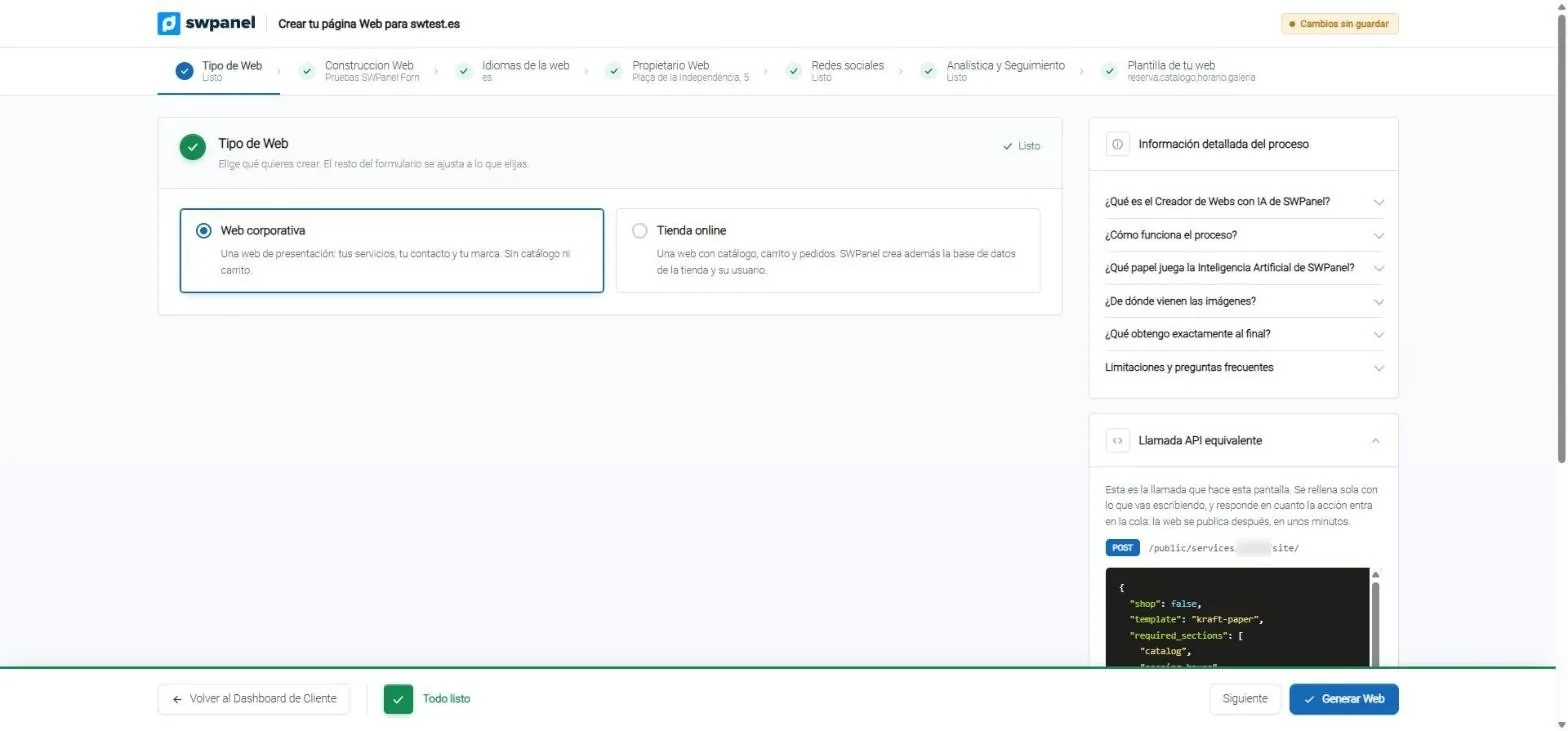
The store is created from the same screens as a corporate website. When you choose “Online store”, SWPanel also creates the store's database and its user, and installs it on your hosting.
- Select “Online store”: SWPanel also creates the store's database and its user.
- The same steps as a website: details, languages, owner, networks, analytics and design.
- The equivalent API call, to create it via API too.
- 24 Sample products in 6 categories, with variants, one sold out and another with 2 units
- 18 Sample orders in their five statuses, spread over 75 days
- 12 Reviews 8 customers, 3 coupons and 5 shipping zones
- 1 click To remove the sample without touching what you created yourself
The store
Everything it brings out of the box
It's not a page with a buy button: it's a complete store, with what a buyer expects in 2027.
Storefront
- 11-block home page you arrange from Design
- Categories with price, brand and sort filters, in grid or list
- Search with suggestions as you type
- Announcement bar, floating notices and dark mode
Product
- Product page with its own address, gallery and ratings
- Size and color variants with stock per combination
- “From” price, “Add”, “Buy now” and related products
- “Notify me when it's back” if sold out
Purchase
- Cart and favorites, with “Add all”
- VAT and shipping costs in view before paying
- Thank-you page with the order status
- Email to the buyer with the details and the code
Buyer
- Optional account: orders, favorites and details
- Tracking with the code, without registering
- Recover the password with a code that expires in one hour
- Only someone with the order code can leave a review
On mobile
- Bottom bar: Home, Search, Favorites, Cart and Account
- Fixed purchase bar on the product page
Legal and SEO
- Legal notice, privacy, cookies and purchase terms
- Rejecting cookies is as easy as accepting them
- Structured product and offer data, canonical and catalog sitemap
- Fonts served from your hosting, with no third-party calls
Managing it
Everything in one place: SWPanel
The store is administered from SWPanel, with its own permission: you can let someone manage the store without being able to create websites, and vice versa. 10 tabs and 33 panels.
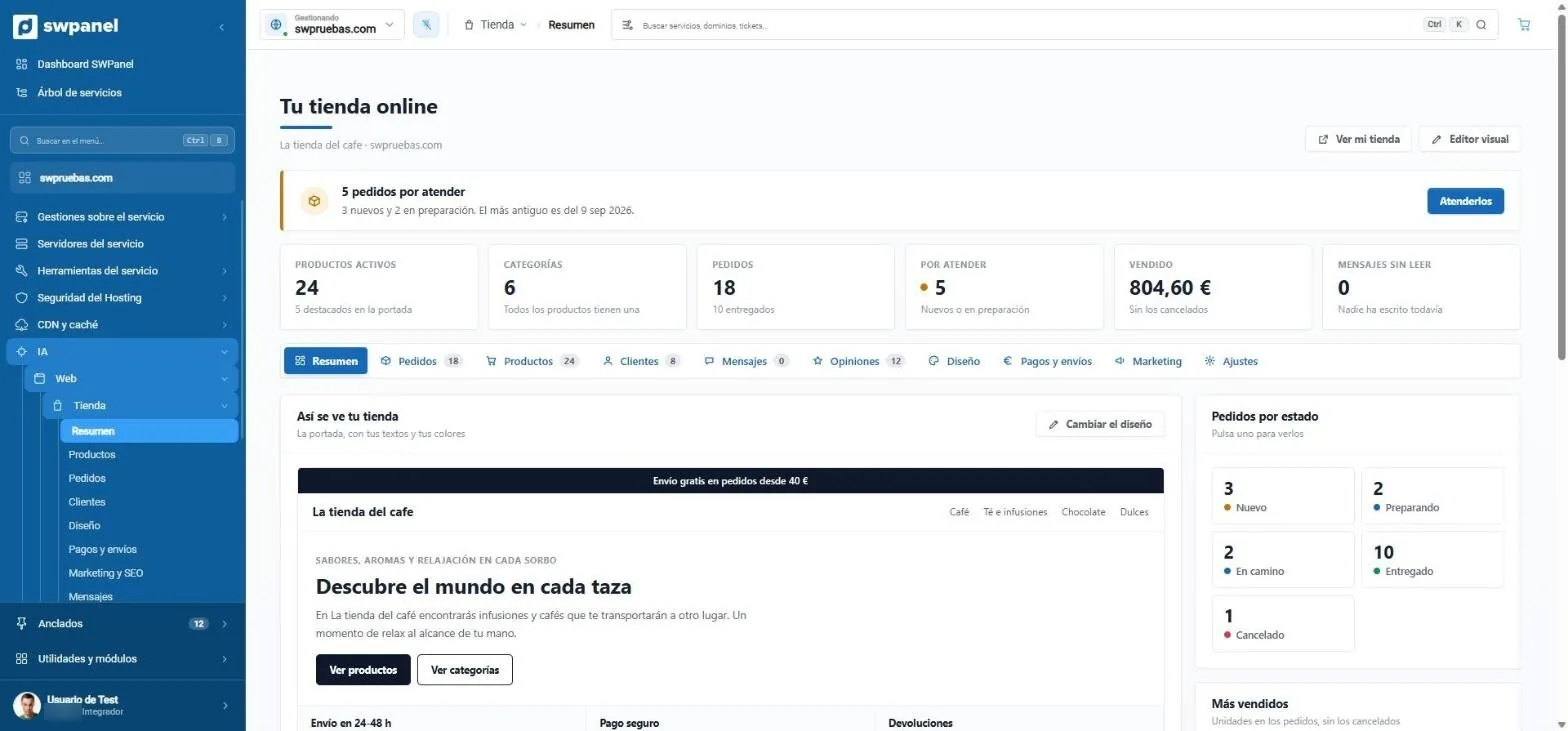
- What needs attention, with a button to do it.
- Products, categories, orders, to handle, sold and messages in one row.
- Ten tabs, from Orders to Settings.
- This is how your store looks, with “Change design”.
- Orders by status: press one to see them.
- View my store and the Visual editor.
- In the hosting menu: AI › Web › Store.
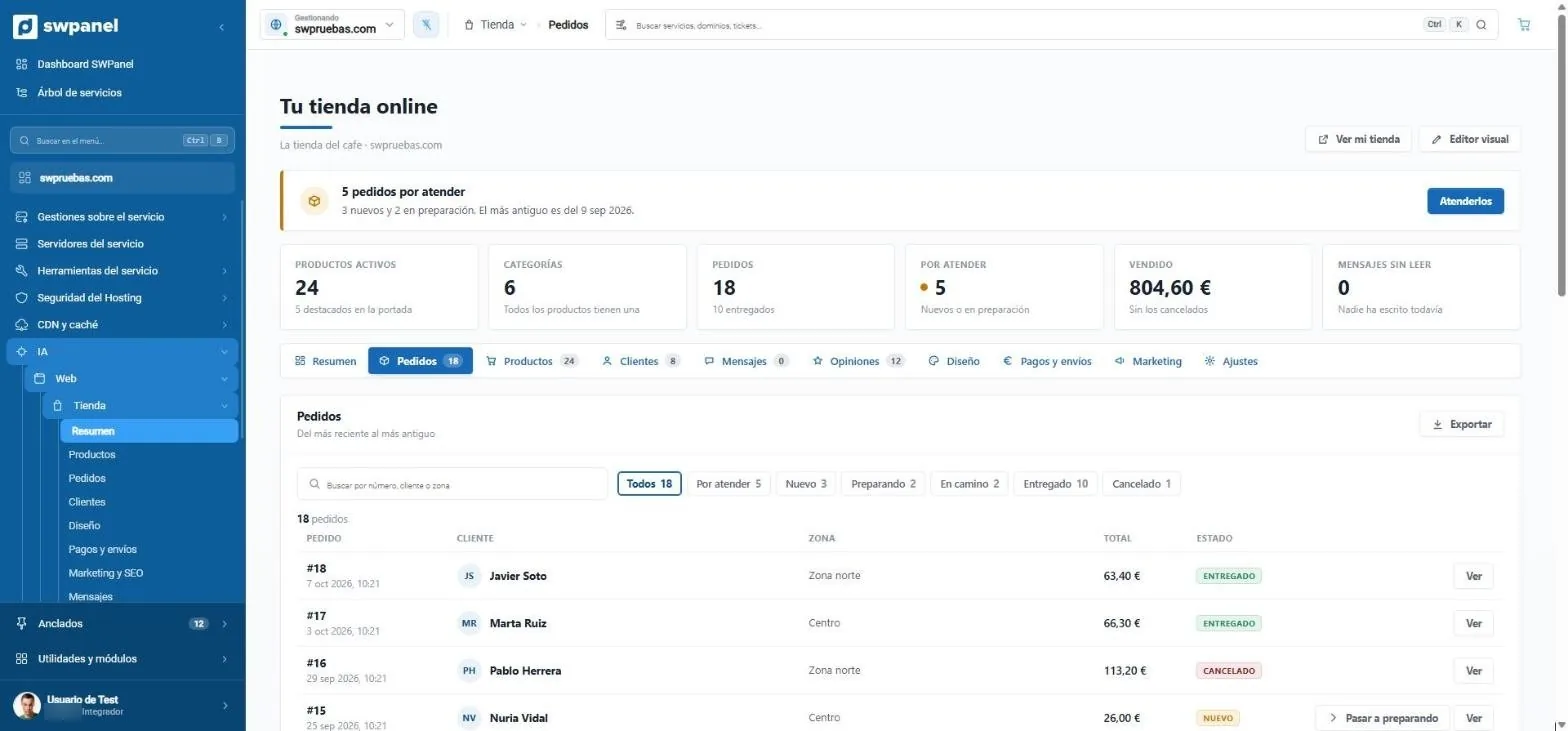
- Search by number, customer or zone.
- Filter by status: to handle, new, preparing, on the way, delivered or cancelled.
- Export the orders.
- The status of each order.
- Move to preparing, without opening the order.
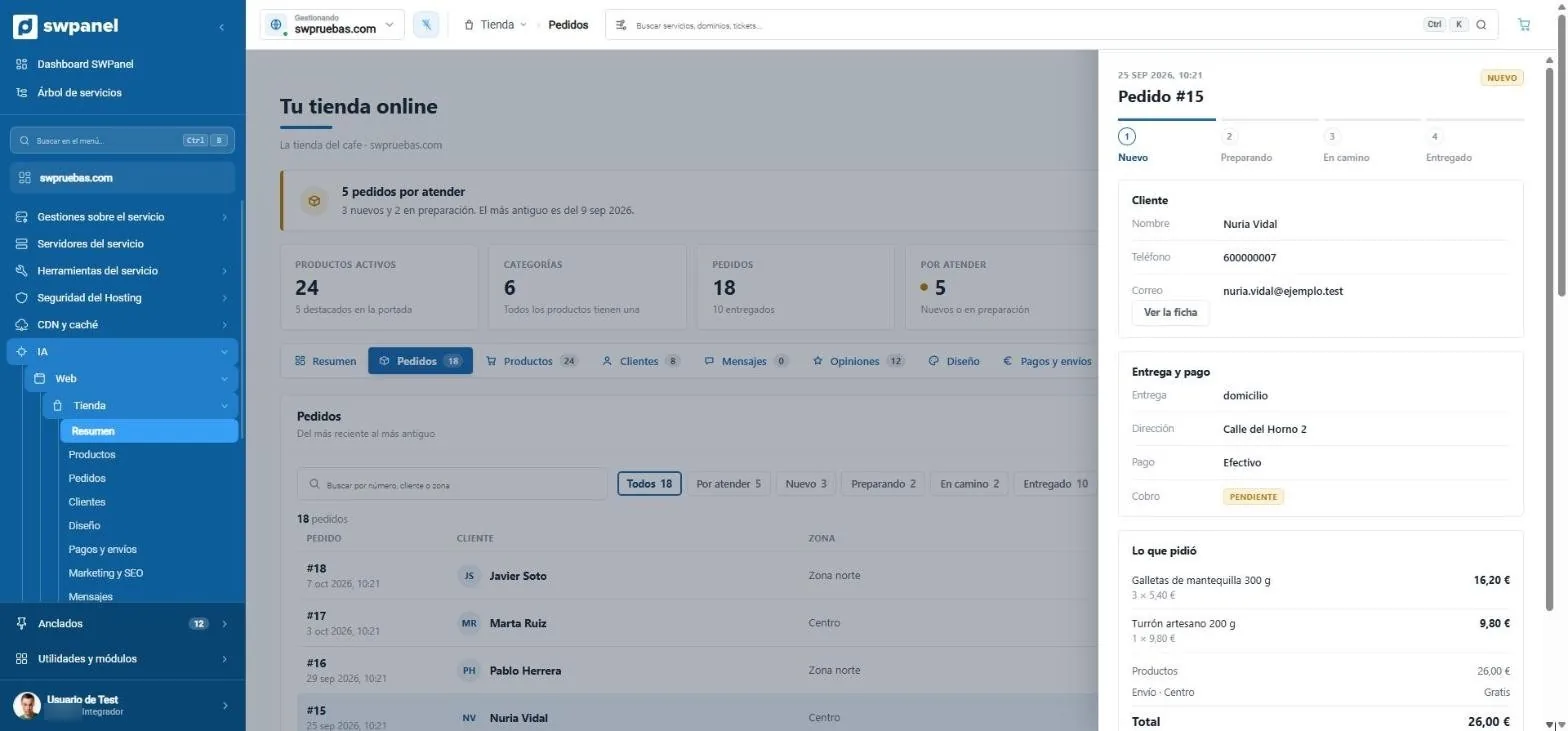
- New, preparing, on the way and delivered: the order moves forward step by step.
- The customer, with their record.
- Delivery and payment: home delivery or pickup, the payment method and whether it's already paid.
- What they ordered, with shipping and the total.
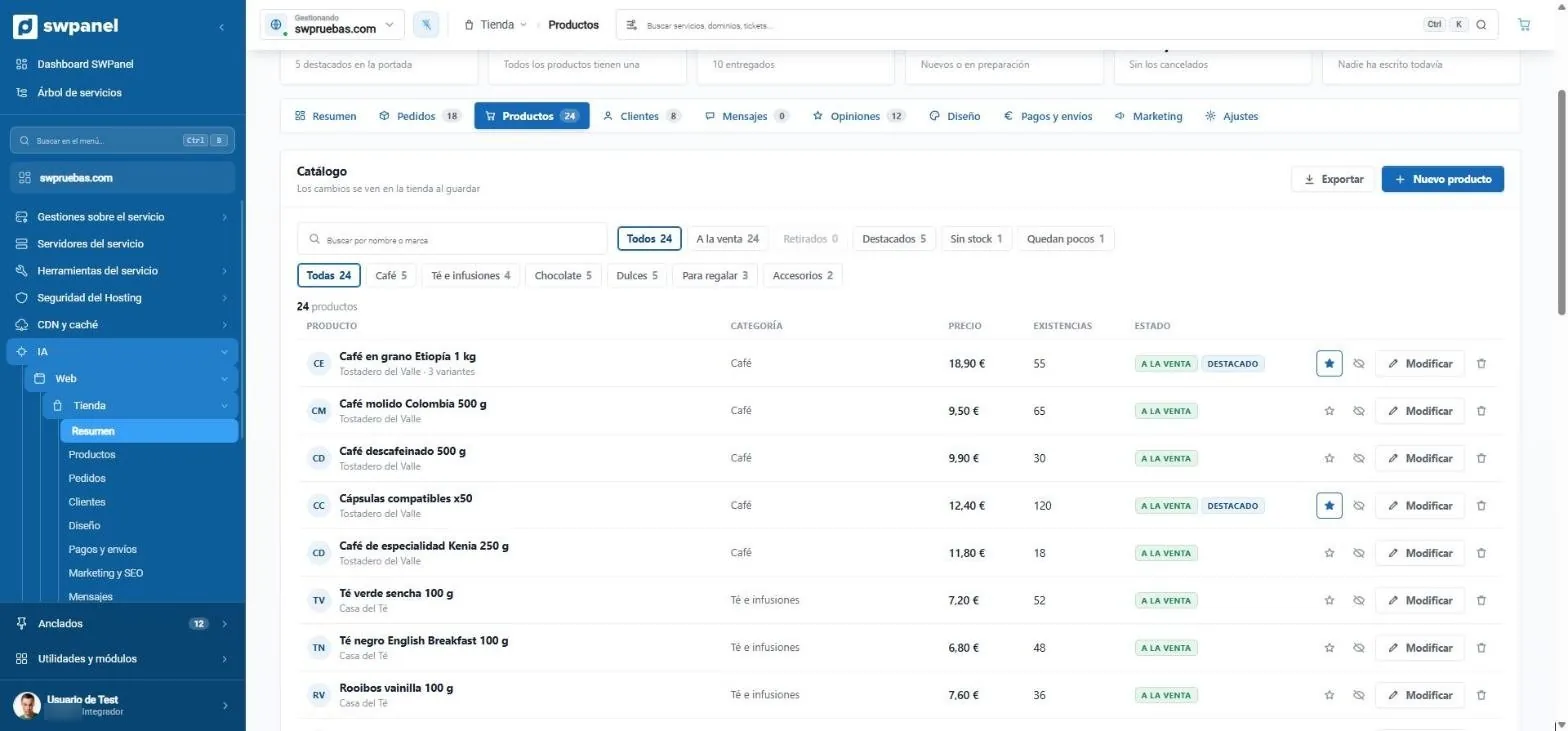
- Search by name or brand.
- On sale, withdrawn, featured, out of stock and those running low.
- By category.
- New product and Export.
- Price and stock at a glance.
- Feature, withdraw, edit or delete, on the same row.
- The variants, under the name.
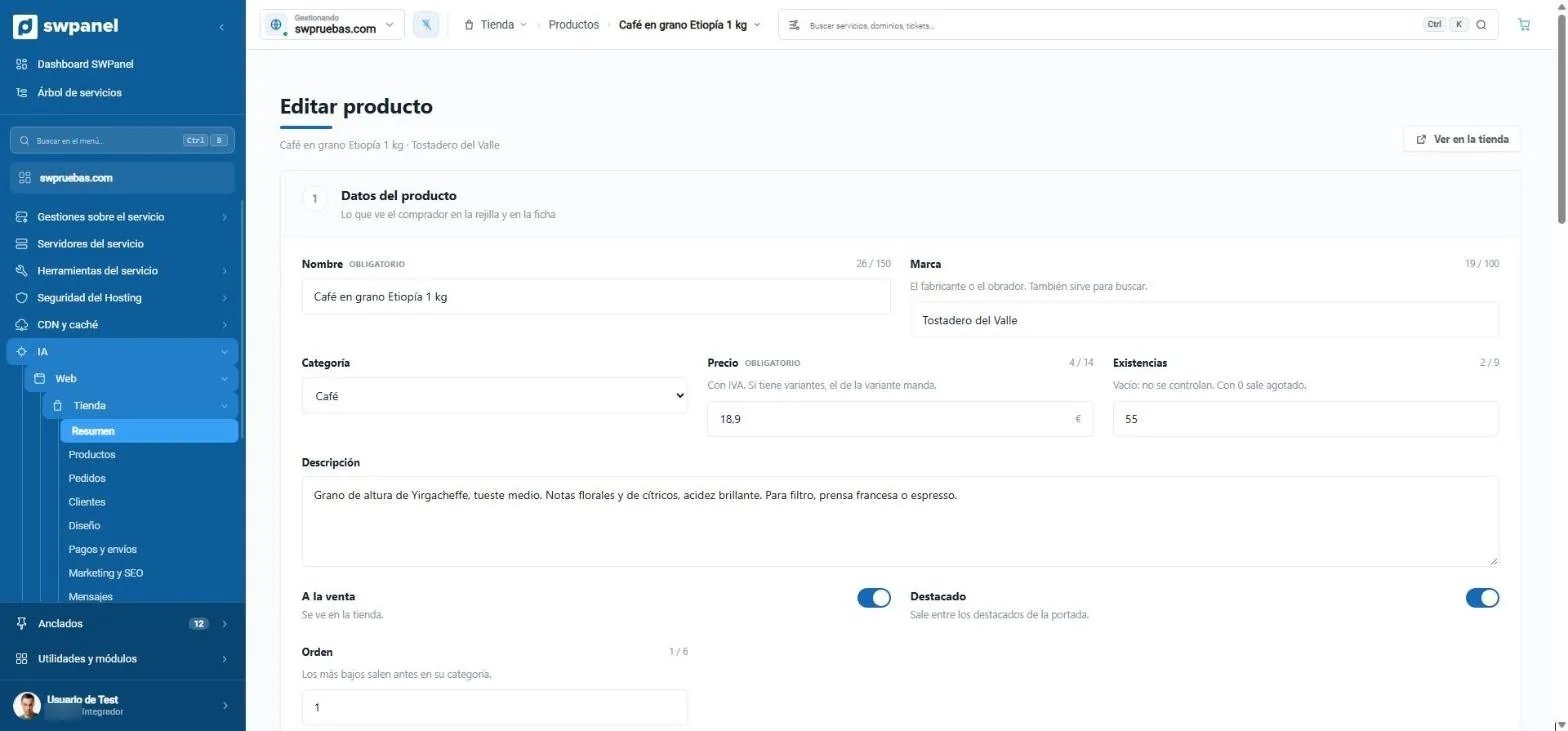
- Name and brand: what the buyer sees.
- Price with VAT. If it has variants, the variant's price applies.
- Stock: empty, not tracked; with 0, sold out.
- The description of the product page.
- On sale and featured on the home page.
- View in the store.
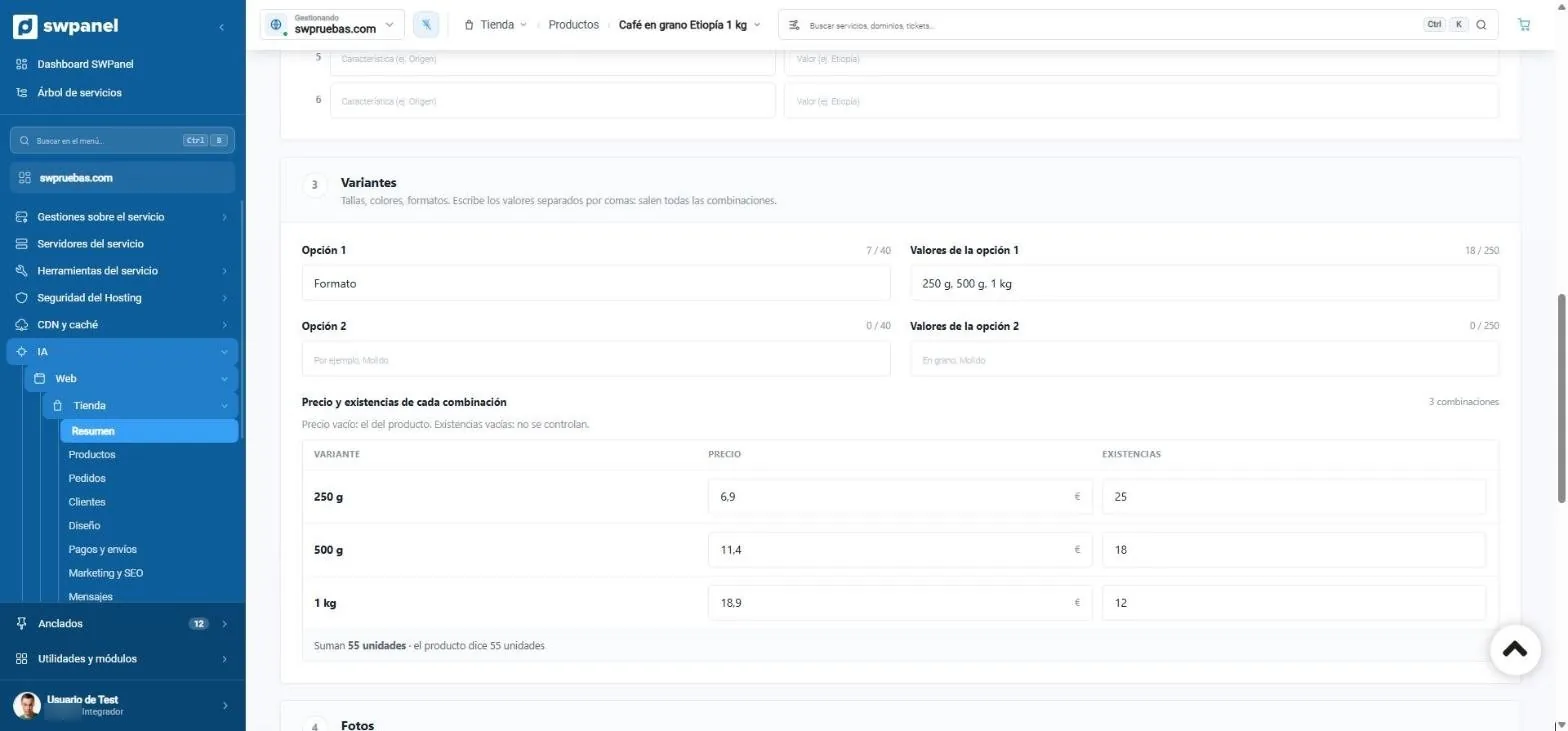
- Type the values separated by commas and all the combinations appear.
- Price and stock of each combination.
- The total, checked: 55 units across the three variants.
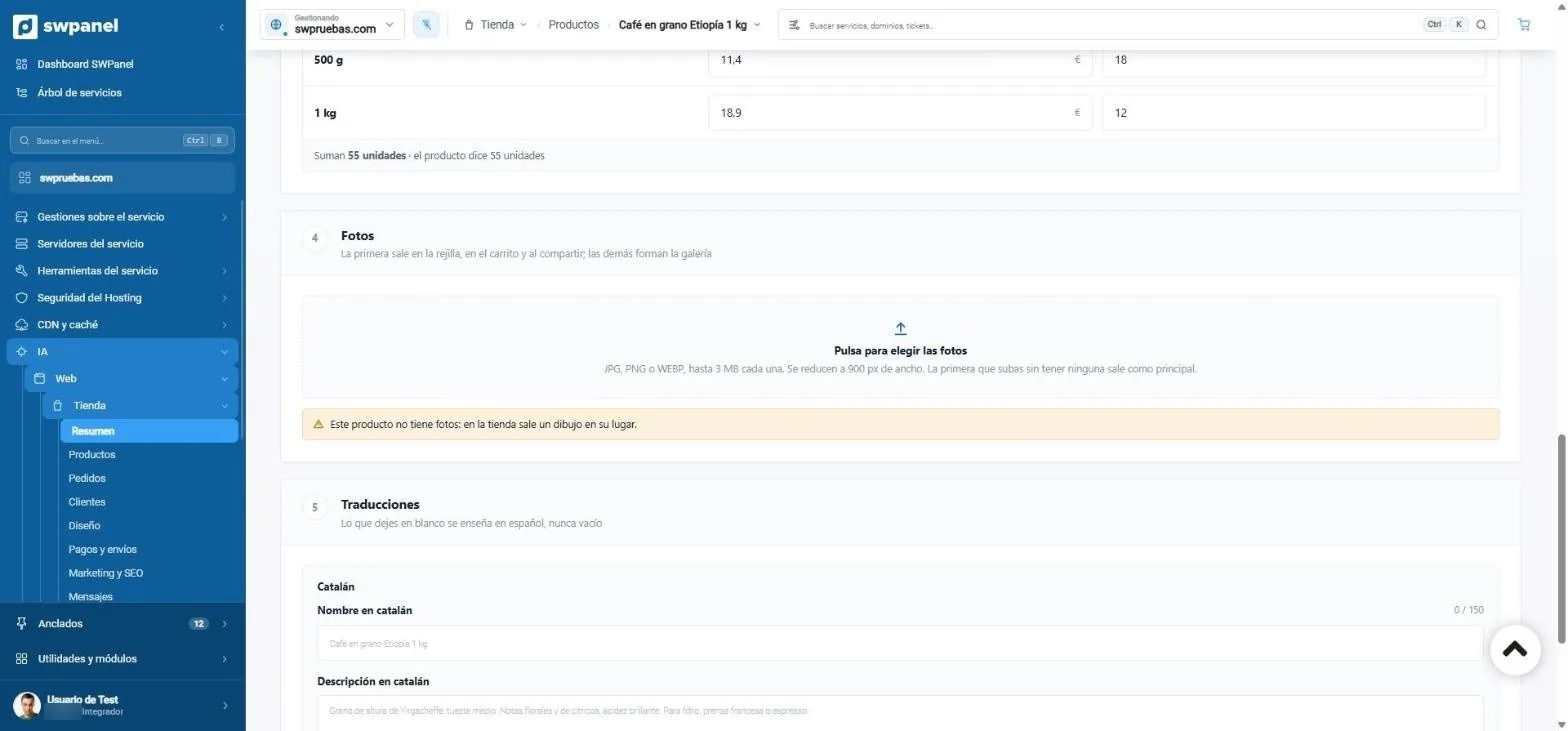
- Upload the photos: JPG, PNG or WebP, resized to 900 px. The first is the main one.
- Without photos, a drawing: the product page never comes out empty.
- Translations: whatever you leave blank is shown in Spanish, never empty.
| Tab | What you do |
|---|---|
| Summary | Orders, pending items, what has been sold and unread messages. |
| Orders | The detail, changing the status, cancelling and refunding an order paid with Stripe. |
| Products | Products and categories: feature, withdraw, edit or delete. The record opens full screen with details, features, variants, photos and translations. |
| Customers | The list, with what each one has ordered and spent, and their record, editable. |
| Messages | Read, reply to or call whoever wrote from the store. |
| Reviews | Ratings, to reply to or hide them, stock alerts and abandoned carts, with a reminder you send. |
| Design | The design among five, the identity, the home page, the benefits, the footer and the “Visual editor”. |
| Payments and shipping | Payment methods, shipping and in-store pickup, shipping zones and gateways. |
| Marketing | Google, social networks, WhatsApp alerts and newsletter. |
| Settings | Currency, company, age verification, legal texts, sample data, the customer record and the birthday gift. |
Variants are created automatically: you write the axes (“Size: S, M, L”) and SWPanel generates the combinations. Photos are dragged in, several at a time, and you pick the main one.
Getting paid
You get paid, no intermediaries
Each store uses its own gateway with your credentials. The money goes straight from the buyer to your account: SWPanel neither touches nor sees it.
From day one, without a gateway
- Cash on delivery
- Bank transfer, with your IBAN, holder and reference
- Bizum
- The email to the buyer tells them what's left to do
With your gateway
- Redsys, for Spanish banks and Bizum, and Stripe, for cards
- Your keys are stored encrypted and never shown again
- Test mode to take payments without real money
- An order is only considered paid when the gateway's signed notice arrives
- Stripe refunds from SWPanel
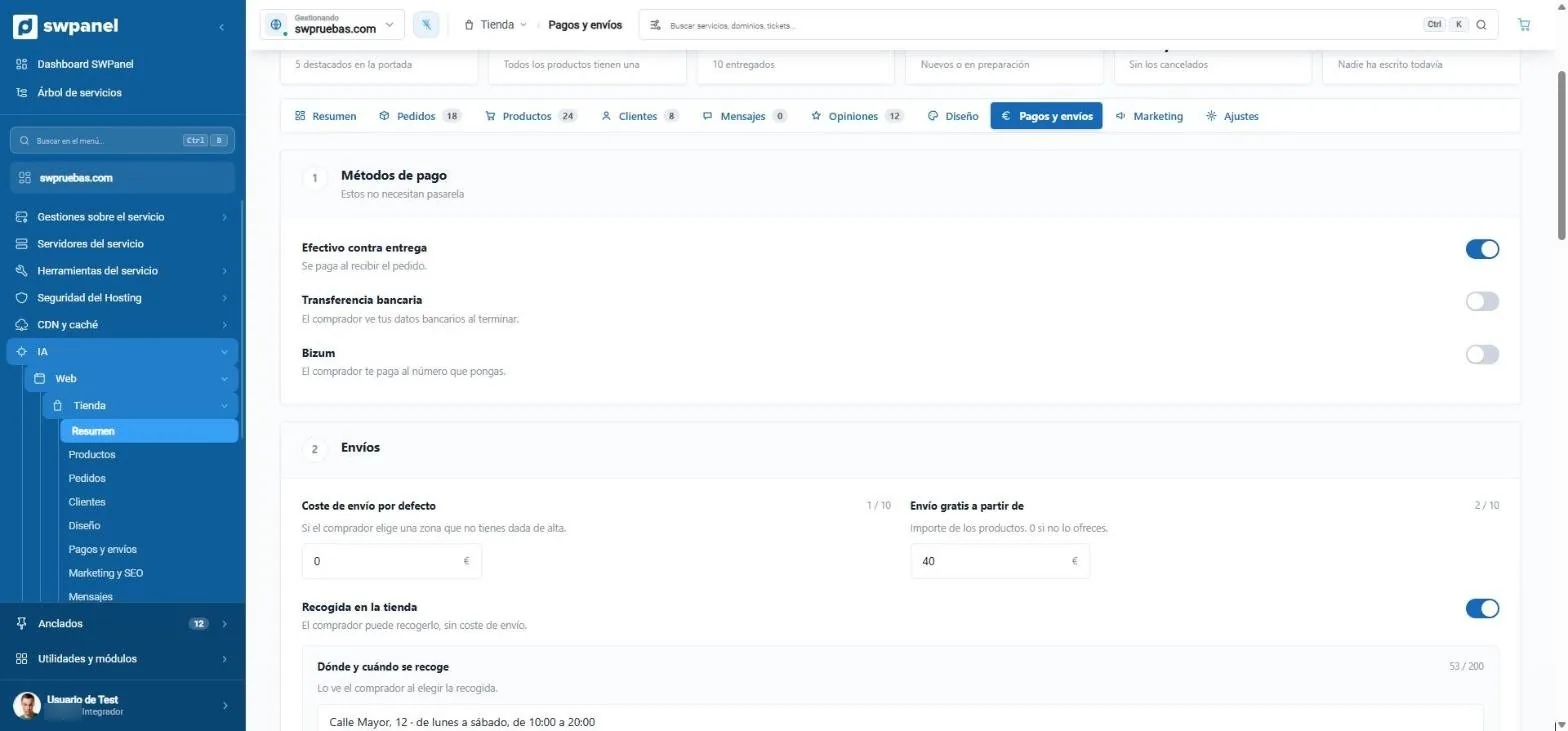
- Cash on delivery, without a gateway.
- Bank transfer and Bizum, with a switch.
- Default shipping cost.
- Free shipping above an amount.
- In-store pickup, with where and when.
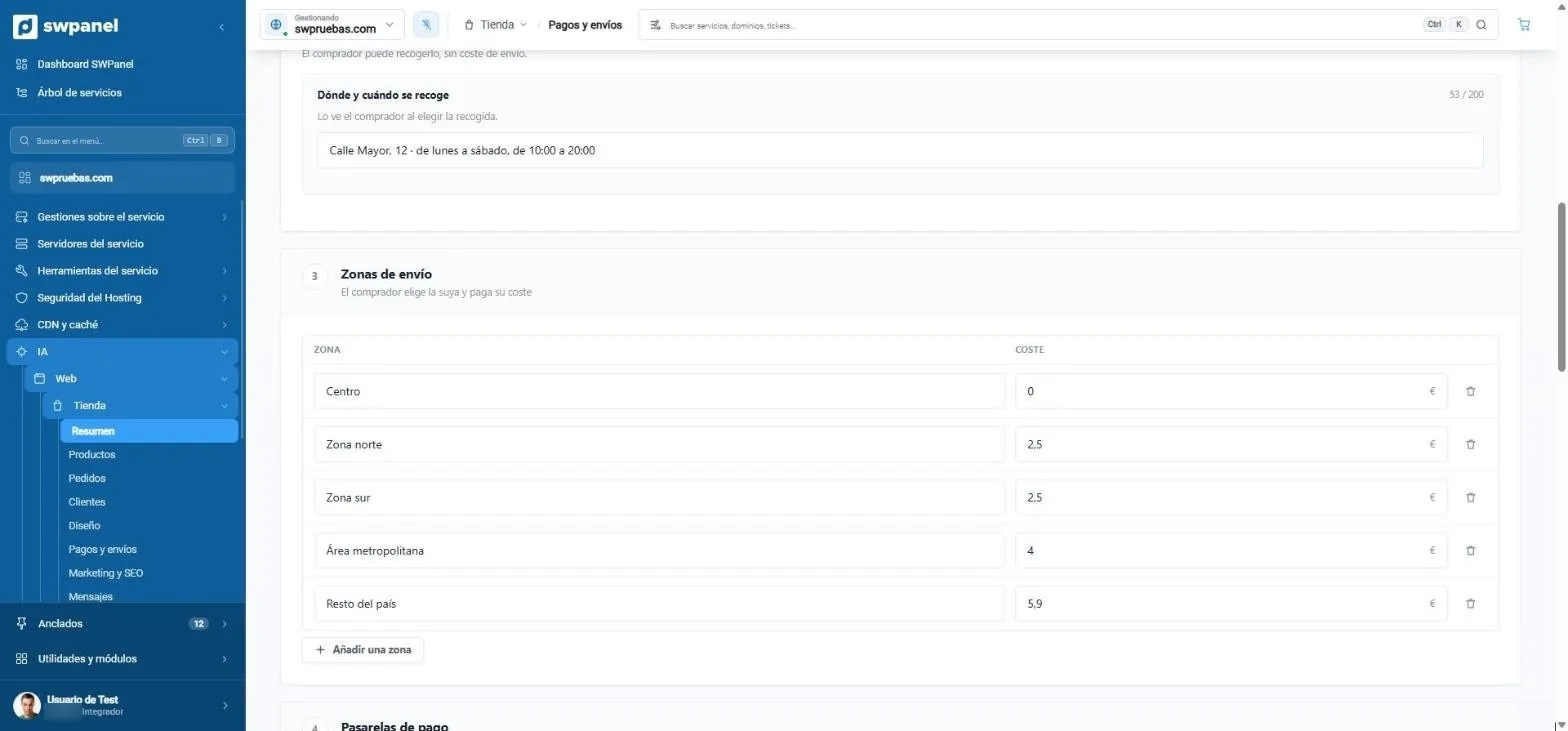
- Where and when to pick up: the buyer sees it when choosing pickup.
- Shipping zones with their cost: the buyer picks theirs.
- Add the zones you need.
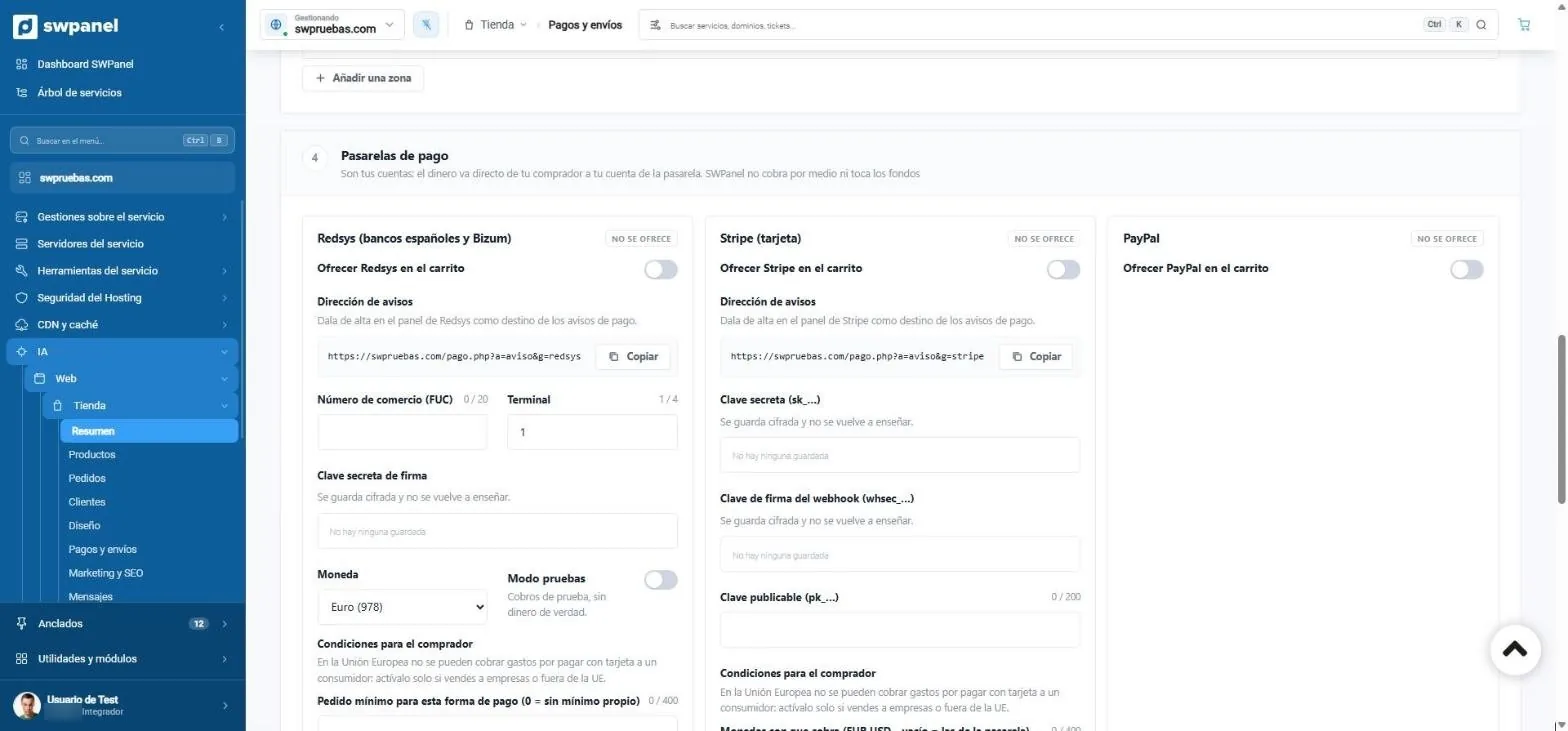
- They are your accounts: the money goes straight to you and SWPanel doesn't touch the funds.
- Redsys, for Spanish banks and Bizum.
- The notification address, ready to copy into the gateway's panel.
- Encrypted keys: they're stored and never shown again.
- Test mode: test payments, with no real money.
Customers
So they come back
Record tailored to you
Name, company, tax ID, address, phone, date of birth and consent for promotions. Each field: no, optional or required.
A birthday gift
Percentage or amount, days of validity and minimum purchase. Every day a single-use coupon is generated for whoever has a birthday and sent by email.
Coupons
Discounts with an expiry date for campaigns and customers.
Notify me when it's back
Whoever finds a sold-out product leaves their email and you see the notice in Reviews.
Abandoned carts
You see what was left in the cart and send the reminder yourself, just once.
Bulletin
With the Newsletter module, the store collects subscribers for your campaigns.
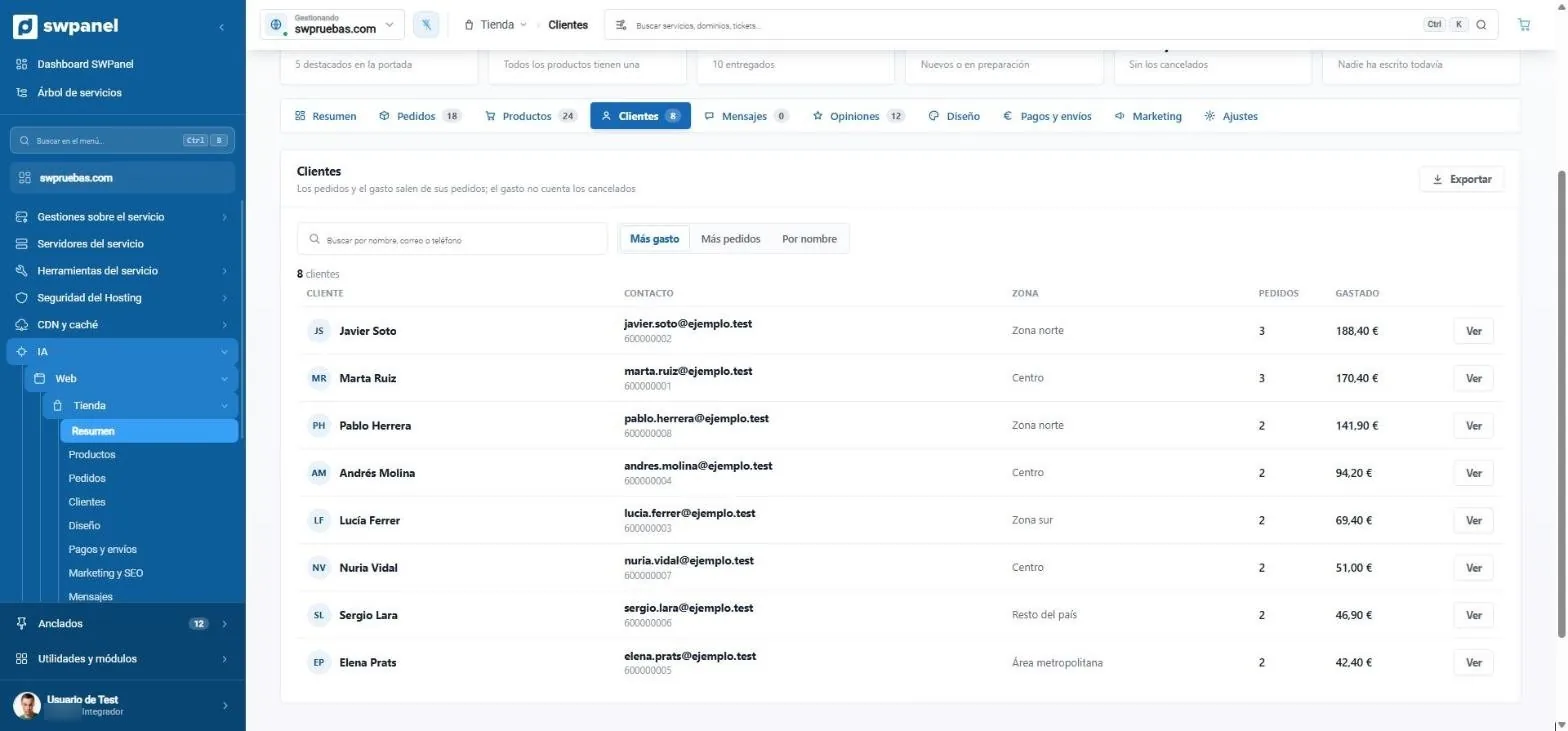
- Search by name, email or phone.
- Sort by spend, orders or name.
- Orders and spend of each customer, excluding cancelled ones.
- Export the list.
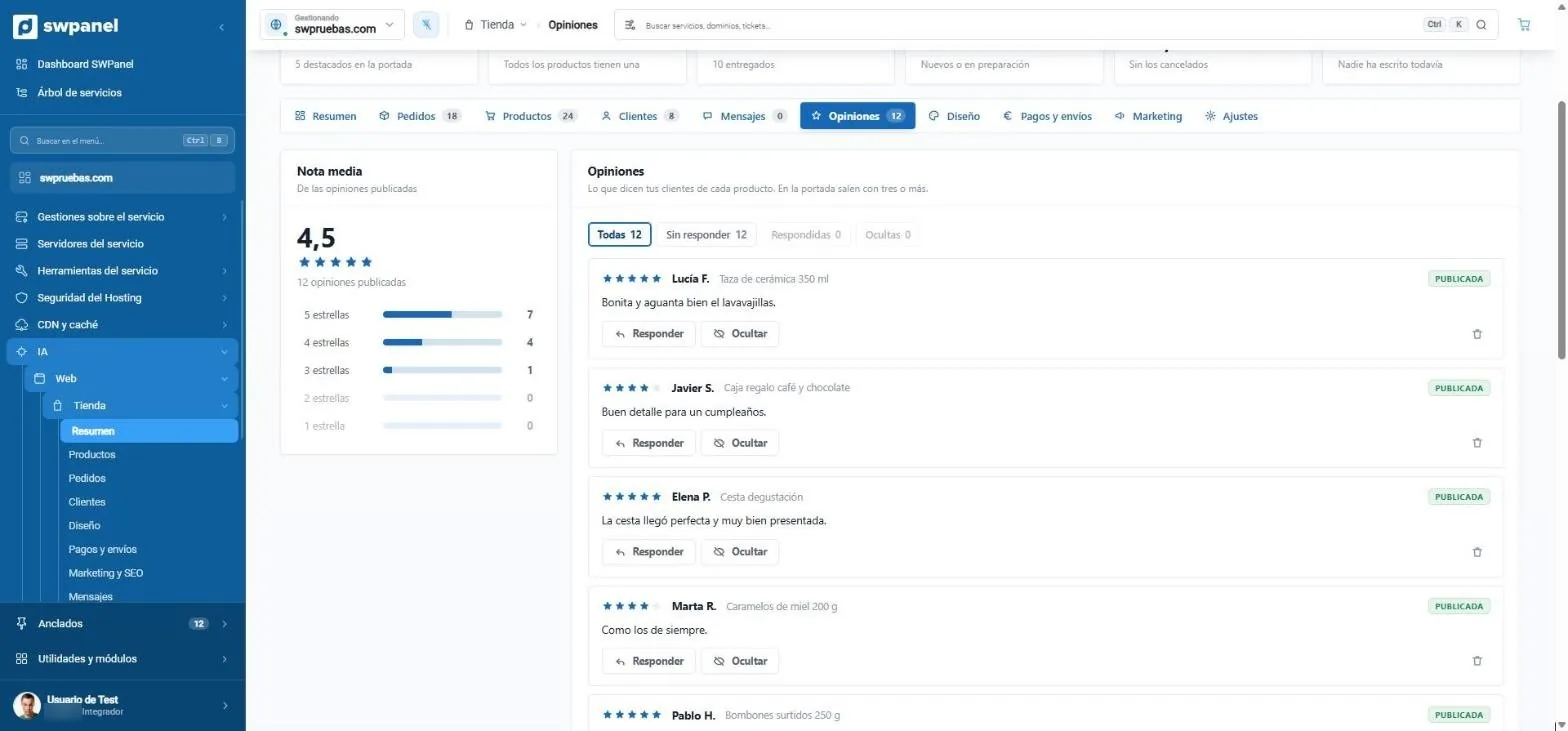
- Average rating and distribution by stars.
- Unanswered, answered or hidden.
- Reply to or hide each review.
- Published: they appear on the home page when there are three or more.
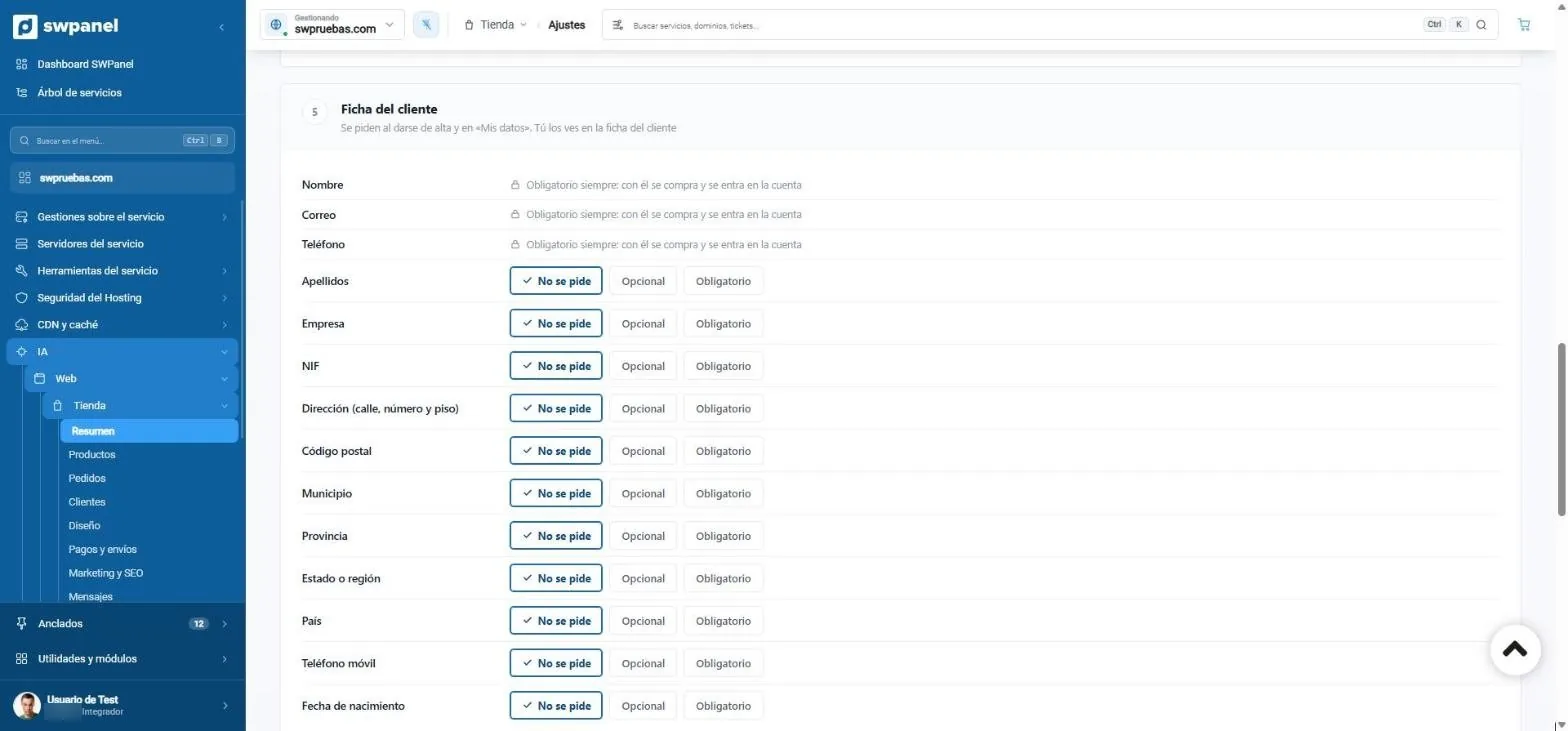
- Name, email and phone, always.
- Each field: not requested, optional or required.
Marketing and settings
Google, WhatsApp and legal
What gets you found, lets the customer know how their order is going and keeps the store compliant, in two tabs.
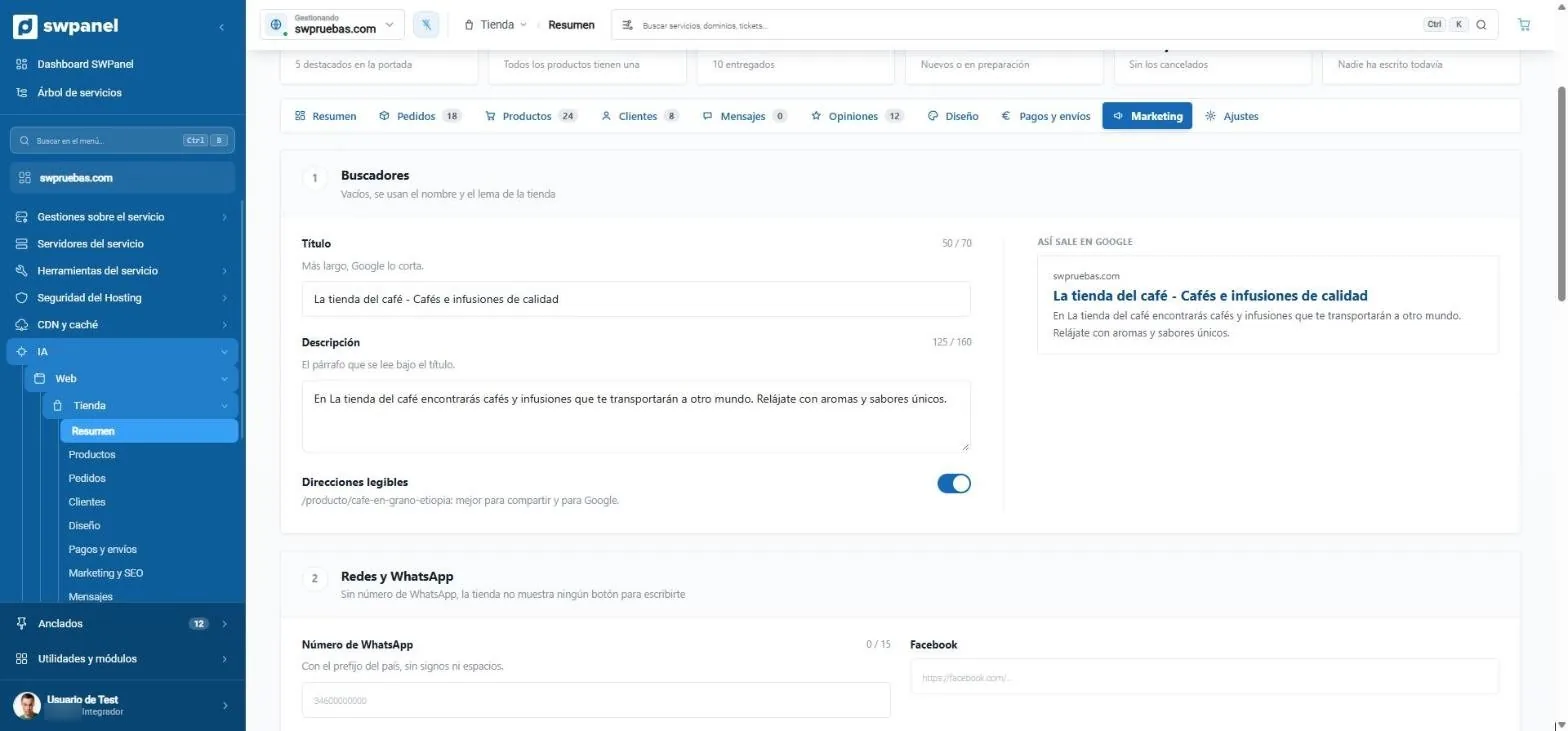
- Title and description for Google.
- This is how it looks on Google, as you type.
- Readable addresses, such as /product/cafe-en-grano-etiopia.
- WhatsApp: with the number, the store shows the button to message you.
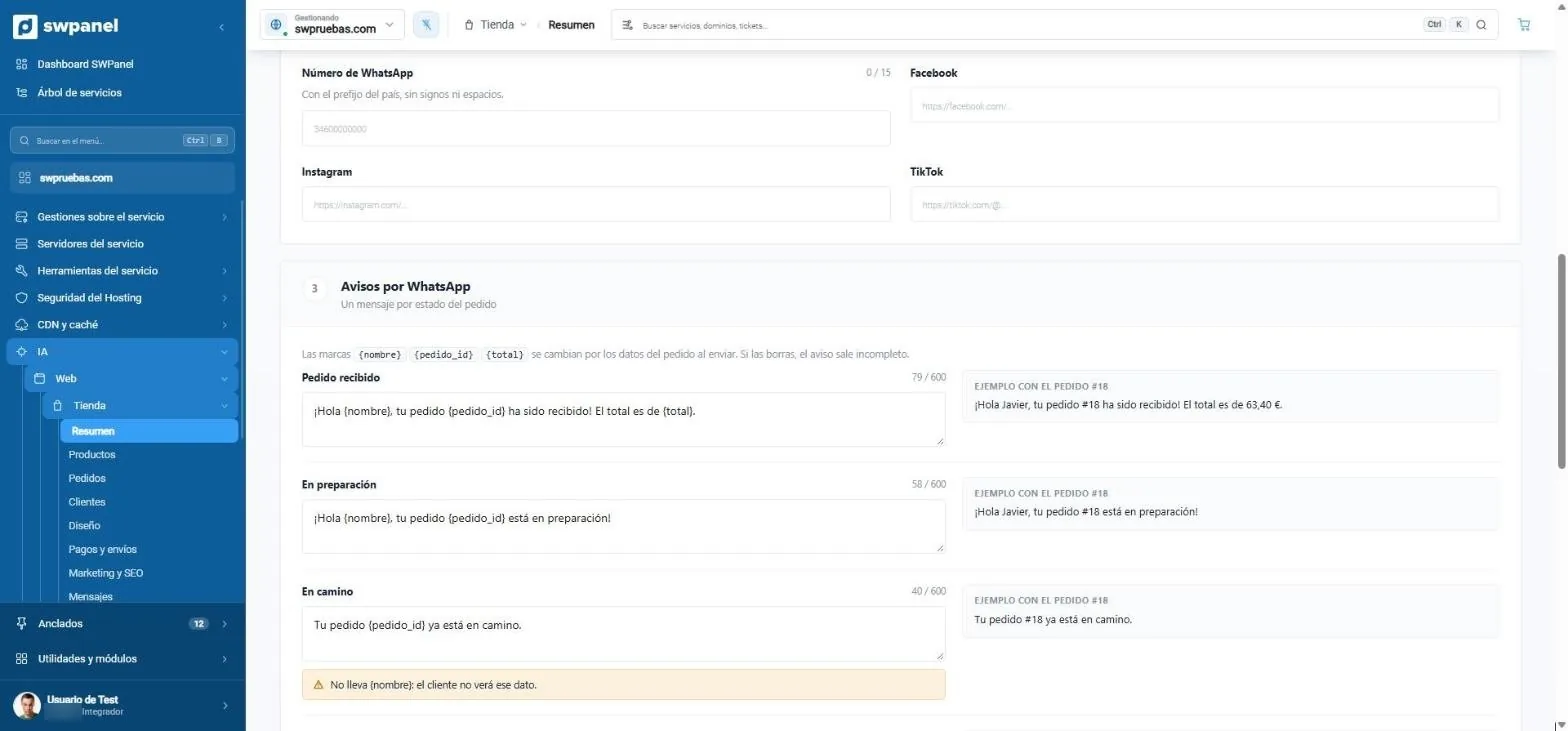
- Placeholders that fill themselves in: {nombre}, {pedido_id} and {total}.
- One message per order status.
- The example, with an order from the store.
- It warns you if a placeholder is missing.
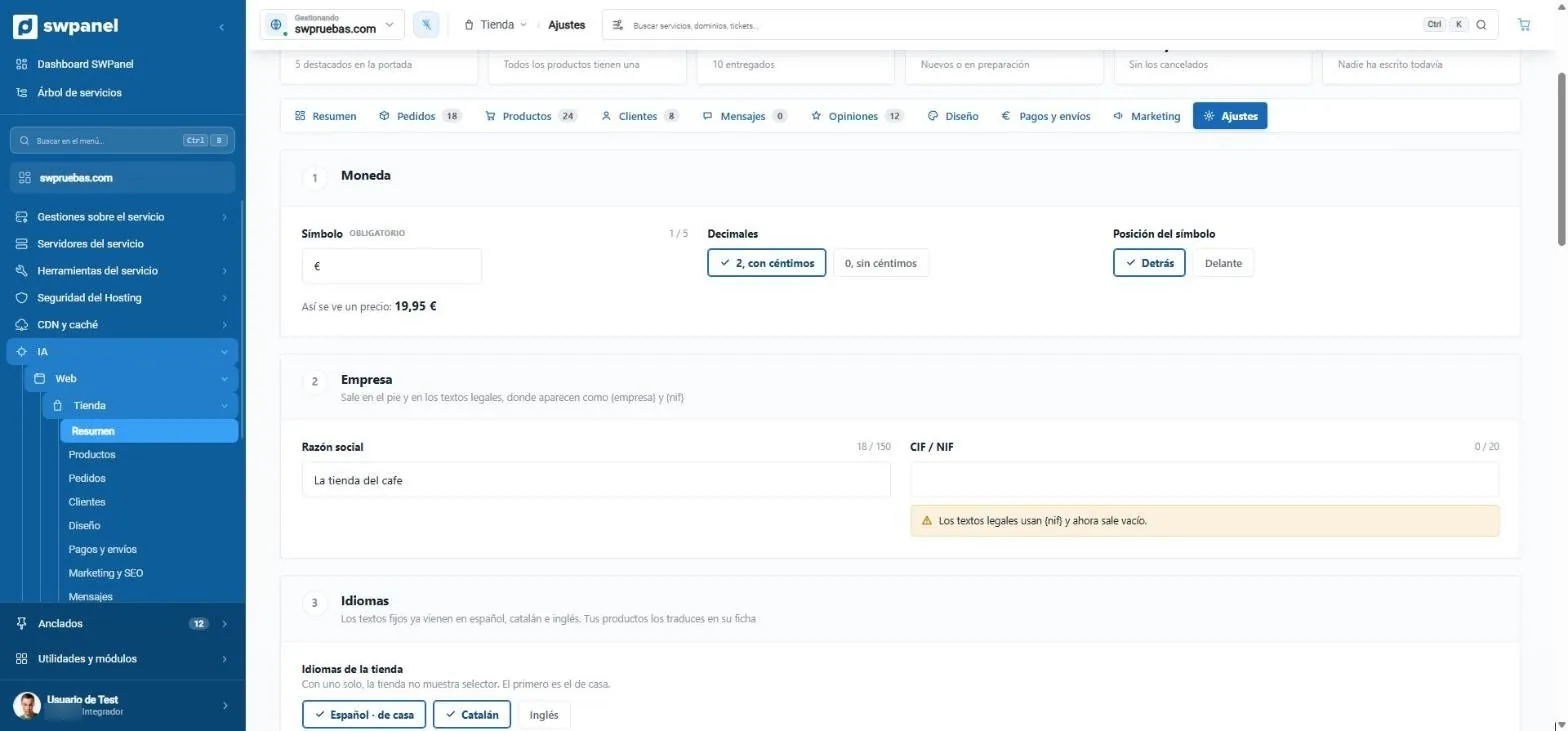
- Currency: symbol, decimals and position.
- This is how a price looks, instantly.
- It warns you of what's missing: here, the tax ID for the legal texts.
- Store languages: Spanish, Catalan and English.
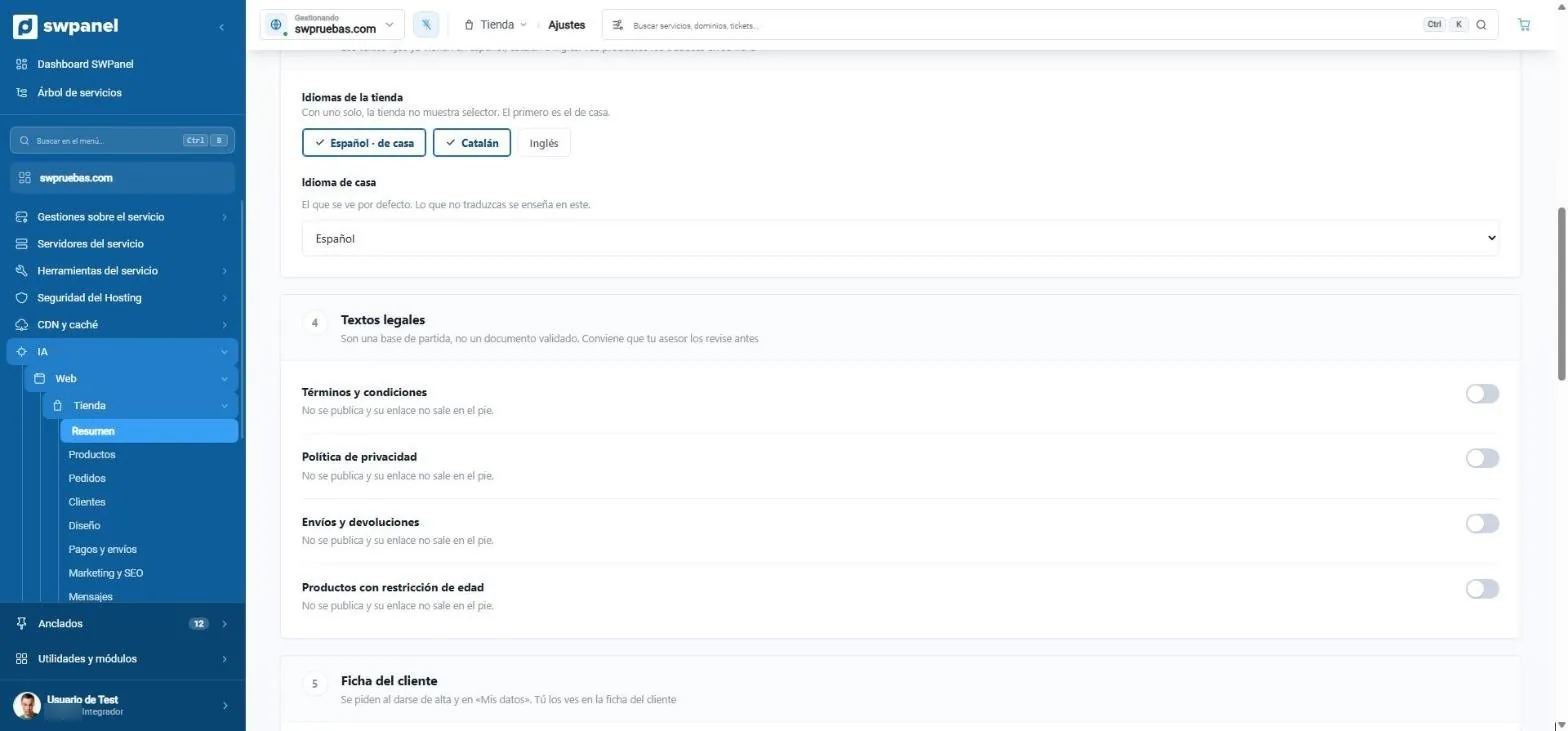
- A starting point, not a validated document: your advisor should review it.
- Each text is published with a switch, and its link appears in the footer.
- Age-restricted products, with their own text.
The store's legal texts are a starting point, not a validated document: SWPanel recommends your advisor review them before publishing.
Designs
Five different stores, not five palettes
Each design changes the header, the home page and the product card, not just the colors. You choose it when creating the store and change it whenever you want, with a preview.
- Essential Clean and neutral. For a first store.
- Editorial Large imagery and serif type. Fashion, home, cosmetics.
- Vibrant Bright colors. Gifts, toys, young audience.
- Night Dark and understated. Jewelry, watches, wines.
- Market Dense catalog and fast purchasing. Food, hardware.
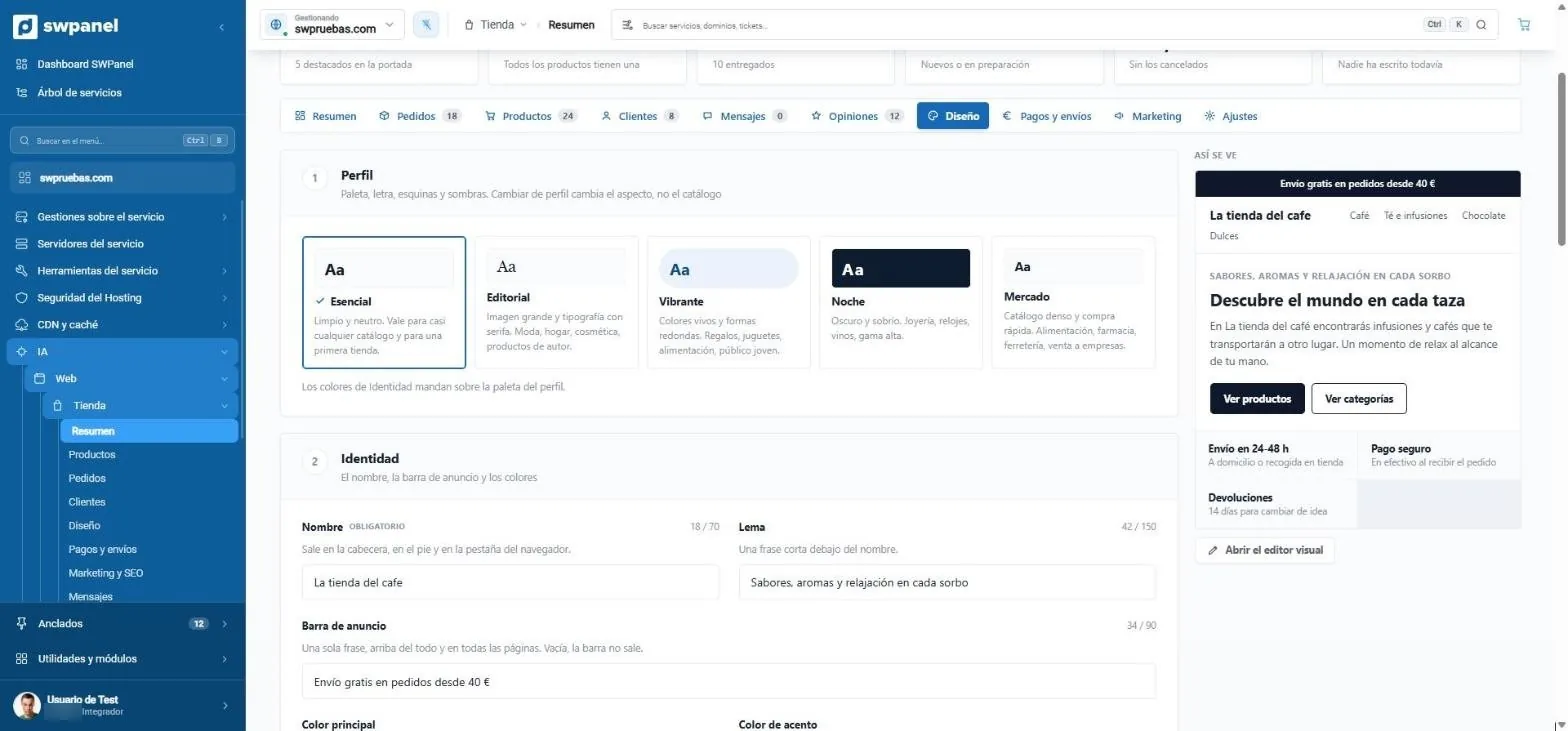
- Five profiles: palette, font, corners and shadows. The catalog doesn't change.
- This is how it looks, alongside, as you change it.
- Identity: name, slogan, announcement bar and colors.
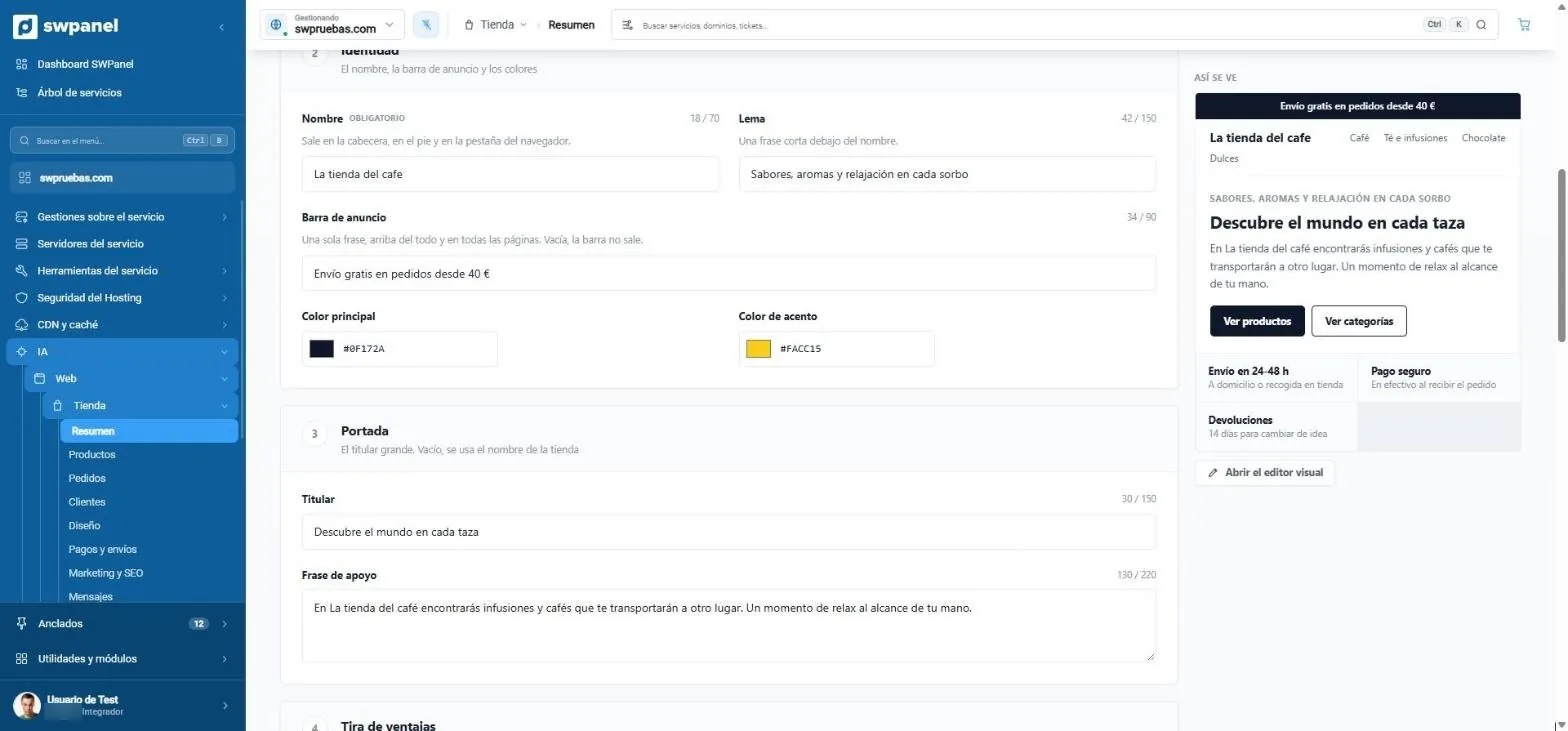
- The name and slogan of the store.
- The announcement bar, at the top of every page.
- Main and accent color.
- The headline and the supporting line of the home page.
- Open the visual editor.
The sample store uses Essential. The visual editor shows the Design areas on the left and the live store on the right.
Frequently asked questions
Questions about the AI store
Your store, selling this week
Create your account, choose a hosting and SWPanel builds the store with your brand.