Developers · Tools
What you use every day, in SWPanel
SSH, PHP versions, databases, logs, cron, cache and backups. This is what you'd do in your terminal, translated to SWPanel, and whatever doesn't have a button is done by the API.
- SSH with CHRoot
- PHP, crons and logs
- All also via API
Your language, in SWPanel
What you say and what SWPanel calls it.
- deploy
- Deployment
- staging
- Preview per branch
- rollback
- Rollback
- secret
- API token
- pre-deploy hook
- A Flow that can stop the action
- cron job
- Cron
- error 500
- SOC › Code: server errors
Your day to day
If you do it this way, in SWPanel it's like this
Developer tasks, with the place where they are in SWPanel.
Code and deployments
You run git push
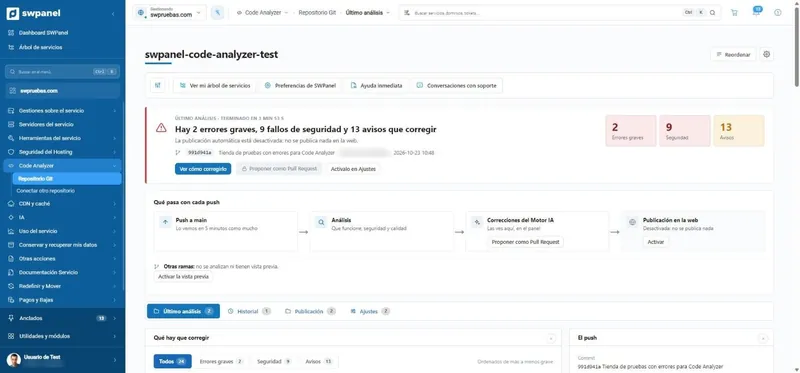
Code Analyzer reviews every push and, if you want, publishes what passes your filter, with a backup to undo.
See more
: You run git push
You deploy from your CI
An API call with your website's package. With test mode for pull requests.
See more
: You deploy from your CI
You test a branch before production
The per-branch preview publishes it at a hidden address on your website.
See more
: You test a branch before production
You upload loose files
The file manager or FTP, with permissions per folder and open sessions in view.
Server and PHP
You log in via SSH
SSH access with CHRoot: your console, confined to your own directory.
You change PHP version
The hosting's PHP version and its modules, from the service Settings.
You schedule tasks
The crons of each service, and their list for the whole account.
You read the logs
Log management. And every night, the SOC reads them for you and tells you what's failing and where.
See more
: You read the logs
Data
You work with MySQL or MariaDB
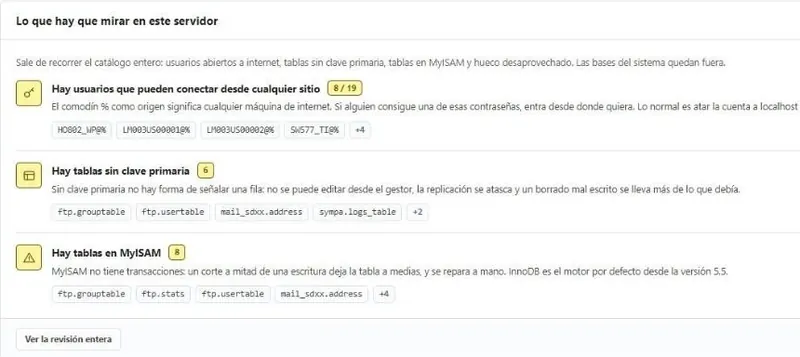
The database manager: health, variables, SQL console and backups, read-only by default.
See more
: You work with MySQL or MariaDB
You create users and databases
Database users, with their permissions, per service.
Performance
You cache pages
Smart Hosting serves pages already assembled and Memcached stores the queries that repeat.
You look for what your website consumes
Resource usage: processes, history, and the connections, IPs, URLs and countries that request the most.
See more
: You look for what your website consumes
Backups
You make a backup before touching anything
A snapshot now, and scheduled ones, so you can go back yourself without asking for anything.
See more
: You make a backup before touching anything
You take your website with you
Export the entire website in a file, whenever you want or at regular intervals.
See more
: You take your website with you
Automate
You write scripts against your hosting
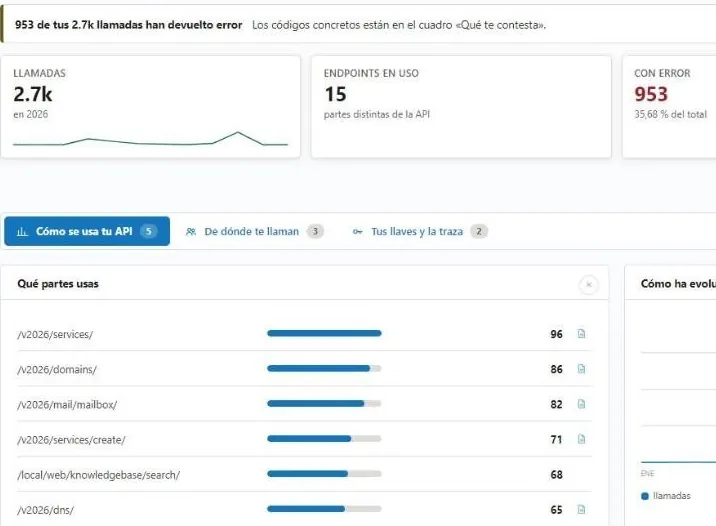
The REST API: services, email, DNS, SSL, databases, cron and backups.
See more
: You write scripts against your hosting
You react to events
Webhooks and Flows: when something happens on your account, your code finds out, or stops it before it happens.
See more
: You react to events
You ask on a forum
Instant Help: ask it like a person and it answers in seconds.
See more
: You ask on a forum
Push and forget about FTP
Connect your repository or deploy from your CI.