SWPanel

Network and firewalls · Cloud and server

Your Cloud's network, armored

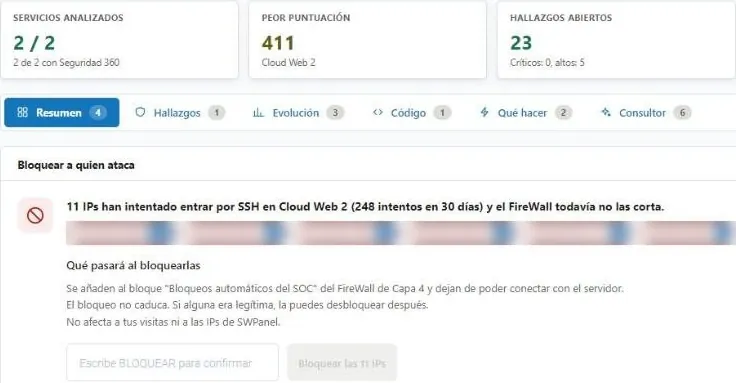
AntiDDoS at the edge, layer 4 and next-generation firewalls on the SWPanel network and Fail2Ban on your server. Your rules, IP blocks and Fail2Ban are managed from SWPanel, and your Cloud's hostings sit behind the same defenses.

  • Security module enabled at no cost
  • Configured from SWPanel
  • Cancels at the end of the paid period
From the Internet to your Cloud Four network layers, each for its own job
Live
Visit to your website reaches your website Massive attack AntiDDoS stops it Port scan layer 4 stops it Attack signature the NGFW drops it SSH with failures Fail2Ban bans the IP
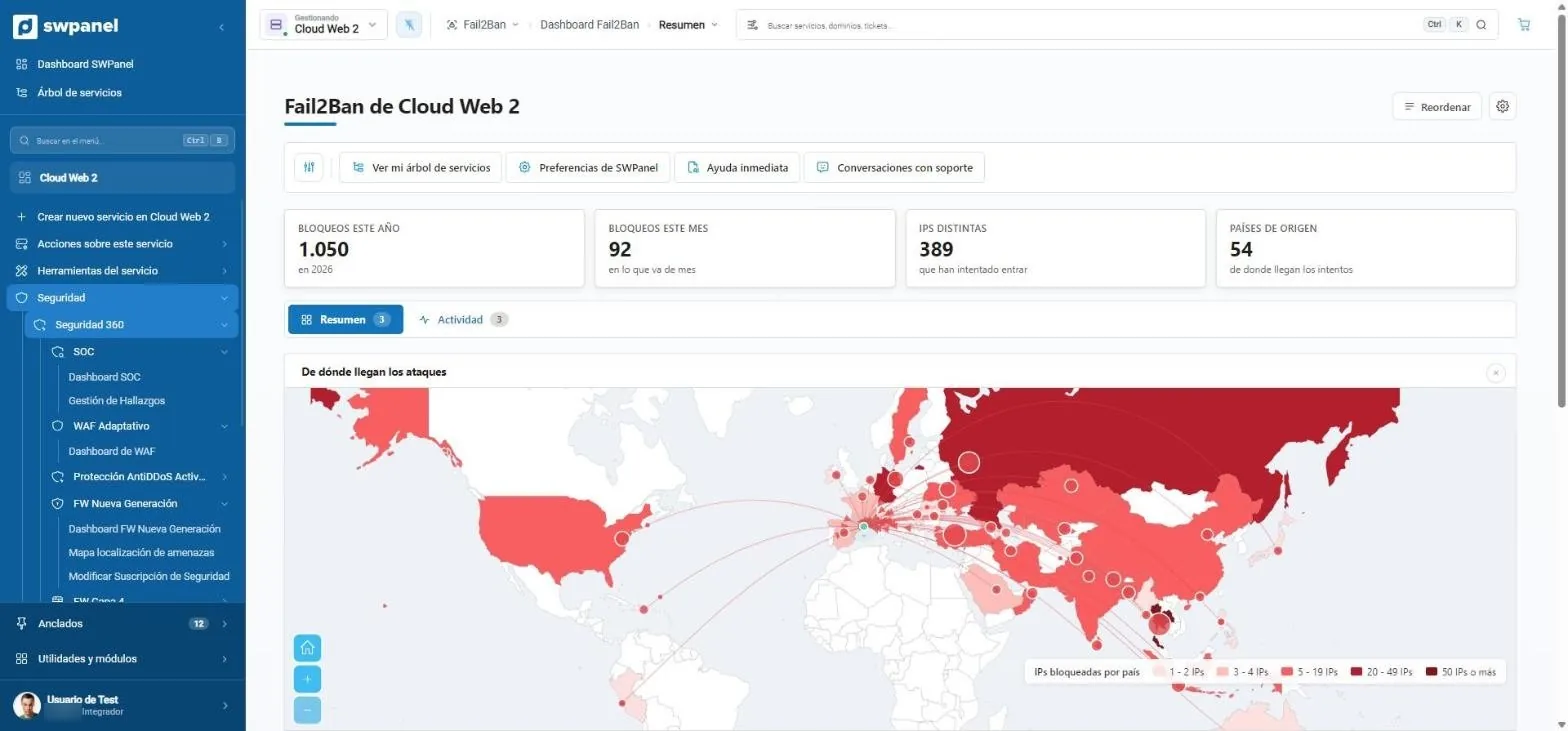
1,050
blocks in the year
92
in the last month
389
distinct IPs

Layer 4 firewall of a test Cloud, October 2026.

Where the traffic goes

What stops on the network never reaches your server

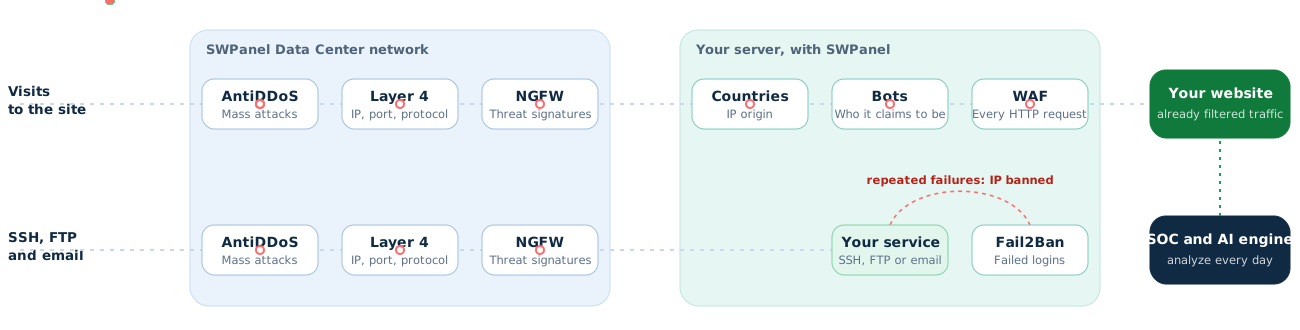
The first three layers filter traffic before it reaches your Cloud: AntiDDoS at the edge and the two firewalls on our network. Behind them, on your server, country and bot blocking, the WAF and Fail2Ban.

Diagram: visits to your website cross AntiDDoS, layer 4 firewall and NGFW on the SWPanel Data Centers network, and country blocking, bot blocking and WAF on your server; SSH, FTP and email cross the first three and Fail2Ban bans IPs with repeated failures. The SOC and the AI engine analyze what happened every day.
The eight layers, from the outside in

Four network protections

Two work on their own, two are managed from SWPanel

Included in Security 360 for Cloud and server, with SWPanel installed. Layer 4 firewall and Fail2Ban management is part of the package.

AntiDDoS

At the edge of our network. It watches volume and absorbs massive attacks before they get in. Automatic, nothing to configure. The advanced version, with its dashboard, is ordered separately.

Layer 4 firewall

At the perimeter of our network, in front of your service's IPs: it looks at IP, port and protocol according to your rules. From its screen you also manage your IP blocks, which are applied on the machine itself.

  • Security profile per IP
  • Your rules and blocks for IPv4, ranges and IPv6
  • End date and note on each block
  • Also via API, with dry run

Next-generation firewall

Behind the layer 4 one. It inspects content by signatures and classifies each threat as critical, high, medium or low; depending on policy, it lets it through with an alert or drops it.

  • Map of received and generated threats
  • From one hour to one year, or custom
  • PDF report with the last six months

Fail2Ban

On your server. It watches failed logins and bans the IP that keeps trying.

  • Unblock from SWPanel
  • Whitelist and blacklist
  • Its blacklist, next to your IP blocks

What it looks like

Four network layers, three screens that make sense

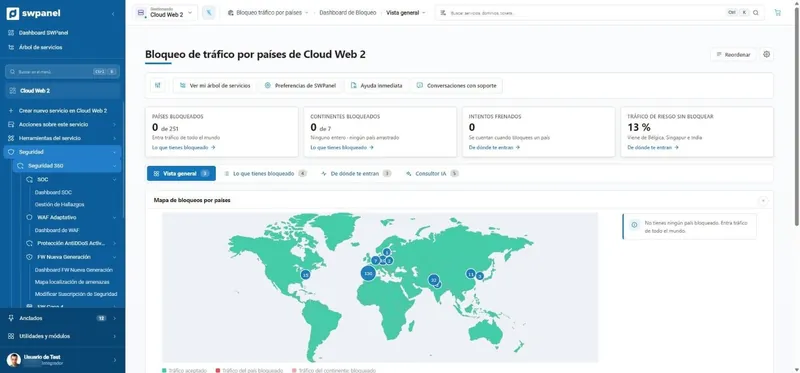
AntiDDoS works on its own, at the edge. The layer 4 and next-generation firewalls, on our network, and Fail2Ban, on your server, each have their own screen in SWPanel.

Layer 4

What comes in and goes out, per IP

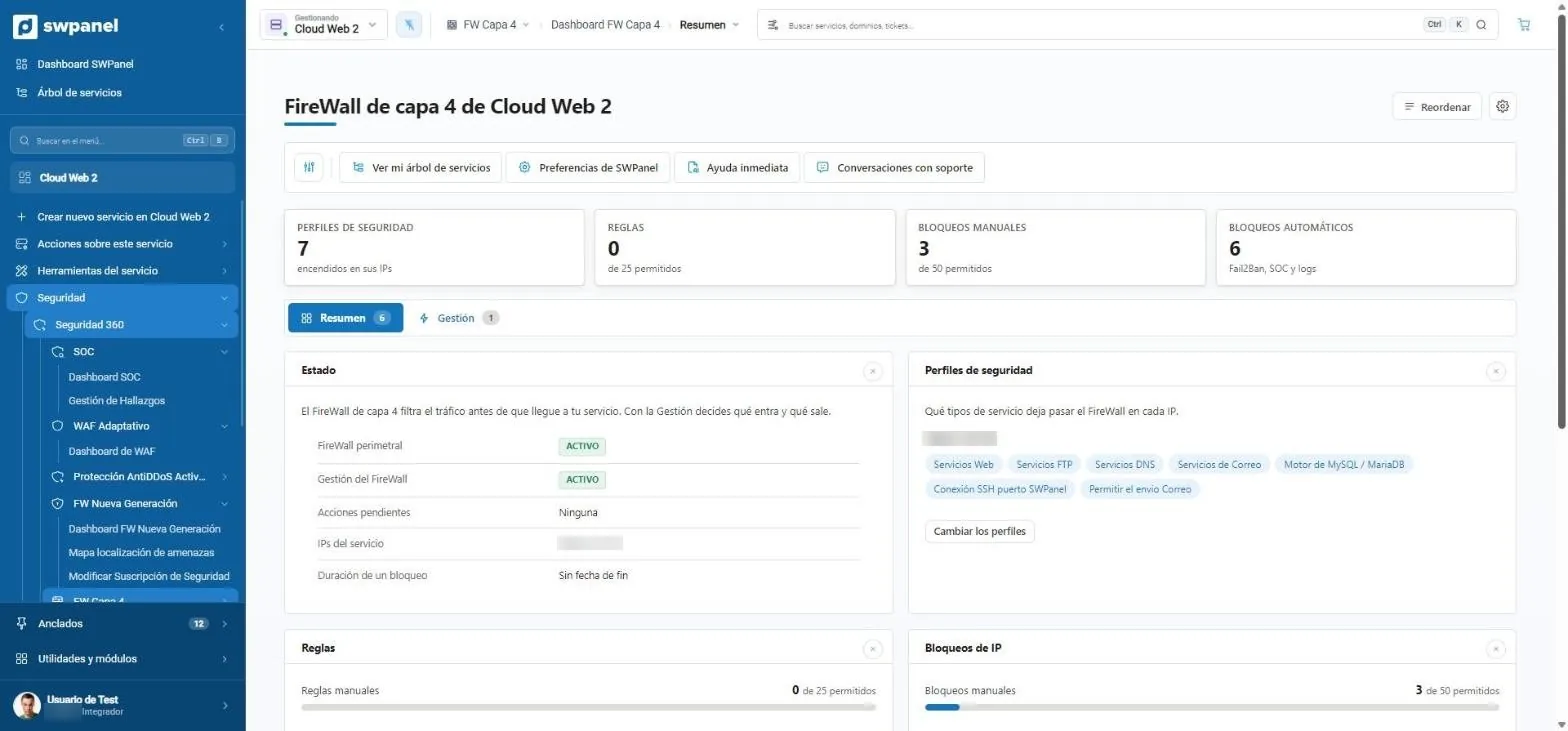
Security profiles per IP and your rules, applied at the perimeter. And your IP blocks with an end date, applied on the machine itself: here you also see Fail2Ban's blacklist and the ones you confirm from the SOC.

  • Rules and blocks with their limit in view
  • Change an IP's profile without opening a request
  1. Profiles, rules and IP blocks, in three tabs.
  2. Perimeter firewall status, pending actions and block duration.
  3. What it lets through on each IP: web, FTP, DNS, email, MySQL, SSH...
  4. Blocks that come from outside: Fail2Ban's blacklist and the ones you confirm from the SOC.
Cloud Web 2 › Layer 4 FW › Summary Real screenshot
Cloud Web 2 › Layer 4 FW › Summary

Next generation

Threats detected, and what was done about them

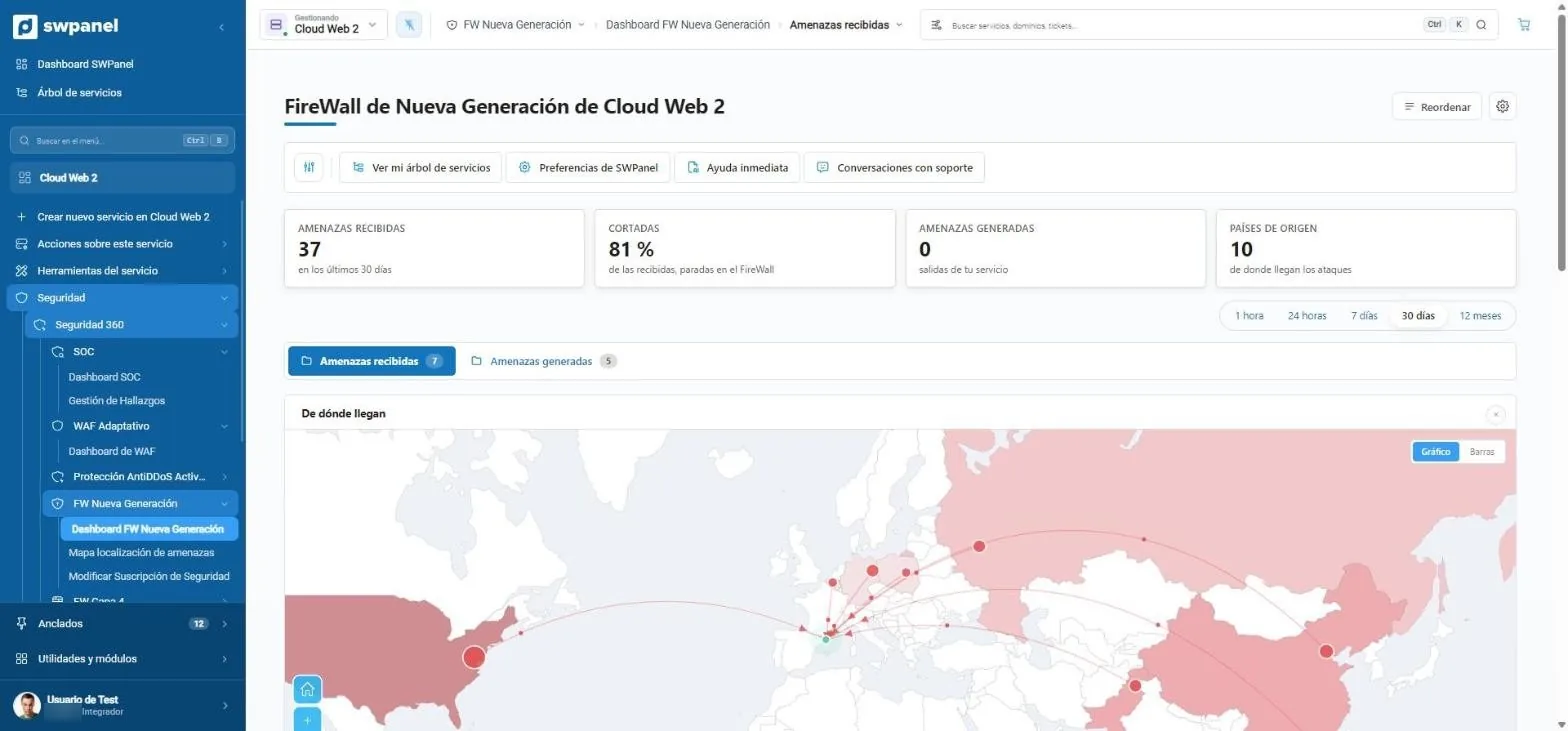
The NGFW inspects content by signatures, not just the port. You see the threats it detected, how many were blocked by policy, their severity and each IP's country.

  • From one hour to one year, or custom
  • Received and generated threats
  1. 37 threats in 30 days; 81 % of those detected, with a block action.
  2. Period: from one hour to one year, or custom.
  3. Where they come from: each IP's country, on the map.
Cloud Web 2 › Next-Gen FW › Threats received Real screenshot
Cloud Web 2 › Next-Gen FW › Threats received

Fail2Ban

Failed attempts, on a map

Blocks for the year and the month, distinct IPs and countries of origin. The activity, line by line, in the next tab.

  • Automatic ban after failed logins
  • Unblocking and lists from SWPanel
  1. 1,050 blocks this year, 389 distinct IPs and 54 countries.
  2. The attack map by number of blocked IPs.
Cloud Web 2 › Fail2Ban › Summary Real screenshot
Cloud Web 2 › Fail2Ban › Summary

How a block moves

The layers hand work to each other

A block can originate in Fail2Ban, in the SOC or in the AI spike plan, and is applied on the machine itself.

Fail2Ban On your server, instantly Sees repeated failed logins
Decides on its own By its retry rules
The SOC Every day, the whole service Finds an attacking IP
You decide “Block this IP”, with a dry run
The spike plan With the AI module, in Cloud An IP spikes the CPU
The AI decides It's reversible: it doesn't wait
Your IP blocks On the machine itself
  • External IP Fail2Ban blacklist
  • External IP SOC until the date you set
  • External IP Spike plan 7 days

If the attack is on a hosting, the IP is blocked on the Cloud that hosts it.

  • Every hour whatever has expired is removed.
  • You unblock it from SWPanel whenever you want.
  • It's recorded in traceability: who did it, person or AI.

No block leaves the SOC without a person confirming it. The spike plan is reversible, so the AI applies it without waiting.

Clear limits

What firewall management includes

With Security 360 for Cloud and server. Your rules and your blocks count; those coming from Fail2Ban don't.

  • 25 custom rules in the layer 4 firewall
  • 50 IP blocks of your own, at the same time
  • 100 IPs per block
  • Every hour is removed whatever has expired

Your Cloud and its hostings

Protect the Cloud and its hostings sit behind it

What lives in your Cloud shares its network defenses. What belongs to each website is enabled website by website.

  1. Enable on the Cloud

    Security 360 for Cloud and server, with SWPanel installed.

  2. Your hostings, behind it

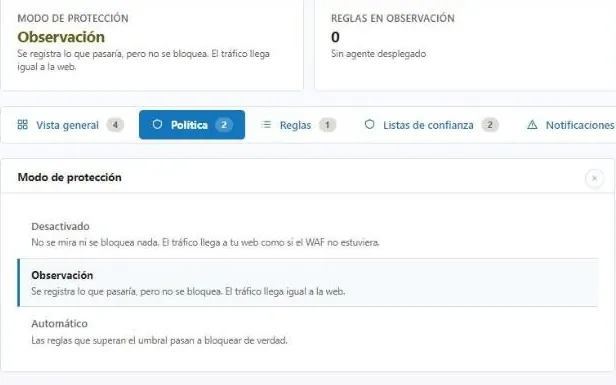
    They sit behind the machine's network defenses and inherit the Cloud's WAF policy.

  3. Each hosting, at no cost

    Its Security 360 is free inside the Cloud: enable it on the ones you want to add SOC, own WAF, antivirus, AntiSpam, countries and bots.

  4. A block, in its place

    If the finding belongs to a hosting, the IP is blocked on your Cloud that hosts it.

An example

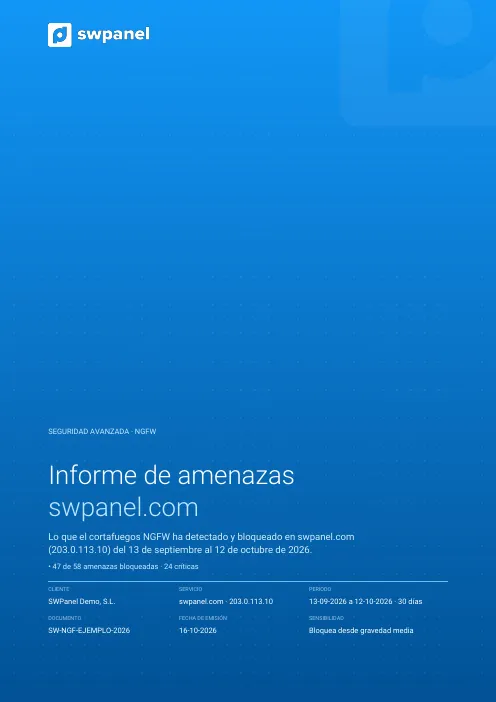
This is what the NGFW report looks like

A PDF per period with what the next-generation firewall detected and blocked.

First page of the example: NGFW firewall threats
Report

NGFW firewall threats

What the NGFW detected and blocked in a period: by severity, type and origin, the changes over the last six months and what to do first.

SW-NGF-… 29 pages

Each document carries a unique number and token linking it to the original stored in SWPanel. How it's verified.

  • Threats by severity: critical, high, medium and low
  • By type and by country of origin
  • How they've changed over the last six months
  • What to review first
  • In Spanish, Catalan and English

Frequently asked questions

Questions about network and firewalls

A shared hosting plan is already behind our network's AntiDDoS and perimeter firewall, with no screen of its own. The next-generation firewall and Fail2Ban are for Cloud and servers, and a hosting plan inside your Cloud sits behind its Cloud's defenses.

In the layer 4 firewall, the profiles of each IP and your rules, which are applied at the perimeter, and your IP blocks with an end date, which are applied on the machine itself. In Fail2Ban, unblocking and its lists. In the next-generation one, its reports and, if your tier allows it, sensitivity. The AntiDDoS works on its own.

No. The SOC suggests blocking the attacking IPs and a person confirms it, with a prior dry run. Fail2Ban bans on your server and the spike plan of the AI module are automatic: a 7-day block that is undone when it expires.

As long as you choose: 30, 45, 60 or 90 days, or no end date. Every hour, anything that has expired is removed and kept in the history.

Traffic coming in through Cloudflare arrives from its nodes. SWPanel does not attribute attacks to its IPs nor suggest blocking them. And if you are not using it yet, SWPanel activates the Cloudflare Free plan on your hosting and you manage it from SWPanel.

Protect your services with Security 360

The Security module comes already enabled at no cost in your account. Add Security 360 to each hosting, Cloud or server you want to protect.