
Separate services
One hosting, several servers
In SWPanel a hosting isn't tied to a single machine. Its website, email, databases and DNS can live on different servers: you choose when creating or changing it, and change it again whenever you want.
- Website, email, databases and DNS
- Each on its own server
- Changeable whenever you want


Illustration. Names and locations are examples.
- More resilience If one server stops, the rest keeps going: email arrives even if the website is down, and with two DNS the domain keeps resolving.
- Each server, doing its own job One server tuned for websites, another for email and another for databases, each with the resources its job requires.
- Your data, where you decide Databases in the Data Center or country your customer or regulations require, and the website close to your visitors.
Why separate them
What you gain by distributing
A failure doesn't bring everything down
An update that goes wrong, a traffic spike or a server that stops only affect what lives on it.
Resources where they're needed
If email grows, you expand the email server. If queries grow, the database one. There's no need to upgrade everything.
Where the data lives
You decide in which Data Center and country each part lives, and you see it in the service tree.
Templates to repeat it
Save the distribution in a hosting template and each new hosting will be born already distributed.
How it's decided
A server for each thing, on one screen
In the server change you choose where the website, email, databases and each DNS go. On the right you see what you're changing, and nothing is applied until the final review.
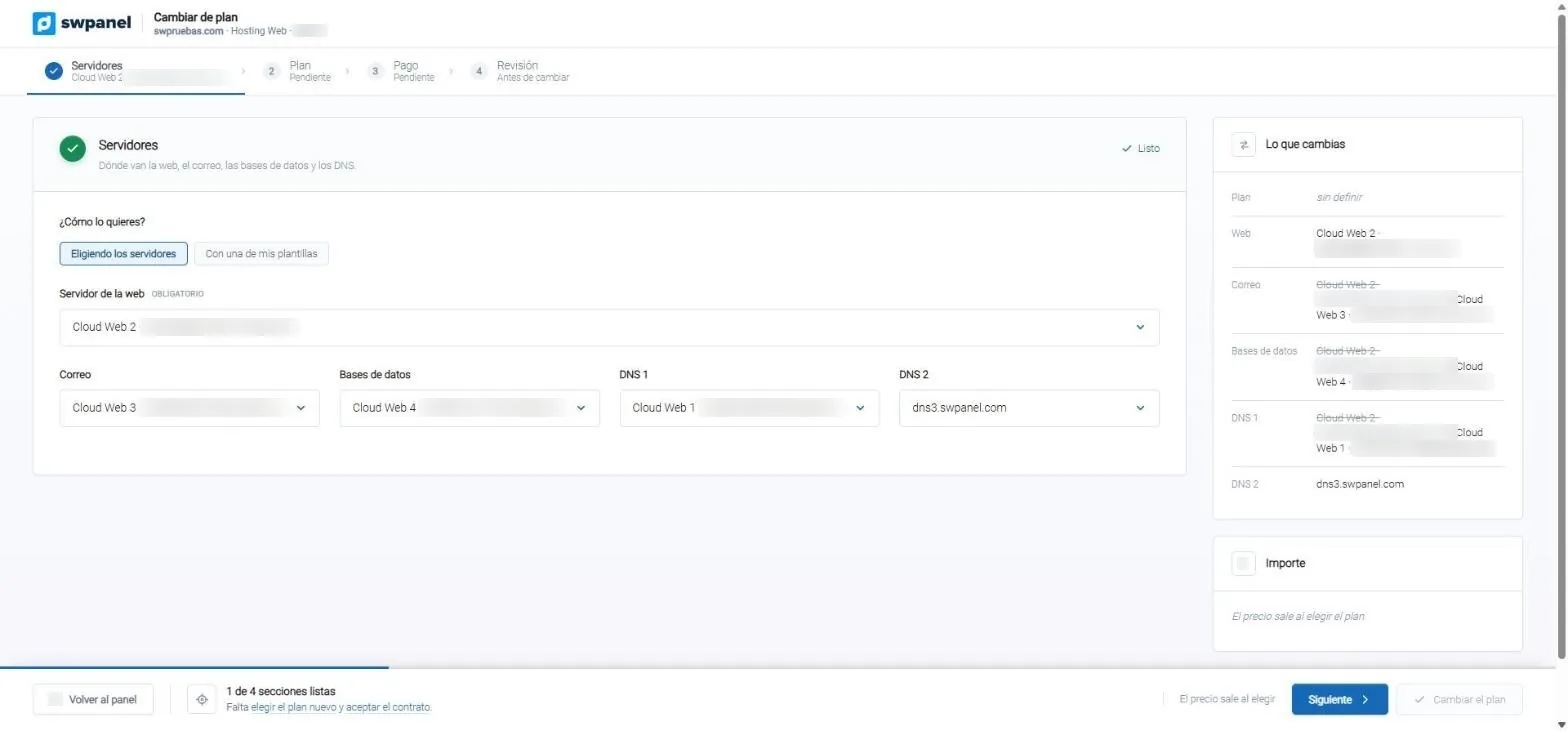
- A server for each thing. Here, email on Cloud Web 3 and databases on Cloud Web 4.
- And a server for each DNS, with the second on SWPanel's DNS.
- What you change: crossed out, where it is today; beside it, where it will be.
- One by one or with one of your templates.
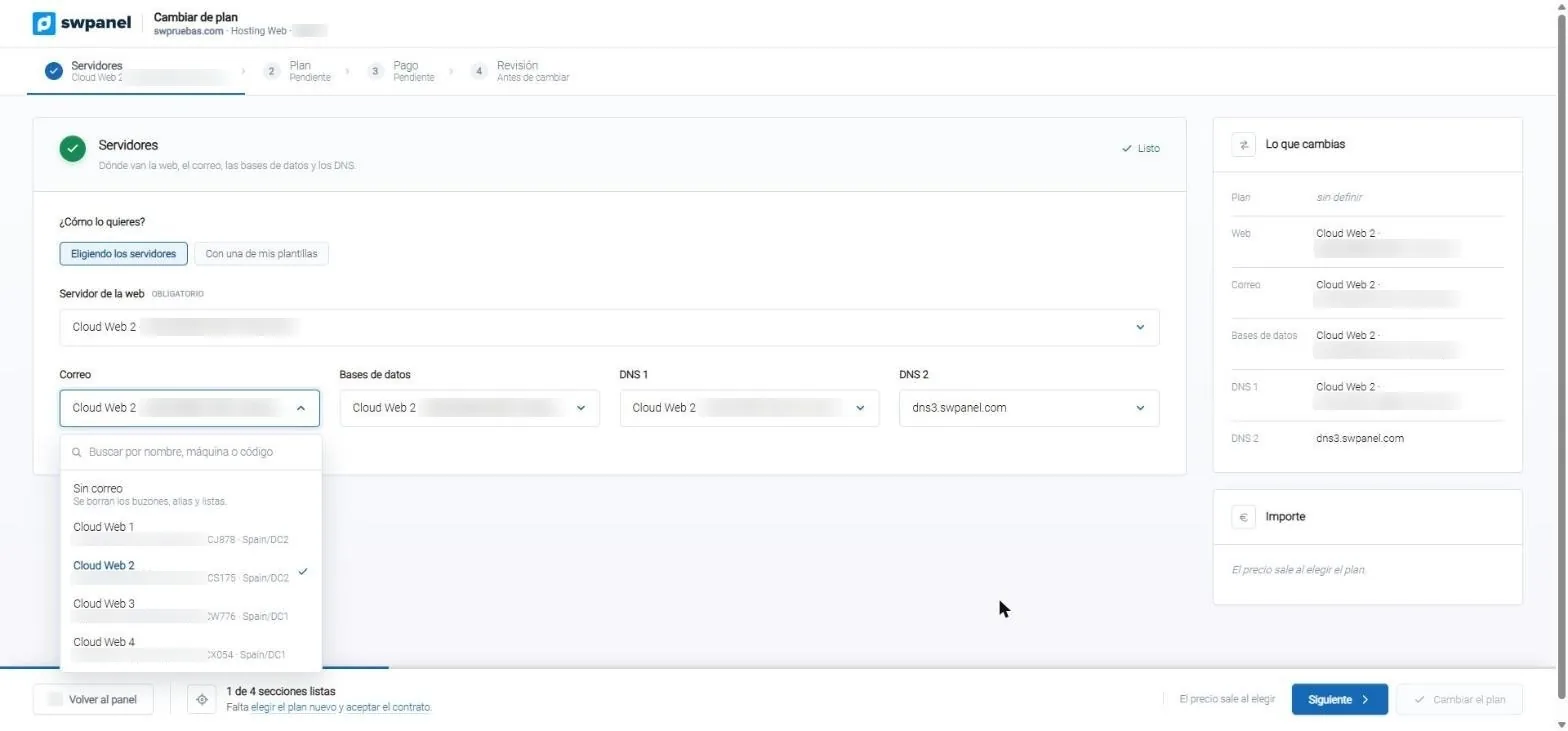
- Search for the server by name, machine or code.
- You can also remove it. SWPanel warns about what gets deleted: mailboxes, aliases and lists.
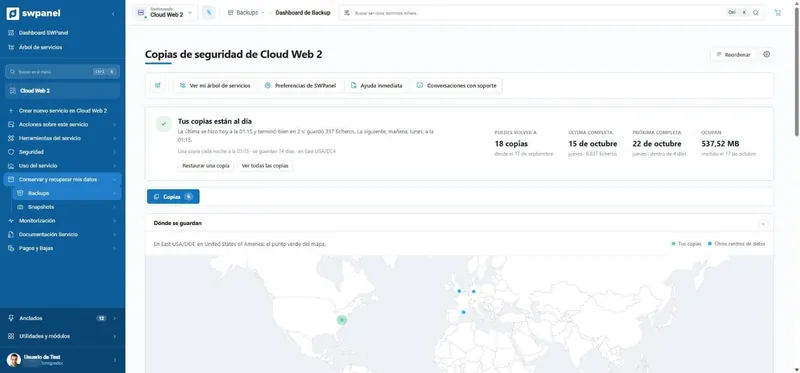
- Each server, with its Data Center. Here, two in Spain/DC2 and two in Spain/DC1.
- The same for databases and for each DNS.
- The second DNS can be SWPanel's, outside your servers.
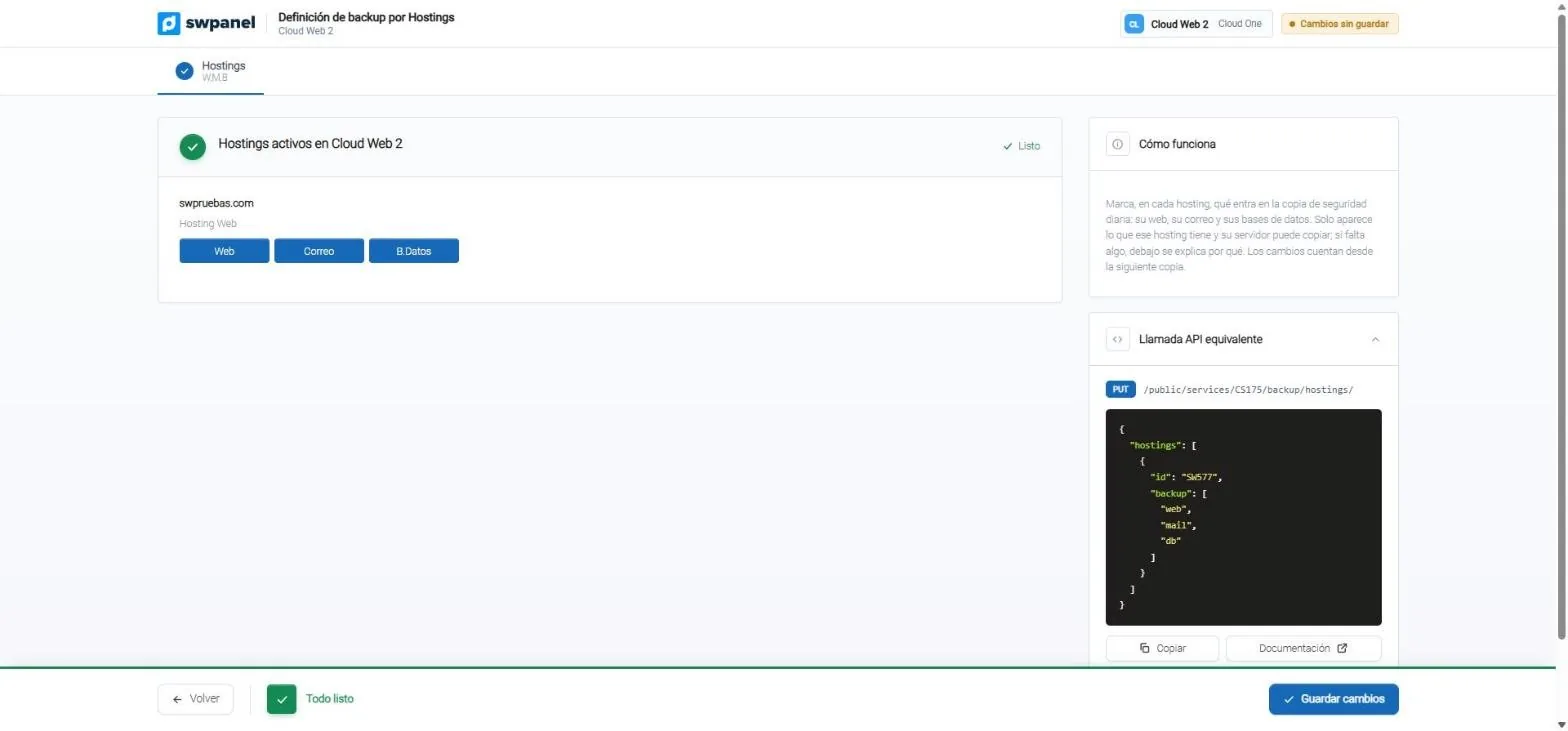
- For each hosting: its website, its email and its databases, each from its own server.
- Only what that hosting has appears and its server can back up.
- The same definition, via API.
- Counts from the next backup.
Together or separate
You choose the distribution
Everything on one server
The simplest: website, email and databases on the same Cloud. Ideal to get started.
- A single server to watch
- Backups in one place
Email separate
Email on its own server. The website can restart or change version without touching email.
- Email keeps arriving
- Antispam on its own server
Everything distributed
Website, email, databases and DNS on different servers, even in different countries.
- Maximum resilience
- Data where it has to be
Frequently asked questions
Questions about separate services
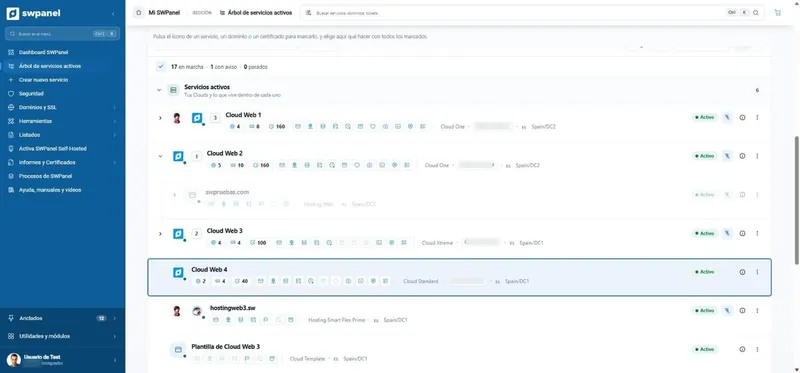
Each service, in its place
Create your account for free and distribute the website, email and databases of your hostings among your servers.