
Flows · New in 2027
When something happens in SWPanel, your business reacts on its own
A mailbox created, a certificate issued, an action that fails: every event can trigger a flow that notifies your CRM by webhook, sends an email or a Telegram message.
- Webhook, email and Telegram
- Templates in 7 languages
- Automatic retries
On video
A flow, from zero to saved
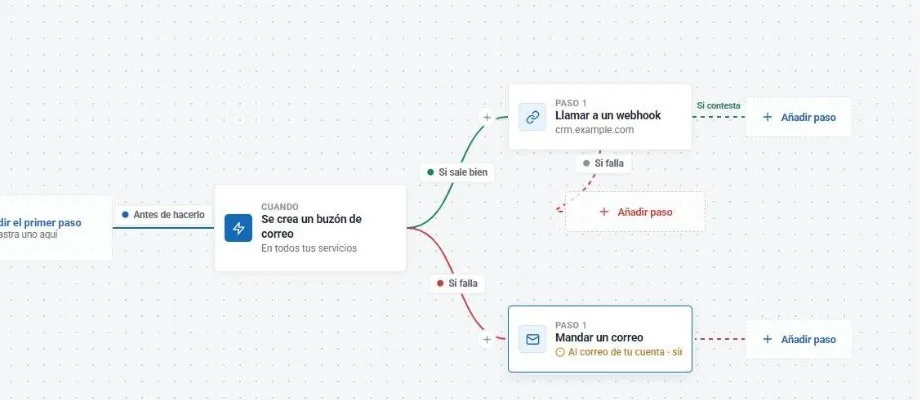
When a mailbox is created on any of your services, SWPanel calls your CRM's webhook. If something fails, it sends you an email. This is how it's built, with real screenshots of the editor.
Flows
A flow in one minute
When a mailbox is created, it notifies your CRM; if it fails, it emails you. No code, and with its API call.
- My flows
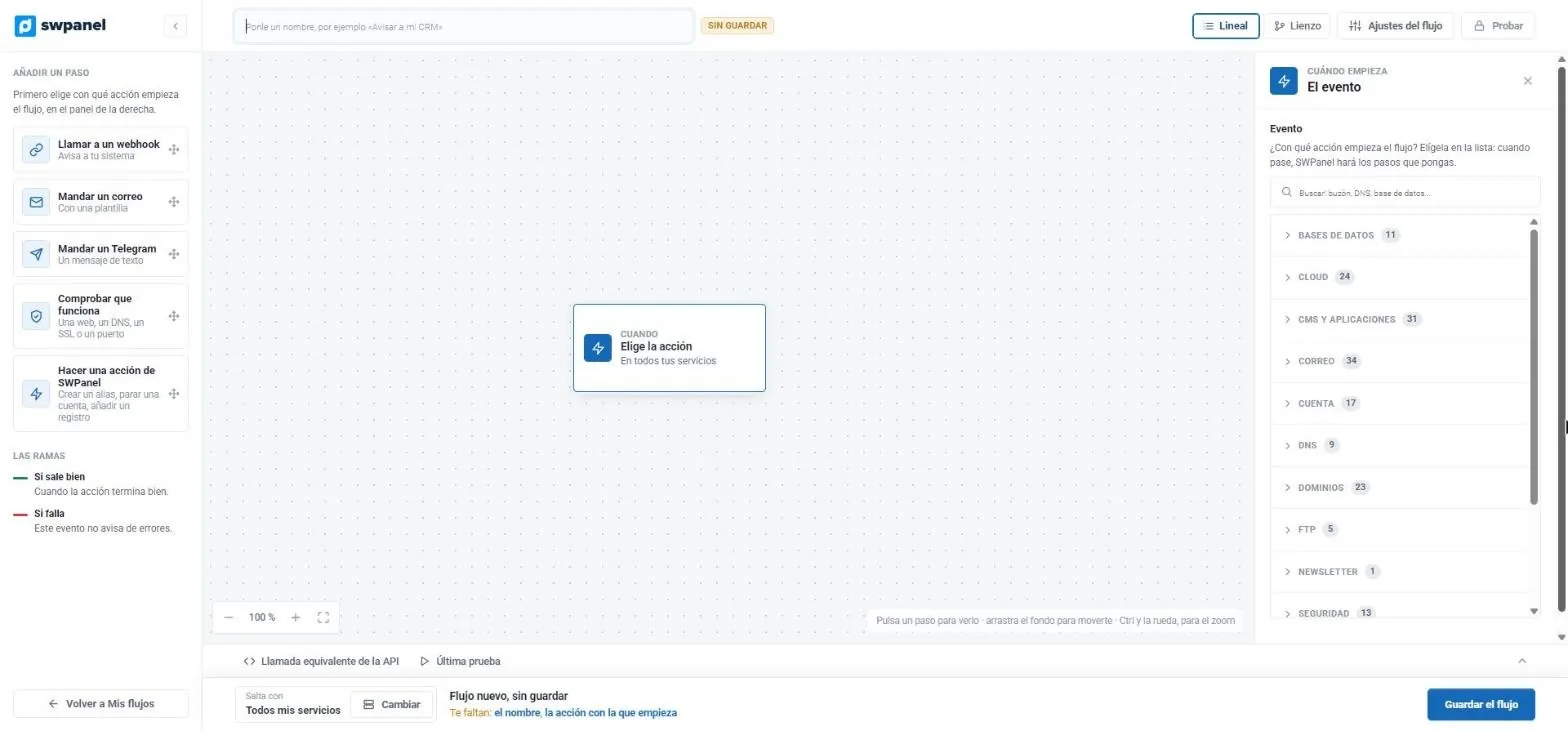
- Choose the event
- Email › a mailbox is created
- The branch diagram
- If it succeeds: webhook
- If it fails: email
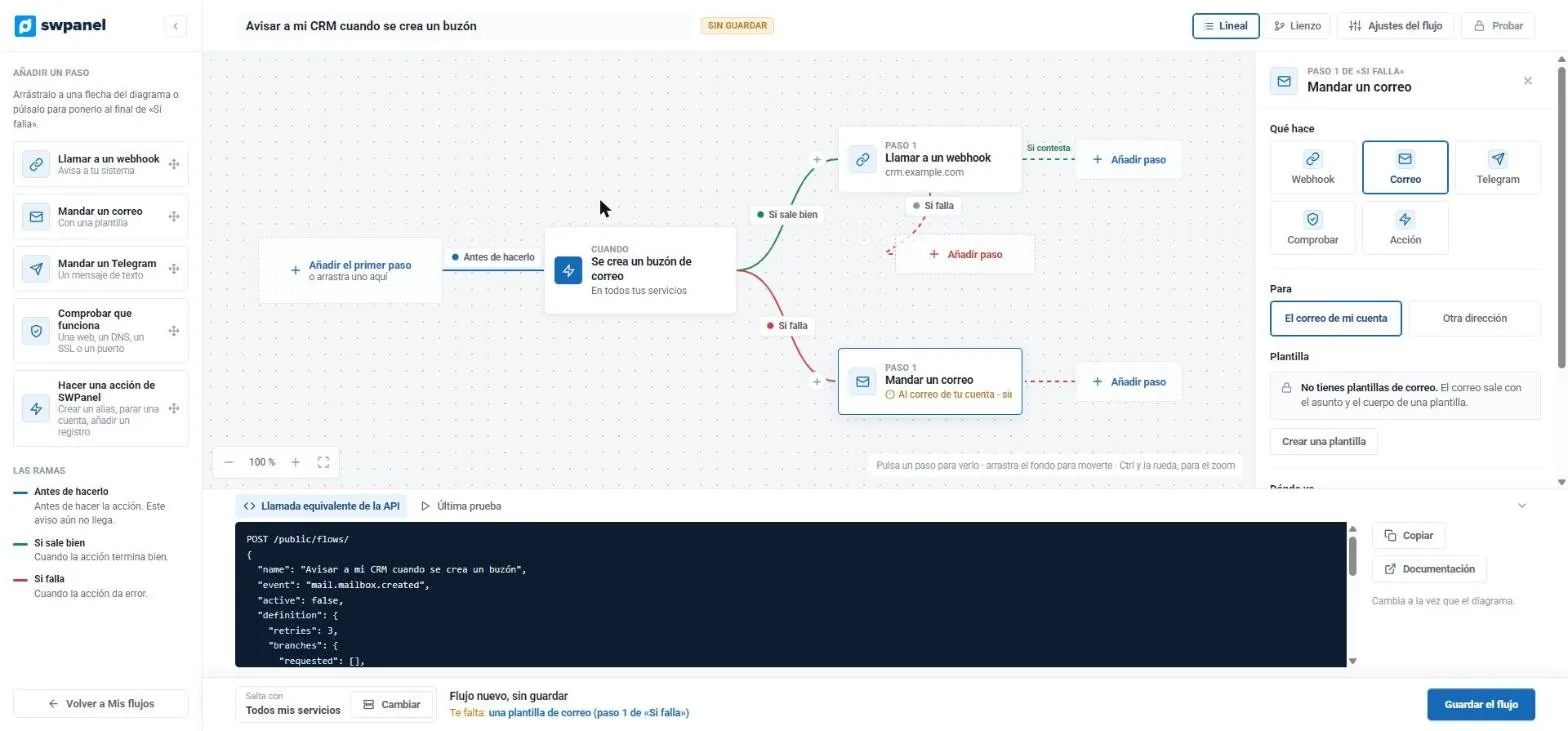
- The equivalent API call
What it looks like
The flow editor, piece by piece
Events
More than 160 events to start a flow
Databases, Cloud, CMS and applications, email, account, DNS, domains, FTP, newsletter, security... Each event says whether it warns beforehand, succeeds or fails.
- Event search
- All your services or just some
- Steps: webhook, email, Telegram, check or a SWPanel action.
- The flow starts with an action.
- Events by category: databases, Cloud, CMS, email, account, DNS, domains, FTP...
Branches
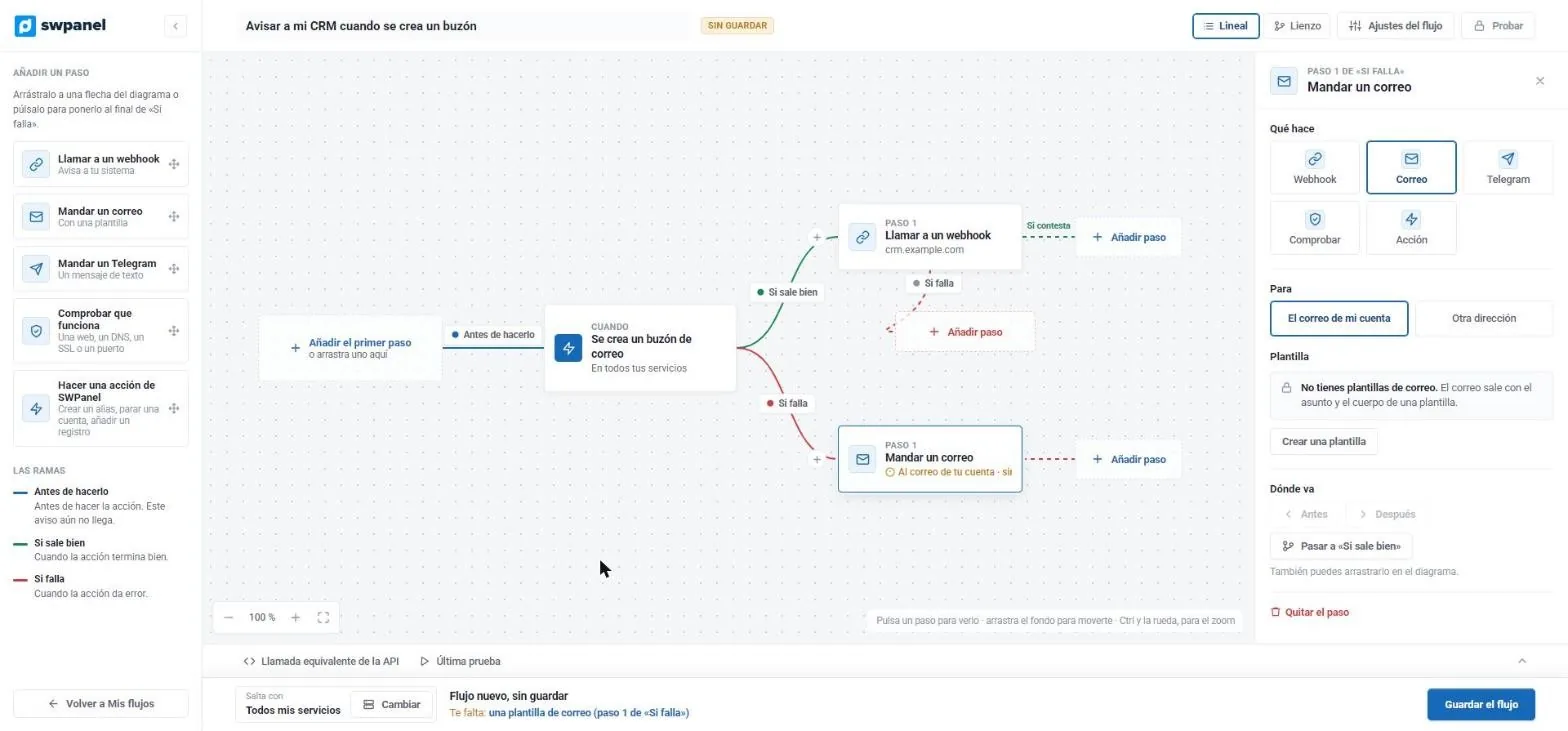
Before doing it, if it succeeds and if it fails
“Before doing it” can stop the action: if a webhook says no, it isn't done. The other two branches react to the result. Webhook, email, Telegram, checking that something works or a SWPanel action.
- Linear view or canvas
- Event variables for your messages
- Test before activating
- The event that triggers it: a mailbox is created.
- If it succeeds, it calls your CRM's webhook.
- If it fails, it sends you an email.
- Each step is configured here: recipient, template, order.
- It warns you of what's missing before saving.
API
The same flow, as an API call
The editor writes the equivalent call as you build. You can create and version flows from your code.
- POST /public/flows/
- Configurable retries
- The whole flow as an API call: POST /public/flows/.
- Copy or go to the documentation.
What a flow is
Four pieces, no programming
-
Trigger
A SWPanel event: something is about to be done, has been done or has failed.
-
Terms
When it applies: which service, which domain, which result.
-
Branches
Different paths depending on the result.
-
Steps
What gets done: webhook, email or Telegram.
A single source of events
Everything SWPanel does notifies the same way
Whether it comes from the web interface, the API, the AI chat or a scheduled process, every action emits the same event in three phases: before doing it, done and failed.
Events
Email, DNS, domains, databases and queued actions: websites, stores, snapshots and newsletter.
Steps
Webhook, email and Telegram, with templates in 7 languages.
Control
Retries at 1, 5 and 15 minutes, execution history and a “Test” button.
Examples
Flows ready to use
Welcome to your mailbox
Mailbox created: welcome email to the user and notification to your CRM.
Error alert
Something fails: webhook with the error and email to the administrator.
Certificate available
SSL issued: notification to the customer.
Security
Automate without risks
No passwords in view
Passwords never appear in templates or in the history.
Chaining limit
Maximum five chained levels, to avoid loops.
Signed webhooks
Always signed and only over HTTPS.
Roadmap
What's coming
What's available today is phase 1. This is what we're preparing next; it isn't available yet.
Visual canvas
A node editor to design flows.
Real checks
Email gets in, DNS resolves, the website responds.
Chain actions
SWPanel actions, approvals and schedule-based triggers.
More events
More than 120 new events proposed.
Frequently asked questions
Questions about Flows
Make your IT infrastructure work for you
Activate Integrator mode and build your first flow in minutes.