
Adaptive WAF · Only in Security 360
A WAF that learns from your traffic
Protect every website against injections, XSS and automated attacks with rules that adjust to how it's really used, not to a generic template.
- Security module enabled at no cost
- Configured from SWPanel
- Cancels at the end of the paid period
How it's configured
You decide how much the WAF decides
The adaptive WAF creates rules from the attacks your own website receives. It starts by observing: it records what it would block without blocking anything. When you trust what it proposes, you raise the autonomy.
Policy
Three modes and three levels of autonomy
The mode says what it does with traffic; autonomy, what it does with new rules. The threshold sets how many hits a rule needs before it starts blocking.
- Off, observation or automatic
- Recommends, applies with review or applies without review
- Threshold adjustable per service
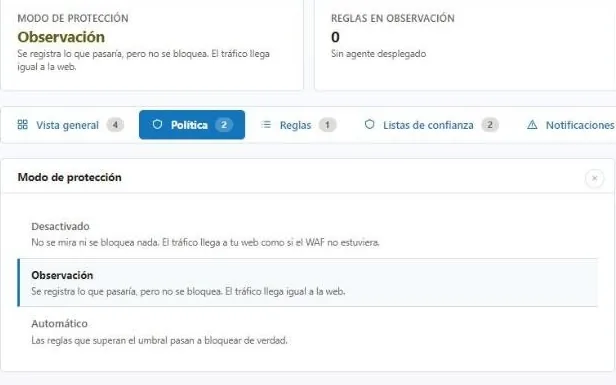
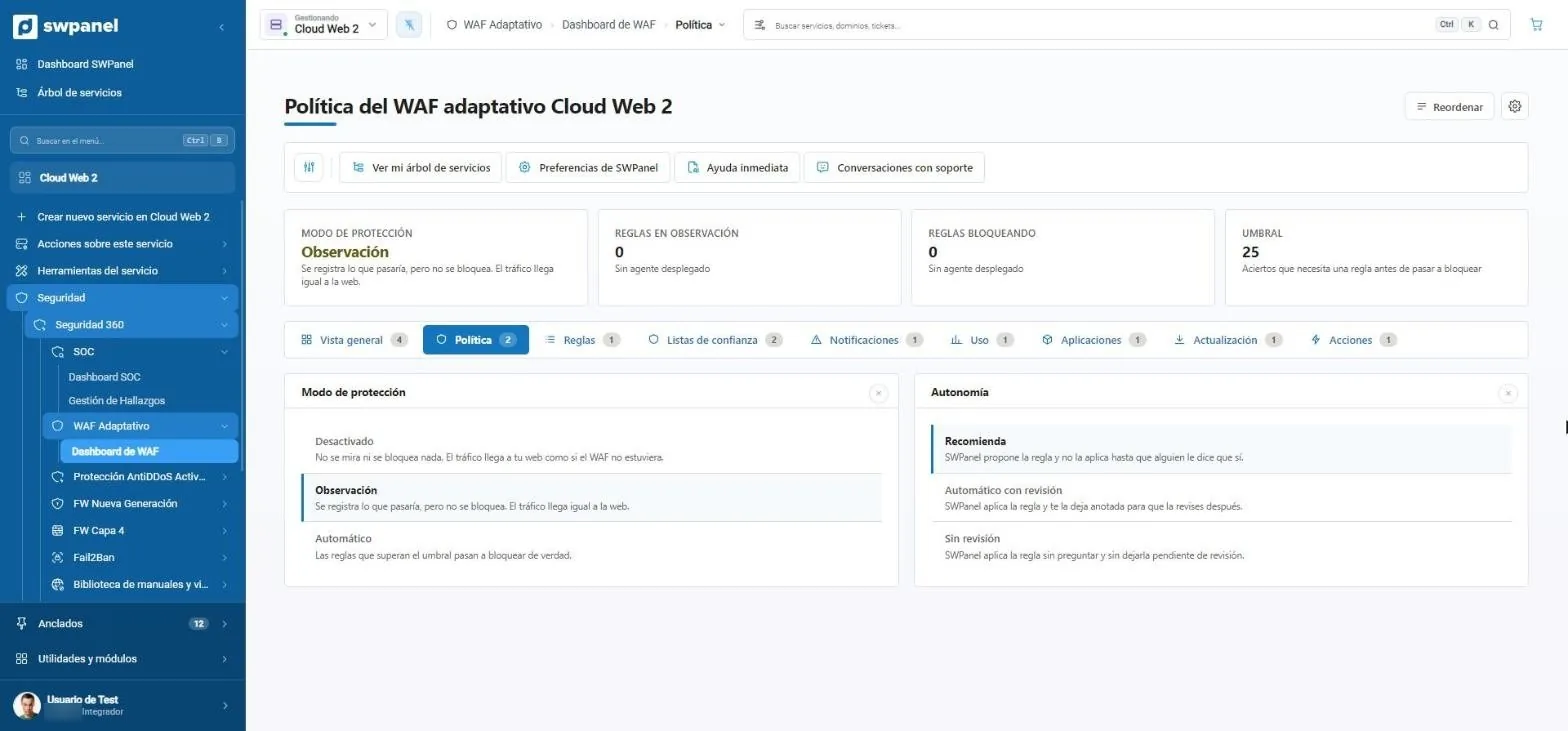
- Protection mode: here, in observation.
- Threshold: the hits a rule needs before blocking.
- Three modes: off, observation or automatic.
- Three levels of autonomy: only recommends, applies with review or applies without review.
Inheritance
One policy for the whole account, or one per service
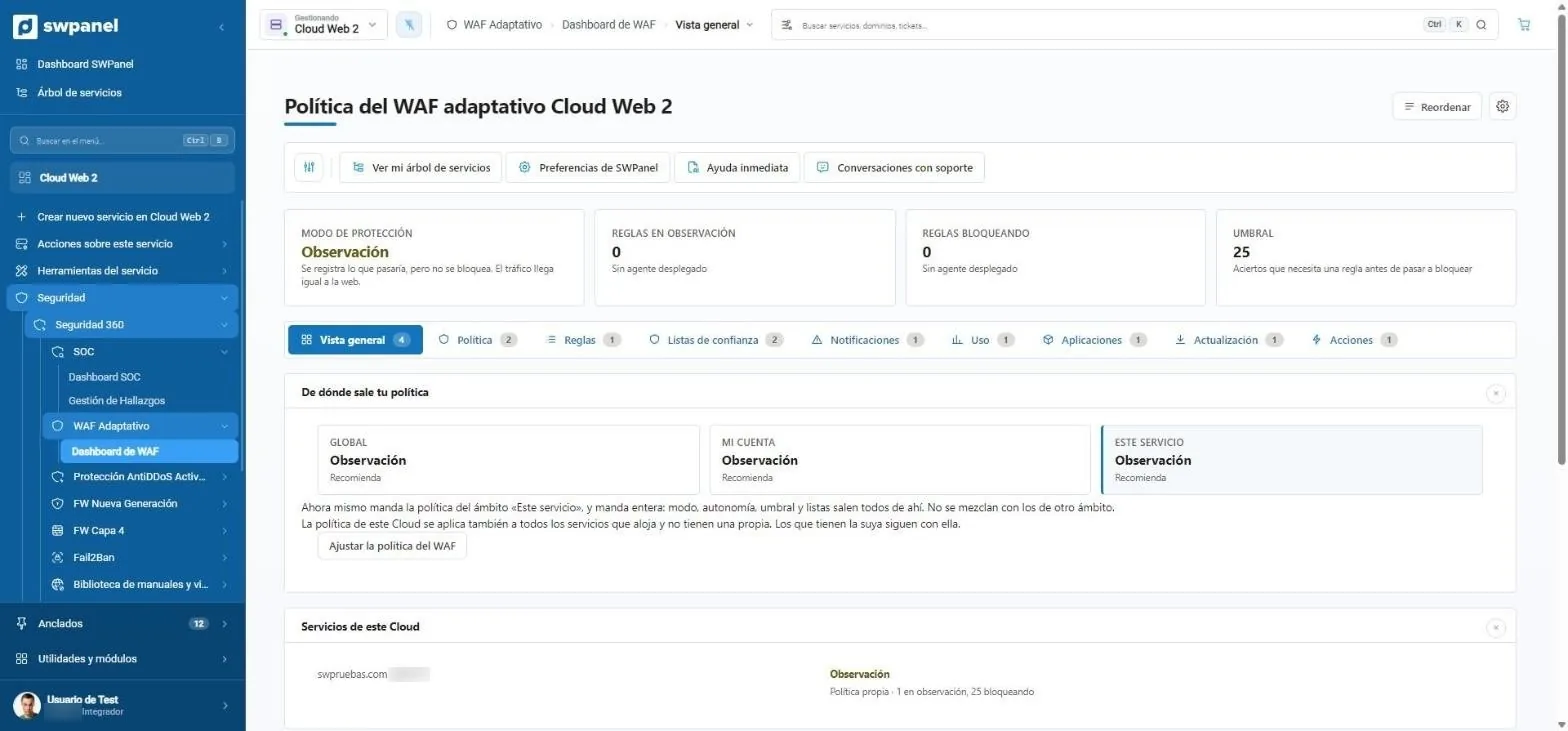
The policy is defined at three levels: global, your account and each service. The most specific one wins, and whatever you don't define is inherited. That way you don't set up a hundred websites one by one.
- Tabs for rules, trust lists, notifications, usage, applications and actions
- Where the policy comes from: global, from your account or from this service. The most specific wins.
- The Cloud's services and the policy each one applies.
What it does
An application firewall that adapts to your website
Generic rules either block too much or let too much through. SWPanel's adaptive WAF starts from ModSecurity and adjusts its rules to each service's real traffic, using what the SOC learns.
Solid foundation
ModSecurity engine integrated with the web server.
- Protection against injections and XSS
- Rules per service
- Nothing to install
Adaptive
Rules adjust based on what the SOC sees in your traffic.
- Fewer false positives
- New rules for new attacks
- Centralized orchestration
Under control
You see each rule, why it's there and until when.
- Enable and disable rules
- End date on automatic ones
- Undo with one click
In practice
From the attack to the applied rule
-
Detects
The server agent flags anomalous requests against a specific path.
-
Interprets
The SOC groups the pattern, cross-checks it with IP reputation and turns it into a finding.
-
Proposes
The WAF prepares the right rule and the consultant explains why.
-
Applies
It's applied with an end date and can be undone. Everything is recorded in traceability.
Frequently asked questions
Questions about the adaptive WAF
Protect your services with Security 360
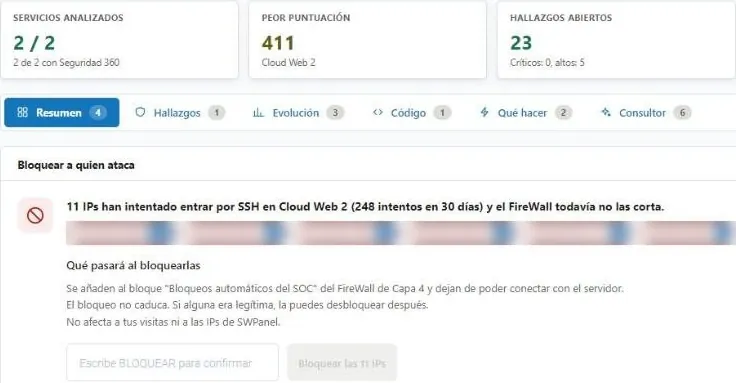
The Security module comes already enabled at no cost in your account. Add Security 360 to each hosting, Cloud or server you want to protect.