
SWPanel

SWPanel apps · iOS and Android

Your IT infrastructure, on your phone too

Four apps for iPhone and Android: SWPanel, Webmail, DB Manager and Instant Help. They are SWPanel as it is, adapted to the phone screen, and they save your login with your fingerprint or face: you sign in once and then open them with a gesture.

  • iOS and Android
  • Login with fingerprint or face
  • Your usual account
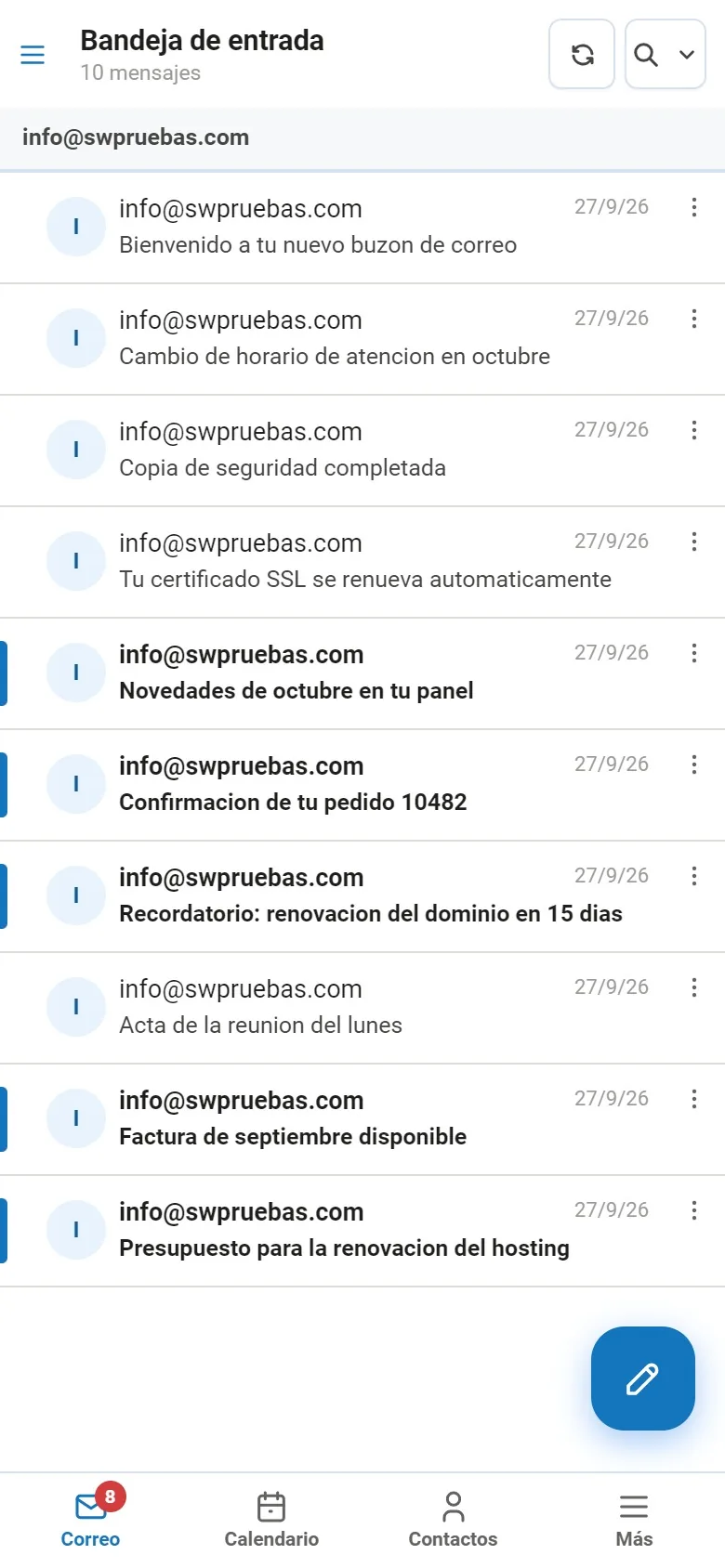
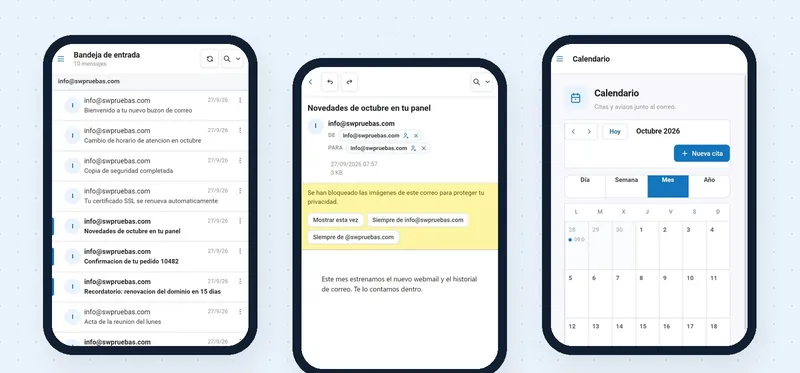
SWPanel Webmail inbox on a phone
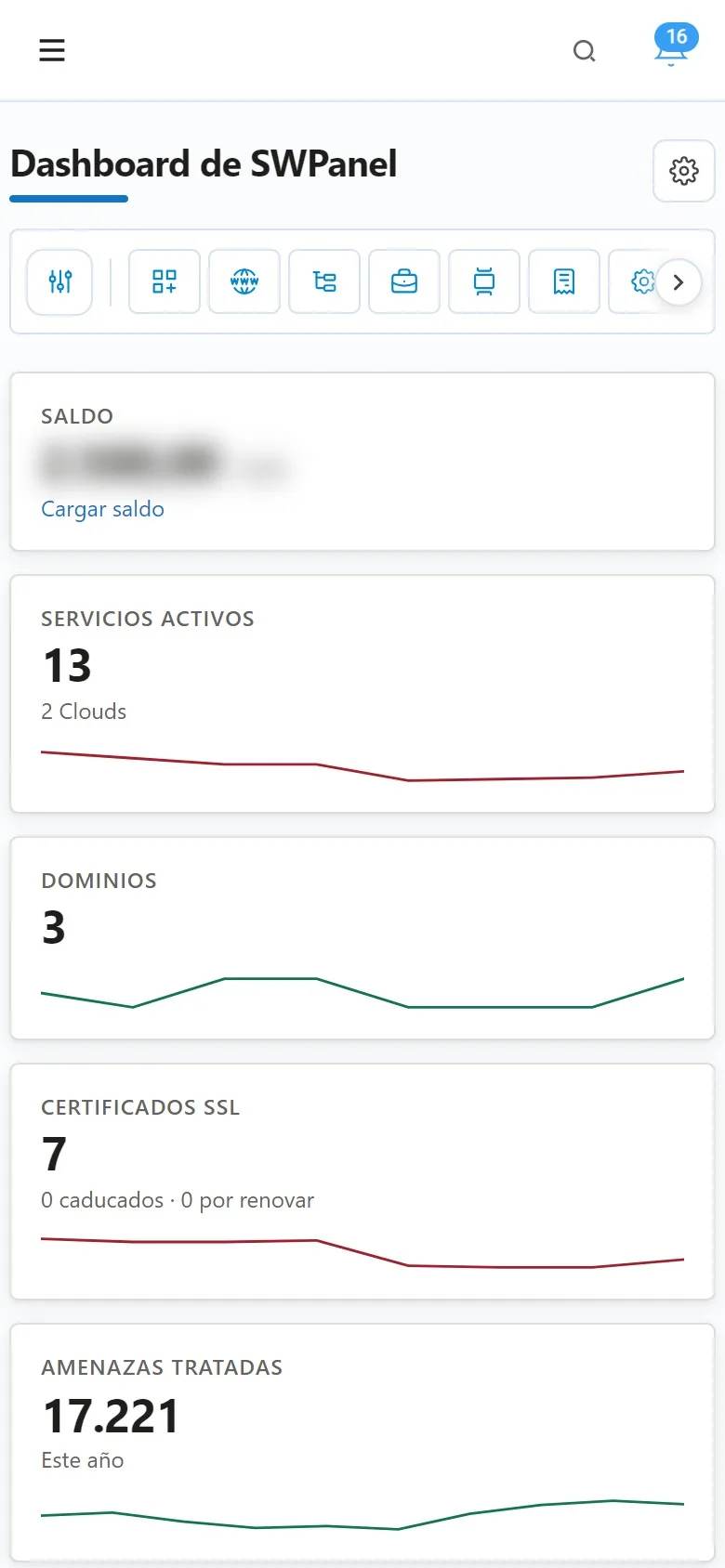
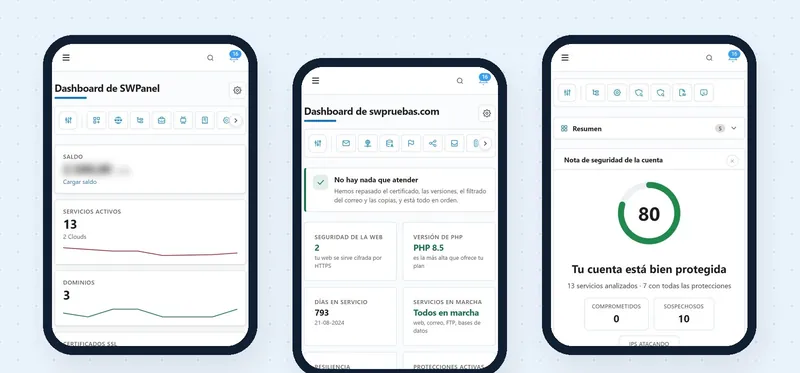
SWPanel dashboard on a phone
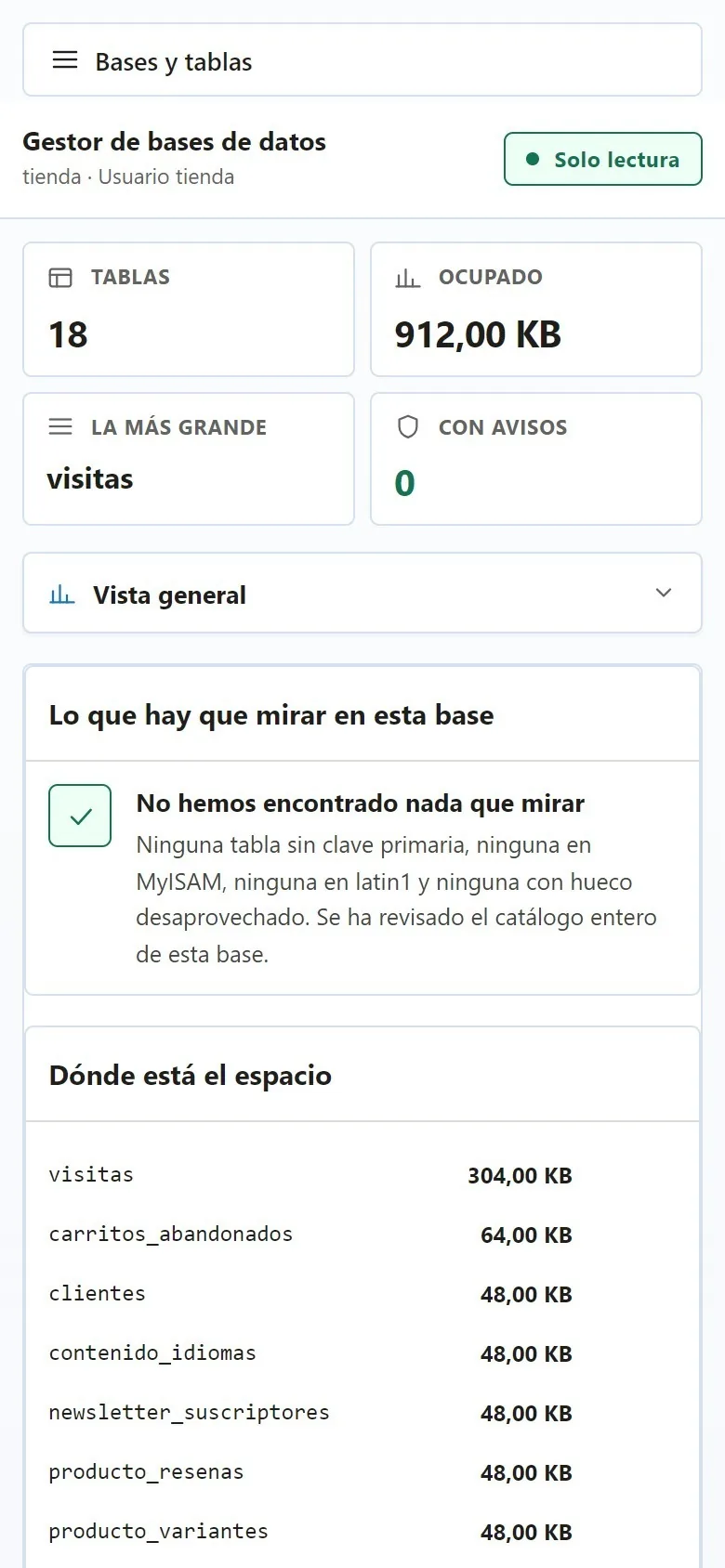
SWPanel database manager on a phone
Login saved All open with your fingerprint or your face

Four apps

One for everything you do on your phone

All four are SWPanel: the same screens, the same data and the same permissions. The size changes, not what you can do.

SWPanel dashboard on a phone

To manage · SWPanel app

All of SWPanel, on your phone

Your services, your domains, security and alerts, with the same menu as on the computer. To see how everything is going, review a service or handle an alert without opening your laptop.

  • The account dashboard: balance, services, domains, certificates and handled threats
  • Each service's dashboard: what to attend to, PHP, resilience and protections
  • Account security, with its score and what takes points off
Download it on Google Play Coming soon on App Store
SWPanel Webmail inbox on a phone

For email · Webmail app

Your email and your calendar, with your fingerprint

The new SWPanel Webmail with the tabs you expect on a phone: email, calendar, contacts and more. Several accounts at once, and external images blocked until you decide.

  • Inbox, reading and formatted writing, drafts and attachments
  • Calendar by day, week, month or year
  • Your folders and your other accounts, with their unread counts
Coming soon on Google Play Coming soon on App Store
Overview of a database in the SWPanel manager, on a phone

For your data · DB Manager app

Your databases, without fear of touching them

SWPanel's database manager, on your phone. It opens in read-only mode, tells you what to look at in each database and lets you view data or run an SQL query from anywhere.

  • The health of each database: primary keys, MyISAM, latin1 and wasted space
  • Databases and tables with search, and the rows of each table
  • Data with a filter per column and SQL query with highlighting
Coming soon on Google Play Coming soon on App Store
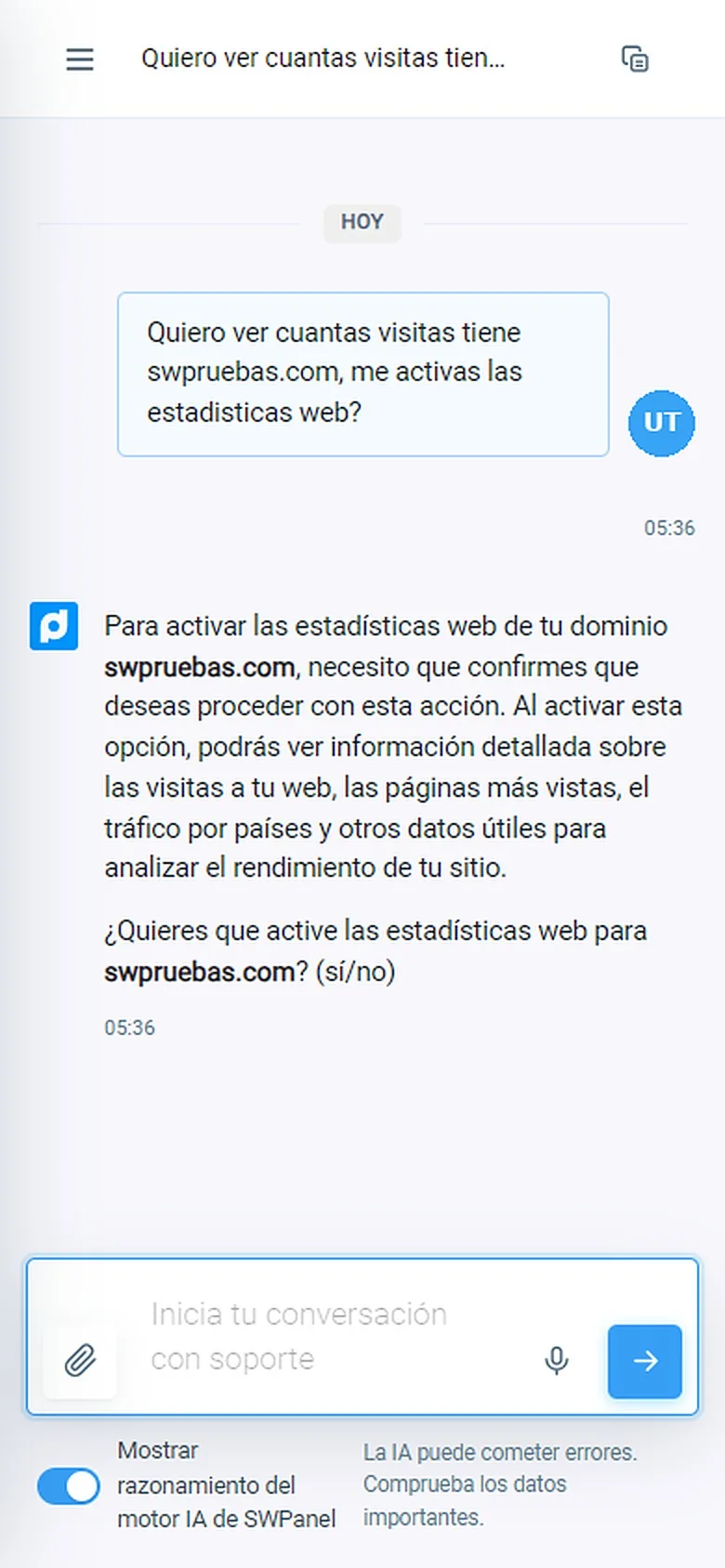
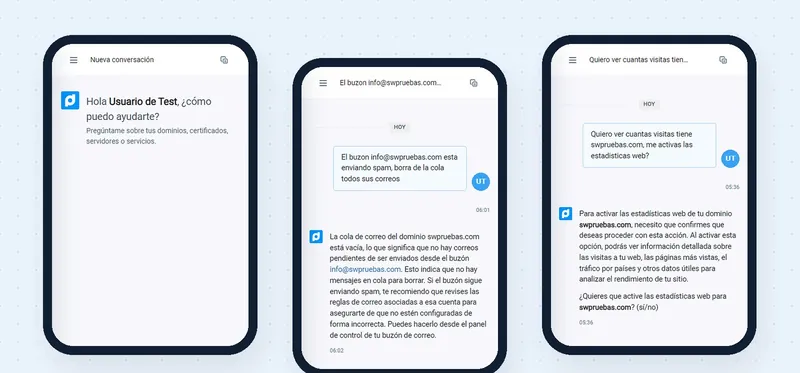
SWPanel Instant Help on a phone, asking for confirmation before acting

For support · Instant Help app

SWPanel support, one message away

SWPanel Instant Help, with the whole SWPanel AI engine, in a pocket app. You ask it like a person and it answers with the data of your services; if needed, it acts with your confirmation or passes you to a technician.

  • Answers about your domains, certificates, servers and services
  • Before changing anything, it asks for your confirmation
  • Your conversations, saved and searchable
Coming soon on Google Play Coming soon on App Store
How you log in

You log in once. After that, with a gesture

Each app stores your login on the phone and protects it with the biometrics you already use to unlock it: fingerprint or face recognition.

  1. Download the app

    From Google Play or the App Store, on your iPhone or Android.

  2. Log in once

    With your usual login details, as on the computer.

  3. Save the access

    Enable biometric access: it's stored on the phone and protected with your fingerprint or your face.

  4. Open it with a gesture

    From then on you log in with your fingerprint or your face, without typing the password again.

The app doesn't see your fingerprint or your face: the phone itself does the check, just as when you unlock it. Want to log in without a password on your computer too? InstantPass does that: you scan a QR code with your phone.

And on the computer

The apps and InstantPass

They complement each other. With the apps you work on your phone; with InstantPass, your phone is the key to log in from your computer.

SWPanel apps

You work on your phone

  • SWPanel, the webmail, the database manager or Instant Help, on the phone screen
  • Your login, saved and protected with your fingerprint or your face
  • For iPhone and Android

InstantPass

You log in on the computer

  • You scan the QR code on the login screen with your phone
  • You validate on the phone and SWPanel opens on the computer, without a password
  • Also for each mailbox's webmail

Frequently asked questions

Questions about the apps

No. They are SWPanel, the webmail, the database manager and Instant Help in their mobile version: the same screens, adapted to the phone, with your data and your permissions.

For iPhone, running iOS, and for Android.

No. You sign in with your usual login details. In the Webmail app, anyone who only manages email can also sign in, with the webmail's own access.

No. The check is done by the phone itself, with its own unlock system; the app only knows whether it went well.

Yes. The apps change nothing: SWPanel stays the same in the browser on your computer or phone.

With the apps you work on your phone. InstantPass turns your phone into the key to sign in to SWPanel, or to the webmail, from your computer: you scan a QR code and confirm on the phone.

Your IT infrastructure, one gesture away

Create your account, download the app you need and save your login with your fingerprint or your face.