RHA Web
Your hosting company's website, connected to your RHA
You pick a template, add your brand and SWPanel builds the website with your plans, your prices, your payments and your legal texts. You edit it by clicking on the website itself and it is published on your hosting, with your domain.
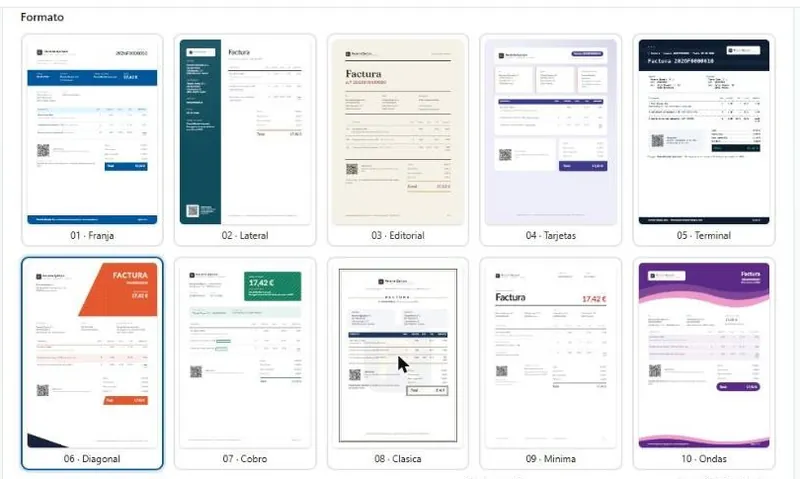
- 20 website templates
- Editor on the website itself
- Legal texts with your details
- 20 Website templates 8 provider, 8 ways to sell and 4 classics
- 27 Starting pages in the Cloud template, 12 of them legal texts
- 6 Tabs your website, design, content, products, payments and legal
- 1 click To switch templates your plans, your brand and your texts are kept
How it works
From your RHA to a website that sells
Everything comes from what you already have in RHA. You decide the look and the texts.
-
Choose the template
One of the 20, with your plans and your brand before applying it.
-
Add your brand
Palette, colors, typography, dark mode and your logo, the one from your invoices.
-
Review what you sell
Content, plans, domains and payments, and the legal texts with your details.
-
Edit and publish
On the website itself, with a mobile view, on your hosting and with your domain.
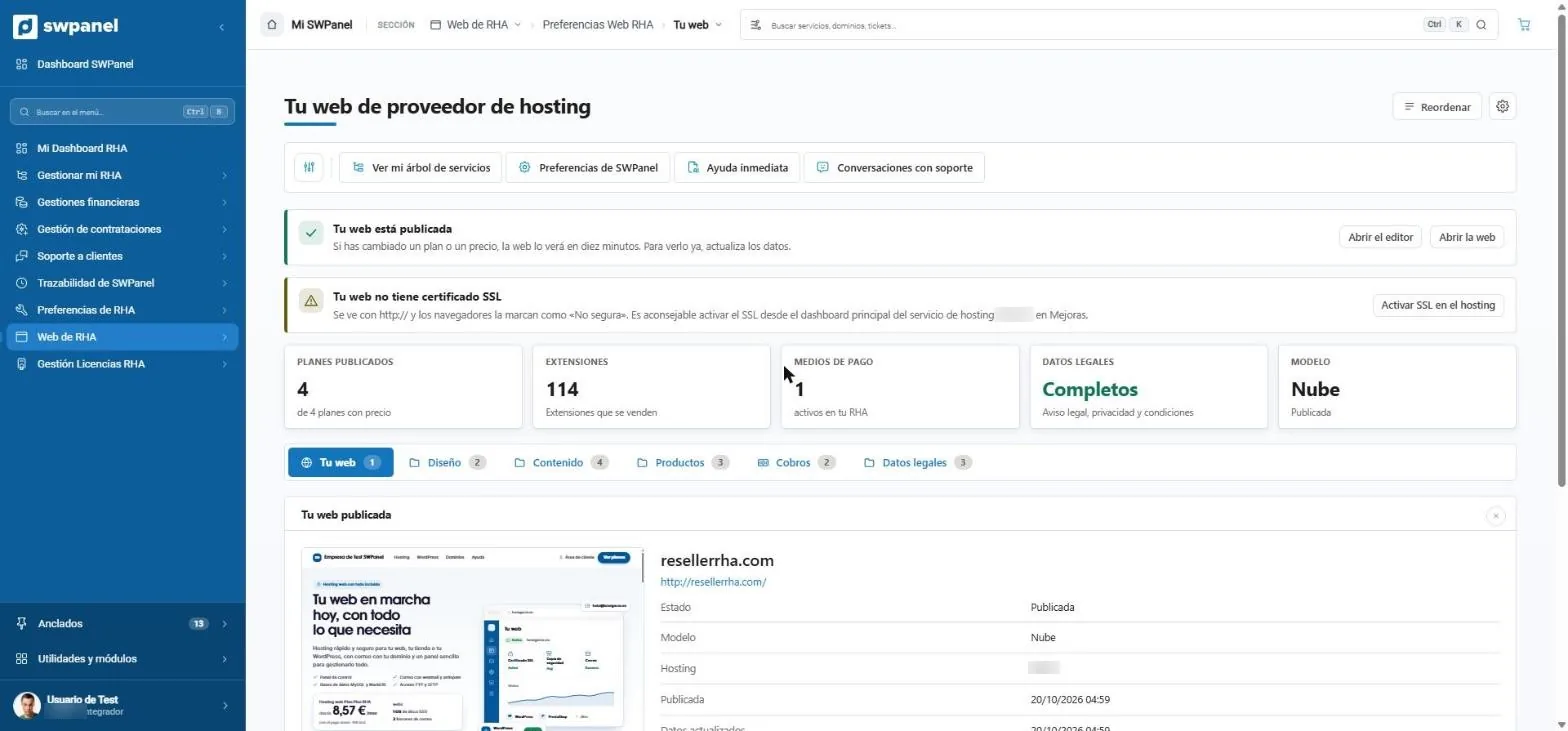
- Your hosting provider website, inside RHA.
- Open the editor or the published website.
- It warns you if the website doesn't have an SSL certificate yet.
- Plans, extensions, payment methods, legal details and template, at a glance.
- Six tabs: your website, design, content, products, payments and legal details.
On video
This is how your company's website is built
Made with real SWPanel 2027 screenshots, on a test account. Each step comes with its on-screen explanation.
RHA Web
From template to published website
Template, ways to sell, design, content, products, payments, legal details, the editor and the website as your customer sees it.
- You pick the template and see it with your details
- You add your palette, your typeface and your logo
- You review plans, payments and legal texts
- You edit it on the website itself and publish it
Templates
Twenty templates, the kind that already sell
With the structure and pages of the market's providers. You see it with your details before applying it and, if you switch, your website changes instantly.
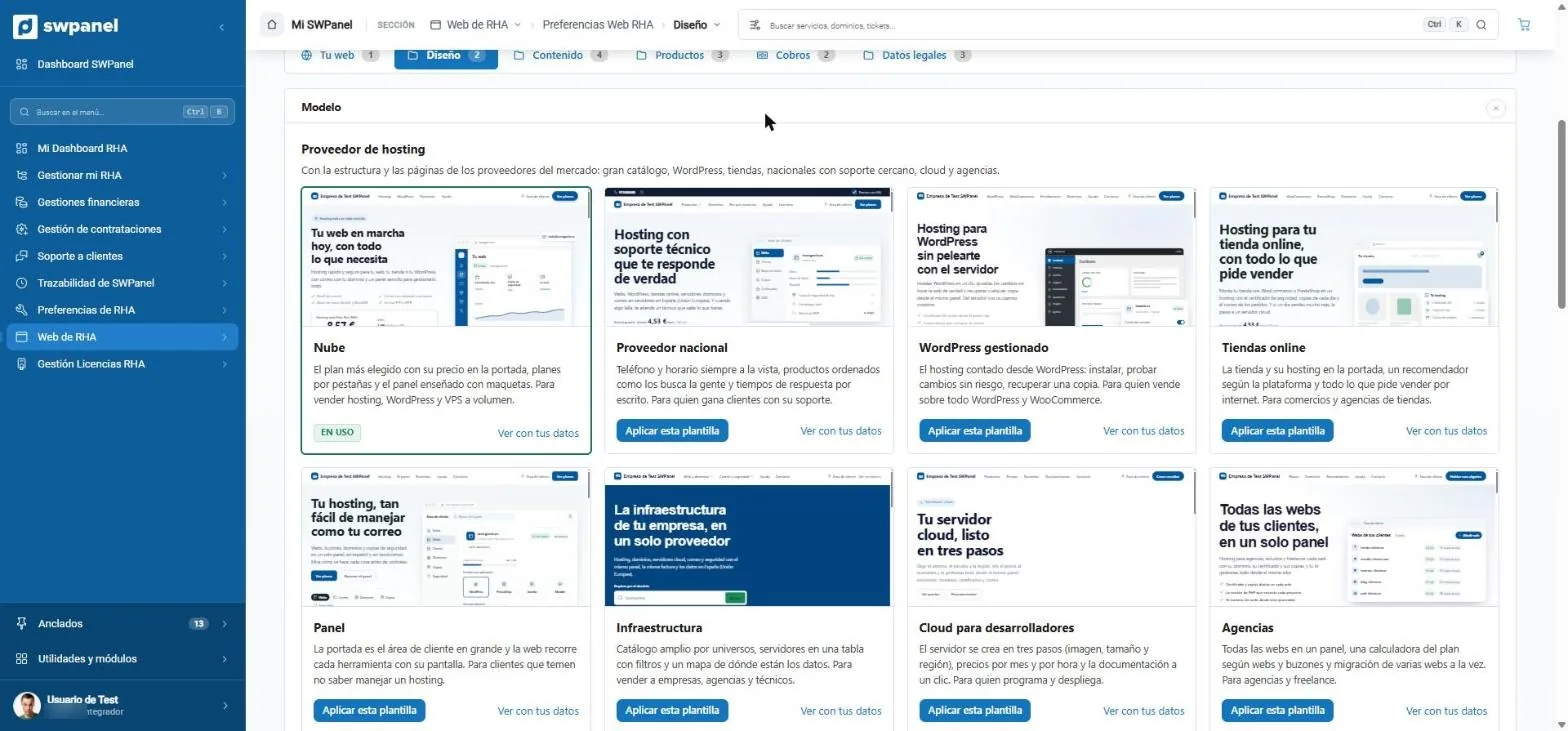
- Hosting provider: eight templates with the structure of the market's providers.
- The template you use, marked.
- View with your details: the template with your plans and your brand, before applying it.
- Apply this template: the website changes instantly.
Cloud
The most chosen plan with its price on the home page and the panel shown with mockups.
National provider
Phone and opening hours in view and response times in writing.
Managed WordPress
Hosting explained from WordPress, for those who sell on WordPress and WooCommerce.
Online stores
The store and its hosting on the home page, with a recommender based on the platform.
Panel
The home page is the customer area writ large, for customers who fear they won't know how to manage hosting.
Infrastructure
A wide catalog by universe, servers in a table with filters and where the data is.
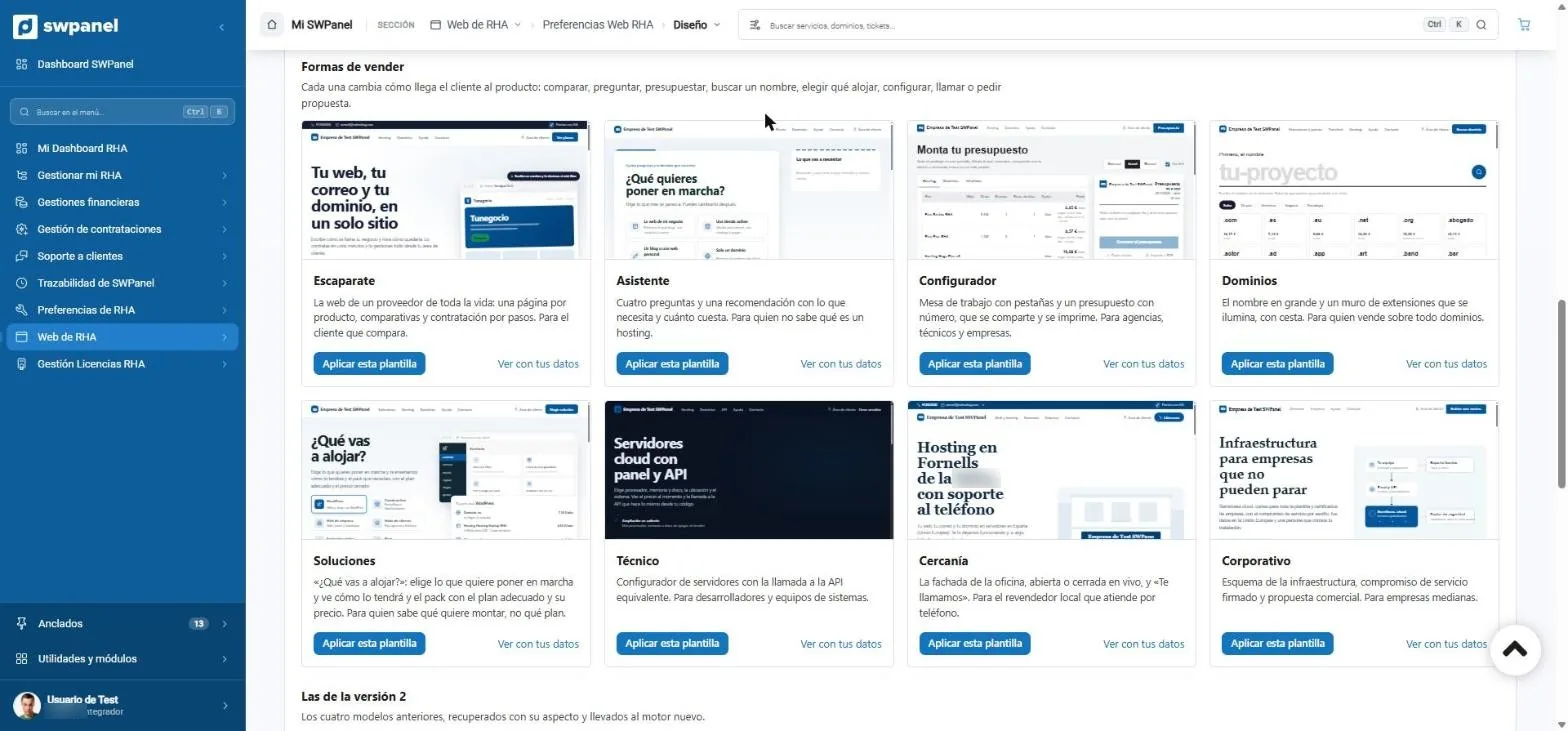
- Ways to sell: how the customer gets to the product.
- Showcase: one page per product and step-by-step purchase.
- Assistant: four questions and a recommendation.
- Configurator: a quote that can be shared and printed.
- Proximity: the office front and “We'll call you”.
- And the four classics from version 2, with the new engine.
Ways to sell. Each one changes how the customer gets to the product: compare, ask, get a quote, search for a name, choose what to host, configure, call or request a proposal.
- Storefront
- Assistant
- Configurator
- Domains
- Solutions
- Technical
- Proximity
- Corporate
- Catalog
- Classic assistant
- Classic configurator
- Domains first
Your brand
Your palette, your typeface and your logo
The same colors and the same logo as your invoices: if you change it here, it changes there too.
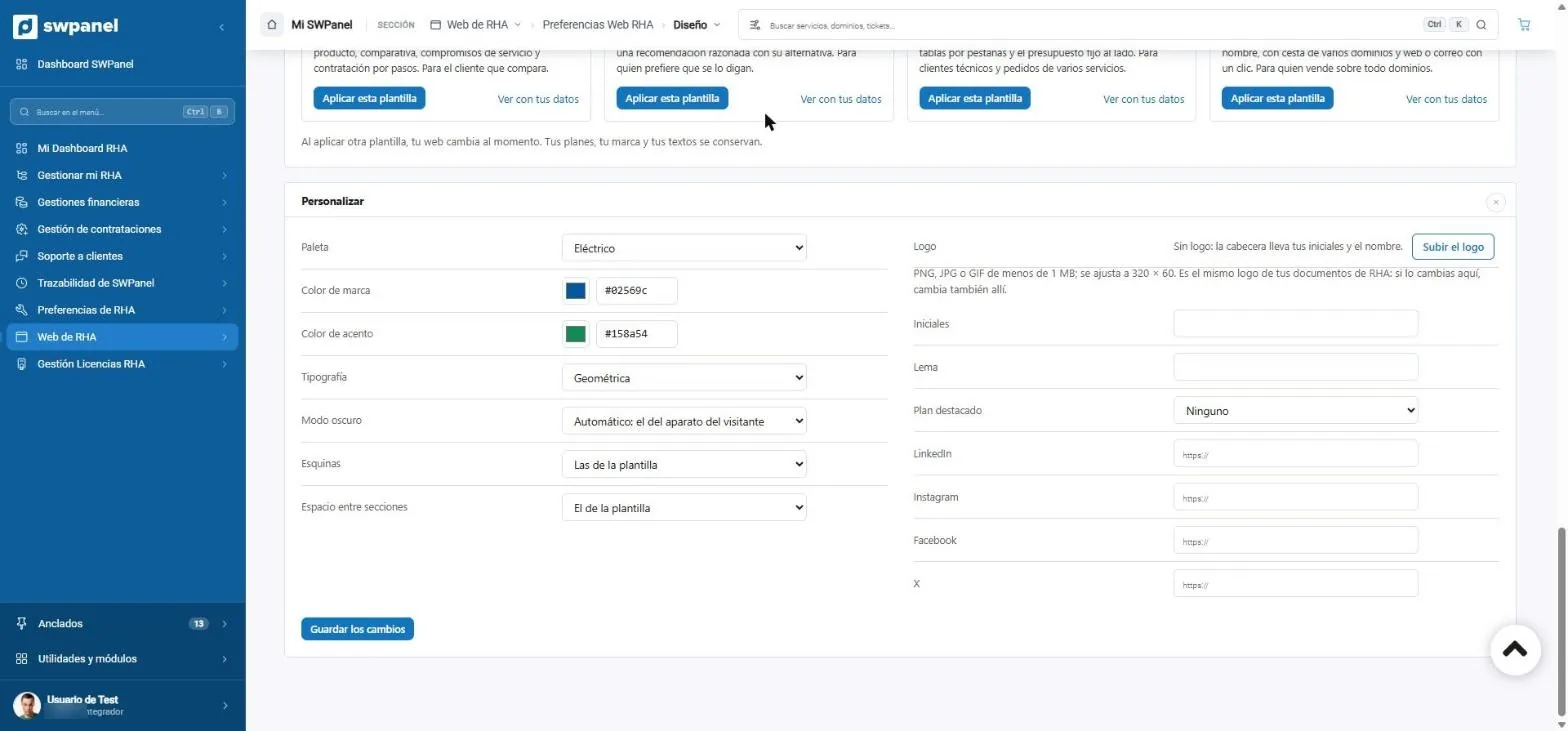
- Starting palette.
- Brand and accent color.
- Typography.
- Dark mode: automatic, based on the visitor's device.
- Your logo: the same one as in your RHA documents.
- Featured plan and your social networks.
The editor
You edit it on the website itself
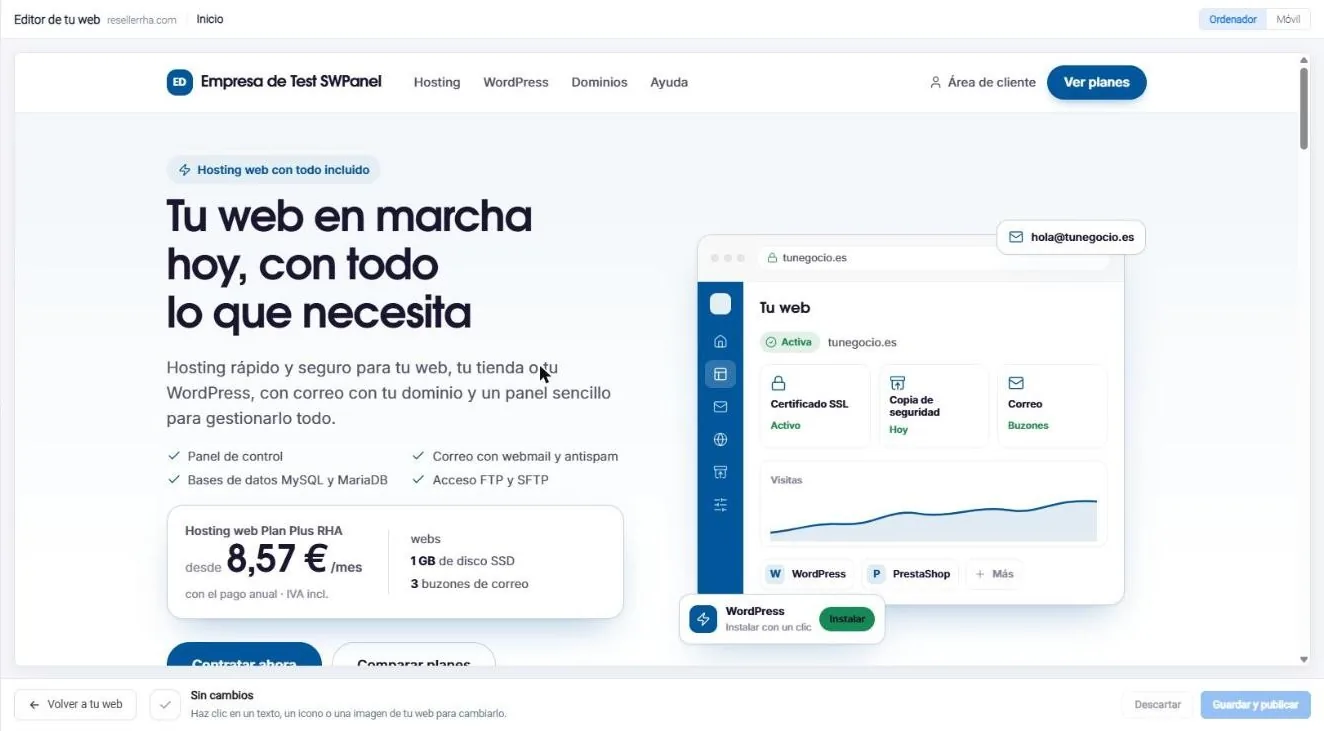
Click a text, an icon or an image and change it right there. Nothing is published until you save.
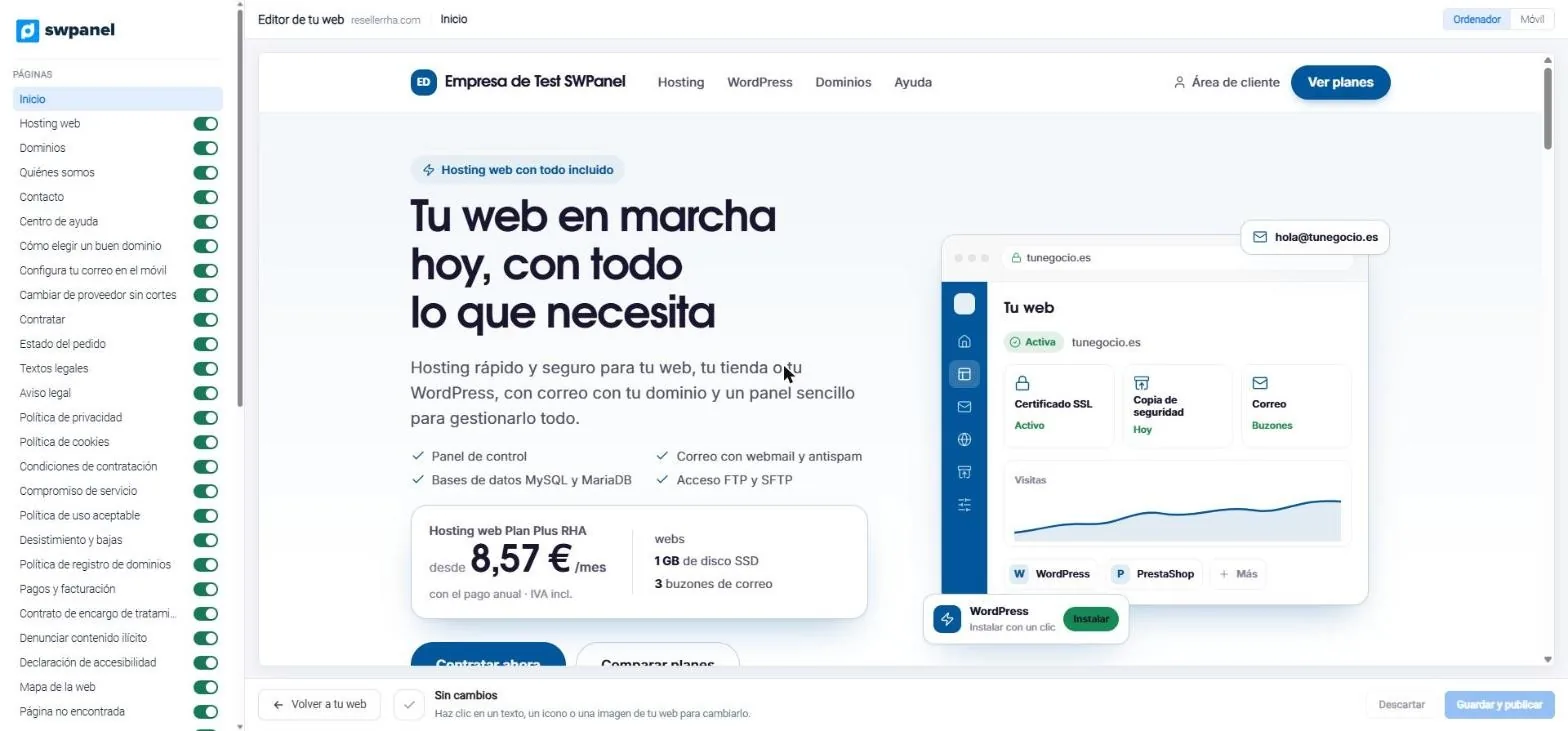
- All the pages of the website, each with its own switch.
- Desktop and mobile view.
- Click a text, an icon or an image and change it on the website itself.
- Save and publish, or discard.
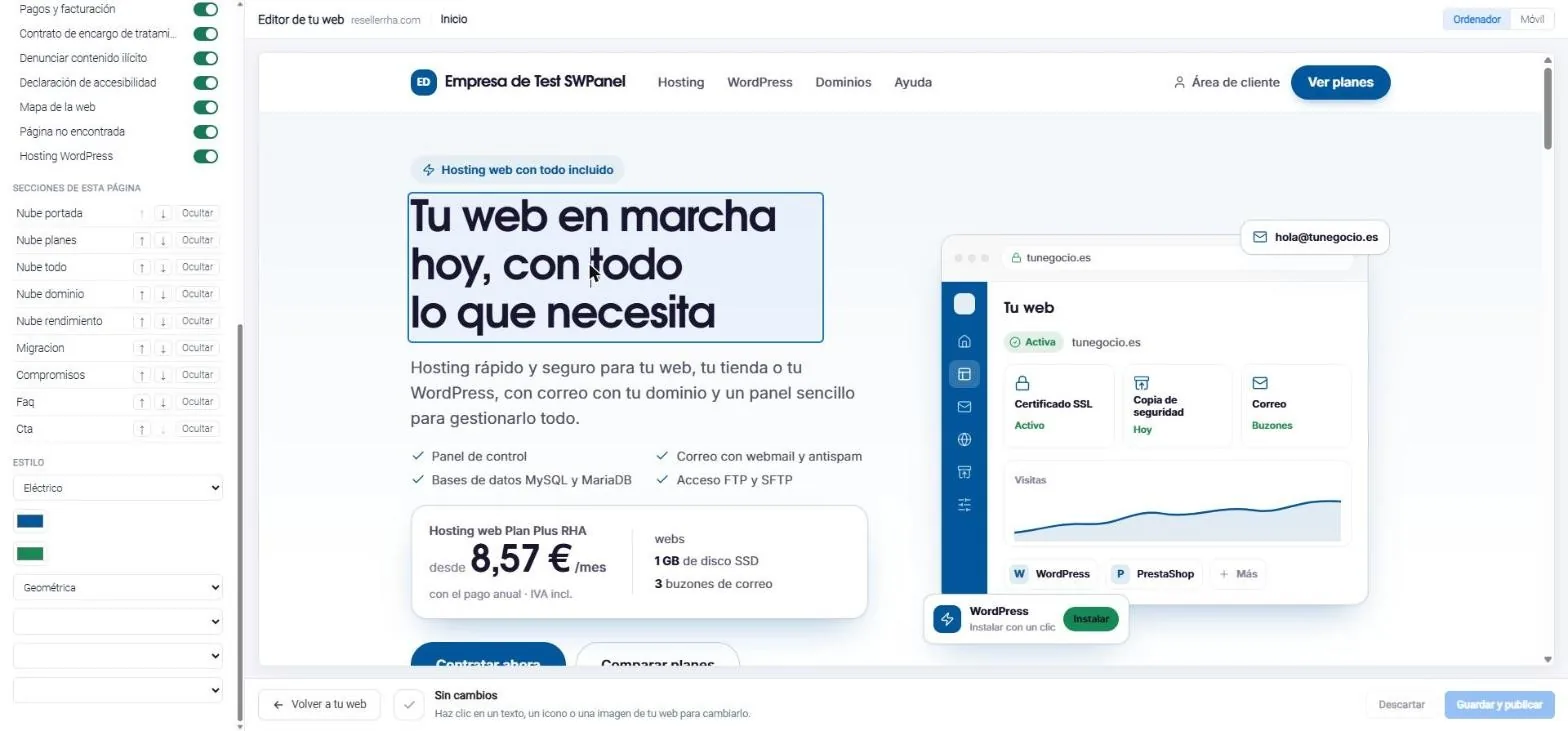
- The headline, editable on the website itself.
- Nothing changes until you save and publish.
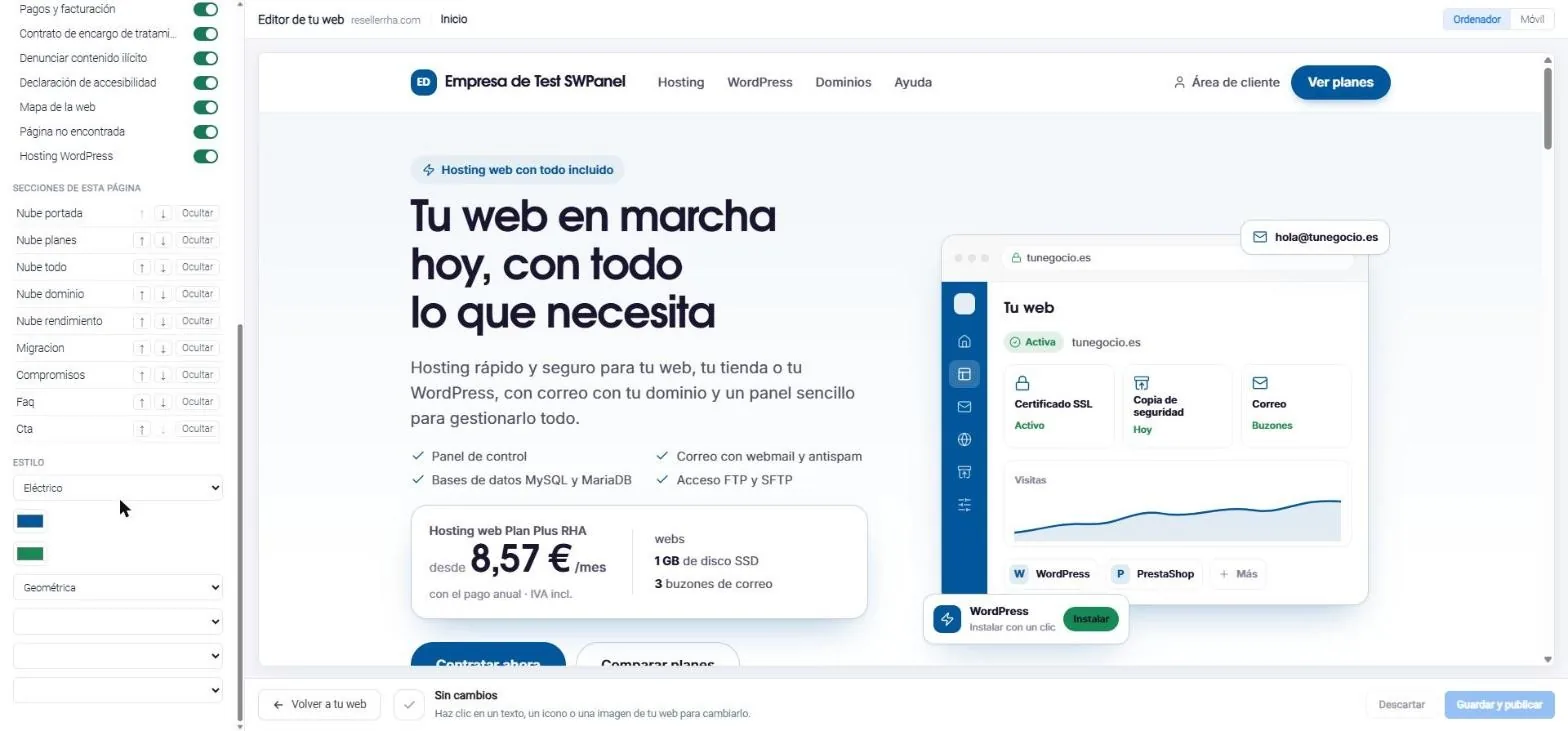
- Page sections: move them up, down or hide them.
- Style: palette, colors and typography.
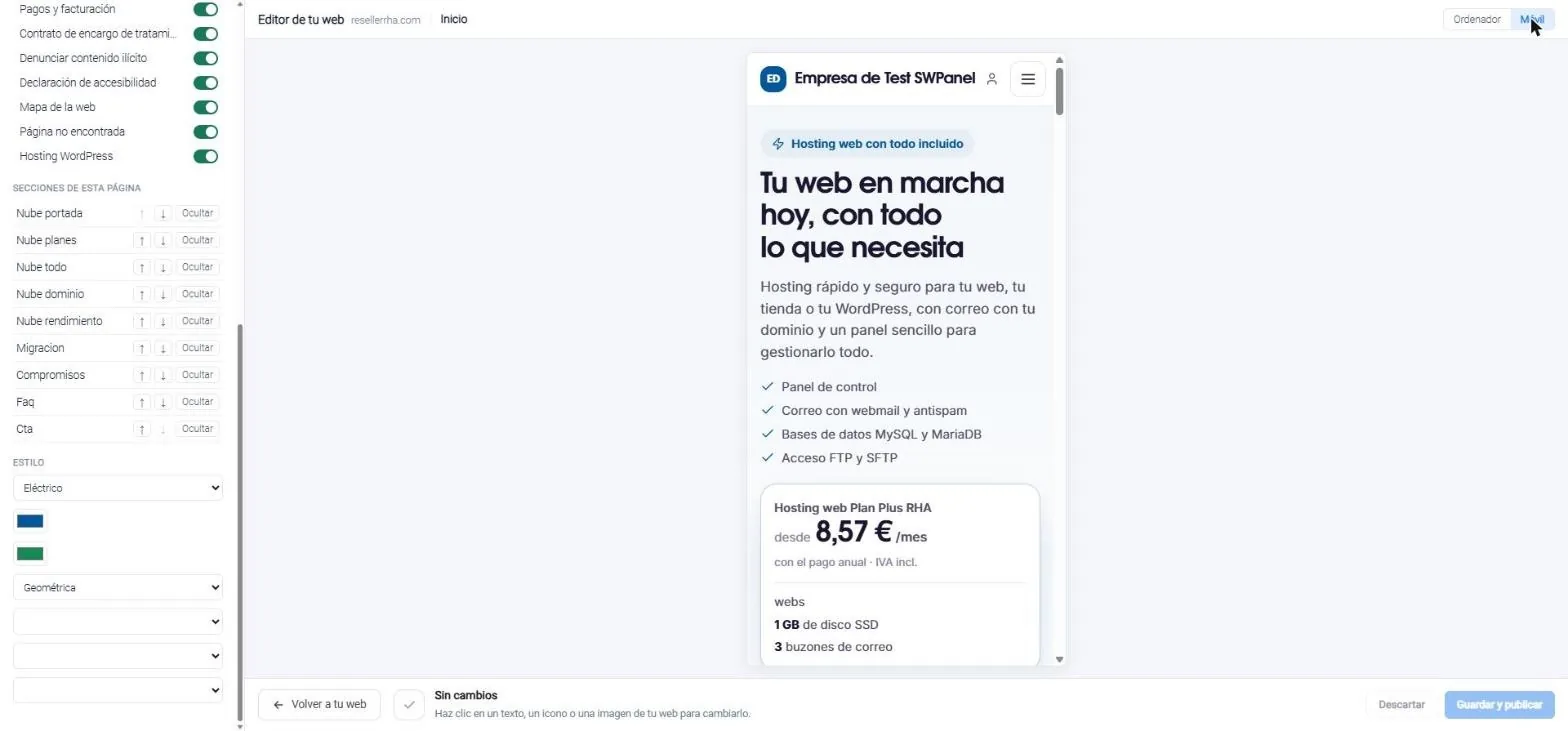
- This is how it looks on mobile, before publishing.
- Switch view with one click.
Connected to your RHA
What you sell, always up to date
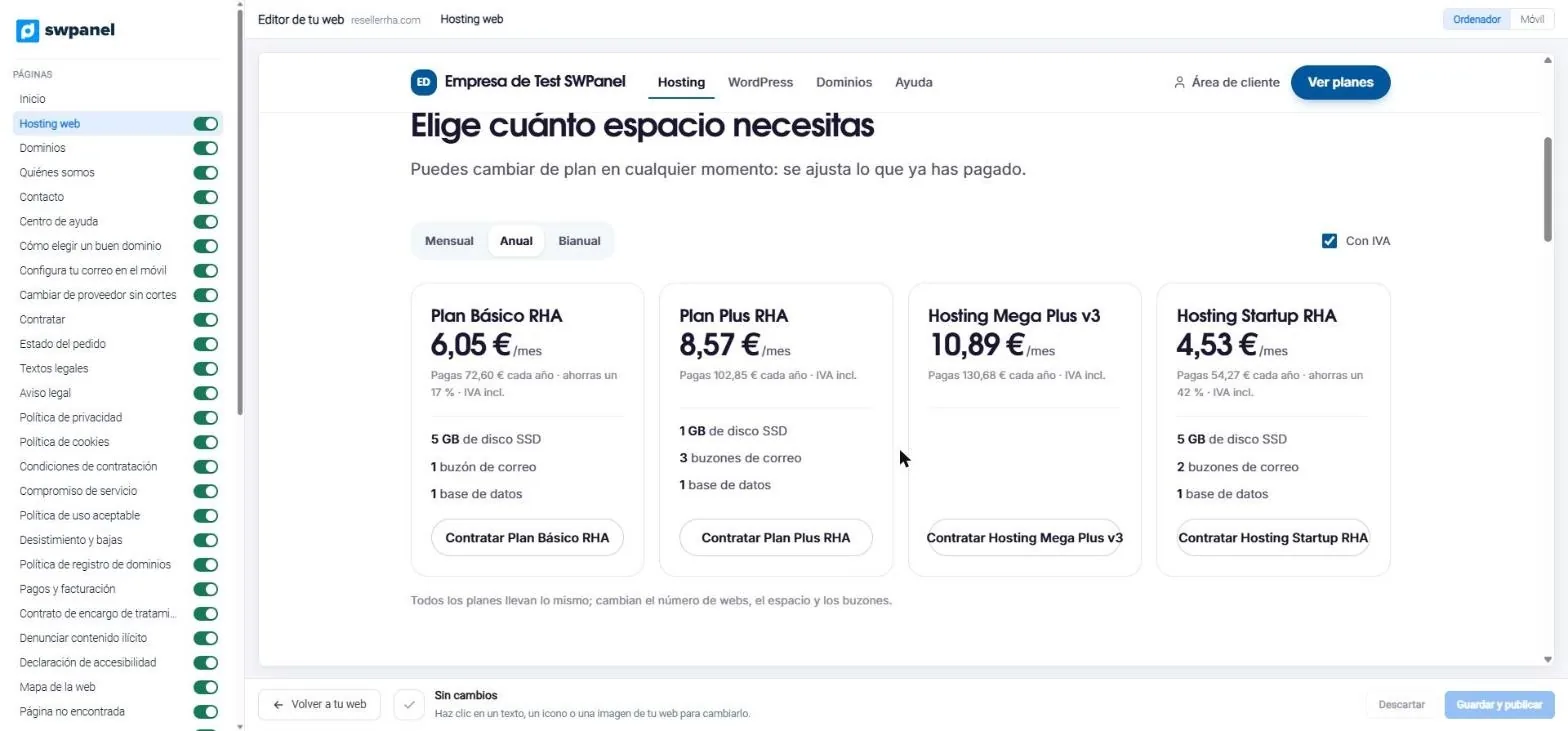
Plans, extensions, payment methods and your company's details come from RHA. If you change a plan or a price, the website picks it up on its own.
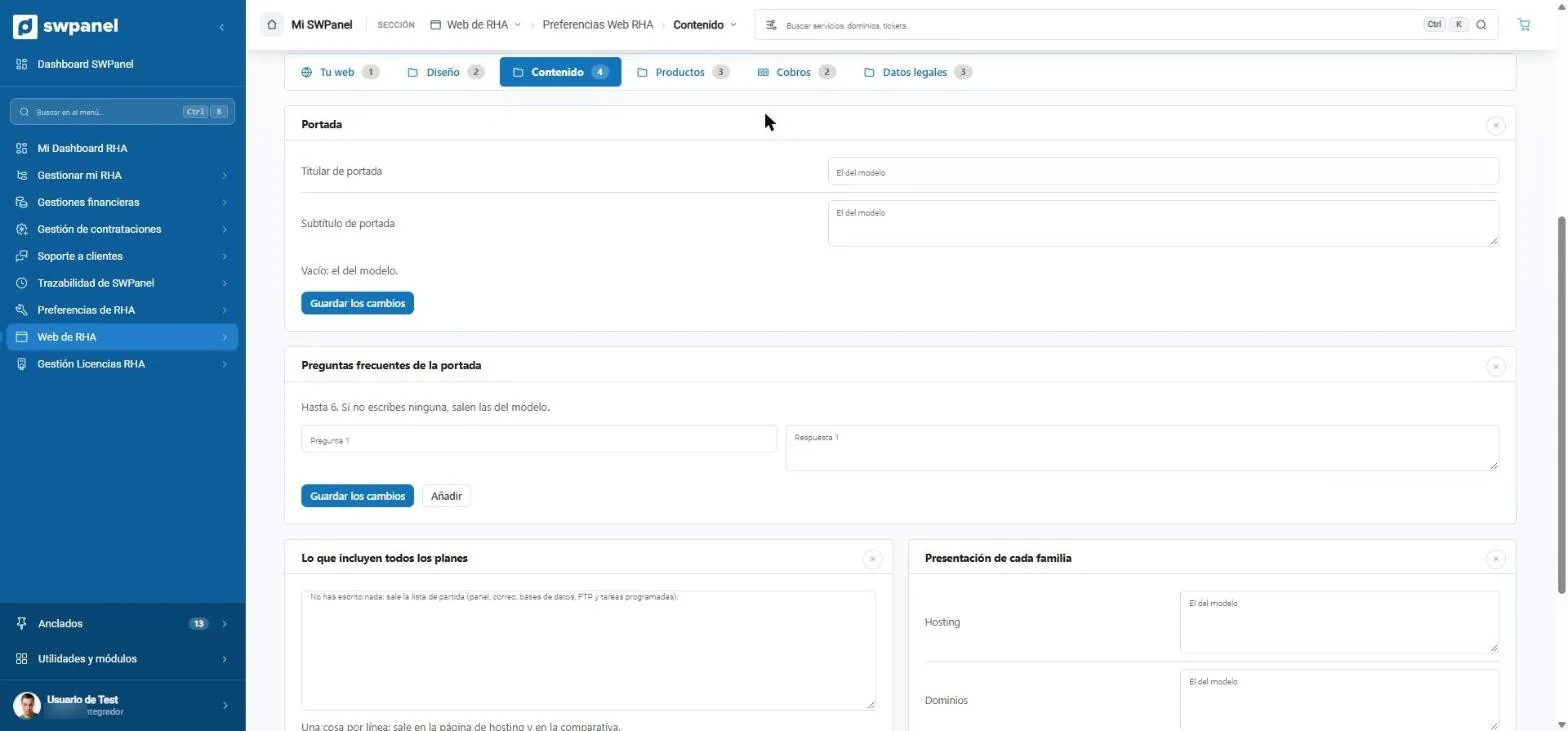
- Headline and subtitle of the home page; if empty, the template's own.
- Up to six frequently asked questions.
- What all plans include.
- The presentation of each family: hosting, domains and cloud servers.
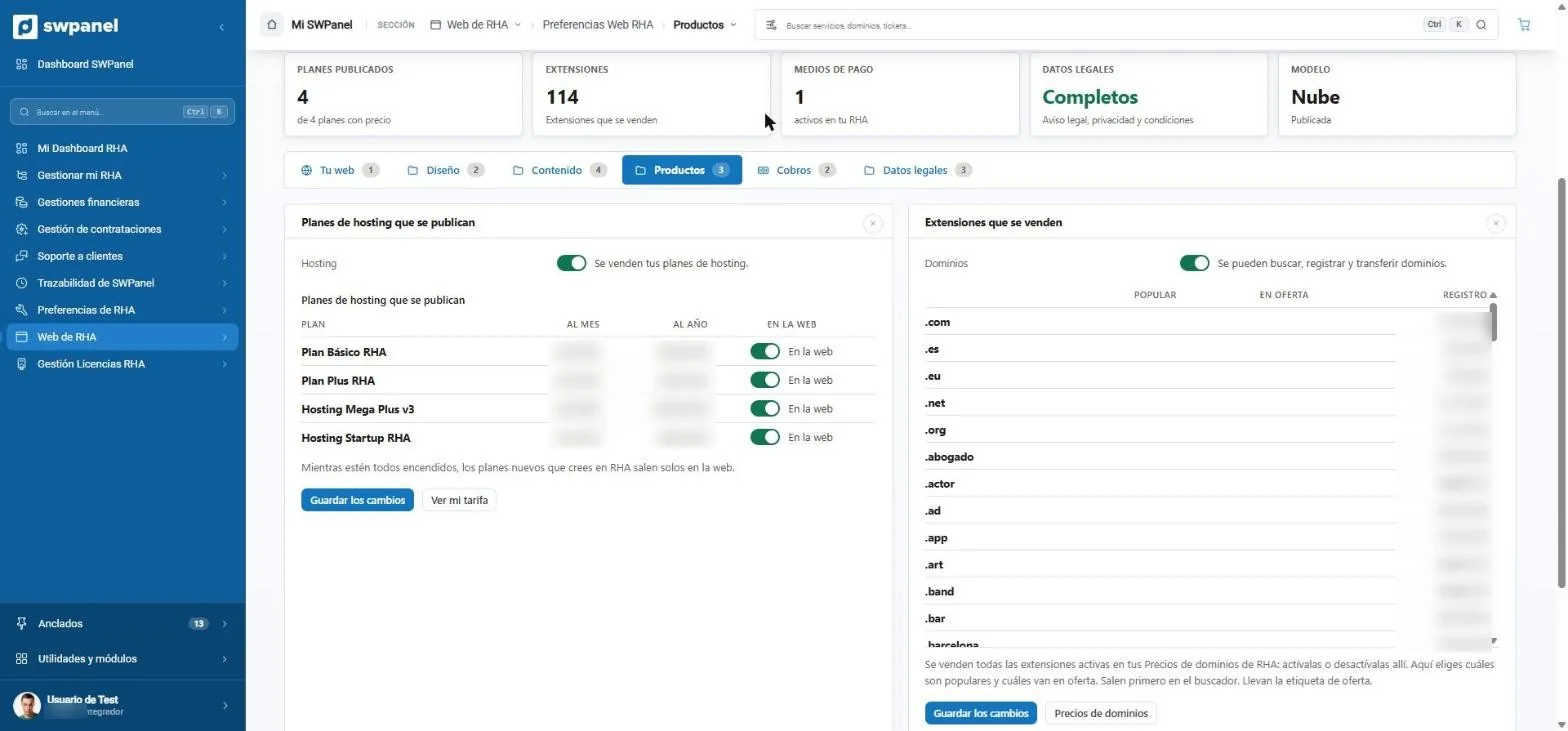
- Sell hosting: yes or no.
- Which plans appear on the website.
- Search, register and transfer domains.
- Popular and on-offer extensions, first in the search.
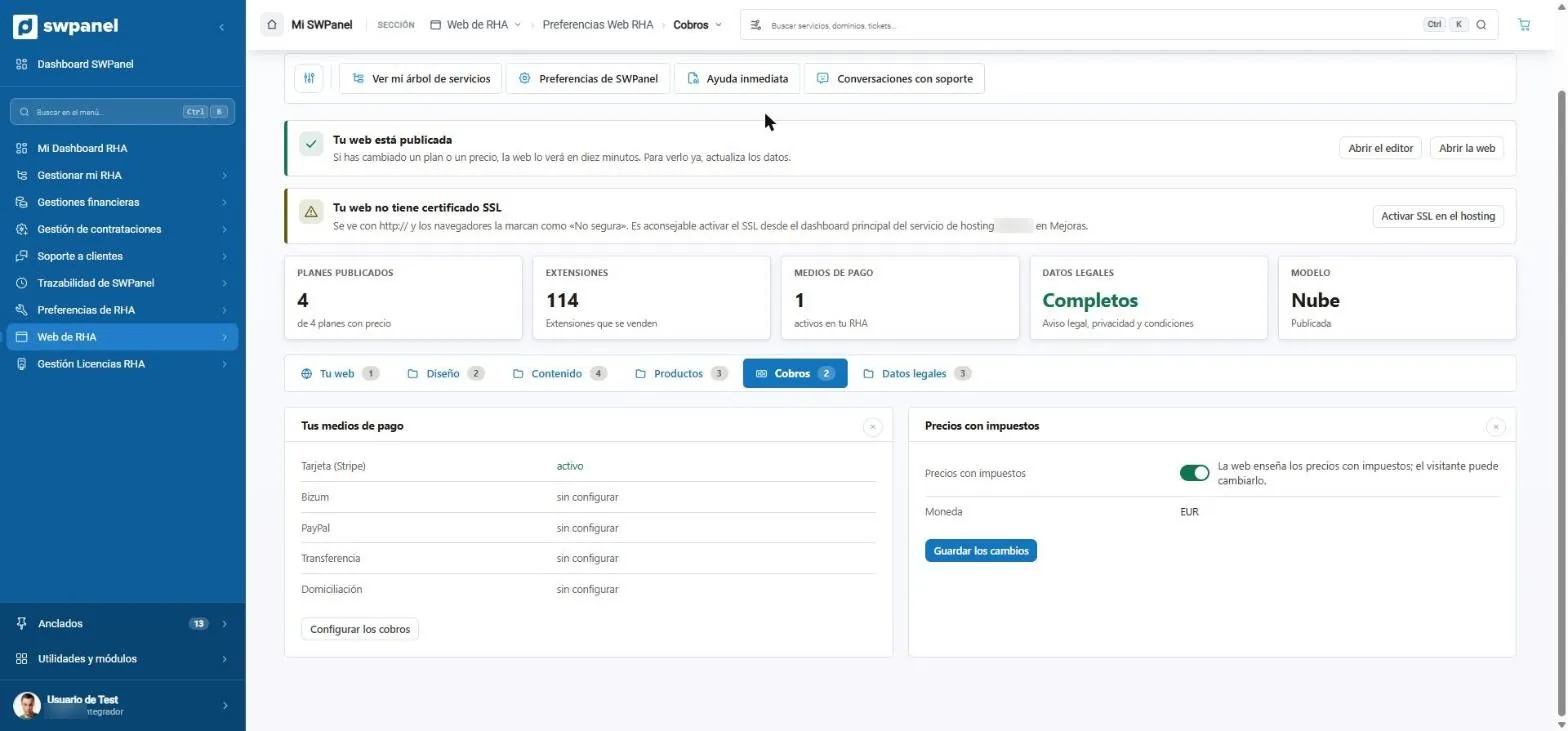
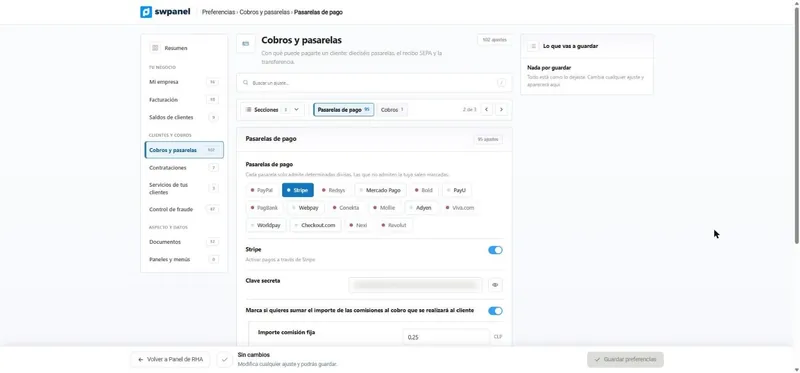
- The payment methods active in your RHA.
- They are configured in RHA's payments.
- Prices with taxes and the currency.
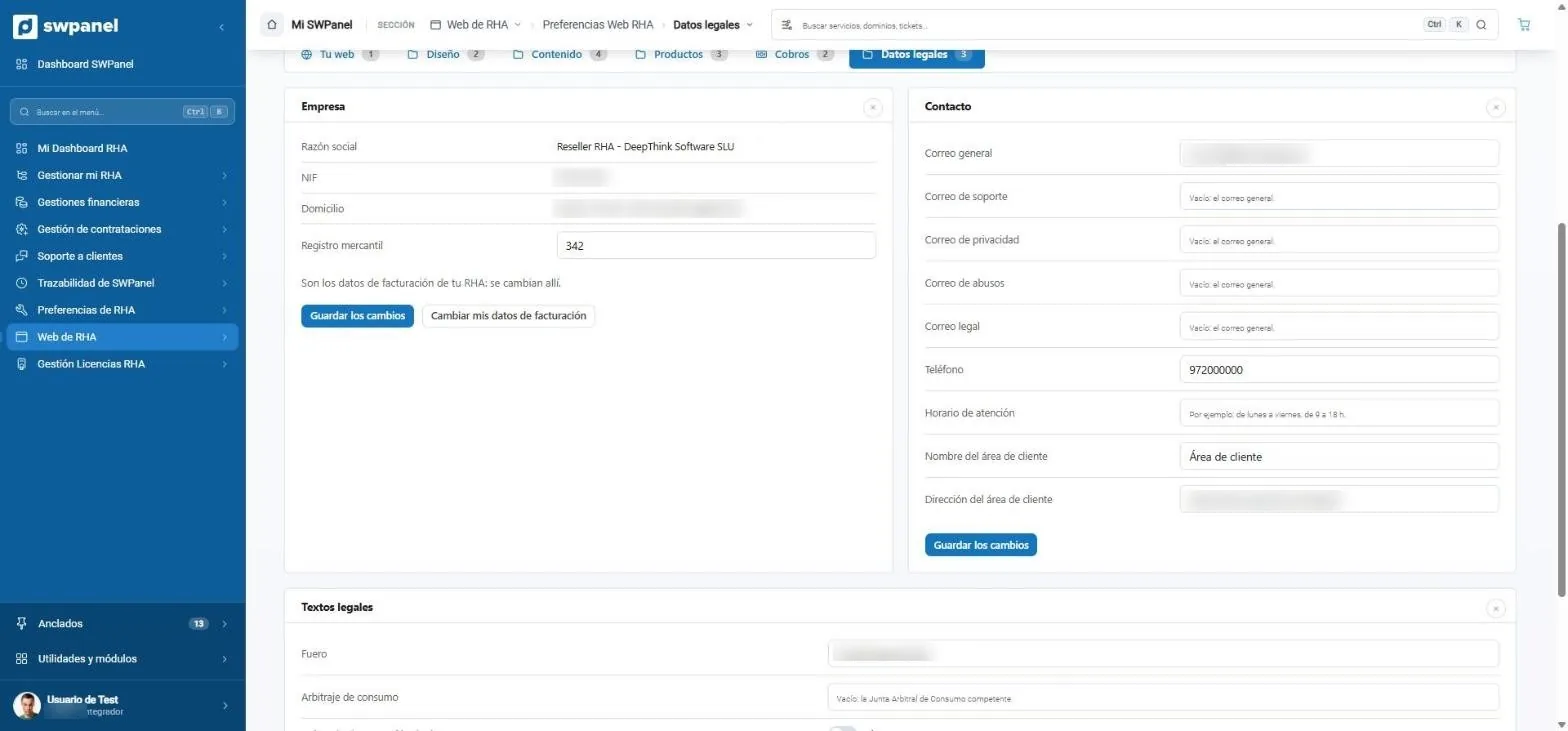
- Your company: the invoicing details from your RHA.
- Emails for contact, support, privacy, abuse and legal.
- Your customer area, linked from the website.
- Legal texts: jurisdiction, consumer arbitration and DPO.
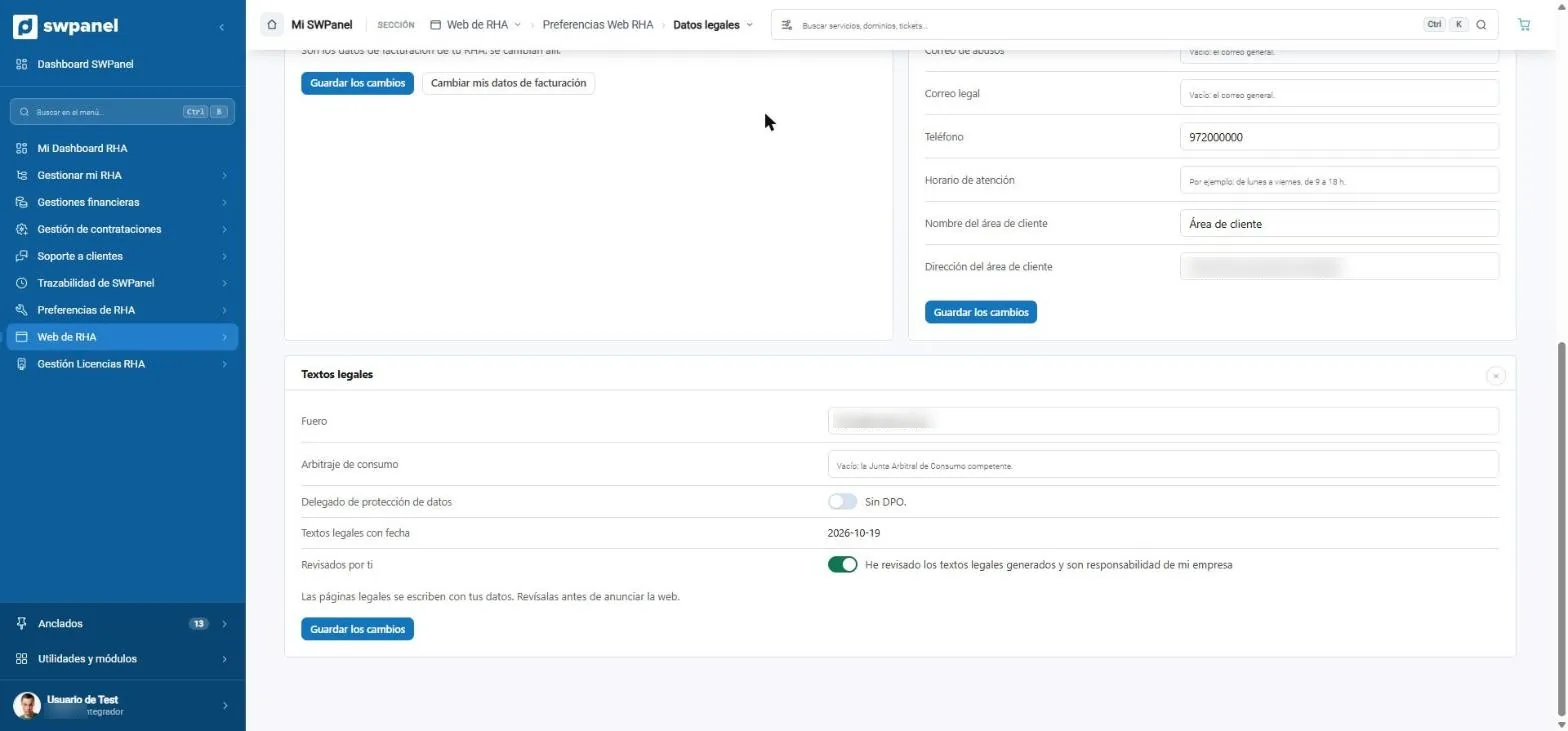
- Legal texts written with your details.
- You review them and they remain your responsibility.
How it looks
The website your customer sees
The test website of a SWPanel account, with the Cloud template as is, untouched.
-
resellerrha.com Real screenshot
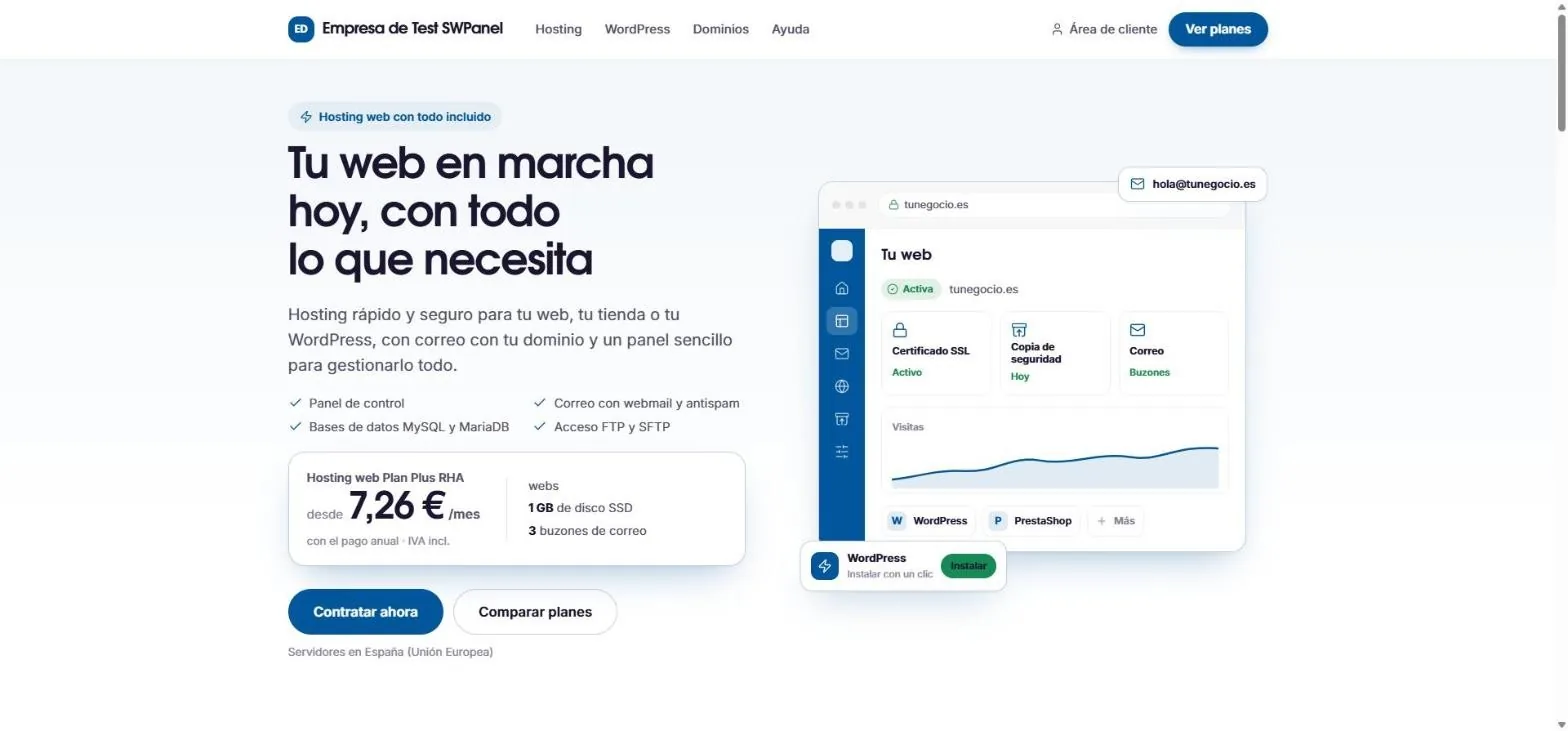
The home page, with the most chosen plan and its price.
-
resellerrha.com Real screenshot
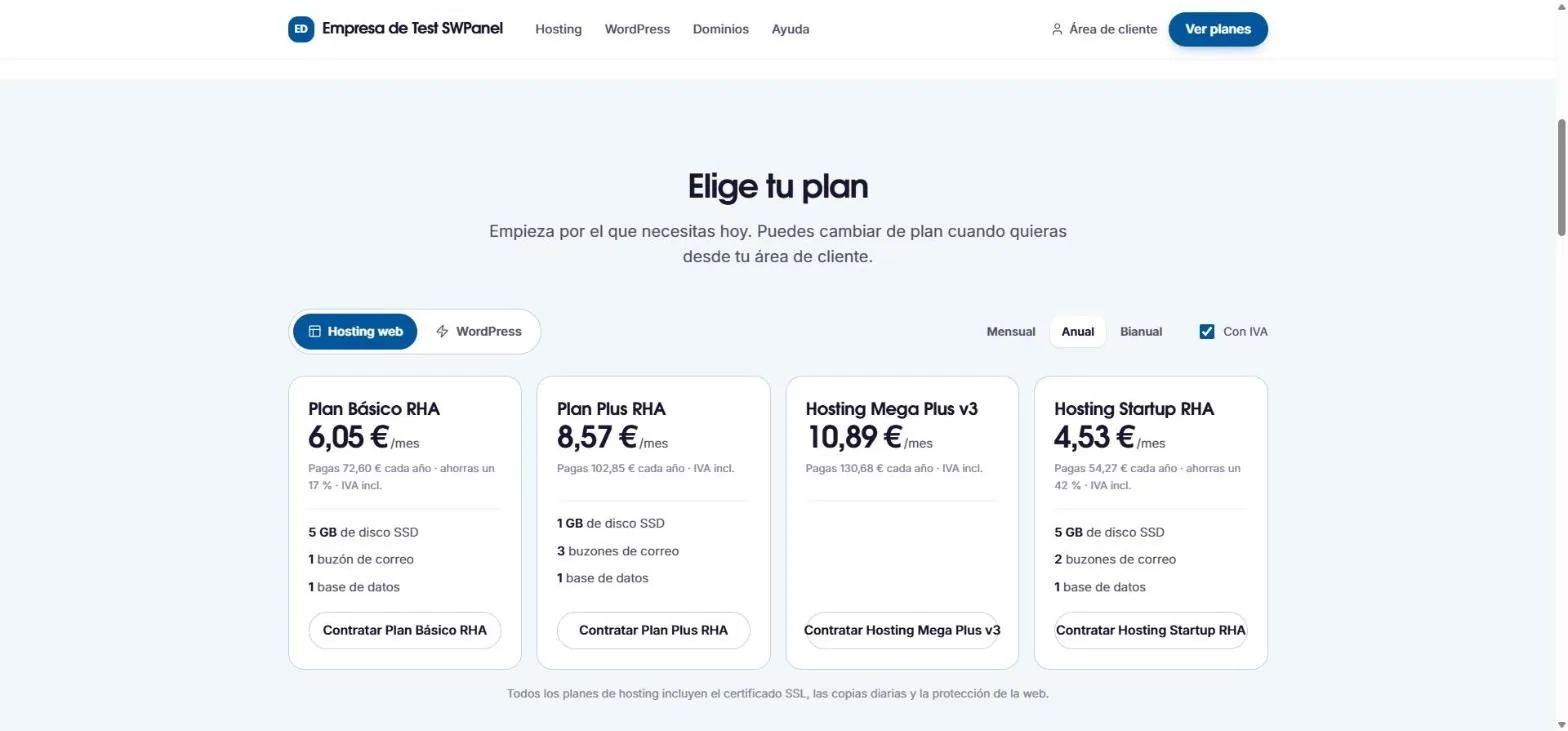
The plans, by months, years or two years, with or without VAT.
-
resellerrha.com Real screenshot
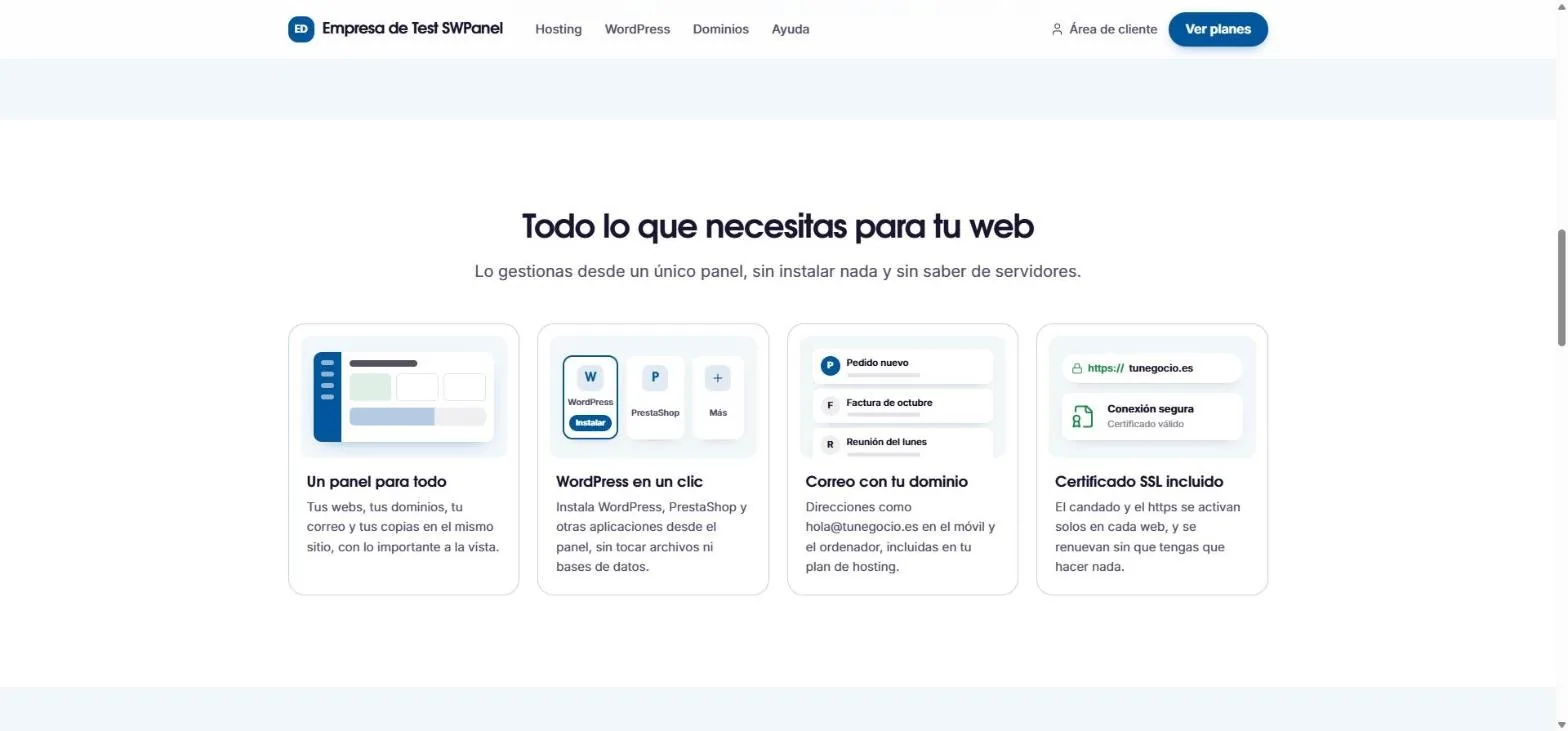
What it includes, explained for non-technical people.
-
resellerrha.com Real screenshot
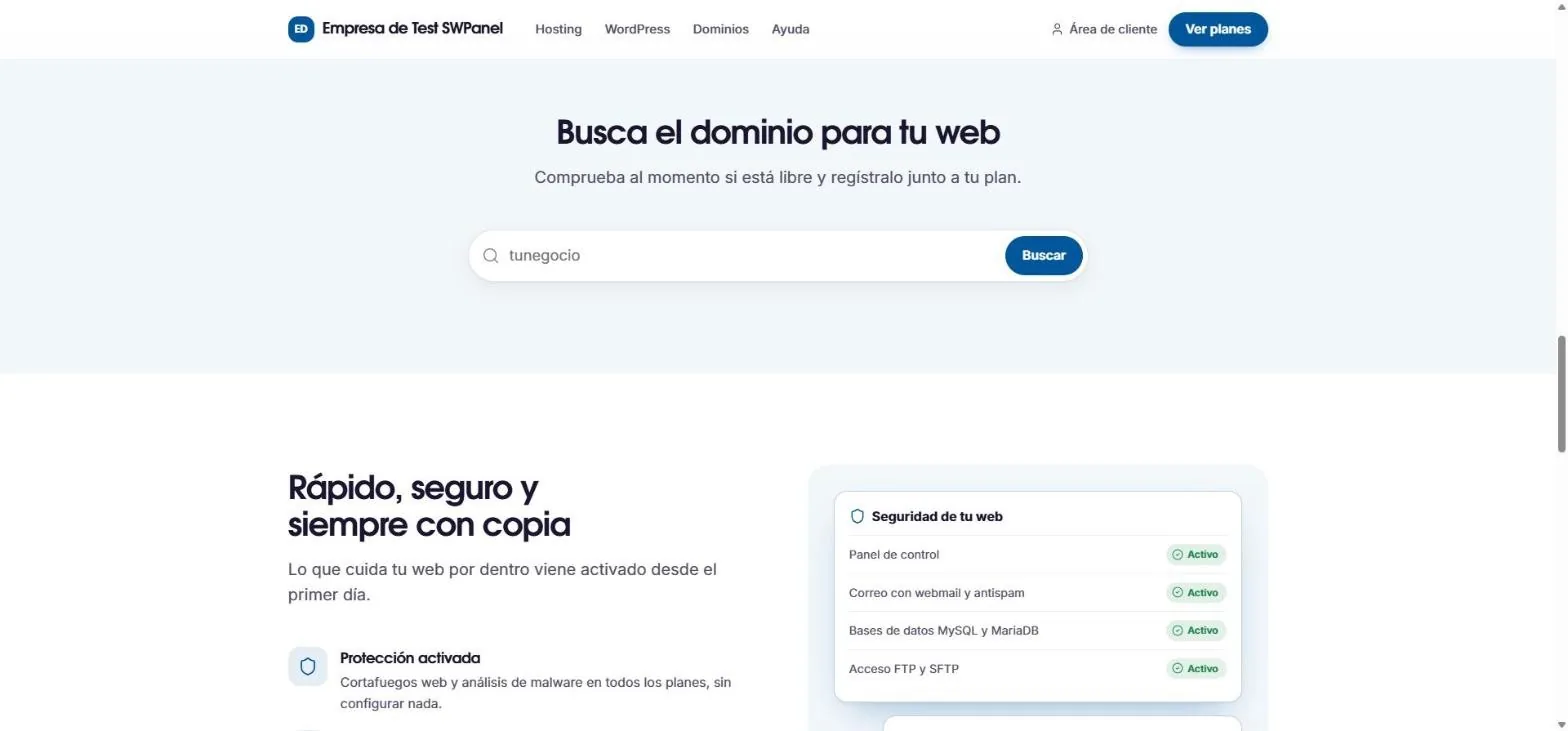
The domain search and built-in security.
-
resellerrha.com Real screenshot
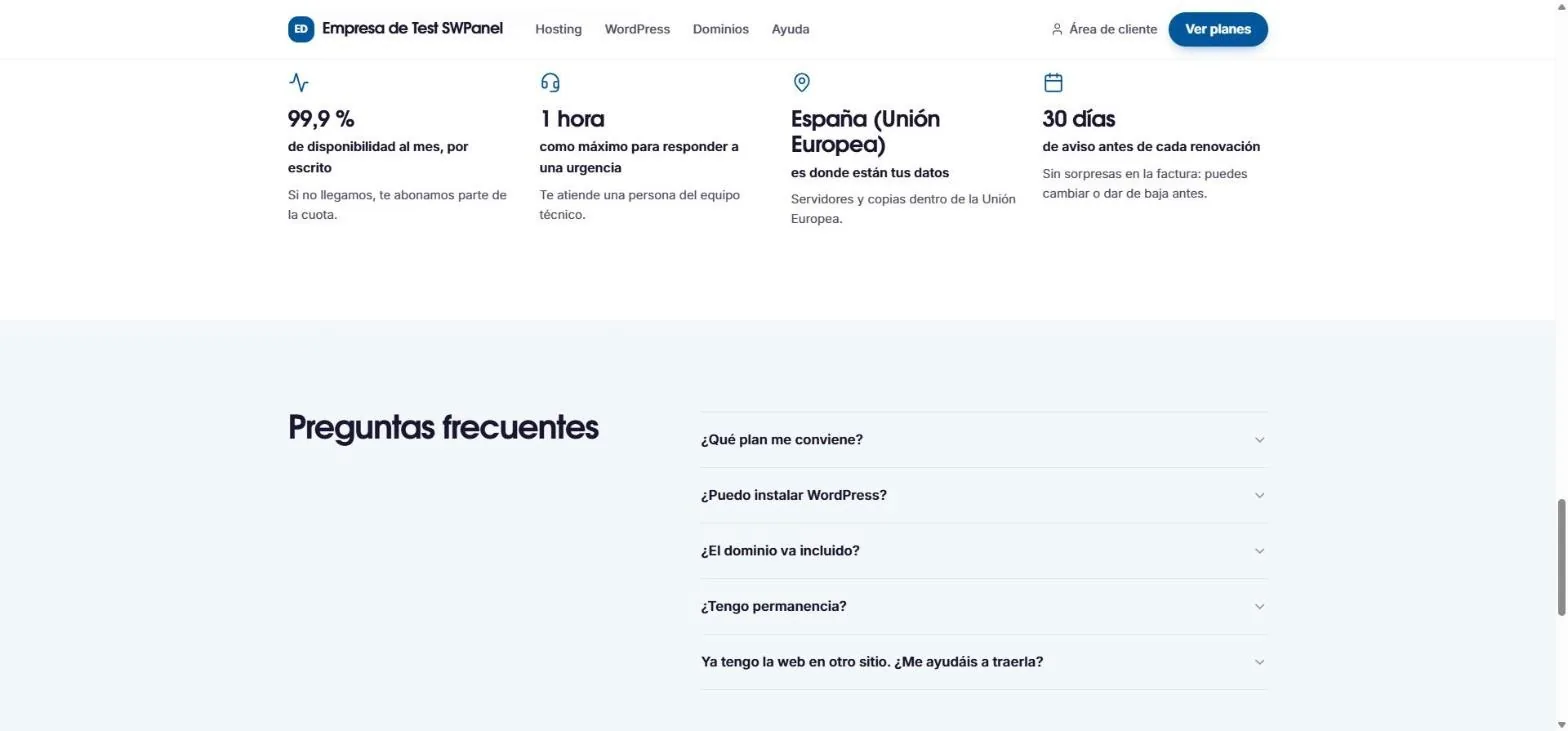
Written commitments and frequently asked questions.
-
resellerrha.com Real screenshot
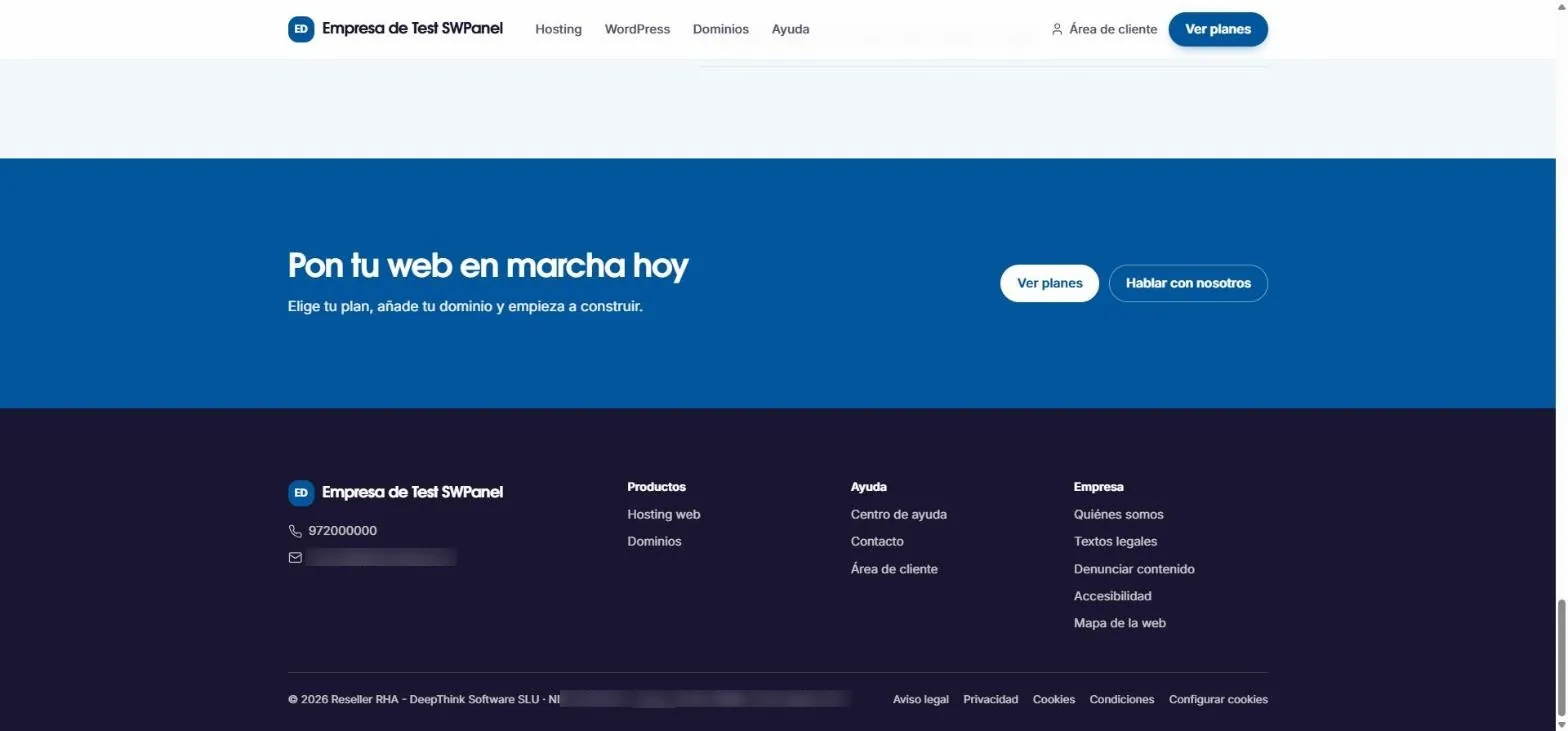
The footer, with the legal texts and your details.
Publish
On your hosting, with your domain
The website is installed in the web folder of one of your SWPanel hostings and is seen on its domain.
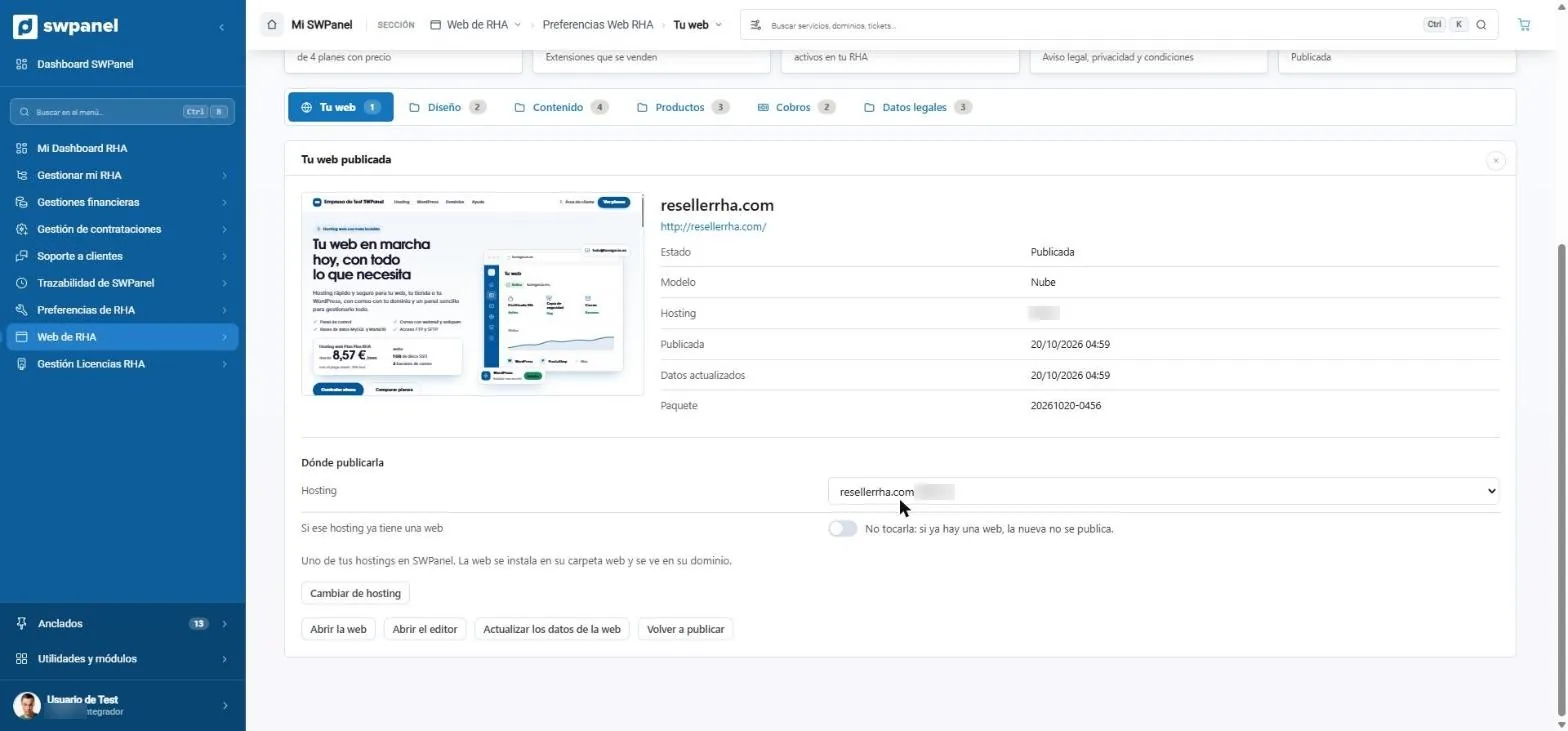
- Your website, published, with its template and date.
- The hosting where it is published.
- If there is already a website, you can ask for it not to be touched.
- Update the data or republish.
Frequently asked questions
RHA Web, without doubts
Your hosting company, with its own website
Start with RHA, choose a template and publish your website with your plans, your payments and your legal texts.