Invoices with RHA
Your invoices, under your brand and under control
Design the document with ten formats, your colors and your logo. Edit drafts right on the invoice, let SWPanel review it before validating it and send it with Veri*Factu, as a PDF and as an electronic invoice.
- 10 invoice formats
- Review before validating
- Veri*Factu and electronic invoice
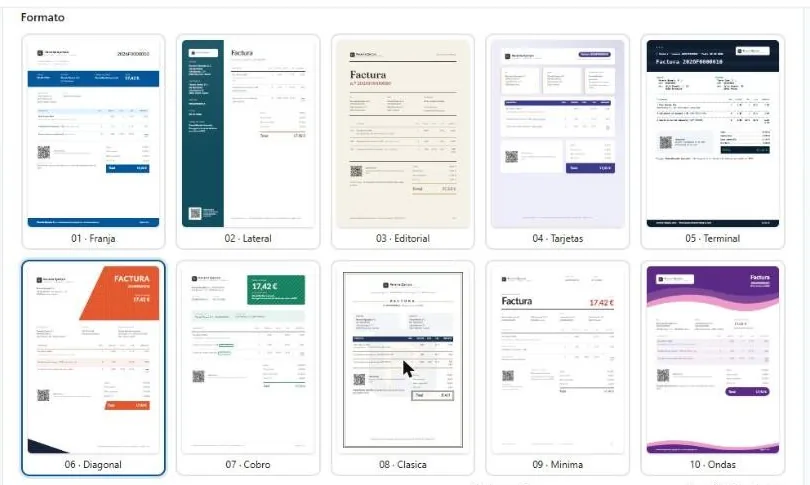
- 10 Invoice formats with a preview of the real PDF
- 6 Colors plus pattern, typeface and two logos
- PDF and XML Of each invoice and by email from SWPanel
- 236 RHA settings grouped by what you want to achieve
The document
Ten formats, your colors and your logo
In RHA's preferences, “Documents”. The preview is the real PDF and changes instantly; nothing is saved until you press “Save”.
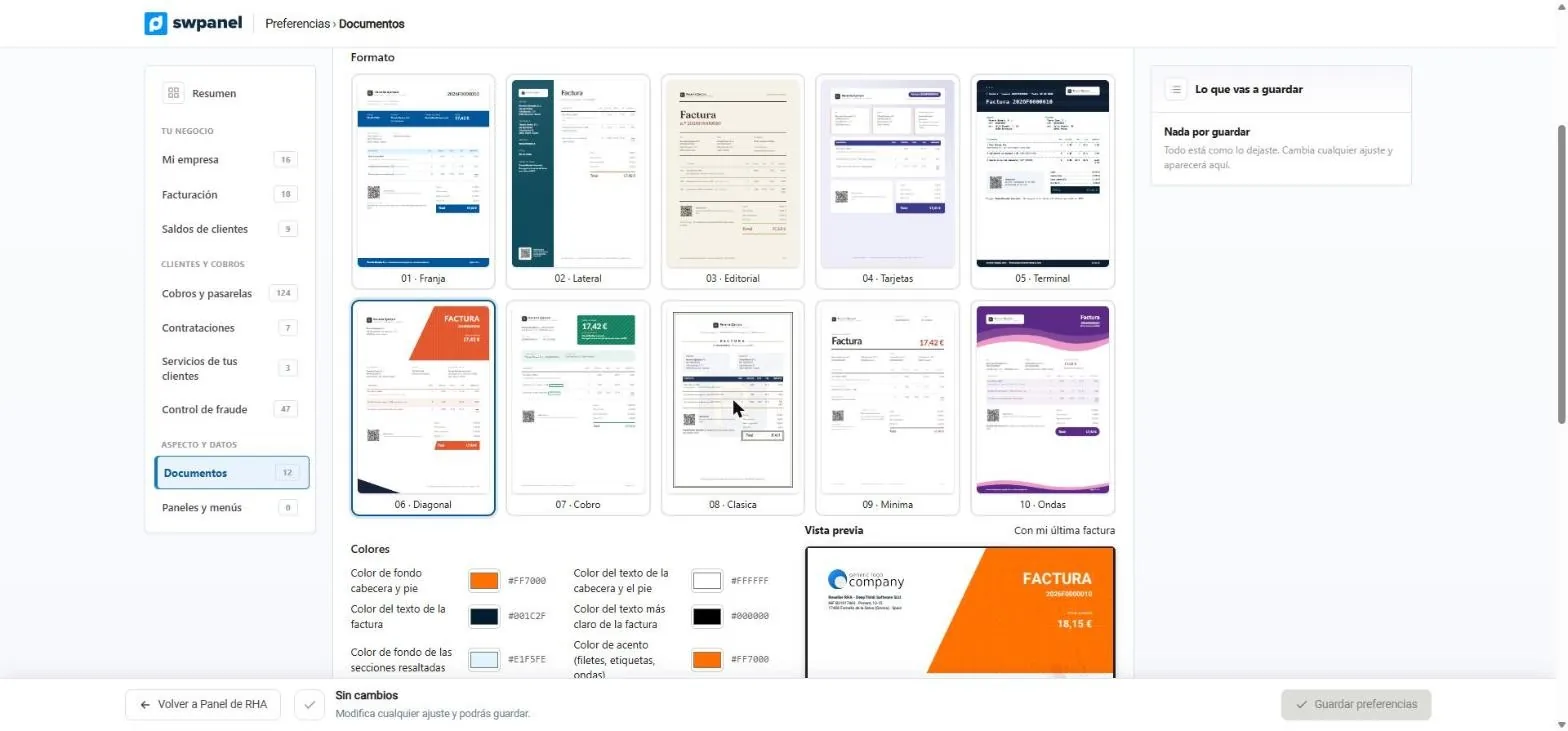
- Ten invoice formats.
- The one you use, marked.
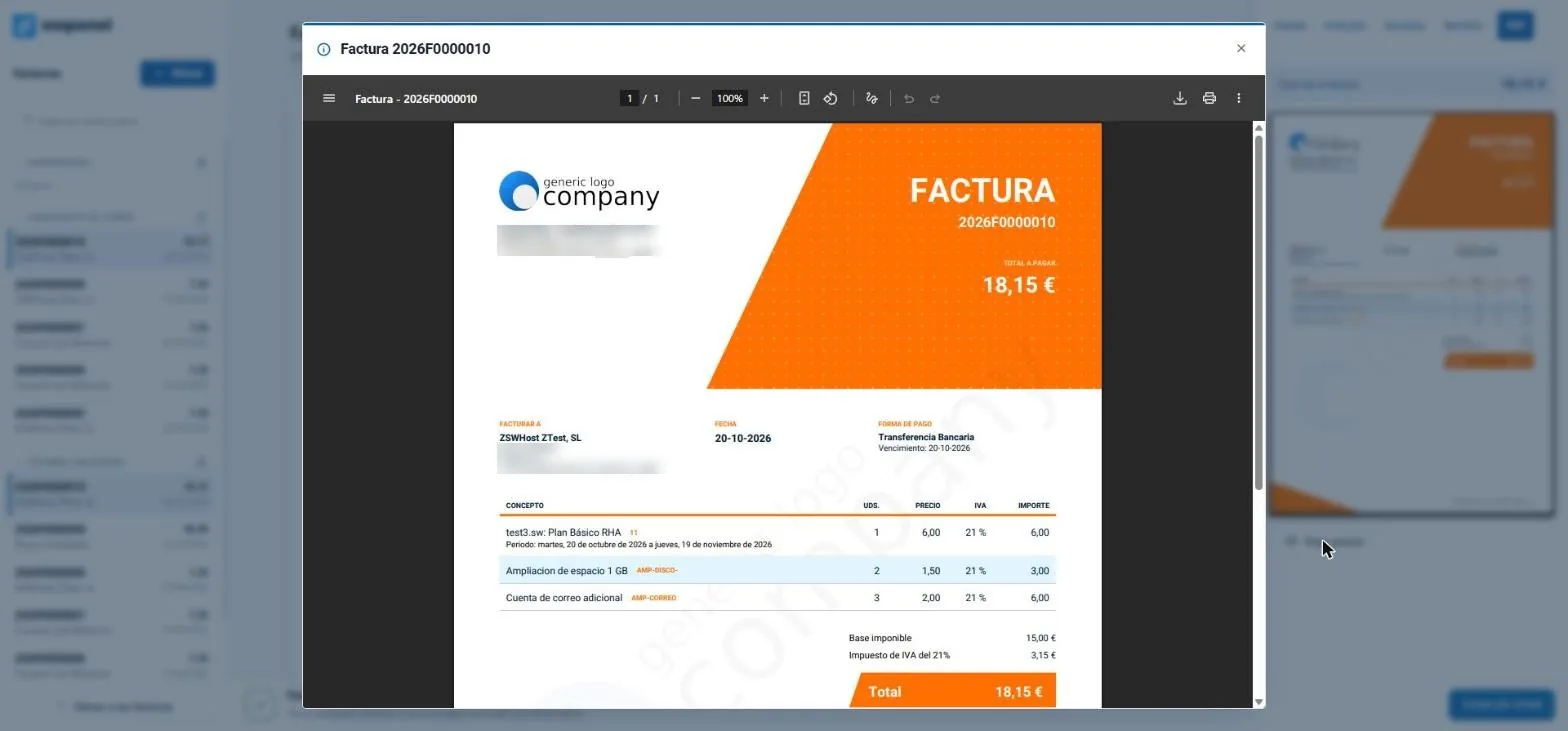
- The preview is the real PDF, with your latest invoice.
-
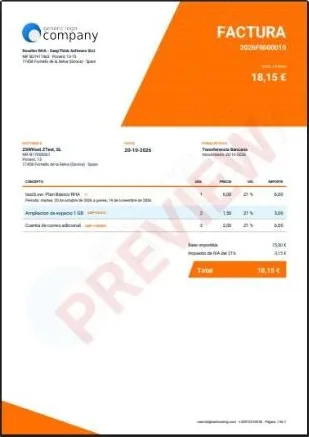
06 · Diagonal: the one the test account uses. -
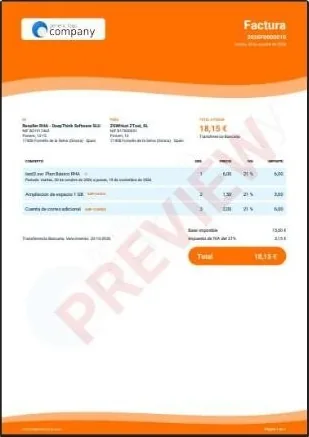
10 · Waves: header and footer with waves in your color. -
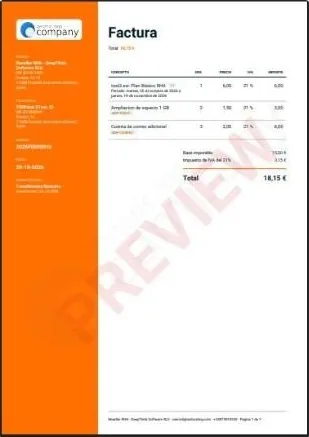
02 · Side: your details in a side strip. -
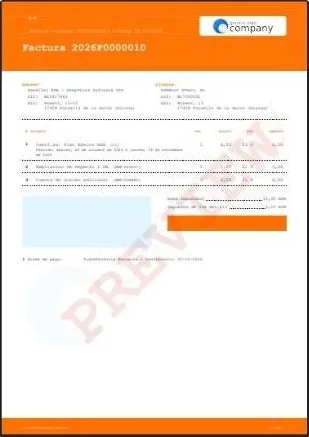
05 · Terminal: receipt style, in monospaced type.
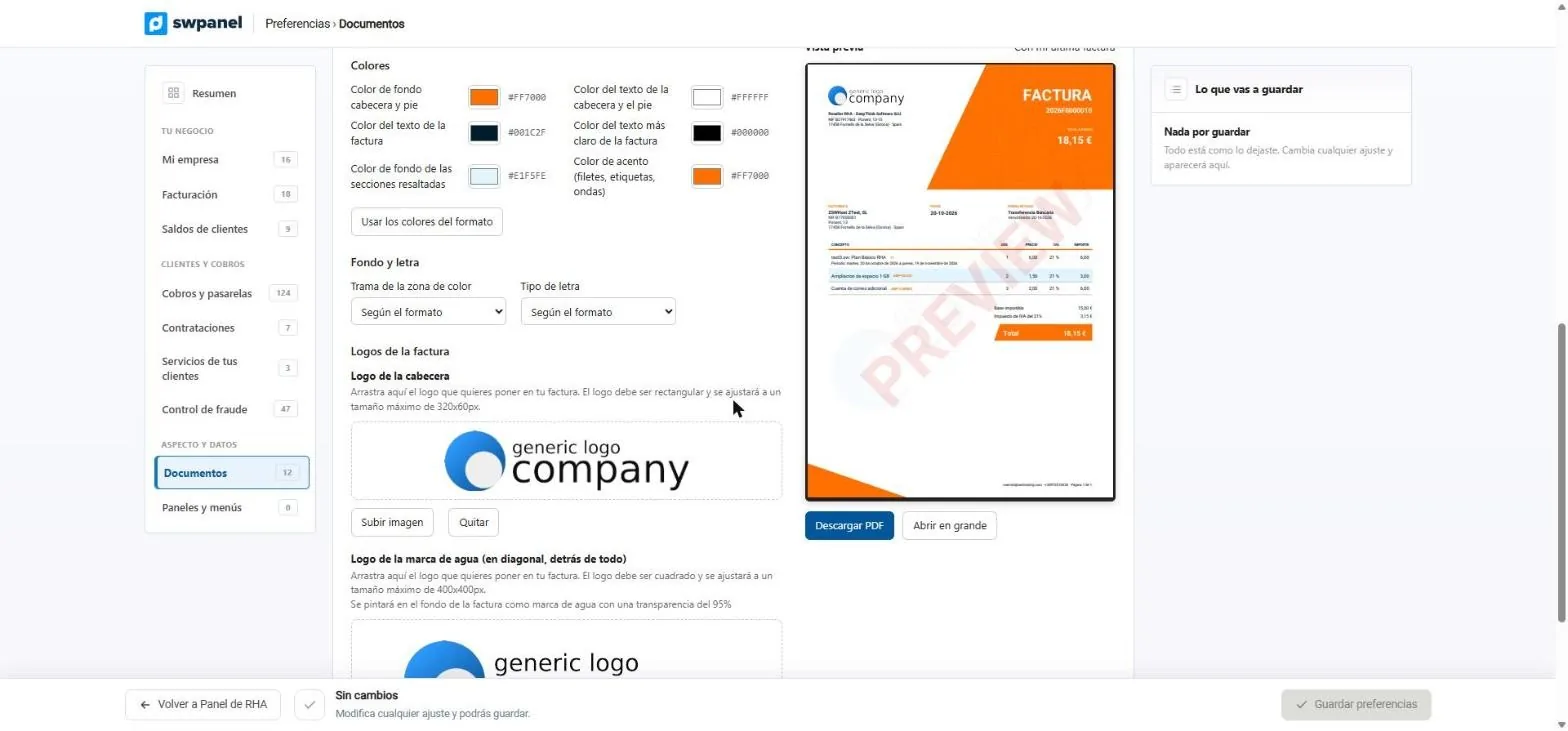
- Six colors: header and footer, texts, highlighted sections and accent.
- Or the format's colors, with one click.
- Pattern of the colored area.
- Typeface: sans-serif, serif or monospaced.
- The preview changes instantly.
- What you're about to save, before saving it.
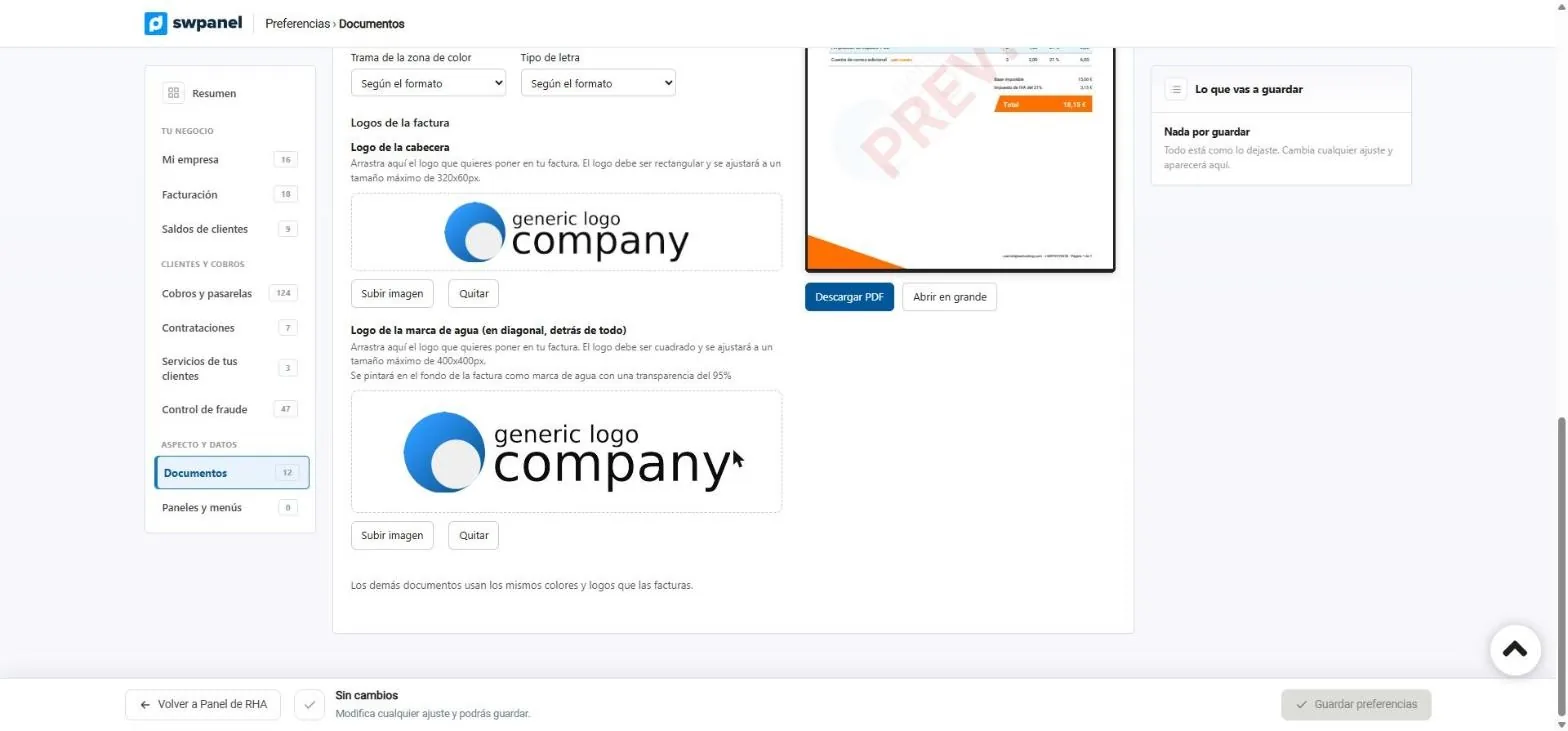
- Header logo, up to 320 × 60 px.
- Watermark logo, diagonal and behind everything.
- Download the PDF or open it full size.
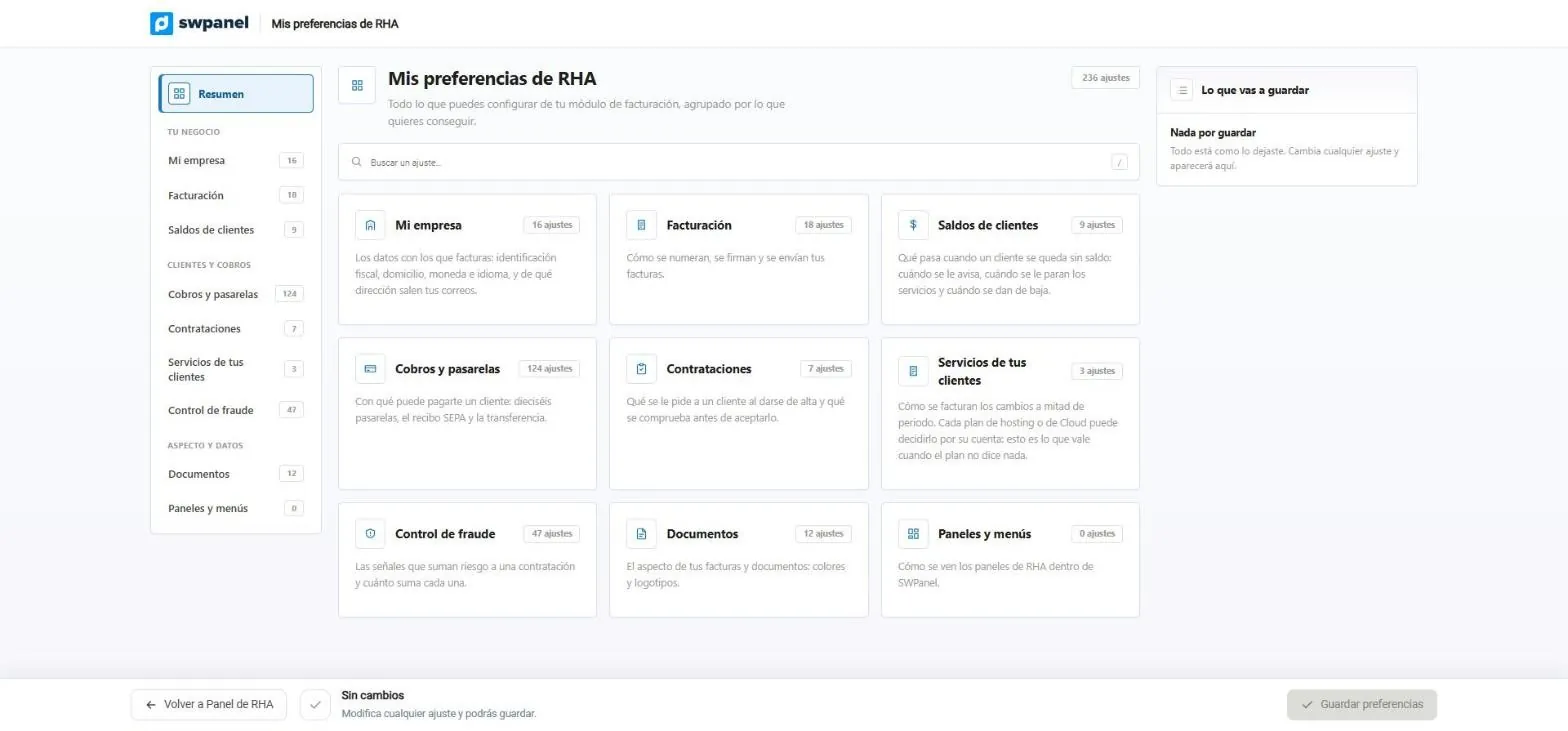
- 236 settings, grouped by what you want to achieve.
- Documents: colors and logos of your invoices.
- Invoicing: how they are numbered, signed and sent.
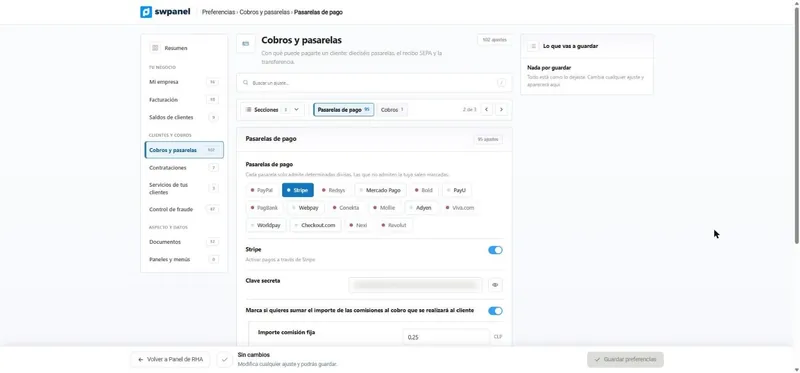
- Payments and gateways.
RHA's other documents use the same colors and logos as the invoices, and the RHA website uses the same logo.
On video
This is how you set up your invoice document
Put together with real SWPanel 2027 screenshots, in a test account. The formats were tried in the preview, without saving.
Invoices with RHA
The look of your invoices
From RHA's preferences to the PDF your customer receives: format, colors, typeface, logos, invoice types and numbering.
- You pick one of the ten formats
- You adjust colors, pattern, typeface and logos
- You define the series and the number format
- And you see the real PDF before saving
Numbering
Your series and your number format
Each invoice type has its own series and format. The series can't be changed afterwards: invoices are numbered per series.
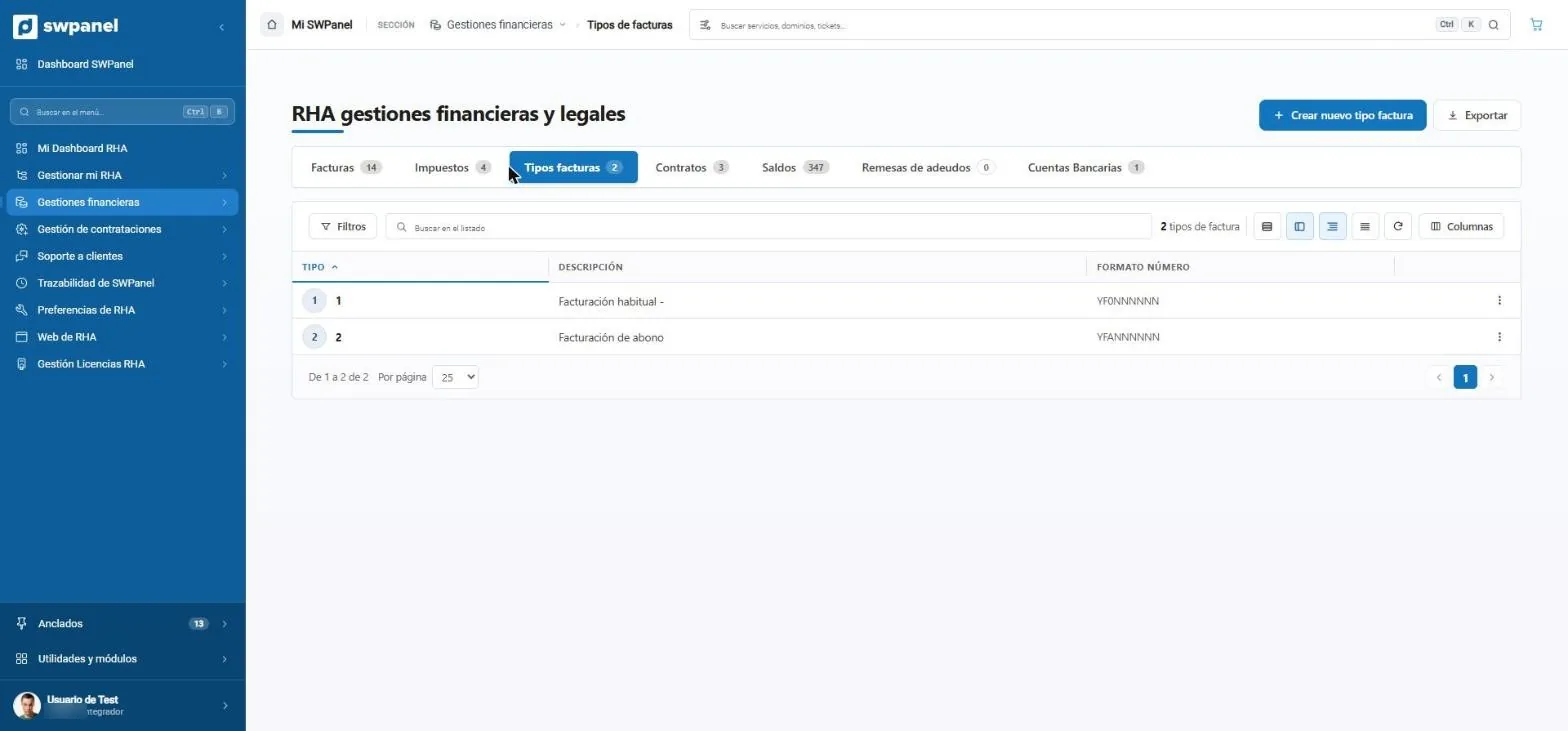
- Regular invoicing.
- Credit invoicing, for corrective invoices.
- Create an invoice type.
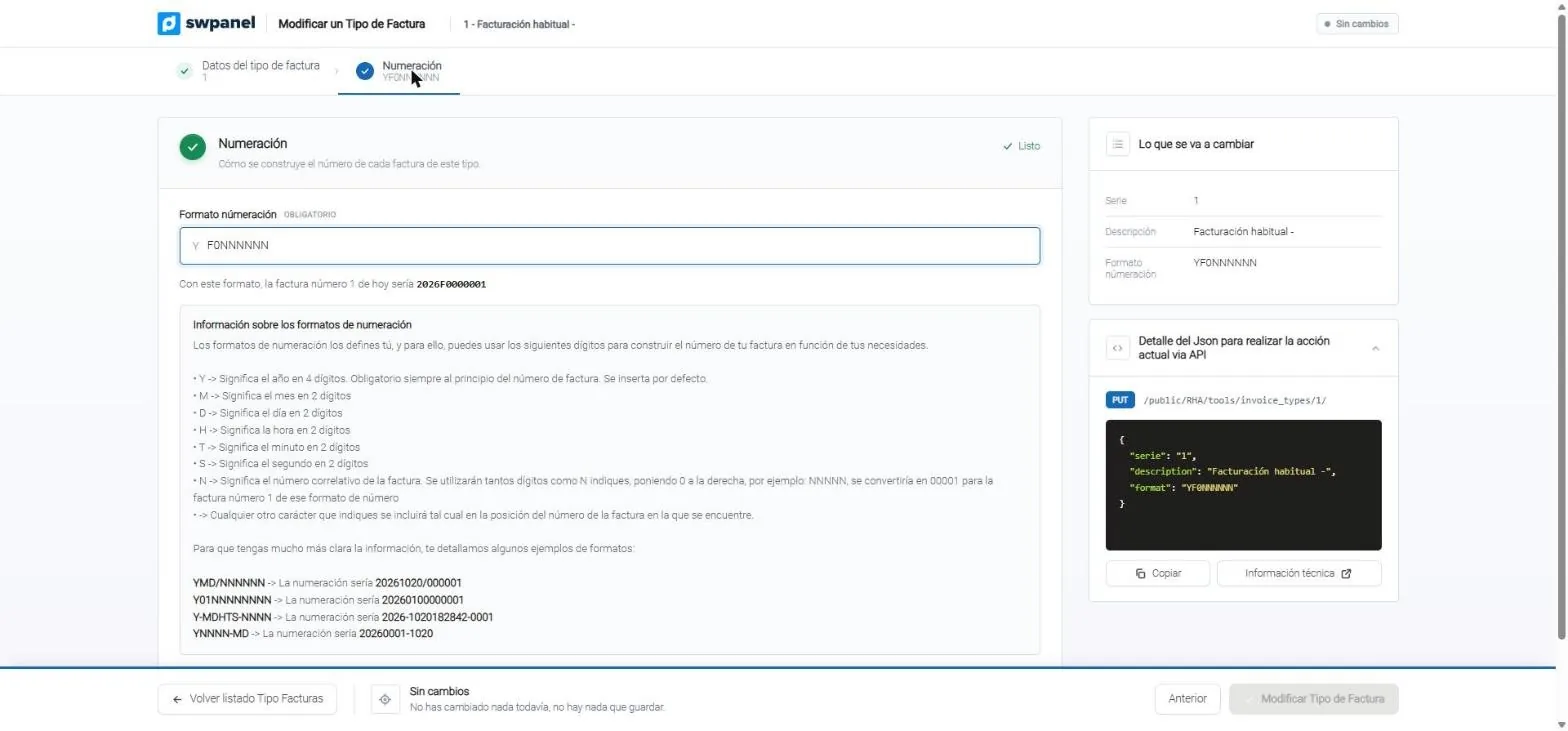
- The number format, with your letters.
- What the next invoice will look like with that format.
- The code guide: year, month, day, hour and sequence.
- The API call to do it from your system.
Edit an invoice
Right on the invoice, with review before validating
The draft looks the way your customer will see it. You change the customer, lines, type, date and payment method, and SWPanel warns you about anything that doesn't add up.
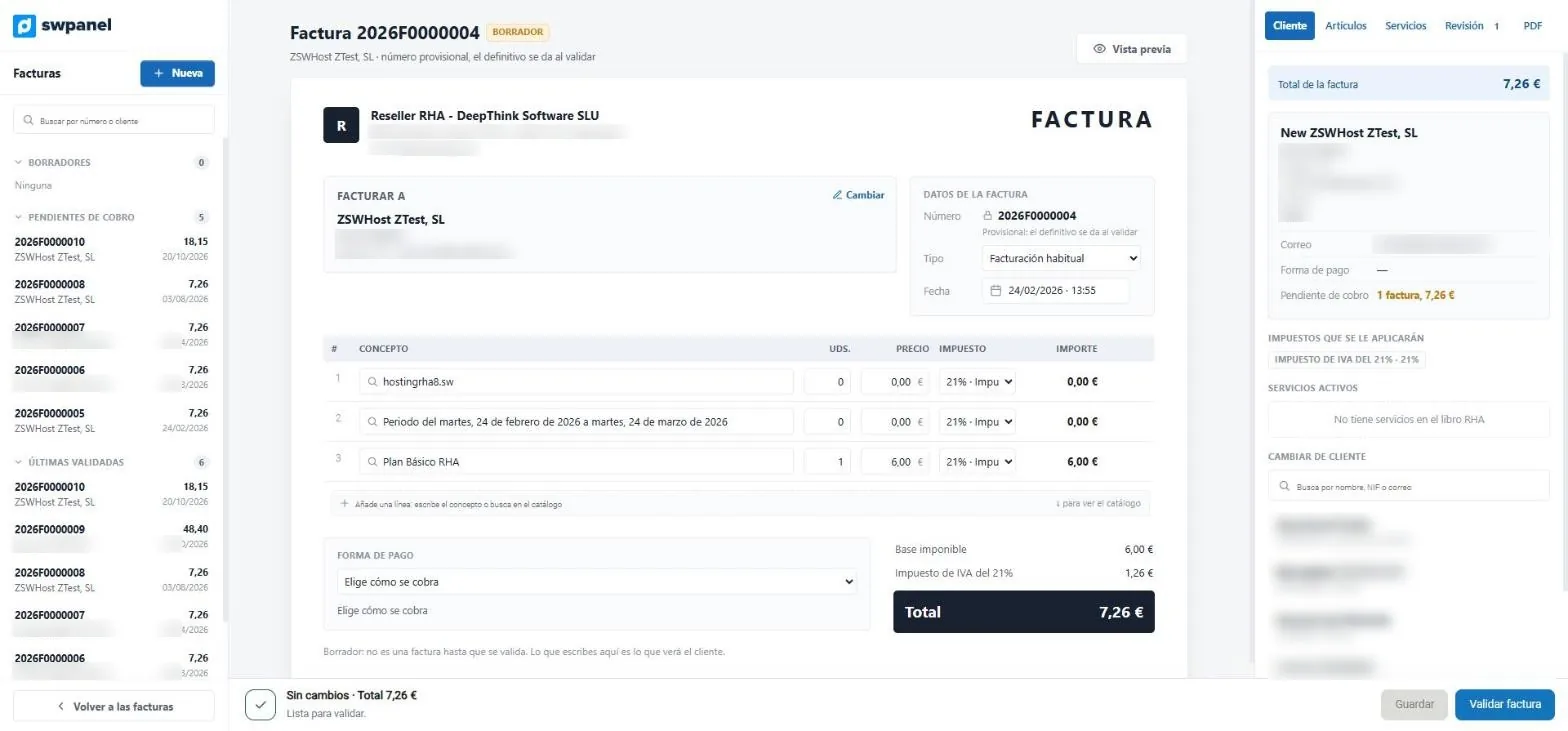
- Draft: provisional number until it is validated.
- Change the customer.
- Invoice type and date.
- Lines with catalog search.
- Payment method.
- Save or validate.
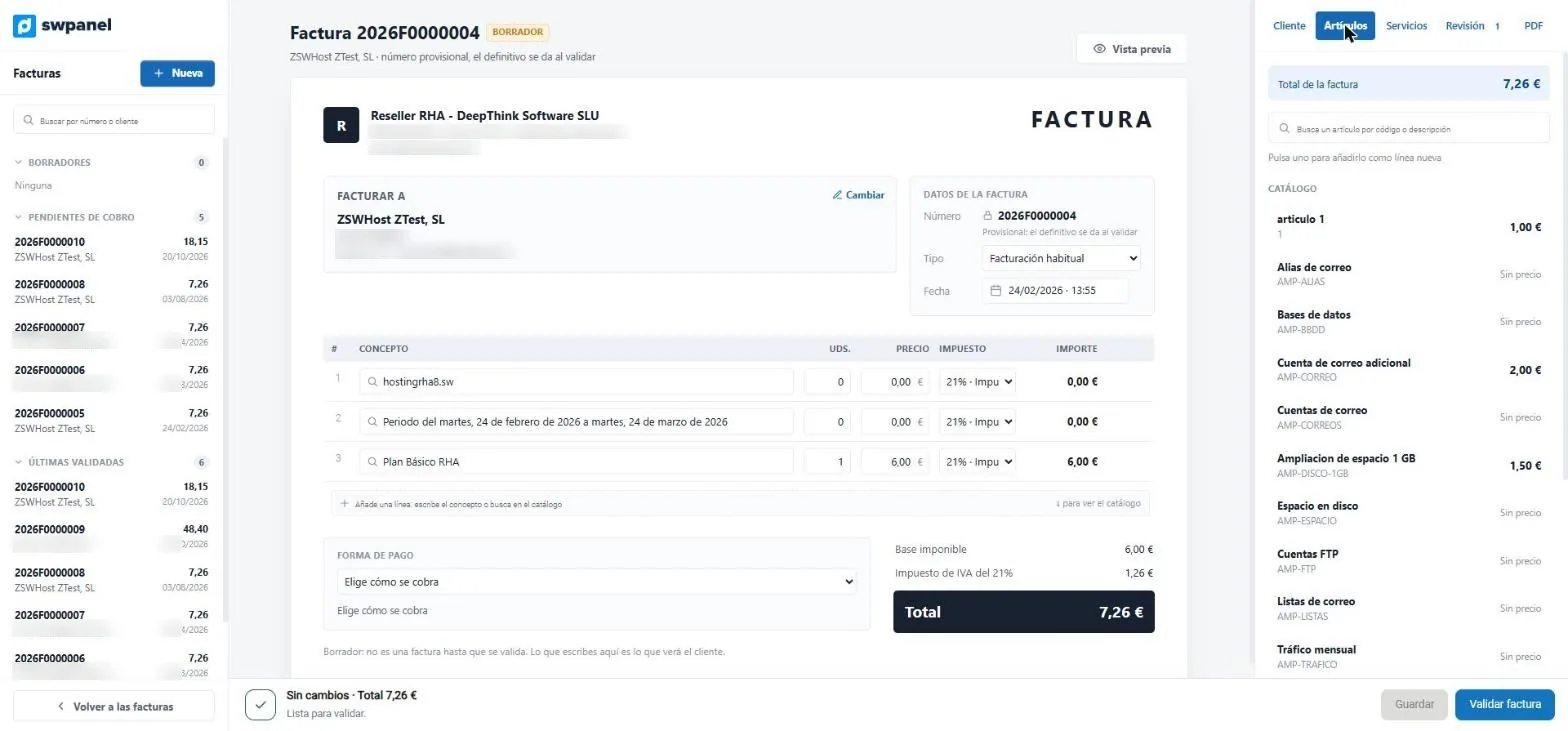
- Search for an item by code or description.
- Click one and it is added as a new line.
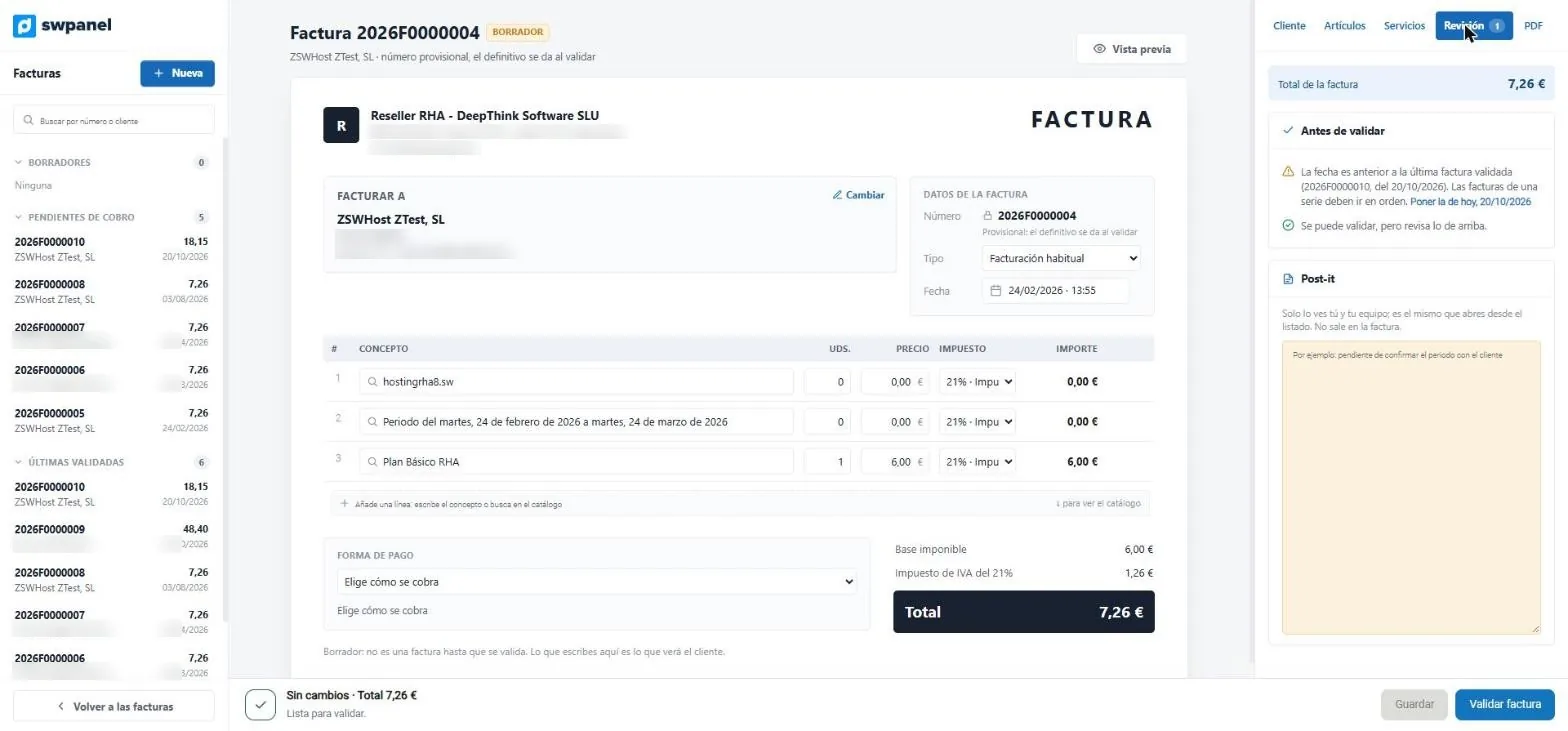
- Before validating, SWPanel reviews the invoice.
- If the date is out of order, it tells you and you fix it with one click.
- Sticky note for your team; it doesn't appear on the invoice.
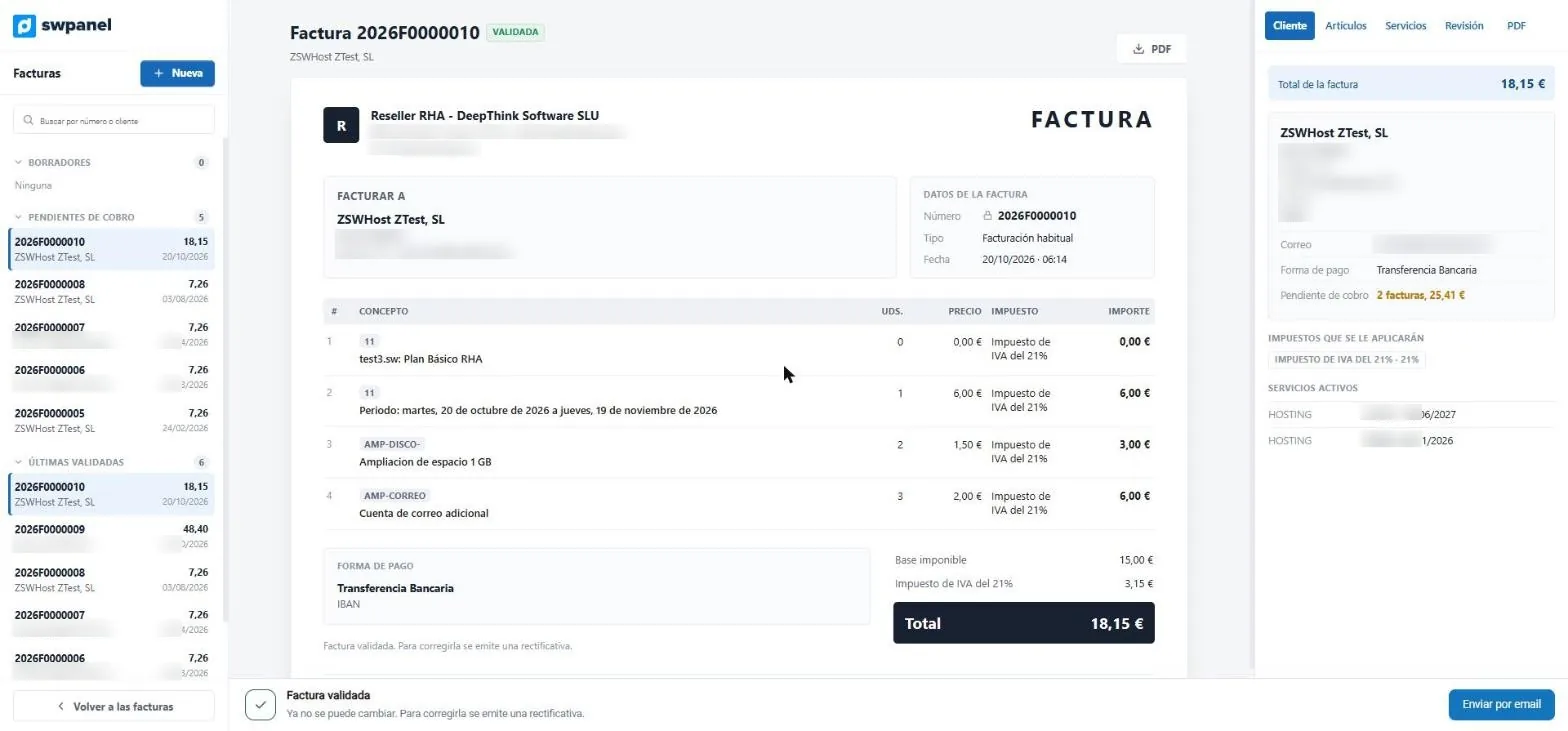
- Validated: final number.
- It no longer changes: it is corrected with a corrective invoice.
- The invoice's PDF.
- Send by email.
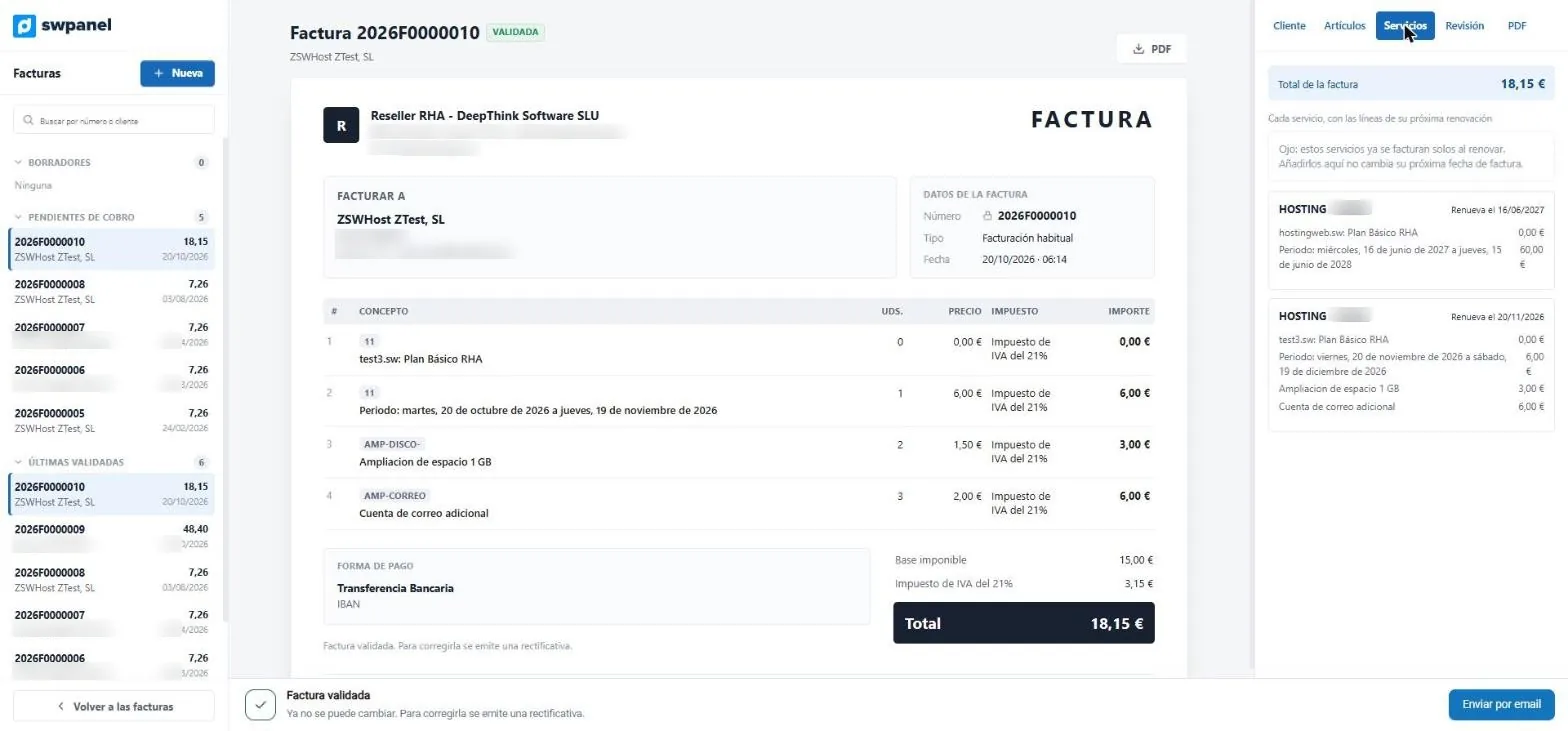
- Each of the customer's services, with the lines of its next renewal.
- When it renews.
Manage
All your invoices, in one list
With their status, email sending and Veri*Factu. And, in tabs, the rest of your financial management.
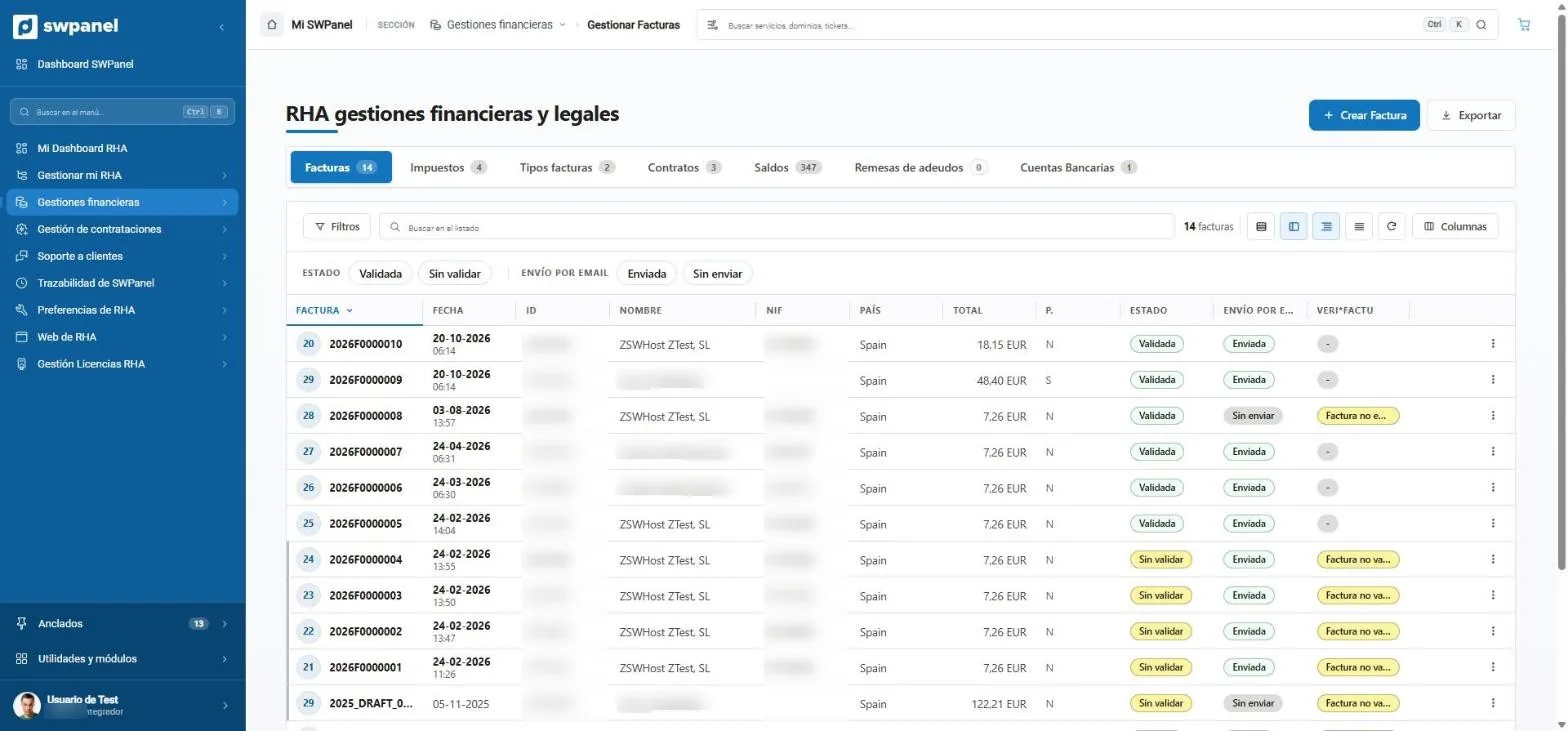
- Create an invoice or export the list.
- Filters and search.
- Status and sending by email.
- Veri*Factu of each invoice.
- Taxes, types, contracts, balances, batches and accounts, in tabs.
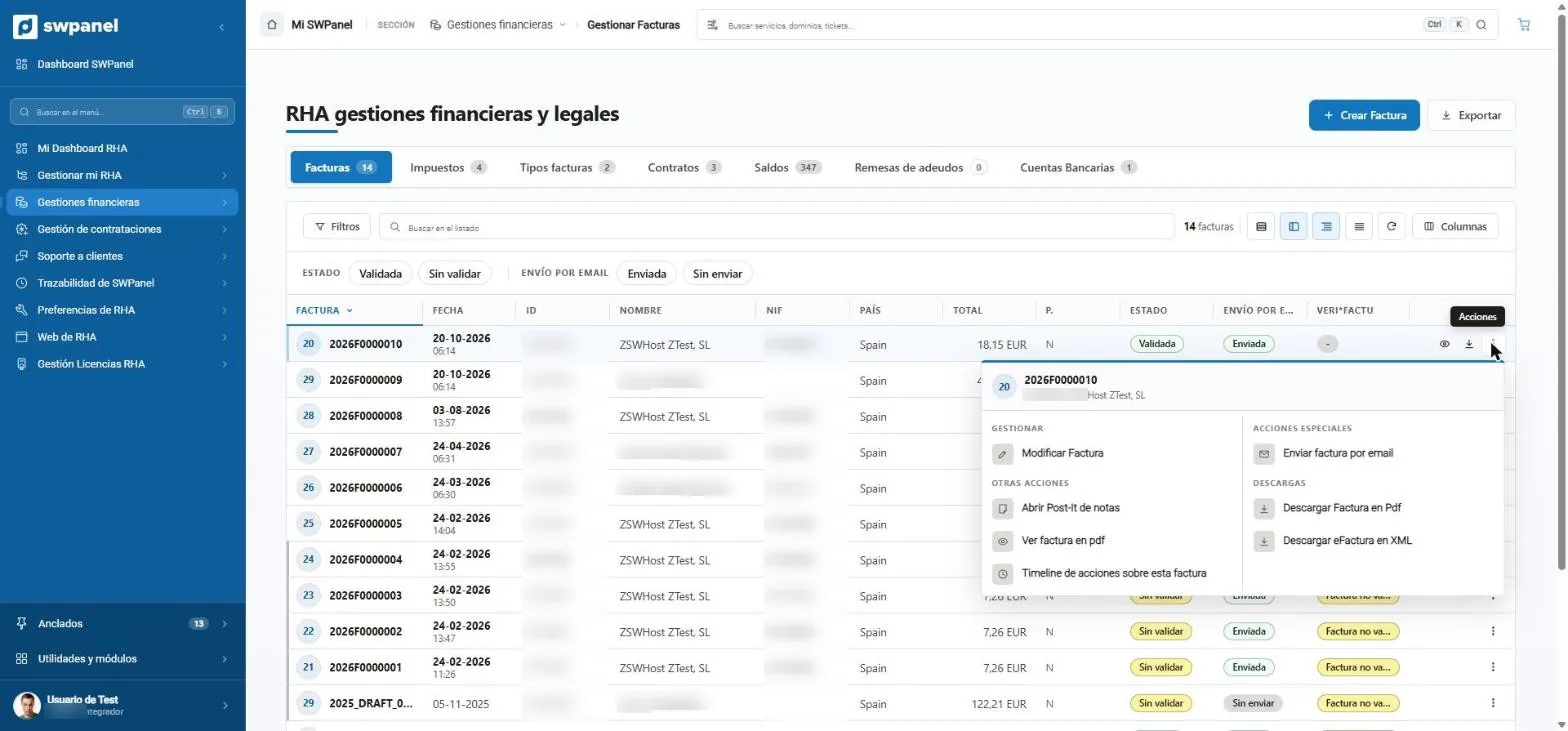
- Edit the invoice.
- The history: everything that has been done with it.
- Send it by email.
- Download the PDF or the electronic invoice in XML.
Invoices
Drafts, pending payment and validated, with their sending and Veri*Factu.
Taxes
The ones you apply and to whom.
Invoice types
Series and numbering format, for credit invoices too.
Contracts
The contracts of your plans.
Balances
Each customer's balance and its movements.
Batches and accounts
SEPA direct-debit batches and your bank accounts.
On video
This is how you edit and manage an invoice
Put together with real SWPanel 2027 screenshots, in a test account. No invoice was validated, sent or deleted.
Invoices with RHA
Editing and managing an invoice
From draft to validated invoice: lines, catalog, review, services, PDF, sending and downloads.
- You edit the draft right on the invoice
- SWPanel reviews it before validating
- Once validated, it is corrected with a corrective invoice
- You send it and download PDF and XML
Frequently asked questions
Invoices with RHA, without doubts
Invoice under your brand from the first month
Start with RHA: your plans, your payments and your invoices with Veri*Factu, in SWPanel.