
The steps to change the PHP version of your Hosting service with SWPanel are as follows:
-
Access your SWPanel by entering your username and password.
-
Once you are on the initial SWPanel Dashboard, type the name of the hosting service for which you want to change the PHP version in the search bar.
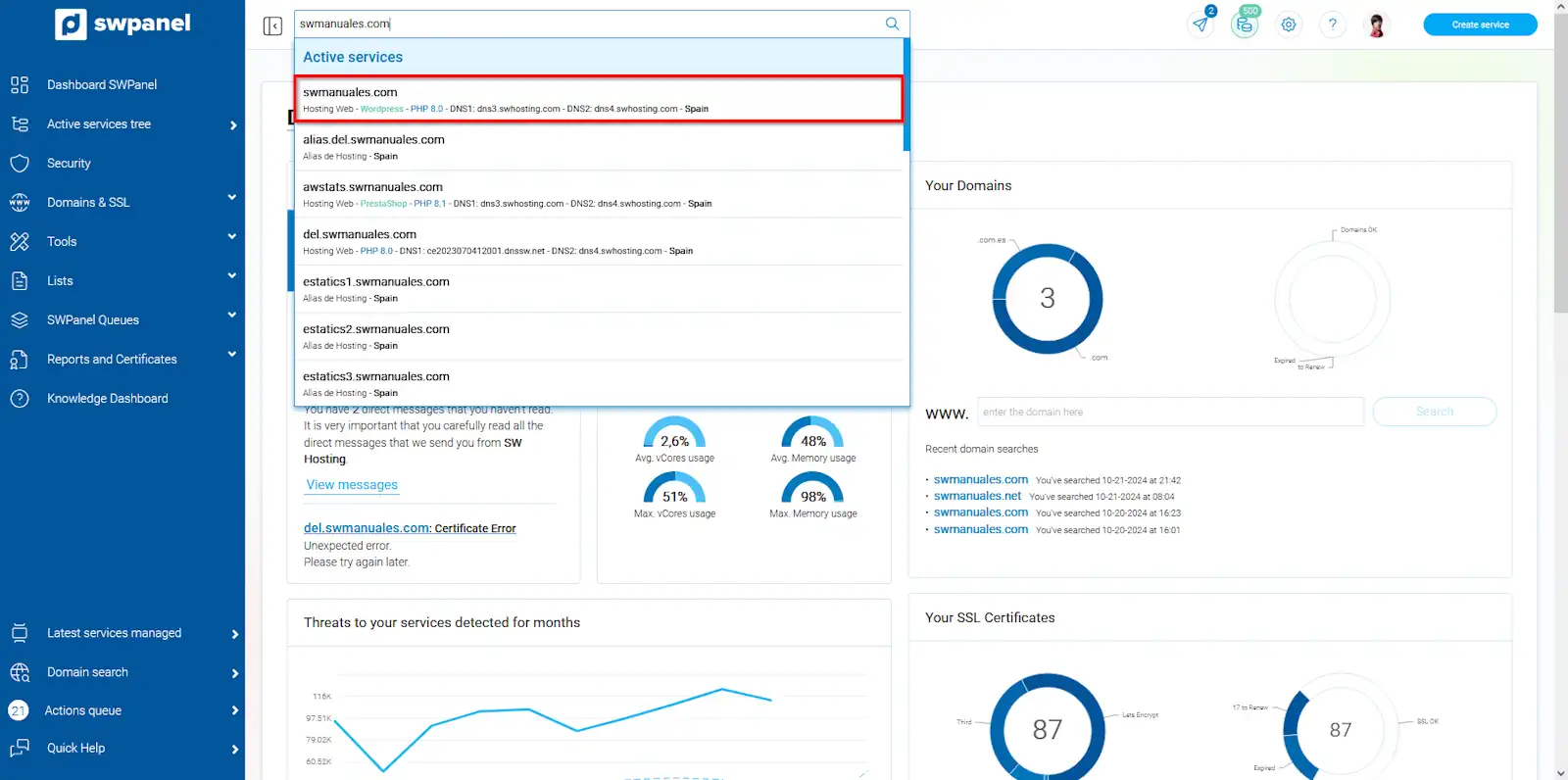
The screenshot is for guidance purposes. It was taken from version 2024.07.0128 on 25/10/2024. It may differ from what the current version of SWPanel shows.
- In the hosting service Dashboard, click on the adjust the parameters and add-ons of your Hosting plan icon among the specific functions and Hosting configuration icons.
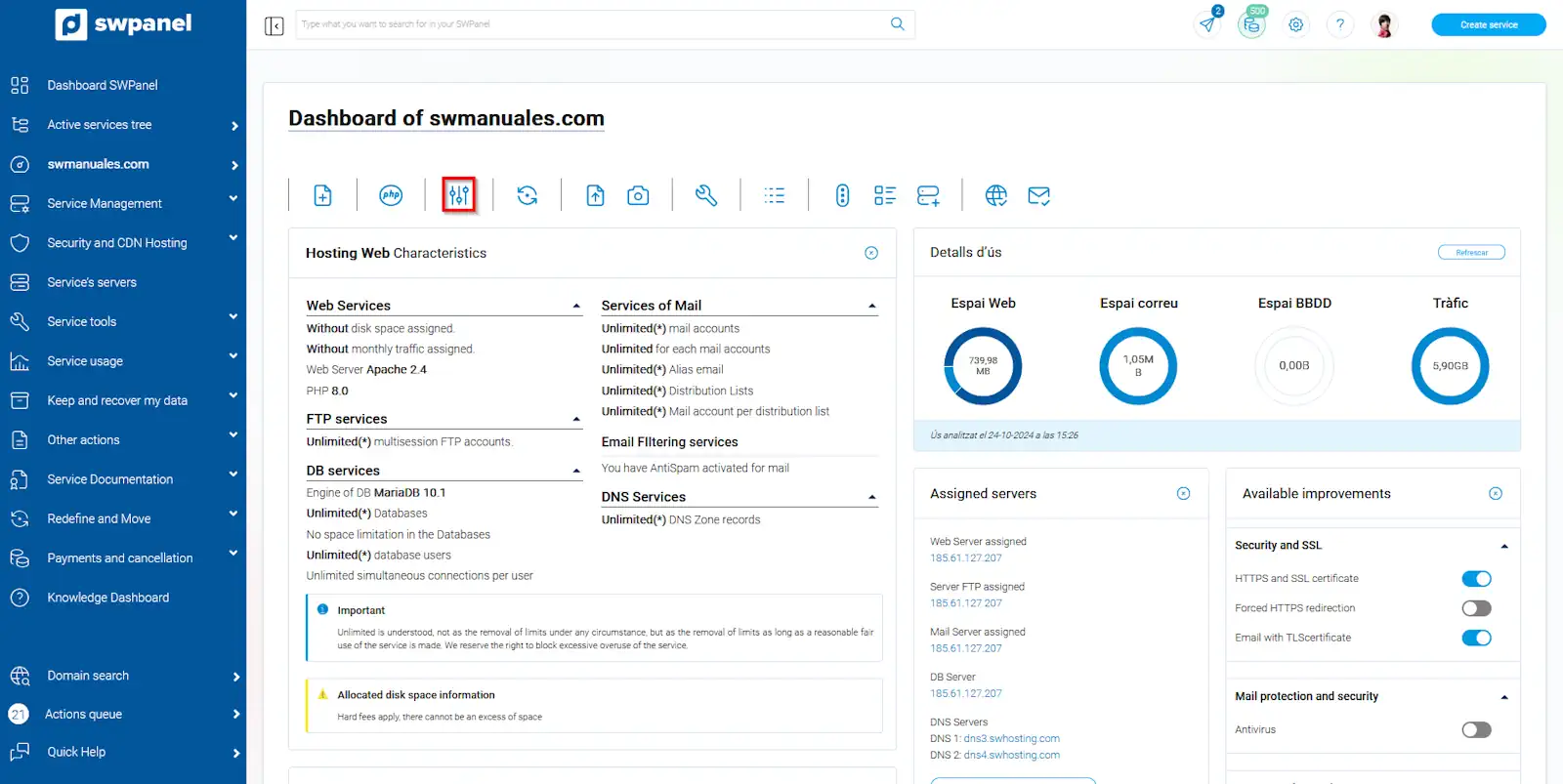
The screenshot is for guidance purposes. It was taken from version 2024.07.0128 on 25/10/2024. It may differ from what the current version of SWPanel shows.
- Now select the web service language version that suits your needs, and click on Accept and formalize changes.
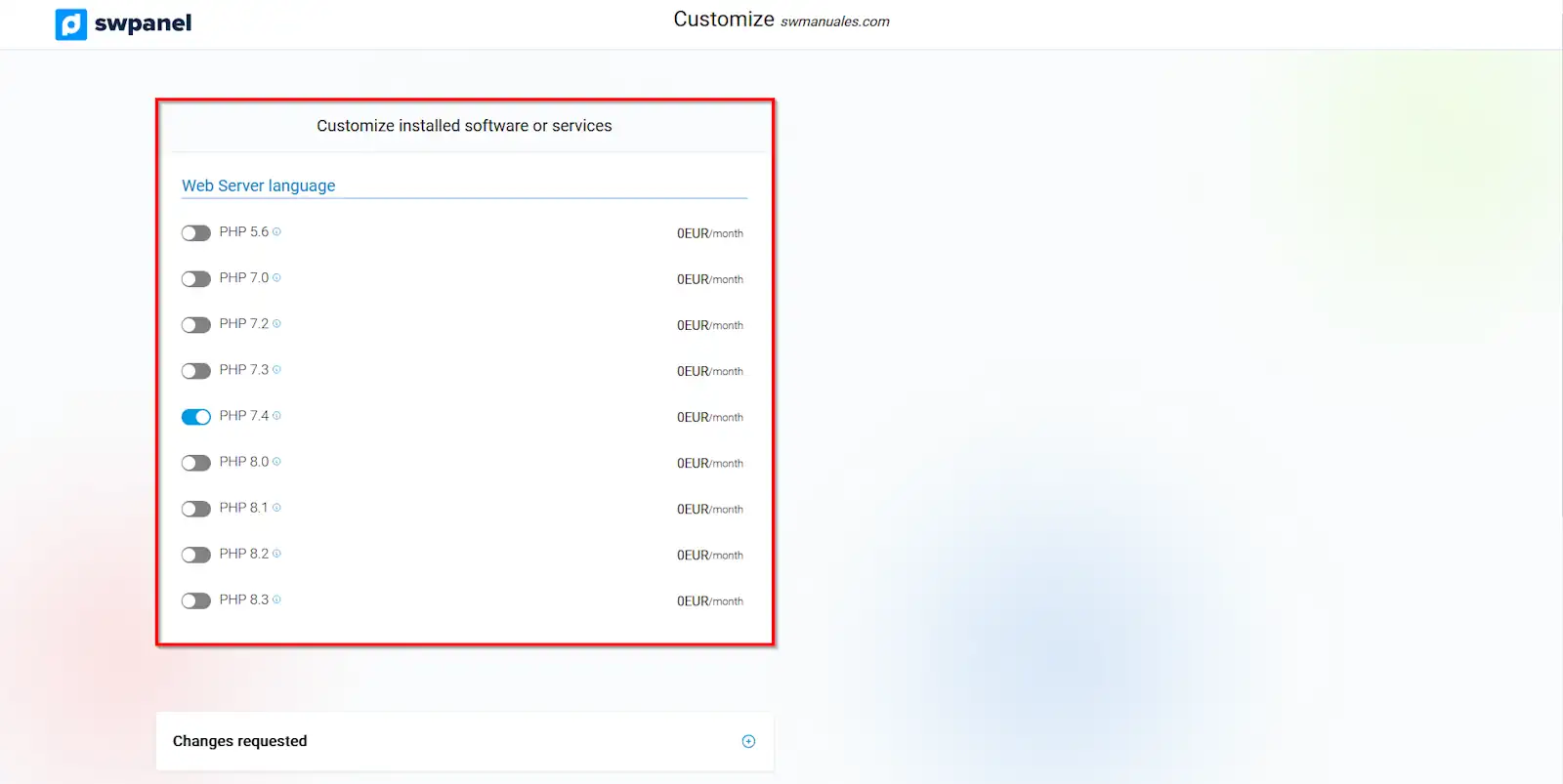
The screenshot is for guidance purposes. It was taken from version 2024.07.0128 on 25/10/2024. It may differ from what the current version of SWPanel shows.
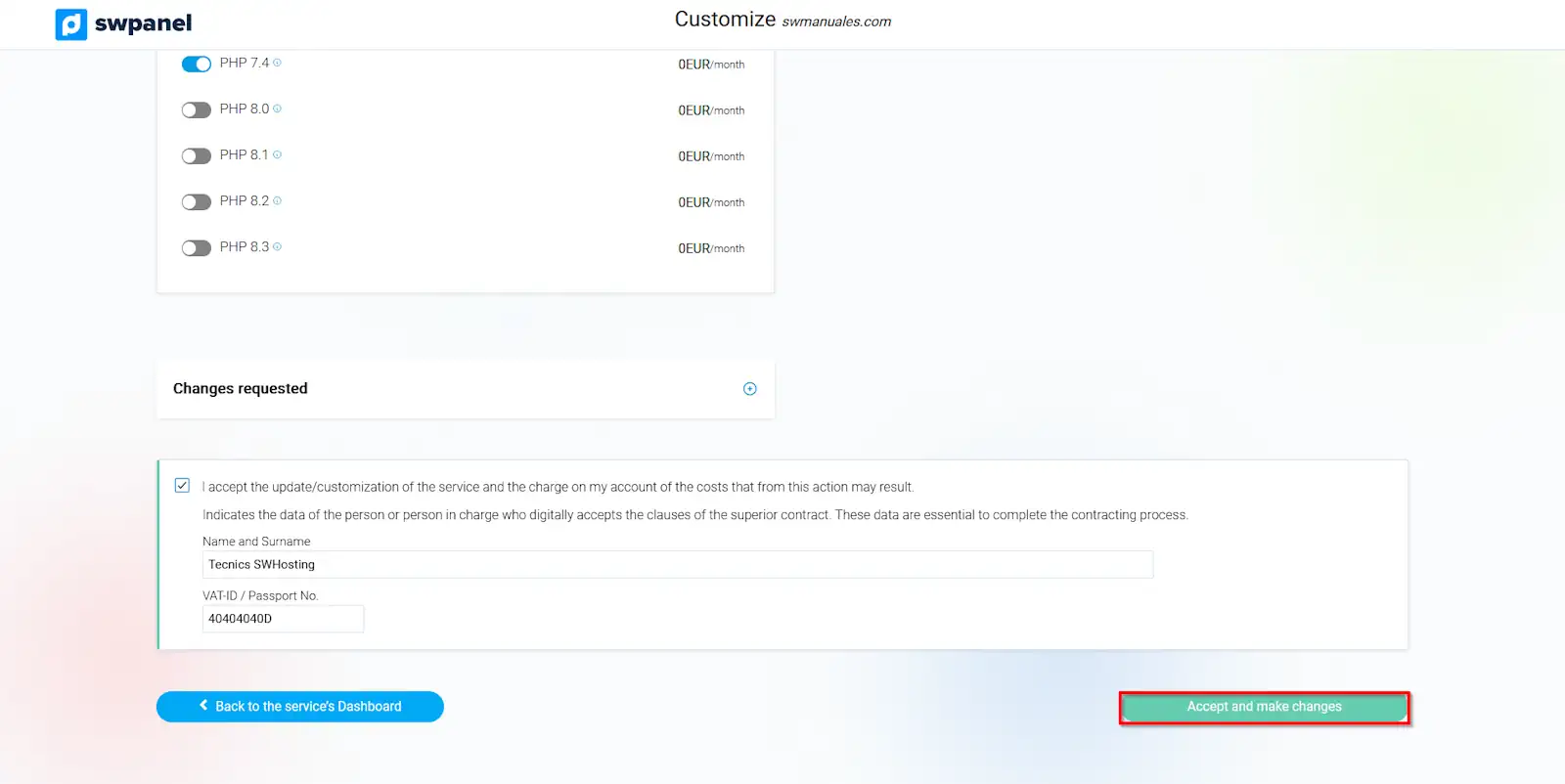
The screenshot is for guidance purposes. It was taken from version 2024.07.0128 on 25/10/2024. It may differ from what the current version of SWPanel shows.